Former Technical Manager for the UCI Mark Barfield sits down with Greg Henderson to discuss all things mechanical doping from bike weight to the impact of new bike tech. Greg also fills us in on what the opening week of the Tour de France looks like for a team staff member.
Don’t miss Part 2 of the chat with Mark Barfield which sees Greg and Mark tackle mechanical fraud – coming soon!
About the Podcast
The Zwift PowerUp Cycling Podcast features training tips from host Matt Rowe (Rowe & King), with regular guest hosts Greg Henderson, Dani Rowe, and Kristin Armstrong.
Every day, I receive questions from Zwifters. They range from mundane to esoteric, and I try to fire off quick answers as often as possible.
You may say, “Eric, that’s not your job.” And to that I would say: you are correct. Or at least, you were correct back in December 2015 when I launched this site. These days, Zwift Insider actually occupies a significant portion of my work hours – I make some income from this website, and in return I deliver value to Zwift and its community by providing information on all things Zwift. So it actually is my job… sort of.
“Ask Eric” Series Intro
The challenge with one-on-one tech support is, it just doesn’t scale well. So when I get a question that hasn’t been answered with a Zwift Insider (or Zwift Support) post, I’ll usually add it to my ever-growing list of “posts to write” so the next Zwifter with that question can find an answer via a quick Google search.
And that’s my goal with this new “Ask Eric” series. I’ll post answers to real questions from real Zwifters, in hopes that the next Zwifter with that same question can find an answer quickly and easily.
Got a question? Send it to [email protected], and perhaps it’ll show up in an upcoming post. Let’s begin!
Smart Scales not Syncing Weight to Zwift (Fitbit, Withings, Nokia, etc)
Hello Eric, My profile in Companion Is set to update automatically connected with Healthmate. But it doesn’t work since May 2020 😢 Can you help?
~E.L., Germany
I don’t know about you, E.L, but stepping onto my scale in the morning and knowing that my weight will automatically be sent to my Zwift profile is one of those beautiful small pleasures in life. (This is true, at least, when my weight has decreased from my previous weigh-in.)
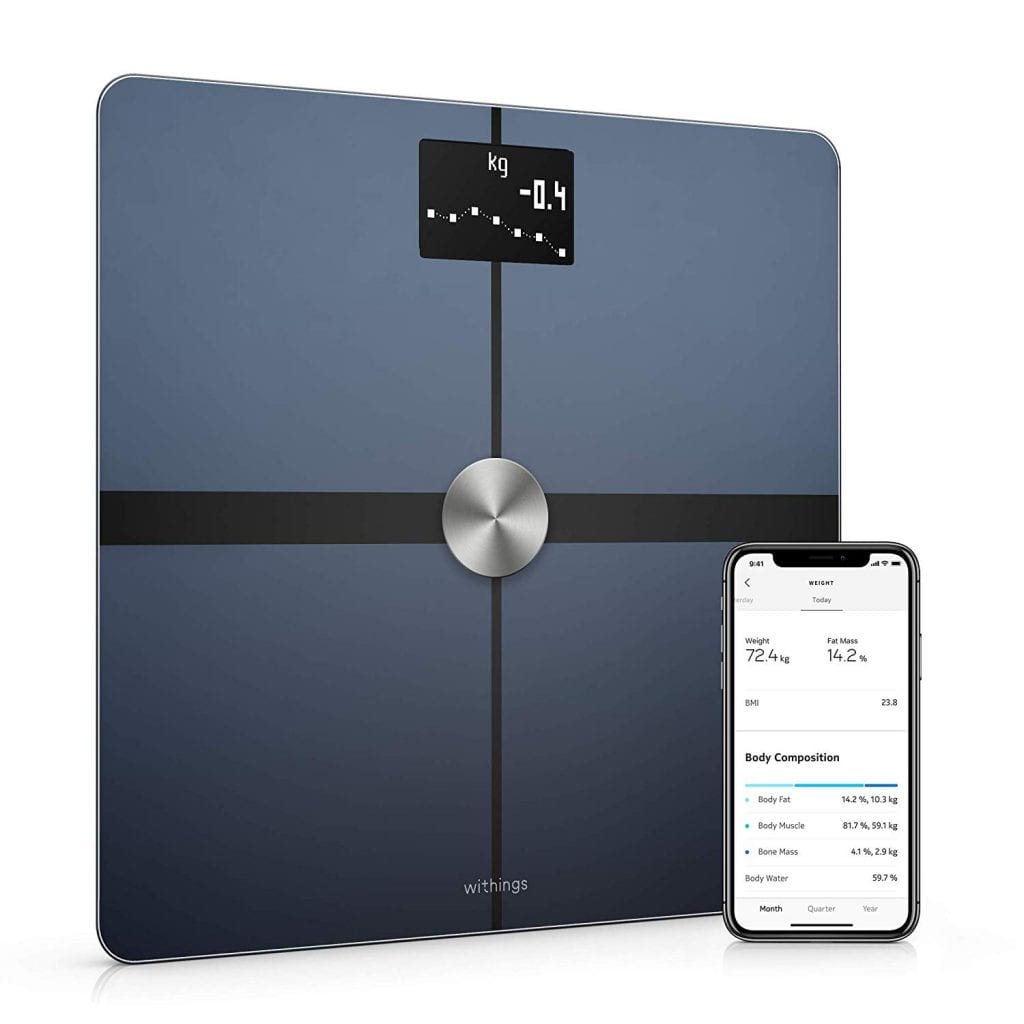
Withings Body+
Zwift has had the ability to automatically update your weight from your Withings or Fitbit account since early days – we wrote a post about it back in 2018. But the feature isn’t working anymore – it’s borked.
This problem seems to have begun sometime in May 2020. I noticed it with my amazing Withings Body+ scale around that time, then I began to see threads and questions popping up from others. At first I thought it was an issue with the Withings + Zwift connection – but then I heard that Fitbit users had the same problem. Ah! That’s a clue.
Disconnecting your account in your connections page then reconnecting seems to fix problem… for one sync. Then it stops working again. A second clue!
Here’s the final clue: in the May 28th game update, Zwift made a change to minimum weight restrictions in profiles so minors could set their weight below the previous 45kg limit. My educated guess is, whatever Zwift changed in that update broke weight syncing.
Those reaching out to Zwift support on this issue have received a message which says (quoted from an actual reply):
I’ve checked with our team and they’re working on a fix. While there isn’t a work-around for this issue as of yet, the fix will come from our end, so there’s nothing extra you need to do.
We appreciate your patience and understanding as we continue improving Zwift. Please let us know if there’s anything else that you need assistance with; we’d all be more than happy to help!
Stephen F. Member Experience Agent Zwift
I’m sure Stephen would be more helpful if he could – but he’s not a developer, so we’ll keep getting that same reply until Zwift chooses to devote some developer time to fixing the issue.
How do we “run this up the flagpole” at Zwift? Reach out to support, but also, post in this forum thread, and upvote the post so it gets Zwift’s attention. Hopefully, Zwift will get us smart-syncing just in time to log some holiday weight gain.
Unplugging NEO 2T (or other Smart Trainers) When Not In Use
Thrilled with NEO 2T so far, but Facebook report is less than thrilling. Do you unplug when not in use? I do unplug the charger when finished with Zwift; otherwise, I notice Neo power light stays on. I am not sure if this makes a difference, because most people do not unplug phone and computer chargers when not in use. Interesting that NEO can be used without being plugged to charger, and I am not sure how power is created.
~Jim, USA
While the Tacx NEO 2T can work without being plugged in (you just lose the downhill flywheel drive feature), most people use it while plugged into “mains power” (as my Euro/Aussie friends like to say). The power unit isn’t a “charger” – its job isn’t to charge a battery like a cell phone charger. (The NEO doesn’t use a battery – it uses capacitors which retain power generated by your legs in order to power the unit.)
Rather, the NEO’s plug is an “AC adapter”, which means its job is to convert your home’s power into an electrical current that your NEO can happily use. In the case of our original Tacx Neo here in the Zwift Insider Lab, that means the power supply converts our home’s AC current to a 48 volt DC current. This is basically how every smart trainer works, although the adapter’soutput voltage will vary (my Wahoo KICKR ’18 uses a 12 volt AC adapter, for example).
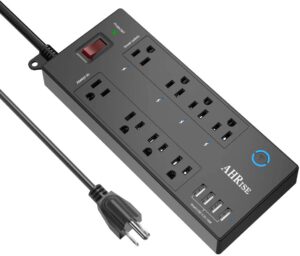
Smart power strip
I see no reason to leave smart trainers powered on when not in use – that just wastes electricity, draining power and your bank account like an electrical vampire. Plus, like any digital device, I think a reboot never hurts (and often helps)!
But we’re not neanderthals here – who wants to manually unplug and plug in their trainer? Put it on a power strip that you can easily switch it off, or better yet do what I do and use a wifi-connected smart power strip so you can turn it off and on (along with fans or other accessories) via a simple app on your phone. Here is the current “Amazon’s Choice” smart power strip, which I’m sure would do the job just fine!
Earning Route Badges in Meetups
Hello Eric, Thanks for such a great site! I’ve used it a lot since we’ve mostly been home for the past few months. I had a question about route badges and meetups. Do you know if you can collect route badges while either on or organizing a meetup? I’m trying to collect all the route badges, but it would be fun to do that with friends if possible. I tried once, but think that I picked the wrong route anyway, so it was a moot point. Thanks for your help!
~Ben, USA
This question pops up regularly, because the only thing Zwifters love more than route badges is route badges with friends!
For those who don’t know: route badges were added to Zwift in October 2019, then expanded in December 2019 to include all free-rideable routes. So you can’t get route badges for event-only routes, but that still leaves 90+ routes with badges (see our master routes list for details).
Ben’s question is, do I still get the badge if you do the route in a Meetup? The answer is: yes! Generally speaking, you unlock the route badge whether you do it in an event, in a Meetup, or just choose the route and free-ride it. The nice thing about badges in Meetups is (thanks to a COVID-inspired Companion app update in April 2020) you can schedule a Meetup on any Zwift map at any time, so you’re not restricted by the guest map rotation schedule.
One word of warning, though: there seems to always be a route or two which isn’t working properly for badge-hunters. Last I checked, Road to Sky didn’t work for Meetups (choose Tour of Fire and Ice instead). And lately I’ve been hearing that riders completing the Four Horsemen route in a free ride aren’t getting the badge. That hurts! To add insult to injury, if you complete a route and don’t get the badge, Zwift support can’t really help you – they don’t have the ability to give you the badge.
But that’s cycling… it’s not for wimps. Rule #5!
Got a Good Question?
Send it to [email protected], or comment below. I’ll reply if I can, and maybe, just maybe, a more complete answer will make its way onto this series of posts so it can help Zwifters in the future.
This morning Zwift announced the results of its series C funding round: a $450 million investment led by KKR, a global investment firm. This is massive news with implications across all facets of Zwift, but for now, we want to simply share the complete text of the press release:
Zwift, the global online fitness platform for cyclists and runners, today announced a $450 million minority investment led by leading global investment firm KKR, accompanied by other new investors Permira, Specialized Bicycle Components’ venture capital fund, Zone 5 Ventures and the Amazon Alexa Fund and existing investors including True, Highland Europe, Novator and Causeway Media. The investment will be used to accelerate the development of Zwift’s core software platform and bring Zwift-designed hardware to market, making Zwift a more immersive and seamless experience for users.
Zwift uses the power of gaming technology to bring the outdoor experience indoors, making at home exercise a fun, engaging and social experience by connecting cyclists and runners in immersive 3D computer-generated worlds. Users of the Zwift platform interact, train and compete together by wirelessly pairing a bike trainer or treadmill to the Zwift app, to power their in-game avatars. This fully immersive experience brings the experience of the outside world into the virtual, simulating the gradients of mountain climbs and the draft of other riders. The platform offers its members the opportunity to explore 240 miles of terrain in 10 virtual worlds where they can also follow structured training plans, enjoy group rides or take part in any one of the hundreds of daily mass participation events. The social aspect of the platform helps deliver the experience of competitive and communal training for users who want to ride or run together and maintain social connections from the comfort of their homes, with the user experience continually improving as the community grows.
Since launching in 2015, Zwift has seen over 2.5 million accounts registered across 190 countries, positioning Zwift as a global leader in the at-home connected fitness market. Zwift’s prominence has increased significantly in 2020 as many turned to the platform to provide not just a fitness solution but also a means to help them maintain their social connections by joining Zwift’s vibrant community who work out together online. Zwift has also led the way in a new category of physically-powered esports, hosting a number of professional events including the first Virtual Tour de France in July, an event broadcast to over 130 countries worldwide that saw the world’s best male and female professional cyclists compete. Later this year, Zwift will be the host platform for the inaugural UCI Cycling Esports World Championships.
Superstar Mathieu van der Poel, featured in the latest Zwift ad
Stephen Shanley, Director at KKR, said: “Zwift is the preeminent digital brand for the global cycling community with a best-in-class product that sits at the intersection of digital health, gaming and at-home fitness. We see tremendous potential ahead as Zwift invests further in its digital and physical products to enhance the experience for its global community of enthusiastic users. This investment fits perfectly with our growth equity strategy of backing leading tech entrepreneurs as they scale globally.” Patrick Devine, Principal at KKR, added: “We are delighted to lead this round, supporting Eric and his team with access to KKR’s global platform and resources.”
Andrew Young, a Principal in Permira’s Menlo Park office, said: “Zwift is a perfect fit with Permira’s DNA, not least because we have a big Zwift fanbase in the firm, but also an extensive track record of investing in consumer technology businesses to deliver global growth. We’re excited to partner with Eric and the team as they seek to turbo charge product investment and to solidify Zwift’s position as the leader of at-home fitness.”
Paul Cocker, Co-Founder of True, said: “As existing investors, we are delighted to have significantly increased our support for Zwift in this round, which reflects the strength of the relationship we have built with Eric and the team, as well as the confidence we have developed in the technology and brand over the last two years. This is our first $100m investment and we are excited about the increased opportunity this transaction now gives Zwift to further transform at-home fitness.”
Eric Min, Zwift CEO and Co-Founder, said: “With this investment, Zwift is primed to operate in a broader fitness market and deliver on our ambition to provide gamified fitness through integrated software and hardware, to anyone who wants to have fun while getting fit at home. We will be accelerating our investment in the core business, improving the overall product experience, and bringing forward new features, more content and Zwift designed hardware, all with the support of KKR and our new outside investors who can help drive our growth. To make this happen, we will be increasing headcount within our core product teams, investing in the very best people. We begin by welcoming Ilkka Paananen to Zwift both as an investor and independent board member.”
Ilkka Paananen, Co-Founder & CEO, Supercell, said: “Zwift is uniquely positioned to lead the way and grow a new global fitness community, combining video gaming and sports, two of my great passions. I have been incredibly impressed by Eric’s vision and ambition, and his commitment to building a world-class product for the community. There are many exciting growth opportunities for Zwift and I’m looking forward to being a part of this journey.”
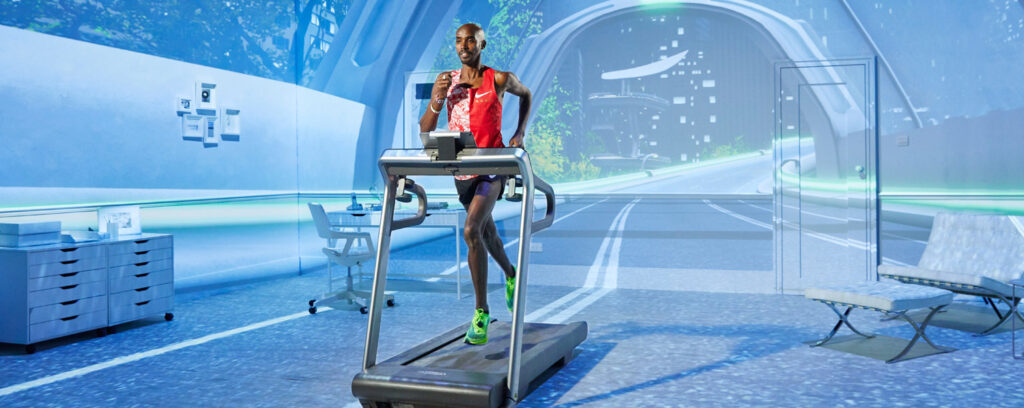
Sir Mo Farah, featured in a recent Zwift ad
Specialized’s investment represents the beginning of a strategic partnership between the global cycling brand and Zwift. Both brands share the belief that cycling, whether indoor or outdoor, has the power to improve lives. Chris Yu, Leader of Product and Innovation at Specialized, stated “our goal is to pedal the planet forward by getting more riders riding, and we are beyond excited at the opportunity to partner with Zwift to break down the barriers to riding indoors on the world’s most engaging platform.”
KKR’s investment was made through its Next Generation Technology Growth Fund II, a global fund dedicated to growth equity investments in the technology space. KKR has established a strong track record of supporting technology-focused growth companies, having invested over $2.7 billion in related investments since 2014. Permira’s investment was made through its Growth Opportunities Fund I, which focuses on minority investments in growth-focused, tech-enabled businesses. Specialized’s investment was made through its venture fund, Zone 5 Ventures, which focuses primarily on minority investments at the intersection of sports, media, technology and health and wellness. In connection with the financing, some investors will purchase shares from certain existing shareholders. J.P. Morgan Securities LLC acted as Sole Placement Agent on the financing.
Today Zwift announced big news for our racing community – the Zwift Racing League! Held in partnership with WTRL, the league is a multi-week, seasonal, team-based series.
Three standout features make Zwift Racing League an exciting and evolutionary development for community racing:
Community accessibility: the league caters to all time zones and abilities. Past race series organized by Zwift have been for high-level racers only, but everyone can play in the Zwift Racing League!
Teams and leagues/divisions: cycling is a team sport, broken up into divisions/categories to give more riders access to competition near their ability level. Zwift Racing League is using both teams and divisions to create a structure familiar to all racing cyclists.
Mixing formats: with a mix of scratch race and time trial formats, the league has more variety than past single-format events.
Details are just emerging, but this is clearly a significant step forward in the evolution of community racing on Zwift. We’ll be publishing a follow-up post later this week with more details, but here’s what we know for now.
League Structure
The league is comprised of 5 divisions: Open Divisions 1, 2, 3, and 4, and the Premier Division. The Premier Division events are invite-only.
Open Division events will have multiple timeslots to satisfy all time zones. The Premier Division is region agnostic, with a single time slot.
Dates
Open Division will run for 8 weeks, from October 13 to December 3.
Premier Division will run for 6 weeks, from October 13 to November 24.
Race Formats
Races will be held every Tuesday and Thursday. The Tuesday series will be comprised of a scratch race and Thursday series will be a Team Time Trial (a format which WTRL has popularized!)
Team-Based
The league is entirely team-based, with overall season rankings based on accumulated team points.
Open Division races will allow for an unlimited team roster size, but a max of 6 athletes per race. Teams can register at any point during the season but would forego points for any races missed, e.g. a team that registers the second week would only start to accumulate points from week 2.
In the Premier Division, teams can have a roster with up to 10 riders, but are limited to 6 athletes per race, with a 3 athlete per race minimum. Premier Division teams are required to keep the same 10 rider roster for the entire season and cannot rotate riders in/out who were not registered at the start of the season.
Invitational Qualifiers
Qualifiers for the Premier League are already underway. The top 15 teams from the qualifiers (15 men’s teams and 15 women’s teams) will join up to 5 select wildcard teams in the first season of the Premier League.
Multi-Season Ladder System
This is just the first season for Zwift Racing League, but the plan is to follow up with season 2 (and presumably additional seasons). The good news here is that the multi-season approach means Zwift+WTRL are taking a long-term view of this racing league. But what’s even more exciting is that the multi-season approach includes a ladder system wherein the lowest-placing invitational teams will trade places with the top-end community teams in a relegation-style league format!
Organizers
The Open Divisions will be organized by WTRL, a well-respected community race organizer whose most notable accomplishment is the very popular Thursday Team Time Trial Series.
The Premier Division will be operated by Zwift Esports.
Broadcasts
Open Division races will be live-streamed by Zwift Community Live, while Premier Division races will be live-streamed by Zwift Live. Men’s and women’s races will receive equal broadcast coverage.
Questions or Comments?
Post below! We’re talking to Zwift HQ about details and will try to get your questions answered as thoroughly as possible.
Most Zwifters realize that smart trainers are complex, expensive electronic devices which require calibration and properly-functioning firmware in order to operate properly. Yet many riders have never calibrated their smart trainer or checked for updated firmware!
Calibration and Firmware: the Why and How
For all but a few smart trainers (including the Tacx Neo line, the new Wahoo KICKR 5, and most smartbikes) calibration is necessary to ensure power readings are accurate. Zwift’s pairing screen has a built-in calibration utility which supports many smart trainers, but we advise Zwifters to use the manufacturer’s app since the maker of the trainer knows best how to calibrate it.
Firmware is the code which tells the trainer how to operate – updates typically result in increased power accuracy, more stable operation, and a better overall ride experience.
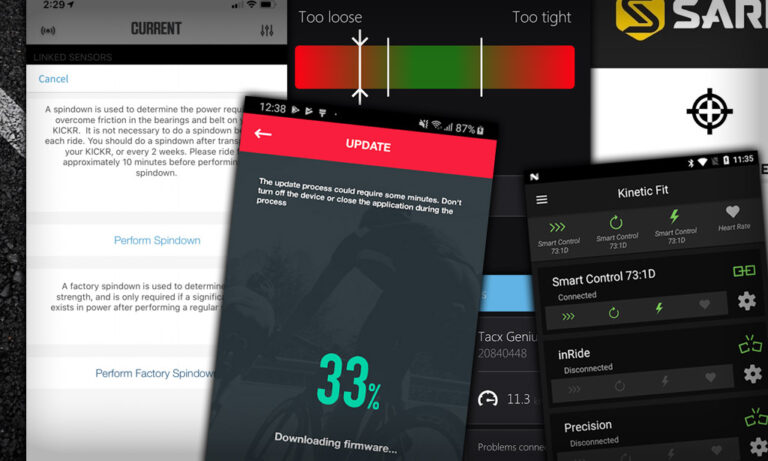
Almost all manufacturers have mobile apps that allow you easily update your trainer’s firmware and perform any necessary calibration. But if you don’t read the instructions, you may never know it!
In researching our Smart Trainer Index, we’ve compiled a list of support apps from trainer manufacturers. We thought it would be helpful to publish it as a standalone resource, so here it is!
4iiii: 4iiii
The 4iiii app (called "4iiii Device Configuration" on Android) lets you update firmware and calibrate your 4iiii devices. It also lets you change some settings on your Fliiiight smart trainer, which may be necessary depending on wheel size.
Related Posts
Related Posts
Bkool: Bkool Toolkit
Although reviews are less than stellar, the Toolkit app from Bkool is supposed to enable owners to update the firmware on their Bkool trainers. It doesn't work well/reliably, but it's your only option apart from contacting Bkool support.
Related Posts
Related Posts
Related Posts
Related Posts
Related Posts
Related Posts
Related Posts
Related Posts
Related Posts
Related Posts
Related Posts
Related Posts
Related Posts
Related Posts
Related Posts
Related Posts
Related Posts
Related Posts
Decathlon: Decathlon Connect
Related Posts
Related Posts
Related Posts
Elite: myETraining
Elite's support apps are a bit confusing, because they use their main app (myETraining) for calibration, and a second app for firmware updates.
The myETraining app is quite powerful, although Zwifters probably won't use any of its features beyond calibration.
Related Posts
Related Posts
Related Posts
Related Posts
Related Posts
Related Posts
Giant: RideLink
Giant's simple RideLink app allows you to update firmware and calibration on your Cyclosmart trainer. It also gives you basic control functions for your smart trainer, which most Zwifters will never need.
Related Posts
Related Posts
Related Posts
JetBlack: JetBlack Cycling
The JetBlack Cycling app includes tools for calibrating your JetBlack trainer, as well as a host of training features that make it one of the more useful apps from a trainer manufacturer.
Related Posts
Kinetic: Kinetic Fit
Use the Kinetic Fit app to calibrate your Kinetic trainer as well as update firmware. It also includes features which let it control your Kinetic smart trainer from your mobile device for ERG workouts, and a paid option for more advanced training plans.
Related Posts
Related Posts
Related Posts
Related Posts
Related Posts
Related Posts
Magene: Magene Utility
Magene's Utility app is quite basic, but it does what it needs to do: allow you to calibrate your Magene trainer, as well as update its firmware.
Related Posts
Related Posts
Related Posts
Related Posts
Related Posts
Related Posts
Related Posts
Oreka: Oreka Training SL
Oreka's Training app lets you control and configure your Oreka trainer or rollers, as well as update firmware. Since their devices do not require calibration, the app doesn't support it.
Related Posts
Related Posts
Related Posts
Related Posts
Related Posts
Related Posts
Related Posts
Related Posts
Related Posts
Related Posts
Related Posts
Saris: Saris Utility
Use the Saris Utility app to update firmware and calibrate your Saris/CycleOps trainer. It also has simple ERG-mode controls.
Related Posts
Related Posts
Related Posts
Related Posts
Related Posts
SRM: SRM eIT
SRM appears to be behind the curve when it comes to supporting its products via mobile apps. Their eIT app lets you control your SRM Indoor Trainer, but firmware updates and calibration are accomplished via other means. There does not appear to be an Android version of the app at this time.
Related Posts
Related Posts
Stages: Stages Cycling
The Stages Cycling app can be used for manual calibration and firmware updates. It also includes a small workout library.
Related Posts
Related Posts
Tacx: Tacx Training
The Tacx Training app can be used to upgrade the firmware on your Tacx trainer, as well as calibrate any Tacx trainer that requires calibration. It's also a training app, with films to ride through and structured workout capabilities.
Related Posts
Technogym: MyCycling
The MyCycling app can be used to calibrate your trainer. Presumably it also delivers firmware updates, although the app documentation never mentions such. The app also allows you to control your Technogym trainer for ERG workouts, and includes premium training options for a fee.
Related Posts
Thinkrider: Thinkrider Tools
The Thinkrider Tools app is quite basic, but allows you to update firmware and calibrate your Thinkrider smart trainer.
Related Posts
Related Posts
Related Posts
TruTrainer: TruTrainer SmartLoad
TruTrainer's SmartLoad app allows you to calibrate your rollers as well as update their firmware. It also lets you control your rollers in various modes and modify parameters for bike type, weight, and road conditions.
Related Posts
Related Posts
Related Posts
Related Posts
Related Posts
Wahoo: Wahoo Fitness
Use the Wahoo Fitness app to perform spindown calibrations (including advanced factory spindowns) as well as firmware updates on your KICKR trainers. The app also lets you configure other devices in the Wahoo indoor ecosystem such as the Climb and Headwind, as well as control your trainer for workouts.
Related Posts
Wattbike: Wattbike Hub
The Wattbike Hub app supports firmware updates for your smartbike. It also displays advanced pedaling insights and allows your mobile device to control ERG workouts and simulate routes.
Related Posts
Related Posts
Related Posts
Xplova: Xplova Workout
Use the Xplova Workout app to calibrate your Xplova trainer and upgrade firmware. Includes ERG workout and route simulator functionality.
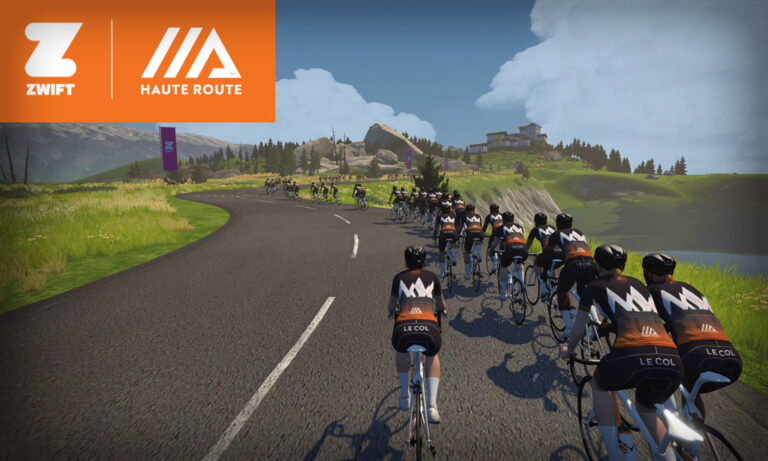
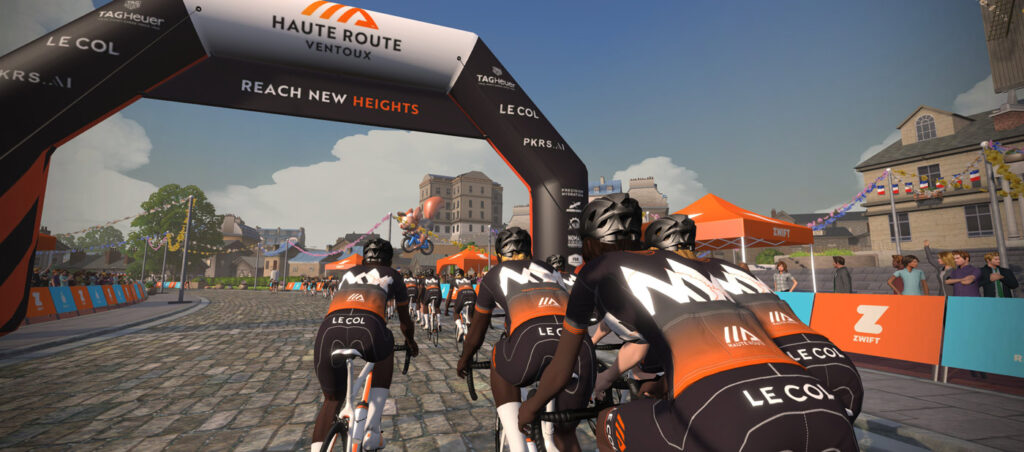
Following up on April’s wildly popular Haute Route Watopia, Zwift + Haute Route have rolled out another big challenge which happens this weekend: the Virtual Haute Route Ventoux!
This tough three-stage event takes place entirely on Zwift’s France map, and features two stages which include all or part of Zwift’s virtual Mount Ventoux. (For anyone lucky enough to be riding in the real-life Haute Route Ventoux just two weeks after the virtual event, this will serve as a final test of fitness.)
In true Haute Route style, this is designed to be a challenging stage event. Competitors must complete all three stages on back to back days in order to officially finish. Each stage will be run across multiple time zones – see the event page on Zwift.com for schedule and signup.
A general classification on ZwiftPower will allow all entrants to track their performance across all three stages.
There will be no make-up days – stages must be completed back to back.
Stage Details
Over the course of three stages, participants will ride a total of 104.7km (65.1 miles) with 3,145m (10,319′) of climbing. These are double draft events.
Here are the routes for each stage (click for details):
Stage 1: Petit Boucle (61km/37.9 miles, 430m/1411')
Stage 2: Ven-Top (20.9km/13 miles, 1534m/5033')
Stage 3: La Reine (22.8km/14.2 miles, 1181m/3875')
A Note About Categories
Categories for the Virtual Haute Route Ventoux events are set up differently than what we typically see. Every event has A-E categories, but they are all for the same ability level and route. Basically, it appears Zwift has set it up this way so ride groups are smaller, since Zwifters on low-powered/older devices sometimes suffer from bugs or crashes in busy rides.
If your system bogs down when you’re in large group rides, join the category with the least number of riders. On the other hand, if you want to ride with the largest group possible, sign up for the category with the most riders!
Colnago E64
Prizes and Unlocks
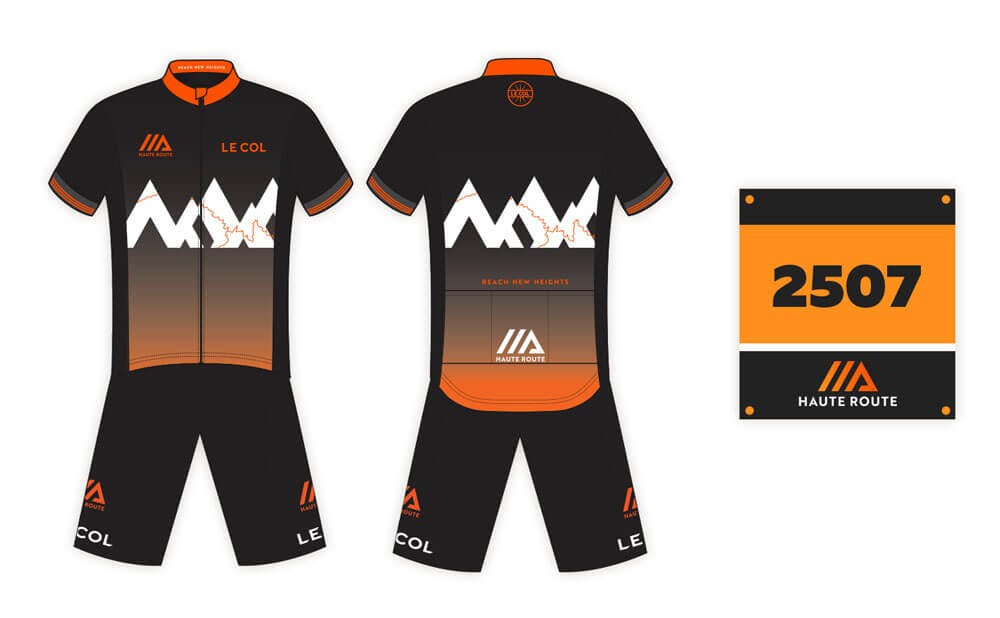
Zwifters who complete any stage will unlock the exclusive Haute Route Ventoux kit by Le Col to wear with pride in the game.
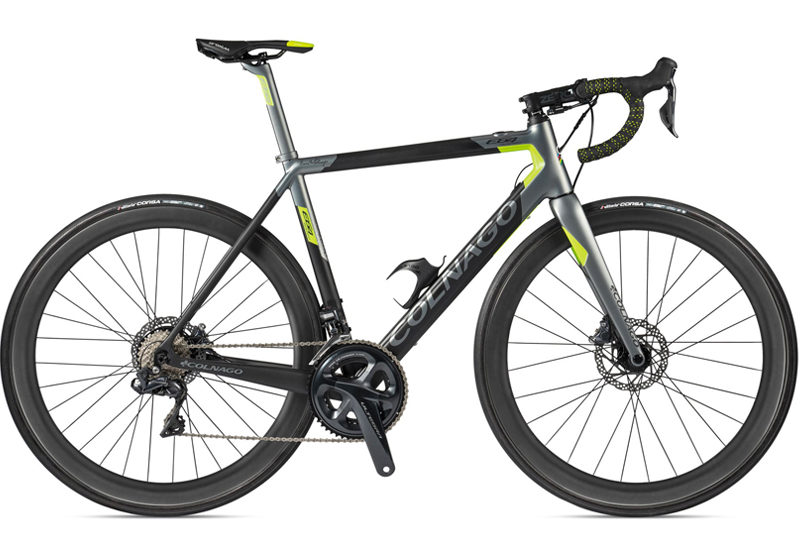
You can purchase the real life kit from Le Col’s website, and you’ll earn exclusive Le Col discounts by completing stages. Complete every stage for the chance to win one of three spots at an outdoor 2021 Haute Route event or one of two Colnago e-bikes!
Haute Route has made a name for itself by creating challenging three and seven-day events in some of the world’s most iconic cycling destinations. Their events are essentially fully-supported stage races for passionate yet amateur cyclists. Some riders race the events, others seek to only challenge themselves, while others just want to enjoy the scenery. Some do all three!
Velo News says, “Haute Route events are at, or near, the pinnacle—for every pedal stroke on every stage—at offering the pro experience, both on and off the bike.”
Jesse Thomas had a surprisingly quick rise to the top of triathlon, and he stayed there right up until his recent retirement announcement. In this episode, Jordan and Matt catch up with Jesse on what he’s been up to since, while reminiscing about some great times shared in the sport.
Includes some solid engi-nerd talk between Jesse and Jordan in the tech corner, plus lots of good laughs. Give it a listen!
About the Podcast:
The Zwift PowerUp Tri Podcast is hosted by former pro triathletes Matt Lieto and Jordan Rapp, lending their in-depth knowledge of the multisport to the Zwift Tri audience.
If you’ve followed this How the Race was Lost/Won series, you know that sometimes I like to experiment in Zwift races. Because why not? It makes things interesting for everyone and sometimes leads to unexpected (yet positive) results.
That’s what happened in today’s race. (Well, actually, this race happened two weeks ago. I’ve been too busy to write about it, because I’ve been working on our new Smart Trainer Index feature!)
I decided to race with all HUD elements turned off – something I’ve been wanting to do ever since I did the FutureWorks “Sights and Sounds” group ride a few months back. “Sights and Sounds” is an actual event mode that Zwift is experimenting with, but you can get the same effect by disabling the HUD via a prefs.xml edit, or by using the ZwiftHacks Zwift-Preferences tool (which is just a front-end that edits prefs.xml for you).
The Warmup
With the HUD turned off, I hopped on to warm up. I climbed on the bike about 20 minutes before the race, having chewed two pieces of caffeine gum and slapped some PR lotion on the legs. The warmup was uneventful: I raised my heart up to 160+ a with a few hard efforts, then it was time to head to the start pens.
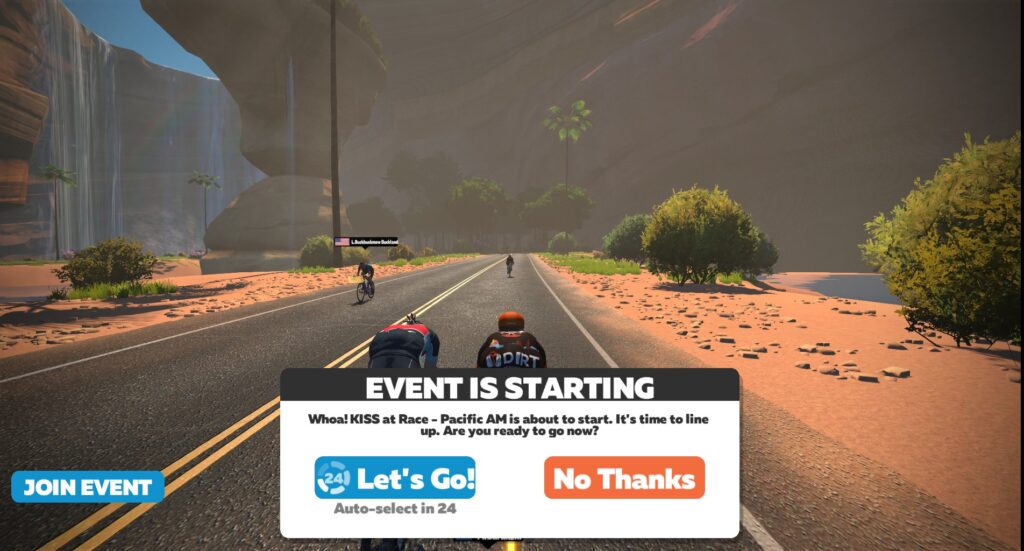
Happily, the HUD being hidden still allows for boxes to pop up like “The Event is Starting” warning!
The Start
This was the KISS at Race – Pacific AM event, which takes place on Wednesdays at 6am. 15 laps of Crit City’s Bell Lap route, so a bit longer than most Crit City events. We had a smaller B group signed up, so I figured it wouldn’t be too crazy out of the gate. There were a few strong Bs signed up on the ZwiftPower list, though, so I took note of their names (Wish Upon the Pleiades, Jeremy Cross, Phil Borrett Tor2000) so I could hopefully figure out what their avatars were wearing and keep an eye on them.
The first lap wasn’t too bad, and I figured out what the three top riders were wearing so I could pick them out: Cross was wearing the green argyle, Wish Upon the Mid Devon CC Look kit with a Gatsby cap, and Tor2000 wearing the black/red/white Elite kit.
Attacking with Wish Upon
Our group was moving along nicely, but with only about 10 in the front pack the overall speed didn’t feel very high – which meant attacks might be able to get away. On the second lap I tried an attack up the twisty climb and Wish Upon and Tor2000 jumped with me. Interesting! Cross came over as well, so it was clear these three were feeling pretty strong. We didn’t stay away (still 13 laps to go, after all) but we dropped a rider or two. Progress.
Attack of the A’s!
Things were going along swimmingly: we were on the 6th lap, and I was calculating my next attack. Then several riders suddenly flew through our pack from behind! I instantly realized we had been lapped by the A’s, who had started a minute earlier.
I would have seen it coming if I had the HUD minimap. But it was a complete surprise – I hadn’t even pondered the possibility of such a thing happening!
This was the winning move, I knew it. If I could grab onto those wheels, we would drop more B riders, and hopefully I could at least grab a podium spot. I went hard to close the gap to the A’s… and did it!
Note: of course, hopping into a faster group from another category would be highly frowned upon in an outdoor road race. But on Zwift, the basic rule is “if you can see a rider, you can ride with ’em.” The only exception is that it’s considered bad form to sit on the wheel of a known zPower range or sandbagger who is attacking off the front – but even that is often a judgment call.
Once I was in the front pack, the real work began. To give you an idea of the difference between our B group and the A group: after the initial high watts of the first lap, I had averaged 281w in the 13 minutes before the A’s caught us. For the next 18 minutes, I would average 310 watts as I hung with the A’s!
Trying to hold onto the hard-charging A’s
But I did it. I stayed with that front group of hard-charging A’s. And one by one I saw the B riders who I recognized dropped from the group. Without a rider list on the right, I wasn’t entirely sure that I was the only B left – but I figured there was a good chance. Regardless, I knew I had to hang in with the A’s as long as possible to give myself the best chance at a win.
The Finish
Without the central HUD element I had nothing telling me overall distance or laps to go, except for the lap counter displayed after the start/finish banner. When the lap counter said 2, I knew things were going to get crazy – because the A’s had lapped me, so this was their final lap!
Sure enough, I got dropped at the top of the twisty climb as they hammered away. That meant I had 1.5 laps to ride by myself. I had actually caught up with Tor2000 by that time, having lapped him thanks to the A’s. So we rode together to the finish, and when I went through the arch, the only names initially shown were A’s. I was the first B across the line over a minute ahead of Cross who came in 2nd!
This was a unique race for two reasons: because it was HUDless, and because I won by grabbing onto the A group as they lapped me. Both race firsts for me!
Going HUDless
The HUDless experience was really fun, and it forced me to pay closer attention to the actual avatars. With a minimap visible, would I have seen the A’s coming and been able to make a smoother jump into their group? Probably. But I was also so engaged in watching all the riders that I saw as soon as the A’s came into our group, and was able to respond.
Paying closer attention to the avatars helped me, I felt, to spot attacks more quickly. Instead of bouncing my eyes from the rider list to the peloton and back again repeatedly, I could simply focus on the riders around me.
I’ll be racing HUDless again. I wouldn’t want to do it on a route I didn’t know well, but if you’re familiar with the route, I think it’s a fun changeup from the typical Zwift race experience. Probably a disadvantage overall, but I hope that the focus it taught me carries over and benefits me when racing with the HUD.
Getting Lapped
The other takeaway is, it’s smart to look at group start times and anticipate being lapped on short loop courses like Crit City, Volcano Circuit, and possibly others depending on overall race length. Knowing it’s coming should allow you to make a smooth transition into that faster group – just another strategic advantage you can have over your rivals.
Your Thoughts
Have you ever raced HUDless? Have you ever grabbed onto a faster group as they lapped your bunch? Share below!
Since March I have become obsessed with the weekly Team Time Trial… so I asked Eric if i could share my obsession with you all, in weekly doses.
Each week on a Friday I will give you a profile of the upcoming route, guidance on bike choice and some target times if you want to aim for the Premiere League (top-10 in each coffee class get to be in a special race televised on YouTube).
We are still anticipating the upcoming changes to the WTRL league system. Details are thin on the ground… but I’m expecting an announcement this week! We know there will be a new caffeine-fueled Doppio class filled with A+ riders, and a league system within Vienna but that’s all I have for now! If something comes up after I post this, I’ll add a breaking news section!
If you can’t ride, or even if you can ride, but want more action! Don’t forget to tune in to the live TV show on Zwift Community Live’s YouTube Channel at 6:15 (UK time).
UCI Harrogate Recap
Before heading to the Big Apple let’s take a look at how well you did in Yorkshire (#73). What you see below is the finish time for the 11th team over the line – when this course was last run, this week’s PL qualification time, and my prediction for PL from last week’s recce. The last column shows what position “my team” would have attained this week.
Class
PL Time (#58)
PL Time
My prediction
Vienna
46:15
45:02
46:20
14th place
Espresso
38:07
38:33
38:15
9th place
Frappe
40:47
41:04
41:00
10th place
Latte
45:19
45:00
45:25
14th place
Mocha
54:50
53:58
55:00
17th place
All I have to say is what happened to Vienna, Latte and Mocha – you guys knocked it out of the park… your categories significantly faster than in #58. Espresso, and Frappe came in exactly where predicted, slightly slower than #58.
Thursday 17th September – Astoria Line 8
Across the Atlantic this week, to New York’s Central Park. Astoria Line 8 is named for New York’s first subway line – but unlike London, we keep it above ground throughout. The route is an accurate replica of the surface roads in the Park – when the New York world was released Dave Chauner, racer from the 60’s said “Rode the new Central Park course this morning. It’s been a long time but I recognized every meter of the circuit”.
Three laps at 11.58km (7.2 miles) each with no lead-in gives a total distance of 34.75 km. There are no significant hills but this course is LUMPY – there is no significant flat on the course at all, but equally there are no mountains to climb. Elevation per lap is 141m (460’ in old money).
The layout of Astoria Line has confused me for ages – I ended up watching a ‘cast of the last TTT (thank you Team DIRT) to try and work it out. The pens are slightly the “wrong” side of the start/finish banner so technically (I think) what you have is a lead-in of 11.58km on a lap that’s also 11.58km. I’m going to try and ride this again and pay attention to where the pen is vs the start/finish.
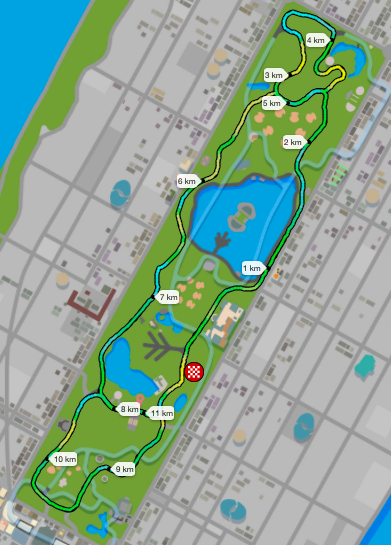
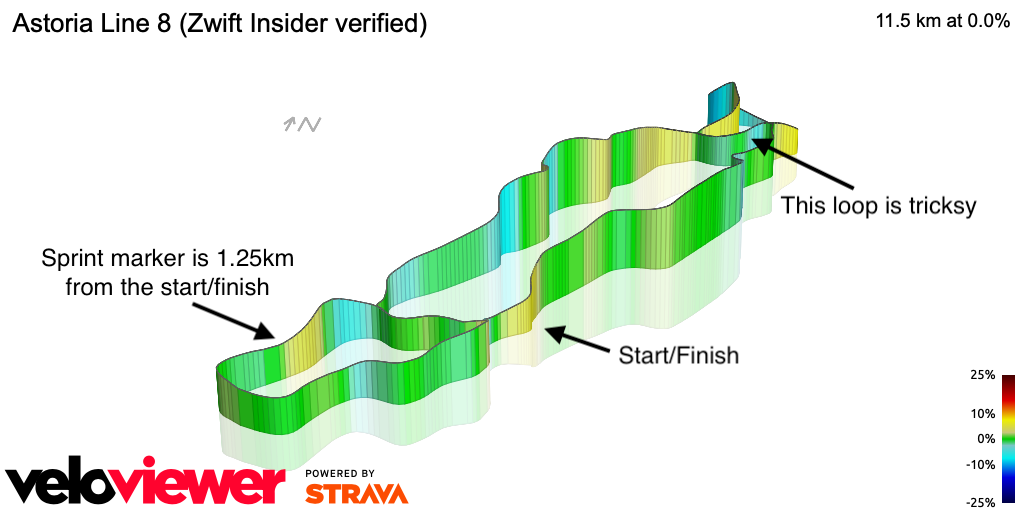
The course itself is best described as a figure-8 if the 8 had an extra loop.
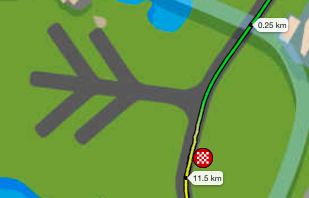
A 2.25 km clockwise loop at the top of the park, straight down the west side of the park to (almost) 8km, then a 3km clockwise loop at the southern end before getting back to the start/finish banner at 11.5km. You can see the start/finish banner by the pens on the map. Of course, with Zwift you don’t have to worry about directions – just pedal and go!
What to ride?
First off, an apology… last week’s recommendation included buying the S-Works Venge at Level 32… but that was a mistake because it’s not available until level 33! I know a few of you eagerly rushed to the Drop Shop only to be disappointed!
Just like last week, this is not a flat route, but there are no mountains – it’s best described as lumpy. One of the few similarities between Harrogate and New York. I am going to stick with my recommendations from last week – if you have Tron use that. If you are level 45 and want to show off you can run the S-Works Venge with 858/Super-9 wheels but it won’t give a time advantage.
Like last week, teams with newer Zwifters have got a great frame in the form of the Specialized Tarmac Pro SL7, which can be paired with the ENVE 3.4s or Rovals for decent performance.
Here are some choices for you at different levels – but to reiterate – none of these combinations beat the Tron around Astoria Line 8.
Level 5 Specialized SL7 with ENVE 3.4 (last week’s pick, the Rovals don’t climb well which is why I went with the ENVEs)
Level 13 Keep the SL7, upgrade the wheels for ZIPP 808s
Level 33 S-Works Venge with ENVE SES8.9
Level 40 S-Works Venge with Zipp 858
Level 45 get those 858/Super 9 wheels and pair them with the S-Works Venge
As always, the Zwift Insider reports on frames and wheels are superlative so if you want to find the perfect bike and wheel combo for you, check them out.
Route recon
In my experience this is a hard route to break down and analyze. I find New York’s ground-level landmarks hard to differentiate between and I never seem to know where I am on the course.
Prepare for an hour-long effort (45 minutes if you are a top-flight Espresso team, 1:15 if you are at the back of the Group D pack). I strongly recommend doing a few laps of Astoria Line 8 before the TTT. If you can, find a race or two to see how it feels at your threshold. If you can’t get on any other arranged ride, just do a group ride. Gold star if your team does its own TTT practice ride this week!
Friday – If you’re keen there’s a 100km group ride arranged by ZTPL on Friday, perfectly timed for lunchtime in the USA and evening in UK/Europe. They will keep the pace around 3.5 w/k.
Saturday – 3R Hilly Race will do 3 laps mid-morning in Europe.
Saturday – Oh My Crit will do a 4 lap race mid-morning USA-time (late afternoon UK/EU time).
Sunday – The Peel Cycling Sunday Chase is one of my favorite weekly events, and this week it’s in the right place for a recce. Categories start 2-minutes apart and the mission is to chase down the Category in front of you… while taking copious notes of the course layout! Early morning USA, or lunchtime in UK/EU.
Monday – If you aren’t in the mood for a race, MAAP have a nice 2.5 w/k group ride on Monday morning (UK) / early afternoon (UK/EU).
What to look out for on the ride
This is a technical ride. Like Harrogate last week, winning this week is all about knowing your team’s strengths and weaknesses under pressure. There are a couple of places where teammates might crack: the loop at the north of the park, and the bump right after the sprint are particular hotspots. ,
West side
Out of the gate here you hit a gentle rise and fall leading into the North Loop. This is the most straightforward part of the whole ride. A perfect time to get into your stride… or on subsequent laps to regroup.
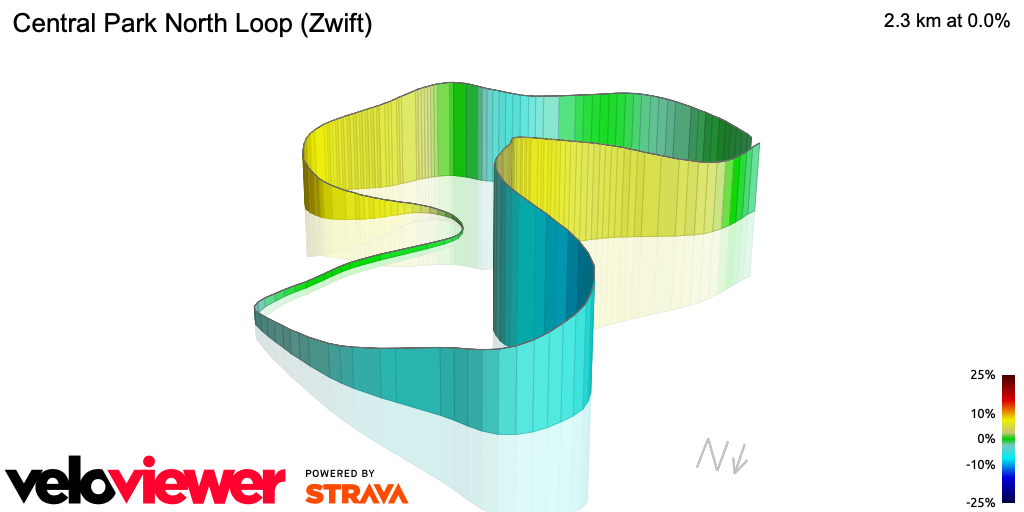
North loop
The north loop is a rollercoaster – On the segment picture below, you enter at the top (where the green turns to blue), take the right turn and straight up the hill – North Woods Climb East which is 400m at 5%, down the hill (get your heart rate down) then up East Drive Climb which is a curvy 420m at 5% again, bu has a tight 8% section in the middle.
East side
The east side straight is dominated by a triple bump hill. This isn’t steep by any stretch of the imagination – 400, 350 and 300m each at 2.5% – but it is a leg-sapping section, particularly as it comes right after East Drive Climb. After that though, you head downwards for 700m to the relative calm of the South Loop.
South loop
The south loop is fairly straightforward – a lumpy 3km around. Two areas of note – the sprint, which you can use as a distance marker (it’s 1.25km to the start/finish) and the climb right after the sprint banner (300m at 4%).
The finish
That last climb isn’t rough – but I can tell you from personal experience that on the last lap, 300m at 4% is a killer. On the last TTT I got dropped here – but at least I did a decent turn on the front before pulling the parachute.
The route has an uphill finish – 300m at 3%. Save some adrenaline for that on the last loop around!
Target times
I’m mighty proud of my predictions for last week – if you hit my times you would have been in the middle of the Premiere League in every category. But… what I want to do for you is get closer to the maximum time for each Coffee Class that will still get you into the Premiere. Let’s see how close I can get this week.
This course has been run twice before; last time was April (#53, my second TTT), before that was August last year (#44).
#20
#53
Vienna
No teams
53:50
Espresso
48:56
45:43
Frappe
53:55
48:32
Latte
59:20
52:57
Mocha
1:09:31 (team 6 of 7)
1:01:55
Last week I assumed the times would be a little slower than at Peak Zwift in the spring. I am going to continue that this week.
There are few obvious landmarks to use as you sail through the splits, so I’m just going to use the distance markers and you can work out where they are yourself this week!
Split 1 – 8km
Split 2 – 18km
Split 3 – 28km
Class
Split 1 (8km)
Split 2 (18km)
Split 3 (28km)
Finish
Vienna
12:45
28:15
44:00
53:45
Espresso
10:20
23:45
36:50
45:40
Frappe
11:00
25:40
39:10
48:30
Latte
12:00
28:00
43:00
52:55
Mocha
14:30
32:50
50:30
1:01:30
My best time around here?
April TTT
13:10
30:07
46:38
58:30
Wrap up
My closing words last week were that the Harrogate course was one to perfect team communications. If you practiced that in Yorkshire, you will reap the benefits here. The northern/eastern side (the first half of the ride) is pretty technical and I personally find it hard to know where we are at any given moment.
Once you hit the north loop it’s up, up, up in a sequence of bumps, but the second half opens up a little and is easier on the brain so the team can regroup. Like last week, this isn’t so much about equipment, it’s about situational awareness and team management. This is a great course for a Team Time Trial that I hate with a passion!
The general consensus seems to be: we love the Pace Partners idea, and there’s a pile of improvements that could make them even more useful. This is all good news, because it means that as a minimum viable product (MVP) launch, Pace Partners are a success. Zwift now knows there’s interest in the feature, and this will justify further development.
Let’s talk a bit about how Pace Partners currently function, fun things you can do with them right now, and ideas for improvements.
Pace Partners: the Basics
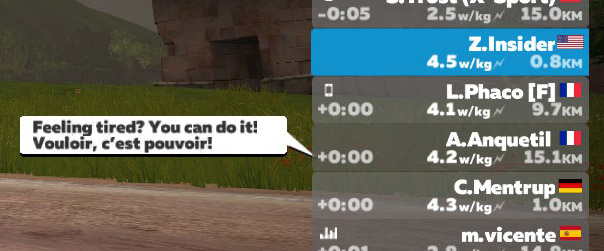
There are currently four Pace Partners, but only two have been active at a time. Generally we’ve seen them rotate by gender, with Diesel and Brevet riding one day, then Cadence and Anquetil the next. Here’s more info on each bot:
D. Diesel
Yellow avatar
Weighs 82kg
Rides between 82-197w (1-2.4 w/kg)
B. Brevet
Green avatar
Weighs 82kg
Rides between 263-320w (3.29-3.9 w/kg)
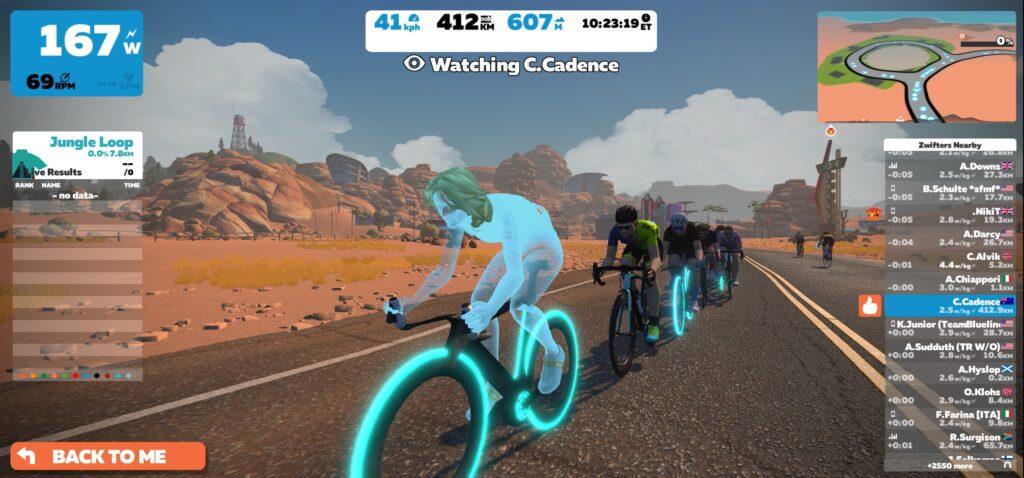
C. Cadence
Blue avatar
Weighs 65kg
Rides between 163-202w (2.5-3.1 w/kg)
A. Anquetil
Red avatar
Weighs 65kg
Rides 260w+ (4+ w/kg)
Zwift has stated that Pace Partners will be turned off for “maintenance” from 8:30-10:30 and 20:30-22:30 Pacific time each day, but this hasn’t been the case every day. (For example: as I write this, it’s 9:00 and CoCo is still active.)
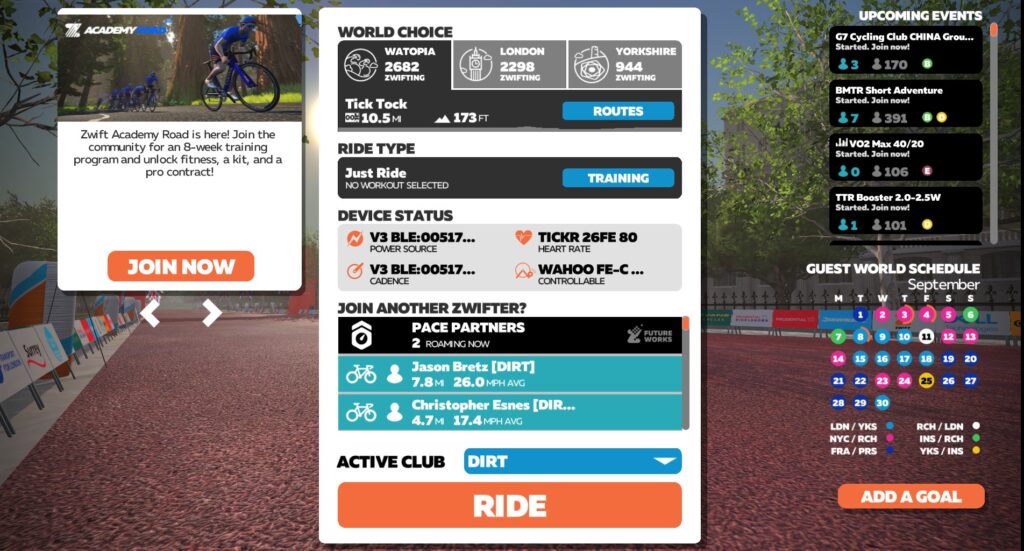
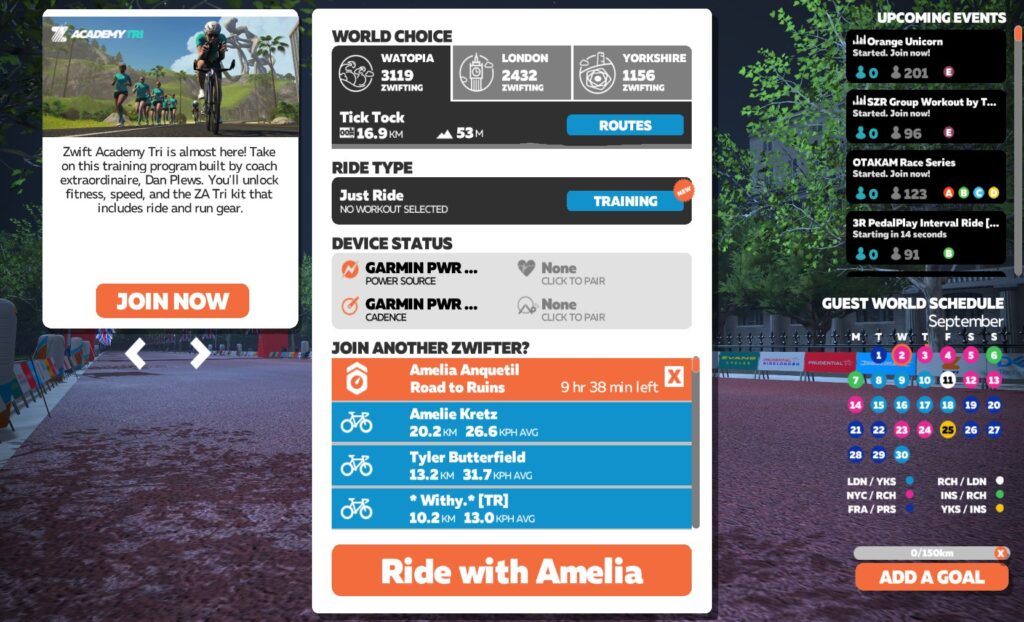
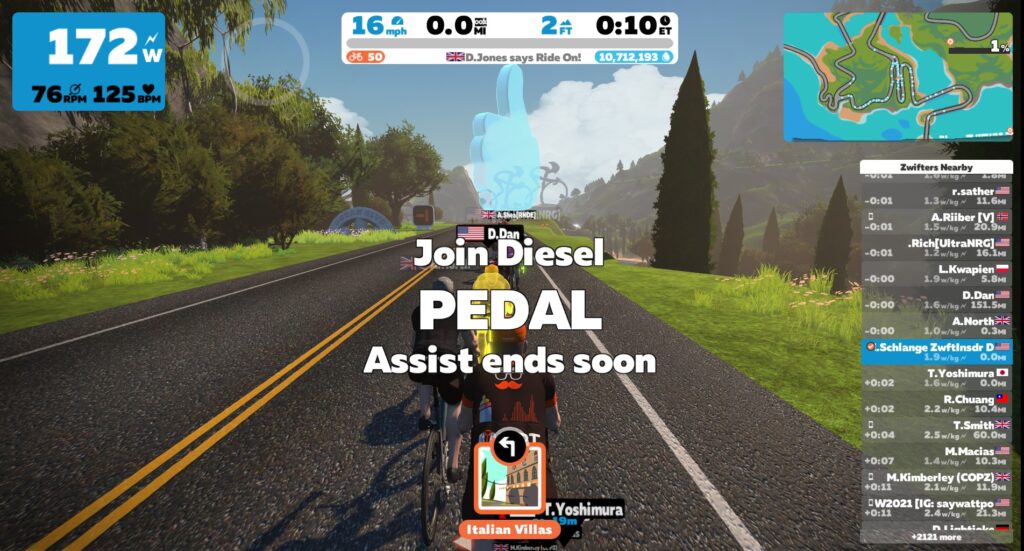
Pace Partners are only active in Watopia right now, so to ride with one, click “Watopia” in the world choice tab of the join screen, then click the Pace Partners block at the top of the rider list. This will bring up a list of active Pace Partners. Select which Partner you’d like, click “Next”, then click “Ride”. Start pedaling! You will be dropped in next to the Pace Partner with a bit of pedal assist to get you up to speed.
Hang around near the Pace Partner long enough and you should get a Ride On from them. They like spreading the Ride On love!
Current Uses/Games
Even though Zwift’s current Pace Partner functionality is very basic, it still adds useful and fun elements to the game. Here are some ways I’ve been using Pace Partners lately…
Always-On Group Ride
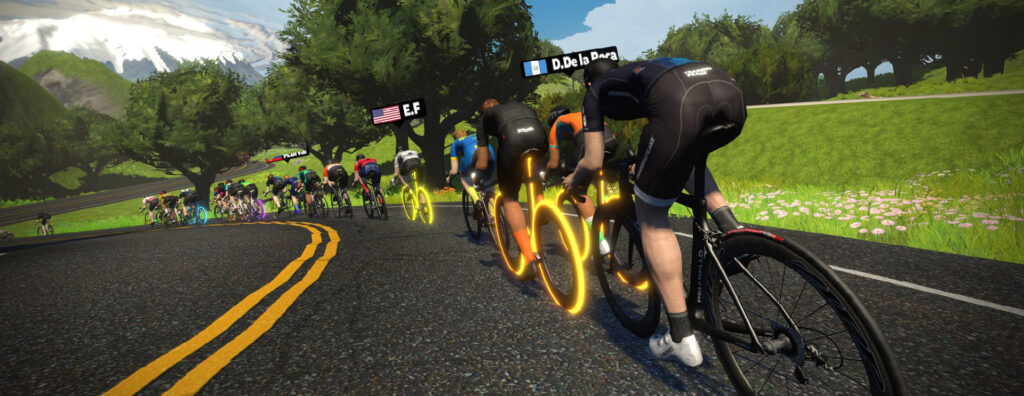
This is the most obvious use of Pace Partners, but it’s still worth mentioning. All the partners except Anquetil (she’s too fast!) have consistently been surrounded by a group of 10-60 riders, meaning Zwift Pace Partners have created a sort of always-on group ride. If you’re looking to just ride at a steady pace and want the company of others, hop in with a Pace Partner group.
Race Warmups and Cooldowns
It’s often tough to find a group ride that works for a race warmup or cooldown, and I always feel a little guilty jumping out of the group ride before it ends. But I can hop in and out of Pace Partner groups with zero guilt, and they’re (mostly) always active.
Diesel moves slower than I would typically ride for a race warmup, but if I have the time, riding with him is a great way to get my legs spun up. Cadence seems to ride in the best range for my warmups and cooldowns, where I can sit in with the group at an easy pace, or push it off the front as I ramp up my heart rate in warmup.
Brevet is often moving a bit faster than I’d prefer if I’m starting off cold, but once I’ve warmed up for 5-10 minutes his pace is a good warmup effort as well.
Efficiency Challenge (Drafting Practice)
If you’re just getting into racing on Zwift, learning how to draft is hugely important. The Pace Partners are the perfect way to work on these skills without the worry of getting dropped in a race or group ride. Try to maintain your position on the Partner’s wheel, or just stay in the draft of the group surrounding the bot.
On a recent ride I decided to attempt riding as efficiently as possible with Brevet’s group, which was riding on the Sand and Sequoias route. Brevet was riding at 270 watts (3.3 w/kg) steady, which made things interesting on the ups and downs of Titans Grove! I found that our group would surge ahead of Brevet on the climbs (because our smart trainers would apply more resistance, which naturally increases our wattage). But Brevet would hold steady wattage on the descents when our wattage would drop – so he would move ahead on the downhills.
I was able to do a full lap at 225 watts average (2.8 w/kg), staying in Brevet’s draft the entire time. Can you do better?
Playing Keep Away
Looking for a more demanding challenge? Join a Pace Partner riding at a solid pace, then see if you can stay away off the front:
If you can stay away from Amelia, you’re strong!
If you really want to keep yourself honest, do it on a TT bike.
Looking Ahead
Now that we’ve had time to ride with the Pace Partners, there are lots of ideas for improvements. (The best place to post these, by the way, is on the FutureWorks/Pace Partners Forum.)
Messaging
The community seems to generally agree that the current automated messaging from the Pace Partners is a bit annoying. (One rider counted 73 messages from Coco in a 1-hour ride!)
To their credit, Zwift has begun to modify these messages – Cadence uses distinctly Australian phrases (although some of what she says doesn’t sound Aussie at all). And Anquetil, fittingly, has become quite French!
Having the bots speak more intelligently could be really fun. Perhaps they warn everyone when a timed segment is coming up, or occasionally welcome one of the new riders that just clicked to join the group.
Lots of possibilities here, but I don’t see Zwift putting significant resources into this any time soon. Until the bots can speak more intelligently, I think Zwifters generally agree that fewer messages would be better.
Change of Pace
Right now, each bot begins their “shift” at a set wattage within the windows stated above. The bots seem to remain at that wattage throughout their shift.
In talking with Wes Salmon at ZHQ, it’s clear he and his team are considering some sort of intelligent pace changing in future versions of Pace Partners. The most logical approach would be to bump up wattage on climbs, and drop it a bit on descents. This would make the group pace feel a bit more natural.
But there’s much more that could be done with pace changing! For example: what if some pace bots did interval efforts, either randomized or in set times? Randomized intervals would be excellent for race training. Bots could even use messaging to warn of pace changes: “Going to ramp it up to 250 watts for 5 minutes. Here we go!”
Other Routes/Maps
Surely the number of bots will be increased in the future. Hopefully they will make the journey from Watopia to other maps and routes.
No Downtime
Some Zwifters have complained that the bots are offline during their normal daily ride time. Since the “maintenance window” is just a temporary measure that is necessary due to Zwift’s bare-bones approach to this FutureWorks MVP, future versions should see Pace Partners online around the clock.
Pre-Ride
With only two Pace Partners online at a given time, and no screen displaying their current precise pace until you drop into the game, many Zwifters have found that they click to join a Partner but quickly get dropped. This is especially true when the rider hasn’t warmed up, or is on a TT bike!
The obvious “solution” here is to start a ride by yourself, get warmed up, and make sure you’re on the right bike before starting a new ride with the Pace Partner. But since Zwift still requires a reboot in order to start riding with a Pace Partner, this solution involves more hassle than it should.
The solution I’d like to see: a button while we’re in the game which takes us to the join screen, where we can choose an event, click to join another rider, or cancel out and continue with our current activity.
For Runners
Zwift has said that Pace Partners are coming soon for running, and that’s great news! With less runners around than riders, I’m sure runners will be happy to have a little company.
Roll Your Own
This is what Zwifters have been requesting for a long time (the Personal Best Bot feature request has 512 upvotes on the forum, and was one of the earliest feature requests made.) What if I could choose to ride with a bot that was simply “replaying” my effort from an earlier ride? Or perhaps I could start up a personal bot that rides at whichever route I choose, at the pace I select?
Your Ideas
Do you have other ideas for what Pace Partners could do next? Share below (and don’t forget to share them on the FutureWorks forum, too).