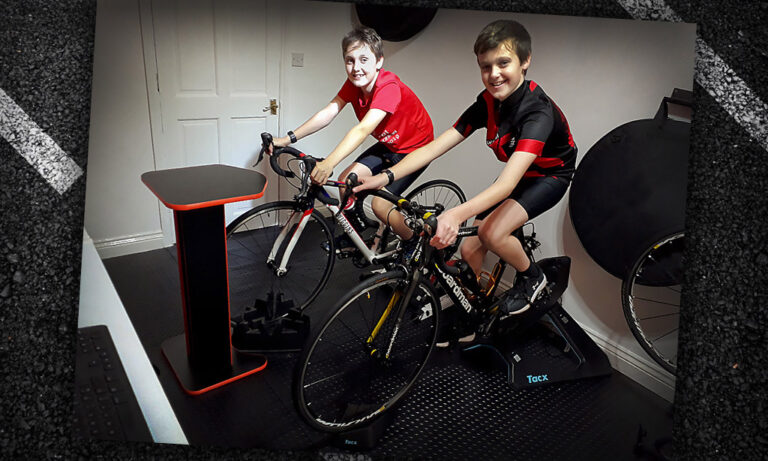
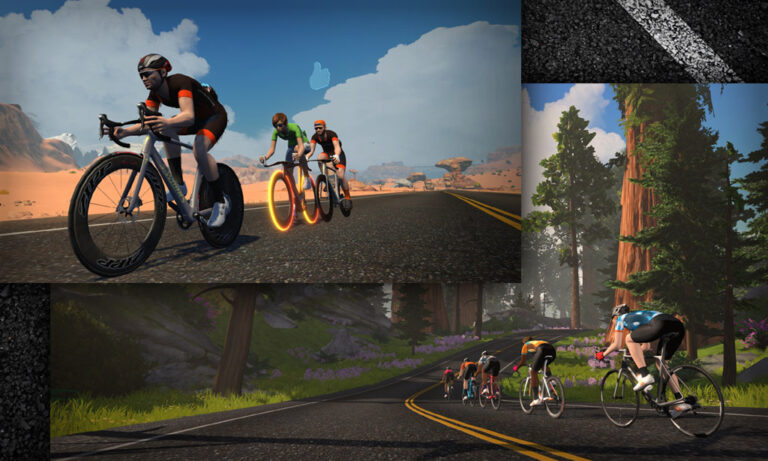
10 and 11-year-old brothers Ben and Josh Cleave from South Wales are taking on a big challenge for a great cause. And they’re doing it all on Zwift, during their Christmas holiday!
The plan: complete an Everesting challenge of accumulating 8,848m of climbing during their school Christmas holidays (December 19th-January 4th), all to raise funds for brain tumor research. They were inspired to take on this challenge after hearing that their 7-year-old cousin Jessica is undergoing her second fight against an aggressive brain tumor:
“We were told by Mum and Dad that Jessica has to start chemotherapy again to try and shrink the brain tumor she has. We wanted to do something to help and both love cycling, so thought we’d try and set a tough challenge in order to raise some money to help.
We heard about pro cyclists ‘Everesting’ throughout 2020, but didn’t think our parents would let us do this, so with the Xmas Holidays coming up, thought we could do it over the Xmas holidays instead…”
Ben and Josh Cleave
Their epic journey will involve cycling more than 400km in total distance and climbing more than 500m per day on their smart trainers using Zwift. Using a variety of mountainous courses, the boys will cycle every day in order to accumulate the 8,848m of altitude gain required to reach the summit. Given the boys’ young age this will be a real challenge!
The challenge will start on Saturday Dec 19th 2020 and end on Sunday January 3rd 2021.
Join Ben and Josh
The boys will be raising money for the Brain Tumour Research charity, in hopes of funding 1 day of research into brain tumors, which currently costs £2740 (~$3650US). They’ve already almost met that goal, but that doesn’t mean the giving should stop! (Zwift CEO Eric Min already donated, and the boys wanted us to make sure Eric knows they’re very thankful for his support!)
You can also follow their Facebook page, where status updates will be posted. If you’d like to ride along with the boys during any part of their challenge you can simply follow them on Zwift then click to Ride With them in-game. Even better, from their Facebook page, find a post explaining how to join the organized Meetup for a particular day! Here’s a post where you can sign up to join them on December 20th, the 2nd day of their challenge.
They recently received this video from Geraint Thomas himself, who looks to be joining the boys for some portion of their journey:
We love Ben and Josh’s willingness to work hard for a great cause, and we’re sure the Zwift community will come out and support them as well. Ride on, boys! See you on course!
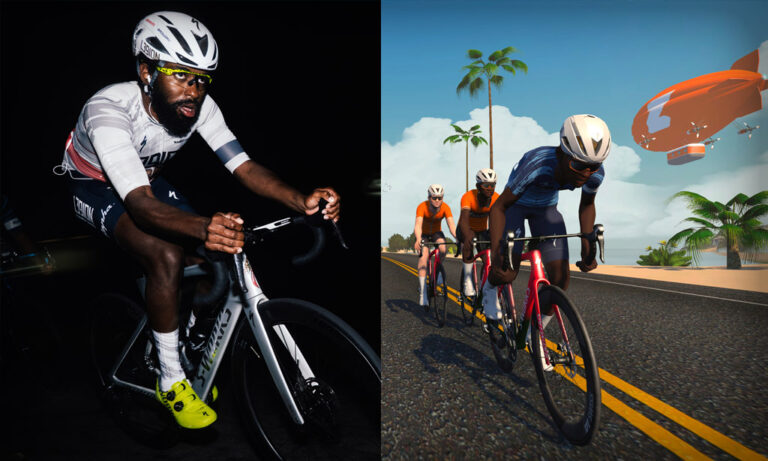
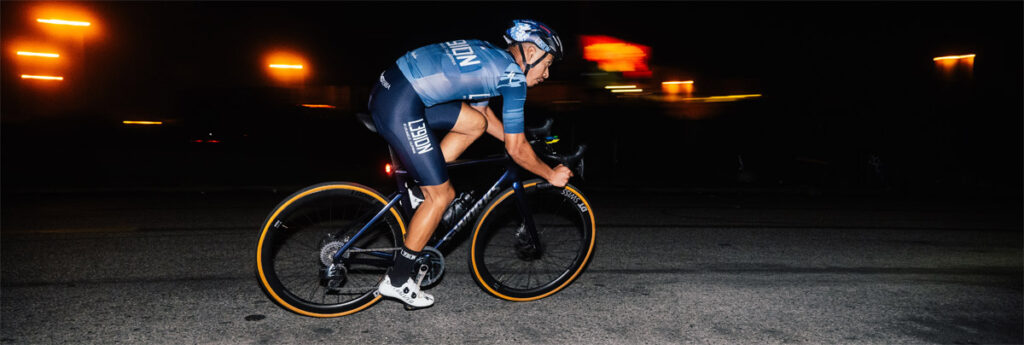
Today, Zwift announced a multi-year title sponsorship with L39ION of LA, through to the end of 2022.
Here is the complete text of their press release:
Zwift and L39ION of LA have much more in common than their founding city of Los Angeles, both brands challenge the status quo, challenging the traditional cycling model. Both share the same goal – to promote increased participation and diversity in the sport, regardless of race, gender or background.
To celebrate the partnership, Zwift and L39ION will be hosting two social rides on December 22nd. For more details, and to sign up, head to https://www.zwift.com/events/tag/l39ion
“I’m stoked to have the support of Zwift.” says Justin Williams, Team Manager and founder of L39ION. “Like L39ION, Zwift isn’t afraid to challenge the norm. We’ve seen them do great things to promote women’s cycling – offering complete gender parity for all competition. I’m excited that they share the same ambition to promote increased diversity as well. Thanks to Zwift and the UCI Cycling Esports World Championships, Cory was able to represent the USA for the very first time – that’s big! Zwift will give us a platform to take our mission to a global audience and we’re excited to work together spreading the L39ION mission to the world, and for us to help Zwift deliver on their goals on diversity and inclusion.”
Zwift will be working with L39ION to support the young athletes of today, not only to uncover the stars of tomorrow but to encourage greater participation at the grassroots level – helping more people discover the joy of cycling.
“L39ION is just a fantastic force of energy that aligns so well with our brand, I couldn’t be happier to partner with the team”, add Eric Min, Zwift CEO and Co-Founder. “This is far more than a sponsorship deal, we have big plans to collaborate and deliver increased diversity and inclusion within cycling. Justin is one of the most influential figures in the sport and we have the platform to help him deliver his message to a global audience.”
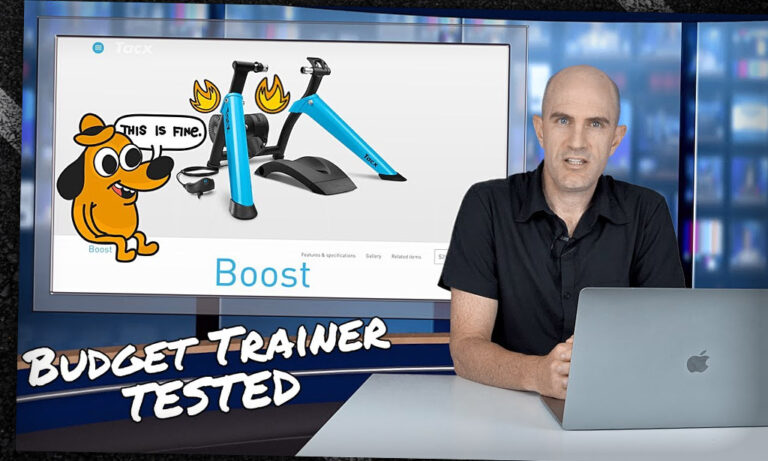
As owner of the Tacx brand, Garmin is making some changes! Shane Miller explains the latest news in a new video.
First, some updates have better integrated Tacx and Garmin software. Now you’ll be able to log into Tacx software with your Garmin Connect account, and link your Garmin and Tacx accounts if you already have both. This way, you can upload activities from the Tacx app straight into Garmin Connect.
Next, they’re discontinuing the following lower-end Tacx trainers: Blue Motion, Blue Matic, Blue Twist, Satori Smart, and Booster. This leaves the Flow Smart on the low end of Tacx’s smart trainer lineup, and the Boost as the brand’s non-smart trainer offering aside from rollers.
Finally, what is the Boost? It’s Tacx’s re-named, re-released Booster, a classic (non-smart) magnetic trainer that’s virtually identical to the discontinued model. Shane got ahold of one and tested it out in his Lama Lab. Watch the video below to see what he thinks of the Boost’s construction, ride feel, and power estimation through Zwift.
In what may be the understatement of the decade, 2020 has been a challenging year for everyone – athletes included. Making goals. Checking them off. Finding the next event. 2020 is, ahem, the worst.
But Canadian pro triathlete Lionel Sanders has kept the negativity of this year at relative bay, managing to set a new Canadian Hour Record on the track, chasing down a 5K personal best, winning the Z Pro Tri Series, and finishing 4th at the PTO Championships in Daytona.
In this episode, we chat with Lionel about how important these missions are for an athlete in 2020. Oh, and Matt welcomes on his new co-host, Sarah True!
About the Podcast
The Zwift PowerUp Tri Podcast is hosted by former pro triathlete Matt Lieto and Zwift Academy Tri mentor Sarah True. Both are passionate about lending their in-depth knowledge of the multisport to the Zwift Tri audience.
This week in the best of Zwift videos, unwrap a few tips for sprinters and anyone racing in Zwift. There’s also some helpful advice if you’re shopping for some new indoor training gear for yourself or a cyclist in your life (don’t forget to consult our Smart Trainer Index!) For a slick, pro-worthy indoor training setup, take a peek at Victor Campenaerts’ “pain cave” and home gym.
Zwift Racing Tips: Sprints
James with Finish Strong Cycling has some simple tips for Zwifters to improve their sprints in races and jersey segments.
So you’re tired of getting dropped in Zwift races?
Tacoma Cyclist breaks down one of his races, giving tips and tricks that could help you in your next Zwift race. Remember: close the gap, watch your positioning, and corners matter more than you might think!
Zwift World Championship Pain Cave
Ahead of the UCI Cycling Esports World Championships, pro cyclist Victor Campenaerts showed off his “pain cave.”
My Zwift Set Up | SPLURGE OR SAVE tips
Which parts of a Zwift setup can you skimp on, and when should you get the best you can afford? Katie Kookaburra gives her advice.
Smart vs. Dumb Trainer: Does it make you a better cyclist or triathlete?
If you’re getting a new Zwift setup for yourself or someone else, you may be wondering whether to buy a smart trainer or a classic “dumb” trainer. Justin Horne (Justin Does Triathlon) compares and contrasts smart (or interactive) trainers with dumb (or non-interactive) trainers.
Got a Great Zwift Video?
Share the link below and we may feature it in an upcoming post!
Both winners of the first UCI Cycling Esports World Championships join Matt and Dani Rowe for a quick catch-up right after their exceptional wins. Ashleigh Moolman Pasio won the woman’s race to end a glittering year of Zwift racing success, but it really came down to the wire for her. On the men’s side, a surprising win for Germany’s Jason Osborne, professional rower turned cyclist. He was even at a rowing training camp in Portugal when he took the win!
Matt and Dani caught up with them both to chat all things UCI Cycling Esports World Championships!
About the Podcast
The Zwift PowerUp Cycling Podcast features training tips from host Matt Rowe (Rowe & King), with regular guest hosts Greg Henderson, Dani Rowe, and Kristin Armstrong.
The Zwift racing category system groups racers based on their FTP – or more specifically, 95% of their 20-minute power, converted to watts per kilo (w/kg). The idea is that by joining the appropriate category based on this metric, you are racing riders of a similar ability. This leads to a number of issues which are the source of many community debates and complaints:
Even if the category system is strictly enforced, arbitrarily grouping riders based on any sort of power profile is open to sandbagging. This is when riders deliberately perform below their actual ability, so that they can compete at the front end of races. For example, as an A rider by FTP, I can manage my power in a race to stay below the 4 w/kg limit of the B cat, but know that I will be strong at the finish and maybe win.
The human desire to have the chance to win, or podium, or at least compete at the front of the race, means that you are most rewarded when you are at the top of a category. This means that once you reach the top of a category the incentive is to stay there, not move up.
Riders with certain physiological attributes are able to outperform other riders in their category without being upgraded. Typically this applies to the extremities of weight. Heavy riders may be able to average 350w-400w in a B cat race but be within limits. Unless the race has a significant climb, this is a difficult pace for the majority of riders to stick with. On the flip side, super light riders that average less than the category’s pure watt limit (250w for B) may average 5 w/kg. As long as they can stick in the draft they will perform well on a hilly course, and if there are big climbs they will dominate.
For Zwift racing to work, for it to really become an attractive and rewarding proposition for all, riders need to feel motivated to do the best they can in any race. For progression to be attractive, not avoided. All while meeting the human desire to have the chance to win, or podium, or at least be involved in the shakeup.
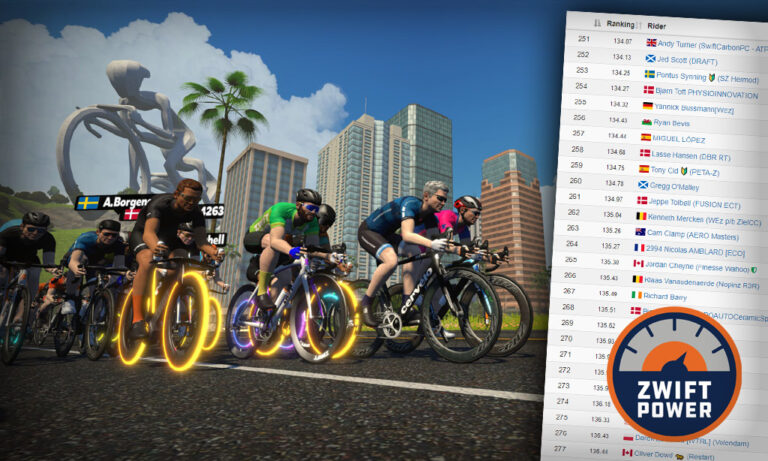
ZwiftPower Ranking System
Most popular online multiplayer games uses a matchmaking system – the idea being that you compete against those that are a similar standard as yourself according to your ranking. As you perform well relevant to your peers, you progress up the rankings to face tougher opponents.
ZwiftPower has a rankings system that works on this basis. If you would like the full details of this system and the mathematical model behind it, it is available here (click FAQs). I will try to summarize it here:
Your top 5 races in the last 90 days determine you rank, between 0-600. Lower is better
Your ranking is improved by beating riders that have a stronger ranking than you
3 key calculations take place:
Race Quality: how strong is the field (current rankings of participants)?
Points Per Place: based on the size of the field and race quality
Rank Points: determines your individual rank score based on the above two calculations
Now that Zwift own and manage ZwiftPower, it makes sense that this ranking system is used as a starting point. Everyone on ZwiftPower already has a ranking, even if you did not realize!
Zwift Matchmaking: A Simple Example
So how could a Zwift matchmaking system work, using the rankings described above?
When a race is created by an organizer, they can specify a field size. Let’s say they choose 50 as the field size. Field size can be chosen based on course profile, race popularity, or a desire to mix up the racing dynamic.
When you join a rankings race, there is only one sign up link. You simply join the race.
240 people join the race. At a specified deadline, the pen calculation takes place and you are placed in one of 5 starting pens (240/50). The pens are split based on rankings – so the top pen has the top 5th of riders based on rankings, the 2nd pen has the 2nd 5th of riders, etc.
The End of Sandbagging
In a matchmaking system, your performance relative to the riders around you updates your rankings, with the goal to move up the rankings. As performance is based on final placing, there is no incentive whatsoever to do badly. Sandbaggers would have to perform consistently poorly to race a lower level than they should, but as soon as they win races they will be upgraded! The end of sandbagging as we know it.
Some days, you may be in a field where you are the strongest rider and have a good chance at winning the race. Other days you may be the lowest rank and get dropped early on. However, doing your best in either of these scenarios is rewarding in terms of ranking points.
Onboarding Newcomers
Managing newcomers is one aspect that needs some attention, otherwise weaker riders (current cat D) might continually face newcomers who have not yet worked their way up the rankings. The way other games manage this is to have new racers complete 3-5 races “open” races before entering the formal cat system.
A Proven System
Rankings-based matchmaking in this style is the crux of why games like Call of Duty or FIFA are so successful. Improvement becomes additive. Sprinting from the 3rd group can pay off if the field is a really strong one. It may sound quite complex, but it is really not. ZwiftPower already does half of it, it just needs a matchmaking system baked into the game.
Will we see this in the future? Is this one of the ‘Systems’ that Eric Min has previously alluded to? I certainly hope so and look forward to reading your comments.
Since March I have become obsessed with the weekly Team Time Trial… so I asked Eric if I could share my obsession with you all, in weekly doses.
Each week on a Friday I will give you a profile of the upcoming route, guidance on bike choice and some target times if you want to aim for the Premiere League (top-10 in each coffee class get to be in a special race televised on YouTube).
If you can’t ride, or even if you can ride, but want more action! Don’t forget to tune in to the live TV show on Zwift Community Live’s YouTube Channel at 6:15 (UK time).
This year, World Bicycle Relief celebrates 15 years of changing people’s lives in 21 countries around the world by providing the infamous Buffalo Bikes. These invaluable bikes provide entrepreneurs, students, doctors, and healthcare workers a means to cover the distances necessary to attend school, collect water or food, visit patients, or even just visit their own families. The tireless work of WBR empowers communities to improve access to education, livelihoods, families, and well-being which in turn breaks the cycle of poverty for years to come.
A single Buffalo Bike can make a world of difference to these communities and costs just USD147/GBP120. WTRL TTT #87 will be dedicated to this cause! More details to follow but there will be trophies and prizes available as well as fundraising related time initiatives for every team that enters. The home page at wtrl.racing has all the information.
Review of WTRL TTT #86 Greater London Flat
Not a decent hill in sight last week… the worst we had was the drag up Piccadilly. So speeds were fast all the way to the end. Before looking at this week’s performance, here is a reminder of the historic times:
Category
Jan 23rd #40
April 30th #54
July 16th #65
December 10th
Vienna
49:25
42:47
42:41
41:40
Doppio
37:05
Espresso
40:58 (5 teams)
37:09
37:10
37:39
Frappe
40:16
39:06
39:17
38:42
Latte
43:25
42:09
42:08
41:35
Mocha
52:37
47:38
47:22
46:48
R&K Hyenas only had 7 this week but a good 7. All the guys that were really hurting in Harrogate came into their own on the flat… and it was nice to see our hill-climbing Cat complaining about the flatness of it all! Only kidding… we love Cat. Ahead of the race I set us a time target that was a minute faster than we did in July – 44:10. We have been bouncing closer and closer to the 40th percentile in Latte and I really wanted to get past 60% this week.
Well… that last paragraph was written on Tuesday… we ended up with 6 on the field… but a good 6. Unfortunately we lost one to a technical halfway through. Still – our ending position in the GC table was pretty much where it was last week so I’m pretty happy overall.
Hyenas Heckle. Only six Hyenas made it to the pen – with Martin stuck in France somewhere… he may still be there! We nailed the start – and were immediately in a paceline. No worries at all getting to the start/finish straight first time around where we passed the team in front. Midway through lap one we were passed by a Cryo-Gen team who immediately backed off, forcing us to re-pass them… then a little later they came past again… that’s always frustrating but it happens! Regardless, by the time we hit Hyde Park Corner tunnels we were 10 seconds ahead of the self-imposed split time. Helen hit IT issues and lost power temporarily but when it came back we got her back on the train – but it happened again and she told us to carry on. Being the unmerciful group that we are, we left her for the wolves. The remainder of the race was uneventful with strong efforts from everyone. As usual POD came first in the sprint finish!
Enough of the Hyenas race – here is where the PL contenders landed.
Category
PL Spot
My prediction
Place
Vienna
41:40
42:30
13th
Doppio
37:05
38:00
12th (of 12)
Espresso
37:39
38:30
28th
Frappe
38:42
40:30
75th
Latte
41:35
41:50
18th
Mocha
46:48
46:00
9th
All-in-all a pretty disastrous set of predictions… 75th in Frappe?!? I thought you would be faster than July, slower than April – but across the board you blew away the April numbers. Amazing work everyone!
WTRL TTT #87 Sand and Sequoias (2 laps)
This week is two laps of Sand and Sequioas. This route is a regular on TTT – I have ridden it three times (once with CICC, twice with R&K). In fact, this was the route of my first TTT. Prior to that it was the route four times – #51, #39, #26, and #19!
Two laps at 20km plus a lead in make this a 43km ride – add in a KOM and what we have here is one of the longest and hardest TTTs (at least until the TTT visits Alpe Du Zwift on New Years Eve). Even top-flight teams will be in the saddle for 55 minutes, and the rest of us should expect well over an hour.
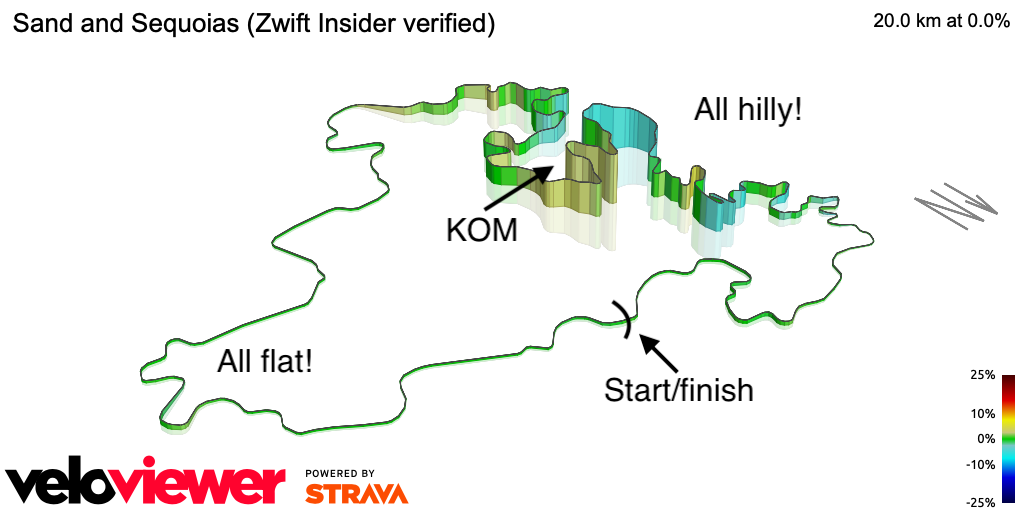
Essentially the route is out from the pens on the Fuego Flats desert then back via the Titans Grove sequoia forest – then repeat it all. This route ticks all the boxes – the flat of the desert, the KOM itself, and the rollers that bookend the KOM. And it’s long at 43km, too.
From the desert pens we head straight for the Sprint then through the start/finish gate. Through the desert for 10km (including the lead-in) before heading up the hill and into the Titans Grove. From here it’s a sequence of rollers before heading up the KOM (2.6km at a pretty steady 3%) then more rollers. It flattens out as you hit the desert again for the remaining 3.5km to the start/finish banner – then do it again.
What to ride?
Bike recommendation on this route is tricky… for the Fuego Flats aero is king… but for Titans Grove the rollers give an edge to something more balanced. I will be on my Tron bike this week, leaving the Venge in the garage.
Here are some recommendations on equipment at various levels:
Level 45 get those 858/Super 9 wheels and pair them with the S-Works Venge
In this case though, if you have a Tron, use it… it beats every other bike on this route hands down. I cannot stress highly enough that if you are racing you need to be working on Tron. It’ll take a while, but just set the Everest Challenge and forget about it for nine months… like having a baby.
Route Recon Rides
The last couple of weeks I have struggled to find good recce rides – but Sand and Sequoias is everywhere! – check for yourself on the event listing on zwifthacks.com.
If you don’t want to go on an organized ride, but you do want to do some skills practice, always remember you can create a meetup in the Companion and bring the team.
Race Breakdown
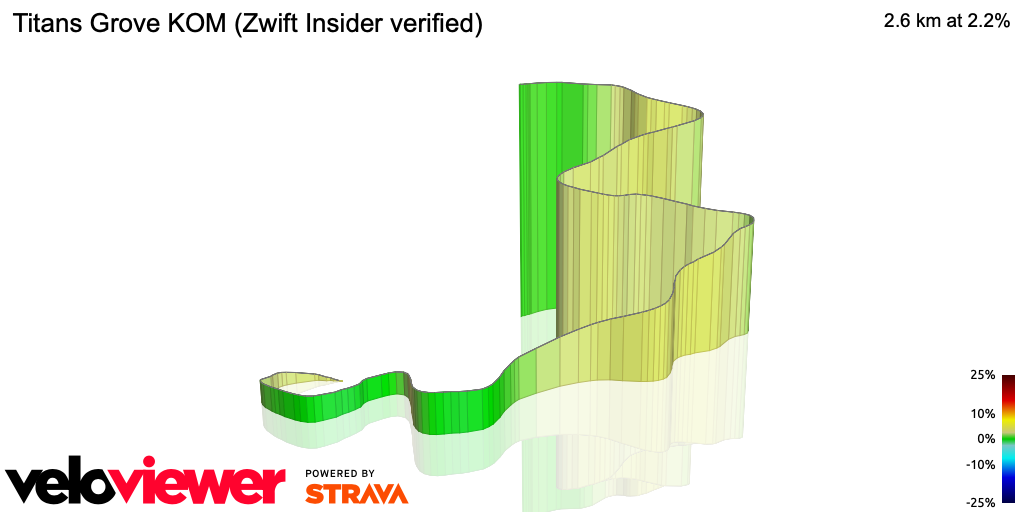
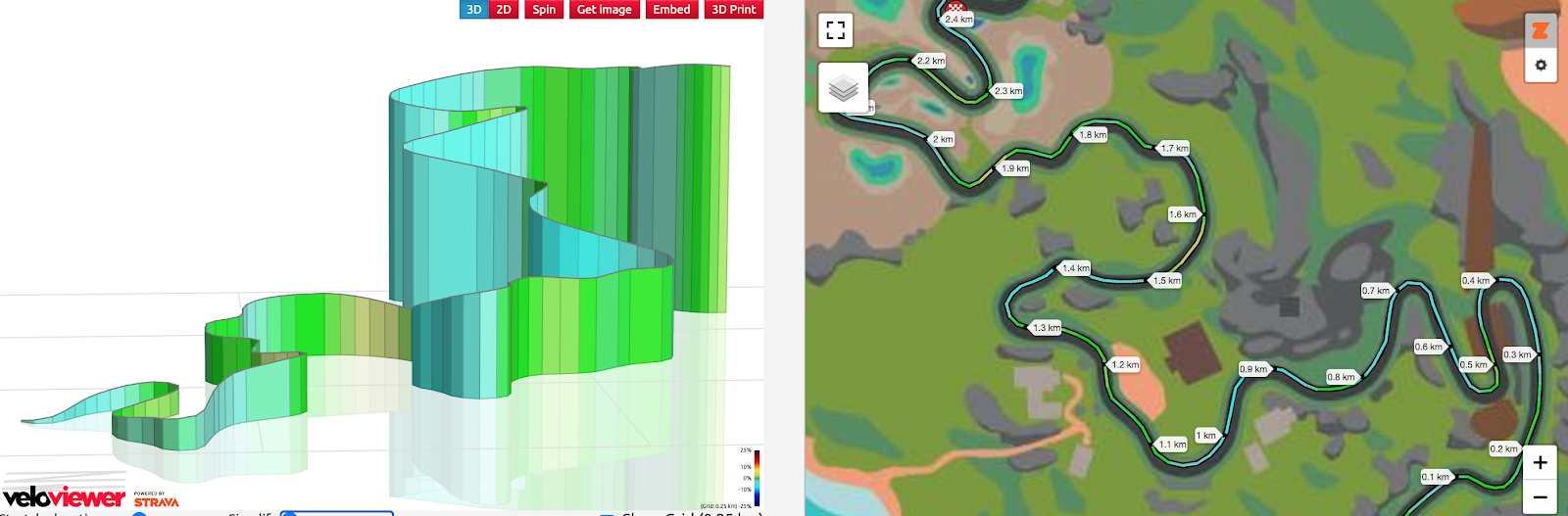
As you can see from the route map courtesy of VeloViewer, the route is divided into two parts – flat in the desert, hilly in Titans Grove. There is an official Zwift race recon – but I didn’t think this one translates well to a TTT.
Start through the end of the Flats
It’s 10k from the pens to the start of the rise into the sequoias. There are a couple of tiny rises but you won’t notice them as you speed through.
Col du Saddle Springs
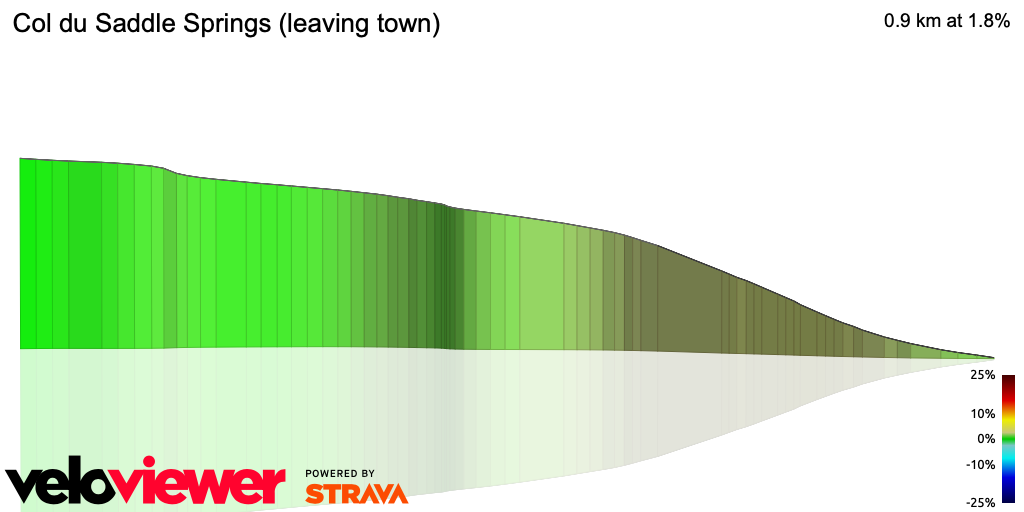
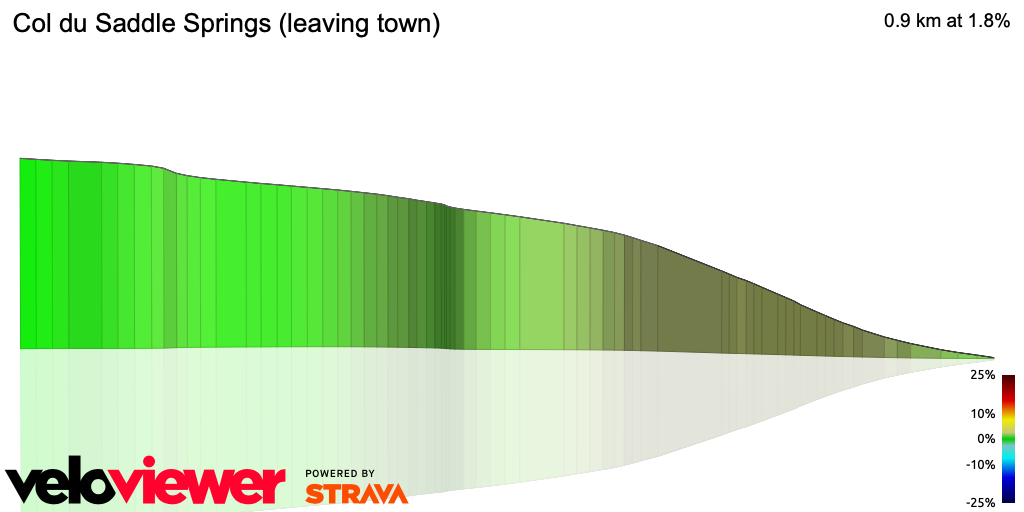
Some wag on Strava coined this term for a segment and I couldn’t resist using it. After 10km flat this is the first real rise – a perfect opportunity for your lighter, stronger climbers to jump ahead and create a split! Rein in those riders and keep everyone together. This first little hill is just 2% for 900m up to the turn into Titans Grove.
More up than down – the approach to the KOM
Rounding the bend from the Col you head into Titans Grove – a very pretty section, although you won’t have the energy for sightseeing. Before the KOM itself are a jagged series of bumps heading upwards before the descent that marks the approach to the KOM itself. This segment feels just like The Esses to me – plenty of opportunity to gain momentum and increase the team’s speed, but also a risk of splitting up.
Titans Grove KOM
On the face of it, this is a 2.5km drag at 2%, winding up and around the mountain with three beautiful switchbacks. But the top and bottom are kinda flat… so the middle is steeper. Think of this as 1km at 4%. That’s enough height and distance to create a split – particularly on the second time around.
I have raced this on two TTTs and in both we lost someone on this segment. Depending on your race strategy that might be fine on the second time through, of course.
More down than up… after the KOM and back to the desert
Once you go through the KOM the grade heads downwards. There’s a 4% downhill for a 1.4 km where you will pick up speed, then a series of rollers. With tired legs after the KOM (particularly on lap 2) this will put strain on the team. Keep an eye out for splits in the group.
After the rollers it flattens out as you speed back into the desert, through the sprint and on to the Start/Finish banner.
Target times
The WTRL splits here are at 10, 20 and 30 kilometers.
Split 1 (10km) – Just before the Col du Saddle Springs
Split 2 (20km) – As you reconnect to the Desert from Titans Grove on Lap 1
Split 3 (30km) – Passing the LAX Control Tower in Saddle Springs on Lap 2
How have you done in the last few attempts on this course? Here are the PL time markers from the past three rides on this course.
Class
9th April / #51
9th July / #64
8th October / #77
Vienna
1:11:12
1:04:14
1:03:17
Espresso
57:04
55:38
56:07
Frappe
59:42
58:55
58:44
Latte
1:04:51
1:04:03
1:03:10
Mocha
1:22:45
1:11:06
1:11:39
The last few weeks have been really competitive. The speeds have gone up far beyond my expectations – I don’t know if it is wattage, TTT race craft, or a combination of the two. I do know it’s fantastic to watch.
Class
Split 1 (10km)
Split 2 (20km)
Split 3 (30km)
Finish
Vienna
15:00
30:10
45:30
1:04:00
Doppio
12:45
25:40
38:30
55:00
Espresso
13:00
26:10
39:20
55:45
Frappe
13:30
27:30
41:00
58:00
Latte
14:20
30:15
44:30
1:03:00
Mocha
16:00
33:30
49:30
1:11:00
The Hyenas are 8 riders this week and a great mix for this course. We had a 1:05 time in October – but lost a couple of riders and a couple of minutes the first time over the KOM so were compromised from then on. I think if we are disciplined we can bring that time down by a minute or more this time around.
Wrap up
This race is all about decision-making. You will be flat out on the flat, and the hills will strain the team… people will get dropped. But for me, the critical sections are the rollers before and after the KOM. Hold together on those and everything else will come together.
For the past few months I have been putting together recce’s for the weekly Thursday Team Time Trial from WTRL. I race in a hungry mid-pack Latte (usually) team for Rowe and King – the Hyenas, and now I captain the R&K Ewoks on Tuesdays as well. Eric asked me to put together a similar recce for the Zwift Racing League TTTs every-other Tuesday.
This is the last race of ZRL Season One. We have had a fantastic 9 races mixing it up between scratch races and TTTs, and this is the last one. Good luck everyone!
Tuesday 15th December – Two Laps of Tick Tock
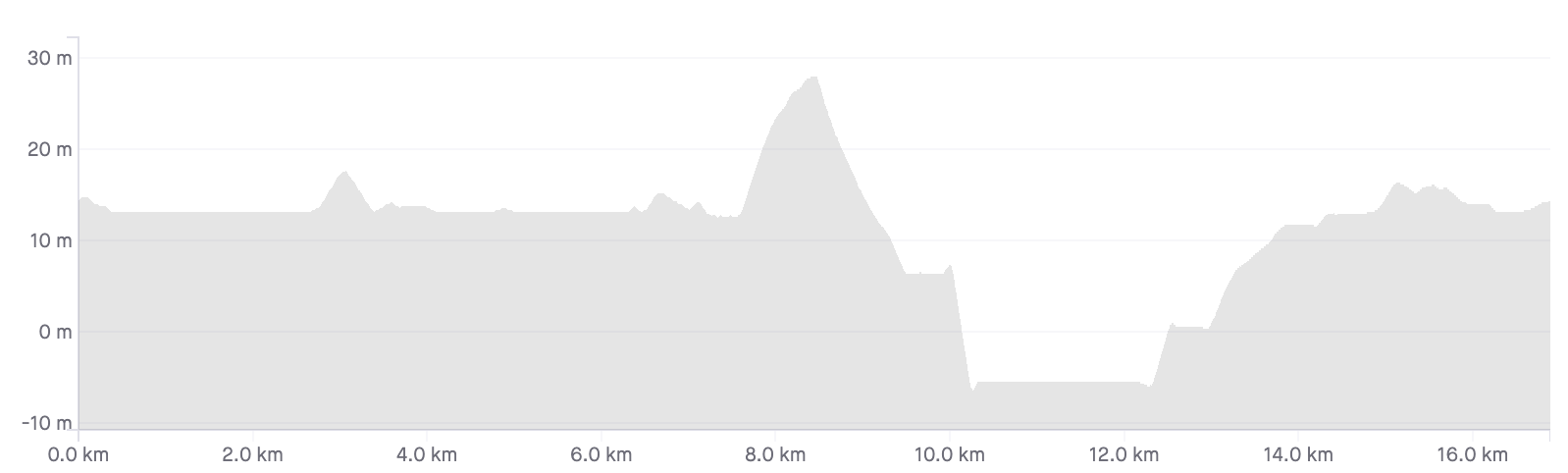
Watopia’s Tick Tock route races across the Fuego Flats desert, up the Col Du Saddle Springs, and into the undersea tunnels heading towards downtown before swinging right back into the desert. The TTT on Tuesday does this route twice for a grand total of 36.3km.
What to ride?
This course is mostly flat… only the Col Du Saddle Springs as a bump. Aero wins here. At the top end, you are looking at Venge/Super-9 over Tron, with the Aeroad following close behind.
There are so many ways to recce this route – the simplest being to hop on and select Tick Tock. If you want an organized ride or race follow this link to Zwifthype.
Paceline skills are going to be a huge differentiator this week – so If your team wants to do some paceline practice remember you can always set up a private group ride in Companion!
Race breakdown
Here’s a course preview video from Rick and No Breakaways:
I break this route into two – the flat of the desert to Saddle Springs, then the Col du Saddle Springs to the start/finish gate. It’s two laps so do that twice.
Part 1 (and 3) – Across the desert
There is a slight rise into the desert itself, but mostly this is a flat, fast race across the desert. Heads down, get in formation and ride like the wind.
Part 2 (and 4) – Col du Saddle Springs and home
This section starts at 10km (and 27.1km). The col is the small rise that comes right after the futuristic building you pass on your left (it’s a copy of the LAX Control Tower). After a lengthy flat this is a perfect opportunity for your lighter, stronger climbers to jump ahead and create a split! Rein in those riders and keep everyone together. This first little hill is just 2% for 900m before you head back down and into the undersea tunnels.
The undersea tunnels, of course, are flat. The route starts climbing as you exit the tunnels, and continues gently upwards as you turn right towards the desert. Once you reach the Titans Grove junction the road flattens into the desert to the start/finish gate.
Wrap up
The first half of the lap is flat, the second half is a little bumpy… but there are no climbs so severe that you will have to worry about splitting the group. Good communication and teamwork will get you through this TTT.
This is the last race of ZRL Season 1 – other than any playoffs. Season two starts in January and I hope to see you all there.
For a race starting and finishing in my own kitchen, there were a lot of nervous final preparations to be made for the UCI Esport World Championships. My last training pushes were made on the weekend, putting the final touches on the good bundle of form I knew I had. I had my best performance of the season in the previous week’s Zwift Racing League TTT in terms of power (6.1 w/kg Normalized Power for 35 minutes) and our Finesse Wahoo team placed in the top 5 worldwide for the event including Premier League teams. That coupled with some good performances on the Worlds course in practice events gave me confidence leading in. All that was left was a collection of “little things” that had to be in order for the big day.
I took a rest day on Monday and an easy spin with some brief intensity on Tuesday to ensure I had fresh legs for what would inevitably be razor sharp racing. I was careful with my diet for the Tuesday weigh-in video to be submitted to the UCI within 24 hours of the start. There were technical setup details too: I purchased a USB extender cable to run my ant+ dongle right next to the provided Tacx Neo 2T trainer for optimal transmission and lower likelihood of ANT+ dropouts. Also, given that the Neo measures power output at the cassette, I had a new chain installed and carefully applied wax lube prior to minimize power loss (this actually saved me around 2% on dual recorded power).
From a performance standpoint there were some unique preparation aspects as well. With a 6:45 am PST start, I forced myself into bed earlier and earlier in the week leading up to try to reset my body clock for the earliest race of my career. Finally, I worked out exactly what breakfast, caffeine intake and fuelling would look like by racing a couple early morning practice events in the weeks prior.
The Plan
We had our final Team Canada meeting the afternoon before the event and laid out our plan for victory using our resources optimally. As it should be at an event of this level, it was all in for a podium result, not for a collection of individual placements. Our best chances for a result on the 80 second power climb to the finish were with strongmen-sprinters Pierre Andre Cote and Matteo Dal Cin. Those two also have great overall fitness and their odds to win would be highest if we could make the race hard and force other more pure sprinters to respond to attacks and chaos in the closing kilometres.
To accomplish this, we would deploy our more “diesel engine” riders (Charles Etienne Chretien, Lionel Sanders, and myself) to make coordinated pushes at pinch points on the final lap.
Go time
I didn’t expect the momentous, almost euphoric feeling that rushed over me as we took off from the starting pen. This was a real, big-time event in 2020 and I was there at the fore with the best in the world. It felt like the devastating misadventures of dozens of canceled races had come to an end and I had found my way back home.
Up the reverse KOM
But by the time we hit the first climb up the Reverse KOM it was all business. I actually flirted with disaster at that point, overenthusiastically pulling up on my pedals on the steepest section and unclipping for a moment. Luckily I had the reaction time and legs to rectify that and get back into the rhythm of the race.
It wasn’t a terribly hard rhythm through the first half but it was intense in its own way. The pack felt it was on a wire pulled to maximum tension, everyone jostling for position and waiting for the explosion to come. Zwift racing can create that feeling in a unique way, with every racer knowing one misstep, one wasted match can have them off the back and out of the race for good. In real life racing you can attack, get caught, dangle off the back and even into the caravan and make it back during a lull but everyone knew that wasn’t an option here.
The first real physical test was the Forward KOM after about 20km which required a stiff pace of 7.5-8.5 w/kg all the way up as riders fought to control position. After that it was back to the unnerving tension. I was counting down the kilometers until the Reverse KOM and our first coordinated team effort of the day.
The tense calm before the storm
Unloading
In the false flat final km of the Reverse KOM the wire began to fray and the tension turned into action. First, I followed a move from Belgium’s Victor Campenaerts which flowed naturally into our full team attack up and over the top. The object here was to put the pack under pressure and open up the race even if a defining split was unlikely.
The race returned to a moment of calm through the tunnels on Ocean Boulevard and then the action was on again as Belgium forced the pace on the ramp up and through the dirt sections. As a team we were at the front and mixing in the moves but ultimately holding back for our final foray of the day.
On this Worlds course the last 5km are unique in that you have the chance to deploy 3 powerups in close succession: taking one into the sprint banner, earning a new one and using it through the Esses and then gathering one more at the start/finish line before the final climb. Our plan was to use our 3 non-sprinters to do a team attack through this section, burn through powerups and potentially pry open a gap. Even if we failed in that we would at the very least create chaos in the bunch and let Matteo and Pierre follow wheels.
I had great legs at that point and when we opened up we created a gap immediately. I pressed hard over the first rise into the Esses and used my teammate Charles as a slingshot to gain more of an advantage. Unfortunately, Lionel was tired from a huge triathlon effort on the weekend and couldn’t quite stay on my wheel and our tactic lost steam.
Attacking in the Esses
I still pushed on, knowing this was the time to press the pace and make an impact on the race for the team. The strung out pack brought it back just before the start/finish but now the race was a bloc as we had intended.
The pack briefly lulled through downtown Watopia and I knew I had one more good effort in me. Our DS told me to hit it again, so I punched the pedals and got some daylight.
One last attack leading into the final climb
Denmark launched their train early to bring it back with just over a km to go and my job was done. The pace was furious and the pack disappeared up the road. I listened intently for the results as I clamored up to the line.
Matteo narrowly missed the podium and ended up in an excellent 7th. We had played our hand the best we could and I think everyone was happy with the result. In a hesitant race we put ourselves on the front foot and got the most out of every rider. You can’t ask for more than that and I couldn’t have asked for a better day to finish my 2020 season.