Home Blog Page 124

Zwift Update Version 1.59 (126283) Released

Zwift version 1.59 begins its phased rollout today, and includes the new “Player Highlight” feature for everyone but Android users. See details below…

New Feature: Player Highlight

This feature was initially announced as “coming soon” last April, targeting a summer release. That didn’t happen due to various bugs that were found, but Zwift’s developers also made some improvements to the feature before finally releasing it this week!

This feature highlights your avatar with a white light, making it easy to pick out your avatar from others. It’s a smart light, too, so it varies in intensity based on how many riders are nearby:

Zwift has expanded this new feature to highlight other people of interest on your screen. It now highlights your friends (up to 3), ride leaders, and anyone you are actively fanviewing:

Player Highlight can be turned on and off from the main settings window:

Please note that Player Highlight is rolling out this week on Mac, PC, iOS, and Apple TV, and the release will be triggered by a server-side switch from Zwift (so not necessarily tied to downloading the latest update). The Android release is delayed.

Route Names On Events

It may seem like a small thing, but we’re still happy to announce it: route names are finally being shown in game when you click on an event!

This follows on Zwift recently updating their web calendar to show route names as well. Hurray!

RoboPacer Changes

Two tweaks have been made to RoboPacers, making it easier to keep the Drops Multiplier game going:

  • When riding in small RoboPacer groups, the area in which Drops multipliers are in effect has been increased.
  • When riding in a RoboPacer group, you now have a longer period of time to re-join the group before losing your Drops multiplier.

More Release Notes

Zwift provided notes on additional tweaks and bug fixes in this update:

  • Improved body shape illustrations when selecting a body type in the Garage.
  • Fixed an issue where the color selector would not appear when customizing your avatar’s hair, body, and facial hair.
  • Fixed an issue where some running shirts did not appear properly on smaller body types.
  • Fixed an issue that could cause seals to float in midair on the Beach Island Loop route in Watopia.
  • Fixed an issue that could cause the Tacx Neo Road Feel setting to appear for devices that don’t support this feature.
  • Fixed an issue that could potentially cause a “Did Not Finish” result to incorrectly be displayed in the Zwift activity feed after completing a race event.
  • Fixed an issue that could cause the distant mountains in Innsbruck to appear to wiggle on the horizon.

Discuss this release on Zwift’s forum >

Questions or Comments?

If you spotted any other changes or bugs in the update, please comment below!

Top 5 Zwift Videos: All About The Wahoo KICKR CORE Zwift One

0

Virtual shifting has been all the rage over the past few months in the world of Zwift, and just last week Zwift and Wahoo announced they have partnered up to deliver a Wahoo KICKR CORE with virtual shifting and zCog compatibility, aka, the Wahoo KICKR CORE Zwift One. See below for our handpicked video reviews of this new smart trainer, and read Zwift Insider’s full review here.

Virtual Shifting Upgrade Options for Wahoo KICKR CORE Owners!

Shane Miller, GPLama, provides an amazing video answering a question that many have been asking following the recent announcement: how can I get virtual shifting on my KICKR CORE? Shane gives four different ways that Zwifters can use virtual shifting, including a workaround for using the zCog on the Kickr Core.

Wahoo KICKR CORE Zwift One Is Here

Tariq Ali from Smart Bike Trainers gives a full run-down of the all-new Wahoo KICKR CORE Zwift One. He covers the specs of the trainer, virtual shifting, power accuracy, and more.

Zwift x Wahoo KICKR CORE Zwift One Review // Virtual Shifting Comes to the KICKR!

DesFit reviews the Wahoo KICKR CORE Zwift One, giving details on virtual shifting, how it works, and more.

Zwift virtual shifting on Wahoo Kickr Core Zwift One: details and ride impressions

Ben Delaney shares his take on the Wahoo KICKR CORE Zwift One in his latest review video. The video covers the details of the trainer, power accuracy, and his thoughts.

Wahoo KICKR CORE Zwift One Review: Best of Both Worlds?

Ray, DCRainmaker, gives a thorough review of the Wahoo KICKR CORE Zwift One. Included are details on the trainer, noise tests, power accuracy tests, and more!

Got a Great Zwift Video?

Share the link below and we may feature it in an upcoming post!

In the Drops Episode 39: Guest Mike Hanney from Zwiftalizer

0

In the Drops Episode 39: Guest Mike Hanney from Zwiftalizer

In Episode 39, Mike Hanney joins us to discuss connectivity issues and how he developed Zwiftalizer.com. He answers the question, “Which is better, Bluetooth or ANT+?”

Jake shares an awesome 20-minute warmup workout everyone can do before a race. We discuss the Ghost detection “hack” in Zwift, the Wahoo KICKR RUN, and Apple Vision VR goggles. And of course, Rob shows us the inside line for ZRL Round 3 Race 5 Chasing The Sun points race and which bike you should choose.

Don’t forget to watch this week’s quiz. Can you beat Rob and Jake?


Virtual L’Etape du Tour de France Series Announced

30

Virtual L’Etape du Tour de France Series Announced

UPDATE March 26, 2024: in March, Zwift reconfigured these events to be rides with a results screen at the end, instead of standard races. They’ve told us this change was made to make the L’Etape du Tour events feel more like sportives than races.

L’Etape du Tour de France is one of the biggest amateur Gran Fondos in the world, with over 16,000 participants each year. Riders return year after year to take on a full Tour de France mountain stage, and Zwift has a history of working with L’Etape as a training partner.

This year, Zwift is hosting a creative and challenging Virtual L’Etape du Tour de France series which is sure to be very popular with riders. Whether you’re training for the IRL L’Etape or just looking to get some hard racing in, you’ll want to add these events to your calendar!

All the details for the series are below, although some links are not yet active and will be updated as Zwift updates their sites.

Schedule and Routes

This is a monthly series, with events scheduled one week per month. Shorter Prologue races happen midweek, with Grand Fondos on the weekend. Events are scheduled every two hours for maximum availability (see upcoming events).

February

  • Prologue: February 20-23
  • Main Stage: February 23-26

March

April

  • Prologue: April 23-26
  • Main Stage: April 26-29

July

  • Prologue: July 2-5
    • R.G.V. 1 Lap (25.1 km/15.6 miles, 107 m/351′)
  • Main Stage: July 5-8

Note: there are no make-up weeks in this series.

See all upcoming L’Etape du Tour events >

ZwiftPower GC

You can treat these events as one-off races, competing in them whenever you’d like. However, some riders will compete for the time-based general classification, which ranks riders based on their total time for each stage.

Each month will have a GC competition on ZwiftPower (look under “Leagues”) based on that month’s Prologue and Main Stage events. There will also be an overall GC which includes all four months.

Overall GC on ZwiftPower >

Official Kit Unlock

Complete any of the weekend Main Stage events to unlock the virtual Santini L’Etape du Tour de France official event kit in game!

Climb of the Month: Col de la Couillole

This series takes a break in June for obvious reasons, but while we’re on break, the Climb of the Month in the Climb Portal will be Col de la Couillole, the final climb of the IRL L’Etape du Tour de France. At 15.7 kilometers with a rock-steady 7.1% gradient, this is also the finishing climb for stage 20 of the 2024 Tour de France!

Win a Trip

L’Etape du Tour de France is already sold out for 2024, but you could win a spot!

Complete one Prologue ride and one Gran Fondo every month between February and April, and you will be entered for a chance to win a trip to participate in the L’Etape du Tour de France live. Read the terms and conditions >

Questions or Comments?

Check out Zwift’s L’Etape FAQ, or post below!


18 Tips To Avoid Bluetooth and ANT+ Dropouts on Zwift (Zwiftalizer Video)

18 Tips To Avoid Bluetooth and ANT+ Dropouts on Zwift (Zwiftalizer Video)

Have you ever had a data dropout in Zwift, where the game suddenly stops receiving data from your smart trainer or heart rate monitor? Data dropouts on Zwift are the worst, especially in the middle of an important group ride or race!

The great Mike Hanney, creator of Zwiftalizer, has dropped another helpful video packed full of tips to avoid data dropouts on Zwift. Watch it below, or read our summary below that!

Tip #1: Use Wahoo Direct Connect

Owners of certain Wahoo hardware can eliminate the need for Bluetooth or ANT+ altogether by purchasing the $100 KICKR Direct Connect module from Wahoo. KICKR Direct Connect is compatible with KICKR MOVE, KICKR v5, KICKR V6, KICKR ROLLR, KICKR BIKE SHIFT, and KICKR BIKE V2.

Note: I would expand this tip by suggesting you use your Wahoo device’s built-in WiFi connection if available. KICKR V6, KICKR Move, KICKR BIKE SHIFT, and KICKR BIKE V2 all support WiFi connections.

Tip #2: Use Ethernet

One of the best ways to reduce or eliminate interference from WiFi is to not use WiFi! Hardwire your Zwift device (PC/Mac/AppleTV) into your network.

Tip #3: Use 5.0 GHz WiFi

Using only 5.0 GHz WiFi instead of 2.4 eliminates the interference 2.4 may have with ANT+ signals.

Tip #4: On 2.4 GHz WiFi, Avoid Channel 10

Channel 10 uses the exact same frequency as ANT+ (2.457 GHz) and will thus interfere with those signals. If you must use 2.4 GHz WiFi, use channels 1-5, and do not use the auto channel selection feature on your WiFi router.

Tip #5: Remove Physical Obstacles

Low-power radio signals do not travel through objects well, so remove obstacles between your trainer and Zwift device.

Tip #6: Turn Off Other WiFi Devices

Lots of devices in the home use 2.4 GHz WiFi, which could interfere with ANT+. Turn them off, or force them to use 5.0 GHz.

Tip #7: Use USB 2 Ports

Use the black USB 2 ports on your computer, not the (usually blue) USB 3 ones. USB 3 is an interference generator – Intel wrote this white paper all about it.

Tip #8: Enable High Performance Power Plan

If your power plan in Windows is set to “balanced” or “power saver”, set it to “High Performance” as this will increase the performance of your PC for gaming.

Tip #9: Disable USB Selective Suspend

Windows 10 includes the “USB Selective Suspend” feature which puts USB devices into a very low-power state when not in use. This may cause dropouts when Windows thinks your ANT+ dongle’s USB port isn’t in use when it actually is.

Tip #10: Use USB 2 Extension Cable

Use a simple USB 2 extension cable to move your dongle away from your computer’s WiFi card and into unobstructed proximity to your trainer setup.

Tip #11: Always Plug In Your Laptop

If you run Zwift on your laptop on battery power, you’ll never get good performance since the CPU will be throttled down to save power.

Tip #12: Disable Old ANT+ Protocols

On the Tacx Neo, disable the old ANT+ protocols to “clean up” the signal. See this video from GPLama with more info >

Tip #13: Disable Garmin Connect

Stop the Garmin ANT agent if it’s running in your system tray so it doesn’t try to take over control of your ANT dongle from Zwift.

Tip #14: Don’t Put the Dongle Too Close

If you place the receiver too close to the transmitter, the signal can get distorted and lead to corrupted data.

Tip #15: Update Firmware

Update your trainer/power meter firmware if possible. Newer firmware may improve device pairing, support updated ANT or Bluetooth profiles, or include options for turning off old profiles.

Tip #16: Avoid Sweat

Sweat kills electronics. Put your dongle in a small plastic bag and seal it with a cable tie.

Tip #17: Change Your Batteries

A regular dropout pattern in Zwiftalizer is a sure sign that the battery in your heart rate monitor or power meter is dying.

Tip #18: Line of Sight Positioning

Ensure that your ANT+ and Bluetooth devices have line of sight to your ANT+ or Bluetooth receivers, and those lines of sight don’t overlap with the line between your WiFi router and receiver.

Wrapping It Up

Thanks for the great video, Mike. Be sure to support his work over at Zwiftalizer.com if you found these tips useful!

Questions or Comments?

Share below!


Woman Racer Spotlight: Catherine Brown

0

Woman Racer Spotlight: Catherine Brown

Name:  Catherine Brown

Hometown: Sevenoaks, Kent

How did you get into cycling? My bestie got a road bike and also started Zwifting, I copied her as it all looked very fun! 

How many years have you been racing on Zwift? This is my 3rd winter of racing!

Are you part of a virtual team? Yes! Kent Velo Girls cycling club (KVG on Zwift) is a real-life club with over 150 members who ride together outside. We have 4 Zwift Racing League teams, and I race in ‘Pink’ who currently race in C1.

What do you love most about racing?  Being part of a team, where we all have different strengths but most of all we work together for each other.

What is your favourite style of race (e.g. points, scratch, iTT, TTT, Chase, duathlon)? Ooh that’s tricky! Actually, I love points, scratch, and TTT for different reasons. Points I think is the most fun for planning team strategy, but TTT is our chance to really work together in a race and we can encourage each other on Discord. 

What is your favourite Zwift women’s race series?  Tour de Boudicca! Was my 1st time racing it this year, loved it.

What is your most memorable racing experience, inside or outside or BOTH? Winning my first-ever race back in December ‘22!

What is your favourite food to eat post-race? Immediately after can’t eat a thing!! The following day I am always starving and love a good bit of cake. 

What advice would you give to a woman entering her first Zwift race? Find a supportive team with experienced racers, so much of racing is about race craft and not just all-out power! Then just throw yourself in, try different things, and have fun. In racing you either win or you learn.


Get a Hub One Trainer + 1 Year of Zwift for Just $480

11

Get a Hub One Trainer + 1 Year of Zwift for Just $480

Zwift just announced a 20% off closeout sale on the Zwift Hub One direct-drive smart trainer. While supplies last, you can score a very capable trainer for just $480, including 1 year of Zwift (a $130 value).

This means you’re getting a direct drive smart trainer with auto calibration, virtual shifting, 10Hz race mode, and +/-2.5% accuracy for an effective price of $350… making this, perhaps, the most smoking smart trainer deal we’ve ever seen.

The Big Question: What About Support?

Some Zwift Hub owners have been concerned about Zwift’s support of the trainer ever since it was announced that the new Wahoo KICKR CORE Zwift One would replace the Zwift Hub One moving forward.

But Zwift has said all along that they will continue to support the Zwift Hub with firmware updates and warranty service. In fact, today, when asked about Zwift’s support of the Hub, they told us, “Absolutely yes, full support is expected for the lifetime of the product. Zwift remains committed to hardware and will continue to invest to bring increasing value and innovation to our customers.”

Plus, as many Zwifters have recently pointed out, the Zwift Hub is already a super-capable trainer. Even if Zwift didn’t issue another firmware update, its capabilities rival smart trainers costing 2-3x as much. We have no reservations in recommending the Zwift Hub… especially at this closeout price.

Virtual Shifting Basics and Benefits

Hub One is built for virtual shifting. What is that exactly, and is it even something you want?

Virtual shifting means your chain isn’t moving between different physical cassette cogs when you shift. Instead, a virtual shift changes the resistance of your smart trainer so it feels like you’ve changed cogs. This is how smart bikes like the Wahoo KICKR Bike, Wattbike, StagesBike, and Tacx NEO Bike have always worked.

There are many benefits to virtual shifting, including:

  • Fast, smooth, quiet: with no chains skipping between cogs, your shifts are completely silent, perfectly smooth, and lightning-fast.
  • Less wear and tear: your chain won’t wear out as quickly, and neither will the Zwift Cog, since it is built beefy because weight is not a concern.
  • Shift under full load: no need to ease off the pedal when shifting under power, as your chain isn’t going to “skip” when virtual shifting like it can with mechanical shifting.
  • Compatible across many bikes: no more spinning out on your low-geared mountain bike, or needing to swap cassettes if you swap bikes. The Hub One works with virtually any 8-12 speed bike and auto-calibrates to your physical gearing.
  • No more fine-tuning: many riders find they have to fine-tune their physical shifting when they move between outdoor riding and a direct-drive trainer, since the cassettes aren’t lined up exactly the same. The Zwift Cog doesn’t require any such fine-tuning… just shift to a physical gear that has your chain lined up straight on the Cog and you’re ready to ride.
  • Expanded shifting: at launch the Hub One supports a virtual 24-speed setup, which is more gears than most riders have on their outdoor setups. Additionally, the gear ratio range is very wide (from .75 to 5.49), meaning everyone should find that virtual shifting offers more easy gears and more hard gears than your mechanical gearing.
  • In-game gear visualization: with Zwift’s virtual shifting, you can always see what gear you’re in on screen.

More About Hub One

Zwift’s Hub One is the same smart trainer as the Zwift Hub Classic but ships with a Zwift Cog instead of a standard cassette plus the handle-bar mounted Zwift Click to enable virtual shifting.

Hub One Specifications

  • Accuracy: +-2.5%
  • Flywheel: 4.7kg
  • Max Wattage: 1800 W
  • Max Incline: 16%
  • Calibration: automatic
  • Axle Compatibility: 142/148 thru axle + 130/135mm QR
  • Weight: 16.5kg
  • Cadence: built in
  • Communication: ANT+ FE-C, Bluetooth FTMS
  • Cassette Included: Yes (Zwift Cog)
  • Physical Dimensions: 49.7 cm length x 61.2 cm width x 46.1 cm height

Learn more about the Zwift Hub One by reading our detailed post, which includes a full review.

Questions or Comments?

Share below!

Notable Zwift Events for the Weekend of February 17-18

3

This week is the end of Tour de Zwift, so you’ll want to get those rides in while you can. Apart from TdZ, this week we’ve selected four unique events that are very different from our standard picks. See details below!


🥇🤝 Tour de Zwift Races (and Rides)

✅ New Route  ✅ Popular Event  ✅ Kit Unlock  ✅ Highly Competitive

This weekend is the last two days of Tour de Zwift 2024, so if you’re looking to finish a particular stage/route, it’s your last chance! Featured Epic races from stages 1, 2, 3, and 4 are available, as well as make-up group rides and runs for all stages. Even the elusive stage 8 Spiral Into the Volcano appears to be scheduled!

Multiple time slots all weekend
Tour de Zwift: Ride details and event signup at zwift.com/tour-de-zwift/ride


🤝 WKG Saturday Superstylin’

✅ Sprint Workout  ✅ Kit Unlock

This 90-minute ride on Triple Flat Loops holds a 2-2.3W/kg average and uses a zapping fence… but the group also attacks the sprints and KQOMs on the route. So you get a steady effort, with a bit of spice added in if you’d like. Sweeper team in place to help with stragglers, and “Dad jokes are most welcome.”

Saturday, February 17 @ 8:35am UTC/3:35am EST/12:35am PST
Sign up at zwift.com/events/view/4198196


🥇 Atom Racing Team DD Race

✅ Unique Event  ✅ Kit Unlock

Here’s an interesting race: held on Triple Flat Loops like the event above, but this time all race categories start at the same time, and the stronger double draft is enabled to make it easier to sit in the pack.

So what’s the big idea here? It’s to push yourself. You may be a D racer, but how long can you hold the draft of the A’s, B’s, or C’s?

Saturday, February 17 @ 11:45am UTC/6:45am EST/3:45AM PST
Sign up at zwift.com/events/view/4198255


🤝 Alpe 70 min Pace

✅ Endurance Effort

Working on improving your Alpe du Zwift time… or just want a longer, steady effort? In these events, the leader beacon holds a stated pace, so you can try to hang with them if that pushes your capabilities, or try to stay ahead if you’re even stronger. Ride description includes tips for improving your Alpe performance!

Sunday, February 11 @ 8am UTC/3am EST/12am PST
Sign up at zwift.com/events/view/4134038


🤝 Mike’s Bikes Virtual Winter Series

✅ Kit Unlock

Are you a fan of Mike’s Bikes? As a NorCal native, I know I am! Join the Mike’s Bikes crew for 60 minutes on the Coast Crusher route, at whatever pace you’d like. Finishers unlock the Mike’s Bikes kit.

Saturday, February 17 @ 4pm UTC/11am EST/8am PST
Sign up at zwift.com/events/view/4121158

How We Make Our Picks

We choose each weekend’s Notable Events based on a variety of factors including:

  • Is the event unique/innovative in some way?
  • Are celebrities (pro riders, etc) attending/leading?
  • Are signup counts already high, meaning the event is extra-popular?
  • Does the ride include desirable unlocks or prizes?
  • Does the event appeal to ladies on Zwift? (We like to support this under-represented group!)
  • Is it for a good cause?
  • Is it just plain crazy (extra long races, world record attempts, etc)?
  • Is it a long-running, popular weekly event with a dedicated leader who deserves a shout out?

In the end, we want to call attention to events that are extra-special and therefore extra-appealing to Zwifters. If you think your event qualifies, comment below with a link/details and we may just include it in an upcoming post!

Zwift Play Controller Firmware v1.3.0 Released

Zwift Play Controller Firmware v1.3.0 Released

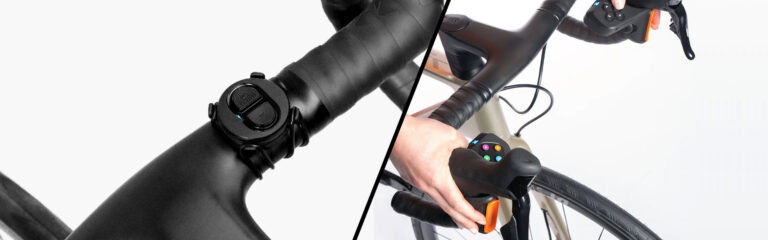
This week, Zwift released firmware version 1.3.0 for the Zwift Play Controllers. The update improves connection stability, adds diagnostics to streamline troubleshooting, and includes an updated LED status for firmware updates.

Zwift Play is still considered a beta feature. They were released to the public in June 2023, but I’ve been using them for nearly a year and have seen their stability and usefulness steadily increase month to month as new firmware and game updates roll out.

This latest firmware is the public release of an internal version I and other testers have been using for months. For me, primarily using Windows 11, it has delivered the most stable Play experience yet, with no noticeable hiccups.

I know some Zwifters have been plagued with Play disconnect issues and may even have set the Play controllers aside out of frustration. So I wanted to write a quick post about this latest firmware release to encourage Zwifters to update their Plays and see if things work more smoothly.

Here are more details…

Updating Zwift Play Controller Firmware

Play firmware updates are easy! Just power on your Plays and open up the Companion app. (Don’t have Zwift running, as you can’t update your Play Controllers’ firmware if they’re connected to Zwift.)

Go to “Zwift Hardware” under the More menu, or click on the homescreen if prompted. Tap “Zwift Play”, then “Update Firmware” and follow the instructions. The whole process should only take a minute or two.

Connection Stability Improvements

Version 1.3.0 updates Bluetooth connection parameters for “slave latency,” which is basically the amount of time that can pass before your Zwift device pings the Play Controller to make sure it’s still turned on.

Decreasing this latency (reducing the time gap) uses more Play battery but also makes it less likely that your Play Controllers will lose connection/synchronization with Zwift. Zwift says the increased power consumption is acceptable since the additional power consumed is a mere fraction of what the haptic motors and LED lights on the controllers consume.

Additional Diagnostics

One of the more difficult things in hardware and software development is reproducing a bug. Users may report problems, but if the developer can’t replicate the issue on their side, it can be impossible to implement a fix.

This firmware update adds additional diagnostics to the Play Controllers to identify more types of device/controller failures (which often happen without the end user even noticing). The result, Zwift says, is that they’ll see more failure reports with more detailed diagnostic info so they can quickly track down the cause and release a fix before the failure affects more Zwifters.

New LED Status

Play Controllers in device firmware update (DFU) mode will now show a yellow LED until the update is installed successfully. If an update fails because a controller turns off, powering the controller on will show a yellow light, and the controller can then be connected to Companion to finish the firmware update.

Questions or Comments?

If you’re curious, you can see the Zwift Play firmware release history. Got questions or comments about this firmware update? Share below!

Tiny Race Series – February 17 Routes and Last Week’s Results

0

Tiny Race Series – February 17 Routes and Last Week’s Results

See zwiftinsider.com/tiny for current Tiny Race details.