Home Blog Page 125

Zwift Racing League 2023/24 Round 3 Week 5 Guide: Chasing the Sun

9

The penultimate race of Zwift Racing League 2023/24 Round 3 happens Tuesday, February 20, and we’ll be back in Makuri Islands to race the rather complex Chasing the Sun route. Lots of sprints, with a big KOM to break up the pack – it’s going to get interesting!

There’s much to discuss, including bike choice, strategic options, and crucial segments. Let’s go!

Looking at the Route: Chasing the Sun

Makuri Islands’ Chasing the Sun route begins in the Neokyo’s harbor, climbs to its rooftops, then heads to the Yumezi countryside for a trip up the Temple KOM before heading back to Neokyo for the finish.

All riders will be racing a single lap of the route for a total of 35.1km with 315m of climbing.

Let’s discuss the key parts of this route, beginning just after we blast out of the start pen:

Alley Sprint (FAL + FTS): starting less than 1km into the race, this flat sprint is fairly long at 480m. Its effect will be to lengthen and magnify what is already a high-powered race start, stretching the effort for another minute or so before riders ease after the sprint banner. Powerup at arch: aero boost (helmet)

Railway Sprint (FAL + FTS): after a short climb up to the Railway level, this long sprint (640m) is going to hurt! Thankfully, it’s mercifully shortened by being slightly downhill. Powerup at arch: lightweight (feather)

Rooftop KOM Reverse: this is not an official timed segment, so no FAL or FTS points. But it’s 1.3km long at a 4% average gradient, so expect attacks to happen and efforts to be higher than on the flats. You will get a powerup at the top! Powerup at arch: draft boost (van)

Country Sprint (FAL + FTS): after a longer flat section, the Country Sprint marks the start of the longest uphill portion of our race. The sprint itself is flat and only 130m long, but expect the pack to stretch out leading into it, then stay stretched afterward as the road tilts up. Powerup at arch: steamroller (save it for the dirt Temple KOM!)

Temple KOM (FAL + FTS): the only climb awarding intermediate points on this course, the dirt Temple KOM (2.5km at 3.6%) will prove the key selection point in many races. Riders gapped off the front group may be able to chase back in the remaining 12km, but if the front pack is large and/or strong enough they will stay away to mop up Tower Sprint and finish points. Powerup at arch: aero boost (helmet)

Tower Sprint Reverse (FAL + FTS): at 320m and flat, this medium-length sprint holds an enticing pile of extra intermediate points for any riders chasing the front pack after the Temple KOM. Powerup at arch: burrito

Lastly, the finish. It’s a flat finish, but you can’t see the arch until the hairpin turn with ~300m to go. Timing and powerups will be crucial here.

Read more about the Chasing the Sun route >

PowerUp Notes

Riders will receive particular powerups at each arch. See notes above for which powerups are give at each arch, and read our guide to powerups if you don’t understand how they work.

Study the route and the powerups and you’ll see WTRL has assigned powerups logically, so you can use each one before hitting the next arch.

Bike Frame + Wheel Choice

This route features flat sprints but also longish climbs, making bike choice a less-than-straightforward matter.

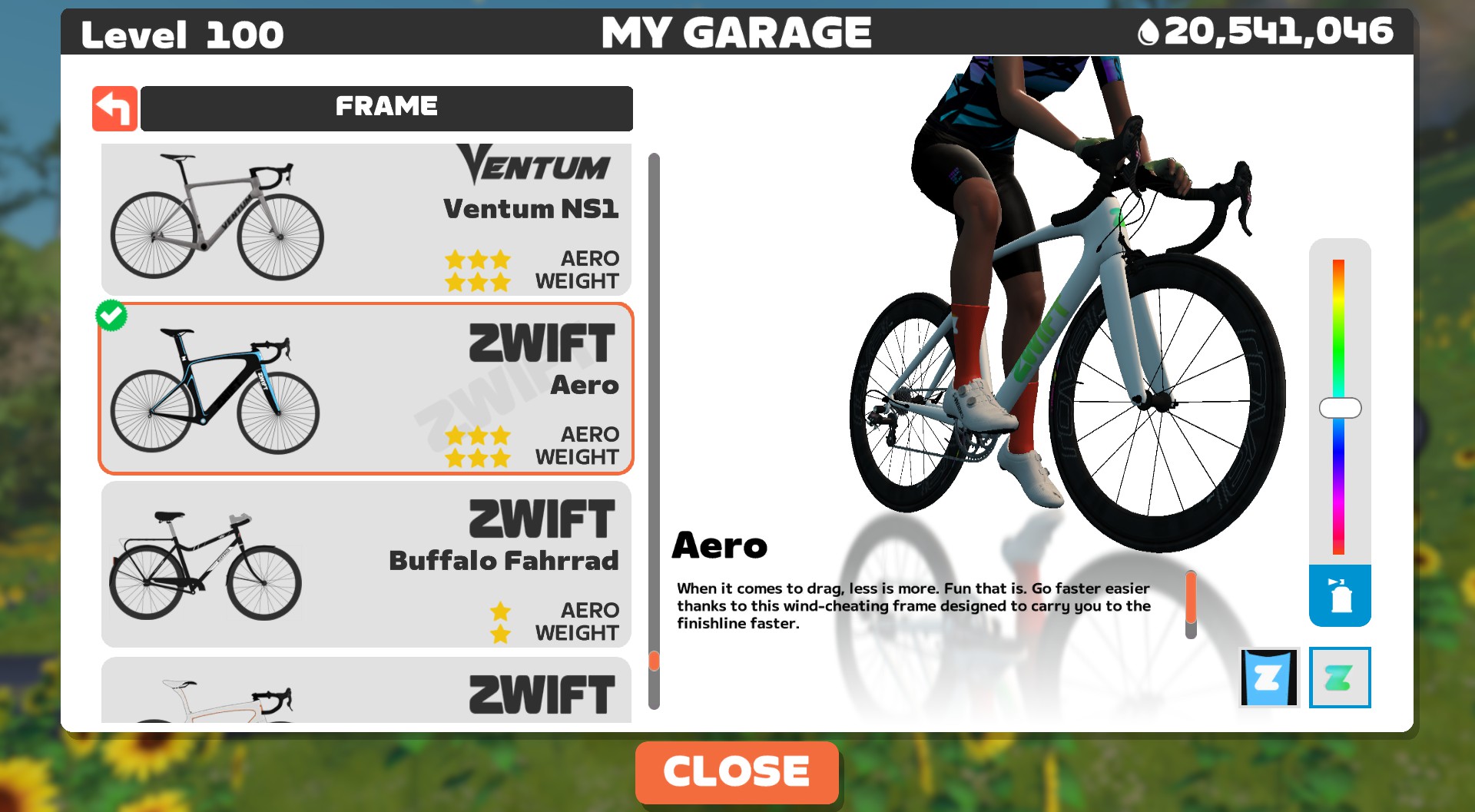
An aero bike will maximize your sprint speeds and let you sit in most easily on the flat roads that make up half of your overall mileage. A climbing bike would give you a slight edge on the two climbs where efforts are sure to be high. A gravel bike will give you a big advantage on the Temple KOM, but a huge disadvantage during the rest of the race.

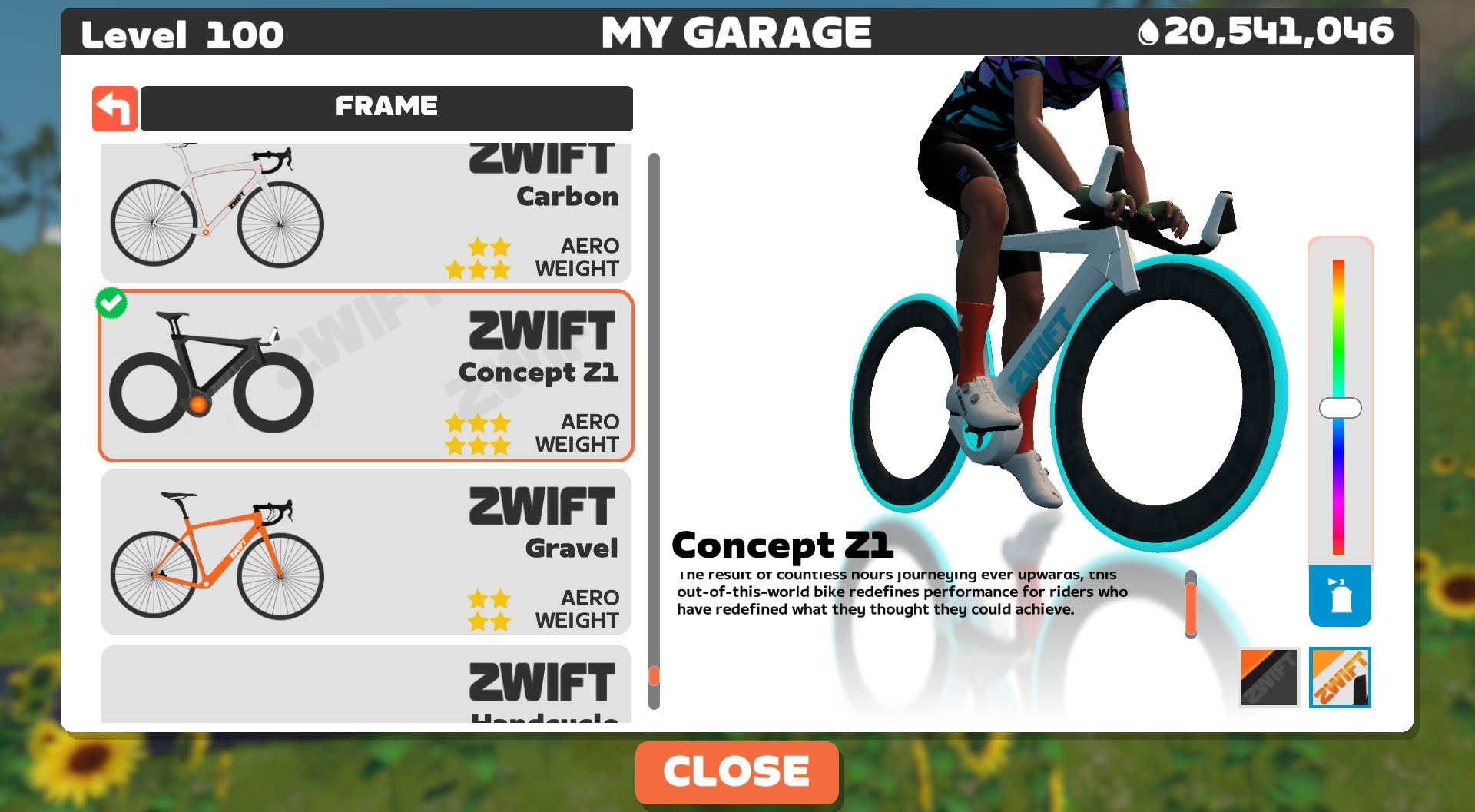
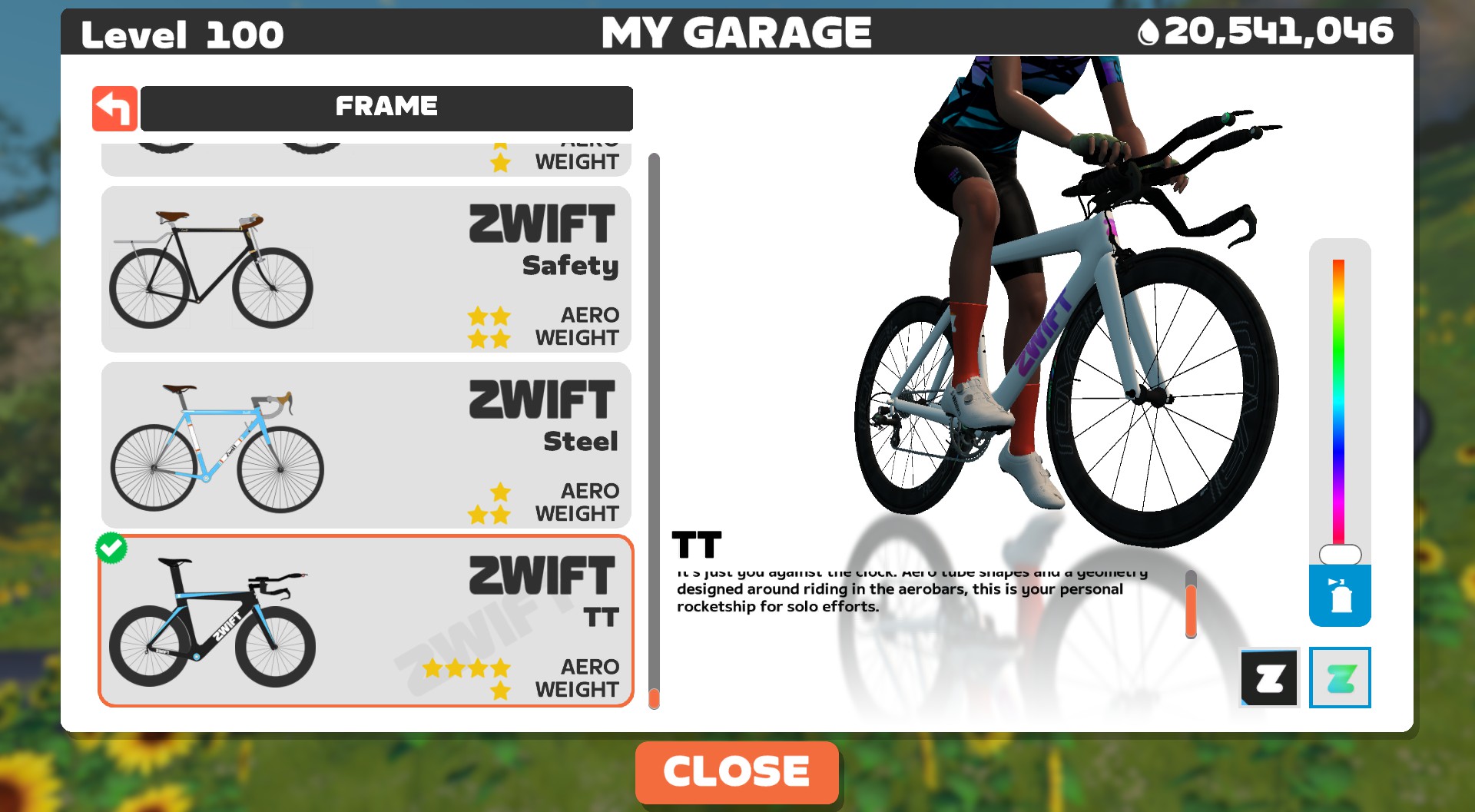
We think the Tron bike is the best pick here, but there are other options. Strong climbers who don’t anticipate being dropped on the uphills or strong sprinters who just want to grab points before the big climb might go with a more aero frame + disc wheels. And if you want a bit more help on the climbs, the Scott Addict RC + ENVE 7.8 wheels is a slightly better climber than the Tron bike.

See Speed Tests: Tron Bike vs Top Performers (Scatter Plot) for more nerd-level detail on frame and wheel performance.

To Swap Or Not to Swap?

Any time a route includes the Temple KOM, consideration is given to the idea of bike swapping. It really doesn’t make sense anymore, though, given Zwift’s recent dirt Crr changes which made road bikes roll faster on dirt.

If the route ended at the top of the Temple KOM, a swap might make sense. But since the route ends ~7.5km down the road, you’ll have to swap back to your road bike, losing another 10+ seconds. It’s just not worth it.

More Route Recons

Many recon rides are now being planned each week on the upcoming ZRL route. If you’re unfamiliar with this course, jump into an event and do some recon! Here’s a list of upcoming Chasing the Sun events.

Si Bradeley

Strategic Options

Points Distribution, Chasing the Sun (1 Lap)

This chart shows the maximum points a team of 6 could earn in the race.

There’s something for everyone in this week’s race, so there’s no clear best approach that applies to all riders. Here are some predictions of strategies we’ll see on Tuesday:

  • All-In For the Sprints: as you can see from the chart above, sprints make up the majority of the points on offer. Riders who won’t survive the Temple KOM slog may go all-in for the first three sprints and even contest the final Tower Sprint for FTS points.
  • Chasing the Climb + Finish Points: riders who aren’t strong sprinters may plan to save themselves for the Temple KOM, attacking hard to grab FAL/FTS points then staying away with a reduced front pack to grab Tower Sprint and Finish points.
  • Sprinters Bridging Post KOM: the Temple KOM may see strong sprinters spit out the back of the front group, but watch for those wattage bazookas to put the hammer down in a bid to catch the front group and contest maximum Tower Sprint and Finish points.

Your Thoughts

Any insights or further thoughts on this race? Share below!

Speed Tests: Rubberbanding (Keep Everyone Together) Mode in Zwift Club Events

Speed Tests: Rubberbanding (Keep Everyone Together) Mode in Zwift Club Events

UPDATE: Zwift greatly improved their banding algorithm after this post was published. To see current “keep together” test results, read the updated post.

Have you ever done a “Keep Together” ride in Zwift? In this mode, all riders in the event are kept in the same group, regardless of the power you’re putting out.

“Rubberbanding” makes it easy to keep a group of cyclists together, and that’s a good thing, because any ride leader will tell you that keeping cyclists together without some artificial help can feel like herding cats!

A Short History of Rubberbanding

Rubberbanding or “Keep Everyone Together” mode has a colorful history on Zwift. It was first introduced when group workouts arrived in 2017, then quickly throttled to lower speeds after lower-power riders complained they were setting segment PRs in workouts.

For a couple of years, rubberbanding was only available in group workouts, and group workout packs moved notoriously slow. But then “Keep Everyone Together” was added as an option for Meetups in October 2019… and all hell broke loose.

The problem was that rubberbanded Meetups had a major speed bug. Groups would speed up over 45kph for no good reason, topping Strava leaderboards (see Box Hill as one example). And this went on for much too long (three years or more).

While rubberbanded Meetups were zipping around at silly speeds, Zwift rolled out Clubs, and eventually launched Keep Together Mode for Clubs in November 2023, along with updated “Keep Everyone Together” logic that replaced the speed-bugged logic used for Meetups.

Testing the Rubberbands

So how does Zwift’s “Keep Everyone Together” logic work? I’m not entirely sure, and Zwift isn’t revealing the secret sauce. So I decided to run some tests using rubberbanded Club events to find out what speeds rubberbanded riders reach at different power levels. For science!

The question I wanted to answer was: do rubberbanded speeds make sense? Or are they too slow, too fast, or some strange mix of both?

The riders in these tests were 75kg in weight, 183cm tall, and rode Zwift Carbon bikes with 32mm carbon wheels. I timed the riders on the Fuego Flats Reverse segment since it’s flat and long enough to get a stable speed reading.

Test 1: A Pair of Bots

This first round of tests used just two riders in a Club event with “Keep Everyone Together” mode enabled. Here are each rider’s power outputs, segment times, and average speeds.

Rider 1Rider 2TimeSpeed (kph)
300W300W13:0032.58
300W225W13:2131.73
300W150W13:2131.73
300W75W13:2131.73
300W10W13:2731.49
225W225W14:4528.72
225W150W14:4928.59
225W75W14:4928.59
150W150W16:1326.12
150W75W17:1224.63

Observations

The first thing that stands out here is how slow the times are, particularly when the riders have matched power numbers. I know from other tests that solo free riders complete the segment at these approximate speeds:

  • 300W: 40.23 kph
  • 225W: 35.95 kph
  • 150W: 30.81 kph

Why are rubberbanded riders moving so slowly, when they’re both holding the same power? Clearly, something in Zwift’s Keep Together logic is artificially slowing the riders.

The other odd thing is how the pair times don’t change as the weaker rider’s power decreases. That is, when Rider 1 is holding 300W and Rider 2 is holding 225W, they’re traveling at the same speed as when Rider 1 holds 300W and Rider 2 holds 75W. That’s strange. Shouldn’t groups travel significantly faster if the group’s average power increases significantly?

Test 2: Solo Rider

Next, I wanted to test if a solo rider in a rubberbanded Club event still traveled as slowly as the paired riders above. So I created an event with “Keep Together” enabled, but only had one rider join. Here are the results:

Rider 1TimeSpeed (kph)
1000W9:0147.01
300W13:5130.58
225W15:2227.57
150W17:5323.69

Observations

First, notice that when there was just one rider in the rubberbanded event, their speeds were still much slower than they would be when free riding. That’s goofy.

Also, notice how the 300W, 225W, and 150W solo tests all came in a bit slower than the paired rider tests, even when the slower paired rider was doing very low power. For example, a solo rider at 300W traveled at 30.58kph, while two riders holding 300W and 75W traveled at 31.73kph.

Shouldn’t the pair with a very slow second rider move slower, as the rider holding just 75W slows down the overall group?

The 1000W test is also interesting, since it’s sort of a “max speed” test that shows just how slow banded rides may be. In rubberbanded mode the rider only reached around 47kph, while in free ride mode the same rider holding 1000W reaches around 62kph. Or another way of looking at it: ~460W in free ride mode will get you the same speed as ~1000W in “Keep Everyone Together” mode. Sorry, sprinters.

Other Rubberbanding Discoveries

In the course of these tests, I also asked and answered a few Keep Together questions I’ve seen:

  • When does the elastic snap? When a rider drops below 10W, they’ll drop from the group.
  • Can you rejoin the banded group? Yup. In my tests with two riders, if a rider dropped back about 30 meters and then increased their power to 10W, they would rejoin the group. If they dropped back 40 meters before increasing power, they would not rejoin. (This “rejoin window” may differ based on group size, like it does for RoboPacers.)
  • If a rider is lapped, can they rejoin the group even though they’re “behind?” Yes. Same behavior as noted above.

I also noticed a few things that surprised me:

  • Coned riders disappear: one of my bots got the “cone of shame” for holding high power for too long. When that happened, the bot disappeared from the group ride. Well, sort of. It was more like a shadow ban: the shamed bot could still see the other rider, but the other rider didn’t see the shamed bot anymore. This is actually pretty cool, although perhaps Zwift should notify the coned rider that they’ve been hidden. I’m guessing this is how Zwift now treats coned riders in all events.
  • Pairing screen doesn’t stop you: if you’re pedaling along in a Keep Together ride and enter the pairing screen, your avatar doesn’t slow. This is counter to pairing screen behavior everywhere else in game, where entering the screen is like hitting the brakes!
  • Except when it does: interestingly, if both riders in the Keep Together ride enter the pairing screen, then they both stop.

Concluding Thoughts

Keep Together mode has always been popular in Zwift because riders want to be together, and the magic of Zwift allows riders even with very different abilities to go hard but stay together. That’s a big deal! So even when it was broken and zipping people around at silly speeds, people kept coming back because cycling is a social sport, cyclists are social people, and Zwift is a social platform.

Yes, rubberbanding is popular. And yes, Zwift fixed the algorithm so land speed records aren’t broken anymore in banded Meetups. But the results above show that Keep Together mode still has plenty of room for improvement. Specifically, banded Club rides are moving too slowly, and speeds aren’t fluctuating realistically.

I’ll admit these tests are very limited in scope, and it’s possible that the banded experience is better in larger groups. But I also don’t think that’s the case, as banded rides I’ve taken part in have felt much too slow, and other Zwifters have said the same. Plus, the experience needs to be good in groups of just two riders, because it’s often just pairs of Zwifters who want to ride together!

Coming Up Next

Soon I’ll perform similar tests on Alpe du Zwift, to see how rubberbanding behaves on long climbs. I’ll also be testing rubberbanded Meetups to see if they behave differently than Club events. Stay tuned!

Questions or Comments?

Share below!


Watopian Weekly Episode 14: Special Guest Em Nyquist

0

Watopian Weekly Episode 14: Special Guest Em Nyquist

This week, Hollie and Dustin talk with US Masters National Champ Em Nyquist! Em talks about women in racing, women in cycling, and the launch of the new zwiftinsider.com/wmn website that she helped create. Please give that link a click and share with any women cyclists or Zwifters in your life. Em is truly an inspiring figure in our sport!

Other topics include how to win your next ZRL race, and Dustin’s 51-watt sprint.

Links discussed in this episode:

Please e-mail any feedback or questions to: [email protected]

About the Podcast

Each week Dustin and the Queen of Yorkshire, Hollie, get together to talk about Zwift, life, and everything else. Watopian Weekly is available on Spotify and Google Podcasts.


The Wrap, Episode 81: New Wahoo Hardware, Zwift Games, Restructuring

1

The Wrap, Episode 81: New Wahoo Hardware, Zwift Games, Restructuring

This week on the Wrap there was A LOT to talk about.  Nathan and Anna give their perspectives on the upcoming Zwift Games, with more information now released in the race book for elite competitors.  A big prize purse offered to the top 3, as well as some prime opportunities, means the racing should be very exciting and great for eSport popularity going forward. 

Wahoo has been busy in the hardware department with the new Wahoo KICKR CORE Zwift One (a mouthful!) and the Wahoo KICKR RUN (which is a game-changer). Will we see more attention given to the run aspects of Zwift, are treadmills actually viable as an in-home alternative for the masses, or is this something that will enhance the gym experience?

There has been a big shake-up at Zwift. They are a leaner company now and no longer the co-CEO structure.  Anna and Nathan speculate on what this could mean for the end-user in the coming year.

Finally, Zwift racing etiquette is discussed. When a competitor has a drop-out, what do you do?  Is it better to wait for them to rejoin the group? Do you just maintain group speed, or do you attack like crazy and ensure they never get back on?!  

The Wrap is live weekly on Thursdays 11pm CDT/5pm NZT (Friday).  Catch it live on Youtube, Twitch, Facebook & X (formerly Twitter). Subscribe to  Zwift Community Live on YouTube for all the latest episodes and live notifications.

The podcast is available on all podcast platforms. The audio version of all episodes is always available on the Zwift Community Live Website.


“Choose Any Avatar” Comes to Zwift

“Choose Any Avatar” Comes to Zwift

Today, Zwift released changes to their avatar customization tools. Now Zwifters can choose between a male or female face and body, and also customize their body type.

Here’s a quick video walkthrough:

It Starts With the Head

To customize your avatar, go to the “Me” portion of your garage and select a head type:

You have 9 male heads and 9 female heads to choose from. Each gender has 3 head shapes organized into vertical columns, and as you move down the row your skin tone gets darker.

You may notice that the artwork for each head has been tweaked. What’s different, exactly? Larger eyes, for sure! More on that below…

Choose Your Body Type

The head gender you choose will determine your body type options. Males have 3 body types and females have 2. (This is how it’s always been in Zwift. Read this now-defunct article for details.)

Zwift tells us they are aware that females only have two body types, and “We are evaluating the timing for adding a larger feminine body shape in the future to be more inclusive and fix this imbalance.”

Hair Options

Hair options haven’t changed from previous versions, with 22 options ranging from no hair to longer styles, and 5 color options:

If you choose a male head, you will also see the option for facial hair, which is also unchanged from previous versions:

Old vs New Looks

In rolling out “Choose Any Avatar”, Zwift also updated the artwork for the avatar’s faces to better match the rest of the art within Zwift.

Here’s what the new and old male faces look like (new look is on the top row, wearing Zwift Insider kit):

And the female faces:

How is the new artwork different from the old? Larger eyes with more pronounced eyebrows. More chiseled noses and cheekbones. Yellower skin tone for the “Asian” face styles. Overall, a more cartoonish appearance that is bit less realistic. Which isn’t a bad thing… this may be Zwift purposely staying out of the Uncanny Valley.

Why the change?

Zwift says, “Every person on our platform should be able to represent themselves as they feel they are. This is one step towards making Zwift a more inclusive space as we continue to build a platform where everyone feels represented.”

Questions or Comments

Share below!


Zwift Update Version 1.58 (125542) Released

Zwift version 1.58 begins its phased rollout today. This is a minor update, but it does include the new ability to “Choose Any Avatar.” See details below…

Choose Any Avatar

Zwifters can now choose the gender of their avatar, as well as the body type. (This feature change was announced as “Coming Soon” back in December.) The change is pretty straightforward: the gender of the head you choose determines your avatar’s body, as well as the body type options.

Here’s a quick video explaining how it works:

You may also notice that avatar faces have changed. Zwift says, “Your avatar has a new look! This new appearance better-matches the art within Zwift.”

For a complete look at this feature change, read “Choose Any Avatar” Comes to Zwift >

New Zwift Games Route Badges

Four new route badges showed up in this release: Loop de Loop, Mountain Mash, Zwift Games 2024 Epic, and Jurassic Coast. These routes will be used in the upcoming Zwift Games… more details on that soon!

New “Intersection Controls” Option

If you use an Elite Sterzo, Rizer, or a JetBlack Smart Turn Block, you have a new setting under “Preferences” that toggles using your steering device to determine direction at intersections:

This option is enabled by default.

Ride Streaks Stats Fix

Have you noticed that some of the totals on your Streaks screen seem rather low? Various bugs have meant that some of the totals on the screen weren’t tallying correctly, but Zwift has been making changes on the server side and in game to tighten things up.

One of those changes (albeit a minor one) is mentioned in the release notes: “Improves the accuracy of cumulative climbing stats shown on the Ride Streaks screen.” But there are additional fixes included in this release that aren’t mentioned. (There’s always more in each Zwift release than the release notes mention!)

Note that your totals may not be correct just yet: once the update rolls out, Zwift will need to run a server-side routine to fix everyone’s tallies so they’re correct moving forward.

“Spiral Into the Volcano” Route Fix

The Spiral Into the Volcano Rebel Route was recently added to the game to feature as the long route for stage 8 of Tour de Zwift. But there is just one problem: the route wasn’t correct!

Specifically, Zwift left out the lap around the Volcano Circuit that was supposed to happen just before heading up the Volcano KOM. And that, dear readers, is why last week’s stage 8 efforts didn’t match the route’s official Strava segment.

This has been fixed in version 1.58, but Zwift opted not to include this route in stage 8 make-up events because they don’t want riders who aren’t yet on version 1.58 to be routed differently from riders on version 1.58.

Tacx Flux S ERG Issues?

Zwift included a note for anyone using the Tacx Flux S trainer who has had resistance issues since version 1.57 was released on January 23rd. If that’s you, you’ll want to read Evan’s post on the forum >

More Release Notes

Zwift provided notes on additional tweaks and bug fixes in this update:

  • Fixed an issue where, after spectating runners via “Just Watch” mode and selecting “Back to Me”, Zwifters could potentially start in Ride mode instead of Run mode.
  • Fixed missing localized text for some languages in the Repack Rush report.
  • Corrected a typo occurring in some languages in the “Let’s Get Moving” workout.
  • Android: Fixed an issue where tall socks may not be displayed properly on avatars in the Garage.

Discuss this release on Zwift’s forum >

Questions or Comments?

If you spotted any other changes or bugs in the update, please comment below!

Top 5 Zwift Videos: Pain Caves, Returning to Zwift, and Watts vs W/kg

1

Looking for some pain cave inspiration? Watch as two Zwifters share their ultimate pain cave! This week, we have selected a variety of videos, including one about a Zwifter’s return to riding, a comparison of w/kg and raw watts, tips to avoid dropouts, and a review of a mid-range smart trainer.

Zwift Cribs! Our Ultimate Pain Cave – 2024 Updated Edition

Watch as Caitlin and Tiffany, aka Team Saunders Tri, provide a tour of their updated pain cave for 2024. 

My Zwift Return Didn’t Go to Plan…

Matt, Target 2.5, returns to Zwift after a while. However, shortly after, he hits another roadblock on his journey. Watch as he provides a recap of what has been up in his life and why he hasn’t been on Zwift.

W/KG Vs Raw Watts in Zwift

Michael from Zwift Analysis Network is back with another helpful video. This video covers a commonly asked question on Zwift: When are w/kg more important than raw watts?

Tips to Avoid Dropouts on Zwift

Everyone hates dropouts, especially when they come mid-race and force you to call it a day. Learn all about how you can avoid getting dropouts on Zwift from Michael at Zwiftalizer.

MAGENE T300 Plus Smart Trainer: Details // Improvements // Lama Lab Tested

Looking to upgrade your indoor cycling setup? Shane Miller, GPLama, puts the all-new Magene T300 Plus to the test. Included in the video are details on the trainer, power accuracy, and more.

Got a Great Zwift Video?

Share the link below and we may feature it in an upcoming post!
Wahoo KICKR Core Zwift One Smart Trainer: Unboxing, Setup, and Full Review

28

Wahoo KICKR Core Zwift One Smart Trainer: Unboxing, Setup, and Full Review

Last week, Wahoo and Zwift announced their first-ever trainer collab: the KICKR CORE Zwift One.

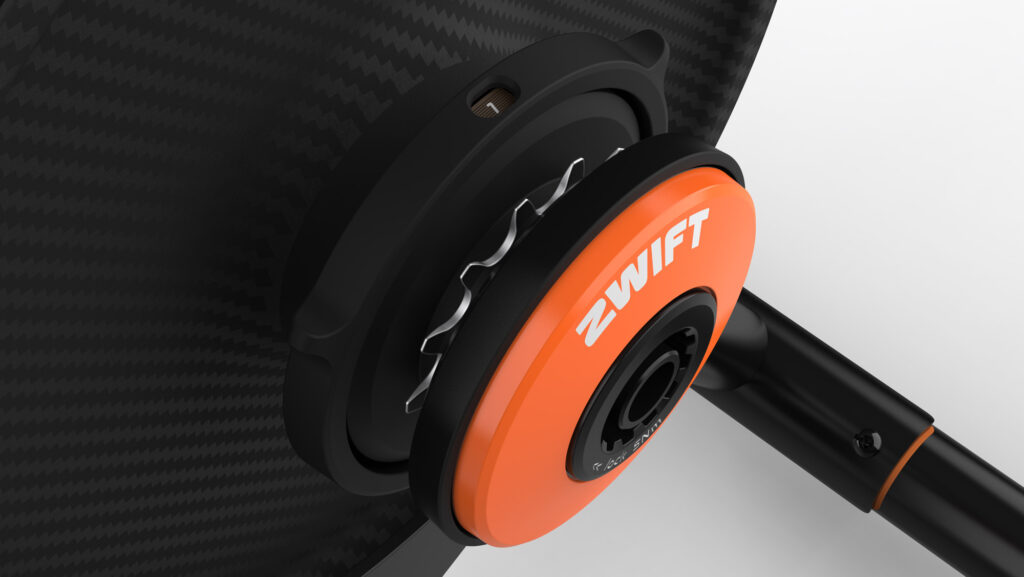
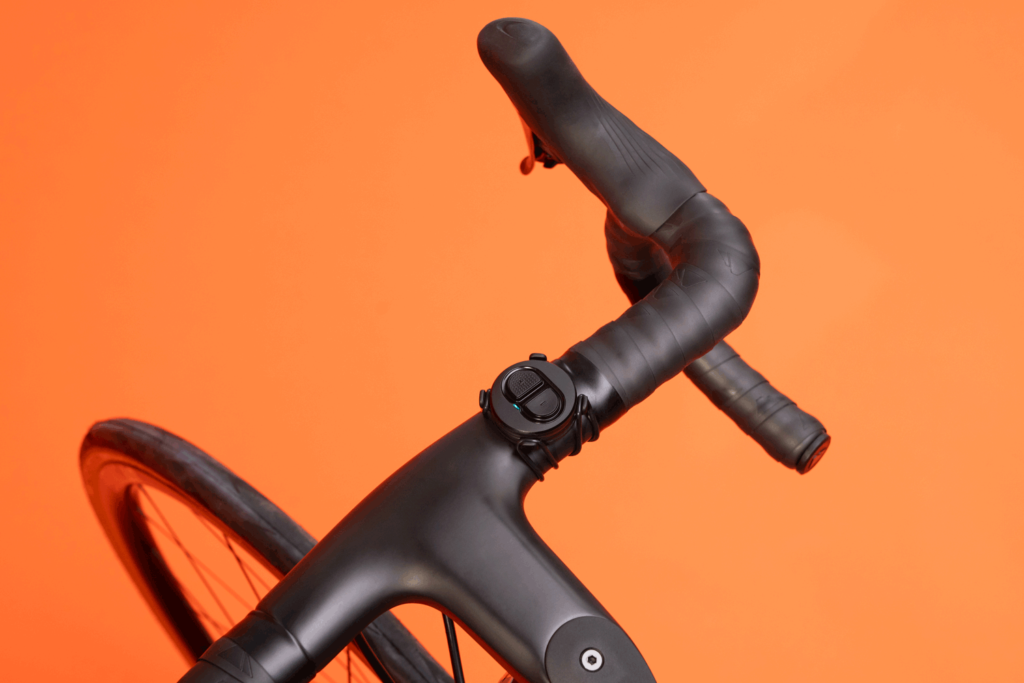
It’s the KICKR Core we know and love from Wahoo, with a Zwift Cog installed in place of a cassette, and a Zwift Click included for virtual shifting.

I’ve had the CORE One (yes, I’m shortening the name) in the Zwift Insider Pain Lab for a few weeks, running it through its paces. And today I’ll be sharing my experience, along with key specs and other details. Let’s go!

Features and Specs

The CORE One is priced a full $1000 below Wahoo’s newest KICKR, the KICKR MOVE. And the CORE One comes with a full year of Zwift membership, while the KICKR MOVE does not!

So how do the two trainers compare?

KICKR CORE Zwift OneKICKR MOVE
Price$599/£549/€599$1,599/€1,599/£1399
Max Power1800W2200W
Accuracy+/-2%+/-1%
CalibrationAutomaticAutomatic
CadenceBuilt InBuilt In
Brake/Drive TypeElectromagneticElectromagnetic
Max Gradient16%20%
Weight40lb/18kg64lb/29kg
CLIMB CompatibleYesWith base adapter
ANT+ and Bluetooth Connectivity
Multiperipheral BluetoothUp to 3 connectionsUp to 3 connections
Axle Compatibility130/135mm quick release, 12×142/12×148 thru-axle130/135mm quick release, 12×142/12×148 thru-axle
Pre-Installed CassetteZwift Cog11-Speed
Virtual ShiftingComing soon
Direct Connect
WiFi Connectivity
ERG Easy Ramp
Odometer
10Hz Race Mode
Fore-Aft Motion
Includes 1 Year of Zwift

Unboxing/Setup

CORE One setup is very easy. It can be done by just about anyone, even if you’re not an experienced cyclist.

Unboxing and Assembly

My CORE One arrived in the same box as a standard KICKR Core, but Wahoo says this will be changed soon. Assembly was quite easy:

  1. Open up the collapsable front arm
  2. Install both legs using the enclosed hex tool
  3. Install the correct axle adapters for my bike (135mm quick release) – if you aren’t sure which adapters to use, read this post

Firmware Updates

Checking for firmware updates whenever you get new hardware is always a good idea. This is especially true with the CORE One, since it’s shipping with older firmware that doesn’t support virtual shifting or auto-calibration!

Installing the new firmware is easy using the Wahoo app (available for iOS and Android). I added the CORE One to my list of sensors, clicked it for details, then clicked the “Update Firmware” button and followed the instructions:

Note: when I installed the update, the app hung on the “Finishing up…” screen. After waiting for around 10 minutes, I restarted the app (which is a scary thing to do in the middle of a firmware update) and it showed the firmware as installed. The CORE One has been working fine ever since.

Bike Setup

I left my bike in a middle gear on the rear cassette, and it installed easily on the CORE One. After shifting up and down a few times I found the gear that was smoothest, and visually checked to see if it was lined up nicely on the cog. Good to go!

Ride Experience

Virtual Shifting

Of course, the big news with the CORE One is that it’s the first non-Zwift trainer to support virtual shifting. With virtual shifting, your chain doesn’t move between different rear cassette cogs when you shift. Instead, a virtual shift changes the resistance on your KICKR Core so it feels like you’ve changed cogs.

So how well does virtual shifting work on the CORE One? It works great! I tested it using the included Zwift Click and also the Zwift Play Controllers I already had installed on my Zwift bike. Both worked perfectly, without hiccups.

I will say the shift “curve” on the CORE One feels a bit different from the Zwift Hub – like a steady ramp up in resistance vs a quicker spike. But that’s not a bad thing… just different. Both trainers shift very quickly and smoothly.

One thing that isn’t mentioned much is that you must pair the CORE One via Bluetooth for virtual shifting to work. Then just pair the Zwift Click and/or Zwift Plays as well, and you’re good to go. The trainer automatically senses your gearing in the first few seconds of riding, then sets up your base resistance and puts you in 12th gear (you have a total of 24). And that’s it! Just use the Click’s +/- buttons, or the shift buttons on the Zwift Plays, to shift whenever you’d like.

I prefer the location of the Zwift Play shift buttons to the Click, because it’s reachable when my hands are in their default position on my hoods. Of course, if you’re on flat bars or some other setup, the Click may be better for you.

Noise Level

When it comes to noise levels, the CORE One is… cantankerous. It’s not the trainer’s fault – the actual KICKR Core trainer (flywheel, freehub, etc) is very quiet.

The issue is the Zwift Cog. I experienced the same noise issues with the Zwift Cog on the KICKR Core as I did with the Zwift Cog on the Zwift Hub. Specifically, there’s more chain/cog noise than I’d like.

But the noise level depends on your chain. And also your gearing.

I’ve tested the Zwift Cog with three different chains:

  • The chain I’ve used for (literally) years on my Zwift bike (a YBN 11-speed chain)
  • A nearly-new Dura-Ace 12-speed chain on my outdoor bike
  • A new KMC 11-speed chain on my Zwift bike

All three chains received the same Molten Speedwax treatment, and all three have been tested to run near-silent on a standard cassette. None of them show as needing replacement when tested using Park Tool’s Chain Wear Indicator, although my well-used YBN chain is, logically, a bit stretched compared to the other two nearly new chains.

The Dura-Ace chain was the quietest of the three (+1 for expensive hardware, eh?), while my well-used YBN chain was the loudest. The KMC was somewhere in the middle.

I would characterize the noise level of the Dura-Ace chain as acceptable, while the other two are not. But I’m also fairly picky since I’m used to near-silent trainer setups!

As any cyclist knows, a noisy bike is an inefficient bike. When you hear drivetrain noise, you’re losing watts. So it hurts my cyclist heart to have a noisy chain/cog interface. It’s rough enough, in fact, that I can actually feel the teeth of the cog interfacing with my chain. That feeling is amplified the faster I turn my cranks.

This noise issue has been mentioned by other reviewers, too. Listen to DesFit do a nice comparison of the Zwift Cog vs cassette sound volume on the CORE One:

Zwift has always recommended riding in the little chainring when using the Zwift Cog + virtual shifting, and although they don’t say it, I can’t help but think part of the reasoning is because the Zwift Cog is quieter in the little ring. It’s quieter simply because the chain isn’t moving over the cog as rapidly. The faster the chain moves along the cog, the noisier it will be.

I may put together an article soon focused on taking apart the Zwift Cog and trying various things to make it quieter. What I’d really like to try is installing a cog from one of my spare cassettes, in place of the beefier steel cog used in the Zwift Cog, to see how that affects noise levels. Removing the plastic guides on either side of the cog will also reduce sound, but the truth is, Zwift needs to change something to make the Cog quieter.

The good news for KICKR Core owners is, you don’t need the Zwift Cog in order to enjoy virtual shifting. Just buy the Zwift Play Controllers, update your firmware, and you’re good to go on your existing cassette… which will be quieter than the Zwift Cog.

Power Accuracy

The KICKR Core’s new firmware brings what Wahoo calls “auto spindown calibration” to the trainer. This is just a wordy way of saying the trainer automatically calibrates itself for accurate power readings, so you don’t need to worry about doing it. Excellent news for KICKR Core owners!

Having completed several workouts, rides, and races with power dual recorded from the CORE One and my Favero Assioma pedals, I’d say my CORE One with its new auto-calibration is fairly accurate and close to being within spec… but it could use a bit of improvement.

First, as some other reviewers have already mentioned, you’ll need to put a hard ride or two into the CORE One before the auto calibration run enough to really dial in the accuracy. But that’s no big deal, and not unlike some other trainers.

My only real disappointment with power accuracy is that the CORE One seems to suffer from a bit of thermal drift, similar to the Zwift Hub. (Which is odd, since the CORE One has a thermal sensor, so Wahoo’s engineers should be able to compensate for temperature changes during a ride.)

Here’s an example (click to interact with the data):

My pedals were right with the CORE One when the ride began, but by the end the CORE One was reading around 5% higher. This is classic thermal drift, where a cold trainer reads higher the warmer it gets.

I’ve seen this on multiple rides, including sessions that began with the trainer already warm. Here’s a 90-minute ride that started with the trainer already warmed up. It’s reading a bit high to start, but even higher when the ride ends.

In these examples, if I’d stopped pedaling midride the CORE One would have recalibrated and probably improved in accuracy. But that shouldn’t be needed if the only issue is temperature.

You can see thermal drift again in my ZI Labs Power Meter test, where the CORE One reads a bit higher at the end than at the beginning:

That said, thermal drift isn’t apparent on all rides. Here’s a 40-minute race done just before the 90-minute ride linked above, and the CORE One is tracking nicely with my Assiomas throughout.

Oddly, I didn’t see the small-ring sprint issues that GPLama noted in his review, where his CORE One was rewarding him for being in the big ring (high flywheel speed) on sprints. The two sprints at the end of the workout above were done big ring (first sprint) little ring (second sprint).

Is the CORE One woefully inaccurate? Nah. It just appears that Wahoo’s engineers could tune the auto-calibration and/or temperature compensation algorithms to keep the trainer more firmly within the +/-2% accuracy specification.

Let’s be clear, though: compared to the days of manual KICKR CORE calibration, the auto-spindown feature is light years ahead, especially for the many Zwifters who rarely calibrate their CORE. My firm hunch is that this new auto spindown calibration will result in much more accurate power on average throughout the universe of CORE riders.

Inertial Feel

The CORE One’s 12lb flywheel is the same size as older KICKR trainers (generations 1-3). Many people say they can’t tell the difference between various physical or simulated flywheels, but I find the differences quite apparent, especially when accelerating my cadence or doing workout intervals.

The CORE One’s flywheel feels a bit better than the Zwift Hub, which makes sense since the Hub’s flywheel is a bit smaller. Still, the standard KICKR’s larger 18lb flywheel feels even better, which is partly why that trainer demands a higher price.

Wrapping It Up

Wahoo’s KICKR Core has the best reputation of any mid-range direct-drive trainer, which is why it commanded a price of $900 without a cassette for the first 5 years of its existence. Then Zwift entered the market with the bargain-priced Zwift Hub, a lawsuit happened, then a settlement… and here we are, with the KICKR CORE Zwift One available for $599 including a year of Zwift.

That’s a sweet deal, even if the Zwift Cog is noisy on some chains and power accuracy isn’t perfect.

With the CORE One replacing the Zwift Hub One moving forward, this is simply the best trainer for the money on the market today.

Questions or Comments?

Share below!


In the Drops Episode 37

0

In the Drops Episode 37

In Episode 37, Jake shows us the inside line for ZRL round 3 race 3 R.G.V. TTT. His expertise in TTTs and overview of the route is not to be missed for those looking for a winning result. Rob tells us why he is super excited for this month’s ZRacing series, “Race Like A Champ,” and Nathan shares his top 5 race start tips to set you up for your first or next win.

Don’t forget to watch this week’s quiz. Can you guess the route names from the emojis shown?

Topic Bookmarks for this Episode

00:00 Start
05:17 Show begins, how are we?
11:07 Kettle bell squats workout update
14:02 Companion App update
15:08 When are Zwift Leadouts useful?
20:48 Do certain courses help set power PBs?
25:12 The Glasgow what?
25:54 Sauce4Zwift updates
30:51 Spirit of Zwift Venn diagram
33:27 Top 5 Tips for Starting a Race
41:52 ZRL Stage 3 – RGV
49:53 ZRacing February – Race Like a Champ
58:14 Quiz – Emoji courses


Women’s Racing on Zwift

30

Women’s Racing on Zwift

Zwift’s platform offers unprecedented opportunities, particularly for women. Where else can you ride a race against only women, in fields where you can’t count the entrants using your fingers and toes? Zwift lets you slough off the limitations of in-real-life racing and push yourself like never before.

Welcome to Zwift Insider’s home for all things Women’s Racing. Here you’ll find a women’s race calendar, a list of prominent women’s teams you can join, and loads of info about the vibrant and inclusive women’s community on Zwift.

Never tried it? Jump in!

View More >

View More >

Questions or Comments?

Got suggestions for improvements to this page? Questions about women’s racing on Zwift? Post below!