
Zwift version 1.59 begins its phased rollout today, and includes the new “Player Highlight” feature for everyone but Android users. See details below…
New Feature: Player Highlight
This feature was initially announced as “coming soon” last April, targeting a summer release. That didn’t happen due to various bugs that were found, but Zwift’s developers also made some improvements to the feature before finally releasing it this week!
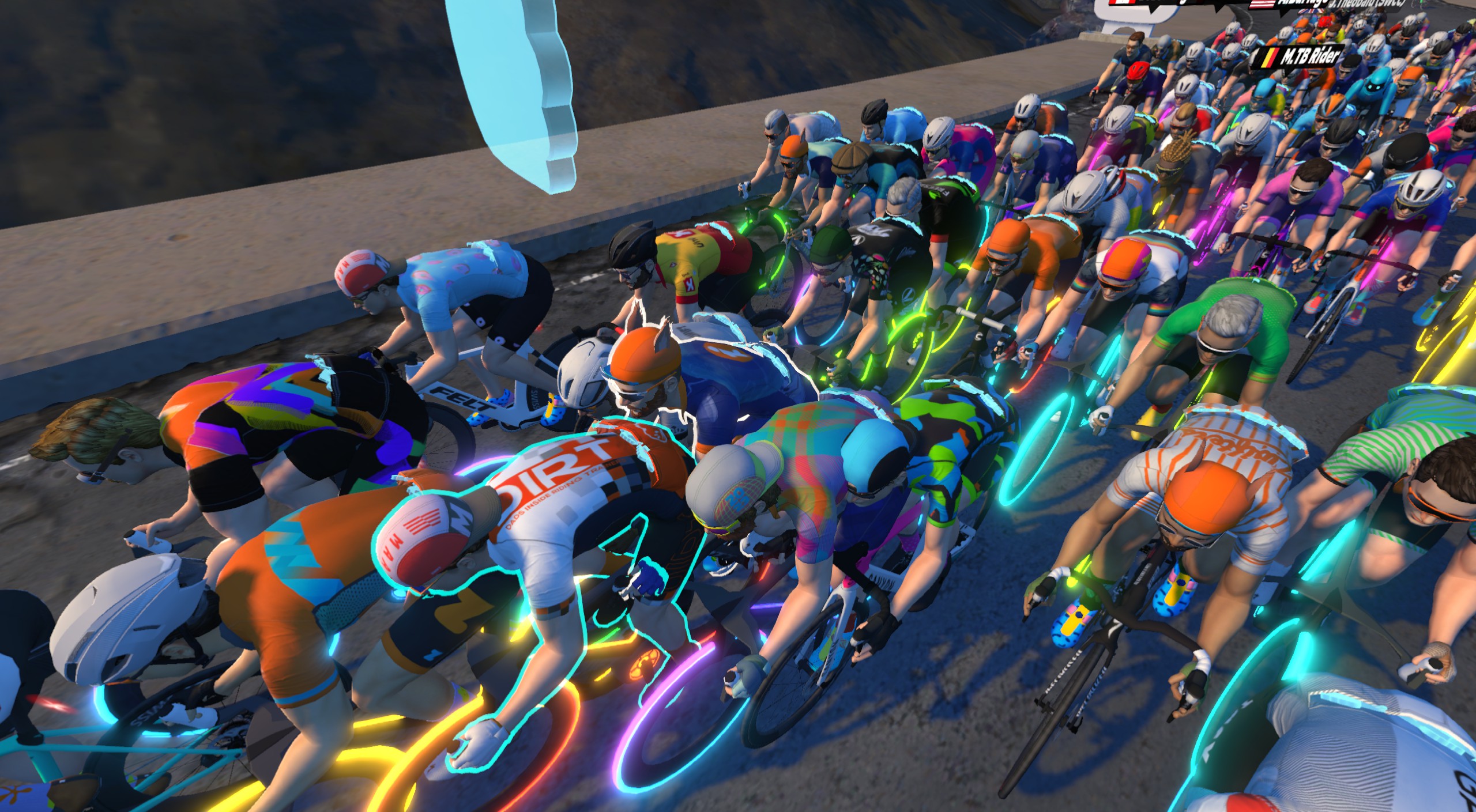
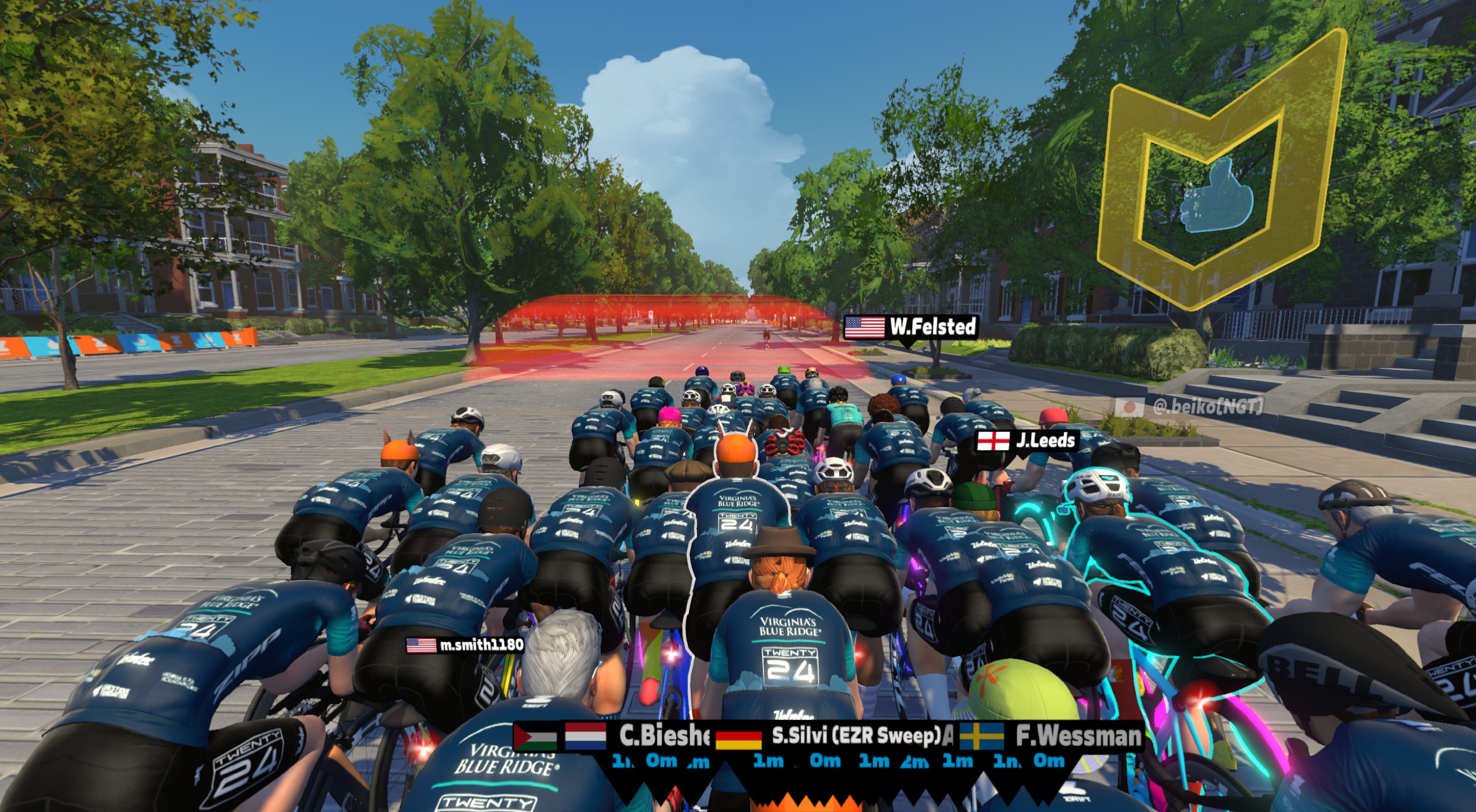
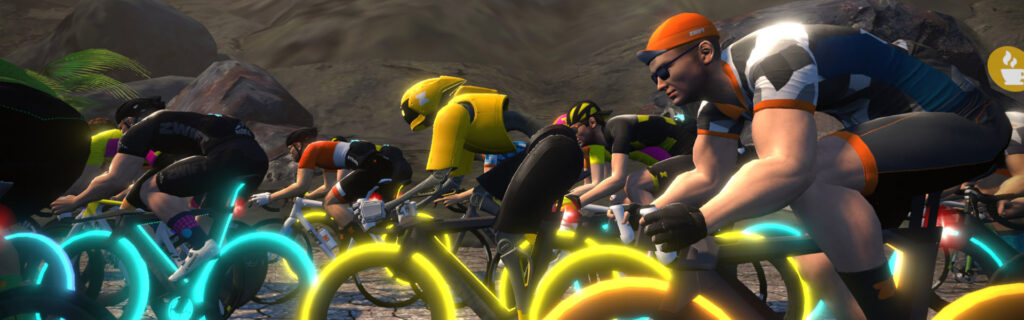
This feature highlights your avatar with a white light, making it easy to pick out your avatar from others. It’s a smart light, too, so it varies in intensity based on how many riders are nearby:
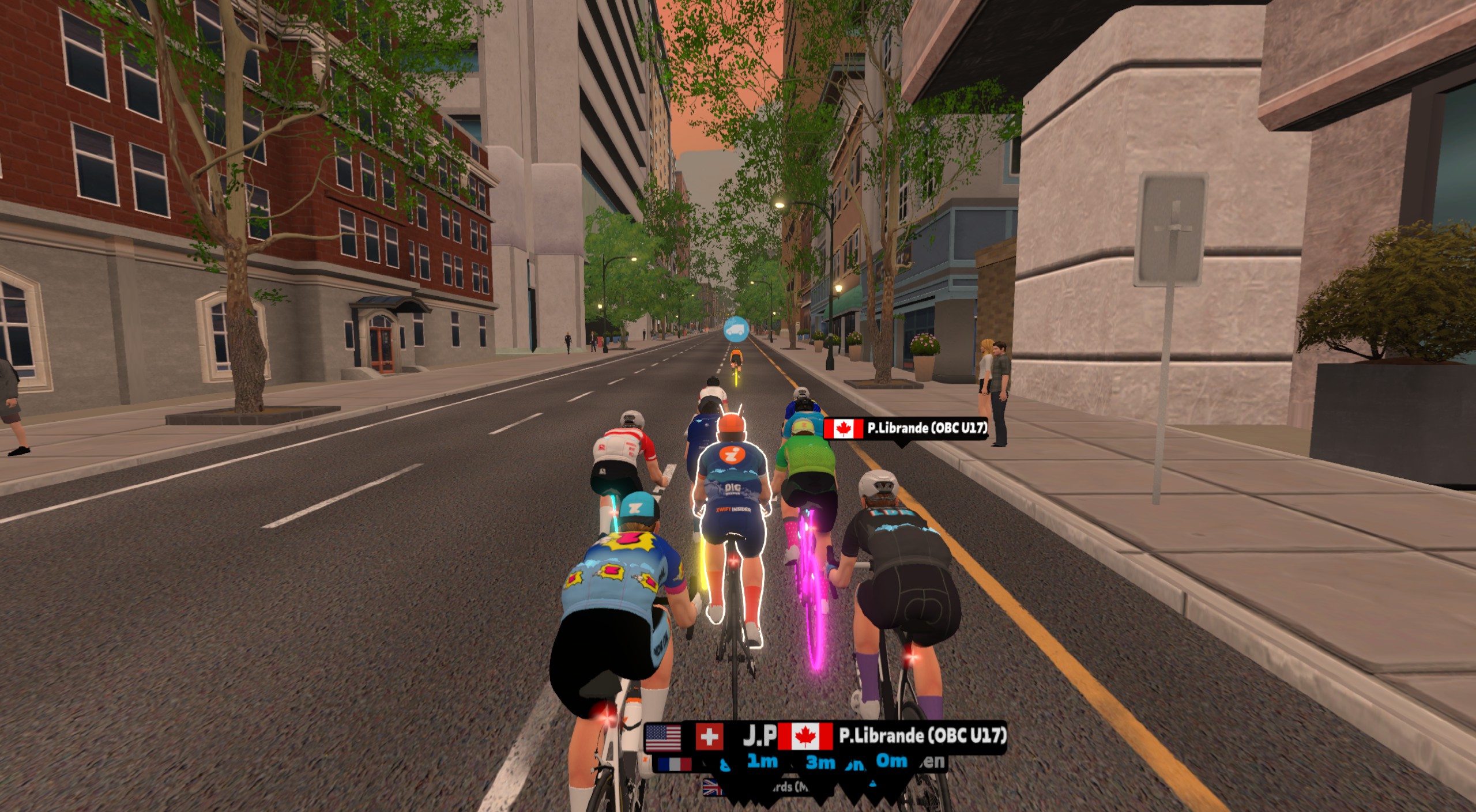
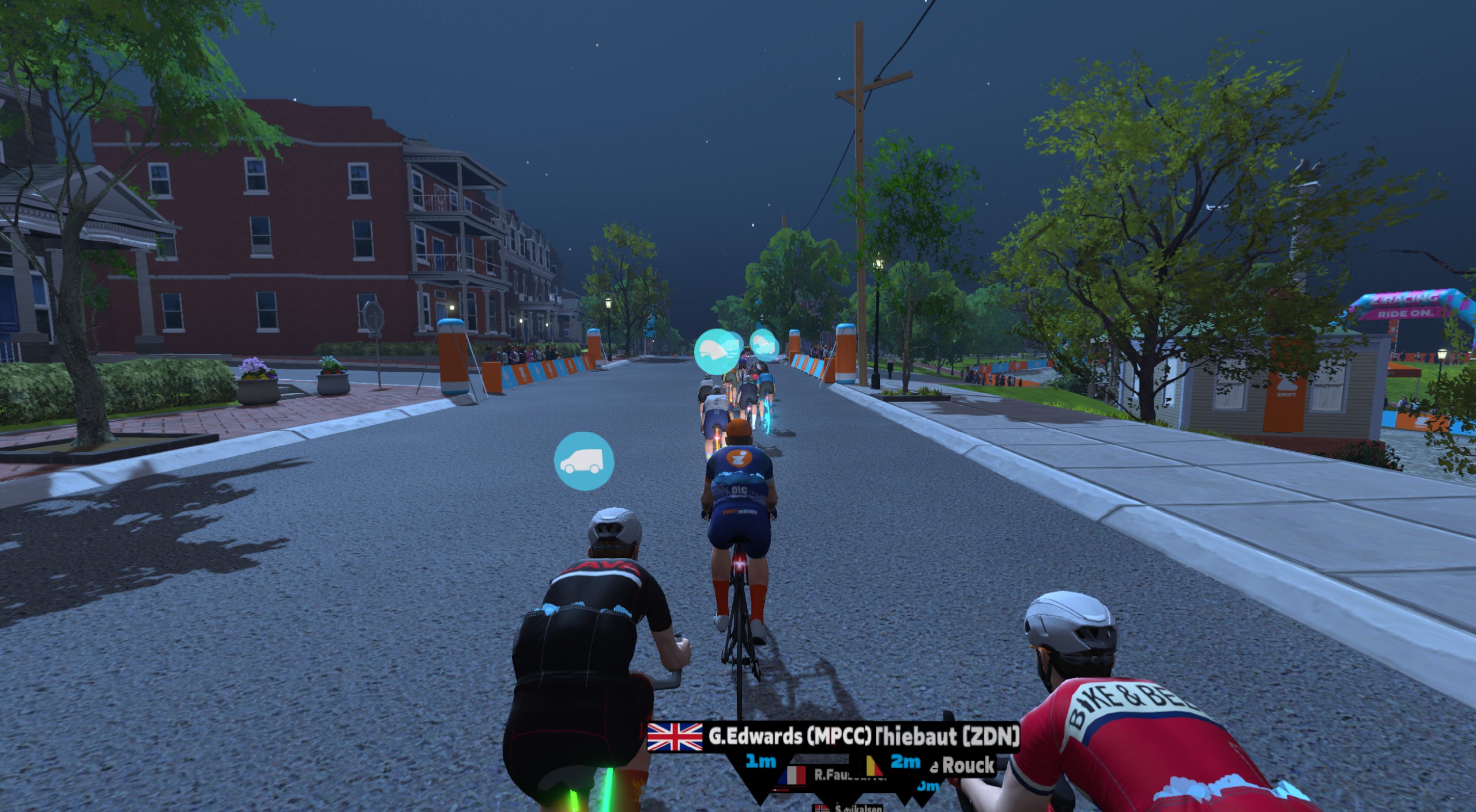
Zwift has expanded this new feature to highlight other people of interest on your screen. It now highlights your friends (up to 3), ride leaders, and anyone you are actively fanviewing:
Player Highlight can be turned on and off from the main settings window:
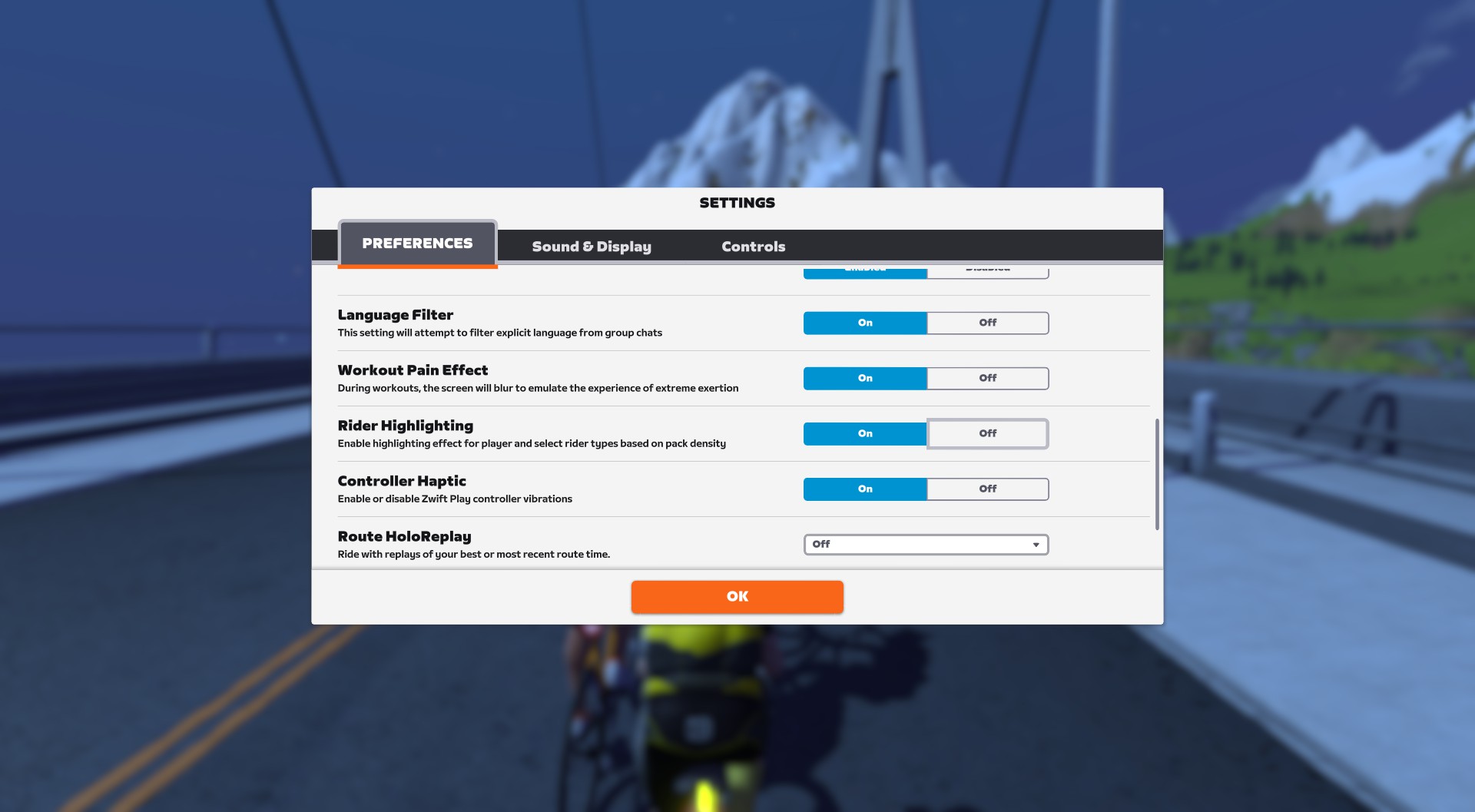
Please note that Player Highlight is rolling out this week on Mac, PC, iOS, and Apple TV, and the release will be triggered by a server-side switch from Zwift (so not necessarily tied to downloading the latest update). The Android release is delayed.
Route Names On Events
It may seem like a small thing, but we’re still happy to announce it: route names are finally being shown in game when you click on an event!
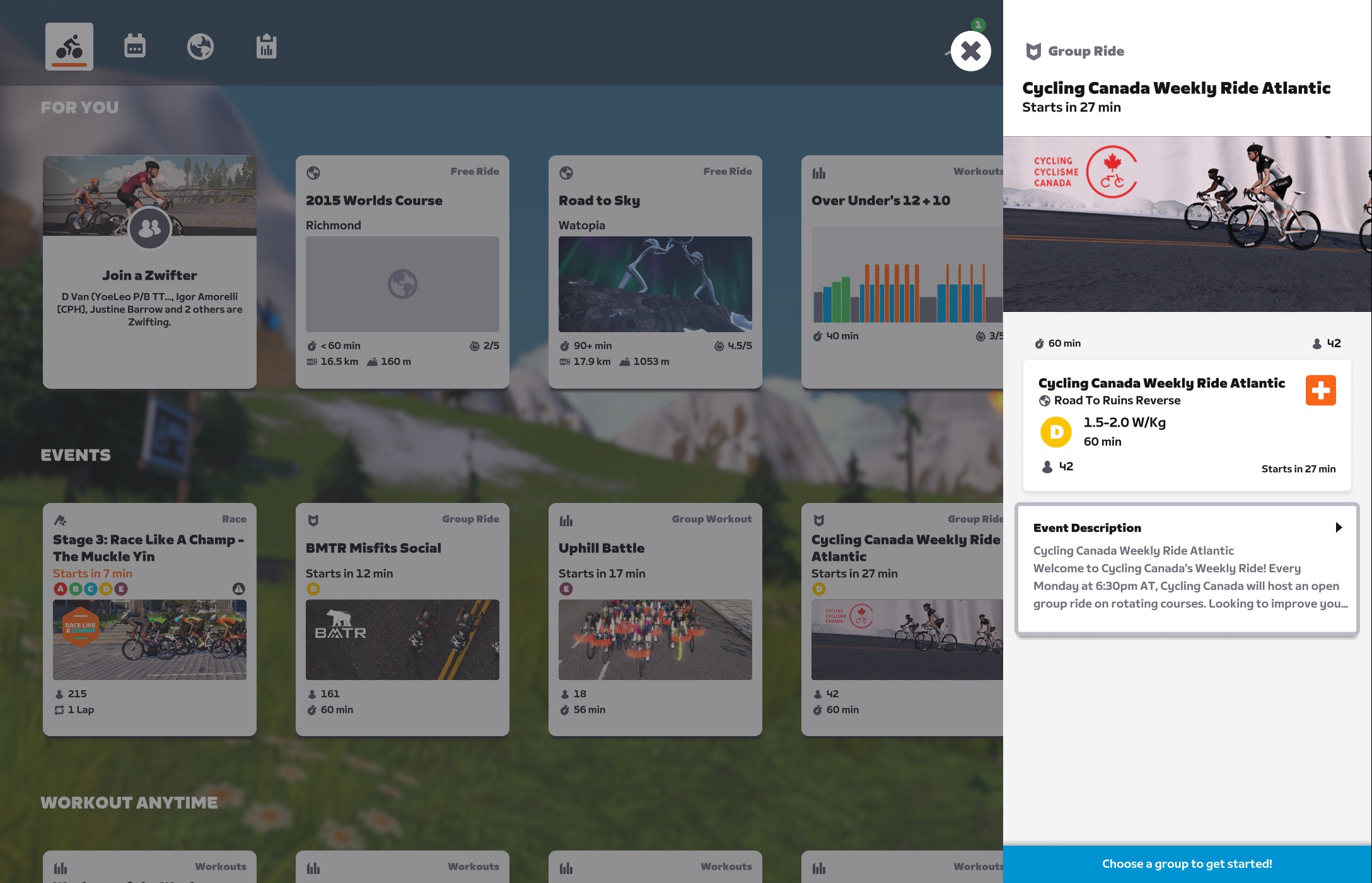
This follows on Zwift recently updating their web calendar to show route names as well. Hurray!
RoboPacer Changes
Two tweaks have been made to RoboPacers, making it easier to keep the Drops Multiplier game going:
- When riding in small RoboPacer groups, the area in which Drops multipliers are in effect has been increased.
- When riding in a RoboPacer group, you now have a longer period of time to re-join the group before losing your Drops multiplier.
More Release Notes
Zwift provided notes on additional tweaks and bug fixes in this update:
- Improved body shape illustrations when selecting a body type in the Garage.
- Fixed an issue where the color selector would not appear when customizing your avatar’s hair, body, and facial hair.
- Fixed an issue where some running shirts did not appear properly on smaller body types.
- Fixed an issue that could cause seals to float in midair on the Beach Island Loop route in Watopia.
- Fixed an issue that could cause the Tacx Neo Road Feel setting to appear for devices that don’t support this feature.
- Fixed an issue that could potentially cause a “Did Not Finish” result to incorrectly be displayed in the Zwift activity feed after completing a race event.
- Fixed an issue that could cause the distant mountains in Innsbruck to appear to wiggle on the horizon.
Discuss this release on Zwift’s forum >
Questions or Comments?
If you spotted any other changes or bugs in the update, please comment below!
While I’ll be disappointed to lose flying seals and wiggly mountains, the player highlights, route names, and robopacer improvements are long overdue! We can FINALLY mark another rider in an event! We can FINALLY join an event and hop over to this site on the phone to recon the route just before the start! And we can FINALLY do sprintervals with robopacers without losing drop multipliers! YAYAYAYAYAYAY!
I think more flying seals and more wiggly mountains is the way to go!
I wish you would keep the drops multiplier when teleporting from one to another Robopacer. Currently you start again from zero.
fixed a bug for zwift play where you dont see it saying “Disconnected something or other” 50 time in an hour ride. perhaps zwift play r now fixed wooohooo
Mine is still doing it……very frustrating!
I finally fixed mine by using a dedicated USB/Bluetooth dongle, a 10′ USB extension cable (with base) and a tablet floor stand (with shelf) sitting just off to the right side of my handlebars. Besides a stable connection for the Zwift Play, it also let me setup a second tablet that I can use (front tablet is running Companion)
Odd that there’s no mention of the Player Highlight on the Zwift Forums post for today’s update.
it was actually delayed, not included in 1.59, should be in 1.60
Ah, I just was all over my settings and was uggg it just updated, thank you!
This is not true. Player Highlight is released in a phased rollout and is enabled on the server side. It’s happening in parallel with the 1.59 game client release.
“Fixed an issue that could cause seals to float in midair on the Beach Island Loop route in Watopia”…not really sure this is a problem, could use the entertainment
Wow! Route Names on Events…We’ve only needed that since…well, forever! 😂
Glad it finally bubbled up to the surface. Nice touch!
Noticed some new route badges today – Loop de Loop, Mountain Mash, Zwift Games 2024 Epic and Jurassic Coast?
They were added with the previous update already.
Ahh, yes thanks.
I don’t see these on my Companion app.
Any news about Tour of Watopia yet? The 2023 spring edition was announced around this date.
They seem to be promoting the zwift games right now. So maybe the tour will be later or only in the fall this year?
On the rider highlight feature, how do you designate someone as a “friend”? I assume it doesn’t just randomly select any nearby people that you follow, as there may be more of those than the permitted number of friends.
Some buildings are now in the middle of the road in Yorkshire… have let Zwift know on the forum.
I’m just waiting for Zwift to upgrade its store and finally sell into Canada
And Australia please!
The Zwift Companion Apple Watch app still isn’t connecting to this updated version of Zwift, which is weird, because it’s worked fine for many months now, and Zwift said official support is coming. It seemed pretty official when it was working up until last week…automatically launching when I opened Companion on my phone.
Forums say it works through the iPhone Zwift app, but I’d rather use my computer and bigger screen. Guess I’m off to download the app now.
Update: further reading the forum, and the most recent official response is that they’re going to rollback some changes around the apple watch and put it in an update soon to restore the original experience. I think they’re still working on an officially supported and updated Apple Watch experience, but it’s unclear.
When can we finally see the sprint section start line on the mini map. When in bigger group rides, it is hard to see that green start marker.
Player highlight? Just another pointless feature I need to turn off
Player highlight can surely be useful when doing a ride like tour de Zwift and they put everyone in the same kit. It would make it easier to know which is your avatar.
It’s well known that camera 3 is the best from a resistance standpoint. You really don’t need to see your avatar.
I’m not sure why any particular camera would be “best” from a resistance standpoint. Camera view has no effect on the physics of your ride.
This feature doesn’t seem pointless to me at all. Maybe I want to see my avatar?
Ride in first person view. I don’t want to look like I’ve just eaten a bowl of ReadyBreak. (UK reference of a certain age lol).
I totally agree with you. It looks awful on my 55″ screen.
Player highlight? Does it have something to do with the frame that has appeared around the driver on an older Mac since the update?
Yeah, what is this frame about?
It’s not only us.
https://forums.zwift.com/t/shadow-line-appears-across-the-road-intel-graphics-february-2024/624696/30
Interesting about the tacx Road feel appearing on devices when it shouldn’t. I’m the other way round, with a Neobike smart, and I don’t get thr roadfeel option in the menu at all.
Looking forward to trying the player/friend highlight feature. Only suggested something similar 6 years ago 🤪. https://forums.zwift.com/t/friends-have-a-beacon-of-light-above-them/13358.
Please fix the ERG and workouts functionality for the Saris Hammer. I have not been able to use it since the 1/30/24 update. Watts are at least 2x what is called for in the workout, and it appears that you can’t turn ERG off. What am I missing?
I was very suprised to log in to Zwift today for a ride and see my avatar “highlighted”! I was sure it was a bug in my Zwift app or my pc, but after doing an internet search I discovered that this is a new Zwift “feature”! I absolutely hate it, so I was very happy to learn that it can be turned off in the Zwift settings. I don’t know how it looks on a smaller screen but on my 55′ 4K TV it looks awful!
Waiting for the Dad Bod body shape as an option to more accurately reflect my “spare inner tube” around the middle.
I’m pretty happy with the updates in this release. Here is something I would like to see in the future. The ability to mute a SINGLE person in the chat. There are times where the chat is just fine and dandy apart from one person. It may not be that the person is abusive or using foul language or anything like that and being worthy of flagging/reporting/banning, but just simply irritating for whatever reason and is spoiling the chat and ride just for me. Other people may well be enjoying the person. So allow me the ability to mute the irritating rider.
The new update won’t recognize my Garmin watch as my HRM source 😥
After the update my mac won’t pair with my Kickr Core trainer. No problem with the iPhone app pairing.
Having written this, I expect one would be tempted to give the usual advice that the trainer is somehow already connected to another device. I doubt this. Bluetooth is off on my phone when I try to connect. ZC is not running.
Because I can pair easily with the Zwift app on my iPhone, I see that as clear evidence that the trainer pairs and is not paired with something else.
I have rebooted my mac. No change. I have rebooted the trainer. No change.
I have never had a problem before this and I did not change anything in my setup.
Bluetooth connections (BLE with android) is newly unstable ( connected and disconnected each 2 or 3 seconds , i assume its since the update ) so i cannot use zwift anymore on my bike. What can i do?
I installed the 1.59 update on my iPad, but don’t see any difference and no rider highlights at all.
There’s simply no option on the menu.
I guess it could be on 1.60 as someone mentioned below…
Same here. Updated a couple of days ago and no highlighted rider as of yet.
Coffee Breaks are not showing up on Events [Banditz Tronathon].
Is phased roll out going slower than normal? Am still waiting on player highlight as we hit Sunday evening and don’t recall ever having to wait longer than typically a Friday before now 🤔
Seems like it. I don’t have the highlighting yet either.
Anyone experiencing issues with the cadence sensor not synching on zwift with the last update? Sensor working with my computer mount and in the Companion App. Very strange
The robo pacer drops multiplier update is questionable. When I get too far out in front I get the message to let them catch up in the upper part of my screen, but distance in meters shown with the message is vastly different from their marker position shown at the bottom of the screen. There’s some bad math going on somewhere along the way.
Pixilated rectangle surrounds avatar. Mainly visible as undulating 90deg band in road ahead. Seems to only be affecting Intel Iris processor. Initially reported as red shimmering line many month’s ago. No fix as yet.
Zwift needs some new head avatars for those of us who have thinning hair.
Not a fan of rider highlighting. That will be turned off along with hologram PB riders.
It would be nice to get the coffee break back. I don’t need it for coffee, but rather a quick nature break for group rides of 45 minutes or longer. I hate having to cut a ride short due to hydrating. Some of us older members don’t have the bladder retention of years gone by. This was lost on the last update.
Do i need to still calibrate Zwift Hub On in i do have the latest up date 1.59.0 126283 ?
If you have the latest Zwift Hub FIRMWARE then it’ll auto calibrate. Just connect it to your Companion app to check.