Home Blog Page 424

Saris H3 Review Roundup

4

Saris H3 Review Roundup

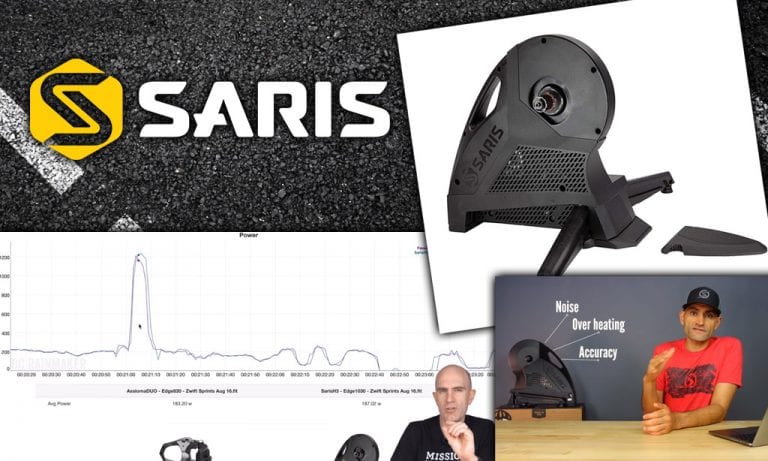
We’ve combed the web seeking Saris H3 reviews and information, summarizing our findings so you can learn everything worth knowing about this very popular smart trainer. If you decide to purchase the Saris H3, please consider doing so through the shopping links at the bottom of this post, as this will help support Zwift Insider. 

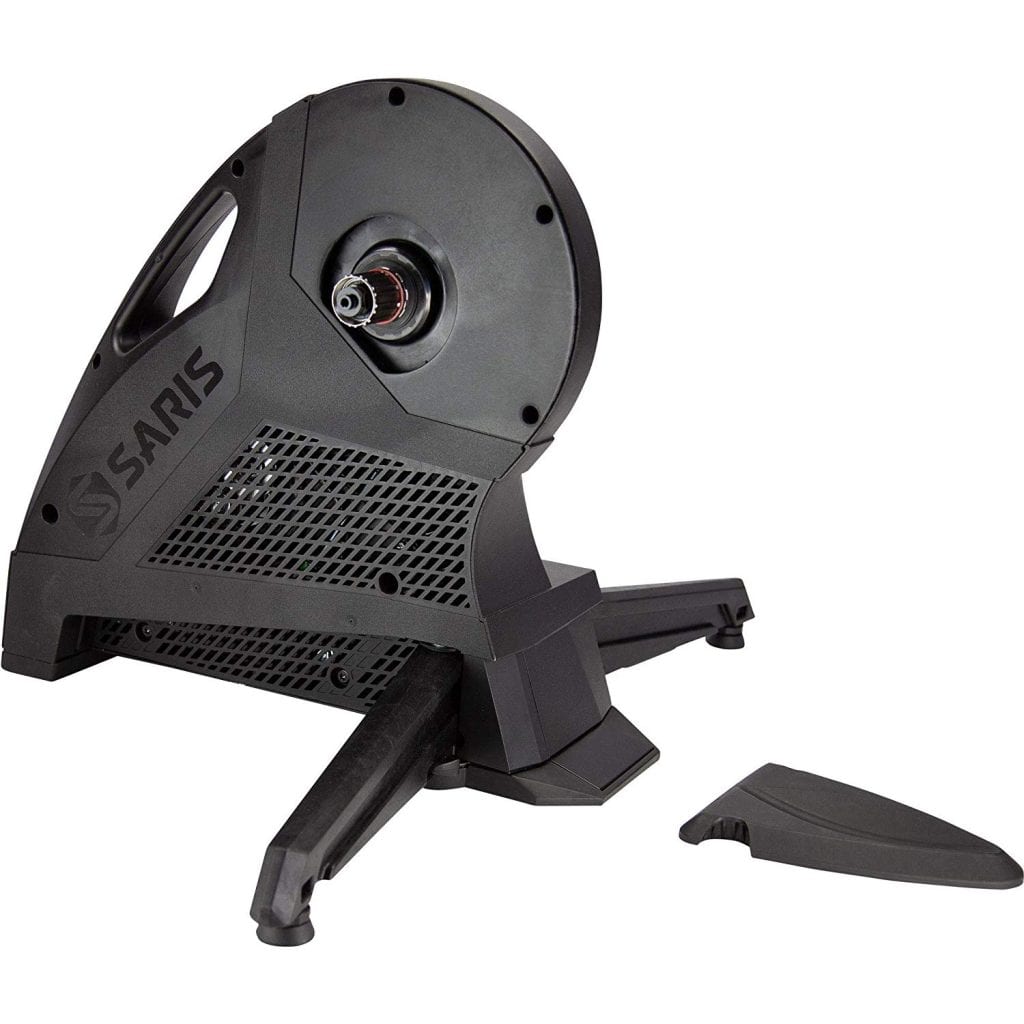
Wisconsin-based Saris announced the H3 late August 2019, and it may be the most exciting new trainer of the year. Compared to the previous version (H2) the H3 is quieter, more accurate, and fixes some overheating issues. Significant upgrades: and it retails for $200 less than the H2!

With a solid build and a price that undercuts the competition, this trainer should appeal to anyone looking to upgrade to a direct drive experience.

But it’s not perfect, and we may still be waiting on some firmware updates to give it polished (see below for more on this).

QUICK QUOTES

Ray at DC Rainmaker says: 

… the cadence algorithms need work any time significant power shifts are applied… But it is quieter than most other trainers, so I think for now it’ll hold it’s own.

Tariq at SmartBikeTrainers says:

I love the design of the H3. It’s a well-built machine and looks solid. However, Saris really need to address these accuracy issues.
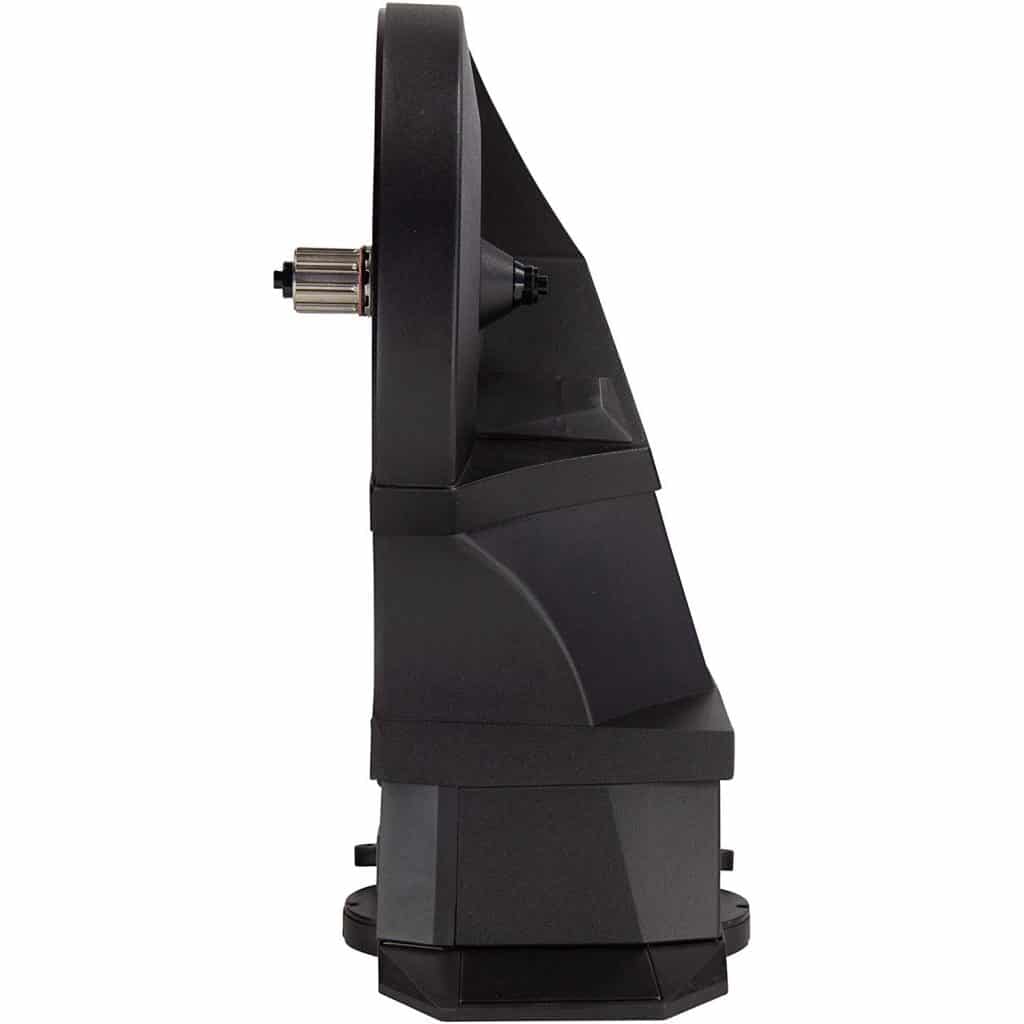
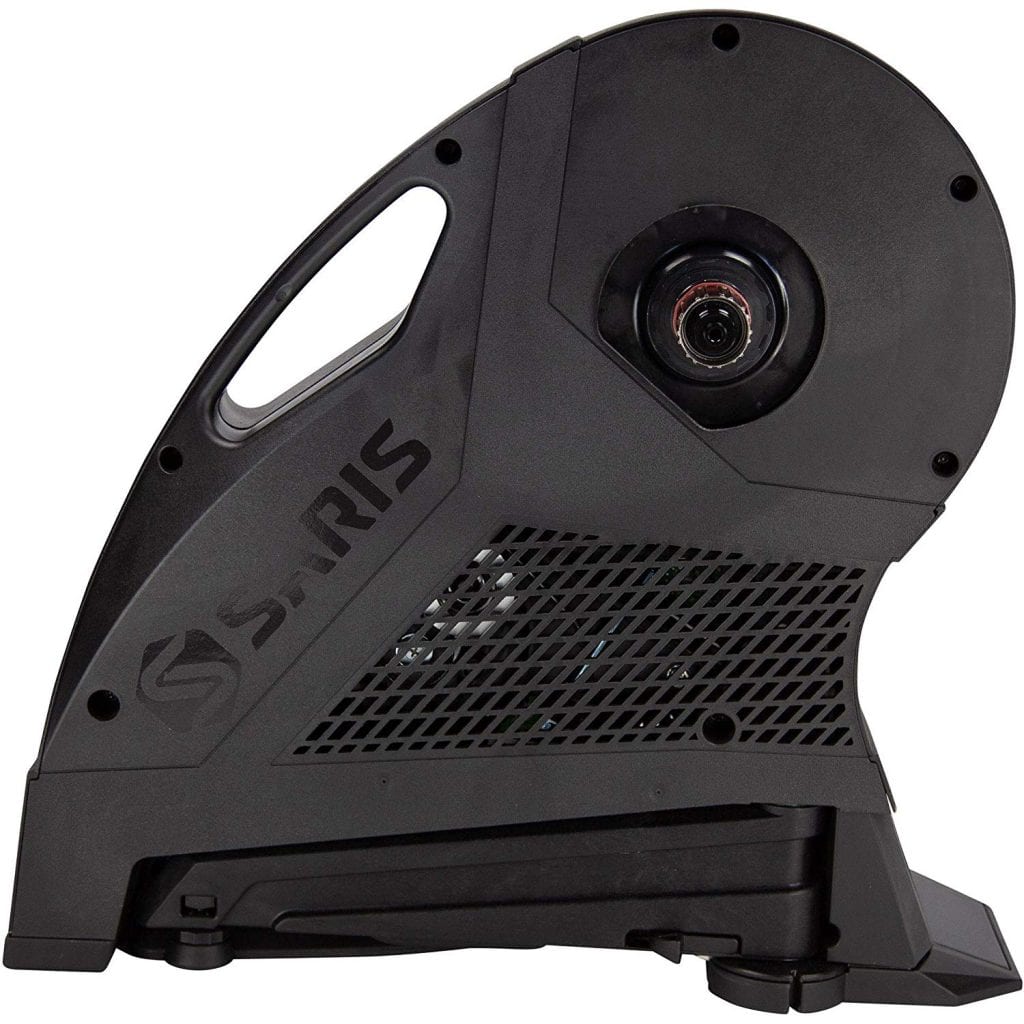
KEY SPECS

  • Accuracy: + / – 2%
  • Maximum Grade: 20%
  • Maximum Power Output: 2000W
  • Flywheel Weight: 20 lb
  • 8.5” L x 18.5” W x 19.5” H (legs closed),  31” L x 18.5” W x 19.5” H (legs open)
  • Weight: 47 lb
  • Hub Types: 130/135mm QR, 12×142, and 12×148. Thru Axle Adapters included.
  • Cadence included
  • Cassette not included
  • Maximum weight (rider and bike): 300 lbs.

PROS & CONS

The Good:

  • Low price
  • Very quiet
  • Realistic flywheel feel

The Bad:

  • Power and cadence accuracy concerns
  • Bulky, may not fit all frames

VIDEO REVIEWS

We’ve taken a look at the best Saris H3 review videos and summarized them for quick digestion.

SHANE MILLER

  • Power accuracy needs improvement on SIM hill climbs and sprints (reading low)
  • Cadence needs work
  • Thru-axle clearance is a problem
  • Saris Mobile App needs polish

SMARTBIKETRAINERS

  • Solid build, good feel
  • Power accuracy: Overmeasured power by ~10% at high flywheel speeds.
  • Built-in cadence measures 2-3RPM low
  • Very quiet

CONCLUSIONS

The H3 is a definite improvement over the H2, and at a $999 it’s a value that may be difficult to beat. While slightly louder than the KICKR and Neo, it’s still quieter than your fan.

Clearly, there are/were some accuracy problems with power and cadence in the initial firmware release, which (sadly) isn’t surprising given our experience with new trainers in the past. Saris released new firmware Oct 29, 2019 which addressed cadence and power, so hopefully these issues are resolved.

In the end, if the cadence and power accuracy problems get fixed, the H3 will be the trainer to beat at a price point well below the competition.
Chloé Dygert on Her Younger Years and Overcoming Adversity (Zwift PowerUp Cycling Podcast #39)

0

Chloé Dygert on Her Younger Years and Overcoming Adversity (Zwift PowerUp Cycling Podcast #39)

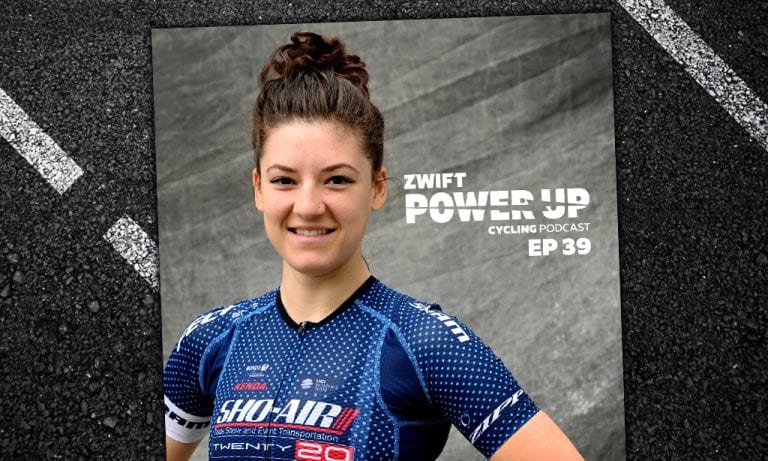
When eight-time World Champion Chloé Dygert comes to chat, it’s time to listen. Her coach Kristin Armstrong speaks with her about her sensational performance at the UCI Road World Championships in Yorkshire, and together they peel back the layers and look at the sports-filled childhood that contributed to Chloé’s many successes. This includes record-smashing highs as well as the lows, including coming back from a concussion after years honing her mental strength.


About the Podcast

The Zwift PowerUp Cycling Podcast features host Matt Rowe (Rowe & King), with regular co-hosts Greg Henderson (Coach Hendy) and Kev Poulton (Powerhouse Cycling). The hosts share tips on how road races can get faster in-game and outdoors.


Getting on Zwift: A Step by Step Guide for Cycling

11

Getting on Zwift: A Step by Step Guide for Cycling

With Zwift, you can use your own bike on an indoor trainer to ride alongside others in a virtual world. When you pedal your bicycle, your avatar – a representation of you – does the same. This step-by-step guide will walk you through how to get cycling on Zwift, including links to help with your specific setup.

What you need

  1. A device to run Zwift
  2. A Zwift account
  3. A bike
  4. One of the following
    1. Smart trainer/rollers
    2. Classic trainer/rollers AND a speed sensor
    3. Power meter AND any trainer/rollers

If you buy one of the new “smart bikes” that takes care of the bike and the smart trainer in the list above.

You also will need an ANT+ USB dongle if you are using a computer and connecting devices to Zwift that transmit only via an ANT+ wireless signal.

1. Find a device to run Zwift

Here is a summary of devices which can run the Zwift software and the wireless connections they allow:

Smartphones/Tablets: Bluetooth only

  • iPhone
  • iPad/iPod
  • AppleTV
  • Android

Computers

  • Windows 10 64bit or higher: ANT+ supported if you plug in an ANT+ dongle, Bluetooth supported on Windows 10 with Bluetooth 4.
  • macOS 10.14.4 or higher: ANT+ supported if you plug in an ANT+ dongle, Bluetooth also supported.

Note: if your smartphone/tablet/computer was made in the last few years, it should be able to run Zwift. But you may want to double-check by looking at Zwift’s current device requirements.

2. Sign up for a Zwift account

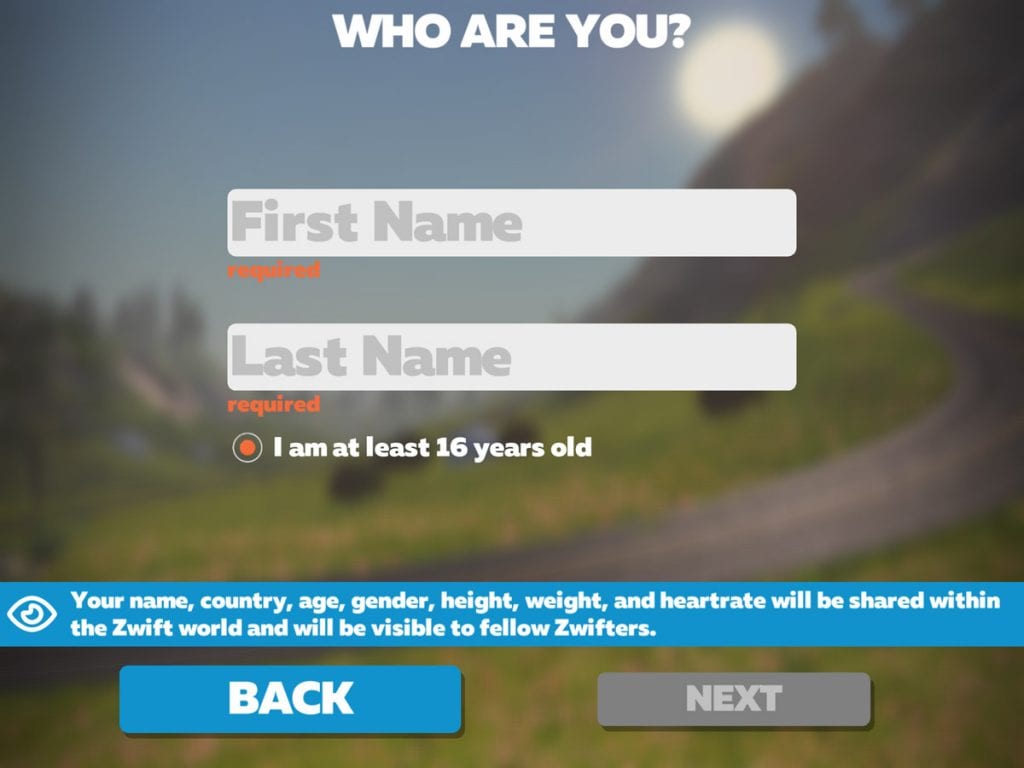
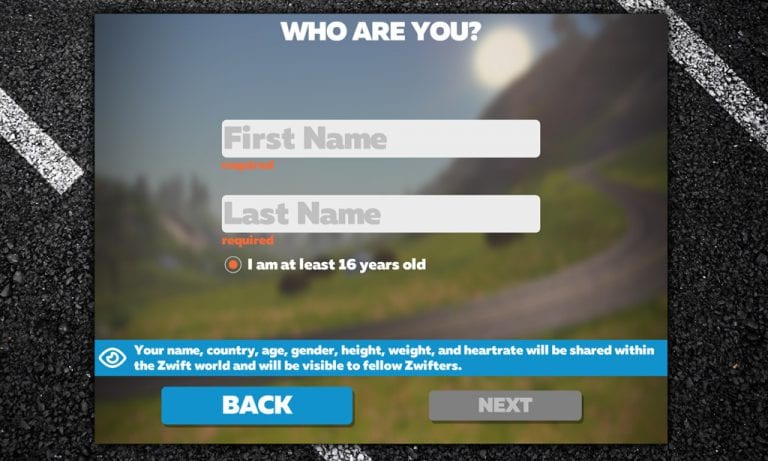
To create a Zwift account on a computer, go to zwift.com/create_account.

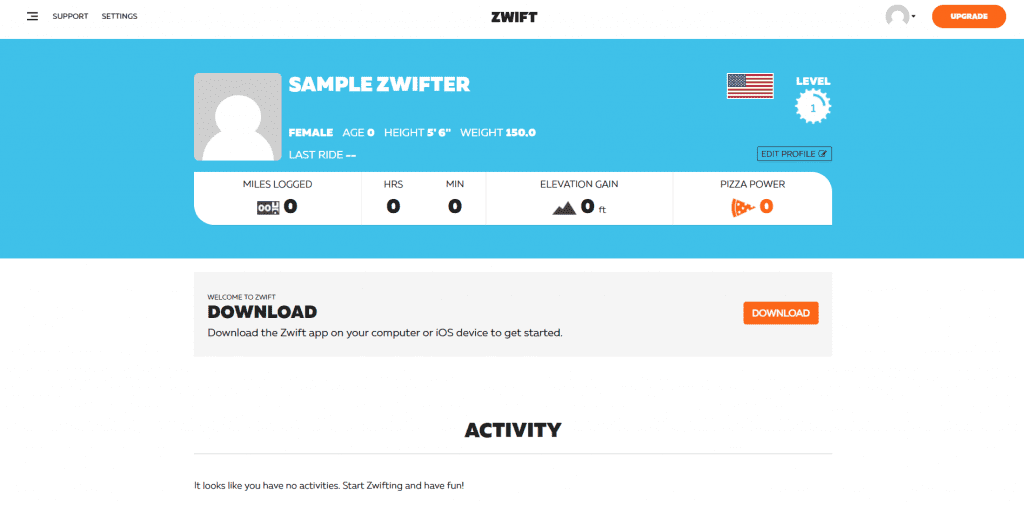
Once you have answered the required questions, you’ll be taken to your new profile at my.zwift.com. If you’re ready, you can click the “Download” button to go to the download page, then click “Download” again underneath your operating system (Mac or Windows). Open the file and follow the instructions to install Zwift. On the download page, there is also a link to install Zwift from the App Store on an iPhone, iPad, or Apple TV.

If you download Zwift before signing up for an account, Zwift will prompt you to sign up at the login screen. On a Mac or PC, click the words “Create an account.” On an iOS mobile device or Apple TV, search for the Zwift app in the App Store. After downloading and installing it, open the app and select “I’m New.” Answer the required questions and tap “Let’s Go” to get started.

An unlimited subscription to Zwift costs a monthly fee ($14.99/month in the United States). When you first sign up, you get a 7-day free trial subscription. After that, you will get another 25 kilometers (15.5 miles) of distance free every month. (If you signed up on a mobile iOS device or Apple TV, activate your 7-day free trial by selecting “Join Now” after you’ve used your first 25 km / 15.5 mi.)

You can pay for your Zwift subscription by:

  • Going to the membership page of your Zwift Profile;
  • Clicking “Join Now” at the bottom left of the starting screen on Zwift; OR
  • Clicking “Join Now” in Zwift on an iPhone, iPad, or Apple TV and paying through your Apple/iTunes account

3. Choose a bike

Most bicycles will work with Zwift as long as they can be mounted on a trainer. When you choose a trainer, check to see which wheel sizes it supports. Very small wheel sizes may need an adapter for certain trainers. (This is most likely if you’re using a children’s bike, a BMX bike, or a recumbent bike.) To get on Zwift with a smart trainer, your safest bet is a standard 10 or 11-speed road bike, as this will work on virtually all smart trainers.

If you have a Zwift-compatible “smart bike,” you obviously won’t need a separate bicycle!

4. Choose and pair a trainer

The type of trainer you use will depend on your budget and the features that are important to you. A controllable smart trainer can transmit power to Zwift, simulate the feel of hills on the virtual roads, and help you hold your target watts in workout mode. A classic trainer doesn’t have those features, but it is cheaper. Can’t decide? This post can help you choose between a smart trainer or a classic “dumb” trainer. If you have a power meter you can use any type of trainer.

Check to make sure that your trainer and/or power meter will work with Zwift by looking at Zwift’s list of compatible hardware.

See the following guides for more tips on choosing a trainer and setup instructions:

  • Classic trainer and a speed sensor: How to Get Started on Zwift with a Classic Trainer
    • When setting up your bike on a classic trainer, make sure your rear tire is properly inflated and that you set the trainer tension according to the manufacturer’s instructions. Zwift uses the reading from your speed sensor and the stored power curve of your trainer to calculate virtual power or zPower.
  • Smart trainer:How to Get Started on Zwift with a Smart Trainer
    • If your smart trainer requires calibration, it’s a good idea to calibrate it regularly following the manufacturer’s instructions (usually after a good warm-up). If you’re using a wheel-on smart trainer instead of direct drive, also make sure your rear tire is properly inflated. With a controllable smart trainer, you can set the trainer difficulty to change how it simulates gradients on the virtual roads, or use Erg mode to help hit your targets in structured workouts.
  • Rollers: To use Zwift with rollers, it’s best to have either a power meter or a set of smart rollers that will transmit power to Zwift. Follow the instructions for getting started with a smart trainer or power meter above. You can use Zwift with a speed sensor and a normal set of rollers, but your estimated power probably won’t be accurate. In that case, set it up as a classic trainer.
  • Smart bikes: Most exercise bikes aren’t compatible with Zwift, but some are. Smart bikes broadcast power through open ANT+ or Bluetooth signals so that Zwift can communicate with them. Check here to see if yours is compatible. If it is, follow the above instructions for getting started with a smart trainer.

Once you click “OK” on the pairing screen, you’ll be greeted with the “Startup Screen.” Click the big orange “Ride” button to get going right away, “Training” for a structured workout, and “Routes” to browse the available routes. Keep in mind there are always two worlds available on a given day: Watopia and a “guest world”. Each world has its own unique set of routes, and the guest world rotates based on a monthly schedule.

Optional Steps

Pair a Cadence Sensor

A cadence sensor will sync the movement of your avatar’s legs with your own and give you cadence data. Power meters also transmit cadence. Some smart trainers estimate cadence, but it may not be accurate.

Pair a Heart Rate Monitor

A heart rate monitor gives you more information about how hard you’re working. Some races require one to place in their official results.

Connect Zwift to Other Services

If you want to connect Zwift to other fitness apps and services, go to your Zwift profile at my.zwift.com and click “Settings” at the top left. Here, you can edit your profile and change your password, but for now click “Connections.” This will allow you to connect Zwift to Strava, TrainingPeaks, MapMyFitness, Garmin, and other services.

Recommended: Zwift Companion

While it’s not required to use Zwift, Zwift Companion is a handy tool with some features that are only found in this mobile app. Find it in the Apple and Google Play stores.

More Beginner’s Guides


Have you seen Zwift’s Getting Started Guide?

2

Have you seen Zwift’s Getting Started Guide?

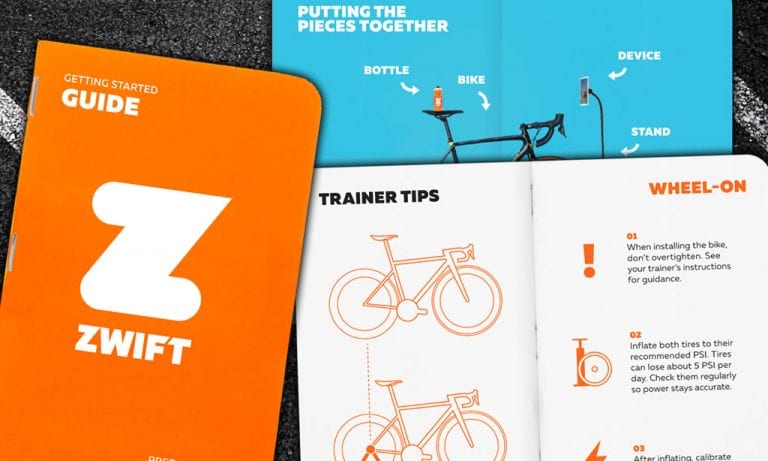
I recently ordered a new trainer from Zwift’s online shop (a Wahoo KICKR, if you’re wondering) and it arrived with a handy little “Getting Started Guide.”

If you haven’t ordered a trainer from Zwift, you’ve probably never seen this guide. But it’s really well done! It should ship with every smart trainer, whether Zwift sells it or not! (Because we all know what those smart trainers are going to be used for, right?)

Download a PDF version of Zwift’s Getting Started Guide >

The guide is quite thorough, with top-notch design and sections concisely covering topics like:

  • Powerups
  • On-screen elements (Ride Ons, HUD, etc)
  • Key terms like drafting, FTP, w/kg
  • Downloading the app and creating an account
  • All the pieces needed to Zwift (bike, trainer, mat, fan, etc)
  • Trainer Tips (for direct drive and wheel-on)
  • Extra tips (water, HR monitor, etc)
  • Using ANT+
  • Importance of strong WiFi
  • Fueling your ride
  • Rider’s checklist
  • Events and meetups
  • Workouts
  • Unlocks and level ups
  • Zwift Companion
  • Keyboard shortcuts
  • How to get help

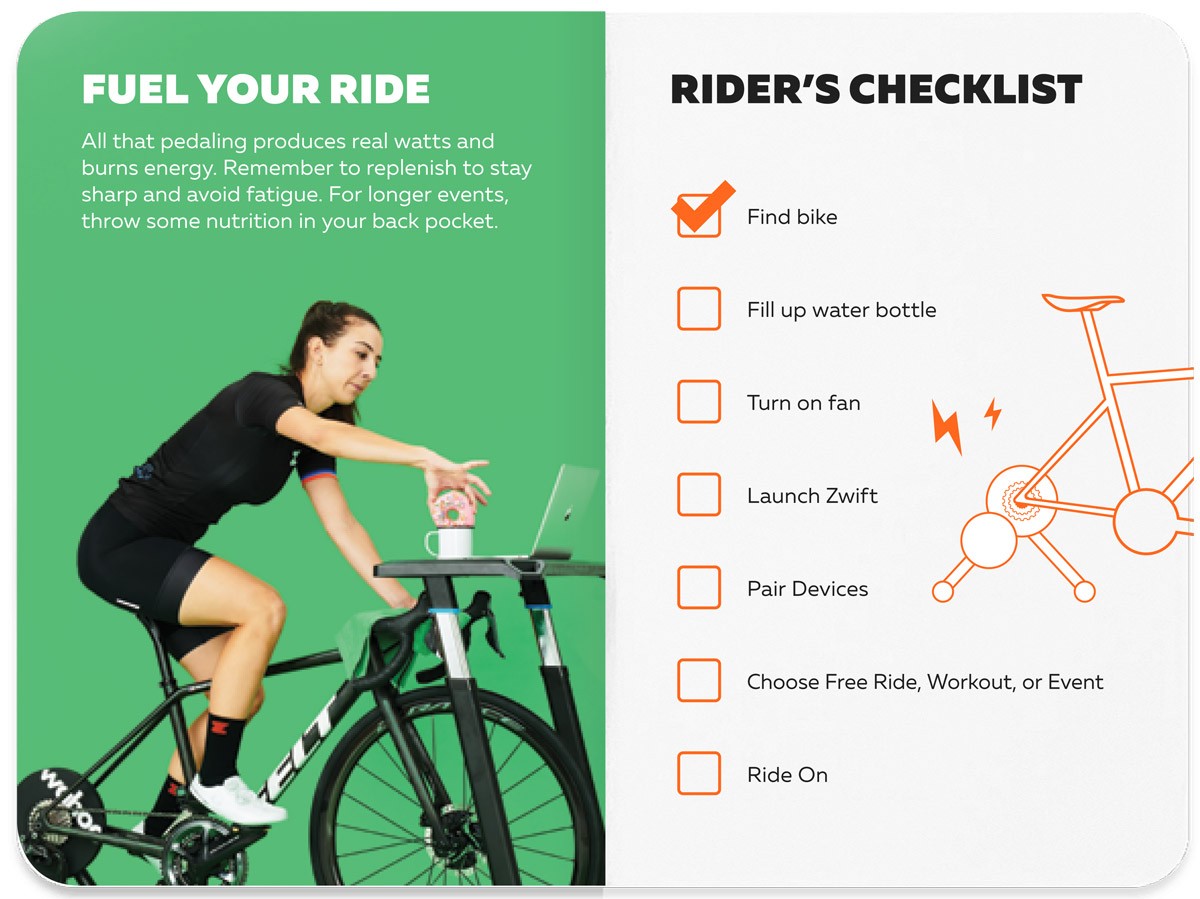
Along the way, the reader is treated to some nice vanity shots of the game in action. A brilliant way to entice people to get on and get zwifting!

Here’s my favorite page. Donuts!

Well done, Zwift HQ. Keep making it easier for Zwifters to use the platform. A growing community is a healthy community!


Listen Close: It’s the Zwift Sound Quiz!

0

Listen Close: It’s the Zwift Sound Quiz!

Welcome to the Zwift Sound Quiz! Listen to a quick sound clip from within Zwift, then identify where it came from.

Just 10 questions, and you can’t change your answer once you click. Good luck…

[wp_quiz id=”48152″]


The Lamb Chop Series is Back – Handicap Racing for All

2

The Lamb Chop Series is Back – Handicap Racing for All

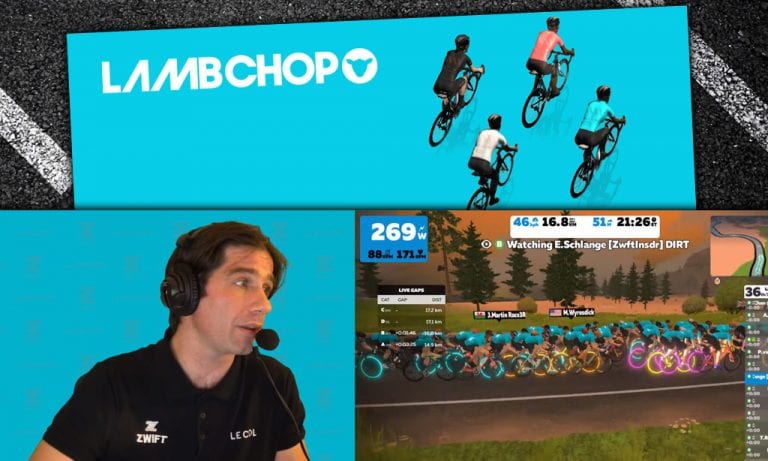
Black Sheep Cycling and AHDR Chop have launched another Lamb Chop series which began yesterday. These races are always popular among Zwifters–let’s learn more about them and find out why.

Handicap Racing: the Basics

Handicap races are known as chase, cat and mouse, or pursuit races. Unlike the standard Zwift road race or TT formats, handicap races are designed to encourage category riders to work together, and to give all riders a chance to win regardless of category.

In a handicap race, slower categories are released before faster categories. Each category’s time gap is calculated by the race organizer, with the goal of having all categories meeting up near the end of the race for a final sprint.

So this format encourages each category’s riders to work together to stay away from chasers and catch any riders up the road. But if you’re caught by a faster group from behind–all bets are off. Grab those wheels!

Live Streaming

The Lamb Chop series is being covered by the great Nathan Guerra on Zwift Live, available on YouTube and Facebook. Here’s today’s broadcast of the women’s and men’s races:

Series Schedule

The Lamb Chop Series is happening weekly on Thursdays, with two different time slots and separate races for men and women.

Early race:

  • 11AM Pacific (Women only)
  • 11:45AM Pacific (Men/Mixed)

Late race:

  • 4PM Pacific (Women only)
  • 4:45PM Pacific (Men/Mixed)

See the full series schedule and sign up here >

Glancing at the upcoming race schedule, it’s clear Lamb Chop organizers gravitated toward flatter courses. This makes sense, because those flatter courses allow groups to work together rather than having a TT-style race up a longer climb.

Kit Unlock

Complete any of the six races to score the new Racing Club kit by Black Sheep Cycling.

My Story: Today’s Race

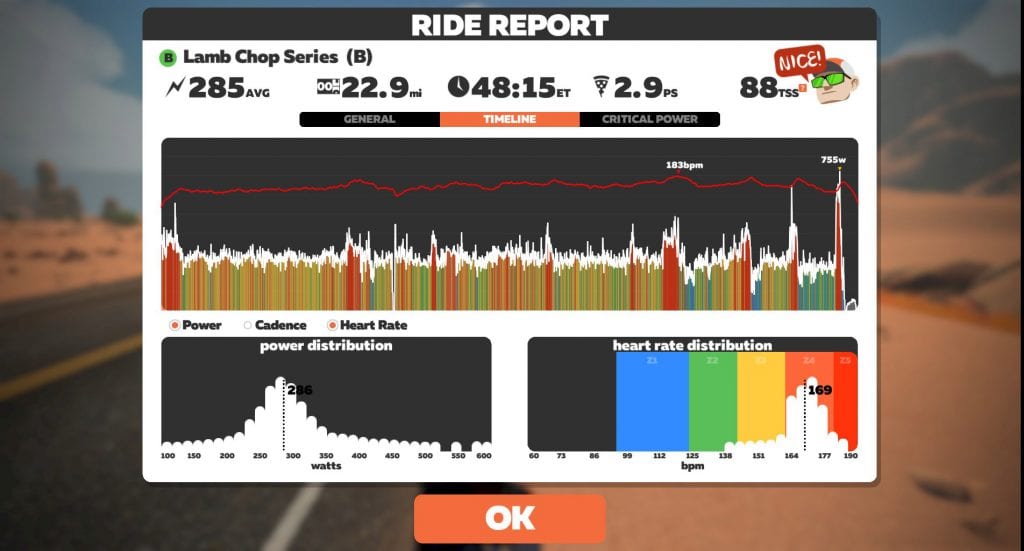
I joined the early race today, racing with the B’s (see my race on Strava). We completed two laps of the Tick Tock route, and it was a tough race. A fun group of B’s, though, and plenty of banter flying early on.

We began with 101 riders in our group, but that was quickly whittled down to ~60 as the group surged ahead. We averaged 29.5mph in the first 30 minutes!

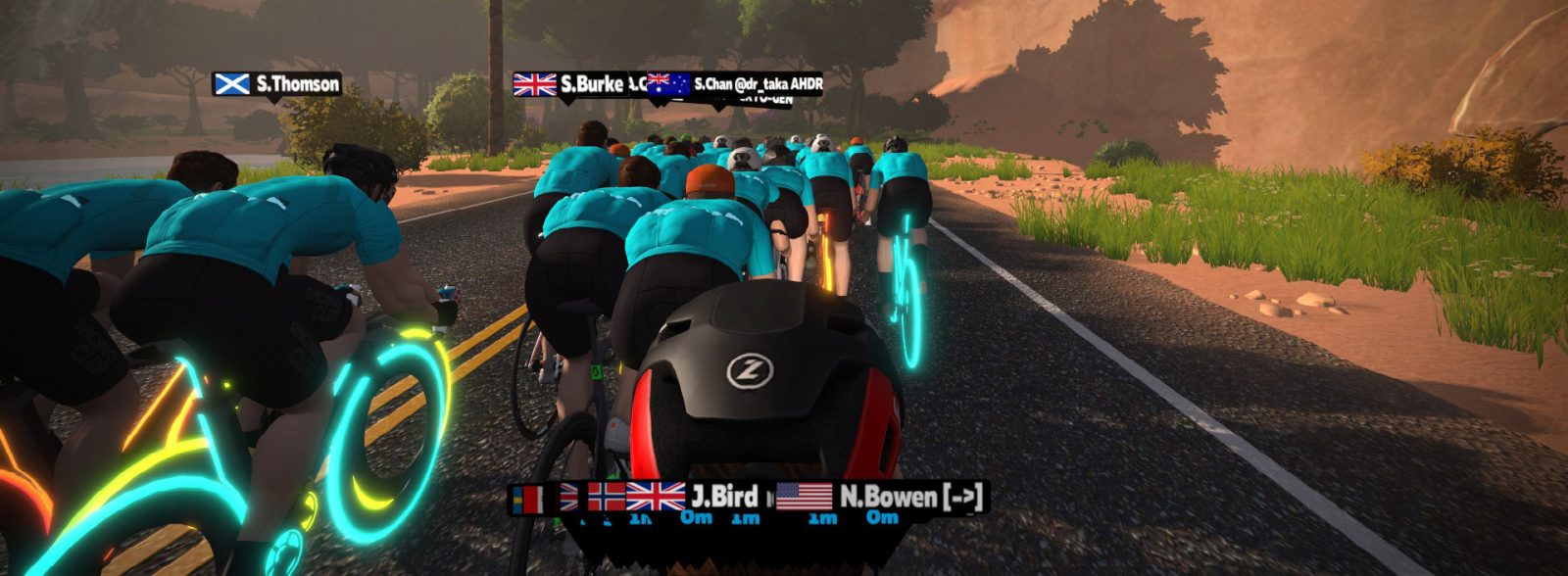
I like to race in first-person view (camera angle 3) in chase races, because it’s difficult to know who’s who when everyone wears the same kit!

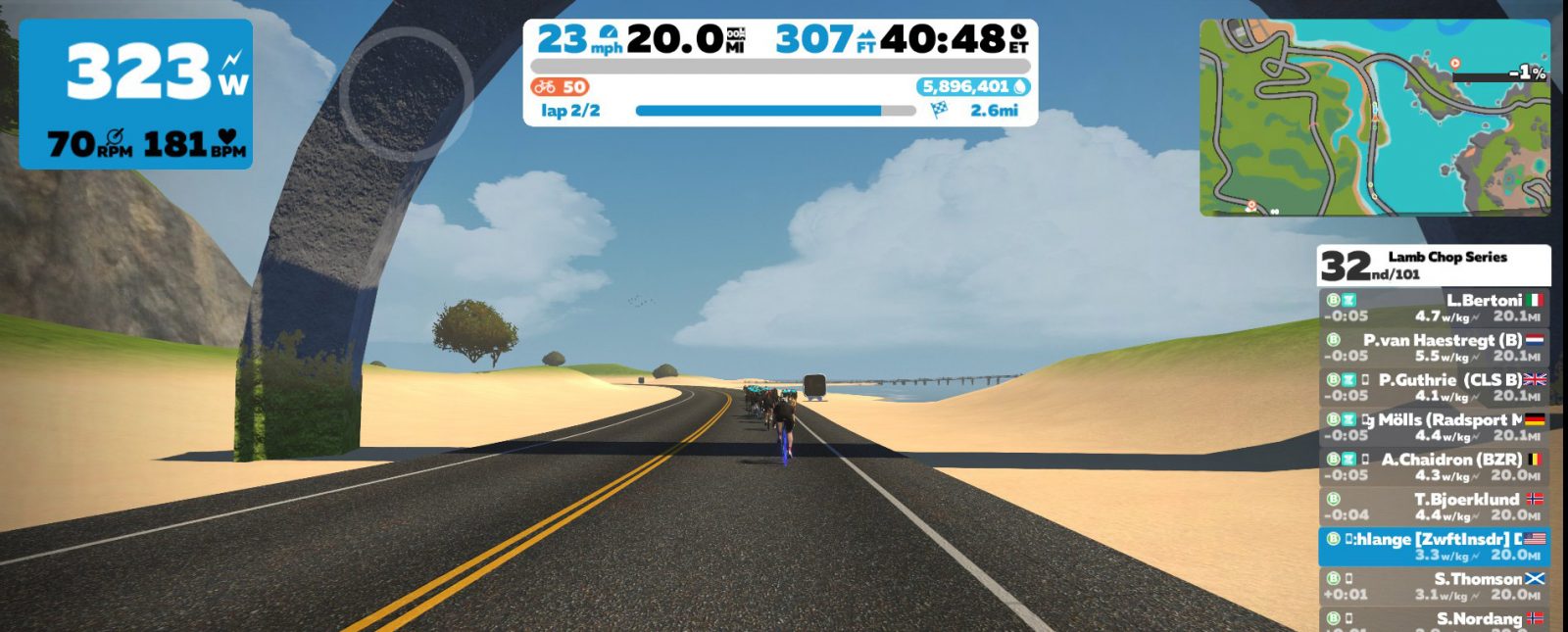
I held on until the final kicker coming out of the Ocean Blvd tunnel, just 4km from the finish. I wasn’t riding quite as attentively as I should have been, and let too much of a gap open up as the group stretched out. Race over for me!

The race rides away…

My B group raced well, though–catching the C and D groups ahead and staying away from the A’s. That’s the goal of a chase race!

See the final results in ZwiftPower >

In the end, this was the hardest effort I’d put into a Zwift race in months. Great (type 2) fun!

Other Handicap Races

If you’re interested in chase-style racing but can’t make the Lamb Chop schedule, check out DIRT DADurday races on Saturdays, or the long-running ZHR (Zwift Handicap Races). There are other handicap races available throughout the week as well, including those organized by Peel Cycling.

Feedback

Have you tried any chase races? Which ones are your favorite? Share below!


About Zwift’s Recent Spawn Point and Lead In Changes

0

About Zwift’s Recent Spawn Point and Lead In Changes

Zwift’s November 1st update included a note about some updates made to the lead-in setup:

Reworked ‘lead-in’ system for events. This should improve the lead-in countdown before lap based events, as well as resolve some of the other discrepancies we saw in the user interface during those events.

The new system had some initial bugs (showing different distances on the top bar and sidebar and counting down inaccurately at the end of events). But those bugs appear to be ironed out with Zwift’s latest minor update.

Lead-In Changes

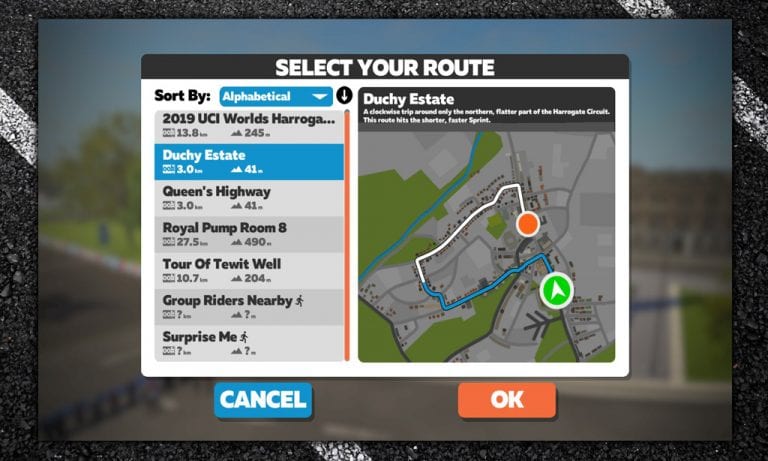
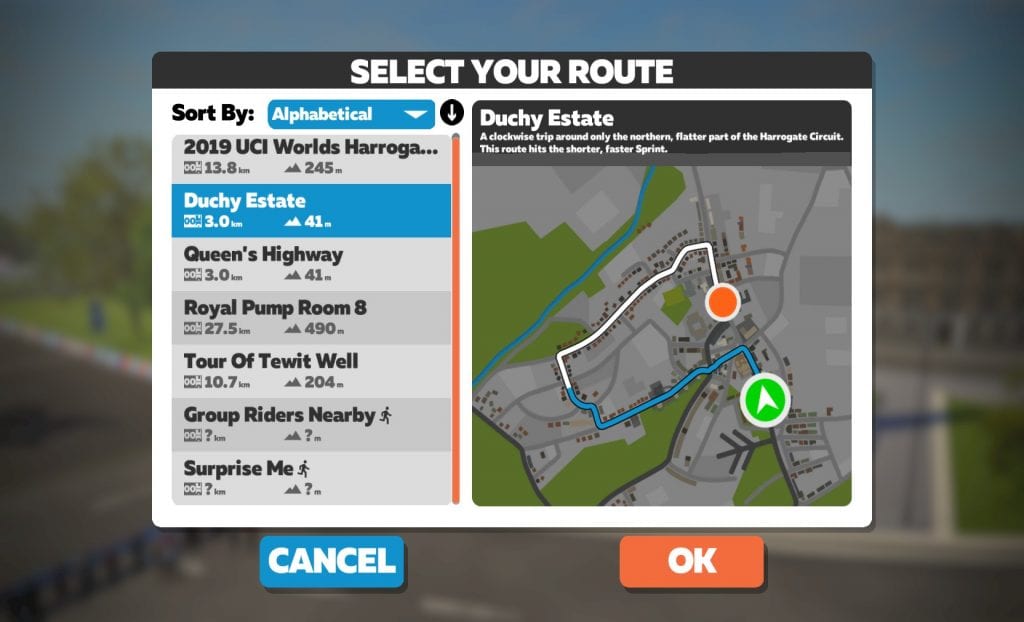
Along with those distance indicator changes, Zwift updated their animated in-game route maps to show the lead-in portion of routes in blue. Here’s an example:

This should help alleviate some of the confusion around the lead-in portion of routes. (The confusion became especially apparent when Zwift introduced route achievement badges and Zwifters began to track their completion of certain routes in earnest.)

Many routes have a lead-in segment not included in the route’s stated length, and Zwifters were understandably frustrated after riding for the stated length but not earning a badge. Surrey Hills is a common example of such a route: the lead-in takes you all the way from downtown London to the top of Fox Hill before the route actually begins!

If you’re going for a route badge, here’s our simple advice: the route will begin and end at an arch of some kind. So if you’ve already ridden the proper distance but haven’t seen the achievement pop up, keep riding to the next arch.

New Spawn Points

*sigh* Sometimes we wonder if Zwift just likes assigning us Strava homework. 😊

Spawn points were also moved for several routes in the recent updates:

  • Duchy Estate: spawn point now comes before the start banner
  • Tour of Tewit Well: spawn point now comes before the start banner
  • Royal Pump Room 8: spawn point now comes before the start banner
  • Road to Sky: spawn point now comes just before the not-yet-opened start pens on the road to the Jungle Route, making it easier/quicker to get to the Alpe

Updated Segments and Veloviewer Leaderboard

We have updated our Strava segments to reflect the new spawn points (see full list of Zwift Insider verified segments). We may also be updating some of the segments used on our Veloviewer Leaderboards.

Progress + Little Bugs

The improved lead-in maps and distance metrics are a good improvement, but there are still some small bugs to be worked out. Two examples:

  • Queen’s Highway: this route’s spawn point should have logically been moved with the other Yorkshire routes to before the start banner, but it was not.
  • Tour of Fire and Ice: the route animation shows this beginning with a lead-in from the downtown Watopia start/finish banner, but it actually begins at the Volcano Circuit banner.

Your Feedback

If you’ve spotted any other recent lead-in or spawn point changes, let us know below!


How Zwift Calculates XP for Cycling Workouts

How Zwift Calculates XP for Cycling Workouts

Gaining experience points (XP) in Zwift allows you to level up, unlocking better bike frames and wheels and gaining access to certain restricted roads.

For a complete look at XP unlocks and more see “XP, Levels, and Unlocks in Zwift Ride“.

But XP is calculated in an entirely different way for structured workouts. In a workout you don’t accumulate distance-based XP, nor do you receive XP as you ride through arches. You also don’t receive powerups as you ride through arches, so you can’t get an XP bonus powerup.

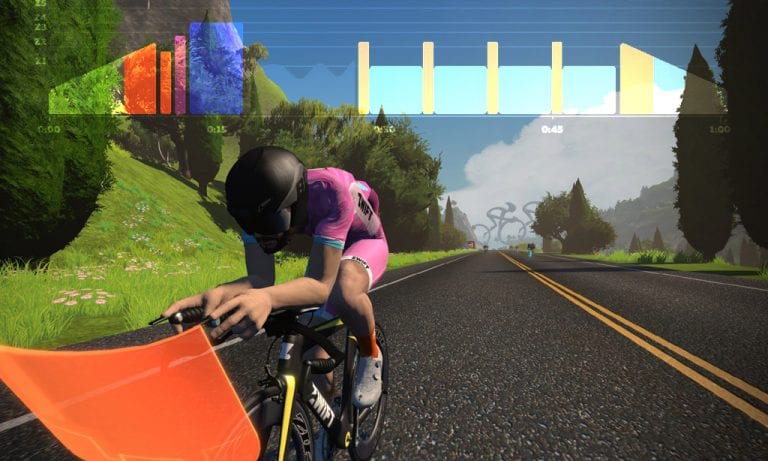
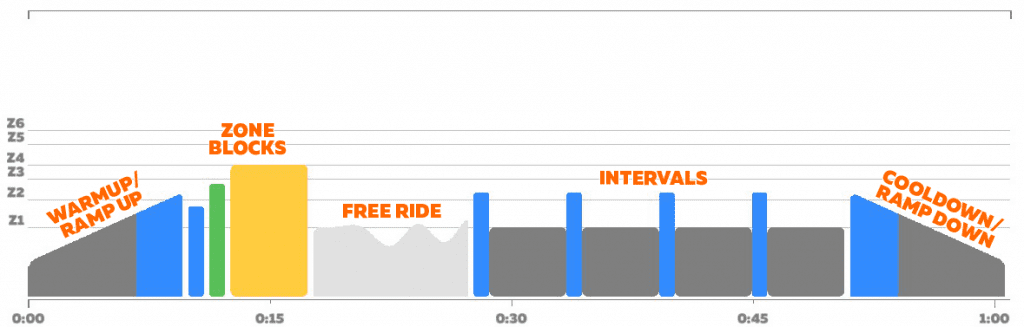
Instead, Zwift calculates your XP based on the types of interval “blocks” you complete, how long those intervals last, and how well you complete them. Let’s take a closer look at how each type of interval is scored.

XP By Interval Block Type

Warmups/Cooldowns

Warmups and cooldowns (called “ramp up” and “ramp down” if they don’t bookend your workout) reward 5-6XP per minute, regardless of the wattage you set for the start and end of the ramp.

Zone Blocks

These are the simplest intervals to understand in Zwift: just a block of time at a particular wattage. Thanks to astute Zwifter Claus Jensen we know that Zwift rewards 1XP for every 5.55 seconds on Zone Blocks, or approximately 10XP per minute.

Contrary to what you may think, Zwift does not reward higher-effort intervals with more XP. One minute at Zone 1 earns the same as one minute at Zone 6!

Free Riding

Free ride intervals reward you 5XP per minute, regardless of effort level. We’re not sure precisely how many seconds it takes to accumulate 1XP in free ride mode, but 61 seconds earns you 6XP, and 72 seconds earns you 7XP.

Intervals

“Intervals” are essentially a pair of Zone Blocks, with each block able to be set to a particular wattage and time. This pair of blocks is then repeated two or more times, as dictated by the workout.

Intervals reward you a set amount of XP based on the total time of the interval block: 12XP per minute, regardless of interval wattage.

FAQ

FTP Bias adjustments

Moving your FTP bias up or down does not change the amount of XP rewarded. You may be working harder, but you’re not earning more!

Half stars, no stars

If you don’t hit your wattage accurately enough, you will be rewarded a half star instead of a full star. Half stars are worth 70% of the XP you would have been rewarded if you had received the full star.

We’re not sure where the threshold is for receiving a half star instead of a full star, but in our basic tests if you power was more than ~12% off the target you went to a half star.

If you really mess up the interval, you’ll receive no star–which is worth approximately 1XP per minute of interval length.

Cadence Targets

Although a workout may include cadence targets, cadence does not affect stars (or XP) rewarded.

Completion Bonus

There is no bonus XP rewarded upon completion of your workout, even if you earn all your stars. “The joy is in the journey,” my friends!

Hacks

Can workout mode be used to accumulate XP more quickly or easily than other modes? Well, that depends. As you can see above, a hard workout doesn’t earn you more XP than an easy one. Thirty minutes of Zone 4 will get you 300XP, but so will 30 minutes of Zone 1!

For most riders, if you’re going hard, chances are you’ll get more XP outside of a structured workout. But if you’re taking it easy, a workout will probably give you more XP per minute.

Here are a couple of hacks to maximize your workout XP…

Playing with Seconds

With certain interval types, adding just one or two seconds to each minute of interval will increase the XP significantly. For example:

  • 60 seconds of free riding gets you 5XP, but 61 seconds gets you 6XP
  • 60 seconds of a zone block gets you 10XP, but 62 seconds gets you 11XP. (Also, 56 seconds of a zone block will get you 10XP, just like 60 seconds!)

ERGing up the Alpe

Since XP is mostly distance-based outside of workouts, riding flat routes gains you more XP than riding climbs.

You do, however, gain a lot of XP while descending!

So do your workout while riding up Alpe du Zwift, then coast down in free ride mode once the workout is finished. You’ll earn XP on the way up that is similar to what you’d earn while riding the flats, then you’ll earn a lot of XP on the fast descent. You may also earn a big XP bonus from the prize spinner at the top: 1000XP if it lands on the wheels and you’ve already got them in your garage.

Improvement Suggestions

It seems odd that workouts do not reward more XP for harder intervals. We would like to see Zwift change this, rewarding (for example) 8XP per minute of Zone 1, 10XP per minute of Zone 2, 12XP for Z3, etc. Zwifters shouldn’t be punished for doing harder workouts, but that is effectively what’s happening with the current system.

Secondly, giving a completion bonus for a workout where you get all the stars seems like a great idea. It doesn’t have to be a big bonus, but a little pat on the back is always nice. (If Zwift were to adopt a completion bonus they would also need to change the workout summary screen behavior. Currently, the screen pops up immediately after you finish your last interval, so you cannot see the XP you were rewarded for the last block.)


Your Feedback

We’ve tried to be as thorough and accurate as possible with the summary above, but if you spot anything we missed or have any questions, please comment below!


Not Just Software Anymore: Zwift Is Hiring at Their New “Fitness Tech” Division

0

Not Just Software Anymore: Zwift Is Hiring at Their New “Fitness Tech” Division

Zwift has just surprised everyone and no one at all by posting 7 new job listings for a new division named “Fitness Tech”, located in Surrey, England.

See the listings here >

What is this new Fitness Tech division? Here’s what the job listings say:

Fit-Tech will consist of high calibre, experienced individuals rolling up to the CEO through the Director for Engineering and the VP Fitness Technologies. The division will form a new P&L within the business and will focus on topics of high strategic importance to Zwift and Zwift eSports, in particular developing new products that improve or enhance the overall Zwift offering. Fit Tech consists of 3 main divisions, of which Engineering is the largest, the others being Programme Management and Product Management.

The language is rather vague, but here’s the first clue: “…focus on topics of high strategic importance to Zwift and Zwift eSports, in particular developing new products that improve or enhance the overall Zwift offering.”

The next clue comes in looking at the job listings themselves, which are clearly laying out requirements for team members who can reverse engineer, design, and manage the production of hardware. (DC Rainmaker has a more detailed breakdown of the job descriptions, so I won’t rehash them here.)

That’s right. Fit-Tech is Zwift’s new hardware division. It’s not just a game anymore.

What Are They Building?

We already know Zwift licensed some of the intellectual property of smart bike maker VirtuPro. But that deal seems has soured, with lawsuits ongoing.

We also know Zwift has worked directly with at least one trainer manufacturer to develop a Zwift-branded direct-drive trainer, but that deal didn’t come to fruition either (although some of you are riding that very trainer today).

So what will the Fit-Tech team be working on in Surrey?

My best guess: hardware that makes Zwifting easier.

Zwift’s leadership has been paying a lot of attention to Peloton’s approach: selling a single, simple unit that gets people on the platform. Yes, this approach isn’t for everyone–but there are many cyclists willing to pay a premium for a hassle-free experience. The customers are there, but the solution is not. Only Zwift can provide that solution.

It’s a solution that will integrate the hardware and software sides of Zwift: a smart bike with a built-in screen is the most logical guess. An idiot-proof trainer which connects reliably while requiring no calibration (or a simple in-game calibration) would be a good second guess.

Certifying Hardware

There’s also this section in a Zwift statement quoted by DC Rainmaker:

“With the first UCI Cycling Esports World Championships taking place next year, we at Zwift need to ensure we take on the responsibility of certifying trainers for esports competition at the highest level – where world titles and prize money is on the line. This certification process will be a key responsibility for the department.”

So Fit-Tech isn’t just about developing new hardware–they will also be taking apart existing trainers and testing them for certification. This is good news for Zwifters, who will have one more source of information when looking to decide which trainers perform at the highest level.

What About the Bugs?

Some Zwifters are already complaining: “I’d rather see Zwift fix some of the game’s bugs instead of building trainers!” Here’s the thing: we’re talking about a company with ~300 employees. It is quite possible that some of those employees can work on one project, while other employees work on another. Zwift is not one person, working on one thing.

In fact, the move to hardware may just make the Zwift experience better for everyone–because as the Fit-Tech division develops and tests new devices, they’ll discover Zwift bugs that need to be fixed for the device to work optimally. They may also develop some new hardware tech which helps the trainer work better with Zwift software, and perhaps that tech will find its way into non-Zwift trainers.

What About Non-Zwift Hardware?

Zwifter are also asking: how long until Zwift only allows Zwift trainers on their platform?

I’ll go on record here and say Zwift will never move to a model where only their hardware is supported. It makes no sense, when their entire subscriber base is on non-Zwift trainers. It would torpedo their business overnight.

And it isn’t just me saying this: Zwift leadership says the same thing.

Additionally, allowing third-party hardware on the platform encourages continued innovation, so advances in hardware don’t fall on the shoulders of a small team in Surrey.

Zwift’s Official Statement

I reached out to Zwift, and they sent me the same official statement they sent over to DC Rainmaker. Here it is:

While Zwift’s Fitness Technology division is a new addition to the business, this news will come as a surprise to few in the industry and  the picture has more depth than manufacturing our own hardware.

First up, as we have always sought to do, we will continue to work closely with hardware partners to deliver business growth, new innovations for cyclists, runners and triathletes, and create a more immersive and better value consumer experience. As the industry leader in indoor training, Zwift remains fully committed to growing the market for industry hardware sales.

This vision of better integration between partner hardware and Zwift software aligns with our ambition for Esports. With the first UCI Cycling Esports World Championships taking place next year, we at Zwift need to ensure we take on the responsibility of certifying trainers for esports competition at the highest level – where world titles and prize money is on the line. This certification process will be a key responsibility for the department.

We know it is no easy task to create hardware. Our industry partners have years of trusted experience and our priorities as a business will continue to centre around our core business as a software platform.

It’s too early for us to disclose any more detail, or to provide any indications on timings at this point but, as ever, we look forward to what the future holds.”

Conclusion

It’s exciting times in the world of Zwift, for sure. The company is taking big steps to ensure continued dominance in their market. This Fit-Tech move isn’t going to produce new hardware anytime soon, but a couple years down the road we may see some (literally) game-changing products. Zwift’s leadership is looking ahead.

What do you think about Zwift making big moves into the hardware business? What will they be working on? Share your thoughts below.


Zwift Academy 2019 Finalists Announced

0

Zwift Academy 2019 Finalists Announced

It began with over 68,000 riders signing up for the men’s and women’s 2019 Zwift Academies. Graduates from that group were selected in mid-October for the semi-finals: 12 from each Academy.

Now that group of 24 has been whittled down once more: we have our 6 finalists for the Men’s and Women’s 2019 Zwift Academies.

CANYON//SRAM Racing | Zwift Academy Finalists

Catherine Colyn

South Africa

Catherine is proficient on both the road and MTB and has had a lifelong dream of going pro. In 2018, she captured the U23 National Road Race Championship and is looking forward to riding with the team in Spain and fighting hard for a pro contract.

Jessica Pratt

Australia

Jessica is an all-rounder on the bike with accomplishments including a U19 Australian National Championships title and a 9th place finish at the U19 World Championship Road Race in 2015 held in Virginia, USA.

Samara Sheppard

New Zealand

Samara converted to cycling after a running injury forced her to choose a new sport. A multi-time National and Oceania Champion in MTB, she is excited to meet the CANYON//SRAM racing team and learn about their experiences in the pro peloton.


Team Dimension Data | Zwift Academy Finalists:

Drew Christensen

New Zealand

Drew is a long-distance rider who knows how to climb. He has had an impact in junior races including finishing the World Championships Men’s junior race in Harrogate this year. He is now looking to take his riding to the next level with the possibility of a professional contract.

Mathijs Loman

Netherlands

Mathijs is a racer with grit, currently pursuing a degree in mechanical engineering. He is looking forward to the chance to train full time and fight for the pro contract.

Campbell Pithie

New Zealand

Campbell Pithie has titles both in cyclocross and on the road and loves to ride aggressively and attack. While at the Finals camp, he is looking to work on race tactics, learn from the team, and compete for the professional contract.


According to Zwift, “All finalists have displayed the natural ability that is required to make it as a professional rider.”

What’s Next?

Now all eyes are on that very prize–a professional cycling contract for the 2020 season. The winner of the women’s finals will earn a contract with CANYON//SRAM Racing, while the men’s finals winner will land a contract with NTT Pro Cycling U23 Team (Dimension Data is rebranding to NTT for 2020).

The finalists will head to Southern Spain in early December for the team camps of CANYON//SRAM Racing and Team Dimension Data. The riders will be required to perform a series of tests on Zwift and out on the road with the respective World Tour teams. Riders will be assessed not only on their raw cycling talent, but also their race craft, communication skills, and ability to fit in well with a team. The two winners will be selected by team coaches, staff, and also the riders.

At the end of the finals, the winner will be announced from each camp. The women’s winner will join 2018 Academy winner Ella Harris on the CANYON//SRAM World Tour team. The men’s winner will join the NTT Pro Cycling U23 Team alongside Martin Lavrič, the 2018 Zwift Academy winner.