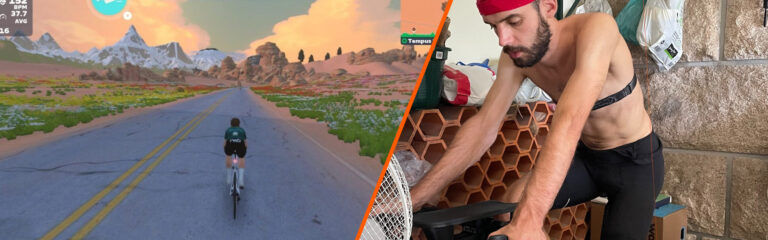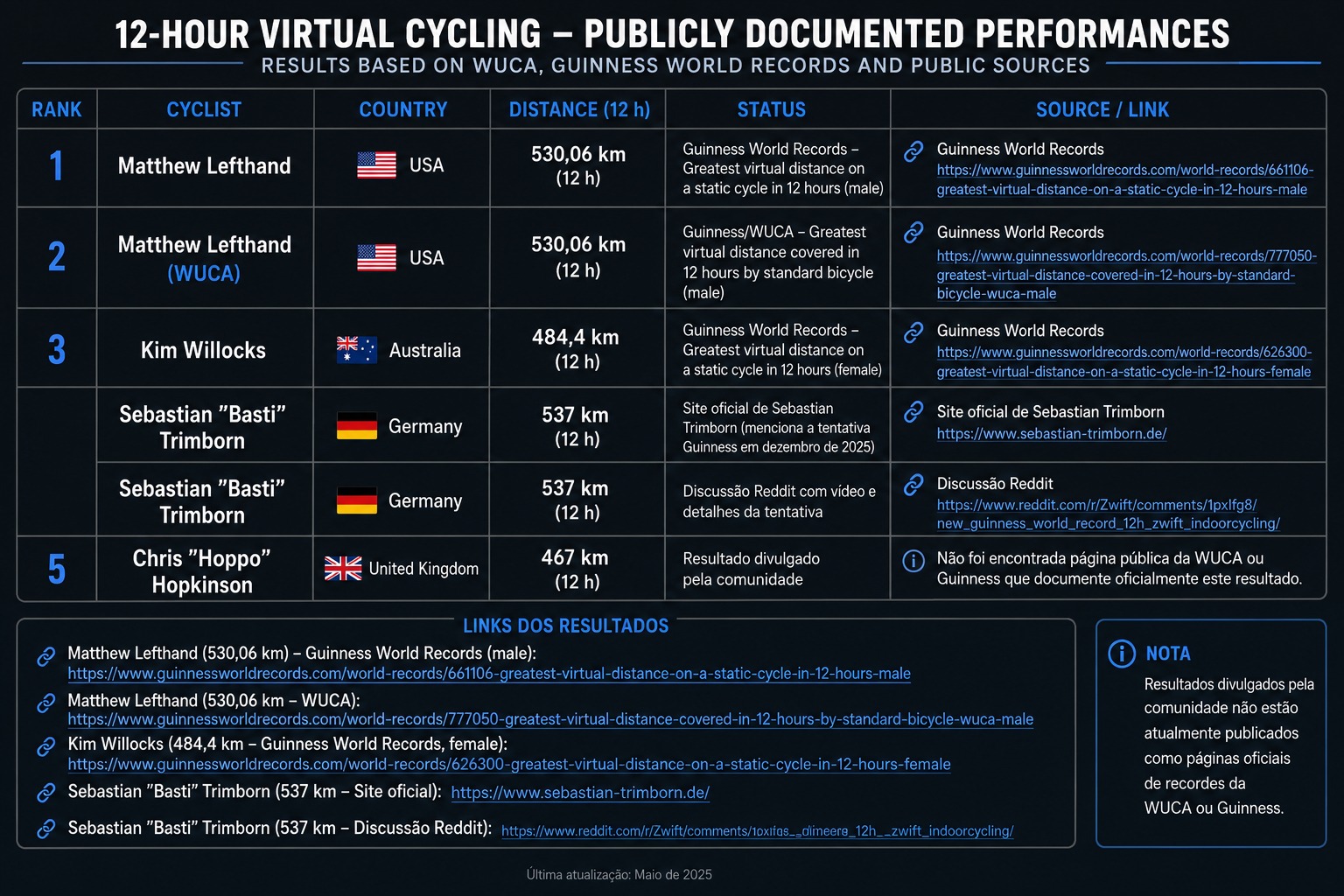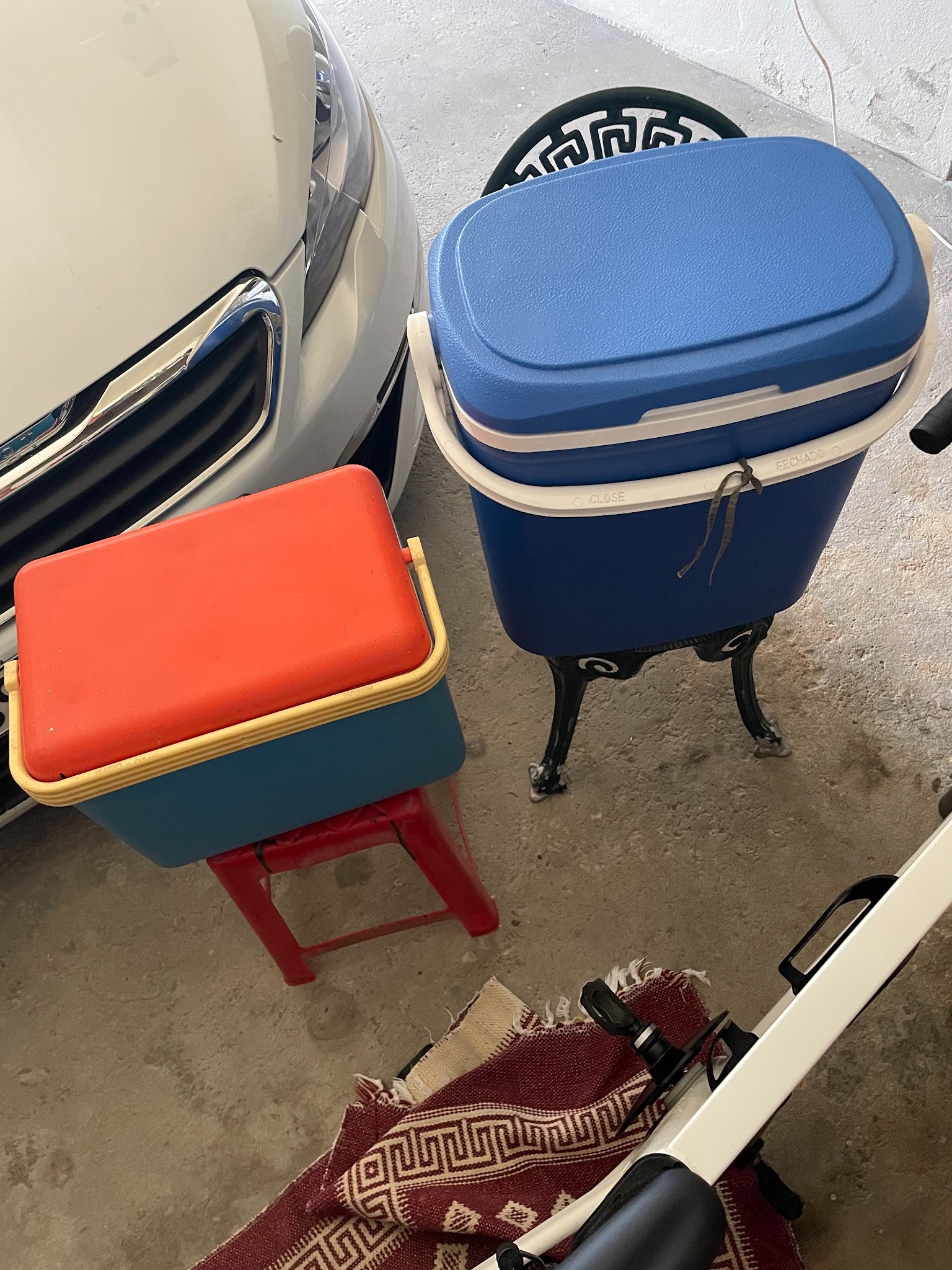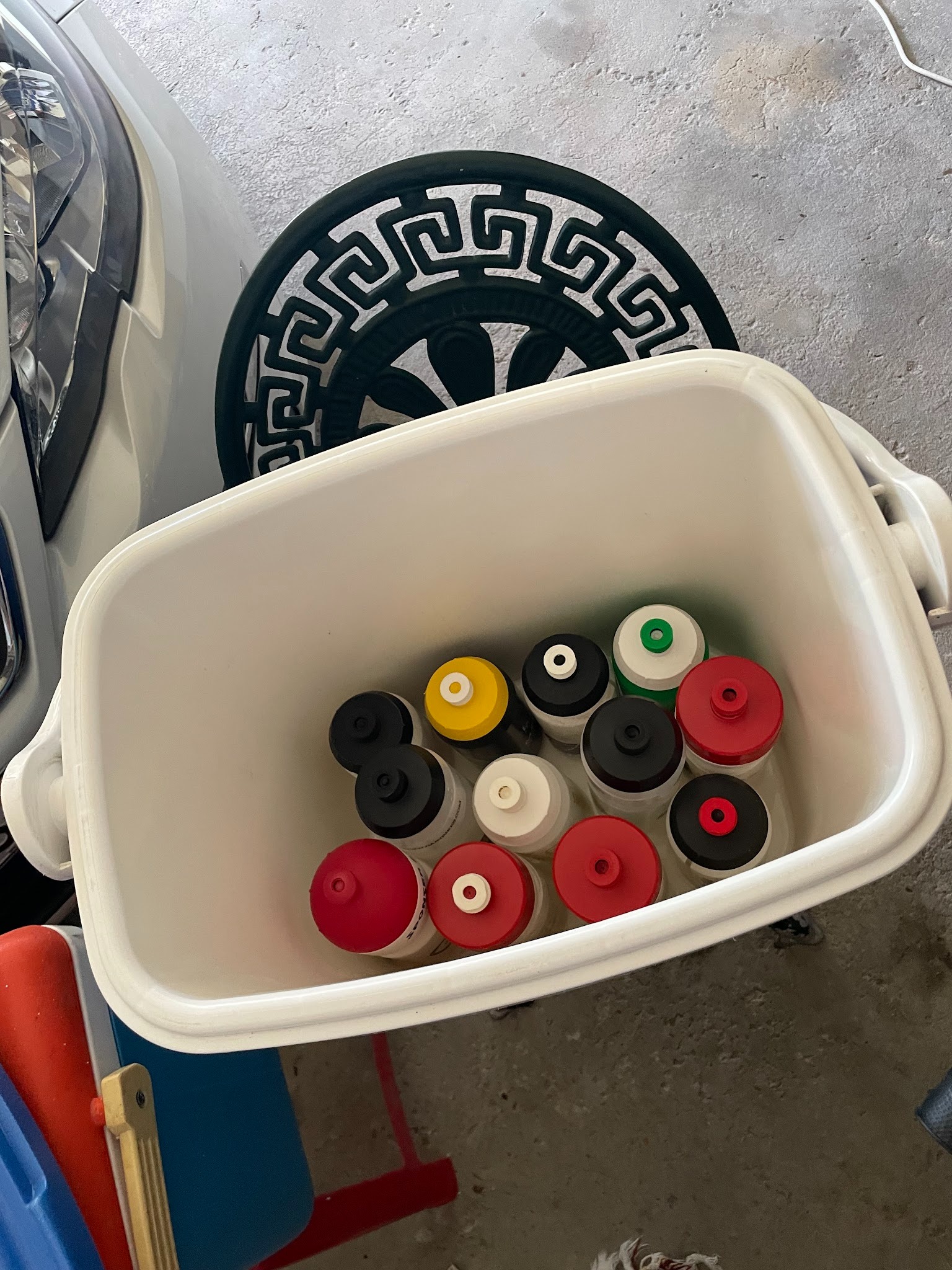
Quite a variety of events to feature this weekend: a crazy endurance ride for a good cause, a sweet new kit unlock event, a race series kickoff, and more! See this weekend’s most notable events below…
The Vätternrundan group ride series continues to grow in popularity… and ride length! This week, the ride has increased to 150 minutes. With over 240 riders signed up when this post was composed, it’s the most popular event of the weekend.
The premise of the series is simple: rides increase in duration from January 11 to March 1, with the goal of preparing you to handle many hours on the bike when the IRL race day arrives in June. (The Vätternrundan Group Ride Series is part of Vätternrundan’s official training program.)
This week’s ride is on Turf N Surf, and there are two pace group options (1.8-2.2 and 1.5-1.8 W/kg).
Tugaz Tour 2026 launched last Sunday, and we’re now on our second stage, held on one lap of Innsbruck’s 2018 Worlds Short Lap route (23.9km, 496m).
This tour consists of 15 standalone races, all held at a single time slot, always on weekends. The stages are inspired by the main competitions of the Portuguese Cycling Federation and will take place on the corresponding real-world dates. All races will be mass start scratch races – time gaps do not matter, only final placings count.
Registration, rules, results, and everything else related to the Tugaz Tour 2026 can be found on the official website.
A regularly featured event here on Zwift Insider, the BMTR Flat 100 always gets lots of joiners because it’s well-led and run consistently week after week, year after year.
This week’s ride is on Watopia’s Big Flat 8, with three pace groups to choose from.
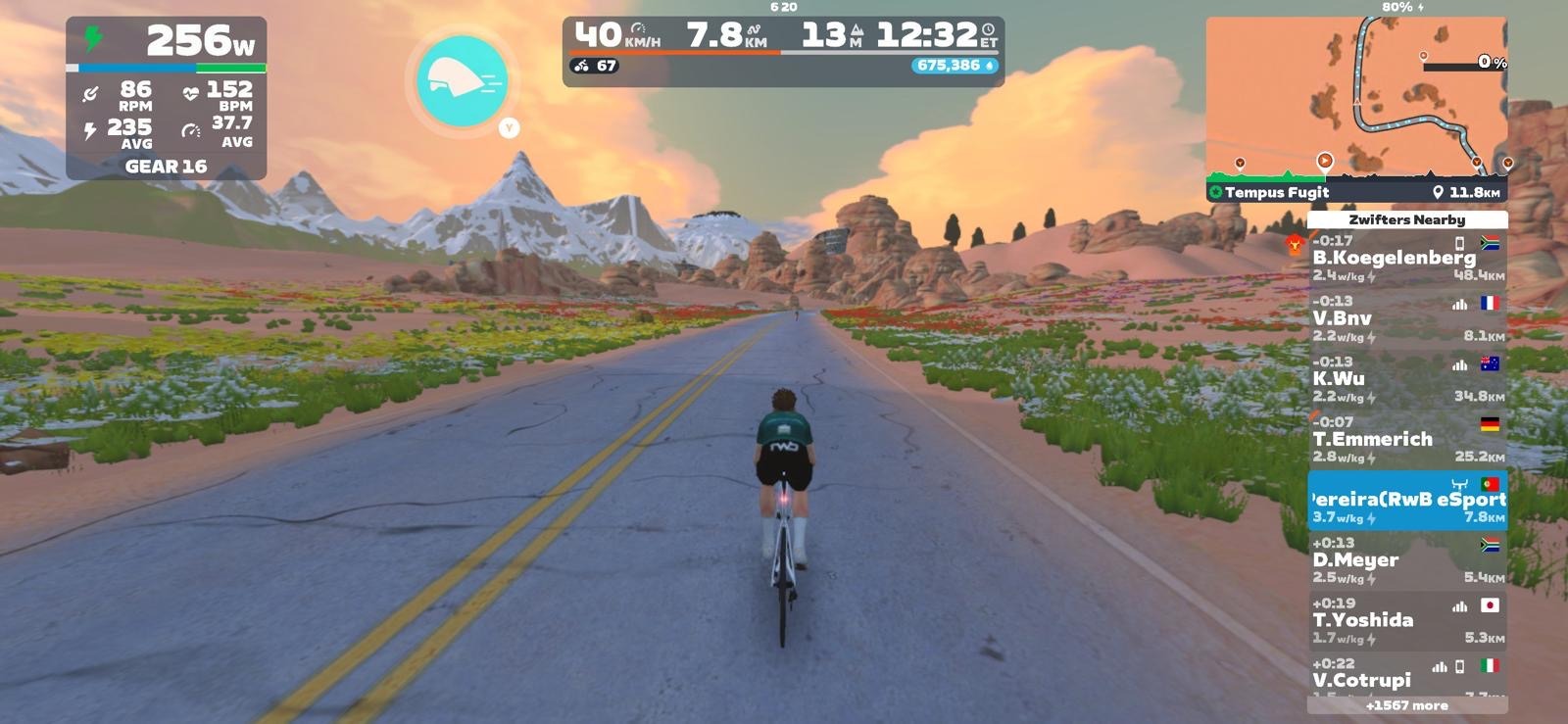
Want to accumulate lots of miles quickly? Join this newish and popular group ride, which puts everyone on the fastest TT bike in game (Cadex Tri) with drafting enabled. It’s 100km, but it’ll be a fast 100km!
Riders are on Tempus Fugit, the flattest route in Zwift. Four different pace groups, released so the faster groups catch the slower groups over time.
Bike upgrading hack: on rides with forced bikes, whatever bike you’re on when you join the event is the bike that accumulates the distance/elevation/time. So, for example, you could accumulate lots of distance toward a road bike upgrade, while riding the Cadex Tri in this event.
We’re nearing the end of Tour de Zwift, with stage 5 wrapping up this weekend, and the final stage next week. If you’re looking for a group ride where you can set your own pace but still have some company, TdZ is just the ticket since hundreds of riders join each event.
We choose each weekend’s Notable Events based on a variety of factors including:
Is the event unique/innovative in some way?
Are celebrities (pro riders, etc) attending/leading?
Are signup counts already high, meaning the event is extra-popular?
Does the ride include desirable unlocks or prizes?
Does the event appeal to ladies on Zwift? (We like to support this under-represented group!)
Is it for a good cause?
Is it just plain crazy (extra long races, world record attempts, etc)?
Is it a long-running, popular weekly event with a dedicated leader who deserves a shout out?
In the end, we want to call attention to events that are extra-special and therefore extra-appealing to Zwifters. If you think your event qualifies, comment below with a link/details and we may just include it in an upcoming post!
Zwift and Wahoo have just launched an “end of season” promotion on the Wahoo KICKR CORE 2 smart trainer. The deeply discounted price is as low as it’s ever been, matching Black Friday pricing. If you’re in the market for a full-featured smart trainer at a great price, backed by industry-leading support… this is it.
Promo Pricing
US $399.99 ($150 discount)
EU €399.99 (€150 discount)
UK £399.99 (£100 discount)
The deal begins today (February 5) and runs through March 1 on Zwift and Wahoo’s websites.
While Zwift only sells the KICKR CORE 2 with Zwift Cog and Click, Wahoo sells that version as well as a version with a standard cassette. Here are links to shop at Wahoo:
Price includes 1 free month of Zwift ($20 value) for new subscribers only, and you can purchase the trainer with either the Zwift Cog or a standard cassette.
Premium Features
Wahoo’s release of the CORE 2 in September 2025 shook up the smart trainer world, because the new CORE 2 maintains the affordability and reliability of the original CORE while adding three premium features:
WiFi connectivity for fast, reliable connections and automatic firmware updates
There’s much to discuss, including crucial course segments, powerup usage, bike decisions, and strategic options. Let’s go!
Looking at the Route
The Greatest London Loop is 26.2km long with 360m of elevation gain. Here’s the course profile:
Clearly, there’s one big feature on this route: Leith Hill! This is where the big selection will happen. Don’t be fooled by the KOM leaderboard segment highlighted above, since it’s just a portion of what you’ll be climbing, and this is a scratch race, not a points race.
The actual climb is 6km long, with 252m of elevation gain, and the final 2km is the steepest part. Click to see the Veloviewer profile below in 2D to get a really good picture of how this climb lays out:
First 1km: Quite flat and early, so I wouldn’t expect any big moves.
1-1.5km: Steep bit starts off the climbing in earnest. The pack will stretch here.
1.5-4.5km: Flatter, longer middle section. Sit in the wheels and draft here if you want to conserve energy for the final big kick.
4.5-6km: The pièce de résistance, averaging 8.3%. This is where the leading selection of riders will be finalized!
There are two small kickers on the circuit that deserve a mention as well. They may look small on the profile since they’re dwarfed by Leith Hill, but trust me – you’ll notice them in the race:
The first, Northumberland Avenue, comes early on as you turn right from the Thames and head up to Trafalgar Square. This is the first climb more than a few seconds long on the route, so expect the effort level to lift significantly for ~30 seconds, even though riders will be saving their big attack for Leith Hill up the road.
After the long descent from the top of Leith Hill (expect everyone to take a big rest here), you’ll enter the Underground tunnel and quickly hit the plywood-covered ramp back into the London sunshine. At 14%, this is the steepest climb of your race. But it’s short! You’ll want to enter it fast and keep your power high up and over the top.
From the top of the Underground ramp, you’ve got 1.6km to the finish line. Things often get cagey as riders cross Tower Bridge, and the final meters are slightly downhill and fast. It will take just the right mix of timing and strong legs to cross the line victorious. Good luck!
Specific powerups will be given at each arch: the feather at the lap banner, and the anvil at the Leith Hill KOM banner.
Lightweight (feather): reduces your weight by 10% for 30 seconds. Use on climbs, when weight matters the most. This is best saved for Leith Hill, particularly on the final section where the gradient is steepest and legs are burning.
Anvil: makes you heavier for up to 15 seconds, so you can descend faster. It won’t hurt you, as it only adds weight when the road is at a -1.5% decline or greater. Use this when descending the backside of Leith Hill to make it even easier to sit in.
Bike Recommendations
This race’s decisive and long climb definitely makes me steer away from pure aero setups and look at climbing bikes and all-arounders instead. While a more aero setup has a pure time advantage on laps of the full course, that time advantage evaporates if you get dropped on Leith Hill!
Of course, your frame’s upgrade status should impact your decision. A fully upgraded Aethos will outclimb the other four frames, but that’s not the case when comparing un-upgraded versions.
Lots of recon events are scheduled on upcoming ZRL routes, led by various teams. See upcoming ZRL recons for this race at zwift.com/events/tag/zrlrecon.
Additionally, riders in the Zwift community do a great job every week creating recon videos that preview the courses and offer tips to help you perform your best on the day. Here are the recons I’ve found (comment if you find another!)
John Rice
J Dirom
Strategic Options
I predict riders will fall into three groups:
Climbers: Lighter riders who can sustain high W/kg will surf wheels on the flats, then light it up on Leith Hill. Your goal: drop puncheurs/sprinters who have the pure watts to beat you in a pack finish.
Puncheurs: You will struggle on Leith Hill thanks to the climb’s length, but if you can hold on, you’ll stand a good chance of finishing well. For you, surviving Leith Hill may require a combination of riding smart and praying the climbers don’t push the pace too high.
Everyone Else: If you’re a pure sprinter, or simply a rider with lower fitness than most in the category, you’re going to struggle in this race, particularly up Leith Hill. Your best bet is to pace yourself well on Leith Hill, ride smart to bridge up to riders ahead on flats and descents, and simply finish as high in the list as possible. Remember: every point counts!
Your Thoughts
Any insights or further thoughts on this race? Share below!
There’s much to discuss, including crucial course segments, powerup usage, bike decisions, and strategic options. Let’s go!
Looking at the Route
The London Loop is 14.9km long with 231m of elevation gained per lap. A and B teams will be racing two laps of the course for a total of 30.4km and 466m of elevation. Here’s the lap profile:
Clearly, there’s one big feature on this route: Box Hill! This is where the big selections will happen each lap.
Official stats for the leaderboard segment indicate it’s 3km long, with an average gradient of 4%, but that doesn’t tell the whole story, since the leaderboard segment doesn’t line up perfectly with the start and finish of the climb.
Box Hill is a fairly steady 2.7km grade, but the final 300-400 meters of the segment are flat or even slightly downhill, throwing off the stats. The steepest part of the climb, where the pack quickly stretches and elastic snaps, is on the early long stretch before the left hairpin. This section averages 7-8%, and most of the climbing apart from that is around 5%.
There are three kickers on the circuit that deserve a mention as well:
The first, Northumberland Avenue, comes early on as you turn right from the Thames and head up to Trafalgar Square. This is the first climb more than a few seconds long on the route, so expect the effort level to lift for ~30 seconds, even though big attacks probably won’t come in earnest.
The Box Hill Kicker comes just a few hundred meters after you ride through the Box Hill KOM banner. This one is short, but steep, and everyone’s legs are a big knackered. Pro tip: hit it hard and push across the top, and you can often close big gaps to riders ahead.
After the long descent (expect everyone to take a big rest here), you’ll enter the Underground tunnel and soon enough hit the plywood-covered ramp back into the London sunshine. At 14%, this is the steepest climb of your race. But it’s short! You’ll want to enter it fast, and keep your power high up and over the top.
From the top of the Underground ramp, you’ve got 1.6km to the finish line. Things often get cagey as riders cross Tower Bridge, and the final meters are slightly downhill and fast. It will take just the right mix of timing and strong legs to cross the line victorious. Good luck!
Specific powerups will be given at each arch: the feather at the lap banner, and the anvil at the Box Hill KOM banner. That means you’ll get two of each.
Lightweight (feather): reduces your weight by 10% for 30 seconds. Use on climbs, when weight matters the most. This is best saved for Box Hill, particularly on the lower slope where the pace will be high and the gradient is steepest.
Anvil: makes you heavier for up to 15 seconds, so you can descend faster. It won’t hurt you, as it only adds weight when the road is at a -1.5% decline or greater. Use this when descending the backside of Box Hill to make it even easier to sit in.
Bike Recommendations
This race’s big Box Hill climb definitely makes me steer away from pure aero setups and look at climbing bikes and all-arounders instead. Because while a more aero setup has a pure time advantage on laps of the full course, that time advantage evaporates if you get dropped on Box Hill!
Of course, your frame’s upgrade status should impact your decision. A fully upgraded Aethos will outclimb the other four frames, but that’s not the case when comparing un-upgraded versions.
Lots of recon events are scheduled on upcoming ZRL routes, led by various teams. See upcoming ZRL recons for this race at zwift.com/events/tag/zrlrecon.
Additionally, riders in the Zwift community do a great job every week creating recon videos that preview the courses and offer tips to help you perform your best on the day. Here are the recons I’ve found (comment if you find another!)
John Rice
J Dirom
Strategic Options
I predict riders will fall into three groups:
Climbers: Lighter riders who can sustain high W/kg will surf wheels on the flats, then light it up on Box Hill. Your goal: drop puncheurs/sprinters who have the pure watts to beat you in a pack finish.
Puncheurs: If your VO2 power lets you compete on Box Hill-length climbs, but you’ve also got some pure sprint watts, you are in the sweet spot to win this race. Pure climbers may try to rip your legs off on the KOMs, but if you can survive, you can roll them in the end.
Everyone Else: If you’re a pure sprinter, or simply a rider with lower fitness than most in the category, you’re going to struggle in this race, particularly up Box Hill. Your best bet is to pace yourself well on Box Hill, ride smart to bridge up to riders ahead, and simply finish as high in the list as possible. Remember: every point counts!
Your Thoughts
Any insights or further thoughts on this race? Share below!
How the Race Was Lost: Cloud 9 Thunder vs. Wahoo Esports on Cobbled Climbs
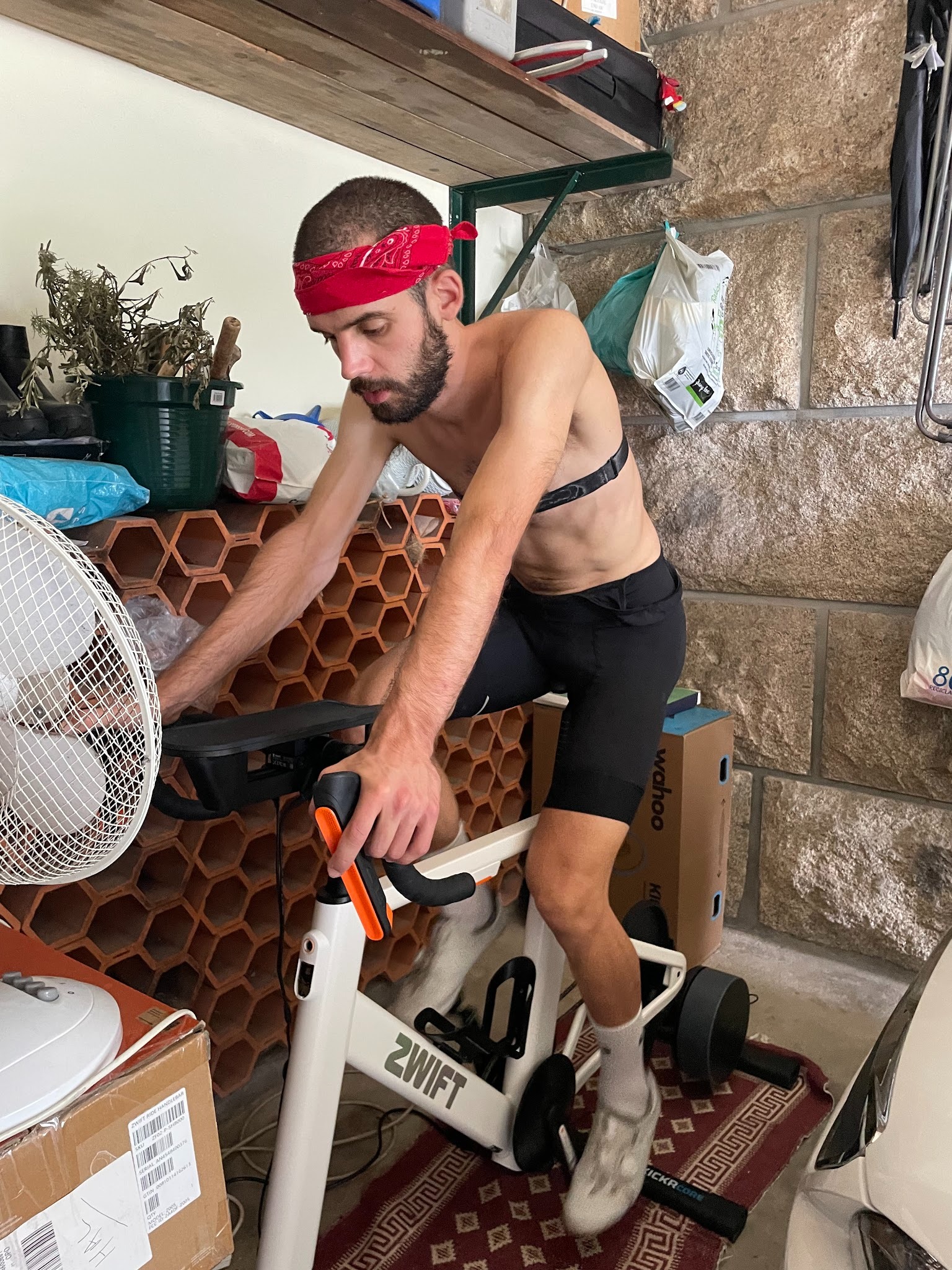
Some races are lost on the climb. Others on the descent. Mine was lost at the front door — with a baby monitor as co-pilot.
The setting was perfect. Racing with Team NL Cloud 9 Thunder in a Ladder race against my former teammates from Wahoo Esports, on Cobbled Climbs. Short, sharp efforts. Repeated accelerations. Chaos with intent. Exactly my kind of race. Exactly the terrain where I was determined to show my old mates nothing but my rear wheel.
But the first real battle had already started long before the start pen.
My youngest son was sick. High fever. Unsettled. Inconsolable. With my wife due home late, I had stationed a baby monitor right next to my Zwift setup. As I clipped in, I silently negotiated with fate: please no blue crying lights during the race. Just let me get through this one.
To prevent my two boys from repeatedly checking whether their mother had arrived yet, I made what would later turn out to be a catastrophic tactical decision: I locked the front door from the inside, using the hook.
Ten minutes before the race, the house finally went quiet. I started with cold legs and a fatigued mind, skipping any real warmup. Not ideal — but manageable.
At the start line, another complication. One rider from our team was missing. Confusion, quick chat, and then a decision: we would race four versus four anyway. Whether Wahoo Esports was also short a rider or simply chose sportsmanship, I honestly don’t know — but the race was on.
The first lap hurt, as expected. Then the legs woke up. The rhythm settled. The repeated surges began to feel controlled rather than desperate. The group thinned, the pace sharpened, and I found myself exactly where I wanted to be — in the front selection, feeling stronger with every acceleration.
That’s when I heard it. Not the baby monitor. The front door. Loud knocking. My wife was home. And locked out.
I unclipped mid-race and sprinted across the house in cycling shoes. Door open. Quick explanation. Door closed again. A full anaerobic effort back to the bike. Back on. Straight into damage-control mode.
By sheer adrenaline and stubbornness, I managed to claw my way back to the front group just before the next climb. Heart rate pinned. Legs already flooded. Zero margin left.
The elastic snapped immediately.
As the group surged uphill, I had nothing. No kick. No response. Just the slow, inevitable slide backward as the watts refused to come back. The climb didn’t beat me — domestic logistics did.
The race wasn’t lost on Cobbled Climbs. It wasn’t lost tactically. It was lost in cycling shoes somewhere between the Zwift setup and the front door.
Lesson learned: always recon the course — and always, always unlock the house.
As we make our way through the long winter months, it may be hard to stay motivated to ride indoors on Zwift. This week’s top video covers tips and tricks for staying entertained on Zwift!
We’ve also included videos about the best budget fans for Zwift, racing as a lightweight rider, Zwift update v1.06, and a gamer’s guide to Zwift.
4 Ways I Use Zwift That Keep Me From Getting Bored
Struggling to stay engaged on Zwift? Tariq from Smart Bike Trainers shares 4 ways that he keeps his Zwifting fun and interesting.
Cycplus Smart Fan vs Vacmaster Cardio 54 | Budget Fans Tested
Chad Rides compares two budget-friendly fans for indoor cycling. Which is the better option?
Why Zwift Racing Feels Unfair for Light Riders
On Zwift, many light riders often feel like they have to work harder than the heavier riders to keep up with the pack. Mackenzie Vaughan-Graham explains why it feels this way and tackles stage 3 of the Tour de Zwift.
Rolling Tide Race Series Announced: A Season-Long Race That Grows With You
Rolling Collective (RollCo) has launched Rolling Tide, a new year-long Zwift race series built around a simple but demanding idea: start small, build big.
Rolling Tide begins with a short, sharp opener and increases in distance by 1 kilometer every week, culminating in a full-distance endurance race at the end of the year. More than just another race on the calendar, Rolling Tide is about commitment, momentum, and shared growth, a collective journey where improvement is earned through consistency.
What Makes Rolling Tide Special
A Race that Evolves
Most events test riders on a single night. Rolling Tide tests them over time. Early weeks reward explosiveness and sharp efforts, while later races demand patience, pacing, and resilience. The format naturally evolves, mirroring the way real fitness is built.
A Reason to Come Back
Rolling Tide is supported by an ongoing ZwiftPower leaderboard, encouraging riders to measure progress, track rivals, and build season-long narratives. It’s not just about today’s result, it’s about where you finish after riding the entire tide.
Fair, Competitive, and Inclusive
Each race is run as a categorised scratch event, ensuring competitive racing at every level while keeping the shared experience intact. Whether riders are chasing podiums, rivalries, or personal milestones, everyone starts the journey together.
A Shared Story
Rolling Tide is designed to create familiarity. The same names. The same time slot. The same rising challenge. Riders will remember where they started and who they rode alongside when they reach the final weeks of the season.
Race Schedule and Details
Events occur weekly in 5 timeslots:
Wednesdays at
6:50pm UTC/1:50pm ET/10:50am PT
11:50pm UTC/6:50pm ET/3:50pm PT
Saturdays at
11:05am UTC/6:05am ET/3:05am PT
5:05pm UTC/12:05pm ET/9:05am PT
11:05pm UTC/6:05pm ET/3:05pm PT
The first race kicks off Wednesday in France: a 1km sprint on Macaron. There’s no lead-in, just a hard, straight start through to a harder finish. Can you be quick off the line without the benefit of building up momentum first? Is your pre-race warmup to scratch?
Rolling Collective (RollCo) is a community-driven cycling club built around shared momentum and riding Forward, Together. Through races, rides, and creative events, RollCo aims to build long-term engagement, meaningful competition, and a culture that celebrates showing up.
Next Up: Thoughts on Zwift’s Personalized Recommendations Beta
Two years ago, I found myself sitting on a couch in Eric Min’s living room, talking about where we’d love to see Zwift go next. The single biggest idea I shared was simply this: I want Zwift to give me a brilliant recommendation for each day’s workout.
As a Zwift fanboy, I know the platform has so much to offer. Routes to explore, community events, engaging races, workouts and training plans… there’s something there to motivate just about anyone, but it’s also easy to get lost!
As a cyclist, I know it’s easy to get confused about what I should do to get stronger. With training advice coming from all sides, sometimes I end up heading down rabbit trails, chasing the next shiny thing I saw on YouTube, instead of sticking to a consistent plan.
I knew a simple, brilliant recommendation engine could help to solve both of these challenges. But also, it was no easy ask! (Especially back then, when Zwift wasn’t even “seeing” my outdoor rides.) Now, two years later, Zwift can see what we do outside, which is brilliant. But that doesn’t mean the holy grail of workout recommendation engines is easy to build. (Case in point: Strava’s new “Instant Workouts” feature, which hasn’t impressed anyone I know of.)
Zwift is completing a major rollout of their Next Up personalized recommendation engine this week. And while Next Up is still very much a beta in Zwift, and some of the feature requests I make below are already being worked on internally, I’m sharing this post now in hopes of sparking useful conversation and actionable feedback for Zwift’s team. This will, in turn, help to drive the development of what I believe is an important feature. So let’s dive in!
First, a Quick Explainer
If the Next Up feature is enabled for your account, you’ll see it at the top of your homescreen. It’s pretty hard to miss:
If you’re signed up for an event that’s coming soon, it will show that event as your first option. Otherwise, it shows the selected workout as your next option:
Click “Start Ride” to begin the recommended activity, or “Tune” to see and/or modify the recommendations. Next Up currently serves up four types of recommendations:
Planned: events you’ve signed up for, or today’s scheduled workout if you’re syncing from a third-party training plan provider like TrainerRoad. (You won’t see the “Planned” option if you aren’t signed up for events or syncing from a third-party provider.)
Workout: a structured workout from Zwift’s library
Route: a route from Zwift’s library
RoboPacer: a RoboPacer moving at a pace that works for your current fitness and freshness
Once you’re on the “Tune” screen, you can click the “Shorter” or “Longer” buttons to select a shorter or longer Workout, Route, or RoboPacer ride. You’re given two shorter options and two longer options, plus the default option, for a total of 5 possible Workouts, 5 Routes, and 5 RoboPacer lengths.
If you “tune” your RoboPacer ride, it just adds or subtracts 30 minutes from the stated duration. There is a timer in the game’s center HUD that pops up intermittently to show how much time you’ve got left to hit your goal:
See timer on center HUD
Two more things to call out:
Next Up has a limited presence in the Companion app as well (more on that below)
Next Up refreshes its activity recommendation once per day at this time (more on this below as well)
Rollout Plan and Target Audience
As I explained in this week’s post on Zwift’s version 1.106 release, Zwift released Next Up to all English-speaking Zwifters this week. The plan is to roll it out for all other supported languages by the end of February.
In terms of target audience, while the current iteration of Next Up can provide value to every Zwifter, it should prove especially useful to newer Zwifters and less experienced cyclists. More experienced Zwifters don’t necessarily need guidance on the next route to ride or which RoboPacer group to join, and many experienced cyclists already have some sort of training plan they’re following.
While Next Up could someday provide great value for all Zwifters (I discuss this more below), in its current form, it’s most helpful to newer riders. I would say this sort of Next Up’s “unofficial target audience.”
Feature Requests
Option to Turn It Off
I’m seeing more and more riders asking if the Next Up feature can just be toggled on and off, as they don’t have a use for it. While Zwift has never been big on letting people toggle key features, I think there’s some sense in this idea. Turning it off would save AI processing and free up screen space for the features people do want.
The Next Up feature, as it currently stands, isn’t super-useful to everyone. Until Zwift can build it out so it’s really good at knowing what you should do next, it makes good sense for Zwift to add a setting to turn it off.
Refreshing After Each Activity
Currently, the recommendations in Next Up for Workout, Route, and RoboPacer only refresh once a day. This is done to save AI cycles, no doubt, but it makes the feature feel rather “dumb” if you’re a rider who often does multiple activities in one Zwift session, or you’re a rider who does two distinct Zwift sessions in a day.
I would love to see the recommendation refresh after I save my Zwift activity. That means, for example, on Tuesdays I might log in for my ZRL race. It would recommend a race warmup for me (see that feature request below), then recommend the ZRL event to me, then recommend a cooldown.
To save on AI cycles, perhaps they could just add a refresh button to the UI, so I could easily get a new recommendation if I want it?
Remember My Week
Currently, Next Up seems to recommend 1-hour activities every day. Yes, you can click to tune them longer or shorter, but it feels like the engine is a bit blind to my weekly habits.
For example, I’ve led my 100km Pizza Burner ride every Thursday morning for a year, yet it still recommends a 1-hour ride for me on Thursdays. And Saturdays are always a long day for me (2.5-4 hours, typically), but it’s still just recommending 1-hour rides. (And even if I try to tune them, the longest options are sometimes only 2 hours).
Next Up needs some logic to spot day-of-the-week patterns.
Event Recommendations
Zwift has always struggled to surface (or let people discover) events that will leave Zwifters coming back for more. Think about it: there’s still no tool in Zwift that says, “Show me the most popular events happening in the next hour” or “I want to do VO2 work in a group, what events are coming up?”
This is an untapped area with huge potential wins for Zwift.
Imagine if it could find the best event for you that was coming up soon? And you could tune the selection a bit, to choose between a handful of event options?
Currently, the “Planned” section of Next Up will show the next event you’re signed up for, assuming it’s coming up soon. But that’s just the most basic functionality Next Up should have. There’s much more Zwift can do…
Warmup Recommendations
If Zwift knows I’m signed up for a race that starts in 15-60 minutes, it should be recommending race warmups for me. There are several race warmup workouts in Zwift’s library, and there are also routes and RoboPacers I could ride that would do the job.
Route Recommendations
Zwift’s huge library of routes (well over 200 free rideable routes now) can be a bit overwhelming, especially to newer users. Add route badges into the mix, Route of the Week, and the huge variation in length and difficulty of routes, and you can see that a strong route recommendation engine would be a great addition to the game.
To Zwift’s credit, they’ve improved this portion of Next Up since its initial launch. It’s now recommending Tour de Zwift routes for me, for example – even though the explanation text doesn’t explain this (that’s coming soon).
Personally, I’d love it if the feature just brought up routes I haven’t ridden yet, and explained that if I ride the route, I’ll get the achievement badge and XP.
Improved Explanation Text
Speaking of the explanation text (we need a better name for this text that explains why a particular activity is being recommended) – there’s a lot of improvement that could happen here.
First: as a text guy, it’s mildly infuriating that I can’t read the full text from the screen in game. It ends with …, but there’s no way to click and read more. Zwift needs to fix this, as that explanatory text is going to play a key role in convincing Zwifters of the value of Next Up selections far into the future.
(To be fair, that text is fully readable in the Companion app).
Fixing the way the text is displayed is the easy part. Improving the actual text, I imagine, is much more challenging. You’ve got to keep it short, but also informative. Right now, the text feels overly simplified to me. I know there are unmentioned factors (like weekly goal settings) driving Next Up to recommend a particular activity, and I wish it would mention them.
Companion App Buildout
Currently, the Companion app only shows you the default Next Up activity. That means it shows you your “Planned” activity (an event you’ve signed up for, or a third-party workout), or if you have nothing planned, it will show you the selected workout of the day.
There’s no way to tune the workout in Companion. And no way to see selected routes or RoboPacers.
For Next Up to be useful, it definitely needs a strong presence in Companion, since this is where people go to plan their next activity. But right now, its presence in Companion feels a bit half-baked.
Zwift Training Plan Integration
It’s a bit odd, but if you’re signed up for a Zwift Training Plan, nothing about that plan shows up in Next Up. Ever.
Workouts from third-party providers like XERT will show up, but Zwift’s own Training Plan workouts do not.
My guess is this hasn’t been fixed yet because Training Plans have their own UI in game – a popup window where you select your workout for the day. That would need to be modified/removed, and Next Up may need to be modified somewhat to replace that functionality.
One possible solution: surface the day’s planned workout in Next Up, just like you’d do if I were using TrainerRoad for my plan. Swap the “Longer” and “Shorter” buttons for “next” and “previous”, so I can choose to execute a workout that’s scheduled for tomorrow, if that’s what I want.
Smart Activity Type Selection
Next Up currently defaults to showing me the recommended Workout for the day, and I have to click “Tune” to choose a non-workout activity.
Here’s the problem: I rarely do workouts! The vast majority of my activities are events, RoboPacer rides, or solo efforts on particular routes.
The feature should be better at choosing which activity type to display based on my habits and goals.
Don’t Forget the Runners
Zwift is nearly ready to enable the addition of our running activities to Fitness Metrics (it’s coming very soon!), so my guess is they plan for Next Up to expand into running recommendations in the future as well.
Final Thoughts
I’m sure there are other great things Zwift could do with Next Up that I didn’t cover above, and conversely, some of what I recommended above won’t prove useful to everyone. But the big thing I’m hoping Zwift and the Zwift Community both understand is that the Next Up concept has huge potential. Like I told Eric Min over 2 years ago, Zwift has the historic data needed to make smart activity recommendations. That engine in turn will:
Increase engagement among existing users as it helps them discover and participate in the types of activities that suit them best
Grow the subscriber base, because people are looking for fitness tools that provide simple, accurate, and affordable guidance
Help people build fitness, as it provides basic coaching guidance
In talking to contacts within Zwift, it’s clear the company knows that Next Up is an important feature, and is planning to continually invest in improvements.
I’ll wrap up with this: many Zwifters are asking if they can just turn off the Next Up feature. While I think a toggle is a good idea, I also know Zwift can make Next Up compelling enough that everyone will want to keep it turned on. Here’s hoping!
Share Your Thoughts
What do you think of the Next Up feature? Share your thoughts below! I would also recommend sharing your thoughts on this topic in Zwift’s forum.