Home Blog Page 512

Zwift Academy returns in 2017

Zwift Academy returns in 2017

ZwiftHQ has announced that Zwift Academy will return for 2017.

This groundbreaking talent ID program debuted last year, with over 1100 ladies participating. The Academy was open to all women, and participation meant taking part in specific workouts and group rides over a period of several months.

Based on data from those rides, 12 semi-finalists were chosen and took part in additional Zwift rides. Three finalists were chosen to fly to Mallorca, Spain to take part in a Canyon//SRAM team training camp to decide on the final winner.

In the end, Leah Thorvilson of Little Rock, Arkansas finished on top and took a contract with Canyon//SRAM for the 2017 UCI World Tour season.

From what I’ve heard, the Zwift Academy workouts and group rides are an excellent way to increase fitness and enjoy riding (virtually) with other women around the globe. According to ZwiftHQ:

Registrations for year 2 of Zwift Academy are expected to open in June, with the qualification phase starting in September. In keeping with the 2016 program, participants will be tasked to complete a series group rides and structured workouts during qualification. New for 2017, we’ll be introducing an evolved racing component for the Semi-Finals. Once again, 3 top performers will be selected for the Finals to join CANYON//SRAM Racing at their team camp in Mallorca, Spain, in December.

Read the announcement from ZwiftHQ >
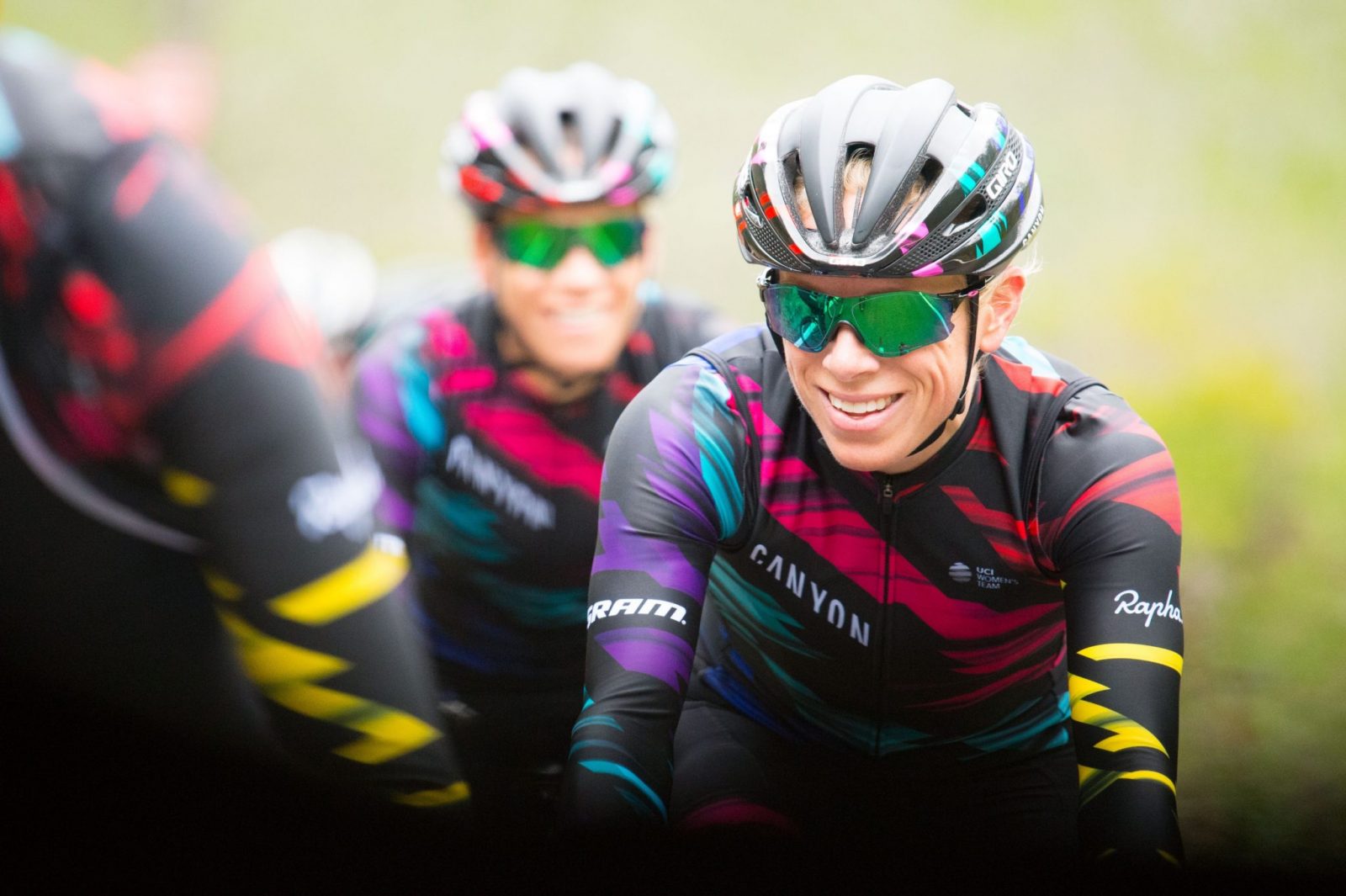
 

Leah Thorvilson, 2016 Zwift Academy winner, riding with her new team!

Check out this London “ghost route”

0

Check out this London “ghost route”

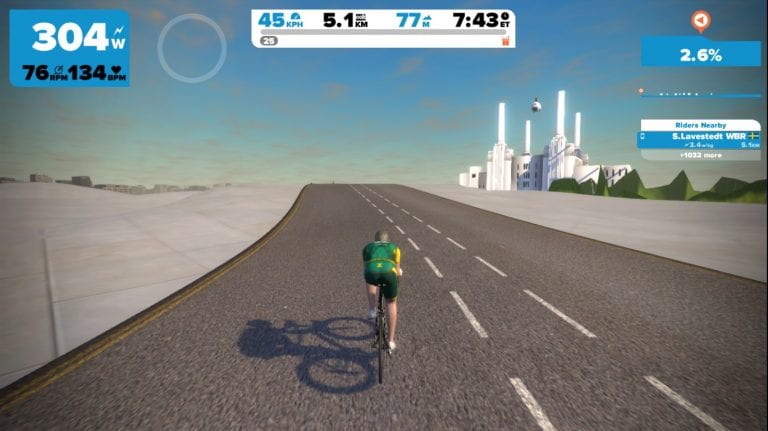
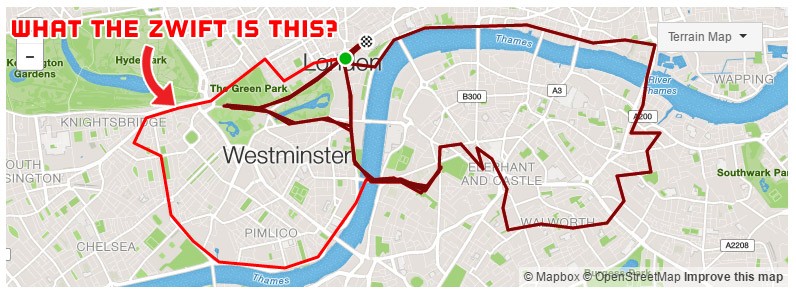
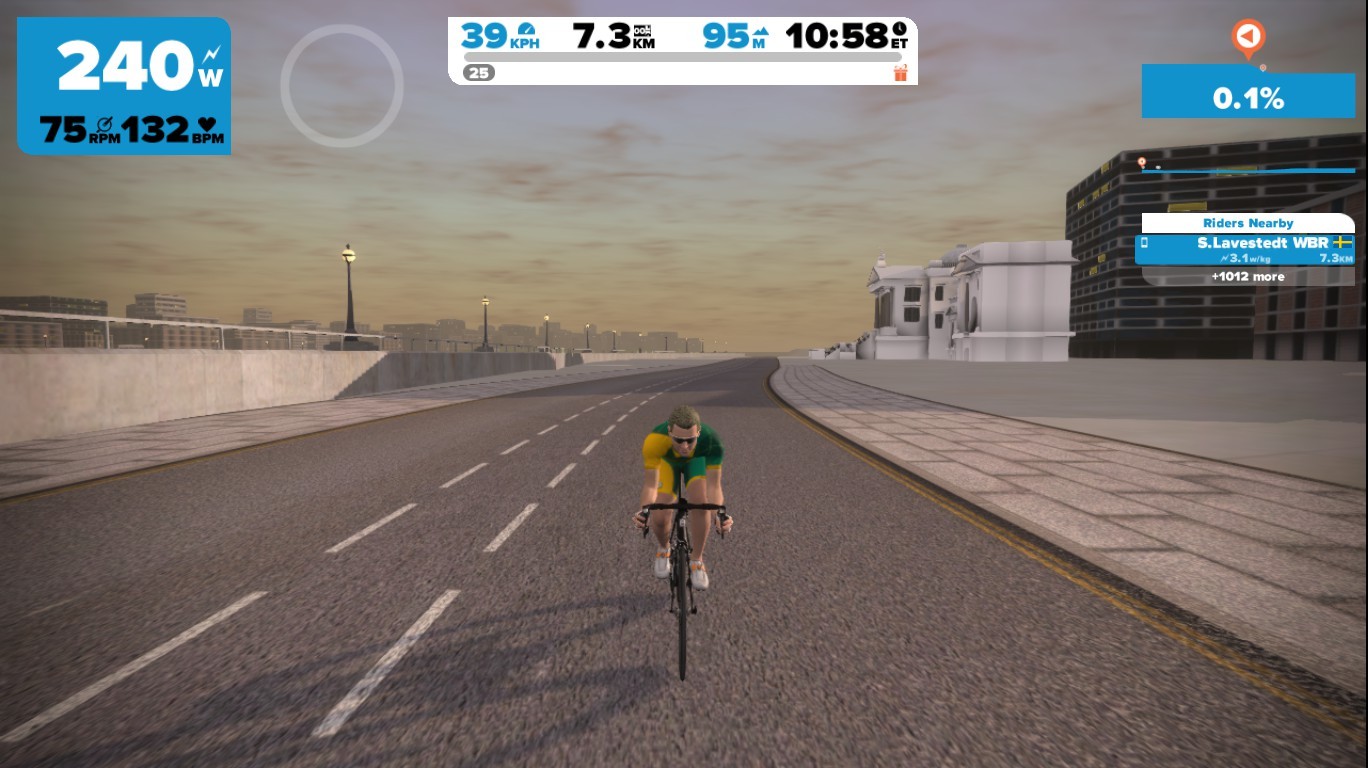
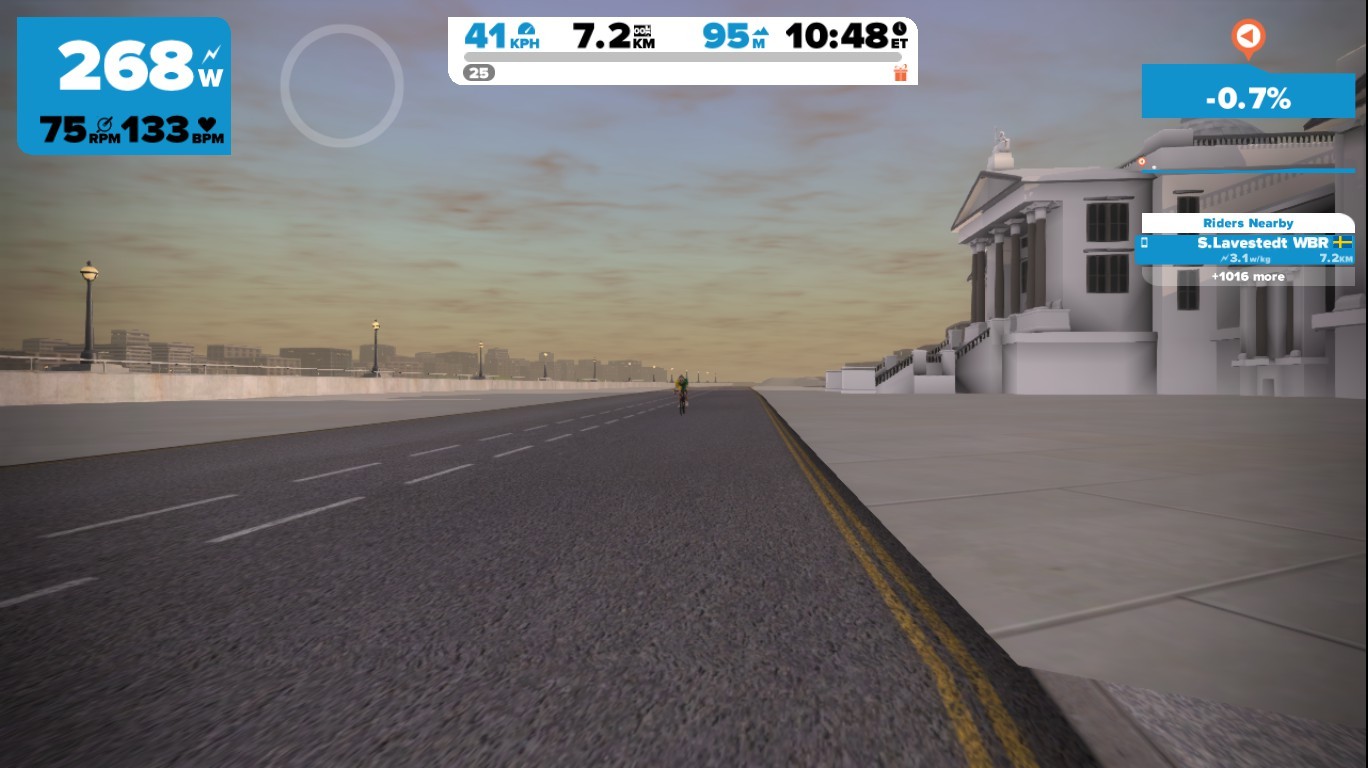
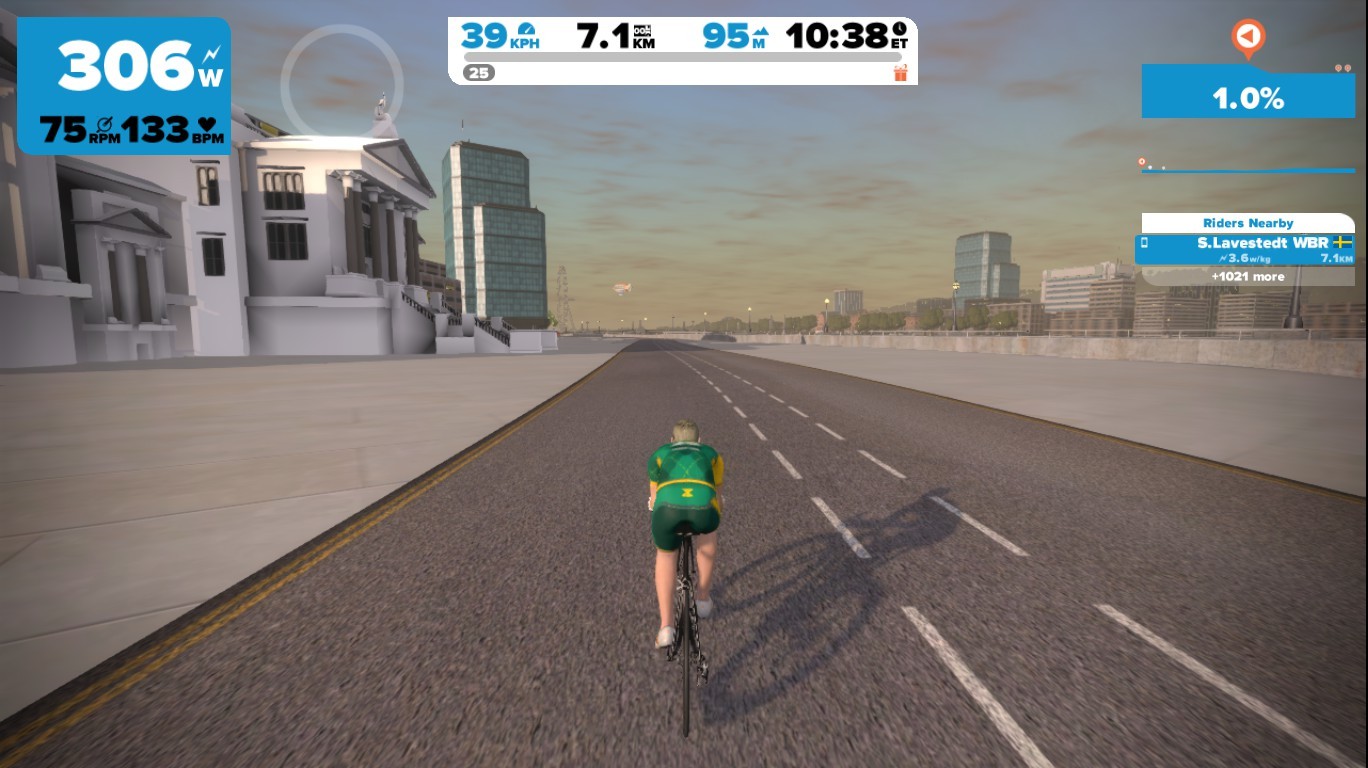
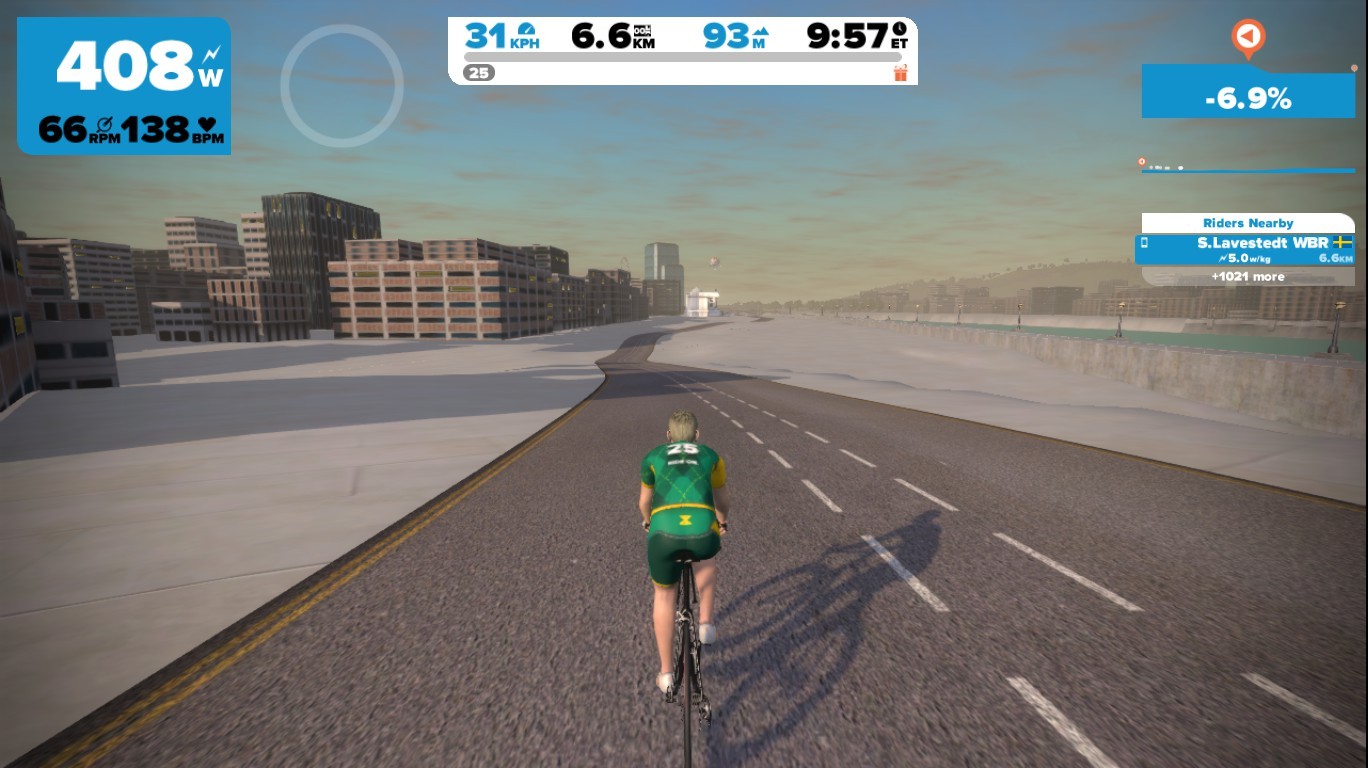
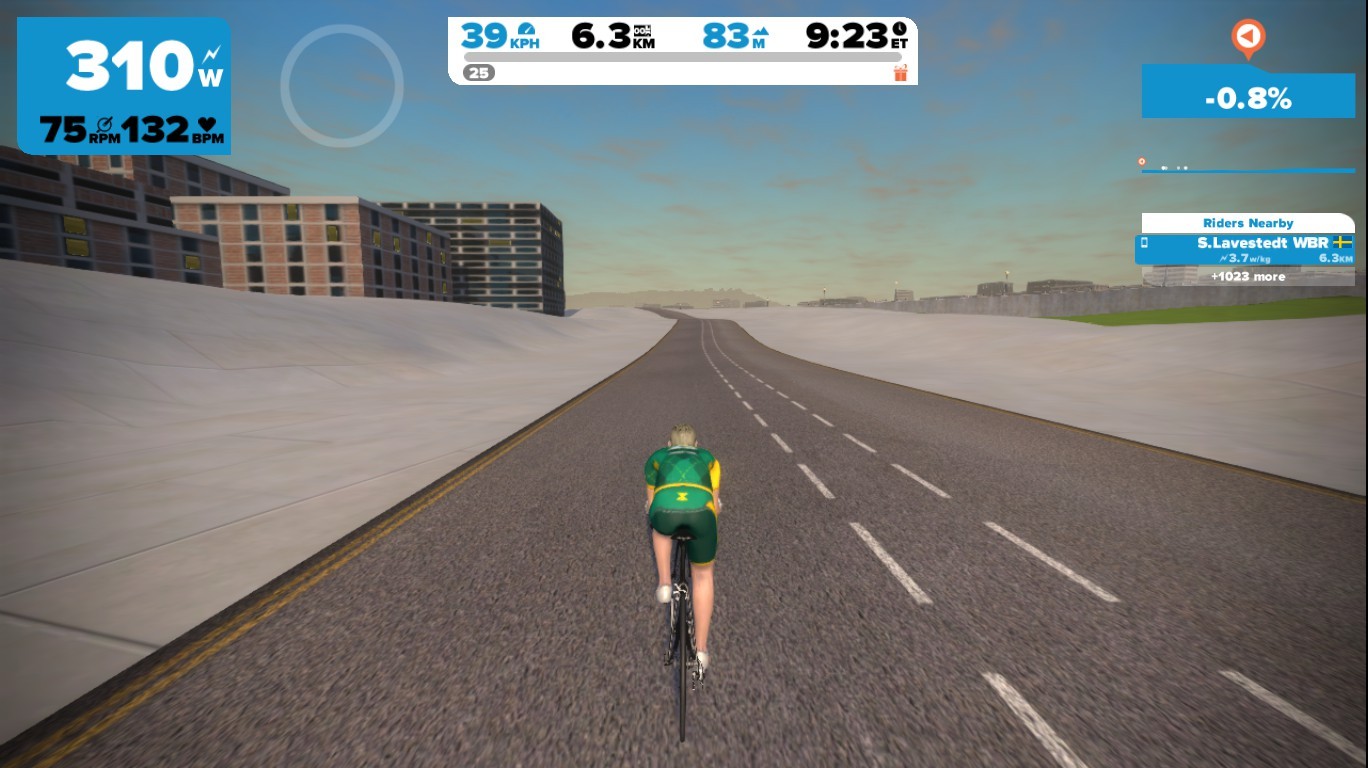
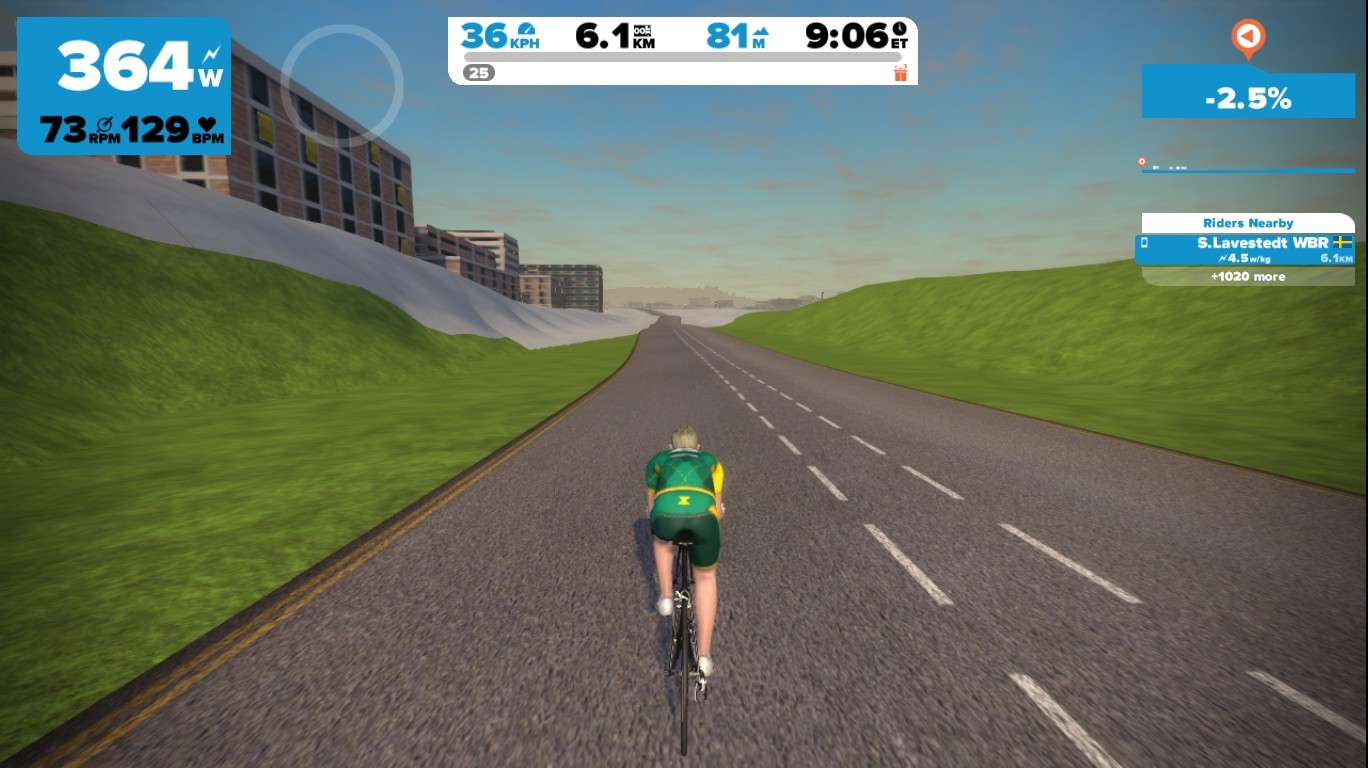
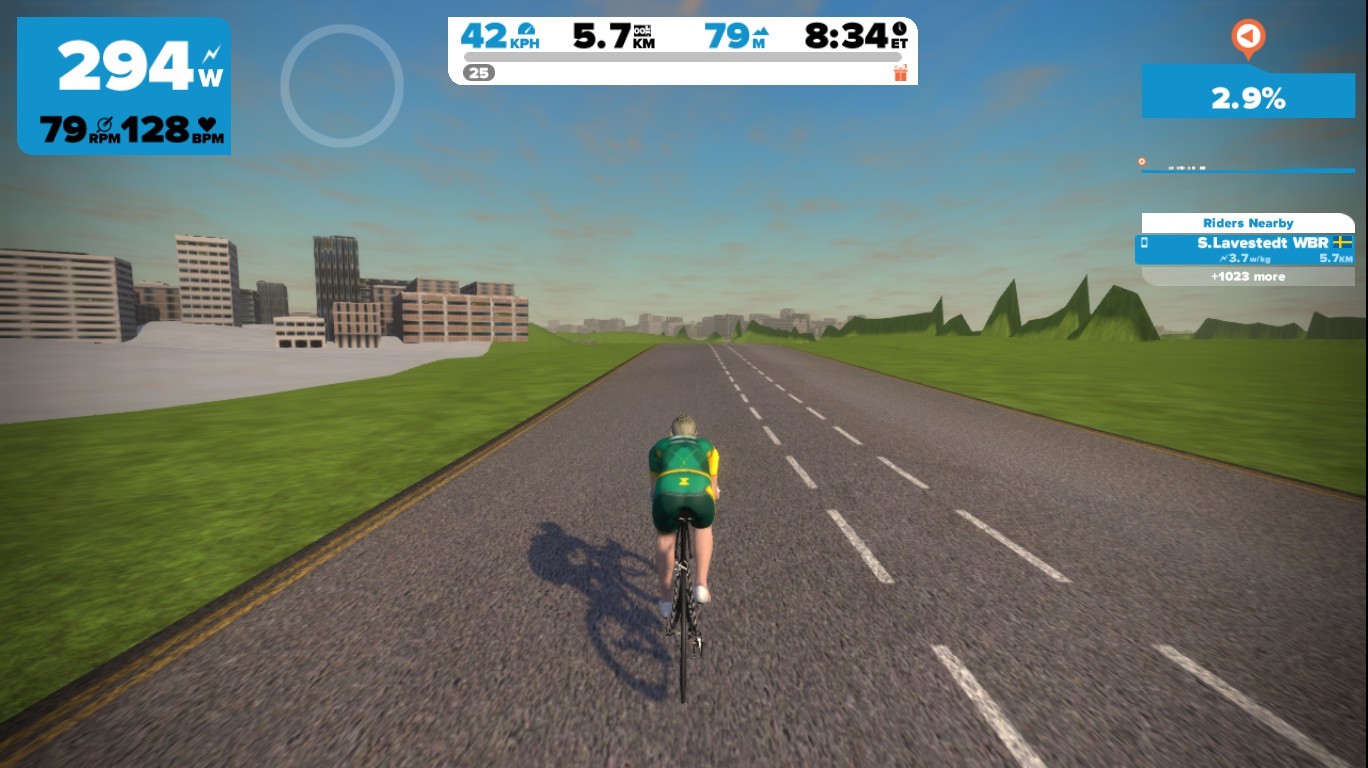
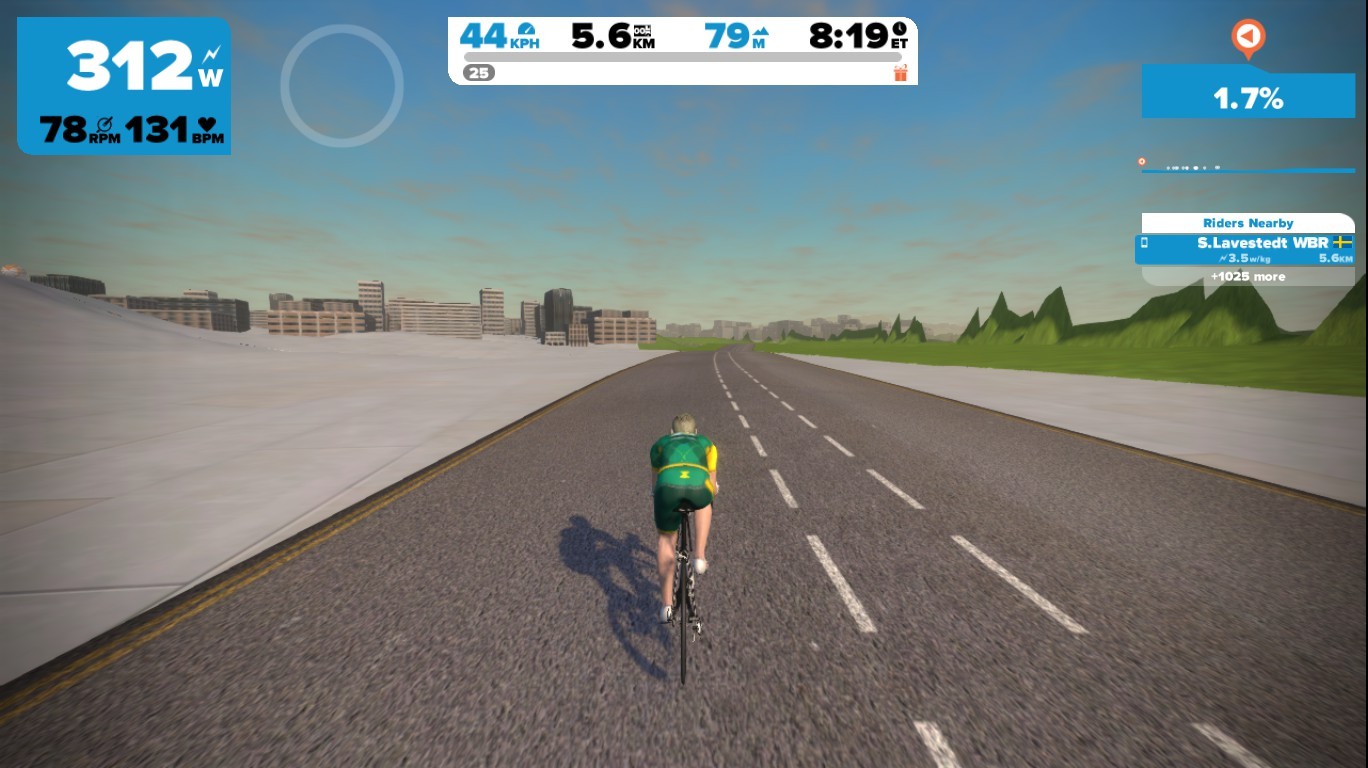
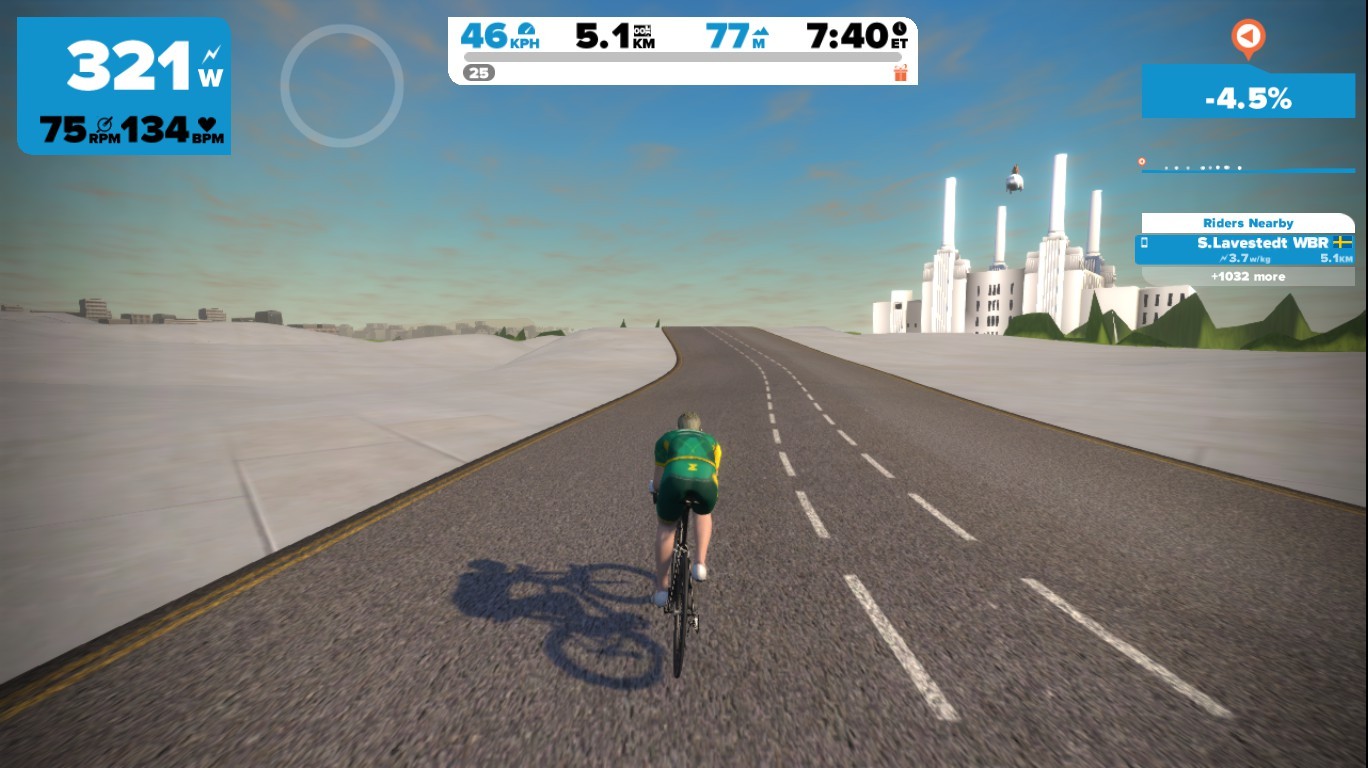
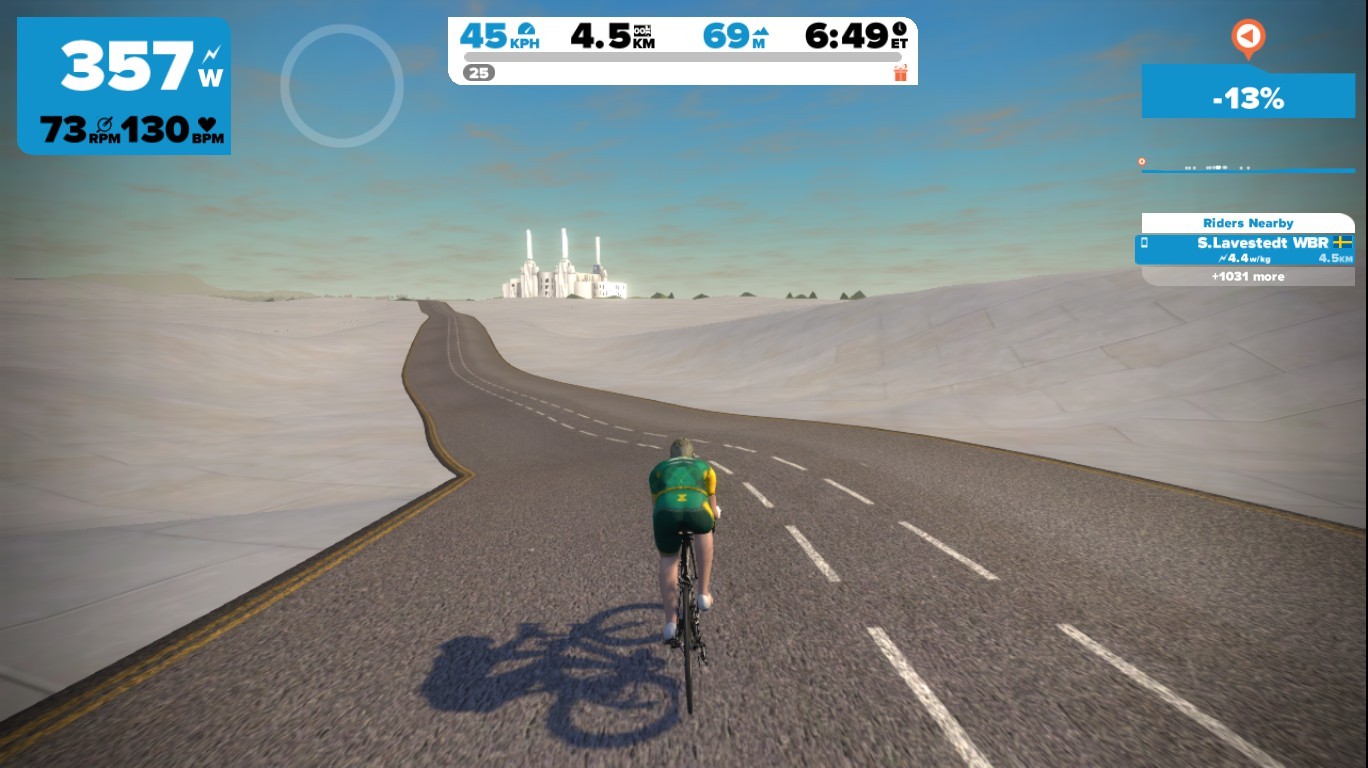
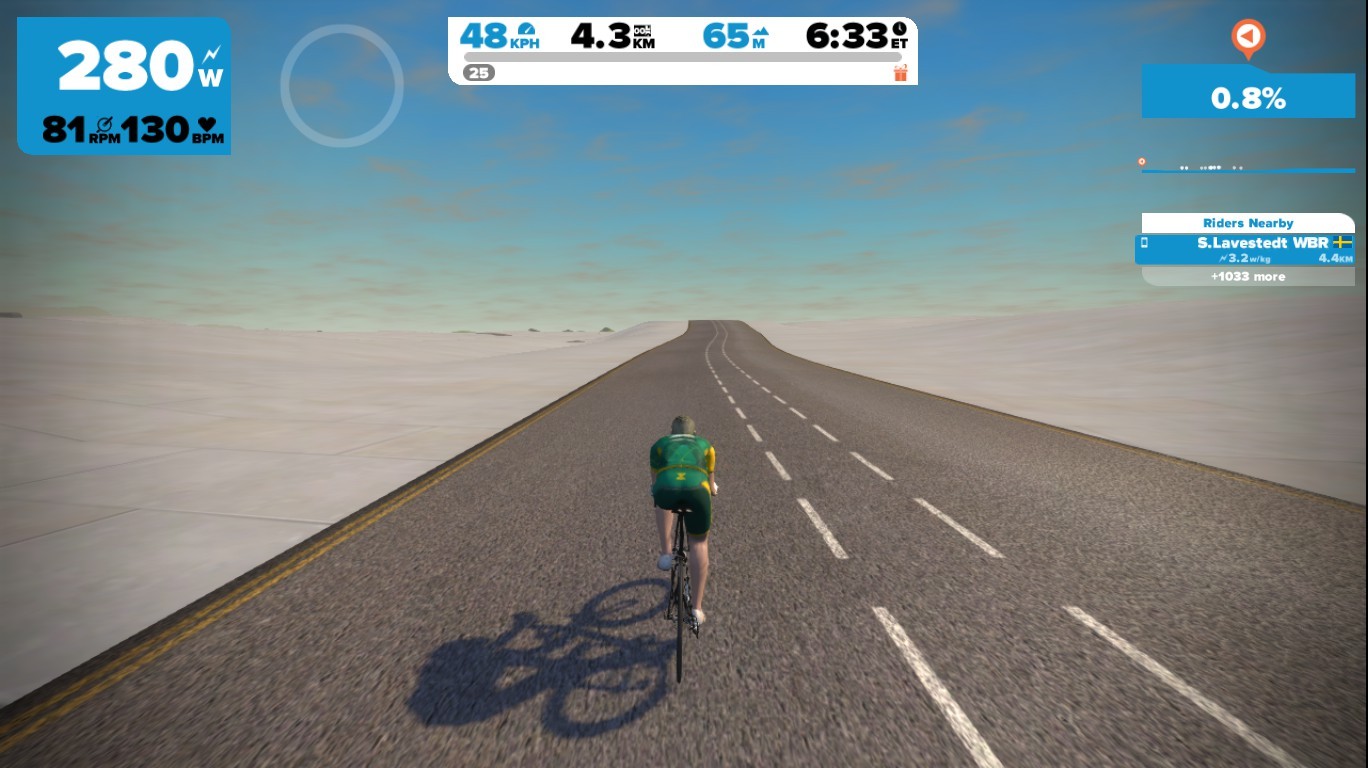
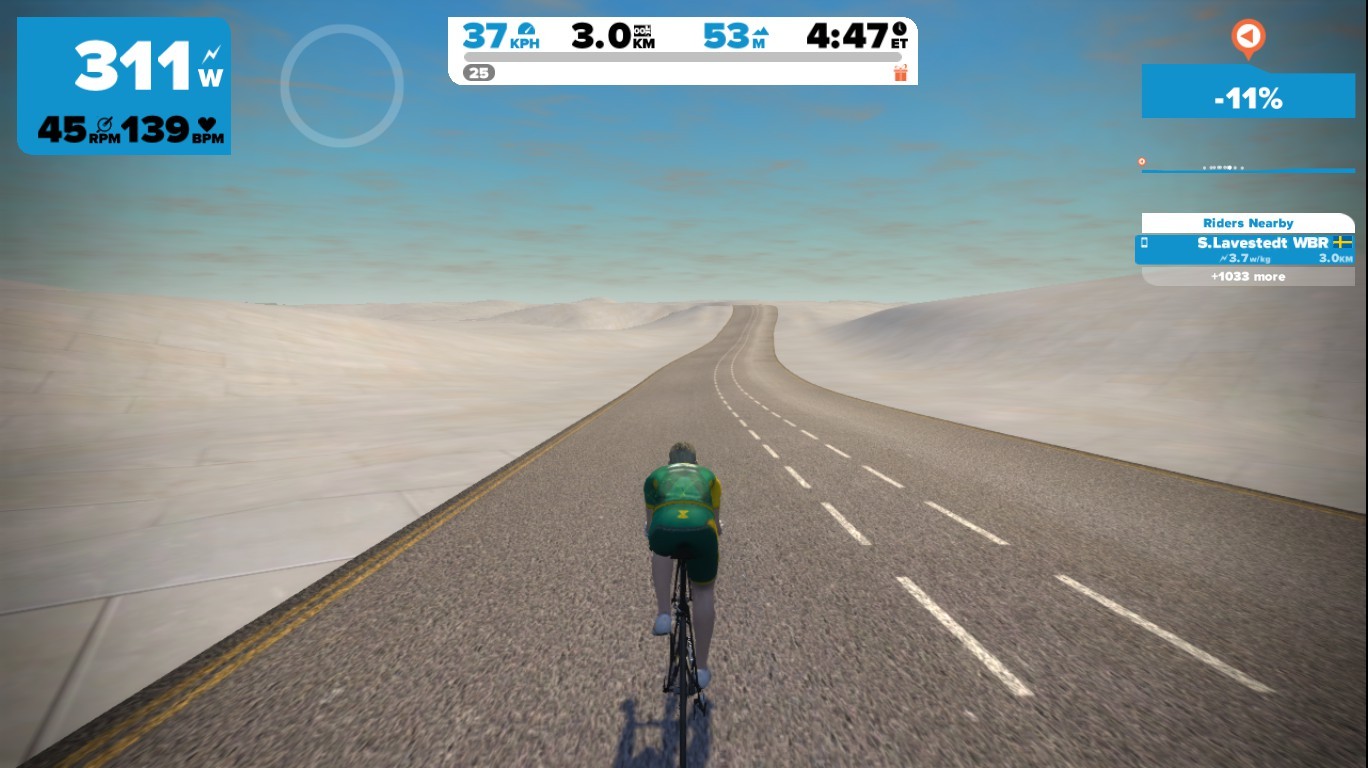
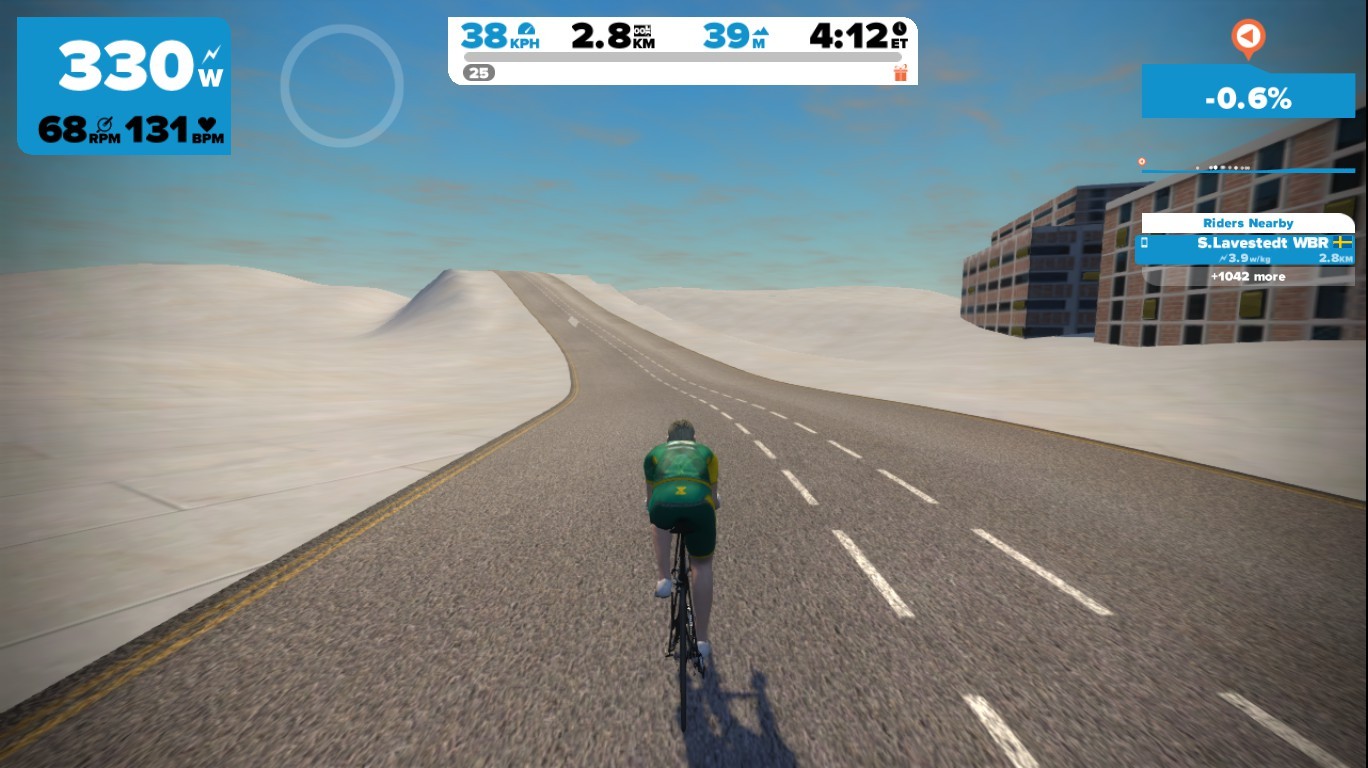
Yesterday, Stefan Lavestedt sent me an email explaining how he was taken on a previously uncharted portion of the London course. As far as I know, Stefan is the only “regular” Zwifter to ever ride this route.

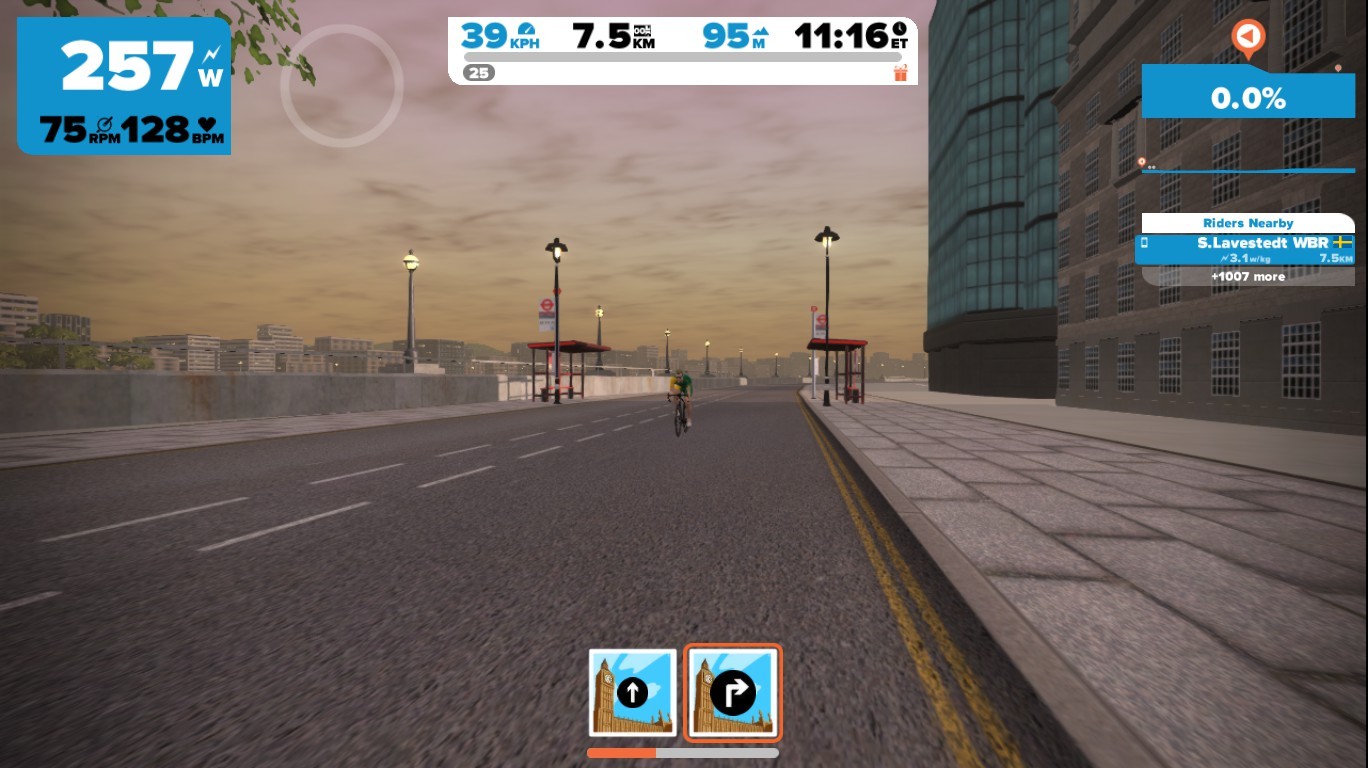
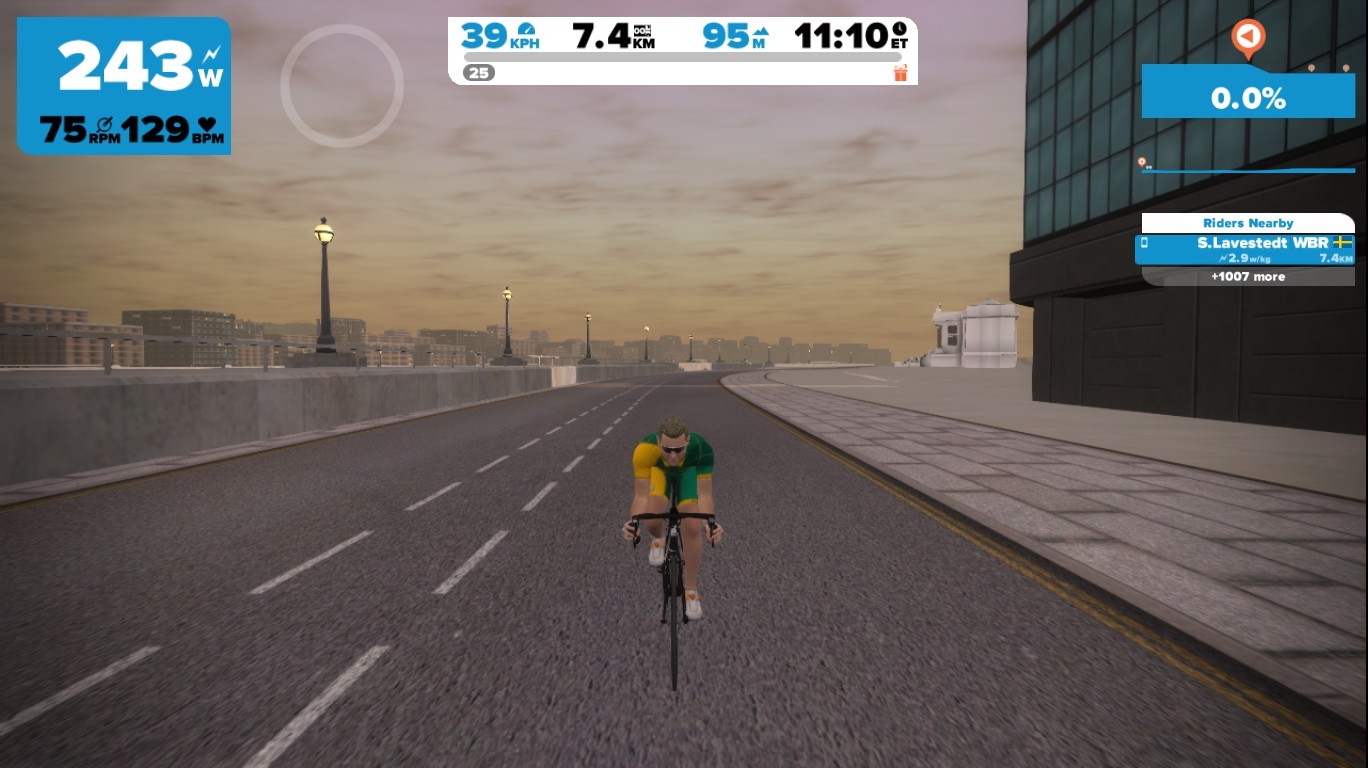
The road is approximately 7km long, fairly flat, with only a few buildings popping up here and there. It appears to be a functional route with unfinished artwork.

I asked Game Master Jon Mayfield about this portion of the course, and he was pretty tight-lipped about it (although he said it was fine to publish this post). He did say “It’s a clue as to what is coming, although it’s not been built yet.” He also said, “…that road has been in there since the day we first launched London… it’s not some new development.”

So it sounds like this is an additional route which will be eventually released for the London course.

You can see Stefan’s Strava activity here >

Red portion is the uncharted section of the London route

How did he get on this route? Here’s what Stefan said:

I choosed to ride with a friend, then changed to London loop but had my friend marked. He was going to race in a few minutes. When I started to ride it said ready to ride with björn (my friend) and then I turned in and beyond the barrier. Soon the houses were hanging in the sky and it looked like a construction site and I was all alone.

Here are more shots taken by Stefan on this “ghost route.” Thanks for sharing, Stefan (and nice power numbers by the way)!


KISS EU – Fly and Furious

0

KISS EU – Fly and Furious

The London loop was on the menu of the KISS EU race of January 26th. After three times up Box Hill, the A race was ultimately won by Le Monstre, outsprinting Boniface (ODZ) and Cartwright (KissRT).

On the first climb, Kim Little (Team X) pushed hard and made the break, forcing the main group to form a few seconds behind him. This bold move awarded the “q/l Combativity Award” to the Team Experimental rider. In the following group were Le Monstre, Leguevaques (Team France), Norton (PTz), Onaindia (ADZ), Cartwright (KissRT), Beck (ODZ), Boniface (ODZ), Allonby, Webb (Vision), Komarek (Team TFC) and Hickey (ZTAZ). Heading into the second lap, Allonby tried to break away from the group right after Kim Little (Team X) was caught.
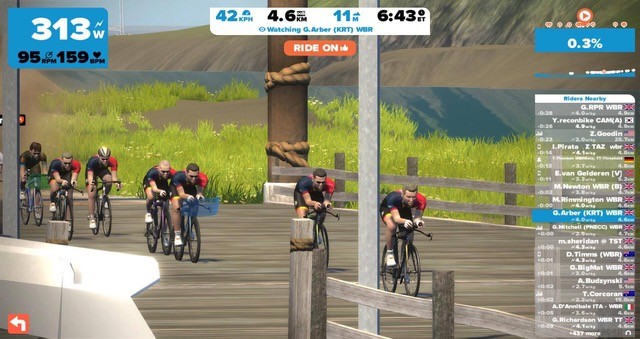
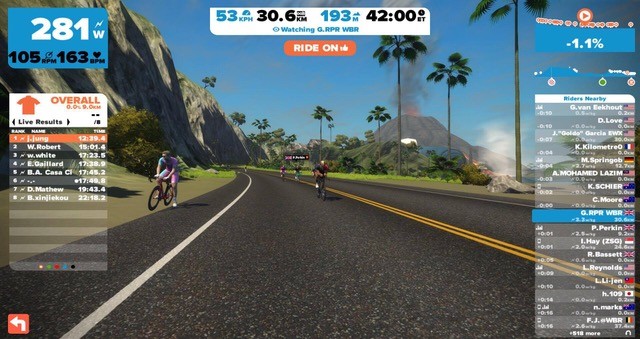
The second and third climbs narrowed down the lead group to 6 riders heading to the finish line: Allonby, Norton (PTz), Cartwright (KissRT), Onaindia (ADZ), Boniface (ODZ) and Le Monstre. “This race was insanely fast,” said Boniface. “I was fried after the first climb, but Chris Beck did a fantastic teammate job to keep me in the group. If it wasn’t for him, I wouldn’t have been able to hang on.” In the final showdown, Le Monstre took the win over Brett Boniface (ODZ) and Tim Cartwright (KissRT).

Three German wins

The B, C and D categories, competing over 2 laps of the course, saw a fair amount of upgrades. In the B category, Tobias Muller (RuhrRiders) won the 3-man sprint for the win over Rick Barbera (KissRT) and Matt Ray (Race WBR). For the Cs, Michael H outsprinted Nicolai Find for the victory. Darren Jones (BRTeam) came in 3rd, about 40 seconds later. Finally, Felix Schönherr won the D race with a 6-second advantage over Jonathan Meyer. Robert Primke (Team Poland) completed the podium a minute later.


KISS EU – JAN. 26th / Provisional Results:
A Category :
1- Le Monstre (GBR-U/A)
2- B.Boniface (CAN-ODZ)
3- T.Cartwright (GBR-KissRT)
B Category :
1- T.Müller (GER-RuhrRiders)
2- R.Barbera (USA-KissRT)
3- M.Ray (GBR-Race WBR)
C Category :
1- M.H (GER-U/A)
2- N.Find (DEN-U/A)
3- D.Jones (GBR-BRTeam)
D Category :
1- F.Schönherr (GER-U/A)
2- J.Meyer (USA-U/A)
3- R.Primke (POL-Team Poland)
q/l Report Combativity Award : K.Little (GBR-Team X)

-the q/l Report-


Threshold training with WBR

Threshold training with WBR

Our ability to be fast in racing is limited by an almost magical upper ceiling. Right below this ceiling, we are able to push ourselves for a long time at a comfortable heart rate due to the body being able to bring fuel to the muscles and recycle toxins. But push above the ceiling and things quickly go Pete Tong.

The limiting factor is our lactate threshold but do not fear, all is not lost: it is possible to train the body to raise this threshold. Training for threshold will allow you to sustain more power for longer periods of time.

The standard threshold training specifies holding a steady TT effort for 20 to 30 minutes at the max power that we can sustain for that period, but let’s be honest: it’s hard and therefore an easy workout to skip when building a balanced weekly training plan (riders typically take up to 48 hours to recover from a session).

Team WBR’s Bruno Fernandez-Ruiz felt that suffering in company with mutual sharing of the pain could be a huge motivator and therefore set out to develop WBR’s TT Threshold Challenge.
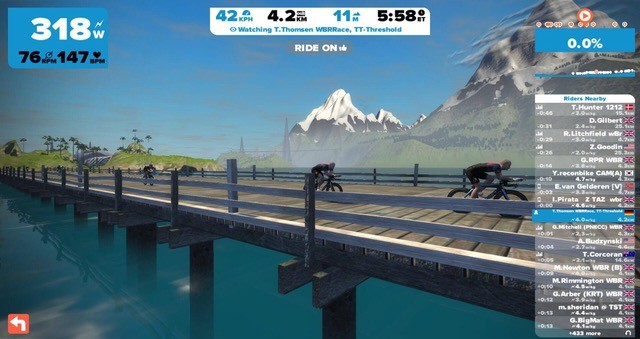
The first issue to overcome was that our threshold levels can be very different, so unless everyone was handicapped the group ride would quickly break apart. Riders are therefore required to change to a TT bike with all height and weight being leveled for power and aerodynamics.

There is a competitive element provided by the ride being a 40km TT but the playing field is leveled by setting everyone’s height to 175cm and weight being determined by the product of FTP divided by 4 i.e. for a rider with an FTP of 260 their ‘in challenge’ weight would be set to 260 / 4 = 65 kgs.

The Challenge typically lasts about 60 minutes. Most of us won’t be able to hold threshold power for 60 minutes so depending on pre-existing levels of fitness, riders can challenge themselves to ride a little longer each week or potentially do two blocks of 20 mins with 10 mins of high tempo in between.
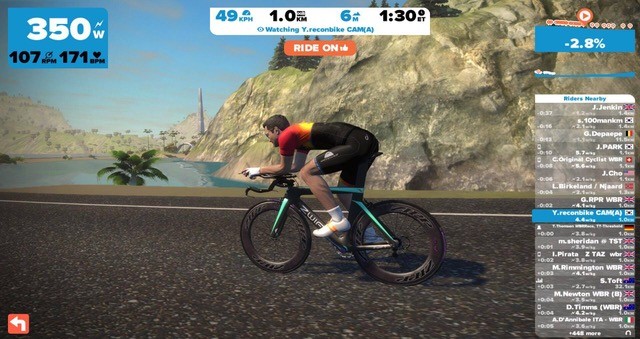
WBR’s TT Threshold Challenge is happening right now on Tuesday and Friday mornings with alternate flat vs hilly courses. Usually all riders end up within 2 minutes of each other and finish the event right about the 4.0 w/kg average although given changes in sleep, stress or training load, a small variance is normal. Stamina is also a key factor in these sessions.

Lastly: messaging inside the event is not only possible but highly encouraged: share that pain!


Zwiftalizer 1.0 released: Zwift logfile analyzer and benchmark database

0

Zwiftalizer 1.0 released: Zwift logfile analyzer and benchmark database

After over a year of development Michael Hanney has released the official 1.0 version of Zwiftalizer, a web-based tool for analyzing Zwift logfiles.

The final product is very solid and polished. Recent changes including using https for security sitewide, plus site mirroring for reliability and sub 1-second load times.

Zwift Logfile Analysis

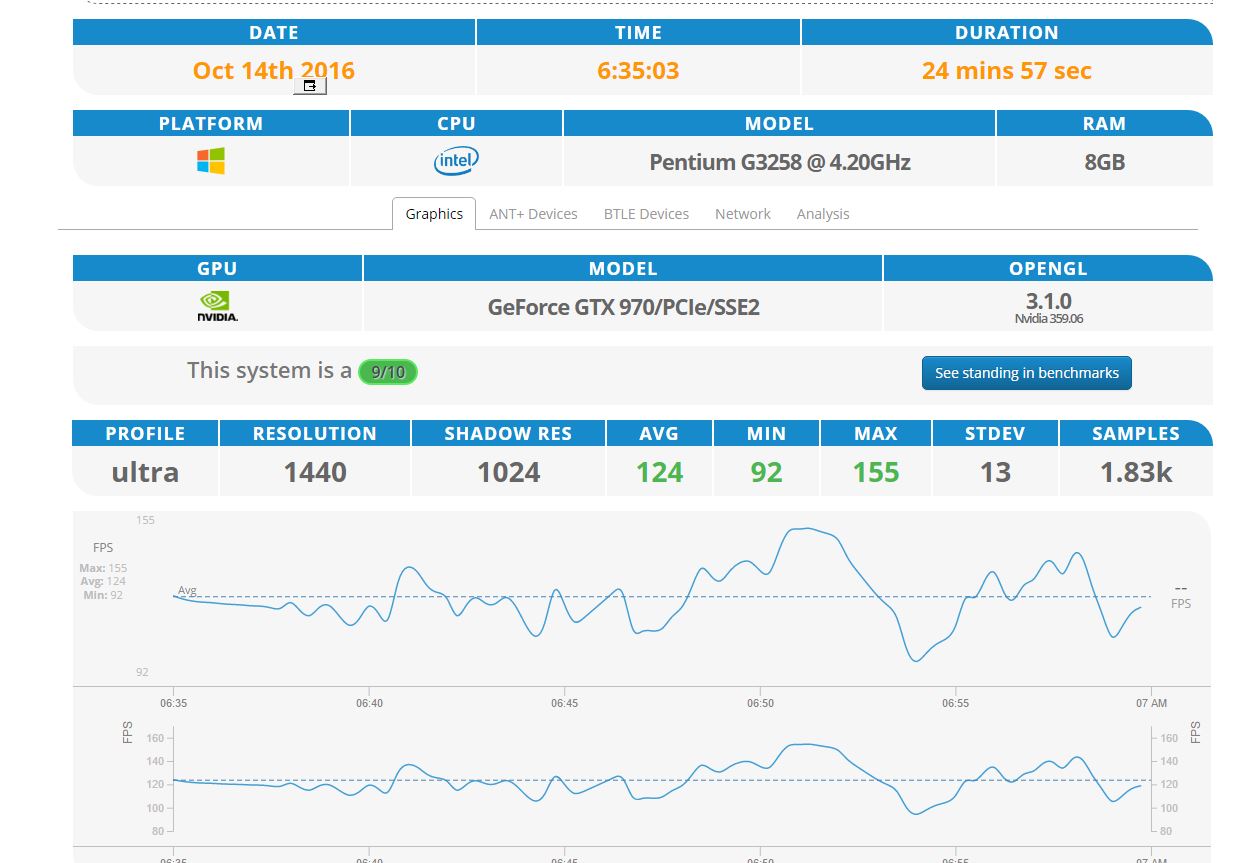
Zwiftalizer’s primary function is analyze your Zwift logs so you can understand your system’s performance in terms of:

  • Graphics (frames per second + resolution and other settings)
  • ANT+ signal quality and power numbers
  • Bluetooth signal quality and power numbers
  • Network errors/delays
  • Overall system rating (scale of 1-10)

Give it a try by visiting Zwiftalizer.com and dragging a Zwift log file onto the page.

Zwift records logs which are stored under Documents\Zwift\Logs on your system. Zwiftalizer simply digs into that file’s data and presents it in a useful way so you can quickly evaluate your system’s performance.

A note from Michael Hanney re: security: in case anyone is worried about posting their personal information (username is in the log), they can rest assured, the log file does not actually leave their computer. All the processing is done client side.

Zwiftalizer analysis results let you see exactly how well your system is performing.

Benchmarks Database

The results of each log analysis (just the results, not the log files themselves) are stored in Zwiftalizer’s Benchmarks database, allowing other Zwifters to see what level of performance particular system setups deliver.

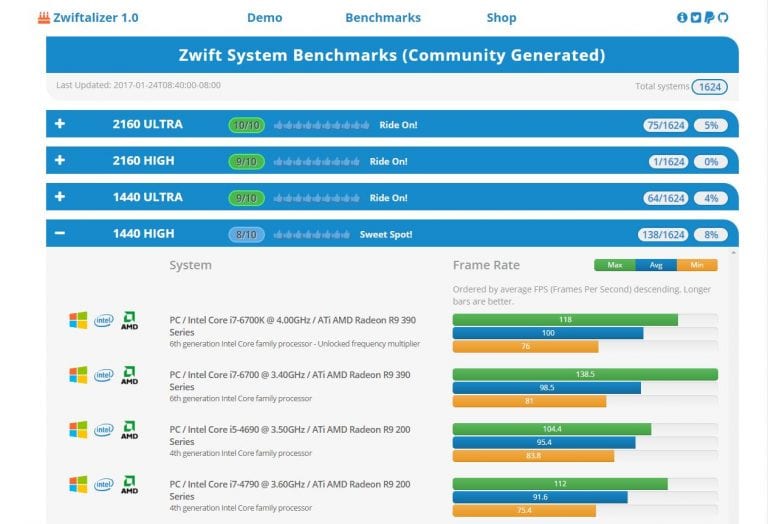
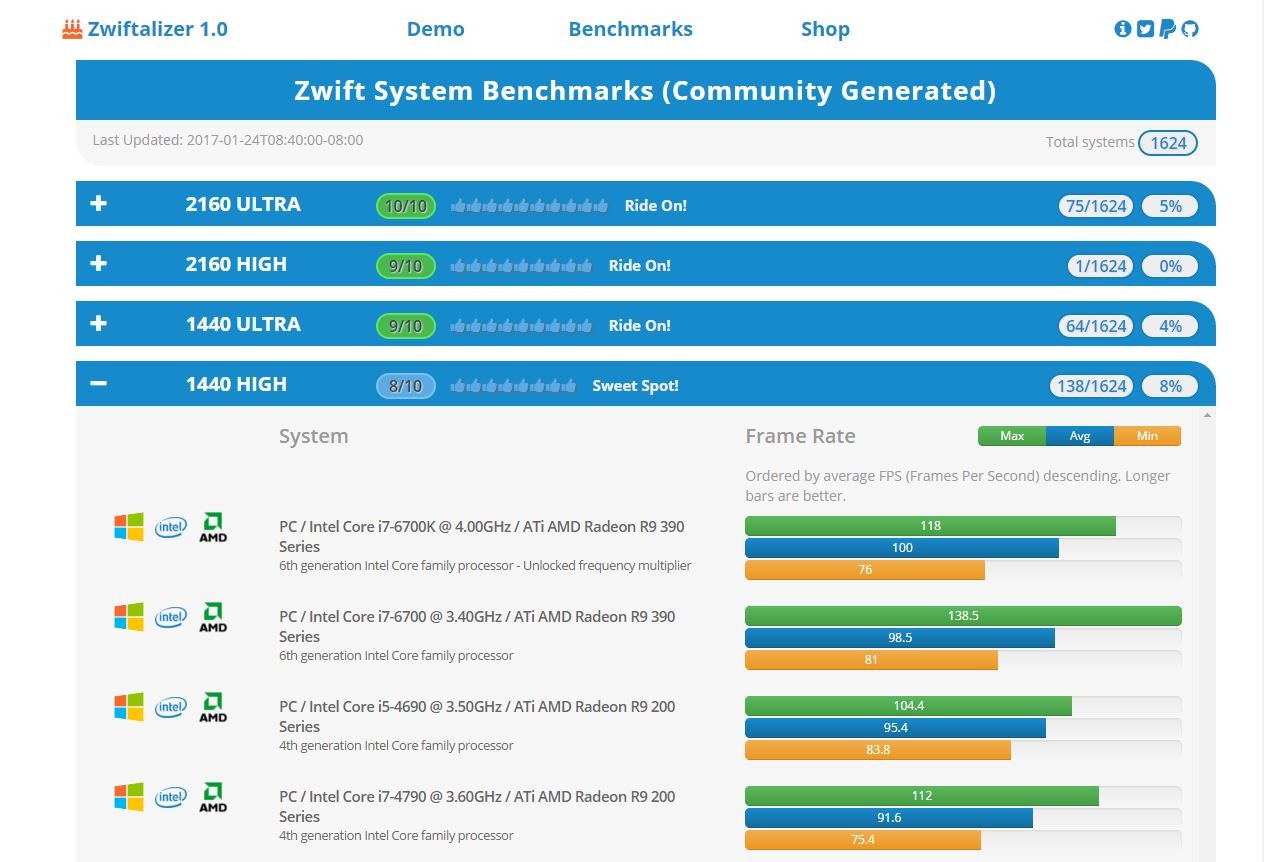
With over 1,600 distinct systems ranked from 7,000 log files it is possible to get a very thorough picture of how hardware relates to Zwift performance. For instance, one question Zwifters often ask is “How much video card do I need?” Using Zwiftalizer’s Benchmarks, you can compare these two systems:

  • PC / Intel Core i7-6700 @ 3.40GHz / Nvidia GeForce GTX 970/PCIe/SSE2
  • PC / Intel Core i7-6700 @ 3.40GHz / Nvidia GeForce GTX 960/PCIe/SSE2

and see that the GTC 970 delivers, on average, 100fps (frames per second) while the GTX 960 delivers 69.5. (Both of these systems, by the way, deliver impressive Zwift performance!)

Zwiftalizer’s Benchmarks database contains the results of thousands of Zwift sessions across hundreds of different hardware setups.

More Zwiftalizer Stats

Here are some stats from Michael that give us further insight into Zwiftalizer usage:

  • 20,000 logs examined
  • 9,924 unique users
  • 87 countries
  • 55% use Chrome browser
  • 58% use Windows OS
  • 18% use Macintosh OS
  • 25% use a 1920×1080 (HD) display
  • Over 1,600 distinct systems ranked from 7,000 log files
  • Roughly 9% use Ultra graphics
  • Roughly 50% use Basic graphics
  • Running the site costs $1.50 a month

Which Zwift Bike Climbs Fastest?

0

Which Zwift Bike Climbs Fastest?

UPDATE: after this post the Alpe du Zwift was released, which gave us a much longer climb for better testing. It also gave us the Meilenstein Lightweight wheels! See the more conclusive results of those tests.


Our speed tests have shown the TT bike to be faster than any other bike on Zwift. But the TT bike isn’t the lightest bike, only the most aerodynamic. Because of this, some of the lighter bikes actually beat the TT on longer climbs.

Here are the climb times up Watopia’s Epic KOM as well as the steep radio tower climb.

Epic KOM Forward (Strava segment)

TT with Zipp 808 @ 450 watts: 17:37
Cervelo S5 with 808 @ 450 watts: 17:40
Concept Z1 (Tron) @ 450 watts: 17:40
Trek Emonda with Meilenstein Lightweight @ 300 watts: 23:33
Cervelo S5 with Zipp 808 @ 300 watts: 23:34
Concept Z1 (Tron) @ 300 watts: 23:34
Trek Emonda with Zipp 808 @ 300 watts: 23:38
TT with Zipp 808 @ 300 watts: 23:39
Trek Madone with Zipp 808 @ 300 watts: 23:39
Canyon Aeroad with Zipp 808 @ 300 watts: 23:41
Trek Emonda with Zipp 202 @ 300 watts: 23:44
TT with Zipp 202 @ 300 watts: 23:44
Zwift Aero with Zipp 808 @ 300 watts: 23:45
Cervelo with Zipp 808 @ 150 watts: 41:41
TT with Zipp 808 @ 150 watts: 42:18

Climb to Tower (Strava Segment)

Cervelo S5 with Zipp 808 @ 450 watts: 4:33
Concept Z1 (Tron) @ 450 watts: 4:33
TT with Zipp 808 @ 450 watts: 4:38
Trek Emonda with Meilenstein Lightweight @ 300 watts: 6:33
Cervelo S5 with Zipp 808 @ 300 watts: 6:37
Concept Z1 (Tron) @ 300 watts: 6:38
Trek Emonda with Zipp 808 @ 300 watts: 6:38
Trek Emonda with Zipp 202 @ 300 watts: 6:38
Trek Madone with Zipp 808 @ 300 watts: 6:39
Canyon Aeroad with Zipp 808 @ 300 watts: 6:40
Zwift Aero with Zipp 808 @ 300 watts: 6:42
TT with Zipp 202 @ 300 watts: 6:44
TT with Zipp 808 @ 300 watts: 6:45
Cervelo with Zipp 808 @ 150 watts: 12:51
TT with Zipp 808 @ 150 watts: 13:09

Observations:

  • More watts=more speed=more impact from aerodynamics. The TT bike is slower than the Cervelo S5 at 300 watts, but faster at 450 watts. This is because the impact of aerodynamics increases as you go faster.
  • Since the TT bike performs much better when descending, over a full loop course it is still the fastest bike. The TT bike descends the backside of the Epic KOM in 5:10, while the Cervelo S5 does it in 5:30.
  • The very best climbing setup is the Specialized Tarmac Pro combined with Meilenstein Lightweight wheels (which are only available with a bit of luck after you climb the Alpe). Read more about that in Fastest Bike Frame and Wheelset for Climbing Alpe du Zwift.

Notes:

  • All tests were performed with a 75kg, 183cm (6′) rider unless otherwise noted.

Important note: this post contains speed test results for Zwift frames or wheels. These results may change over time, and a bike's performance relative to others may also change. We don't always revise posts when performance rankings change, but we do keep current, master versions of our speed test results which are always available. See the frame charts, wheel charts, and Tron vs Top Performers for current performance data.


Watopia “Volcano Flat” route details

0

Watopia “Volcano Flat” route details

Watopia’s “Volcano Flat” route is similar to the “Flat Route” except it turns at the Italian Village, bypassing the Esses and taking you around half of the volcano circuit clockwise.

Route details:
Distance: 12.3km (7.7 miles)
Elevation Gain: 46m (151′)
Strava Forward Segment (from Start Banner) Strava Forward Segment (from Start Pier)Strava Reverse Segment (from Start Banner)


Watopia “Volcano Circuit CCW” Route Details

3

Watopia “Volcano Circuit CCW” Route Details

Watopia’s “Volcano Circuit CCW” route is nearly identical to the “Volcano Circuit” route, except you travel in a counter-clockwise direction on the circuit. To get to the circuit you must first ride ~2.6km from the spawn point, travelling through a glass bridge to arrive at the volcano.

Once you arrive you will continue to be routed around the 4km circuit in a counter-clockwise direction. A lap counter visible just after the circuit banner indicates the number of laps you have completed.

Route details:
Distance (circuit only): 4.1km (2.6 miles)
Elevation Gain (circuit only): 17m (56′)
Strava Segment (1 Circuit Lap) Strava Segment (Leadin from Start Banner)


Watopia “Volcano Circuit” route details

11
Watopia’s “Volcano Circuit” route takes you around and through the volcanic island in a clockwise direction. To get to the circuit you must first ride ~2.6km from the spawn point, traveling through a glass bridge to arrive at the volcano. Once you arrive you will continue to be routed around the 4km circuit. A lap counter visible just after the circuit banner indicates the number of laps you have completed.

Route details: Distance (circuit only): 4km (2.5 miles) Elevation Gain (circuit only): 17m (56′) Strava Segment (1 Circuit Lap) Strava Segment (Leadin from Start Banner) Strava Segment (from Start Banner plus 1 Circuit Lap)

How to: enable running on Zwift for PC/Mac

0

How to: enable running on Zwift for PC/Mac

Zwift’s latest version, released late yesterday, includes unofficial support for running on PC and Mac platforms. It is important to note that this is not an officially supported feature, since it is still pre-beta and available only as an Easter Egg for those who know where to find it. From Game Master Jon Mayfield:

PC/Mac update is live, and it may support running via Garmin Footpods or Bluetooth footpods. I can say we spent literally 0 time testing it at Zwift, but it’s there to try.

Also, in the new version for iOS which is now out you can use the Wahoo ANT dongle to run with a Garmin footpod.

Finally, there’s something in the update for the female runners.

It has been available on Zwift iOS for a while, but this is the first time Zwifters can truly use Zwift running on their PC or Mac. With a Zwift Runners group forming on Facebook and runners seen on course regularly, our guess is Zwift running will be officially released within the next few months.

Getting Started

Want to start running on Zwift? All you need is a treadmill and a sensor which outputs running pace (typically a foot pod).

Pace Sensors

I have tested Zwift running using Stryd (review coming soon) and Milestone footpods and both work fine. Any Bluetooth or ANT+ foodpod should work. Some runners are using Wahoo’s “Gym Connect” module which can plug into certain treadmills and broadcast pace metrics, and there are many other footpods (by Polar, etc) which can also be used.

Getting Into Running Mode on Zwift for PC/Mac

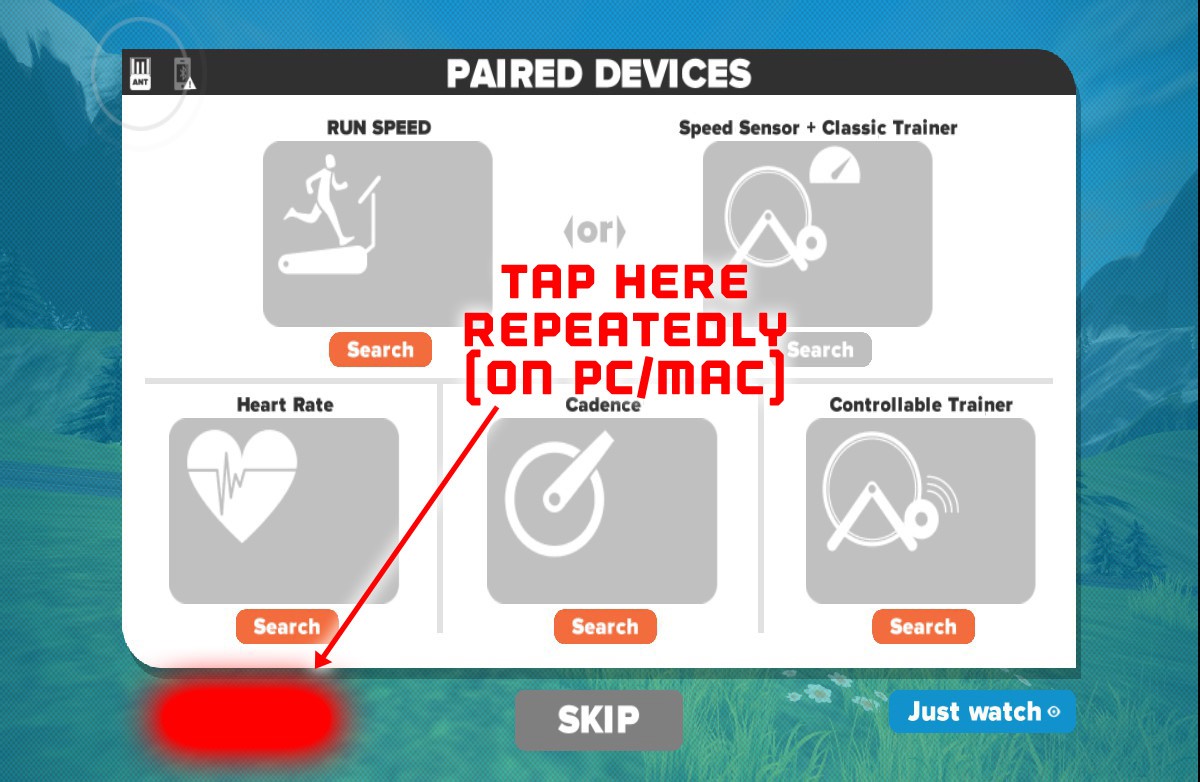
Zwift Running is still only available as an “Easter Egg” feature–that is, it is not an officially supported feature, and is only accessible by clicking on a certain part of the pairing screen. You’ll know you’ve clicked in the right place when the top-left pairing box changes to show a runner on a treadmill, as seen below.

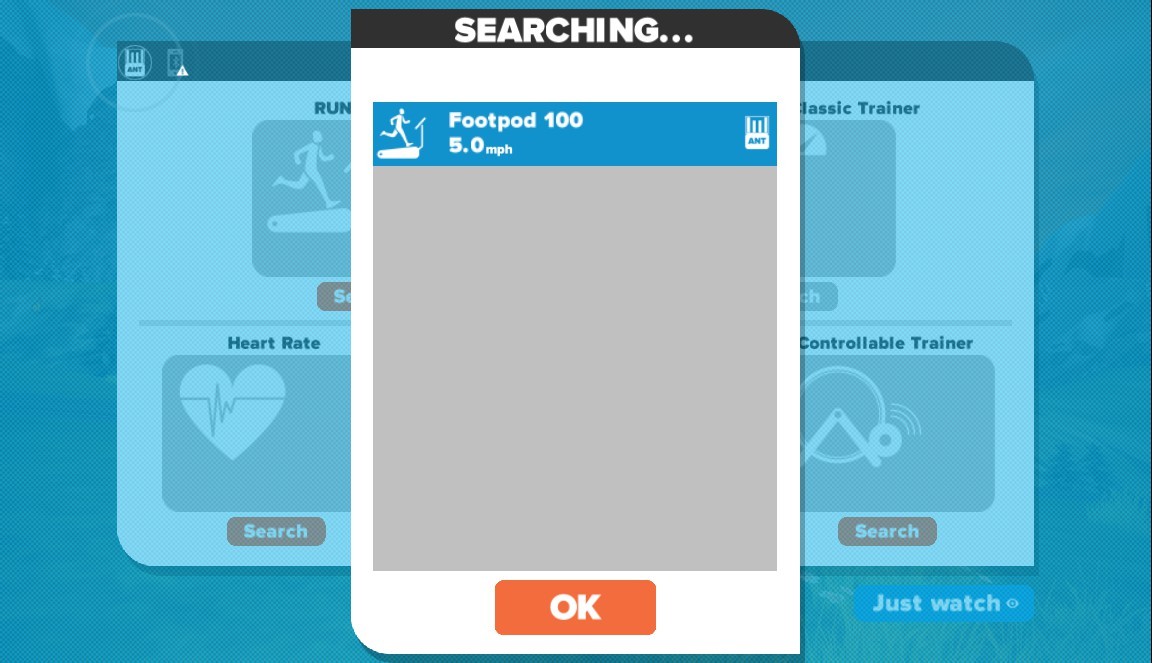
Once you’ve switched to running mode, click the guy on the treadmill and Zwift will search for a pace signal. Here it has found mine:

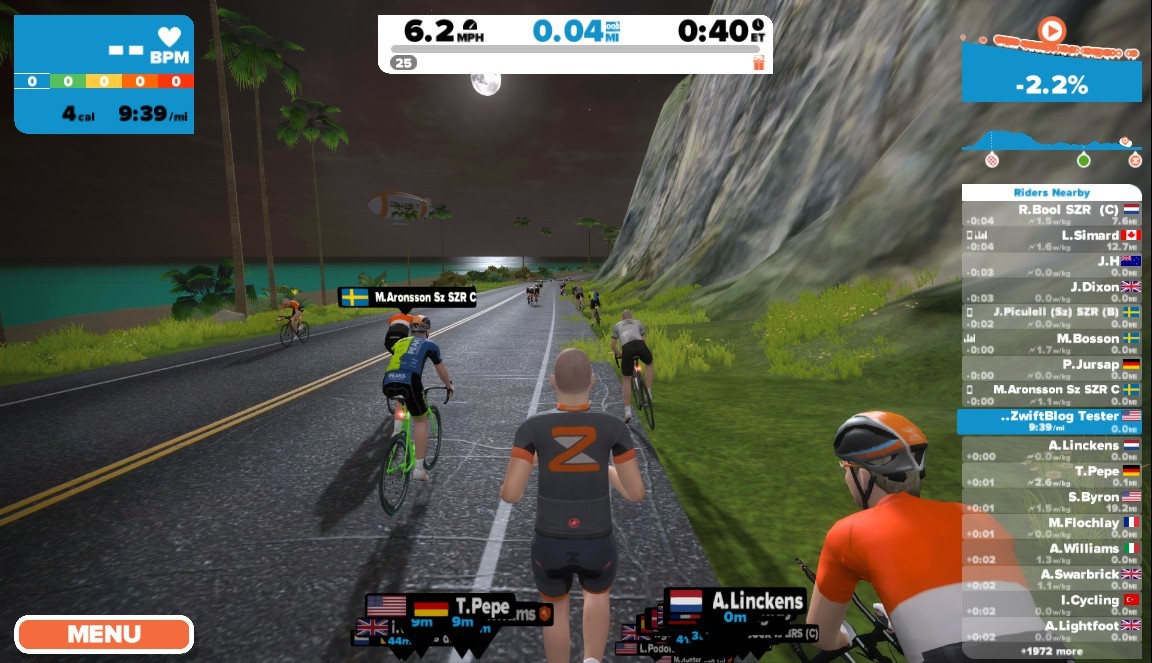
Once you’re all paired up, just choose your course and you’re off and running!