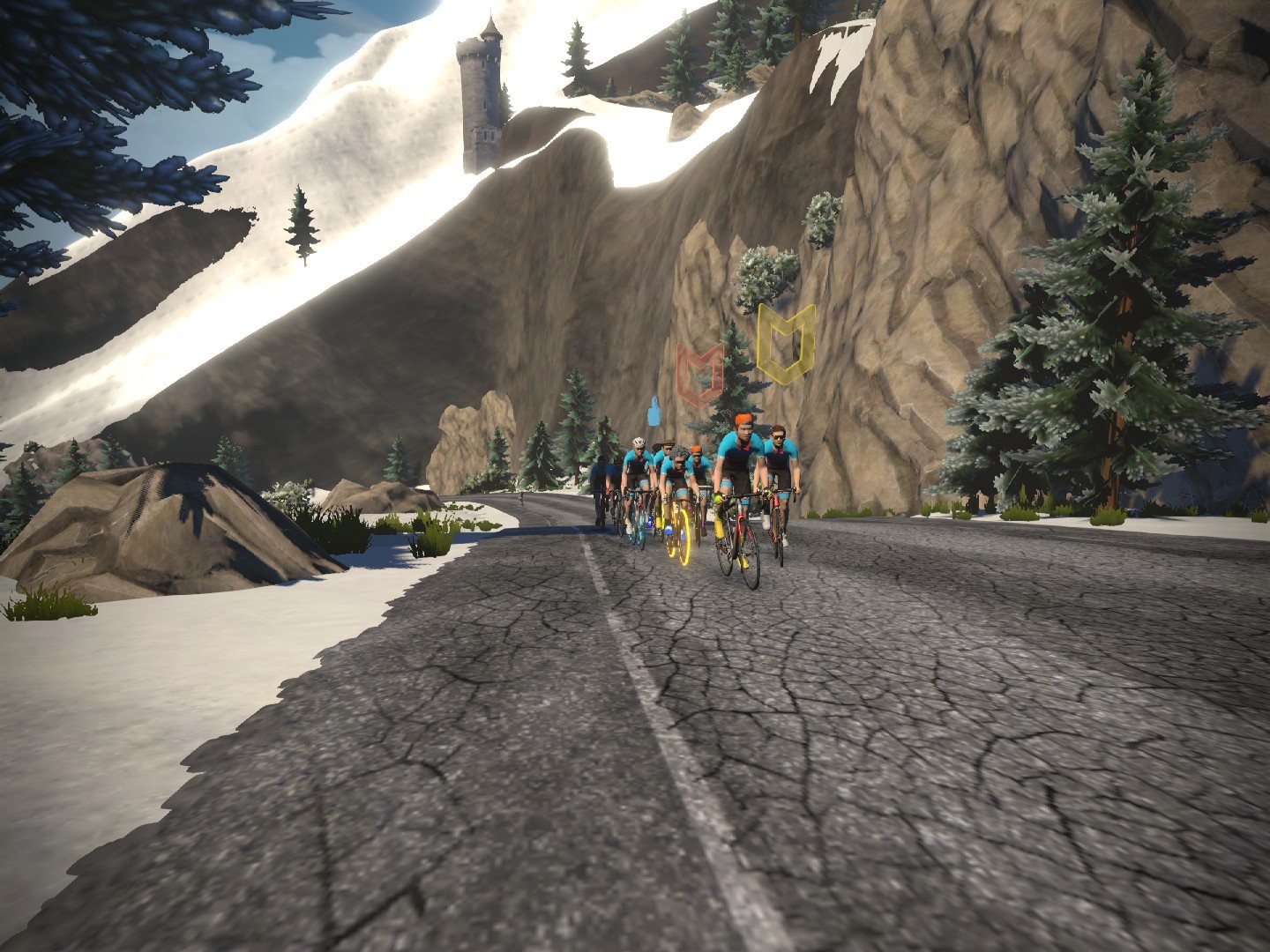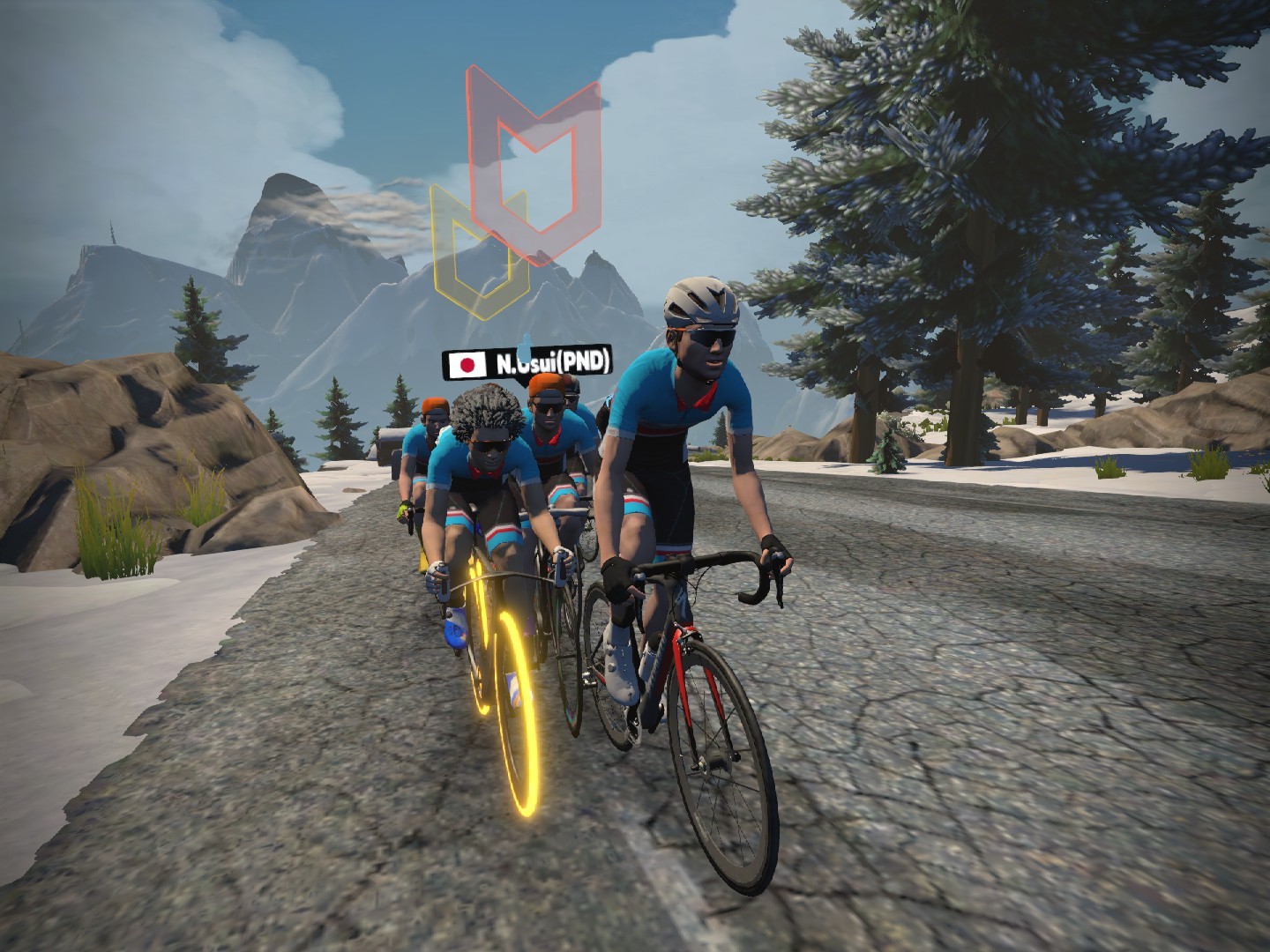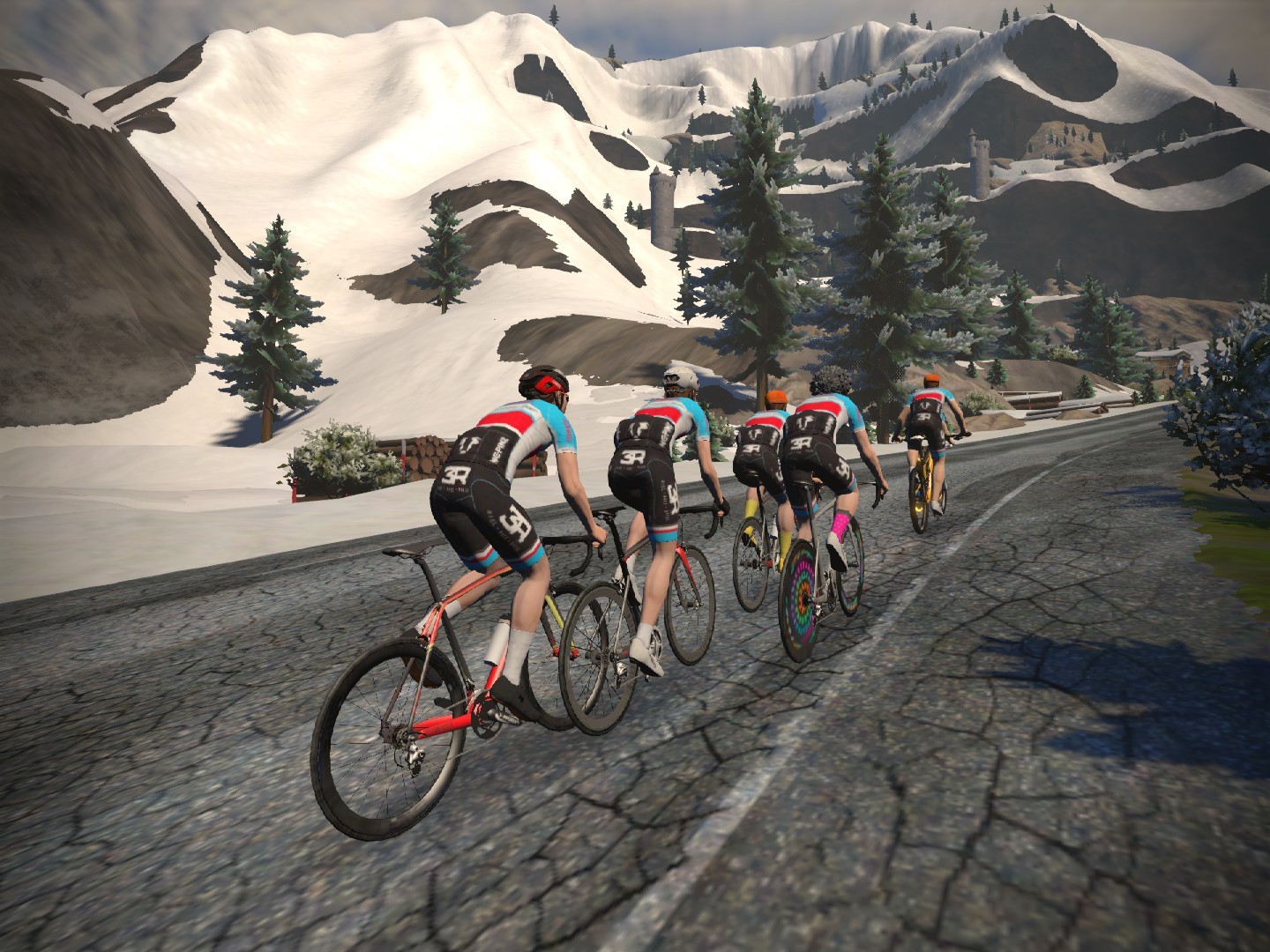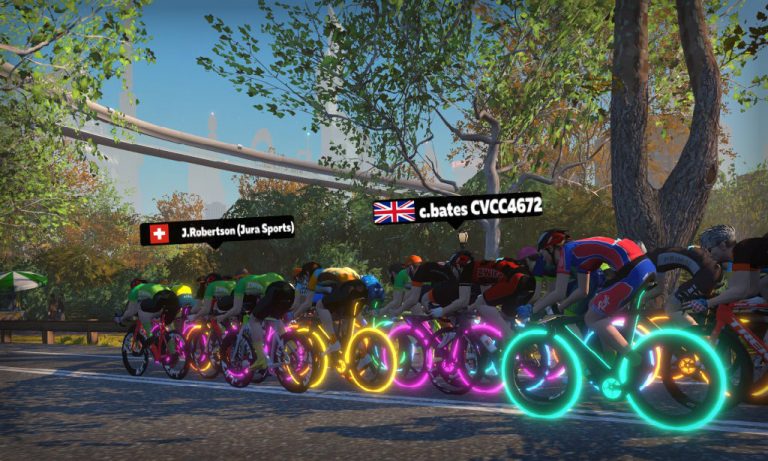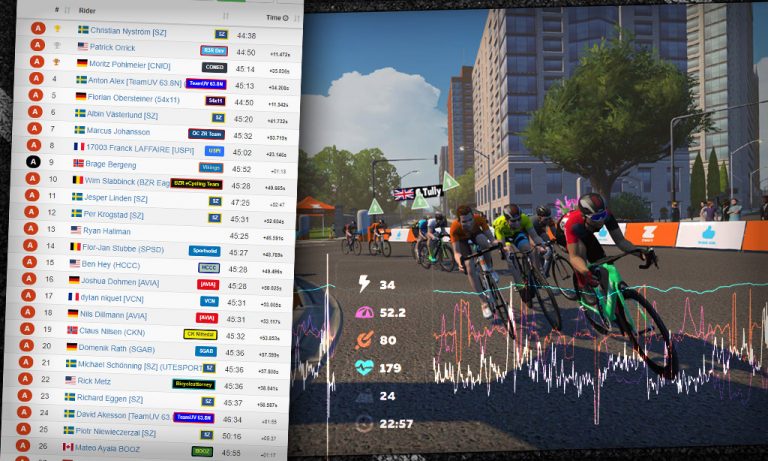
This course has never been used in a ZRL race, and it’s a challenging one for sure, with three efforts up the Volcano KOM.Let’s dig into the course, including some tips for bike choice, strategy, and more…
Looking At the Route: Watopia’s Whole Lotta Lava
Here’s the course preview video from Rick at No Breakaways:
Route Breakdown
Events on this route begin with a 4.9km lead-in from the downtown Watopia start pens. Once you hit the Volcano start/finish banner the actual Whole Lotta Lava route begins.
Next we ride around 2/3 of the standard Volcano Circuit CCW route before turning left onto the Volcano KOM. Ride to the top of the Volcano, descend back to sea level, then finish the Volcano Circuit CCW lap. That’s one lap of Whole Lotta Lava – and we’ve got three laps in this event.
The Whole Lotta Lava route breaks up nicely into three sections:
The descent and flat portions combined will take 10-20% longer than the climb, meaning each lap will end being an over/under session with roughly half of the lap time spent over threshold on the Volcano KOM, and the other half spent recovering on the descent and flats.
Make sure you know how the finish lays out – it’s a challenging/technical one, with a short ramp up into the Volcano followed by another ramp before the finish line. It requires strong 1-minute power and good positioning skills. Riders who go early here rarely win! Instead, the win usually goes to the rider who holds a good position up the first ramp, then sits in the wheels and times their final attack just right.
The total course is 41.8km (26 miles), with 480m (1575′) of climbing. Top racers should finish in just under an hour, with lower categories finishing 5-10 minutes later.
Climbing up the Volcano is a 6-8 minute effort for most riders at race pace. This is far from a steady, “whoever has the highest w/kg wins” effort. Rather, it’s a low-grade climb which can be ridden strategically for maximum results.
While the average grade shows 3.2%, if you zoom in it’s more like 4-5% with a few flat spots and one steep section at the finish. It roughly breaks up like this:
1st climb (4-5% for 1.3km): Includes a few short downhills where you’ll want to be on a wheel for maximum draft benefit.
Flat section (500m): the longest flat section of the climb, going through the heart of the mountain. Again, drafting is key here.
2nd climb (1km): ends in a short flat section
3rd climb (500m): end in a short flat section
Final effort (400m): begins flattish, but ends with a kick up to 10%. Sit in the wheels on the flat portion, hold your position, then put in your final dig and use your powerup as the road kicks up to the finish!
This climb isn’t a steep one, and that’s so important to understand because it means two things:
Drafting makes a big difference: hold a wheel if you can, and drop anyone hanging onto your wheel if you’re able
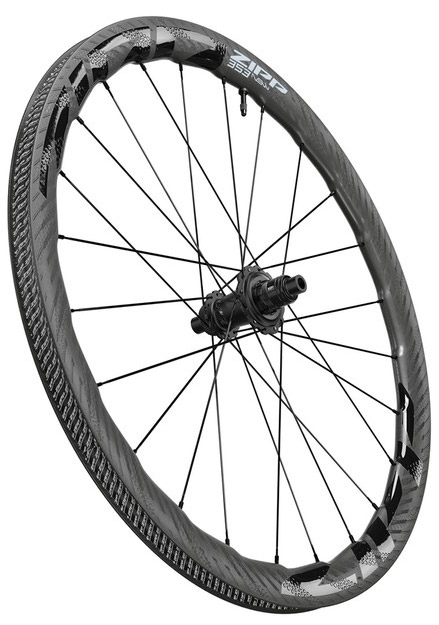
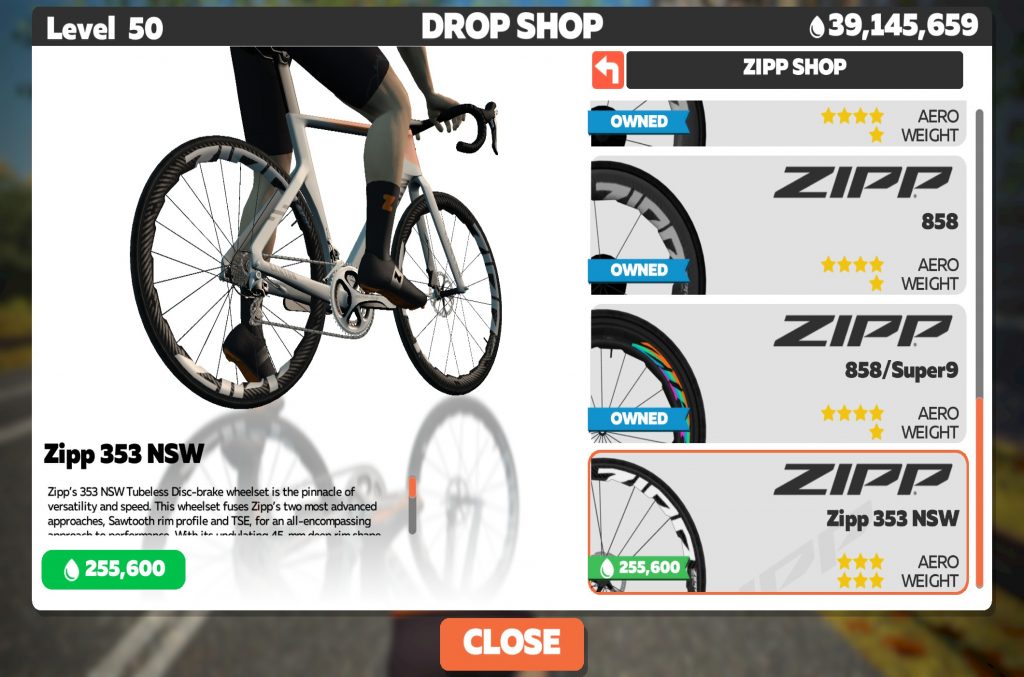
Aero over lightweight: the gradient is low enough that speeds stay high, and aero wins over lightweight when it comes to bike choice. Speaking of bike choice…
Bike Choice
With half of your time spent climbing, you might think this route is one for a lightweight rig. But you’d be wrong!
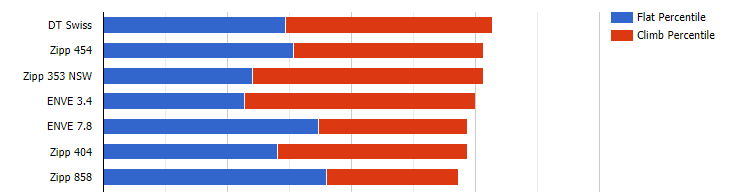
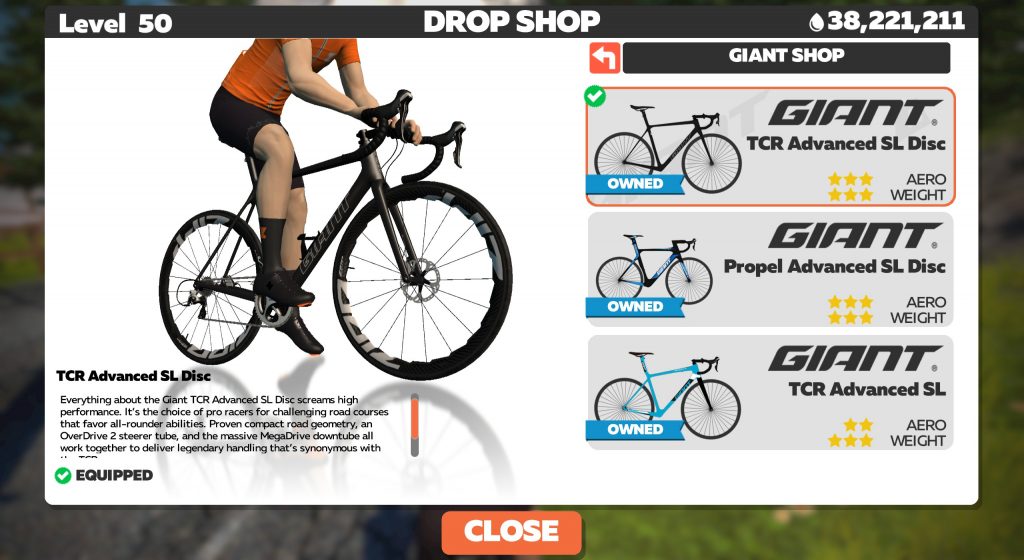
In fact, our extensive speed tests show that aero setups beat lightweight setups up the Volcano KOM. And of course, aero always wins on descents and flats. So it’s really a no-brainer, if you look at the numbers.
At the top of the performance charts, the Tron bike turns in essentially the same time as the Specialized Venge S-Works + Zipp 858/Super9 combo, so just pick what looks better to you if you have access to both.
The Volcano KOM banner is the only intermediate in this race, so riders will have three chances at intermediate points. Both first-across-line and fastest-through-segment points will be awarded, 10 riders deep.
The KOM effort will be a hard push on each lap, but expect the first and third KOM to be the biggest efforts:
the first because riders are fresh, looking to force a selection before the first intermediate, and hoping to earn a top-10 slot in the fastest-through-segment list
the last because climbers will be looking to shed a few more riders before the final run-in to the Volcano circuit finish
With no sprint points available and three punishing climb efforts to complete, pure heavier sprinters have no appealing options this week. They’re left with two choices: go all-in on the first climb in an attempt to grab some intermediate points, or conserve as much as possible while working for the highest finishing points.
Lastly, powerups: there will be seven opportunities for a powerup on this route, and powerups given will be an even mix of the Helmet, Ghost, and Feather. All three powerups could prove useful in the final meters before the KOM or lap banners, so make sure you know how each powerup works, and use them wisely!
Your Thoughts
Care to share your thoughts about Tuesday’s big race? Comment below!
Our friends at WTRL who brought us the wildly successful Zwift Racing League have just announced their next partnership with Zwift: the Zwift Duathlon League!
Director of WTRL Martin Carew says, “This is exciting. It is the first time cycling and running is distance-focused. This event is different, with the objective being to go ‘as hard as you can, for as long as you can with the aim to go as far as you can.’”
How the Races Work
The concept is simple: Zwifters will ride as far as they can in 35 minutes, then run as far as they can in 15 minutes, with a 10-minute transition from cycling to running.
The bike races are mass-start, with no drafting, so you will need to select your best Time Trial bike and be prepared to go full gas! (See below for help choosing your fastest TT setup.)
A transition time of 10 minutes allows you to change your shoes and power up the treadmill.
The run event is simple: just run as far as you can in 15 minutes.
How Scoring Works
A simple scoring system will determine your league position:
For every complete 5 meters cycled you will earn 1 point.
For every meter that you run, you will earn 1 point.
Scores are then added together to form a league table by age group.
Routes & Schedule
The Zwift Duathlon League will take place weekly starting on Wednesday February 17, and consist of 6 total races.
Each week’s race has 6 Wednesday timeslots to choose from (or Thursday depending on your timezone):
3:00 AM & 3:45 AM PST // 6:00 AM & 6:45 AM EST // 11:00 AM & 11:45 AM GMT
7:00 AM & 7:45 AM PST // 10:00 AM & 10:45 AM EST // 3:00 PM & 3:45 PM GMT
11:00 AM & 11:45 AM PST // 2:00 PM & 2:45 PM EST // 7:00 PM & 7:45 PM GMT
Simon, Shane and Nathan reconvene to consider the state of the Zwift nation. Once the pressing matter of “leg posts” is dealt with, the podcasters move on to discuss the content of Simon’s interview with Zwift’s new hire Mark Cote, the company’s director of programming and content. One of the many strands of Mark’s expansive new role, which he explains in some detail, is to improve the communications between community and company, a move that the Zwiftcasters believe will be welcome.
There’s been yet another Strava shake-up on Watopia and the other Zwift worlds with a whole load of segments vanishing from the public view. Simon chats with Zwift Insider’s head of everything, Eric Schlange, on what it all means, how it came about, and why it might be time for a re-think of how segments are made and managed.
The podcasters range across a cornucopia of Zwift business including signs of Zwift restricting some hardware on some platforms for some users and the reasons why more women than men seem to be getting public sanctions for cheating in racing.
Zwift has recently launched another of its social impact campaigns, this time celebrating the contribution Black athletes have made to the sport. Simon chats to one of the inspirational voices of the initiative, ex-racer and Zwift staffer Rahsaan Bhati.
And in and amongst all that there’s lots of other Zwift-related chat. We hope you enjoy listening.
Many Zwifters consider The Über Pretzel to be Zwift’s toughest route since it finishes with the leg-sapping Alpe du Zwift climb after 115km of riding. This explains why so many Zwifters haven’t yet earned the Über Pretzel route badge!
The event takes place on Saturday, February 20th, at 6am Pacific/9am Eastern/2pm GMT.
About the Route
The Über Pretzel covers almost every bit of road in Watopia, missing only Titans Grove and the short additions added in December 2020. At 128.3 km (79.7 miles) long with 2335 m (7,661‘) of elevation it’s the second-longest (and second-climbiest) route in all of Zwift, behind London’s PRL Full.
But Zwifters who have ridden both often say The Über Pretzel is tougher than the PRL Full. While the PRL Full is just one mind-numbing lap after another, at least it lets you get into a rhythm. The Über Pretzel, on the other hand, has no rhythm.. and just when you’re feeling like it’s time for the ride to end, you arrive at the base of Alpe du Zwift!
This will be a double draft ride, so sit in with others on the flats in order to conserve your energy.
Steering will also be enabled, to make it a bit more engaging and fun!
We’re also serving up a custom mix of only useful powerups, evenly split between the Feather, Van, and Helmet. Use them for a bit of relief.
This is not a race – it’s a group ride. You can treat it as a race if you’d like, of course, but the ride will break up naturally into pace groups. Find riders working at your target pace and work together.
Based on the VeloViewer Leaderboard we can see that top riders finish The Über Pretzel in under 4 hours. But we expect most riders will take closer to 5, with plenty taking even longer. You do you. Be sure to plan accordingly.
Special Guests
We’ve invited Zwift staffers and some of our friends from the community to join us on this inaugural ride. Affirmatives have already come back, including:
Simon Schofield of Zwiftcast: he’s not convinced he’ll hang around for the whole ride (it’s his birthday after all) but he’s in for some fun
Steve Beckett, Chief Marketing Officer at Zwift: this event is actually the brainchild of Steve and ZI’s Eric Schlange, who were chatting about how neither had earned their Über Pretzel badge yet…
More ZHQ staffers
Eric Schlange, creator of Zwift Insider
And you!
Discord
Zwift Insider’s Discord server will be used for voice chat during the ride, if you’re looking for company. Click here to join the server, and read “Using Discord on Zwift” for details if you’re new to Discord.
I decided it was time to reach out to World Tactical Racing League (WTRL), who facilitate the event, to discuss the ZRL phenomenon. Happily, I was able to chat at length with the mastermind behind the series, WTRL Co-Founder and Director, Martin Carew. Here’s what I learned…
Origins of ZRL
ZRL is a consequence of the very successful WTRL Team Time Trial which is run every Thursday. The WTRL TTT series currently attracts around 1000 different teams from across the globe and is a complex event to facilitate. It takes place on Zwift at 15 different race times with 6000+ riders competing. Each event from the same day feeds one overall league.
This expanded and in April 2020, the WTRL Team Time Trial Platinum League kicked off where the top 12 teams from each classification of the previous week are invited to join a Private Event, which is broadcast live on Zwift Community Live.
As a consequence of the continued growth and success of the WTRL TTT, Zwift approached WTRL about facilitating a large scale weekly racing series with the aim of bringing more people into racing. Effectively, Zwift wanted to offer a race series to their loyal customer base and Martin and his small team were asked to make it happen.
Martin was very clear that Zwift owns the Zwift Racing League and WTRL works in partnership to help deliver their vision. As Martin stated, “Zwift is at the forefront of bringing more people into competitive e-Sport.” Zwift runs the top-tier ZRL Premier Division (approx. 200 participants) and WTRL run the community element (almost 9,000 participants).
ZRL’s success and changes at WTRL
Currently, there are around 9000 people participating in ZRL Season 2 events across 126 divisions. This is all facilitated by WTRL who also provide backup support to the Premier Division, which Zwift runs in-house. It is estimated that ZRL brought nearly 13,000 new riders to the Zwift platform.
As a consequence of the work required to facilitate ZRL, Martin, who was previously working full-time and simultaneously running and funding WTRL since 2018, decided to step back and focus all his efforts on delivering a premium product for Zwift and its users. WTRL became fully incorporated in Alberta, Canada in July 2020. The new series also meant that WTRL needed to invest in new IT infrastructure to be ready to host the new event.
Season 1 success, course selection and challenges
Season 1 brought many new riders to the platform, and the event was undoubtedly a success. But behind the scenes, Martin worked long hours to ensure racers were able to see their results quickly. Martin explained that the biggest challenge in season 1, which lasted for 10 races from October to December 2020, was getting accurate race data from Zwift which could then be processed to provide the results.
Due to the sheer number of riders and teams, Martin on occasions stated he was fielding in excess of 600 e-mails, with 95% being handled by himself directly.
Those who follow professional cycling and the Tour de France will be familiar with the name Christian Prudhomme – he is the Race Director and responsible for the event. Likewise, the ZRL has a Race Director in Charlie Issendorf, longtime Zwift staffer, veteran Race Director, and elite racer, he is responsible for the course selection.
Charlie and his team at Zwift provide the list of race courses WTRL, and Martin and his team work in collaboration with Zwift to ensure the most exciting races are hosted each week. The goal is to have races around 45 minutes to an hour in duration, on courses that are exciting, visually-appealing, and interesting for spectators. The input that WTRL has on the courses is limited to an advisory capacity, often highlighting the best number of laps on a course, as opposed to actually selecting the course to race on.
Due to these factors, it is unlikely we will ever see a race up Mount Ven-Top or an epic battle up the Alpe du Zwift, because these events would last longer than the time frames targetted for the event.
These are team events with points, and the champions are promoted to the next division. Season 1’s points were mostly given to the front riders, with intermediate points typically given to the first 3 over the line, and finishing points going to the top 30 riders. This meant that if you missed the key breakaway, the race was effectively over as those finishing outside the top 30, would only get 1 point for finishing the event.
A ladder system of leagues is used. Separate league structures exist for Men/Mixed and Women. Leagues have geographical names and these reflect suitable times for riders to race in. Teams choose at registration the league that suits them. These are defined as:
Premier Division
Asia Pacific (APAC)
Europe, Middle East & Africa East (EMEA E)
Europe, Middle East & Africa West (EMEA W)
Americas East (AMERICAS E)
Americas West (AMERICAS W)
Teams can be promoted and demoted depending on their performance, with the top teams beings promoted and one from each division getting promoted to the Premier Division.
Being a team event, it became clear that the system for achieving points needed to be expanded. This was addressed in season 2 along with a more streamlined approach to rider signups which made for easier and faster data processing of race results. In season 1, Martin and his team had to spend many hours cleaning the data in order for it to be processed and accurate results achieved. Signup changes will hopefully alleviate some or all of these issues for season 2.
Season 1 TTT
Season 2 changes, feedback so far, and challenges
Season 2 changed the dynamic of the racing still further. In a direct response to feedback received by the racing community, the format of the racing was revised with points being available much further down the finishing list. This ensured racing remained competitive, even at the lower end of the field.
In addition, points were also awarded for the best sprinters and climbers. This means that teams now have to approach the race in a more strategic way, and has led to some team rosters being composed of riders whose ‘job’ in the race is to target specific points categories such sprints or achieving high King of the Mountain (KOM) leaderboard results on climbs.
The revision of the points system has been done to make the racing fairer and more competitive. According to Martin, on the whole, feedback has been positive and the community is enjoying the races.
Season 2, Race 3 in Innsbruck
The number of Team Time Trials was also reduced in direct response to feedback from the community. (It is unlikely that the Zwift Racing League will ever see Individual Time Trials because it takes away the essence of teamwork which is at the core of the ZRL.)
In contrast to 10 races in season 1, there are 8 races scheduled for season 2, with 2 supposedly planed for use in determining regional champions.
Behind the scenes, WTRL are still working to reduce the labor involved in race data crunching. They are also continually working to improve communication with their user base, with Martin admitting that with a small team, and the volume of queries, it is sometimes a challenge.
The work post-race is substantial. WTRL is reliant on live data from Zwift, and in the event of live data failing, WTRL have to fetch this data and effectively stitch the pieces of data together from various sources, validate it, then check and respond to any queries.
As Martin describes it can take “up to 14 hours to fix and get accurate output.” With 9000 riders in the event, WTRL is dependent and reliant on the data from Zwift as per a very unique Data Sharing Agreement on par with that of ZwiftPower.
The future of ZRL
The future of ZRL is in safe hands, Martin confirmed that season 3 is already planned and is scheduled to start on 6th April 2021. A 4th season is also going to happen, with a provisional start scheduled for July 2021. But this season’s start date is somewhat dependent on the evolving global pandemic.
In season 3 there are going to even more points available, which will make for some frantic but tactical racing. Martin explained in detail “It could be possible that the rider with the most points hasn’t won the race but has targeted specific in-game points on the course, or sprints or KOMs. Either way, a team will need to increase their strategic approach.”
However, if you don’t want to join an established team, you can still race in ZRL. There are riders who are not part of a wider club or ZwiftPower team – they are simply friends, real life riding teams, or groups of people cobbled together from ride events who have grouped together to form a team and entered ZRL.
Future events from WTRL
Given the success of ZRL, WTRL was asked to facilitate the Zwift Nations Challenge in December 2020. This was a race where countries battled it out to see who could complete the fastest average time on a selected course in Watopia, with Sweden being crowned champions.
Coming up the 17th February is the Zwift Duathlon League, a six-week bike-and-run race series. Zwifters will ride as far as they can in 35 minutes, then run as far as they can in 15 minutes. There will be a 10-minute transition break after the bike to get yourself ready for the run. The bike races are a mass-start, non-drafting affair, so choose your favorite TT bike. The run is a standard running race.
Finally, later in Spring, the Zwift Running League will launch with some exciting never-before-seen team running formats!
Wrapping up
ZRL is easily the most competitive racing I have been involved in on Zwift, and for many racers, it has become their chance to test themselves against the best. We have to credit WTRL for facilitating this.
It’s no small thing to create an arena where amateur riders are battling against neo-professional, ex-professional, and on occasion, professional riders. It’s a massive task to categorize teams so everyone can compete at their fitness level.
And we’re just getting started. As each season evolves, so does the style of racing. This isn’t IRL road racing: it’s evolving into something unique. And everyone racing in ZRL is at the forefront of this e-Sport revolution. Ride on!
The month has flown by, and here we have the final diary entry of the comeback from COVID. Thank you for making it this far!
I’m going to keep this short and concise, in hopes of summarising what I have seen, and not seen, happen over the last 4 weeks.
First off, fitness is a precious thing. You quite frankly use it or lose it, and although it is a hard thing to stomach when you do lose it, it comes back quicker than you think, more often than not. Now, following on from that, the higher your fitness is in the first place, the further it has to fall. If you have been riding or training for many years, you may find that you can overload and progress quicker than most because of your history. This has certainly been the case for me this month and even though I have been through lots of ups and downs, these periods always remind me what an amazing thing the human body is!
This final week of January I have actually taken as a de-load week, also known as a recovery week. Aside from the WTRL race on Tuesday night, which went down a storm by the way, I have been far more focussed on riding below Zone 3.
A typical week like this for me would include shaving almost half of my weekly TSS down and being more flexible with how and where I ride. Usually I try and stick to a routine: same routes, same time leaving the flat. But a rest week usually takes a more laid-back approach.
A few times this week I included some short blocks of Muscular Force training. Muscular Force training is basically focusing on the power when turning the pedals. The other part of the equation is the velocity of your pedaling – cadence. What this means is that power is the result of force and velocity. And the more powerful you are the faster you go, in rather simple terms.
It’s about this time of year that I like to include these short blocks of say 3 x 15min at low zone 3 power at 60rpm, with a 30s high cadence surge every few minutes. (The cadence surges help pass the time, too, as you can imagine.)
Everesting Experiment
The final training session of the week was a fun experiment. I want to have a proper go at the Everesting World Record much later this year (I know, we have heard enough about it!) but if I had a pound in my pocket for every time I was asked when am I going to try it then I’d never get up the hill with the extra weight!
So this session was simple: find a steep climb and ride it ‘hard’ as many times as possible in one hour. I managed 1178m (+- a few here or there) and was pretty pleased with that, considering all that has happened in the last few months! The data, as you can see, will be invaluable to me over the course of the year as I aim to build off of and improve on certain performance markers. There really is nothing more pure than having a number to chase or to tick off.
So, with that being said, I hope you have enjoyed these short diary entries and have been also stacking up some indoor/outdoor miles yourselves on your journey to becoming better and happier!
Recently, I ran into an annoying glitch – every now and then, all other Zwifters would disappear from the screen and the “Zwifters nearby” panel on the right-hand side of the screen would disappear as well.
This seemed to be happening in almost every Tour de Zwift event which my son or I were riding. It felt like a disaster: you can no longer draft, you lose your speed, and by the time other riders reappear you find yourself dropped and far behind.
Zwift attributes this to a poor Internet connection. Although this makes sense, it did not sound like the whole story. What does “poor Internet connection” mean and how do I fix it? I could browse the Internet on the same computer that runs Zwift while my son was riding and complaining about the issue. Ride Ons were coming through while other riders were gone. If the Internet was gone, nothing should work!
This warranted an investigation. I would like to share this with other Zwifters, since it may help you if you’re encountering similar issues.
Using Zwiftalizer to Spot Network Problems
First of all, I found that uploading my Zwift log file to Zwiftalizer.com is a quick and easy way to test if there were any significant internet dropouts. Zwiftalizer generates a graph for network performance at the very bottom of the report, way below the graphs with ANT+ and Bluetooth signals. If your Internet connection had outages, the network performance graph will show multiple red bars.
The example below is a simulation of a poor Internet connection which I created by disconnecting the network cable for short periods of time and connecting it back. My Zwift log did not record a 2-second disconnect, but was able to detect and save in the log file every disconnect that lasted 4 seconds or longer. Every time the network was interrupted for more than 6 seconds, all other riders would disappear by the end of the 6th second. A 4-second interruption had no visible impact on Zwift.
But what if this log does not show any network errors? What if it shows a perfectly straight horizontal line? Below is the log from a Tour de Zwift ride when I lost all other Zwifters for nearly 10 minutes – and yet, nothing appears to be wrong with my Internet!
The Latency Deadend
I sent a message to Zwift support and asked for guidance. They brought to my attention that they found UDP warning messages in the Zwift log file and recommended that I check my network latency using a generic Internet speed testing web site.
I was still asking myself how latency could be relevant to this issue (after all, Zwift may run for as long 6 seconds without any incoming data until riders disappear- this would be a huge latency!) but I decided to check anyway. And I had an even better idea: my firewall log shows IP addresses of every server which Zwift talks to. Why don’t I ping one of those servers (preferably a server which sends UDP data)?
I was lucky to find that one of several cloud computing servers to which Zwift talks during a session was accepting pings (the others did not). I found no issues with latency: it was around 23 ms for a round trip to a Zwift server (this is a good, low number). So, the latency hypothesis was a dead end. Yet, I found something else: 2.1% of pings were lost along the way and never came back – which was a bit alarming! (In retrospect, it turned out that packets were lost within my home network and I could get the same result by pinging any random web site).
An Important Discovery
There was one more unexpected and important finding, this time from the log of the firewall running on my PC: my own firewall was rejecting part of data packets coming from Zwift servers! The fraction of rejected packets varied. Most of the time it was low, a fraction of a percent, but in the moments before losing other Zwifters it was particularly high: I estimated that as much as 4.6% of Zwift’s data packets were rejected!
With this information in hand, a picture of the root cause of my problem started emerging. My Internet connection was stable if measured on the scale of seconds and minutes, but a fraction of data packets were getting lost. It seems Zwift is sufficiently robust to continue operating without issues as long as the fraction of lost packets remains below a certain threshold, perhaps a couple of percent. But once a cumulative losses becomes high enough, an issue starts!
It became clear that I needed to find a way how to fix one or both of two sources of data loss: the issue caused by my wireless network and the issue caused by my firewall.
Fixing My Network Losses
I have a fairly complex wireless system at my home. In my home office, I use a separate router in the bridge mode to be able to connect my work phone which requires ethernet. The same bridge feeds Internet via a short ethernet cable to the computer which runs Zwift.
I ran a sequence of tests and found that data loss only happens when I use that bridge. If I connect my PC directly to the cable modem using a long ethernet cable (instead of wi-fi), my latency drops by about 2-3 ms, while packet losses disappear. If I connect the PC directly to wi-fi to circumvent the bridge router, packet loss also disappears. Hence, the problem with my home wi-fi turned out to be easy to solve. I did not even need to hardwire my PC to the cable modem! My best guess why this happened is because my bridge router sits under the desk in the office, in the area with a relatively poor wi-fi signal (around -73 dB, per WiFi Analyzer).
The second source of losses, related to firewall, is a little harder to understand…
Fixing Firewall Losses
TCP vs UDP: a Zwift Primer
Before I explain what I changed to fix that second issue, let me take a step back and discuss a couple of technical questions, so that you are on the same page with me. First of all, how is it possible that a fraction of data packets gets lost, but the log file (graphed by Zwiftalizer) shows a stable internet connection? This is where it becomes technical.
Zwift uses two Internet connection protocols. They do not disclose what data they send and how they send them, but it appears that the TCP protocol, the more reliable of the two, is likely used for things like connections to databases, retrieving routes, uploading rides and pictures, text messaging, and Ride-Ons. The second protocol used by Zwift is UDP, which Zwift appears to use to send your current position and power to the servers and to get information about nearby riders back from the server. These data packets are sent back and forth continuously, so Zwift can show the true positions of other Zwifters at every moment.
Zwiftalizer analyzes and graphs only the status of TCP connections. Since TCP requires two-way negotiations with confirmation of data delivery and includes the option of resending lost data packets, Zwift very quicky learns about connectivity issues and creates an error message in the log.
UDP, on the other hand, is one-way communication without confirmation of data receipt. Therefore, it may take longer for Zwift to notice an issue. When it gets data at a slower pace or does not get at all for a short time, it cannot determine if the network is not working, a Zwift server is not working, or if data packets are just delayed because a server is overloaded and cannot catch up with the demand.
A comparison of my firewall log with Zwift’s log suggests that each time Zwift suspects the UDP connection is poor, it tries connecting to a backup server. If that does not help to restore full connectivity, it creates a somewhat obscure warning message in the log file which looks like this:
This warning message is the indication of a potentially significant UDP data flow interruption. If one or two data packets are lost every now and then, Zwift does not seem to care.
These messages are a valuable tool for troubleshooting. Just open your log file and any text editor to search for “UDP”.
Stateful Firewalls: the Basics
Back to the firewall. How is it possible that a firewall would reject some packets but not the others, if they come from the same server? I have a hypothesis for that. Many, if not all consumer and small business-grade firewalls by default allow only application traffic. They maintain so-called session tables for TCP and UDP to quickly decide if they should pass or block each incoming data packet, without scrutinizing the contents of the data packets for signs of malware.
When the local Zwift program sends a UDP data packet to an external server, the server’s IP address and port are added to the list. If the firewall gets an incoming UDP packet, it searches the session table for a matching IP address and port. If it finds a matching entry, it decides that it is a legitimate data packet and lets it through.
If there was no traffic for a certain time (which can be very short, perhaps just a few seconds or less – the higher the firewall security level, the shorter the time), the entry is deleted from the state table. This is a safety measure, so that no other program could hijack the traffic.
After that, the firewall will start rejecting further incoming UDP packets until a new UDP entry is created in the state table. This matches what I see in the firewall log – UDP packets from remote port 3022 are rejected as “IP traffic”, which means the firewall can no longer associate them with a specific application on the computer. This is a way to say that there is no matching entry in the state table.
Setting Up a Firewall for Zwift UDP Traffic
Zwift knows about the potential impact of issues with UDP traffic and provides the following guidance to users:
Most users ignore these recommendations: “I installed Zwift, it works, so everything is good with the firewall, right?”
As I learned the hard way, apparently not! In my case, my firewall did not let ALL traffic through. It let MOST of the traffic through, with some exceptions. The good news is, it is easy to fix. Instead of relying on generic application-related rules to recognize Zwift-related traffic, one can create a special firewall rule to let it all through.
A special note is due here: Zwift could have done a better job explaining what needs to be done.
For one thing, they only made a reference to the router firewall, but did not mention a firewall that runs on the computer. A firewall on the router may block Zwift completely, but it is very unlikely that it would create intermittent issues. Router firewalls, to the best of my knowledge, do not use application traffic rules. If Zwift works most of the time, your router firewall is “out of the equation” – but the firewall on your computer is not!
Secondly, the Zwift team was not sufficiently precise with what port to open. They left one word out. Internet traffic runs between a remote port on the server and a local port on the computer. They usually have different numbers. Zwift meant to say that your firewall should allow all incoming UDP traffic fromremoteport 3022. Local port can be about anything: the Zwift application changes it every time it resets the UDP connection, and it is never 3022.
Each firewall has its own interface, and the sequence of steps required to create a new rule varies from one to the next. Microsoft Windows Defender is a very common firewall because it comes standard with Windows. Defender makes it fairly difficult to configure the rule required for Zwift, but here is how it is done:
Open Windows Defender Firewall
Click on “Advanced Settings”
Click on “Inbound Rules”
Click on “New Rule”
Pick the second radio button on the list, “Port”, and click “Next >”
Pick radio buttons “UDP” and “All Local Ports” and click on “Next >”
Pick radio button “Allow the connection” and click on “Next >”
Leave “Domain”, “Private” and “Public” boxes checked and click on “Next >”
Type in a description of your new rule into the “Name” field. For example, you could type “Zwift – allow inbound UDP traffic from remote port 3022”. Click “Finish”.
Now, your newly created rule will appear in the list of Inbound Rules. But we are not done yet! We still need to add the external port to the rule:
Right-click on this new rule which you just created.
Chose Properties from the context menu. This will open a tabbed window.
Find the tab “Protocols and Ports”. Everything in this tab looks like it is greyed out, but in fact you can edit it.
Change Remote Port to “Specific Ports” and type in “3022” on the line below. Then click OK.
The picture below shows what you should see on this last step. If you use a firewall from a different vendor, you should see something similar, although steps to it may be different.
Wrapping It Up
I run Zwift on a computer with a third-party firewall. I cannot speak to every existing firewall. I cannot tell if all of them, or many of them, are likely to create this issue. The expiration time of UDP state table entry may vary in a wide range. The firewall log is an easy way to find out if any rejections of traffic from external port 3022 have happened.
My experience so far has been that implementation of this rule alone, even without a change to my wi-fi configuration, seems to have fixed the issue. Before the change, we saw riders drop-outs in almost every TdZ race. After the rule was put in place, four races, several rides, and no issues!
So here we are: one persistent and intermittent issue, a week of investigations, two root causes, fixes found for both of them, and everything is now running smoothly. Back to racing!
P.S. A year ago, Eric published an article on a similar topic: how to ride all alone in Zwift. He intentionally blocked UDP connections by blocking outgoing traffic to remote port 3022. This stopped local Zwift from establishing UDP connection with the servers and thereby stopped both sharing of his information with other riders and other riders’ information with him. In my case, I intentionally unblocked incoming traffic coming from remote port 3022.
There is no harm to also explicitly allow outgoing traffic that is headed to remote UDP port 3022, but I did not see any firewall issues with outgoing traffic and did not see a need in yet another rule.
P.P.S. The tools which I used for troubleshooting:
PingPlotter 5 (This is a commercial software. It automatically sends pings every few seconds, plots a graph of latency. and marks lost pings. Fully functional trial version is available)
Firewall log files
“WiFi Analyzer” program on my Android phone to check signal levels in my home wi-fi network. Similar programs available for iOS as well.
Our goal: to transform a 265-pound rookie rider with a tested 1.92w/kg FTP into a cat C Zwift racer (2.5w/kg+) in 6 weeks.
The first week was mostly about orientation and baseline testing, the second week about building endurance and improving form on the bike. In the third week we started pushing the endurance Boone was building, working to keep the watts higher over the duration of the ride. Week four was more of the same, with some cadence work mixed in.
In this fifth week, we brought VO2 workouts into the mix. Bring on the suffering!
The Plan
As a reminder, here’s the basic plan we’ve settled on for the 6 weeks. (Many thanks to Alan Dempsey of HPP Coaching for giving us solid advice that sets Boone up for success).
Week 1: Benchmark testing + Endurance FTP test, attempt first Zwift race, and get some time on the bike
Weeks 2-4: Endurance + Cadence Work Lots of work from low zone 2 to mid zone 3, with some high-cadence drills to train the legs for efficient pedaling
Weeks 5-6: Endurance + Intensity, Finishing with Benchmark Testing Start with similar rides as weeks 2-4, with some VO2 and threshold efforts included in short durations. Toward the end of week 6 we’ll do another FTP test and Zwift race, so we can compare progress from week 1.
Ride #17: First Structured Workout
Up to this point, the only structured ERG workout Boone had done was the ramp test in week 1. I wanted him to try a full ERG workout, just to experience it. Plus I knew it was time for him to get some VO2 intervals in, which would increase his lungs’ ability to absorb oxygen while helping him work on recovering from hard efforts as well. Great race training.
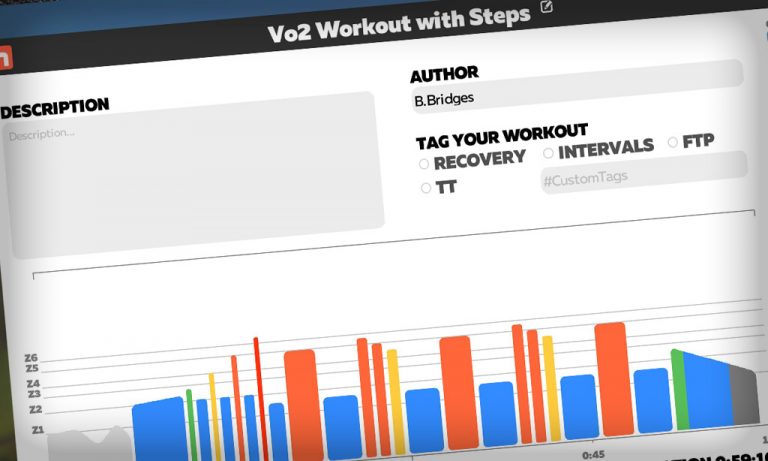
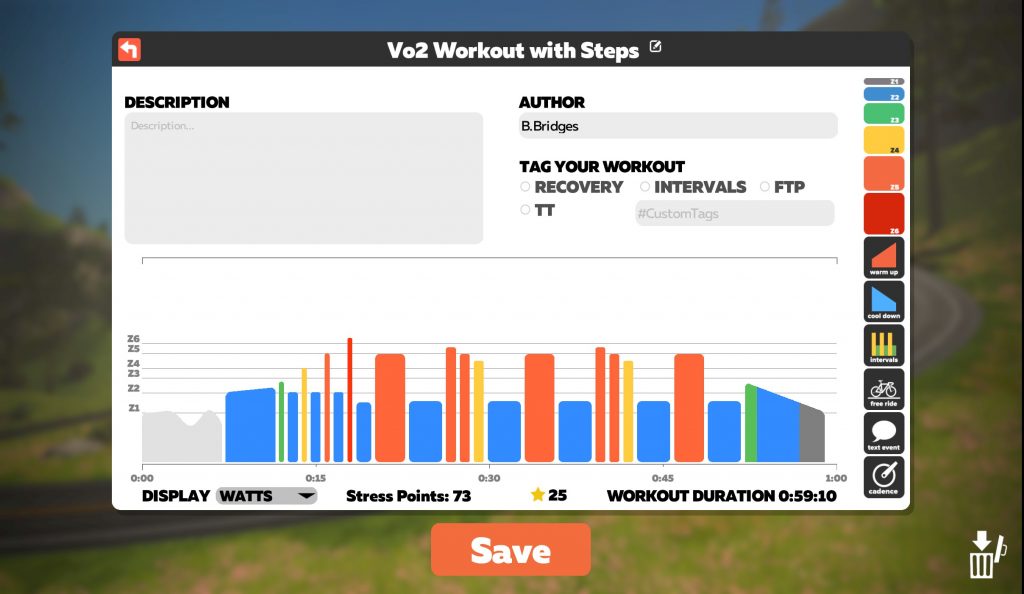
I designed a quick VO2 workout for him. Traditional VO2 workouts are 5×5 minutes at 110-120% of FTP, but I knew Boone wouldn’t be able to do 5 minutes at VO2 max right out of the gate. So we started with 5×3 minutes, with 3 minute recovery in between. Here’s how it looked…
We hadn’t tested his FTP since week 1, so I bumped it up in his settings from 230W to 250W, as that was my estimate for his current level.
We headed for the Fuego Flats desert for a fast, flat workout. I even put him on a TT bike for the full experience.
As we entered Saddle Springs I noticed Australian pro triathlete Sarah Crowley just up the road, doing her own steady ride on a TT bike. Boone ended up passing her, then getting passed, for most of his ride. I told him he was “beating” a pro triathlete, but I think at that point he was suffering too much to care.
He finished the first three intervals perfectly. The fourth almost killed him, but he completed it! (Anyone who has done VO2 workouts knows this means you’re doing it right.) For the final interval, I knocked the FTP bias down to 90%, so he could finish it.
This workout showed Boone the power and the pain of structured ERG sessions. They are powerful because they can target very specific fitness adaptations, and do it very efficiently. But they’re also painful because they can force you to do exactly what hurts the most!
Boone’s a glutton for punishment. He said he wanted to do the same workout for his next ride, but have the rest times be just 30s longer. He figured he could complete it if that was the case. Game on!
We headed out for the Mountain Route for this workout, just for a change of scenery. I figured it might be psychologically a bit easier to push sustained watts on a long climb – I know it is for me!
I increased the rest intervals on his 5×3 workout so he was doing 3 minutes at 115% of FTP, then 3:30 rest, 5x. And he completed all five intervals!
We kept an eye on his heartrate this time around, looking at what he finished each VO2 interval at, then what his heart recovered to before starting the next interval. Here are the numbers:
177 to 153
180 to 161
182 to 163
182 to 164
184 to 168
He made it to the top of the Epic KOM, and enjoyed his well-earned descent.
This ride began with the plan to warm up with Dan Diesel before popping over to C. Cadence’s group to see how long Boone could hang at her pace.
But he ended up doing high-cadence work during his warmup, and a few short sprints, and was just having a good time free-riding Watopia Flat. So he decided to stay there.
He got in a good hour session, including a few sprint efforts with no hands on the handlebars. Yes, you read that ride. Boone still finds it a bit challenging to stay on the bars for an entire ride, as that’s not a posture he’s used to. So he’ll sit up in the seat from time to time. Today he decided to try sprinting like this.
And he hit over 900 watts. More than once. Jimmeny Christmas… that’s what 17.5″ (44.5cm) calves will get ya!
We were both dying of curiousity wondering what Boone’s current FTP was, after 5 weeks of solid training. So we decided it was time for a ramp test.
I figured his FTP was in the neighborhood of 250-260 watts, just based on what I’ve been seeing from him. He started the test and went through each minute’s interval, bumping up by 20 watts each minute. At 260W he started feeling the effort, but he had plenty left. 280, 300, 320W… now the heartrate was getting up there.
He finished the 340W interval and stopped. “I knew I couldn’t finish 360W,” he says.
“But you’re supposed to go until failure!” I said. Surely I had told him this before… right? Maybe not. It was news to him.
So he finished with an FTP of 257W, according to Zwift. This is calculated as 75% of your best 1-minute wattage during the test. But Boone definitely had more in him. He and I both agreed he probably had 20-30s of 360W, at least, before failing.
Boone, like many cyclists, is torn in his opinion of ERG workouts. He loves the efficiency, specificity, and fitness gains. But they’re so hard.
It won’t be easy, but we both think hitting our target of 2.5w/kg in just one more week is doable. Boone continues to drop weight with careful eating and regular exercise – he’s down 25-30 pounds in 5 weeks! And his FTP is increasing nicely – heck, we don’t even know what it actually is, but it’s jumped at least 27W in 5 weeks based on the ramp test results!
Our target right now is for him to weigh in at 235 pounds, and test at an FTP of 270W. That’ll give him an FTP of 2.53w/kg. It’s going to be challenging week for him, with being out of town for one of his scheduled rides plus the tasty foods of two birthdays and Valentine’s Day in his near future. But he’s committed to staying the course.
Looking for Zwift Setup Help
Boone has been using my Zwift setup for this 6-week challenge, but he’s looking to get his own setup. We thought it would be fun (and helpful) to reach out to Zwifters for advice. And maybe, just maybe, one of you may have a bike for sale that fits? (It’s hard to find a decent bike these days, especially with our local shop having nothing in stock for months.)
Here’s what we’re wanting help with. Please share in the comments below…
Smart trainer recommendations
Zwift device recommendations: PC, AppleTV… what do you think is best?
Got a size large road bike you want to sell? (Boone is 6′ 1″, but with short legs). Share below, or email me at [email protected]!
Any tips and tricks you might offer to make Boone’s Zwift setup the best it can be? Share them below, too!
Support Boone
Thanks to everyone who followed Boone on Zwift and Strava and gave him lots of Ride Ons and Kudos. He’s loving it! If you haven’t done so yet, follow him on Zwift (name “Boone Bridges”) and Strava.
Your Thoughts
Got any tips for Boone? Comments on this week’s efforts? Share below!
The latest episode of WOZ is out, covering all things great and beautiful in the world of Zwift racing.
In this episode, host OJ Borg brings us:
The latest news from the wide world of Zwift
Scottish and British & Irish Lions rugby legend Rob Wainwright chat with OJ about his fundraising rides with Sir Chris Hoy for the My Name’5 Doddie Foundation
ZRL race tactics chat with Dave Towle
A to Zwift with Rahsaan Bahati
Coaches Corner with Kristin Armstrong, discussing structured training plans
Z Pro Tri duathlon highlights with Matt Lieto
Nathan Guerra recons the ZRL Season 2 Race 5 route: NYC’s Mighty Metropolitan
Do you consider yourself a good time trialist? This weekend’s Chasing Cancellara events give you the chance to compare yourself to one of cycling’s all-time greatest, Fabian Cancellara.Here are the details…
Who is Fabian Cancellara?
Fabian Cancellara (or “Spartacus” as he is nicknamed, due to his stature) is a recently-retired Swiss professional road cycling legend and Time Trial Specialist.
His achievements are impressive. He was the 4x World Time Trial Champion and 2x Olympic Time Trial Champion as well as winning three of cycling’s most prestigious races, multiple times. These are referred to as “Monuments” and his victories include 3x Tour of Flanders, 3x Paris-Roubaix, and 1x Milan-San Remo. In addition, he has won 8 stages of the Tour de France, including holding the Yellow Jersey for 29 days, the most of any rider who hasn’t gone on to win the Tour.
Events
On February 13th and 14th, there will be individual TT’s on Watopia’s Tick Tock and Bologna’s Time Trial Lap routes. Unlike past Chasing Cancellara events, Fabian won’t be racing with everyone else. Instead, your goal is to beat Fabian’s pre-set times:
Bologna Time Trial Lap: 17 minutes and 14 seconds
Watopia’s Tick Tock: 27 minutes and 3 seconds
(It’s worth noting that neither of these course times is incredibly fast. The Tick Tock time, in particular, should be quite beatable by C-grade racers and up!)