Home Blog Page 409

2019 Canyon//SRAM Zwift Academy Winner Announced

1

2019 Canyon//SRAM Zwift Academy Winner Announced

Jessica Pratt

Zwift has announced Jessica Pratt as the winner of the fourth CANYON//SRAM Zwift Academy Program. She secures a professional cycling contract for the 2020 season, joining past Zwift Academy winners Ella Harris and Tanja Erath at CANYON//SRAM Racing for the 2020 season.

“The vision for Zwift Academy was to revolutionize professional cycling by introducing an entirely new means of identifying talent,” says Zwift CEO and founder Eric Min. “2020 will see three former winners take to the World Tour with CANYON//SRAM Racing, proving the program has been a resounding success. I wish Jessica the very best in her first year as a professional – she is certainly in the right place to receive the best support and guidance.”

“I’d say we got lucky with finding Ella and Tanja, but that really isn’t true,” adds Ronny Lauke, CANYON//SRAM Racing Team Manager. “Finding incredible talent – which these riders have in spades – is exactly what the Zwift Academy does. I know we have another great talent this year in Jessica, and look forward to watching her contribute to the team in her first World Tour season.”

2019 finalists (left to right): Samara Sheppard, Jessica Pratt, and Catherine Colyn

Heading South for the Winner

One striking theme has emerged from the Zwift Academy over the past four years: the Southern Hemisphere continues to deliver a wealth of Zwift Academy talent. This year, all three finalists came from the Southern Hemisphere, and Australia’s Jessica Pratt will join New Zealand’s Ella Harris at CANYON//SRAM next season.

“For us in the Southern Hemisphere, the Zwift Academy arguably presents an even bigger opportunity than for those in Europe, North America, and Asia,” says Jessica. “For me personally, I was incredibly hungry for it. It can be a very difficult route to the professional peloton when compared to the opportunities available to riders living in cycling’s homeland – Europe. The cost of travel alone can make things very difficult when living in Australia. To have come through and win is life-changing for me – I’m so, so happy!”

Community Training

Zwift Academy is more than just a talent identification program. For many it’s a fantastic community training program, and one that helps encourage cycling participation among women.

Enrollment in the program continues to grow each year, with the 2019 Zwift Academy hosting almost 9,000 women, an 80% increase over 2018.


Learn How Zwift’s New Mountain Bikes Perform

38

UPDATE: we’ve updated this post to include a new bike. See the current info here >

Zwift released its first mountain bikes in last week’s major update. The Canyon Lux, Scott Spark RC, and Specialized Epic S-Works join the “Zwift Mountain” to make a total of 4 MTB rigs available.

But how do they actually perform in game? How do they compare to the established crop of road rigs, and Zwift’s new gravel bikes?

We ran extensive tests to find out. Here are some of the results.

Flat Pavement Performance

Here’s how each mountain bike performed over two laps of our Tempus Fugit test segment (300 watts steady, 75kg rider):

  1. Specialized Epic S-Works: 55:35
  2. Scott Spark RC: 55:35
  3. Canyon Lux: 55:36
  4. Zwift Mountain: 55:43

The Spark and Epic S-Works turned in the same fastest times, but the Lux is only 1s behind, which can be a Strava rounding error. We’ll give the win to all three.

By comparison, the fastest road bikes complete the test route in 50:25, while the slowest road bikes (Zwift Steel with 32mm carbon wheels) complete it in 51:40. So if you’re riding an all-pavement race, you definitely don’t want to be riding a mountain bike!

The fastest gravel bikes complete the test route in 53:47, which is what you would expect: the mountain bikes’ big knobbies and poor aero values make them slower than road or gravel rigs on pavement.

But how do the mountain bikes perform in other settings?

Climb Performance

Here’s how the mountain bikes performed up the big Alpe du Zwift climb:

  1. Scott Spark RC: 54:29
  2. Specialized Epic S-Works: 54:30
  3. Canyon Lux: 54:40
  4. Zwift Mountain: 54:50

The Spark RC and Epic S-Works are essentially tied after almost an hour of climbing, with the other MTB rigs well behind.

The fastest road bikes climb the Alpe in 48:39, while the slower (Zwift Steel with 32mm carbon wheels) complete it in 49:57. So the heavy mountain bikes are well behind, as they should be. Because gravity matters!

Jungle Performance

What about the dirt? This is where knobby tires should excel, and indeed they do. Here’s how the mountain bikes perform on one lap of the Jungle Circuit:

  1. Specialized Epic S-Works: 13:51
  2. Canyon Lux: 13:52
  3. Scott Spark RC: 13:52
  4. Zwift Mountain: 13:54

So the three new MTB rigs turned in nearly identical performances, with the stock Zwift Mountain bike a few seconds behind.

The faster road bikes complete a jungle lap in around 15 minutes flat, while the gravel bikes do it in 14:11. But our mountain bikes shred some gnar and lay the hurt on all those skinny-tired, rigid-forked rigs!

MTB Conclusions

The Scott Spark RC and Specialized Epic S-Works are clearly the top two bikes of the four MTB rigs. The three new mountain bikes have the same aero values, but the Spark RC and Epic S-Works are lighter, making them the winners. Which one should you choose? Whichever looks cooler, of course.

Interesting side note: Zwift retooled the Zwift Mountain bike with their latest release, reducing its performance in game.

Your Thoughts

Have you tried the new mountain bikes? What did you think? Share below!

Send it! How Zwift’s updated out-of-the-saddle sprints work

15

Send it! How Zwift’s updated out-of-the-saddle sprints work

Since Zwift’s early days, our avatars would get out of the saddle and sprint if we hit 460 watts or more. It didn’t matter if you were a 50kg climber or a 90kg sprinter–the cutoff was 460 watts for everyone.

But a recent update has changed that.

Now, your rider will get out of the saddle and into a sprinting posture if you exceed 2x your FTP wattage.

Go past 2.5x and your sprinter gets in an even more strenuous position, tilting their head up and down just like the pros in a sprint to the line!

A Smart Change

This is one of those little changes that just makes so much sense. Kudos to Zwift for making it!

The across the board 460-watt threshold wasn’t ideal, if you think about it–the 1400 watt sprinters haven’t even started working at 460 watts, while the lightweight endurance workhorses may be getting out of their saddles well before they hit 460.

Tying it to each rider’s individual FTP is smart, because it customizes the sprint threshold for each rider, making what we see on the screen with our own avatar and others’ more realistic.

Everyone Sees It

In case you’re wondering: when your avatar gets out of the saddle to sprint, those around you will see it as well.

This is different than the out of the saddle climbing behavior, where all the avatars except yours automatically stand on your screen once they hit a 3% climb, regardless of the rider’s actually cadence.

Implications

How will this change affect our Zwift experience? Here are some ideas:

  • Time to get sneaky.
    Before this change, you would see riders out of the saddle quite regularly–at the start of the race, up short climbs, or when attacking off the front. But we’ll be seeing less out of the saddle riding on screen, because for most racers, the sprint posture threshold has increased. This means it will be harder to spot attacks since most are done below that 2x FTP threshold.
  • See a sprint? That’s a big sprint!
    Racers will need to recalibrate their minds around the fact that now, when they see someone out of the saddle sprinting, they are really going for it. Double your FTP is a very hard effort to sustain for more than ~30 seconds.
  • More standing for less powerful riders.
    Some riders rarely, if ever, saw their avatar out of the saddle. I’m talking about riders with an FTP in the sub 200-watt range, which is actually a lot of people. Those Zwifters will be able to get their avatar sprinting more easily now, which makes it all more inclusive. That’s a good thing.

Your Thoughts

What do you think of this change? Share your thoughts below!

Wahoo KICKR Tests: Connecting via Legacy ANT+, ANT+ FE-C, and Bluetooth

30

Wahoo KICKR Tests: Connecting via Legacy ANT+, ANT+ FE-C, and Bluetooth

Wahoo KICKR owners: have you noticed Zwift prompts you with multiple connection options on the pairing screen?

If you only use Bluetooth (AppleTV, iOS, Android) then you’ll only see one option. But ANT+ users will actually see two different ANT+ profiles: one that begins with “WAHOO FE-C” and another that begins with “KICKR”.

ANT+ users who also have Bluetooth (or Zwift Companion) enabled will see a total of three profiles:

What’s going on here?

The ANT+ connection which doesn’t include “FE-C” is a legacy (older) connection that uses an ANT+ scheme developed by Wahoo prior to the FE-C standard being adopted. (Wahoo wasn’t unique in this–all the smart trainer makers had their own proprietary communication methods in the early days.)

The FE-C connection uses the ANT+ FE-C standard, an open standard for controlling a variety of fitness devices (FE-C stands for “fitness equipment control”).

The Bluetooth connection uses a proprietary Bluetooth Smart implementation since the KICKR, like many smart trainers, doesn’t yet use the newer Bluetooth FTMS standard.

Legacy ANT+ Weirdness

There are two strange issues we’ve noted with the legacy ANT+ connection.

First: we’ve heard from other Zwifters (and experienced ourselves) that connecting to this profile as a power source can cause dropout issues. (We note this in our ANT+ Dropout Troubleshooting post.)

Secondly: here in the Zwift Insider Lab, we’ve noticed that this legacy ANT+ profile is always found first on the pairing screen’s “Controllable Trainer” box, which means Zwift automatically pairs with that profile. Sometimes the FE-C profile won’t show up for a minute or more, in fact!

Resistance Differences Between Connection Methods

Sometimes, we’ve used the legacy ANT+ connection for the controllable trainer just because we were in a hurry and couldn’t wait around for the FE-C connection to be found. When using the legacy connection, we noticed that the base resistance seemed lower. That is, we would be spinning one or two gears higher in the legacy connection than we would with the FE-C connection, but holding the same cadence and power.

Not that the power accuracy was wrong. Just that the “base resistance”–the amount of resistance the trainer gave us at 0% trainer difficulty (like riding a flat road) varied between each connection method.

Or was it all in our heads? We decided to do a little testing.

We headed out to Fuego Flats, turned our Trainer Difficulty down to 0, and rode for a minute or more at a steady cadence of 90 without shifting. We did this for each of the three connection methods. Here’s what we found:

  • ANT+ (non FE-C): 184 watts average
  • ANT+ FE-C: 215 watts average
  • Bluetooth: 182 watts average

Interesting results. There is definitely a significant resistance difference between the industry-standard ANT+ FE-C protocol and the older one which Zwift implemented for the KICKR back before ANT+ FE-C became a standard. A difference of ~15%!

Interestingly, the legacy ANT+ method tests out to almost the same average watts as the proprietary Bluetooth method. Which makes sense, because both were proprietary implementations from Wahoo. The important takeaway here is: connecting your KICKR via Bluetooth results in significantly lower base resistance than connecting via ANT+ FE-C.

Implications

This isn’t an industry-shaking revelation or a huge deal in the grand scheme of things. But it’s worth knowing if you, like us, get close to running out of gears on descents or while sprinting. You may be able to switch to the ANT+ FE-C connection and get a little more resistance, making your setup work just a bit better for you.

In the bigger scheme of things, isn’t it time for industry-wide standards to be implemented on ANT+ and Bluetooth? Make it happen, Wahoo and Zwift!

What About You?

Have you noticed a difference between resistance levels when connected via ANT+ FE-C compared to Bluetooth? Share your experience below!
Note: the original version of this post referred to Wahoo’s Bluetooth implementation as FTMS, but we later learned that the KICKR (mostly) uses a proprietary Bluetooth Smart implementation. We’ve updated the post above to reduce confusion.


Learn How Zwift’s Gravel Bikes Perform

60

Important: the info in this post is now outdated. For current info, see Speed Tests: Gravel, MTB, and Road Frames on Zwift Dirt.

Zwift released its first gravel bikes in their December 2019 game update. The Cervelo Aspero, Canyon Grail, Canyon Inflite (actually a cross bike), and Zwift Gravel were built in game similar to how they’re built outdoors: to perform well on dirt while also zipping along nicely on pavement. Later, the Lauf True Grit and others were added to the list.

But how do they actually perform in game, and how do they compare to Zwift’s mountain bikes and the established crop of road rigs?

We ran extensive tests to find out. Here are the results.

Flat Pavement Performance

Here’s how each of the gravel bikes performed over two laps of our Tempus Fugit test segment (300 watts steady, 75kg rider):

  1. Cervelo Aspero: 53:47
  2. Canyon Grail: 53:49
  3. Specialized Crux: 53:50.5
  4. Giant Revolt Advanced Pro, Liv Devote Advanced Pro: 53:51
  5. Allied Able: 53:51.5
  6. Canyon Inflite: 53:53
  7. Specialized Diverge: 53:53.5
  8. Zwift Gravel: 53:54
  9. Lauf True Grit: 53:57

The Aspero wins this contest, with the Grail close on its heels.

The fastest road bikes complete the test route in 50:17, while the slowest road bikes (Zwift Steel with 32mm carbon wheels) complete it in 51:40. Clearly, gravel rigs perform quite poorly on pavement.

The fastest mountain bikes complete the test route in 55:40, meaning the gravel rigs are turning in times right in between the fast road bikes and the slower MTB.

Hands-On Experience

I found the gravel rigs to be quite challenging on pavement. I had to hold ~30 more watts than those around me just to hang with the group on the flats, turning a “2.0-2.5 w/kg spin” into something a bit more tougher.

Climb Performance

Here’s how the new gravel bikes performed up the big Alpe du Zwift climb:

  1. Specialized Crux: 51:18
  2. Canyon Grail: 51:25
  3. Allied Able: 51:35
  4. Cervelo Aspero: 51:39
  5. Giant Revolt Advanced Pro, Liv Devote Advanced Pro: 51:42
  6. Specialized Diverge: 51:51
  7. Canyon Inflite: 51:55
  8. Zwift Gravel: 51:56
  9. Lauf True Grit: 51:58

The super-light Crux wins the climbing contest quite handily, with the Grail 7 seconds behind.

The fastest road bikes climb the Alpe in 48:50, while the slower (Zwift Steel with 32mm carbon wheels) complete it in 49:55. We already know the gravel bikes are slower on flat pavement, so this is not surprising.

The fastest mountain bikes climb the Alpe in 55:21. The mountain bikes are quite heavy, so this isn’t surprising, either. Like our flat tests, the gravel bikes sit squarely in between the road bikes and mountain bikes in terms of time up the Alpe.

Jungle Performance

Here’s how the gravel bikes perform on one lap of the Jungle Circuit using the basic Zwift gravel wheels:

  1. Specialized Crux: 13:20
  2. Canyon Grail: 13:21
  3. Cervelo Aspero, Allied Able, Giant Revolt Advanced Pro, Liv Devote Advanced Pro: 13:22
  4. Specialized Diverge: 13:23.5
  5. Canyon Inflite, Zwift Gravel: 13:24
  6. Lauf True Grit: 13:25

The Crux just barely edges out the Grail, which just barely edges out the Aspero. But the Aspero is close behind.

The faster road bikes complete a jungle lap in around 13:35. Zwift’s gravel bikes drop lap times by around 15 seconds, so if you extrapolate that difference out over 4 laps we’ve got a difference of 1 minute between the road bikes and gravel bikes.

Gravel Conclusions

The Specialized Crux is definitely the bike to have when it comes to gravel climbs, while the Cervelo Aspero is a better performer on flats and descents. The Grail is somewhere in between, being a bit more aero than the Crux and a bit lighter than the Aspero. Choose accordingly.

Your Thoughts

Have you tried out a gravel rig in Zwift? What did you think? Share below!
Group workouts via Zwift Meetups? This hack makes it easy!

Group workouts via Zwift Meetups? This hack makes it easy!

Meetups are a handy tool if you’re looking to ride with a specific group of friends, and the new “Keep everyone together” option has made them even better.

But there’s one Meetups feature which Zwifters are still looking for: the ability to do a group workout. That is, to set up a Meetup with whoever you’d like, where each person is doing the same structured workout and you all stick together for the duration.

Ideally, this would work like the official group workout events happening all the time and available via the Zwift Events calendar. Except this is an event you plan, with just the people you want to invite and the workout you want the group to complete.

You may think this isn’t possible on Zwift–but it actually is.

Here’s a simple Meetup hack that lets you organize a group workout on Zwift today.

The settings screen all ready to go–just add friends!

It Starts Like Any Other Meetup

First, create your Meetup. They’re very easy to plan via the Companion App. If you’ve never done it, here’s a simple guide.

Just a few important notes as you organize your Meetup:

  1. Do it for a set duration, not distance. This ensures your Meetup won’t end before the workout does. We recommend setting it for 5-10 minutes longer than the workout length, so you can hang out in your Meetup for a bit once the workout is over.
  2. Be sure to select “Keep Everyone Together” under “Customize Your Meetup”, otherwise riders with different FTPs will become separated as they’ll be holding different wattages even if they’re doing the same workout.
  3. It’s a good idea to put instructions for finding the workout in the “Message Your Group” field, so everyone knows what the workout is called and where to find it. You can also message the group while everyone is waiting for the Meetup to begin.

One Step Magic

Once your friends have joined the Meetup and you’re sitting together waiting for it to begin, it’s time for the magic to happen. Are you ready?

Click Menu>Workouts or hit “E” on your keyboard. This will open the workout picker window:

Workout picker window

Choose the correct workout, click “Workout”, and you’re ready to go!

You’ll now see the workout plan on the left:

Ready for the Group Workout to begin

The workout will begin once the Meetup begins. Each rider can control their workout independently, adjusting FTP bias or skipping sections if they choose. With the “Keep Everyone Together” option you will all stay together regardless of wattage variances between riders.

In some ways this is a better experience than official group workouts, because the group moves faster in a Meetup (a more realistic speed, instead of the very slow group workout speeds).

When the workout ends, each rider will get the typical workout summary screen pop up. If the Meetup is still going, you will remain in the Meetup even though the workout is finished.

Notes

The biggest challenge here is getting each rider to select the correct workout. But the cool thing is, if the rider picks the wrong workout, or even neglects to pick a workout, they will still ride with you! Your Meetup can have one rider doing workout A, another free riding, and another doing workout B. And everyone can stick together.

Have You Tried It?

Tried this hack? Share your experience below! Got questions? Share those too, and we’ll try to answer them.


Crit City Events Launch this Week!

8

Crit City Events Launch this Week!

Zwift has issued an official press release covering Crit City, Zwift’s newest map. They have also confirmed that events will launch on the new course this week. (Our guess is Zwift is waiting for their latest update to roll out to iOS users before scheduling Crit City events.)

According to Zwift,

Crit City will be an event-only course designed to deliver racing that is both fun to watch, and fun to play.

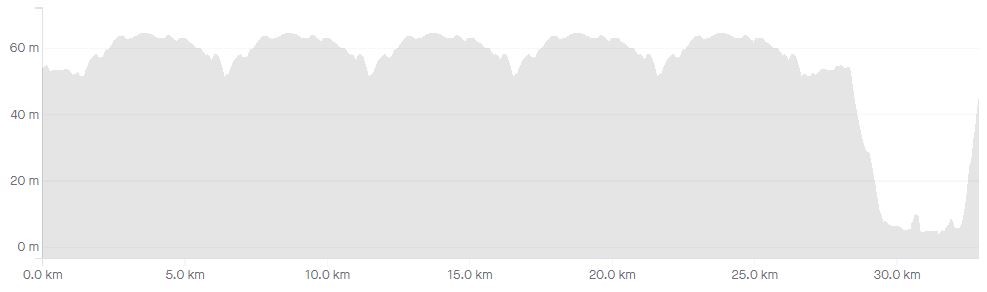
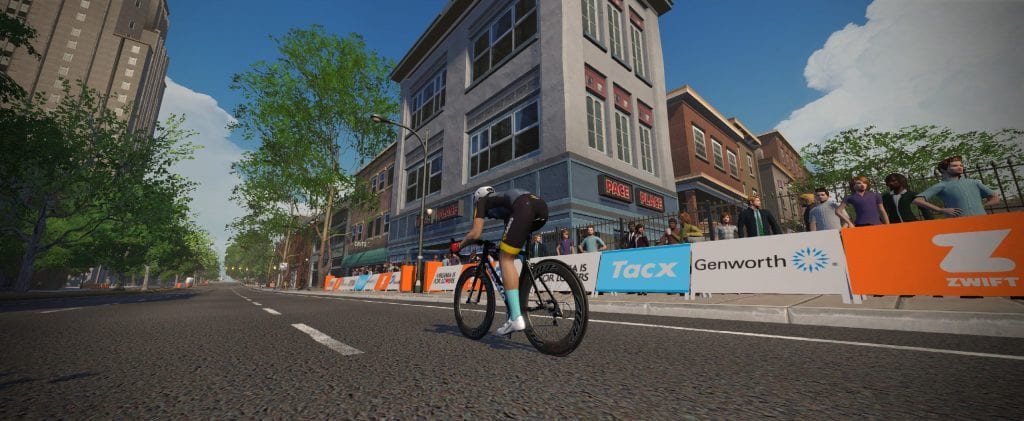
Designed “explicitly with racing in mind”, the course is just 1.9km in length, with 26ft in elevation gain per lap. It is clear Zwift has put some thought into the course layout, attempting to create a very crit-like course. They say:

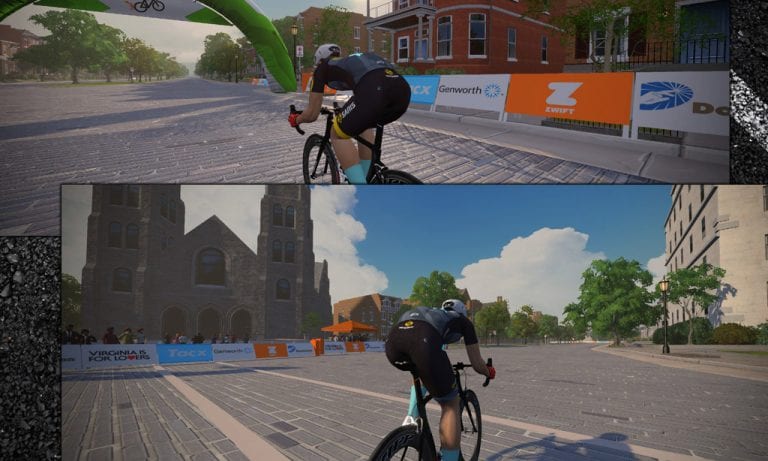
Similar to real-life criterium circuits, the circuit weaves its way around the tightly packed buildings of Crit City over cobbles and sweeping roundabouts. Dead turns and a couple sections of parallel road allow a few opportunities to keep a close eye on either the breakaway or the chasing bunch.

The start of Crit City’s punchy prime section

Fun Visuals

This course is for racing, not sightseeing–but Zwift has still thrown in some fun visuals including:

  • A colorful graffiti mural inspired by the landscape of Watopia
  • A Big-Z building just off the course itself
  • Riders on trainers using Zwift near an event area with popups

In the DNA

Criterium racing is in Zwift’s DNA. The press release quotes Zwift CEO Eric Min saying, “As someone who grew up racing crits as a junior, I’m really excited to test my legs in Crit City. Criterium racing really is an art form, and I’m sure that racing this course will be no different. Knowing how to conserve energy and when to make your move is critical when racing for the win. I know that this is something that our racing community will love.”

The finish line includes a lap counter

Event-Only

This was rumored to be an event-only course, and now Zwift has confirmed it.

What exactly does event-only mean? It means that, unlike guest maps such as Yorkshire or New York, Crit City can only be experienced by joining an event on that course.

This is how the Bologna TT course behaves as well. This is done because, with so many Zwifters on the platform, these smaller courses simply can’t be opened up to everyone to free ride… they would be too crowded!

Zwift says events taking place in Crit City will have “Crit City” included in the event title. Here’s a saved search on ZwiftHacks’ events tool which will bring up all events scheduled for Crit City. Use it to find these events as soon as they’re scheduled.


How the Race was Lost: Bitten By the Distance Bug

45

How the Race was Lost: Bitten By the Distance Bug

I lose a lot of Zwift races. But sometimes those losses are… special.

Yesterday’s was the P Race–one of my favorite races because it ticks off all the boxes for me:

  • Fairly flat: long hills don’t lead to good race results for bigger riders like me
  • Double draft: this lets me sit in if I want, or push the pace over small rises to help drop a few riders
  • Longer: typically 30+ miles long, and I like slightly longer races, especially on Saturdays when I’ll be riding for a few hours anyway
  • Separate categories: I prefer races where each category competes separately. Never been a fan of trying to hold onto the A’s!

Zwift Companion said we were doing two laps of Watopia’s Waistband. This route is 15.8 miles long, but (and this is important) we also have a 1.4 mile lead-in to the start/finish banner. So the total distance should be 15.8+15.8+1.4, or 33 miles–which is exactly what Zwift Companion told me when I signed up.

Zwift had rolled out an update the day before which included in its list of bug fixes, “Fixed bug where event distance estimations were wrong.” I was happy to see this because there have been distance issues in lap-based events for a couple of months now.

I got on course, warmed up, then hit the start pens. Let’s race!

We began with 73 B riders, but that group was quickly whittled down to 50, then ~35. This race was feeling like most of my P Race experiences: challenging, but doable. While I was suffering after half a lap and wondering if I could do two full laps of this, I also knew I wasn’t on my very limit. It would hurt, but I thought I had a good chance of hanging with the front until the final sprint.

Knowing the distance bugs were supposed to be fixed, I had my eye on those numbers as well. I noticed that the distance completed on the top bar now matched the side bar (that’s good!), but I also noticed the distance to go seemed too low. Early in the race if I added the distance to go with the distance ridden it totaled 30.2 miles. Later on, adding those numbers totaled 30.5 miles.

And this is where I started questioning myself.

Was it 33 miles total? My glycogen-depleted brain wasn’t sure. Maybe they left the lead-in off of the distance we’d traveled? (A silly idea in hindsight, but race brain isn’t always the smartest.)

As we rode through the tunnel bridge toward downtown Watopia, I looked at the minimap. My distance counter said we had less than a mile to go, and I swear the start/finish banner in downtown Watopia had that blueish glow that you see when an event uses a custom finish line.

Was that our finish line? Were we not doing two full laps, but instead finishing here in downtown Watopia? My distance counter certainly indicated so, and the blue glowing banner reinforced it in my mind.

With 300 meters to go I jumped. Hard. Even with tired legs I gave it all I had, because I saw there weren’t many riders who had followed me. I crossed the line in 2nd, as the distance to go hit 0, having averaged 832 watts over 15 seconds.

But where was the finish screen? Nothing happened. And a few seconds later, the peloton flew past.

The race wasn’t over.

My distance to go now read over 10,000ft. Feet!? My legs were burning, heart pounding out of my chest, and the front was already 10 seconds up the road. My race was done!

I limped my way into the finish–demoralized mentally and completely drained physically. I probably wouldn’t have won, or even made it onto the podium. But I bet I could have finished in the top 10. Instead, I finished 38th (30th in the official Zwift Power results).

Companion app screenshot showing time-based, lap-based, and distance-based events

Don’t Make My Mistake

I’ve heard from lots of other Zwifters who have made the same mistake I made in this race. Here’s how to avoid it: know the race route!

Zwift events are run for a certain length of time, a certain number of laps, or a set distance.

Zwift races are always a certain number of laps or a set distance. (Time-based events are used for group rides and workouts.) Lap-based races end at the lap banner, unless you’re on a point-to-point route like Bologna TT or Road to Sky. I should have trusted what the app said: two laps of Watopia’s Waistband.

Next: trust the event distance. It used to be, the Companion app’s distance figures weren’t entirely reliable–I think perhaps they left off lead-in distances? I’m not sure. But I learned not to trust them, which is unfortunate. Because now they seem to be accurate! So pay attention to that event distance number when you sign up for the event.

One more tip: if you’re like me, you don’t make good decisions at the end of a race. Our brains aren’t quite getting all the glycogen they need, so while the legs are firing on all cylinders, the mind is not.

So take notes if you need to, indicating the start/finish point of the race and the overall distance.

It’s funny, but on Zwift, like outdoors, racing smart is really up to you. Sure, you can just hop in and race whenever you’d like–but knowing the course and devising a strategy beforehand will give you better results.

About the Bug

I’d be lying if I said I wasn’t disappointed that this distance bug still isn’t fixed. It’s been broken for two months.

That said, it sounds like Zwift’s QA team is pushing hard to get this distance bug squished, and that perhaps it’s only affecting specific routes. That’s good news!

(Kudos to the team at Zwift HQ, by the way. I know you’re juggling a lot of priorities and projects. When a company is growing quickly and building things out in many directions, stuff can get messy.)

Here’s hoping this fix gets rolled out very soon, since it’s affecting a lot of races and group rides.

More to Come

I’ll probably turn this into a series of articles, because I’m always devising new and interesting ways to lose a Zwift race.

Got inventive stories of your own? Have you lost your race by sprinting for the wrong finish line? Share below!


Dan Plews on Heat Adaptation (Zwift PowerUp Tri Podcast #19)

Dan Plews on Heat Adaptation (Zwift PowerUp Tri Podcast #19)

Say hello to Dan Plews, the architect of Zwift Academy Tri’s training plan. A physiologist, sport scientist, and researcher, Dan is a top-level triathlon coach as well as the fastest-ever age group athlete at Kona. He’s all about low carbs, high fats, and heart rate variability.

In Episode 19, he drops into the studio to chat about heat adaptation as well as some of his favorite workouts in the program and the “why” behind them.

Beyond that, we also chat about news regarding aerodynamic effects of drafting riders and motos.

About the Podcast:

The Zwift PowerUp Tri Podcast is hosted by former pro triathletes Matt Lieto and Jordan Rapp, lending their in-depth knowledge of the multisport to the Zwift Tri audience.


Top Zwift Videos You May Have Missed: Yorkshire Worlds

0

Top Zwift Videos You May Have Missed: Yorkshire Worlds

We’re highlighting some great videos you may have missed in the world of Zwift! This time, let’s take a look back at the Yorkshire World Championships from September 2019.

Zwift vs Real Life | YORKSHIRE WORLD CHAMPIONSHIPS 2019

How does the Yorkshire course on Zwift compare to real life? Will Cowen and his friend Mika ride the reverse KOM/QOM to find out.

Zwift at the Yorkshire 2019 UCI Road World Championships

In this official Zwift video, you’ll get a taste of what it was like to be in Yorkshire during the excitement of worlds week! Matt Stephens gives a tour of Harrogate, the world championships city circuit, and the Zwift Draft House. You’ll hear from pro racers and roadside fans, too.

COUNTDOWN TO WORLDS | Zwift Training #1

Pro cyclist Alex Dowsett (Katusha-Alpecin) shares how he uses intervals on Zwift to prepare for the 2019 UCI Road World Championships in Yorkshire. It’s the first of three videos featuring Zwift and his worlds training.

COUNTDOWN TO WORLDS | Zwift Training #2

Dowsett practices his TT pacing on Zwift’s Yorkshire course. It must have worked, because he went on to place 5th in the world in the time trial championship!

What’s my last training session before Worlds? Zwift Training #3

https://youtu.be/EyDQgGUOy50

Finally, Dowsett goes for a free ride around Watopia. He says he’s just going to “spin” for an hour, but he admits that he might get a little competitive…