Home Blog Page 97

Notable Zwift Events for the Weekend of August 3-4

3

This weekend’s five picks make a nice mix of events. We’ve got a badge hunt ride on a rarely-seen new route, a stupidly long group ride, Zwift Labs test races, and a long race balanced out by some Tiny Races. Enjoy!

✅ Route Badge  ✅ Beginner Friendly

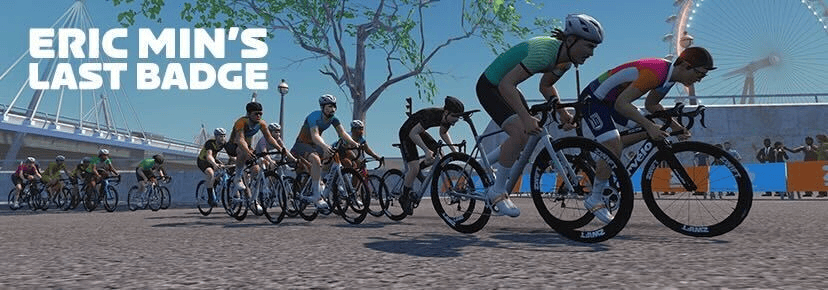
The DIRT team’s badge hunt rides take on less popular routes to help you earn those route badges and extra XP! This week is Mayan San Remo – 21.4km with 219 of climbing. Expect a pace of 2.2w/kg on the flats, and 2.75w/kg on the climbs.

Saturday, August 3 @ 10am UTC/6am EDT/3am PDT
Sign up at zwift.com/events/view/4463249

✅ Racing Score  ✅ Test Event

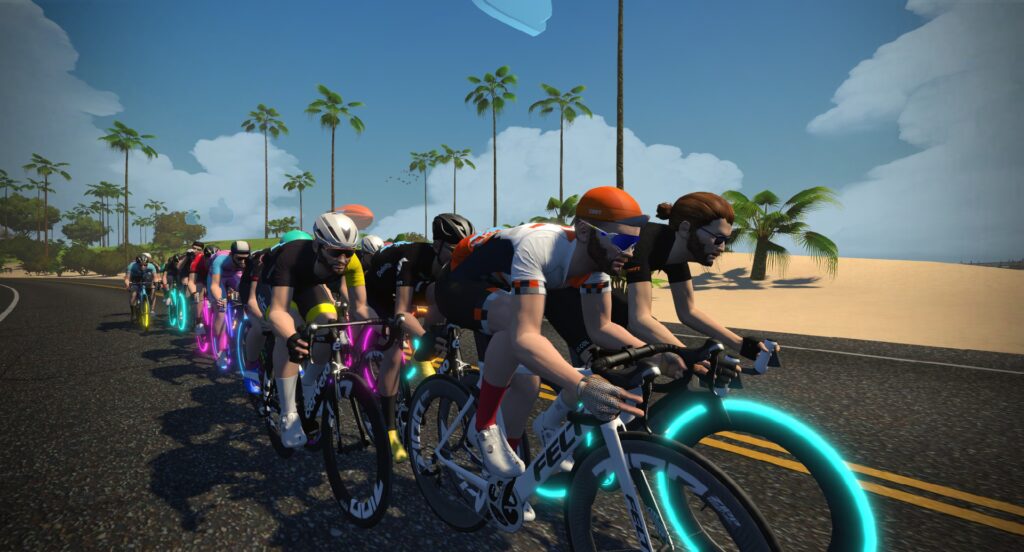
Zwift is continuing to test and tweak their new racing score metric (see latest news), and there are lots of races planned this weekend for further testing! Join the Crit Racing Club on Duchy Estate, the ZRacing events Coastal Crown Loop, HERD Beginner Races on Sand And Sequoias, the Women’s Racing Series on Neokyo All-Nighter, or the Tiny Races (see below)!

Lots of events Saturday and Sunday
See upcoming events at zwift.com/events/tag/zwiftlabs

✅ Endurance Challenge

Looking for an extra-long race this weekend? The DBR squad has organized a race on the Zwift Games 2024 Epic Route (81.7km, 878m elevation) that will surely push you to your limits.

The race uses standard category enforcement, double draft, and all categories start at the same time.

Saturday, August 3 @ 8:30am UTC/4:30am EDT/1:30am PDT
Sign up at zwift.com/events/view/4463221

✅ Endurance Challenge

Every month, the USMeS squad tackles a long ride over 100 miles long. This month it’s on Big Foot Hills, with a total distance of 205km (127 miles) and 2130m of climbing!

This is an open-paced group ride, and there are generally two leader beacons: one running at 2.5w/kg pace and the other at ~3.0w/kg plus.

Saturday, August 3 @ 1pm UTC/9am EDT/6am PDT
Sign up at zwift.com/events/view/4436023

 ✅ Racing Score  ✅ Popular Event

This Saturday’s Zone 3 Tiny Races will be live broadcast by ZMS Esports Studio.

Watch the live stream here >

We’re continuing to use our custom Zwift Racing Score bands in order to optimize pack sizes, and we’re seeing a really solid turnout of riders each Saturday. In fact, the Tiny Races are the most popular race happening each Saturday!

The top group (category A) is especially large, making for some very competitive racing on the pointy end. If you’re a strong rider looking for a set of hard race efforts, this is the place to be each Saturday.

Three timeslots each Saturday
Sign up at zwift.com/events/tag/tinyraces

How We Make Our Picks

We choose each weekend’s Notable Events based on a variety of factors including:

  • Is the event unique/innovative in some way?
  • Are celebrities (pro riders, etc) attending/leading?
  • Are signup counts already high, meaning the event is extra-popular?
  • Does the ride include desirable unlocks or prizes?
  • Does the event appeal to ladies on Zwift? (We like to support this under-represented group!)
  • Is it for a good cause?
  • Is it just plain crazy (extra long races, world record attempts, etc)?
  • Is it a long-running, popular weekly event with a dedicated leader who deserves a shout out?

In the end, we want to call attention to events that are extra-special and therefore extra-appealing to Zwifters. If you think your event qualifies, comment below with a link/details and we may just include it in an upcoming post!

TriDot Rolls Out Zwift Training API Integration

TriDot Rolls Out Zwift Training API Integration

Last week TriDot, the official training platform of Ironman, became the first platform to integrate with Zwift via Zwift’s new Training API. This API allows providers of structured workouts to send planned workouts to Zwift, so athletes can execute those workouts as rides or runs from within Zwift. It also lets Zwift send completed workout data back to the workout provider for processing and storage.

The Training API was announced a few months ago as “coming soon,” to be released in early summer. TriDot is the first platform to begin using the new API, so I wanted to share the news and what’s coming next with this feature.

First, A Bit About TriDot

If you’re a triathlete, you’re probably already familiar with TriDot. They are, after all, the official training platform of Ironman!

Their “Optimized Training technology” is powered by the nSight Optimization Engine which uses their proprietary dataset of more than 50 million optimized training sessions from more than 250,000 athletes worldwide to “produce the best results within a given amount of time and an acceptable injury-risk tolerance.”

TriDot’s training programs continually adapt to you, which is essential if you want to get the best results in less time with fewer injuries. This adaptation also makes TriDot a great first use case for Zwift’s new Training API, as any training plan changes will be automatically synced with Zwift (once TriDot enables this functionality – more on that below). TriDot’s massive community of triathletes and training plans that include both running and riding are additional reasons why it just makes sense for TriDot and Zwift to launch this feature together.

Monthly TriDot plans range from the $14.99 “Lifestyle” plan to $399 with a dedicated coach. TriDot also offers a free trial if you want to dip your toe in and check it out.

How It Works

TriDot’s description of their Zwift integration is clear and concise: “Send sessions to Zwift and auto-sync completed sessions to TriDot.”

As a TriDot user, you’ll still manage your training plan from within the TriDot app. But the Training API was created so providers like TriDot could send your planned workouts to Zwift, allowing you to complete the workouts from within Zwift. This lets you stick to your structured training plan while enjoying the social and fun engagement of Zwift’s platform!

The Training API does a lot that we haven’t seen yet, including allowing third-party workout providers like TriDot to automatically send your planned sessions to Zwift. But TriDot hasn’t rolled out that “auto-sync” functionality quite yet (Wednesday’s announcement email says “automatic push is coming soon”). For now, you’ll need to send your TriDot workout to Zwift for it to show up in-game.

This is easily done via the TriDot app or web interface:

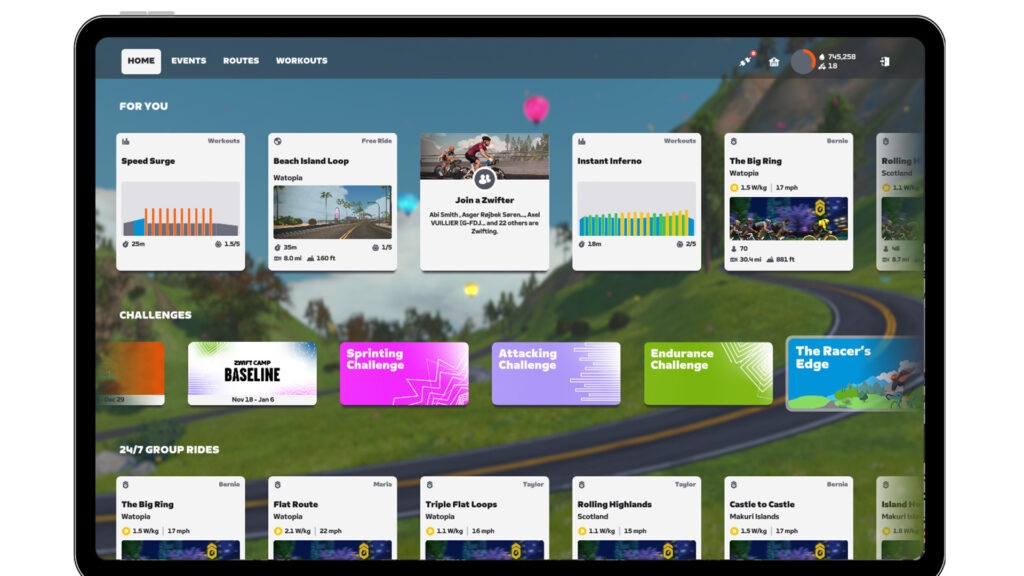
When you open up Zwift, if you have a ride workout scheduled for the day that you’ve sent over from TriDot, it will show up on your homescreen’s “For You” carousel. Just click and go. Easy!

Today’s TriDot workout under “For You”. Just click and go!

(Runners don’t have a “For You” carousel in Zwift at this time, but you can always access your workouts by going to Workouts>Custom>TriDot. Cyclists may do the same.)

Some additional noteworthy details:

  • You can send workouts to Zwift that are far into the future, but only the next seven days’ worth will be available under the Custom tab of Workouts.
  • Multiple workouts can be scheduled on the same day (a must for many of the triathletes using TriDot).
  • Some providers, particularly TriDot, assign times to workouts on your training calendar. If you have a workout scheduled for today, it will only show up under “For You” if its scheduled time has already passed, or you’re within 1 hour of the scheduled start time.
  • TriDot workouts will remain visible in Zwift for 2 days after their scheduled date, so you can still execute a workout even if you are a day or two late.
  • Once you finish your workout in Zwift, full workout data will be automatically sent back to TriDot.
  • Zwift currently only loads up synced workouts on startup, so if you send a new or modified workout over from TriDot you’ll need to restart Zwift to see those changes. (Zwift tells me they are rolling out an update in the next couple of weeks so changes to workouts are visible without a reboot.)

For more info on TriDot’s integration with Zwift workouts, see this support page from Zwift.

Connecting TriDot to Zwift

Before you can send planned sessions to Zwift from TriDot, you need to connect your Zwift account to your TriDot account. This is very simple:

  1. Log into your account at tridot.com
  2. Click the gear icon (settings) then Connections
  3. Click “Connect” next to Zwift
  4. Log into your Zwift account
  5. Click Yes to confirm access privileges

Upcoming Integrations

As I’ve said in previous posts, the Training API’s powerful new level of integration is great news for Zwifters, since it will make massive libraries of high-quality training plans and workouts available from within our favorite virtual world.

TriDot is the first of three training plan providers initially working to integrate with Zwift via the new API. While this first rollout isn’t using the Training API’s full capabilities quite yet, after talking to contacts within Zwift I’m confident we’ll see things getting dialed in quickly as we head into Zwift season and more providers come on board.

Watch this space for news in the next month or two as TriDot adds auto-sync functionality and new providers come online!

Complete List of Training API Partners

TriDot is the first to be added to the list of Training API partners at Zwift. Here’s the complete list, which will be updated as new partners are added:

Questions or Comments

Are you a TriDot user? Have you tried their Zwift integration yet? Which training plan provider would you most like to see hooked up via Zwift’s Training API? Share your thoughts below!


Zwift Racing Score Updates and Opinion Poll

Zwift Racing Score Updates and Opinion Poll

It was big news when Zwift began testing their new Zwift Racing Score (ZRS) metric in early July, because that meant results-based race categorization could be coming soon.

Now, a month into the tests, statistics and racer opinions have emerged which are in turn driving changes to the ZRS system as Zwift works to make it ready for a larger release.

Let’s take a look at some of the numbers, opinions, and changes made or planned. But first…

Take Our Poll!

I’m curious: if you’ve tried one or more scored races, what do you think of Zwift Racing Score? Here’s a one-question poll where you can rate your experience:

[ays_poll id=”2″]

Some Stats

Zwift staff recently shared a forum post that includes some ZRS stats and plans (see it here).

As of July 30, over 12,750 unique racers had joined over 25,000 scored races. Most riders have finished just one scored race, which makes some sense, since there aren’t a lot of scored races available:

The distribution of racing scores is as follows:

Summarizing Feedback

There’s a lot of feedback flowing in from the ZRS test events, with riders posting comments in the Zwift forums and the Zwift Labs club.

I certainly haven’t read all the feedback… but I’ve read a lot of it. Here are some of the themes I’m noticing:

  • Race groups seem more diverse. That is, you’ve got riders with strong 30s power and relatively low FTPs mixed in with riders who have higher FTP but a poor sprint. This should result in more interesting races as the high FTP riders put in hard, longer attacks to try to drop sprinters before the line.
  • Heavier riders and/or those with big 30s power feel like they’re seeded too high. Some riders with a strong sprint (in terms of pure watts) are complaining that they are getting dropped quickly in their races. This seems to be more than a “you’re at the bottom of your category” issue, and more of a “your seed score is higher than it should be” issue. But it could also be a “you’re having to work for the result instead of just sitting in then sprinting” issue.
  • Seed score increases are confusing some riders. Your seed score is based on your 30s and 10-minute power, and you can set a new PR for either of these in any Zwift activity. It’s very possible to set a new PR in a race and have your ZRS change based on a new seed score as well as your race result. This could be a bit confusing, and Zwift may need to make some UI changes to improve the experience.
  • (Possibly) unrealistic expectations: I’ve seen various comments from riders whose expectations don’t seem realistic. A few examples:
    • “My ZRS band is harder than my old category enforcement category, and this is wrong.” It’s two completely different categorization systems, and nothing says that you should be at the same place in the pecking order in both.
    • “My score isn’t changing enough.” If the ZRS system is accurate, your score shouldn’t be changing drastically between events. Your ZRS is supposed to predict race performance, and if it does that well, you should finish at or near your current ZRS.
    • “I got dropped. The system is broken.” Lots of riders get dropped. You may have been at the top of your category before, and now you’re at the bottom. Some riders with strong sprints have been sitting in and sandbagging the lower categories and are now being forced to race against stronger riders. ZRS wasn’t meant to make racing easier: it was meant to make it fairer.

ZRS Changes

Zwift’s devs have already made some changes to ZRS since its initial rollout, including:

  • Slowing the rate at which your ZRS decays
  • Fixing some UI bugs
  • Showing your updated score when you return to the game homescreen after a race
  • Changing ZRS-based bands in ZRacing events to use different score ranges

Additional changes are planned for August:

  • New indicator icons in race results to show if you hit your floor value or had a major jump based on setting a new 30s to 600s best
  • “We will also be fixing an issue that prevented score from moving as quickly as they should when a new 90-day power best/floor is established”
  • Fixing web results so up/down arrows display correctly

Join a Scored Race!

If you haven’t tried a race using Zwift Racing Score, give it a try! Here’s a list of upcoming ZRS test races: zwift.com/events/tag/zwiftlabs

Questions Or Comments?

Questions about how ZRS works? Comments about it? Post below!


Tiny Race Series – August 3 Routes, and Last Week’s Results

0

Tiny Race Series – August 3 Routes, and Last Week’s Results

See zwiftinsider.com/tiny for current Tiny Race details.


All About Zwift’s New Canyon Aeroad 2024 Frame

All About Zwift’s New Canyon Aeroad 2024 Frame

In the past week, cycling media has begun announcing Canyon’s new Aeroad. It’s an updated version of their flagship race bike, and seems to be a strong upgrade over the previous model from 2021. Given the media blitz for the new frame, it’s not surprising that they coordinated with Zwift to launch it in game as well.

The Canyon Aeroad 2024 is available in Zwift’s drop shop once you’re updated to game version 1.70.0. Here’s how it’s described in the Drop Shop:
“Aero, stiff, light, and all-around rapid. From high-speed Grand Tour stages to the cobblestones of Paris-Roubaix, the Aeroad is a contender at any road race on the planet. All thanks to its complete performance and profile: game-changing aerodynamics, superlight builds, and benchmark stiffness.

It’s rated 3 stars for aero performance and 4 stars for weight on Zwift, which is an improvement over the Aeroad 2021’s 3-star weight rating. But new stuff doesn’t come cheap: at a price of 1,100,000 Drops, it costs 250,000 more than the older Aeroad, 2021.
Big news for Zwift n00bs, though: the new Aeroad is available at level 10+, while the old one was unlocked at level 27. That’s quite a shift.

Since Zwift’s 5-star rating system isn’t granular enough to communicate in-game performance in a precise way, we ran the Aeroad 2024 through our battery of speed tests. Given that it’s the updated version of the Aeroad 2021, which already is a strong all-arounder, we expected the new Aeroad to perform well in our tests. And it did!

Here’s everything you need to know about the performance of the new Canyon Aeroad 2024 frame in Zwift.

Aero (Flat/Rolling) Performance

The new Aeroad is faster on flat roads than the 2021 Aeroad, but just barely. Strava rounds times to the nearest second, so while we compute that the two frames are separated by ~1.6 seconds, Strava shows it to be a 1-second gap.

The Aeroad 2024’s flat test time of 51:18 puts it just 1 second behind the “fast four” (Cervelo S5 2020, Felt AR, Specialized Venge S-Works, Uranium Nuclear) which all turn in identical times of 51:17. That means it’s 7 seconds faster than our “baseline” Zwift Aero frame on our test course, which is two laps of Tempus Fugit totaling 34.6km.

Climb Performance

With its ultra-light 4-star weight rating, we knew the new Aeroad would perform well in our climbing test. It turned in a top-10 time, in fact, coming in at #10 on the list of non-Tron bike Alpe times.

The Aeroad 2024 turns in an Alpe climb time of 48:58.5, which is 29.5 seconds faster than our Zwift Aero baseline and 8.5 seconds slower than the best climbing road frame in game – the Specialized Aethos.

Note: all test results above are from a 75kg, 183cm rider holding 300W steady using Zwift’s stock 32mm carbon wheelset.

All-Arounder Comparison

Up to this point, the Scott Addict RC has been considered the best all-arounder in game, at least if you remove the Tron bike from the equation.

The Aeroad 2024 is 3.5 seconds slower than the Scott Addict RC on our climb test, but it’s also 4.5 seconds faster in our flat test compared to the Addict. So you could say the two frames are quite evenly matched, with the Aeroad 2024 having the edge in terms of aero performance, and the Addict having the edge on climbs.

What if we compare it to the Tron bike, or to the older Aeroad 2021? Here’s an updated version of a very useful chart that makes comparison easy.

Tron vs Top Performers

Colored based on frame. Mouse over each point for details.
Zwift Concept Z1, Specialized Venge S-Works, Canyon Aeroad 2021, Canyon Aeroad 2024, Scott Addict RC, Specialized Aethos

The enlarged leftmost blue dot for the Aeroad 2024 is the biggest outlier here. It shows that the Aeroad is just 1 second slower than the fastest aero setups on flat ground, while being 7.5 seconds faster in the climb test. That’s a solid tradeoff in many races!

Zwift Academy

Zwift Academy 2024 includes a ZA paint job unlock for this new Aeroad frame, but you’ll have to buy the frame to use the paint job. Unlock the paint job by finishing the full Academy (6 workouts and 2 races). Here’s what it looks like:

And don’t forget, if you finish Zwift Academy 2024, you be entered into a giveaway for a Zwift Academy-painted Canyon Aeroad 2024 bike!

Conclusions

Zwift nailed the performance of the Aeroad 2024 frame, in our opinion. It’s marginally faster than the previous Aeroad, and pushes the performance curve of the game’s top bikes just enough to make it compelling.

Three reasons why the new Canyon Aeroad 2024 frame is about to become very popular with Zwift racers:

  1. It’s a better choice than the “fast 4” frames in races with any climbing thanks to its superior uphill performance
  2. It can be paired with ENVE 7.8 wheels to basically become a climb-advantaged Tron bike
  3. It’s available at level 10

The only bummer is that you don’t get a color slider: “You can have any color as long as it’s black.” But the paint does have sparkles, just like the IRL bike.

We’ll be updating various posts soon to add the Aeroad 2024, including:
Questions or Comments?

Share below!

Important note: this post contains speed test results for Zwift frames or wheels. These results may change over time, and a bike's performance relative to others may also change. We don't always revise posts when performance rankings change, but we do keep current, master versions of our speed test results which are always available. See the frame charts, wheel charts, and Tron vs Top Performers for current performance data.

Zwift Update Version 1.70 (132734) Released

Zwift version 1.70 begins its phased rollout today. This minor update includes a new bike and an automatic Challenge signup. See details below…

New Bike Day: Canyon Aeroad 2024

Zwift hasn’t added many new frames in the past several months, so it’s nice to see the all-new Canyon Aeroad 2024 added in this week’s update (1.1 million Drops, level 10+ required, rated 3 stars for aero, 4 stars for weight).

The Aeroad 2024 was first spotted outdoors at the Critérium du Dauphiné, and in the past week we’ve started seeing reviews in cycling media. The new Aeroad has a new aero cockpit and tire clearance up to 32mm, among other things. And in Canyon’s own wind tunnel testing, it beat the previous generation Aeroad as well as its nearest competition (which Canyon says is the Cervélo S5 and Specialized Tarmac SL8.)

But none of that matters on Zwift. How does the Aeroad 2024 compare to the 2021 version, which is a strong all-arounder on Zwift? We’re wrapping up testing now and can say it’s just a bit faster on flats and climbs. Watch for a detailed post later today.

Everest Challenge Auto-Signup

Since Zwift’s early days, riders have regularly made the mistake of not quickly signing up for one of Zwift’s three challenges, meaning their distance or elevation wasn’t counting toward completing a challenge.

Or perhaps they’d sign up for a challenge, but they’d sign up for the “wrong” one.

Because the first challenge worth completing is the “Climb Mt. Everest Challenge“. But not just the challenge you see on screen when you sign up (climbing 8,850 meters, or 29,028′). What you really want to complete is the hidden challenge of riding an additional 41,150 meters (135,014′), for a total of 50,000 meters, to unlock the Tron bike!

See Speed Tests: Tron Bike vs Top Performers (Scatter Plot)

Zwift’s update notes say, “Zwifters are now automatically registered for the Everest Challenge if they have not previously selected a challenge.”

Good luck, new Everest Challenge joiners. Get climbing!

More Release Notes

Zwift provided notes on additional tweaks and bug fixes in this update:

  • Fixed an issue where the bottom drop buttons (i.e. LB and RB) on the Zwift Ride controllers were unresponsive when the Menu button was selected.
  • Fixed an issue where the “Event Closed” notification could potentially not be dismissed.
  • Fixed an issue where power-ups granted during meetups may not be properly randomized.
  • Minor localization improvements for Spanish, German, Italian, and French languages.
  • Android: Fixed an issue that could potentially cause a sun flare to incorrectly appear on the roadway.

Discuss this release on Zwift’s forum >

Questions or Comments?

If you spotted any other changes or bugs in the update, please comment below!

All About Tour de France Femmes avec Zwift 2024: In-Game Events, Giveaways, and More

All About Tour de France Femmes avec Zwift 2024: In-Game Events, Giveaways, and More

The women’s top teams will soon be racing the third edition of the Tour de France Femmes avec Zwift! Launching August 12-18, the 8-stage race begins in Rotterdam and travels south to finish atop the legendary Alp d’Huez. See route details >

Zwift has spun up a whole host of events, challenges, and more to immerse us in the excitement of this year’s Tour.

Read below for complete details of all the special events, including a sweet custom Zwift Ride giveaway!

Femmes Finale Mission

The monthly mission for August revolves around WtF. It’s called the “Femmes Finale Mission”, and you complete it by climbing the elevation of Alpe du Zwift (1035m) between July 31-August 31. Any ride you do on Zwift counts: events, workouts, free rides, etc. Allez allez!

Finish the mission and you’ll earn the exclusive badge, plus a chance to win a custom-painted Watch the Femmes Zwift Ride (see below).

Podcast Rides

Dive deeper into the Tour de France Femmes avec Zwift action by joining pre-race and race recap podcast rides hosted by Escape Collective’s The Wheel Talk Podcast.

Rides are open-paced, 40 minutes long, and hosted on various France or Paris routes. Race preview podcasts will run hourly August 11-13, and daily recap rides take place hourly the day after each stage. Finish the ride to unlock the new 2024 Watch the Femmes Kit!

See upcoming events at https://www.zwift.com/events/tag/wtfpodcastrides >

Alpe Celebration Rides

Watch the Femmes 2024 kit

On August 18, the final stage of this year’s Tour de France Femmes avec Zwift ends on the iconic Alpe d’Huez. Zwift is holding a week of rides from August 18-25 to celebrate.

Rides have 5 pace categories to choose from, with a Robopacer joining each group to ride at the stated pace.

Finish the ride to unlock the new 2024 Watch the Femmes Kit, and you’ll also get to spin the Watch The Femmes spinner at the top for extra surprise unlocks featuring WtF kit collections from 2024 and past years!

See upcoming events at https://www.zwift.com/events/tag/alpecelebration >

Workout of the Week

Zwift’s Workout of the Week series will be Watch the Femmes-themed for most of August, with four weeks of workouts featuring different pro women:

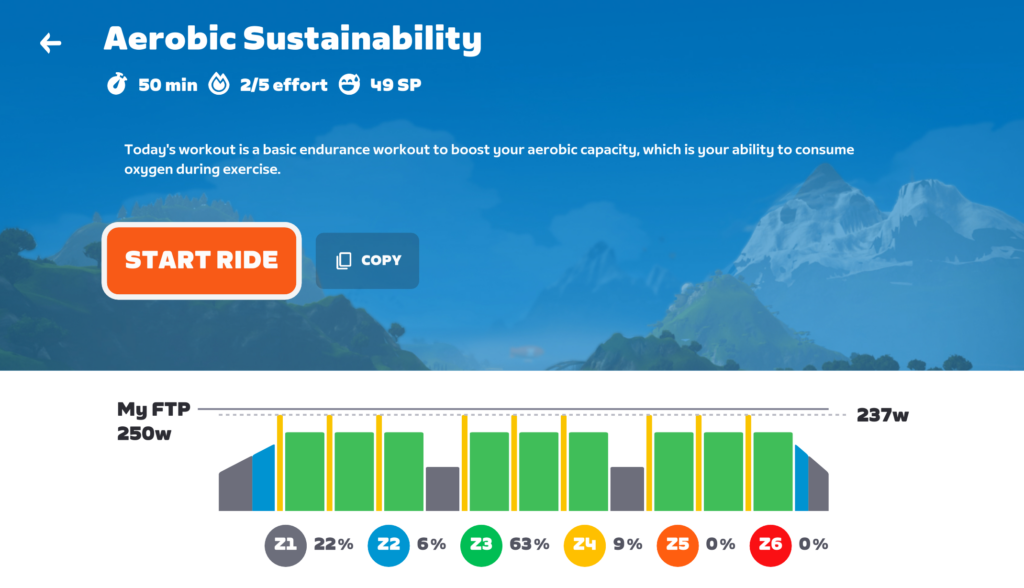
  • Neve Bradbury’s Aerobic Conditioning: Designed to improve your aerobic conditioning, aka “cardio”, with efforts that will get your heart pumping!
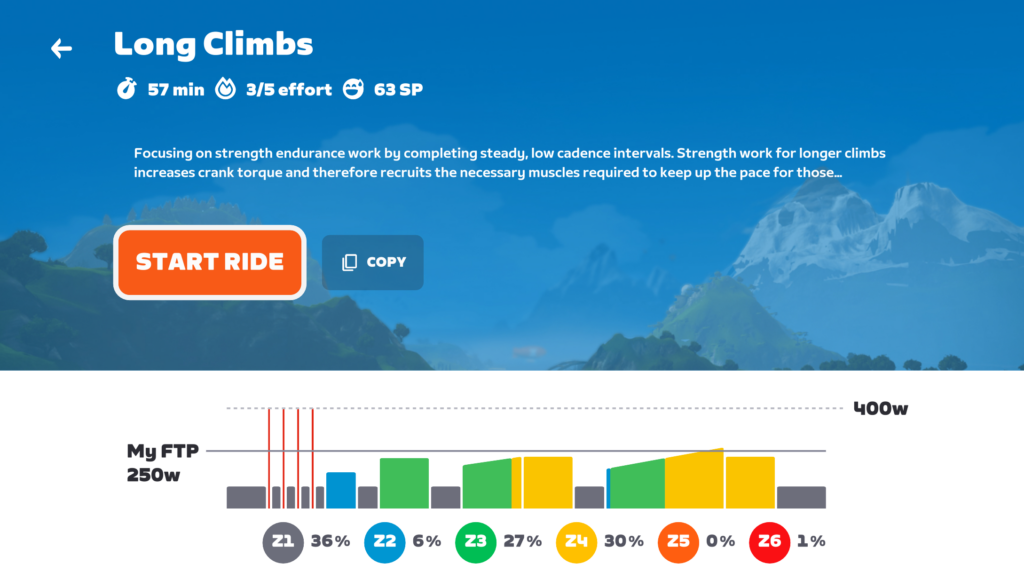
  • Ashleigh Moolman-Pasio’s Interval Workout: These on/off intervals boost your aerobic capacity (or cardio) and increase your top-end power, helping with sustained and punchy efforts.
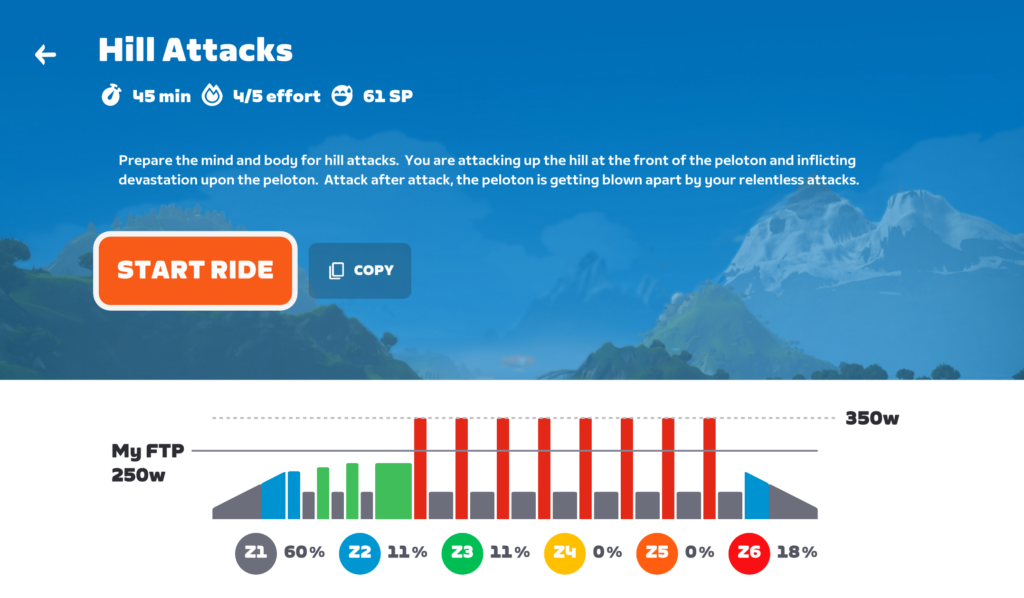
  • Kasia Niewiadoma’s Classics Workout: an interval workout designed to boost your power and endurance. Four sets of challenging efforts, beginning with a sprint, settling into a high zone 4 effort, and topping each block off with another sprint. Perfect for climbing and overall strength!
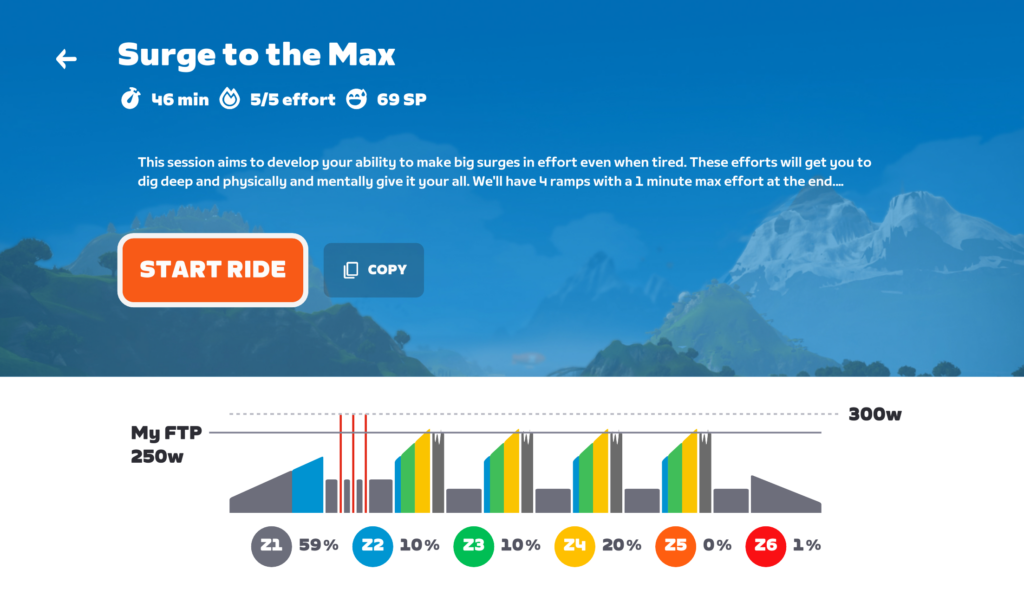
  • Cecilie Uttrup Ludwig’s HIIT Workout: a power-boosting interval workout! Two blocks of 20/40s intervals with a nice long recovery in between sets. Perfect for building strength and endurance!

Finish one of these Workout of the Week events to unlock the new 2024 Watch the Femmes Kit! (Completing the WoW on your own as an on-demand workout will not unlock the kit.)

See events at https://www.zwift.com/events/tag/wtf2024wow >

Watch Party Rides

These “second screen” rides start at the same time as the actual race broadcasts, so the idea is that you’ll ride with fellow Zwifters while watching the race on another screen. Chat about race highlights with Zwift friends in real time!

Not sure how to Watch the Femmes from your country? See this page from Zwift.

These are open-paced 120-minute events, and each stage is held on a different route. Finish the ride to unlock the new 2024 Watch the Femmes Kit.

See events at https://www.zwift.com/events/tag/wtfwatchparty >

Win a Custom Zwift Ride!

In honor of the Tour de France Femmes avec Zwift, Zwift is giving away two custom-painted Watch the Femmes Zwift Rides! There are three ways to enter for a chance to win: 

  1. Complete the Femmes Finale Monthly Mission for one entry (see details above).
  2. Comment on the Watch the Femmes Giveaway Post and tag a friend on Instagram to receive another entry (click here using a mobile device).
  3. To receive a bonus entry, take a photo using the Watch the Femmes VR Filter, post it to Instagram, and tag @gozwift and #WatchTheFemmes.

See giveaway terms and conditions >

WtF Merch

Want to support the Femmes all year ’round? Zwift has Watch the Femmes 2024 merch for sale now. “Limited edition and crafted with care—whether on your bike or cheering roadside, be part of a movement that drives women’s cycling forward.”

Browse Watch the Femmes 2024 Collection >

How to Watch

If you don’t know how to watch the Tour de France Femmes avec Zwift in your country, Zwift has put together a helpful page listing local broadcasters. See it at zwift.com/tdffaz-broadcasters.

Questions or Comments?

See Zwift’s page for all things Watch the Femmes. If you have a question or comment, share below!