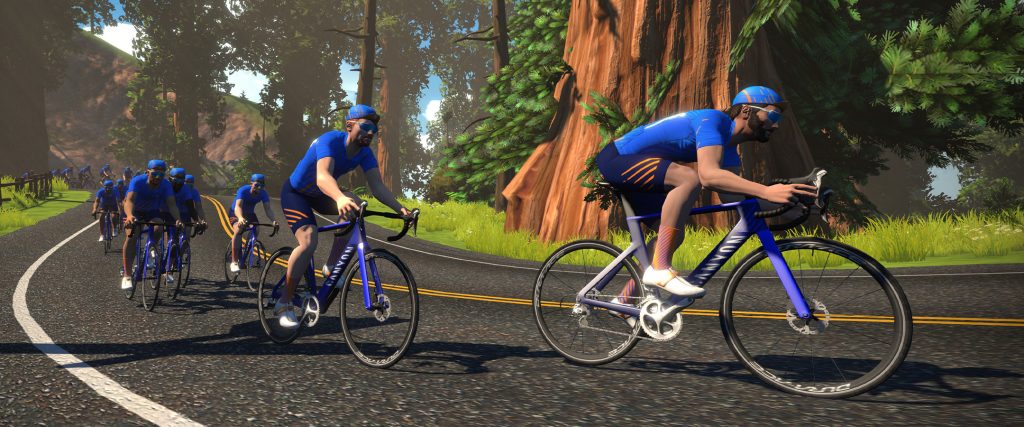
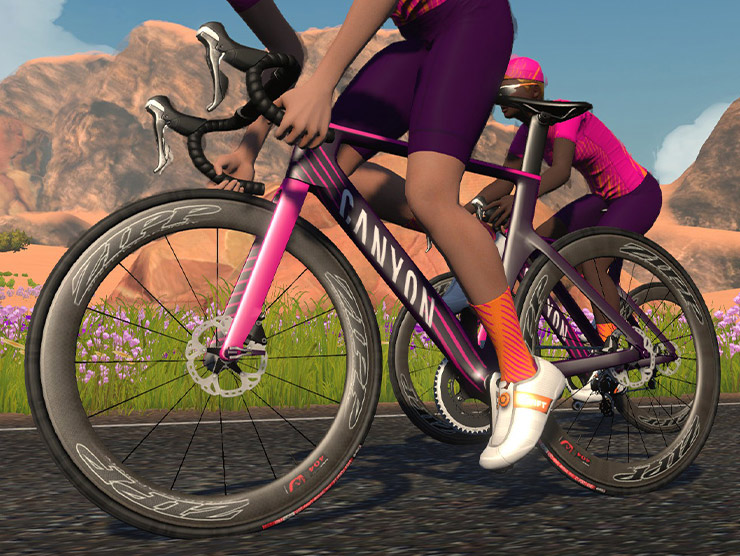
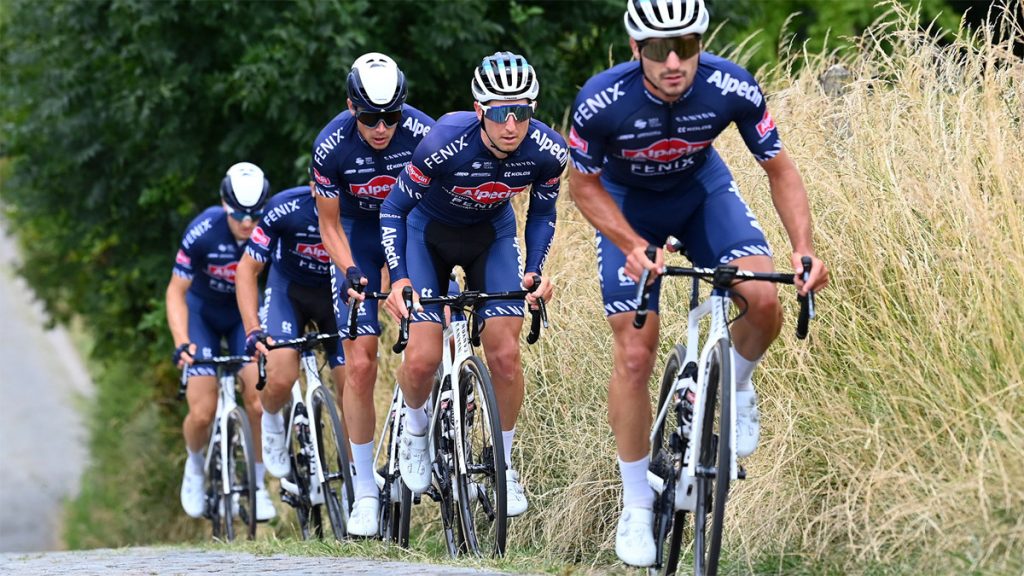
Now in its eighth year, the Rapha Women’s 100 is an annual celebration of women’s cycling all around the world. It returns this weekend, with Rapha is encouraging women on every continent to ride 100 kilometers in one day—online or in person. And Zwift has four big events planned to help make it happen!
Strava Challenge
If you’re going to do the ride, be sure to join the Strava challenge as well. Once you upload your ride to Strava you’ll be “eligible for a special Rapha reward” and also earn a digital Women’s 100 finisher badge.
Zwift Events
There are four events to choose from this weekend, and each already has hundreds of ladies signed up! They’re all 100km long, and include guest riders. See them all on the special series page.
Since March I have become obsessed with the weekly Team Time Trial… so i asked Eric if i could share my obsession with you all, in weekly doses.
Each week on a Friday I will give you a profile of the upcoming route, guidance on bike choice and some target times if you want to aim for the Premiere League (top-10 in each coffee class get to be in a special race televised on YouTube).
There’s some big changes coming for the TTT – a new Doppio class filled with A+ riders, and a league system within each Coffee Class. No new news on that yet – but if something comes up after I post this, I’ll add a breaking news section!
If you can’t ride, or even if you can ride, but want more action! Don’t forget to tune in to the live TV show on Zwift Community Live’s YouTube Channel at 6:15 (UK time). Even the Tour riders will kick back in their hotels in Châtel-Guyon and watch… probably.
Greatest London Flat recap
I didn’t get to race today – September is a rest month for me on coach’s orders – but I’m still paying attention. Sagan says “A hundred riders start the race, there will be a hundred stories told at the end.” I’d love to hear how your team story, and your individual story in the comments below.
Let’s take a look at how well you did… or since it’s my article – how well I did at predicting what was needed to get to Premiere League (PL)! What you see below is the finish time for the 11th team over the line on June 4th (when this course was last run), this week’s PL time, and my prediction for PL. The last column shows what position “my team” would have attained this week.
Class
PL Time (June)
PL Time
My prediction
Vienna
45:26
45:32
45:10
9th place
Espresso
39:46
40.22
39:40
5th place
Frappe
42:20
42:21
42:10
8th place
Latte
45:27
45:39
45:05
6th place
Mocha
51:41
52:03
51:41
10th place
Thursday 10th September – UCI Yorkshire
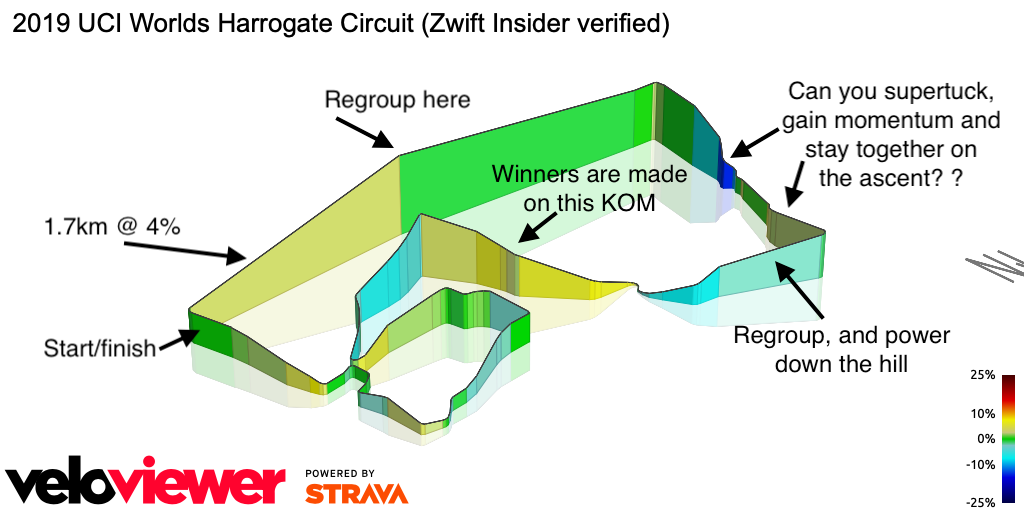
This week we head north from London to Yorkshire – and do a couple of laps of the 2019 UCI circuit. It’s a lumpy one! None of the hills are awful, but there are long drags up. I believe this is one of Zwift’s most beautiful worlds, but you won’t have much time to watch the scenery float past – you’ll be suffering.
No lead in to speak of from the pens, straight into the laps after 100 yards. Each lap is 13km with 240m of climbing – and you do two of them. There are no mountains here but plenty of ascending to sap the legs. Two great pages to check out – Simon Schofield, who comes from Harrogate write a nice race recon. And of course, the Zwift Insider route page has the usual great information and links.
What to ride?
This is not a flat route, and it’s not a mountain – it’s best described as lumpy. My feeling was the up and down nature of this course favors the Tron over S-Works Venge (with 858/Super 9) but what do the numbers say?
Eric and I had a debate on the bike to use, which he settled in his usual way – by doing the science. He ran a set of tests for a common set of wheel/frame combinations to see where the edge is.
The answer is – Tron and Venge (with 858/Super9) perform identically – our rider got around a lap in exactly 22:38 with each bike. Of course, your performance is what matters, so unless you can output a consistent 4 w/kg your time may vary!
But I have brilliant news for teams with lower level riders – the pairing of Specialized Tarmac Pro with ENVE 3.4 got around with only a 14 second deficit – and that pairing is available at level 5.
Here are some choices for you at different levels.
Level 5: Specialized SL7 with ENVE 3.4 (last week’s pick, the Rovals don’t climb well which is why i went with the ENVEs)
Level 13: Keep the SL7, upgrade the wheels for ZIPP 808s
Level 32: S-Works Venge with ENVE SES 8.9
Level 40: S-Works Venge with Zipp 858
Level 45: get those 858/Super 9 wheels and pair them with the S-Works Venge
But… I can’t let you go without another push for Tron – and this is for Simon Schofield as much as anyone since he famously still doesn’t have one. On a course like this, Tron matches the best bike you can buy at any level. As always, the Zwift Insider reports on frames and wheels are superlative so if you want to find the perfect bike and wheel combo for you, check them out.
Route Recon
This is a two-lap race with nowhere to hide. If you haven’t ridden this course in anger before, I would highly recommend getting out there. Best case scenario you create a meetup, get the gang together, and do a proper dry run… but if your team is like my team, that’s pretty hard to accomplish. If you are going out solo you can always create your own meetup… you have to invite someone for it to work so when I did my recce over the weekend I just invited the first person on my friends list.
I struggled to find good recce rides last week but this week there are some perfect ones. Here’s my pick of the rides:
For the Europeans and those in the antipodes, 3R have a great 2-lap race mirroring the TTT on Saturday – find it here. Then a little later in the day British Triathlon have a group ride which will work for the Americans also.
On Wednesday USA Cycling (based right here in Boulder where I live) have four individual TT events – 2 mixed and 2 for the ladies. Don’t go out hard on these the day before the TTT!
What to look out for on the ride
This is a technical ride – it’s all up hills and down dales. Winning this week is all about knowing your team (particularly where the weaker team members will crack) and the headstrong will ride too hard. Both of those things will cause splits.
The start. There’s no time to catch your thoughts here… 100 meters out of the pen you are at the start/finish – and into the first hill – Otley Road.
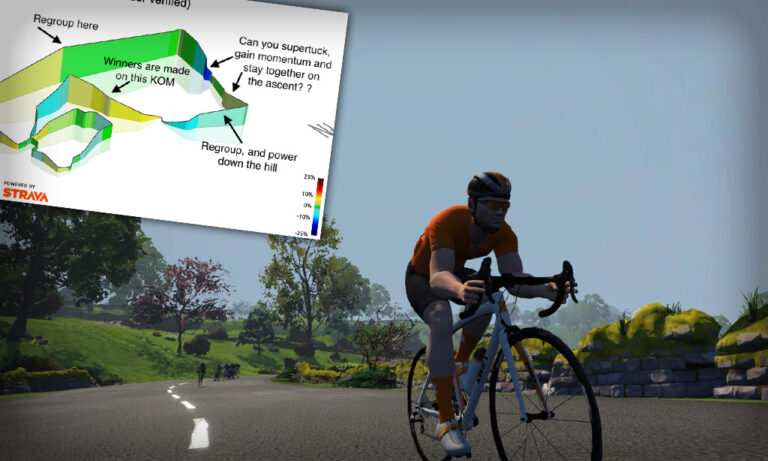
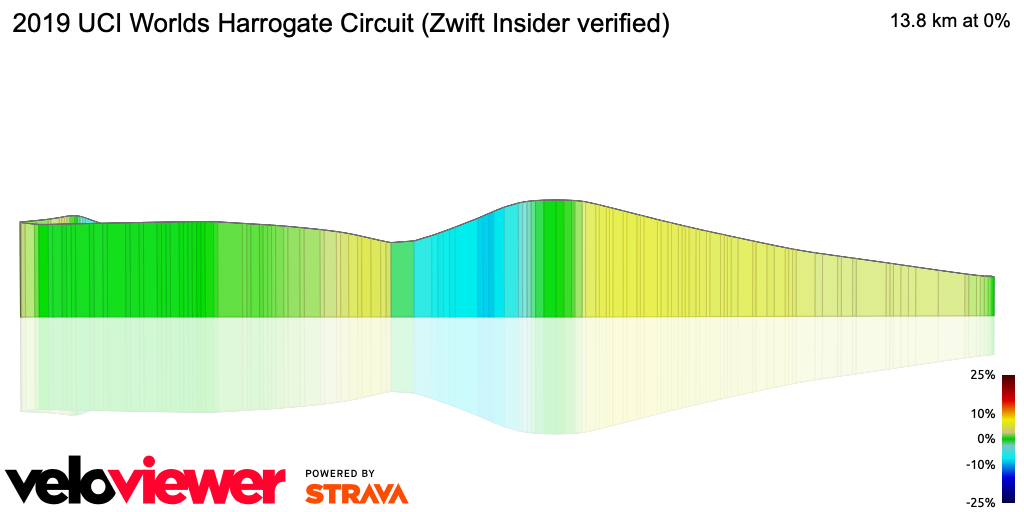
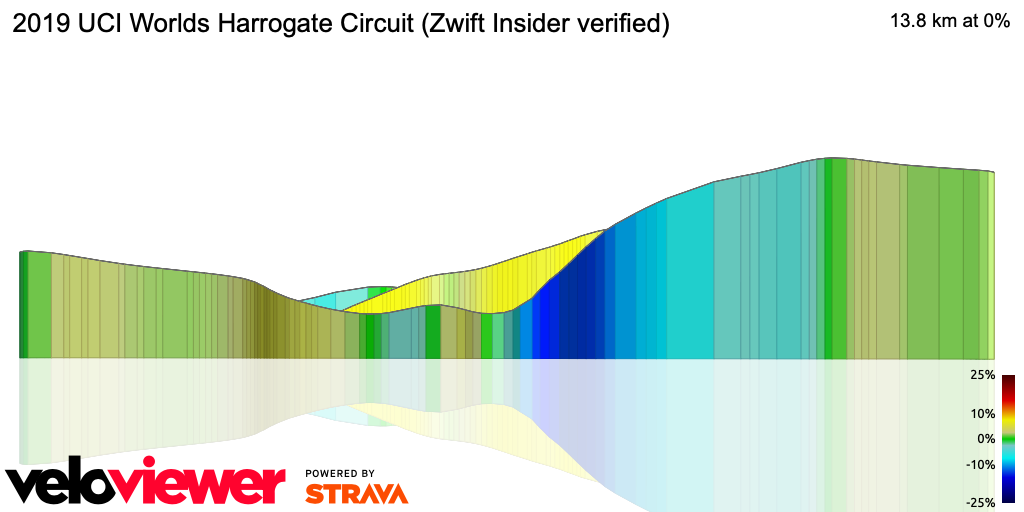
Ninety degree right turn and at a 1.7km straight shot up Otley Road at a pleasant 3.5-4%. It’s a straight road with consistent rise, so take the first few meters to collect yourselves and get in formation. The descent is short and sharp, followed by another incline (see the profile picture). None of this is too bad – keep in formation and have fun.
Shortly after the hard right turn comes Pot Bank – the descent first, then the rise back up. This down is fast and twisty, peaking at 16%, so watch out for lighter team members getting left behind. Back up the other side of Pot Bank averages 4% but it’s split into two parts – a sharp rise, which eases. Staying together over this section is critical.
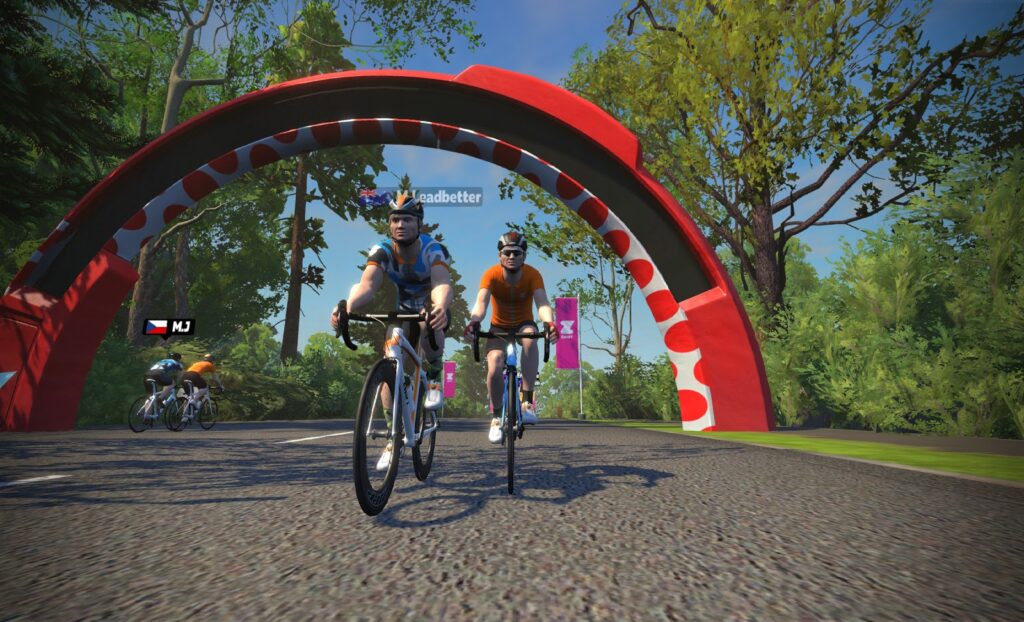
At 7.5km (and around 21km) you will hit the KOM. It’s not a monster – 1.2km at 5.5% – but it drags on for far longer than it has any right to!
After that the ride just gets a bit messy but there’s nothing to worry about. The last 500 meters is a 2% climb up to the start/finish gate – just plow on through and do it all again.
One note on the finish… even though the second time is identical to the first time, that 500 meters at 2% will be hard. This is a time to know who’s got the legs for the sprint, and who to jettison! It takes a whole team to race, but only four to win!
Target times
I’m mighty proud of my predictions for last week – if you hit my times you would have been in the middle of the Premiere League in every category. But… what I want to do for you is get closer to the maximum time for each Coffee Class that will still get you into the Premiere. Let’s see how close I can get this week.
This course has been run three times before; last time was May (#58), before that was February (#44) and before that in September (#24). Data as far back as last September is a little patchy, so i don’t have it in my table.
#44
#58
Vienna
53:05 (team 6 of 6)
46:15
Espresso
44:42 (team 9 of 9)
38:07
Frappe
43:15
40:47
Latte
47:46
45:19
Mocha
58:01 (team 7 of 7)
54:50
Last week i assumed the trends we had seen through the spring and summer would continue – with added competition driving down race times… but what we actually saw in London was the race times go up a little. Makes sense really, its the end of summer in Europe and more of you are out in the real world (like Zwift but with weather) which reduces competition. Within a few weeks you will all return from holidays, and autumn will be on us, which means more teams, and more competition. But for Harrogate, I think we will see times a few seconds higher than in May.
There are few obvious landmarks to use as you sail through the splits, hence my terrible descriptions – but they are at 6, 12 and 18km.
Split 1 – 6km – Halfway up Pot Bank
Split 2 – 12km – Heading into town… can’t be specific!
Split 3 – 18km – Just before the bend to Pot Bank descent
Class
Split 1 (6km)
Split 2 (12km)
Split 3 (18km)
FInish
Vienna
10:30
20:35
31:10
46:20
Espresso
8:15
16:30
25:00
38:15
Frappe
9:00
17:25
27:10
41:00
Latte
9:30
19:35
29:40
45:25
Mocha
12:10
23:40
36:20
55:00
My best time around here?
June TTT
10:17
20:32
31:41
48:27
Wrap up
This is a technical ride – there is nowhere on the route where you can stop paying attention or hide. Bike selection won’t make the difference here – but team communication will. When i did this ride last time I was with a crew I didn’t really know… i certainly knew their strengths and weaknesses afterwards – and they knew mine! This is a great course that puts the Team in Team Time Trial!
This update doesn’t contain much by way of new features – it’s more about delivering assets which will be used for upcoming Zwift Academies. Here are the details…
Repack Ridge
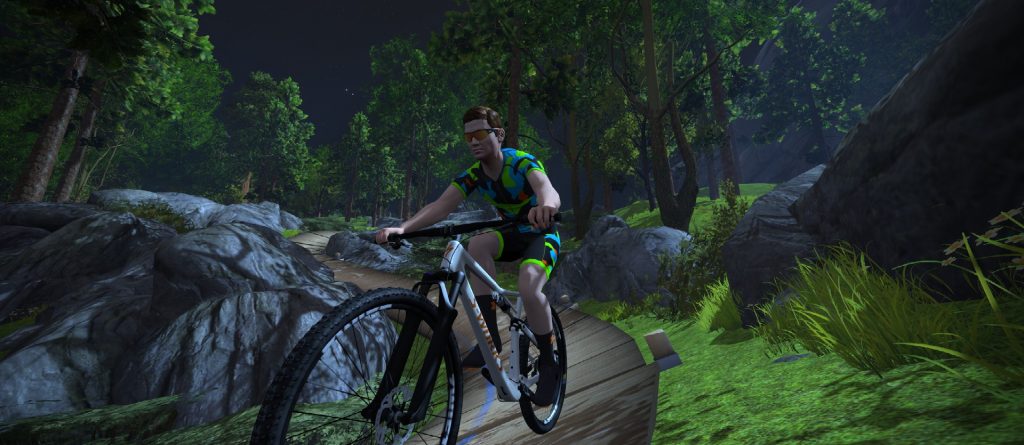
Ride any MTB you’d like on Repack!
Zwift’s only singletrack, Repack Ridge, was launched back in October 2019 along with the first version of steering, powered by the Companion app.
Today Zwift has taken Repack Ridge out of “FutureWorks” mode – the first FutureWorks project to truly go “live”. Congrats, Repack Ridge. And congrats Zwift!
Although you could steer on Repack with the Elite Sterzo Smart, Zwift has cleaned up the interface now, making it function smoothly. You can also ride any MTB from your garage – you aren’t forced onto the Zwift MTB. A new Strava KOM is imminent!
The intersection has a name!
Find Facebook Friends who Zwift
Not specifically part of today’s game update, but recently rolled out – Zwift has taken a web feature live where you can connect to your Facebook account, then Zwift emails you periodically when a Facebook friend joins Zwift.
We’ve been testing it out for a couple weeks now, and it seems to work well. Do it all through your connections page at my.zwift.com/profile/connections.
Other Updates
Update notes included these additional changes as well (with our notes in italics):
All events now have steering disabled by default, but you can visit zwift.com/events/tag/steeringrace to see events which have steering enabled.
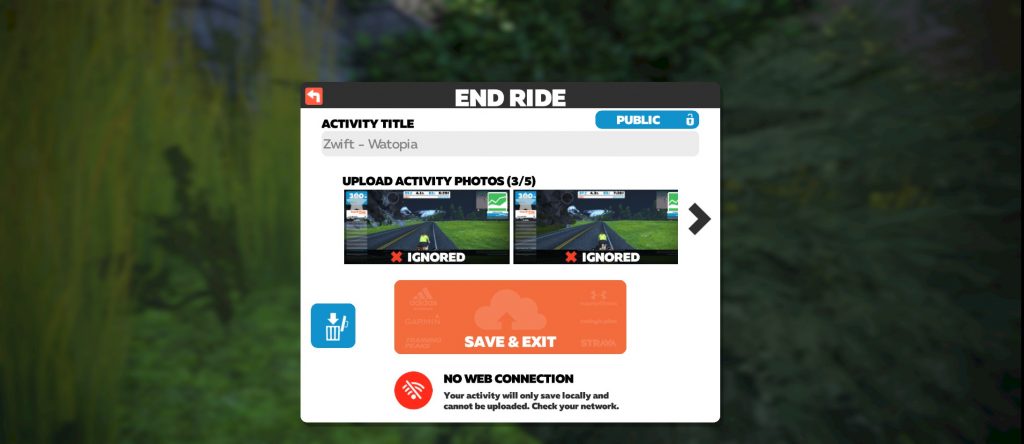
Added a new alert indicator when users save their activity to let them know if they are in an offline state to reduce lost rides and runs.: This should help with the complaints of “my ride didn’t save”!
Improved Meetups to ensure you can enable late join OR race results (rather than both at the same time). Even if you’re just racing your friends, you need to complete the entire meetup distance to take the top step. There have been issues with race meetups since they were enabled in the last big update. Hopefully this fix improves that!
Cycling Pace Partners is now only available for cyclists. A future game release will provide a complimentary Pace Partner for Runners.
Fixed an issue that would cause the HUD to flicker in Meetups.
Fixed a bug where in certain scenarios a rider would get dropped from the draft.
Numerous UI and text updates.
New alert if saving without an active Internet connection
In my previous article about how steering with the Sterzo affected the ride distance up the Alpe, the first line was.: I hate you Zwift! (But I love you more…)
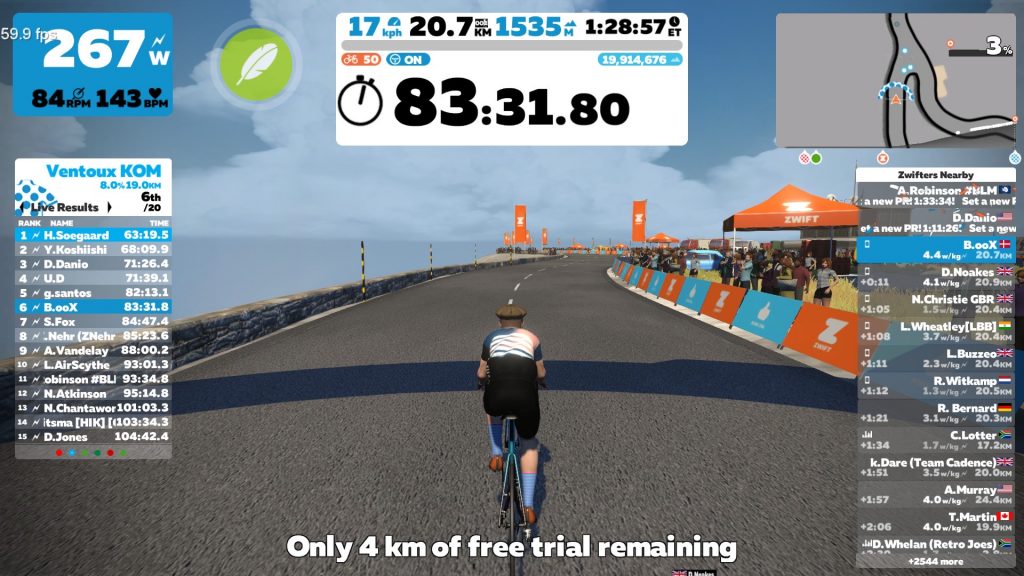
I’m not sure if it was a coincidence or Zwift trying to let me now they don’t like those kind of statements, but when I logged on for my next steering ride to get some data for this article, I was on a 25km trial! (Since Zwift always are friendly to me and they know I love them more than I hate them it was probably just the monthly returning issue with my iOS subscription payment not being transferred to my Windows setup automatically. But the timing was impeccable!)
So, what was the goal of this test ride?
Initially I had planned on a recovery ride around Watopia this Thursday. But when I saw that France was on the guest world menu I sort of convinced myself that a “recovery ride” up Mont Ventoux while trying to steer the optimal line would be a great idea… and selected Ven-Top as the route. I then hopped on the old Trek, with some friendly blue flashes from the Sterzo indicating that at least one of us was up for the job.
I have climbed Alpe du Zwift some 100 times (a 500th Anniversary Alp group ride is the goal within a year) and can recall all the corners in my sleep. Mont Ventoux is still new to me and the Zwift Companion App was a big help getting the correct position for the next corner coming up.
On the way up I discovered that there’s quite a few long turns on the route and was positive that the optimum line would make a difference.
At the top with 4km left of my 25km trial I noted that the optimal line saved approximately 200 meters over 20km!
With that new knowledge my brain was already working on this article but I still needed some data for the same ride, but steering for the worst line.
Of course I couldn’t deviate from my usual Friday BoOCD2000 ride so no testing Friday (but got the see the Alp) and Saturday is almost always a triple Alp for me. (This Saturday got slightly out of hand, something with 4424 meters that I hadn’t planned on but suddenly found myself in.)
Finally Sunday, and what else to do than another “recovery ride” on Ven-Top, this time steering for the worst line.
It was a great ride up this amazing new part of Zwift. Lots of great riders on the climb, and for some weird reason my legs felt great.
On the top I got the result of picking “the wrong line”. It was around 200 meters longer compared to the non-steering line, and 400 meters longer compared to steering for the optimal line.
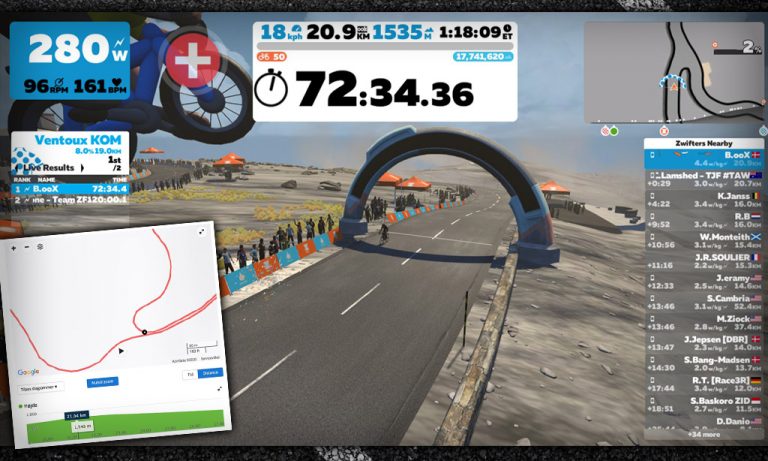
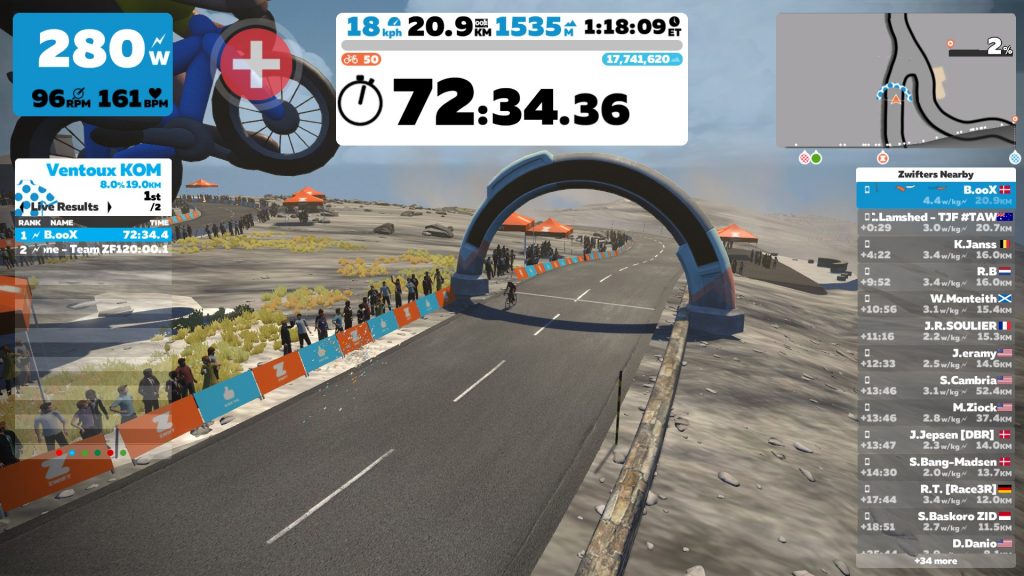
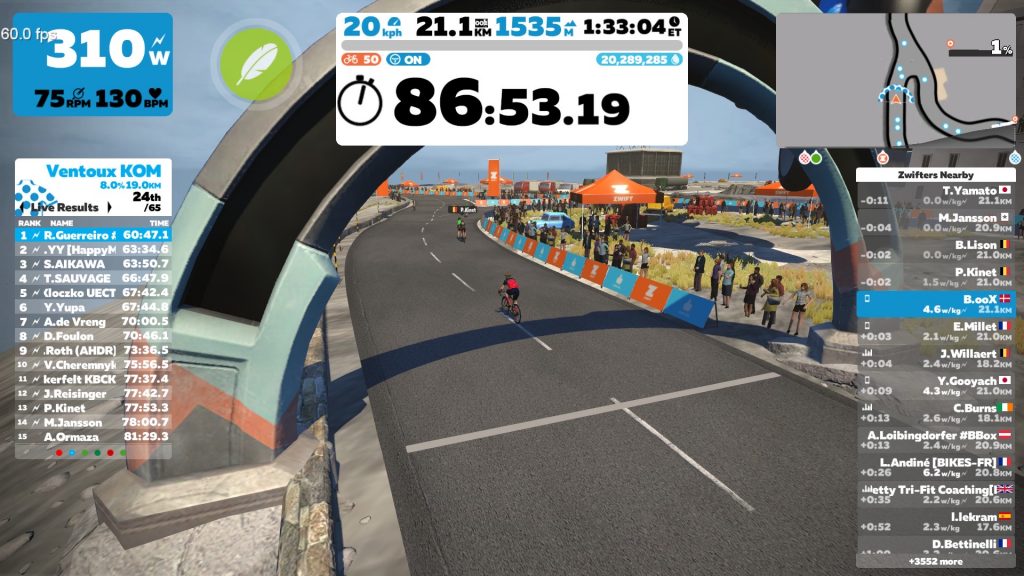
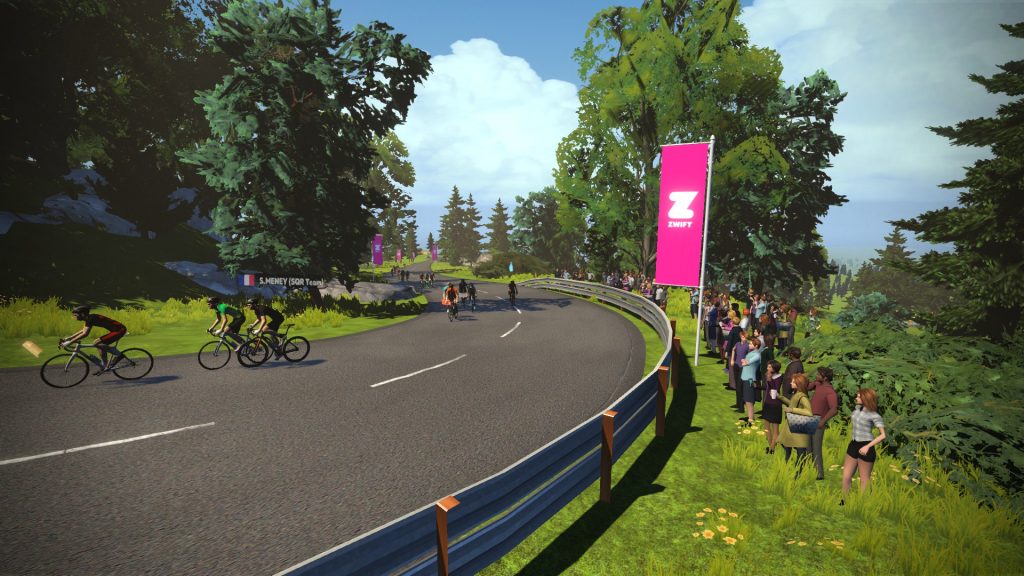
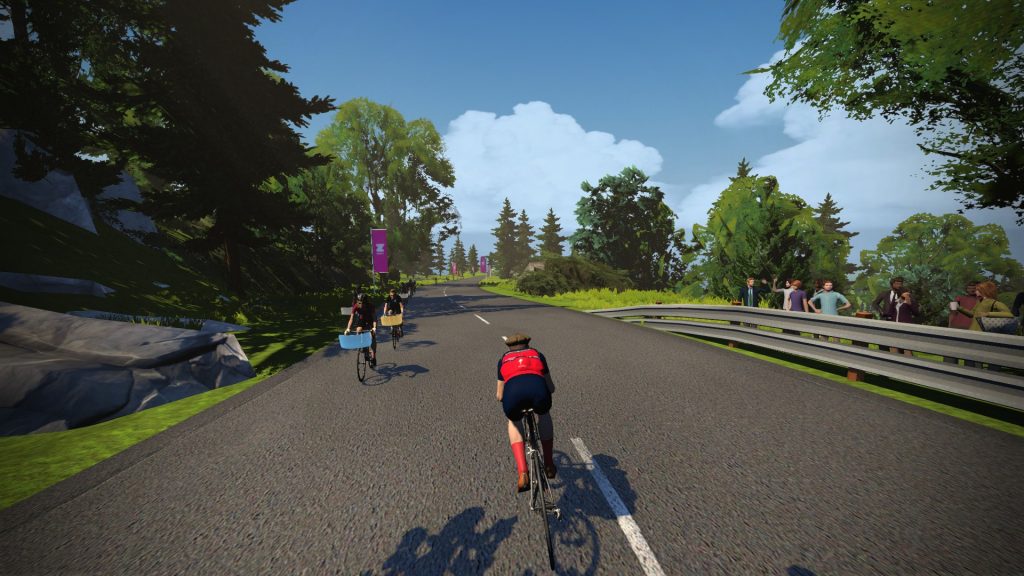
I’m the rider getting the Ride On, riding on the line. This shows the “bad line” position compared to the other non steering riders.
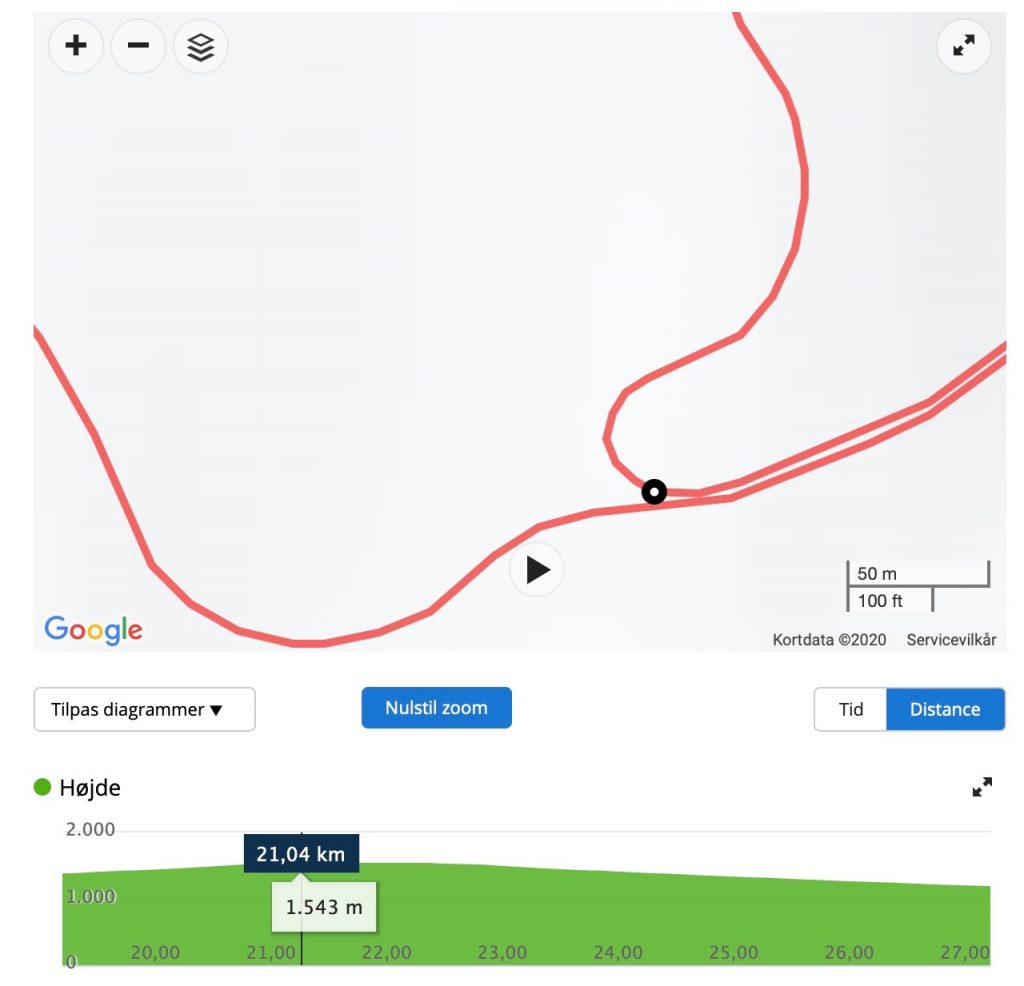
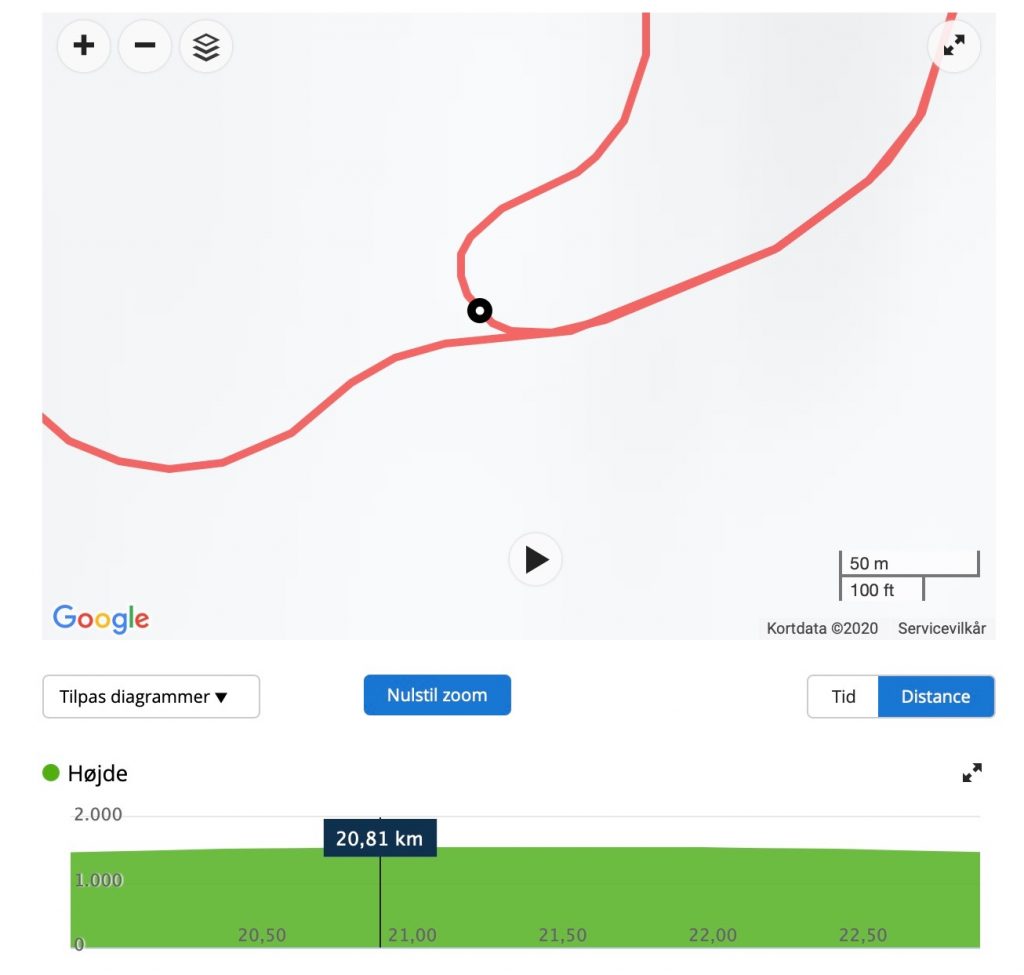
The screenshots from Zwift are shot at around the same point but from different views. But the screenshots from Garmin should be within a few meters and confirms the distances.
No steering (from Garmin)
Optimal line (from Garmin)
Worst line (from Garmin)
The distances from Garmin:
Optimum line: 20,81km
No steering: 21,04km
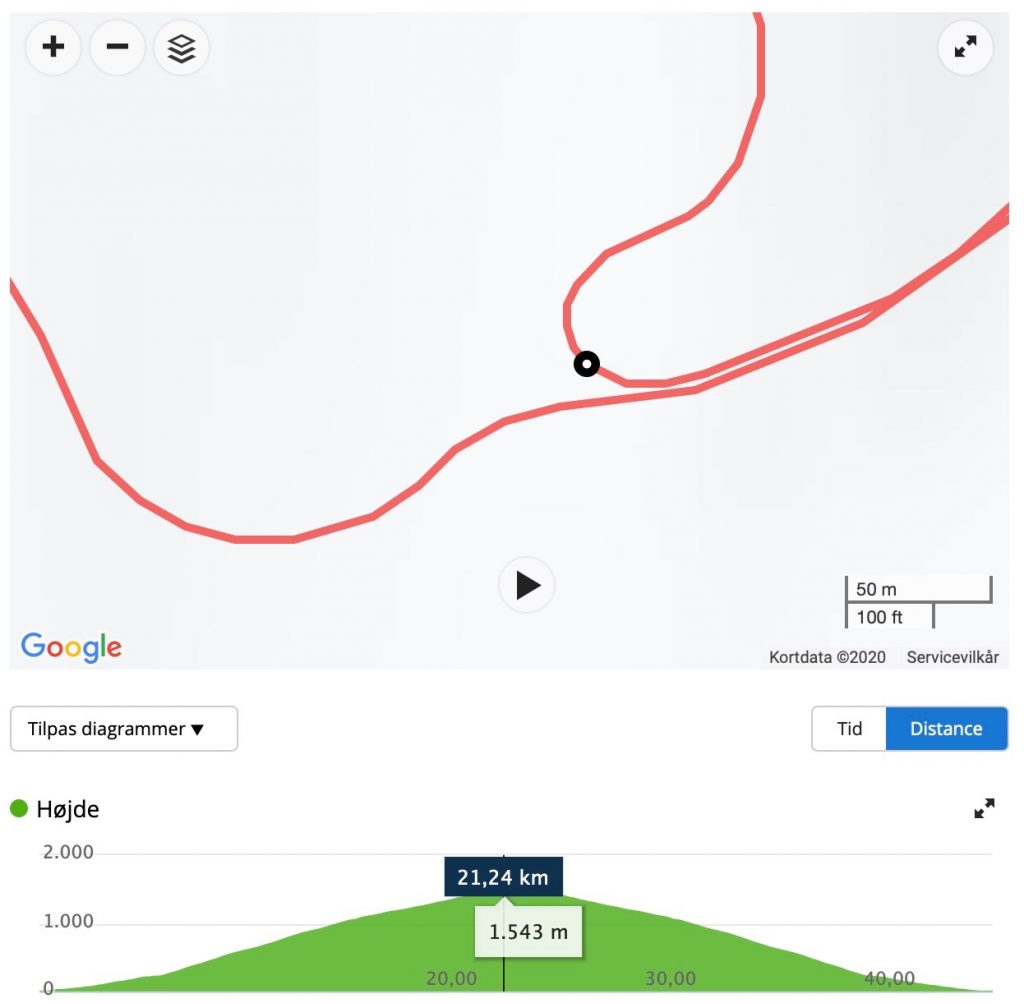
Worst line: 21,24km
The conclusion must again be: yes steering in Zwift affects your distance. This time it’s +/- 200 meters over 20km. That’s a big number if you ask me, at least if you are trying to be the first crossing the line.
Again this is no scientific test, just me having fun – and maybe some pain. Go have fun and do your own test and Ride On!
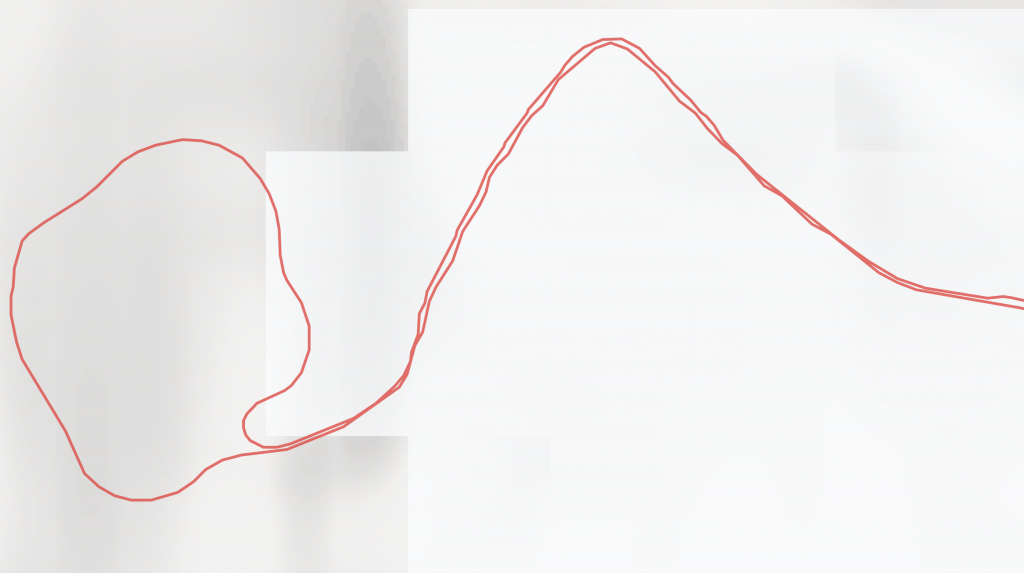
(Ohhh… there might be a slight bonus here at the end. On my way down I decided to change my position from side to side constantly to see if the GPS data uploaded to Garmin from Zwift would represent this. Honestly, not in my wildest dreams I would have thought it would be visible on the map, but if you look at the screenshot from Garmin it seems like something is going on! That’s pretty awesome if that’s the case…)
On the fast descents your avatar will cross the center line if you steer fully to the left in left turns!
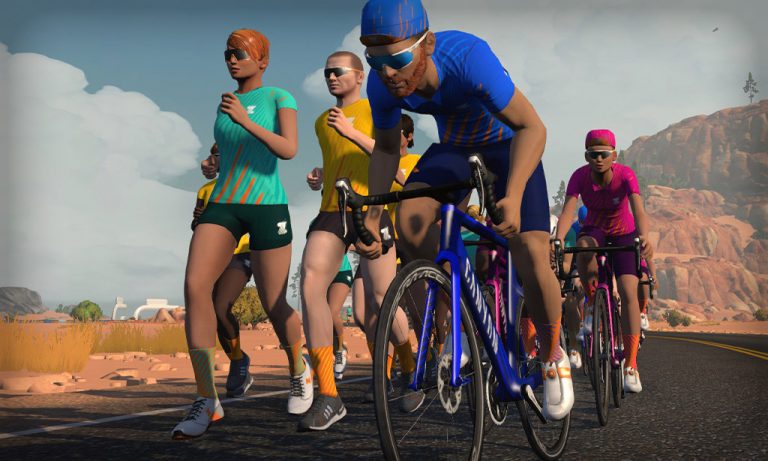
Zwift has just released the details of this year’s much-anticipated Zwift Academy (ZA) program. There will be three academies in the final months of 2020: road cycling, triathlon, and running. Each academy is 8 weeks long, and there will be some overlap since the academies start 2 weeks apart (dates below).Open enrollment begins on September 8th.
While each academy still includes a contest with finalists winning big prizes like pro contracts or big race tickets, the focus has shifted to the common athlete. Unlock You is the timely phrase Zwift is using to encourage athletes of all abilities to sign up for ZA and push themselves to new levels of fitness.
With three completely separate academies there are a lot of details wrapped up in this announcement. We’ll outline the key info here, with followup posts to come!
Zwift Academy Road
Wildly popular ever since its initial launch, ZA Road is now in its fifth year. It features separate training programs and events for men and women.
ZA Road Schedule
Registration opens on web and in-game September 8
Program begins October 1
Registration closes November 1
Program ends November 25
New: Segment Rides
An intriguing new event format is being unveiled for this year’s Zwift Academy. Dubbed “Segment Rides”, these events allow Zwifters to test themselves on two different segments per ride, much like you might do outdoors on particular sections of road which are well-suited to particular efforts.
Innsbruck will feature two segments designed to test Sprint Power on the 300m Innsbruck Sprint Forward and Threshold Power on the Innsbruck KOM (7.43km, elevation gain 696m). Held in Watopia, the second Segment Ride will test Anaerobic Power on the Hilly KOM Forward (0.90km, elevation gain 50m) and VO2 Max on the Volcano KOM (3.75km, elevation gain 120m).
Program Details
To graduate from the 2020 Zwift Academy Road you must complete 8 workouts as well as any combination of 4 group rides or races. Those who wish to compete for either of the two professional cycling contracts (see “Grand Prizes” below) must complete all 8 workouts as well as two races (Richmond and France) and both Segment Rides (Innsbruck and Watopia).
The workouts haven’t yet been released, but they were designed exclusively for Zwift Academy by the two new coaches from Dig Deep Coaching (see below). The workouts are designed to improving your overall cycling abilities, no matter your current fitness level.
Workouts can be ridden in group workout events, but they will also be available in the workouts menu for solo efforts. (And if you really want to get at it with friends, organize a group workout via Meetups!)
New for this year, Group Rides will be run at two different paces 1.7-2.2 w/kg or 2.2-2.7w/kg for men and 1.2-1.7 w/kg or 1.7-2.2w/kg for women. Races will be run on two different circuits: Richmond’s 2015 World’s Course (flat with some punchy climbs) and France’s La Rein where the climbers can shine up the Ven-Top mountain.
Unlocks
Like past academies, there will be a series of progressive unlocks as riders make their way through the program:
Cycling Cap
Socks
ZA Kit
A special bike unlock from Canyon!
Grand Prizes
As in past years, ZA Road Women will be vying for a 1-year pro contract with the CANYON//SRAM team!
For the men, there’s a change this year – ZA Road Men will be battling for a spot on the Alpecin-Fenix team, instead of Team Dimension Data (now NTT) as in past years. Another change: this is open to anyone 18 or older, not just a U23 rider.
In another change from past years, there will be no semifinalist round for ZA Road 2020. Instead, 5 finalists from the Men’s academy and 5 from the Women’s academy will be selected. Finals will take place approximately in December, pending lockdown concerns.
Coaches
This year’s ZA Road coaches are new to the ZA coaching role, but they’re not new to cycling, Zwift, or coaching in any way! Stephen and Dan are experienced and strong bike racers, both indoors and out.
Stephen Gallagher
Stephen is a lifelong racer who’s represented Ireland at Worlds and European Championships. His goal is to give every rider a 360° view of their physiology and strengths. He designed ZA’s structured workouts as a journey – one that educates and asks you to exert hard efforts on the bike. See his ZwiftPower profile, or read his bio on DigDeepCoaching.com.
Dan Fleeman
Dan was born on a mountain bike, and his medal-winning history as a Brit racer speaks for itself. He used a rich knowledge of training, recovery, and structure to create a program that’s as tough as it is intelligent. Follow it and discover the building blocks to unlock your inner power. He races on Zwift with Saris + The Pros Closet – see his ZwiftPower profile, or read his bio on DigDeepCoaching.com.
Zwift Academy Run
For the first time ever, Zwift is rolling out an academy just for runners!
ZA Run Schedule
Registration open on web September 8
Registration open in-game September 15
Program begins October 15
Registration closes November 8
Program ends December 9
Program Details
To graduate from the inaugural ZA Run, Zwifters will have to complete 8 designed workouts designed with a focus on improving both short and long-distance running times. Graduates must also complete 2 events (races or group runs) at 5k or 10k distances.
Workouts can be done in group events, but they will also be available in the workouts menu for solo efforts. (You may also organize a group workout via Meetup.)
Unlocks
Runners will progressively unlock in-game kit while making their way through the program:
Running Socks
Adidas Shoes
Running Cap
ZA Running Shirt
Grand Prize
Grand prize is a spot on a supported Zwift ZA Run team that will compete at the prestigious 2021 Berlin Marathon. A total of 6 finalists will be chosen for the grand prize.
Coaches
Terrance Mahon
An expert endurance running coach, Terrance emphasizes total integration of sports science, strength, conditioning, and sports therapy. With an extensive background blending high-altitude training and sports nutrition, his athletes consistently achieve peak results at championship events.
Jen Rhines
With 20 years of experience as a pro athlete, 3x Olympian Jen Rhines coaches runners of all ages and ability levels, from amateurs with no experience to Olympic hopefuls. She also designs the training plans for the AKTIV Against Cancer charity runners who compete in the Boston and NYC Marathons. Learn more at JenRhines.com >
Zwift Academy Tri
The first iteration of Zwift Academy Tri 2020 was in its final stages when COVID hit and shut down the world of competitive athletics. Because of that, this is actually the second ZA Tri 2020! Once again, the goal is to earn a spot on the “best supported amateur team in tri” – the Zwift Academy Tri team – and to qualify for Ironman Kona.
ZA Tri Schedule
Registration open on web September 8
Registration open in-game September 28
Program begins October 29
Registration closes November 29
Program ends December 23
Program Details
To graduate from the 2020 Zwift Academy Tri you must complete 5 cycling workouts and 1 TT race, as well as 5 running workouts and 1 5k race.
Workouts can be completed in group workout events, but they will also be available in the workouts menu for solo efforts. (You may also organize a group workout via Meetups.)
Unlocks
Like past academies, there will be a series of progressive unlocks as athletes make their way through the program:
Cycling Socks
Cycling Cap
ZA Kit
Running Cap
Running Socks
ZA Run Shirt
Final unlock: Specialized TT Helmet
Grand Prize
Grand prize is a spot on the well-supported Zwift ZA Tri team with a goal to qualify for Kona. A total of 6 finalists will be chosen for the grand prize.
Coach and Mentors
The ZA Tri coach and mentor team is returning from previous seasons:
Dr. Dan Plews (Coach)
Dr. Dan Plews is a world-class coach and athlete. A trained academic, Plews has a PhD in exercise physiology. He’s worked with 25 World Champs and Olympians, in sports like triathlon, rowing, and sailing. But long course triathlon is his passion, having coached athletes to sub 8 hour performances over the long course distance and numerous 70.3 and Long Course wins. On top of all that, Plews holds the record— 8 hours and 24 minutes— for the fastest ever age-grouper in Kona. Learn more at EndureIQ.com >
Sarah True (Mentor)
Sarah True is an American athlete who competes in triathlon. She represented the United States in triathlon in 2012, finishing in fourth place, and at the 2016 Summer Olympics. True is the winner of the 2007 ITU Aquathlon World Championships and finished in second place in the 2014 ITU World Triathlon Series.
Tim Don (Mentor)
A three-time Olympian. World Champion in triathlon and duathlon. Countless ITU World Cup and Ironman podium appearances. Great Britain’s Tim Don was a legend even before the 2017 Ironman South American Championship in Florianopolis, Brazil. That race cemented Tim’s place as a true triathlon great as the new IronmanWorld Record.
Have you ever wondered what a Zwift race would be like if it mimicked an outdoor road race in real life? Due to a bug in one of last week’s races, I found out.
(For a little background on me: I race in Cat B and am really into race ranking. I’ve come to find my favorite race of the week is the Oh My Crit! Double Race and it just so happens this latest one was 2 laps on my favorite Zwift course, Innsbruckring. Little did I know I was about to have THE experience with this one.)
The Warmup
I did my normal warmup for these Thursday races:
Get the kids in front of the TV so they don’t bug me.
Hop on the bike with 10 minutes to spare.
Pedal 5 strokes and realize I have to go to the bathroom.
Walk past my wife, who is in a work video call, in my bike shorts and no shirt. I’m a trophy husband so she doesn’t mind.
Impersonate a horse by click-clacking through the house in my bike shoes.
Return to the bike with a solid 6 minutes before race time.
Yeah; I’m a pro.
Since it’s my favorite race, I’m well aware I only race against Cat B racers. On this race day, I got in the pens and saw a few A+ Zwifters I knew. What? Not good. I considered dropping out of the race and hopping into the A group to see if I could get a better ranking but thankfully, I didn’t. The A’s took off from our pen one minute before us. Crisis averted.
The Start
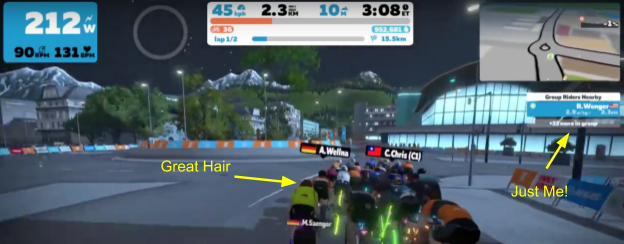
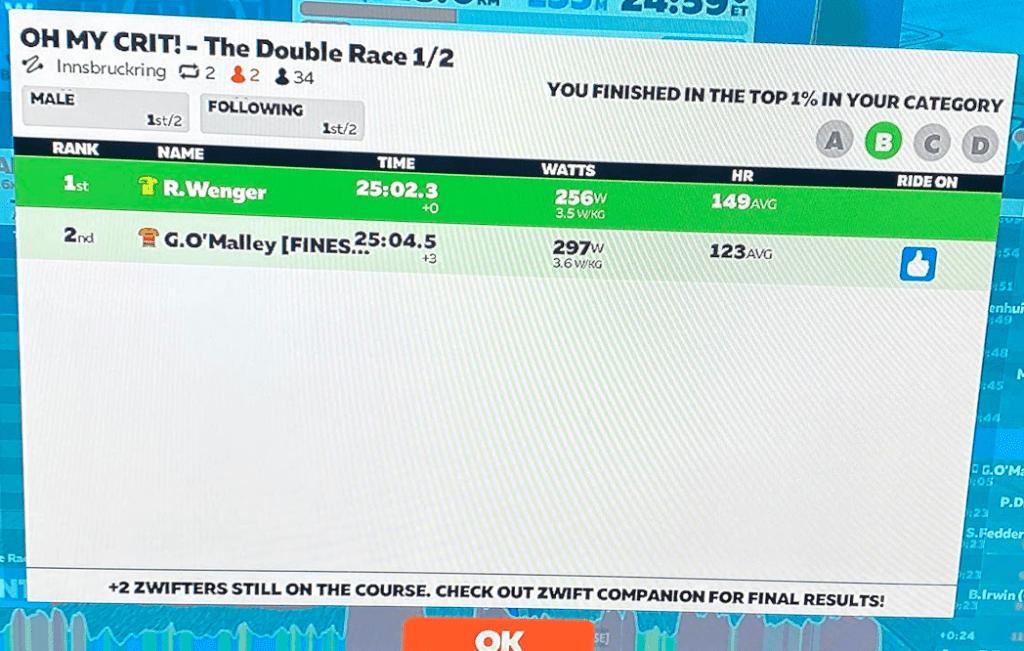
The race started and I immediately noticed a weird anomaly on the screen: I could ONLY see Cat D racers and myself. Within a couple minutes, those Cat D racers disappeared and I could only see myself. What was going on? We were going REALLY slow and about 3 minutes into the race it was confirmed by someone else: none of us could see other racers’ power or position. I realized this was going to be like a real-life bike race (except this time, I’d be racing with better hair). Check out the screenshot:
The Middle
This is where things got interesting. During the first time up the Leg Snapper, a guy I had raced against a few times, Gregg O’Malley, blasted past everyone and opened up a gap. I knew he was a high-ranked Zwift Cat B racer and really good tactically, but I still figured he would get chased down. It was weird though, because our pace remained pretty slow. He ended up holding the lead for four minutes and we caught him just before the start/finish line on the first lap. But it showed me something: normally breaks like that only last a short time but Gregg had stayed away for a long time. The field was hesitant because the racers couldn’t see what others were doing and decided to let the gap remain further out than normal.
I immediately hopped on the Zwift Companion DM’s and messaged Gregg, hoping he remembered me, and asked, “Do you want to start a break?” His response was, “We can try, but I was getting nowhere when I was off the front before!”
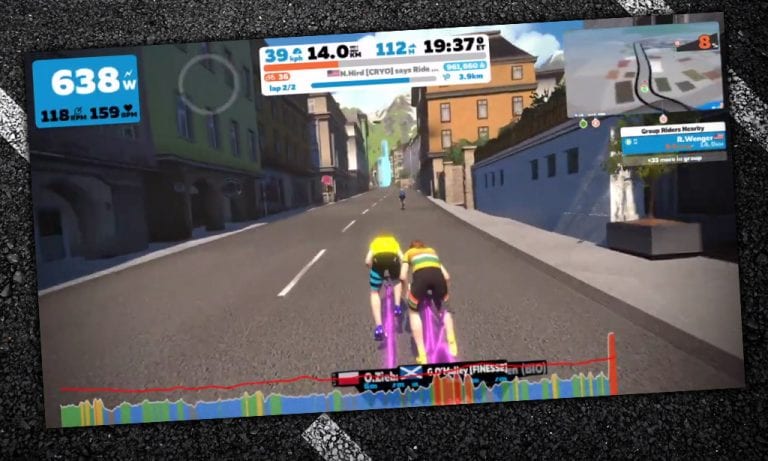
Here is a picture of Gregg and I at that moment:
It was on. We sent a couple of messages back and forth resulting in him messaging me with, “We are gonna have to go hard up the hill” to which I responded, “I will go all out”. I knew he was stronger than me so I figured I could go all out without fear of dropping him. I just hoped he wouldn’t drop me.
The Finish
We reached the Leg Snapper on Lap 2. Gregg and I hammered up and built about a 30-meter gap on the field. I was banking on the fact that the field couldn’t see the gap or our W/kg. One thing I didn’t think about was that we also couldn’t see how far back the field was, so it was a scary few minutes trying to make sure we stayed away. So we just kept the pressure on as much as we could the rest of the race, switching out pulls. (Ok, so maybe “switching out” is a bit generous. Maybe Gregg was leading 90% of the time but… who’s counting?) If you want to see the attack check out 22:22 on my video.
With about a minute left, I received this message from Gregg: “I’m too ***** tired to sprint now so just make sure you can take it.” A better person than me would have argued, but I just took the win, which also was my first official Zwift win along with the chance to get a photo of results before everyone else finished!
Watch the race video
Takeaways
Friends in High Places: Find those people who impress you and learn from them. I had raced against Gregg 3-4 times. The first time we raced, I couldn’t believe how low he kept his power relative to everyone else. I had messaged him a few times after we raced to tell him good job. (He had beaten me every time.) When I see him in a race now, I do everything I can to analyze how he is racing and try to emulate him.
Work Together: Oh man was it fun working together. Eric has mentioned this a lot in his How the Race Was Won/Lost articles, but working with another person to execute tactics was way better than I expected.
Remove the Right-Hand Bar: If Zwift wants to encourage breakaways, race organizers should be given the option to remove the right-hand bar for races. No places, no power numbers, no time gaps. I found this way of racing really enjoyable (and contrary to what my wife says, not just because I won). And yes I do bore my wife with stories about my Zwift races.
Your Thoughts
What do you think about the idea of Zwift giving race organizers the option to remove the right-hand bar? Have you ever worked with another Zwifter to make a break? Share your stories and thoughts in the comments below!
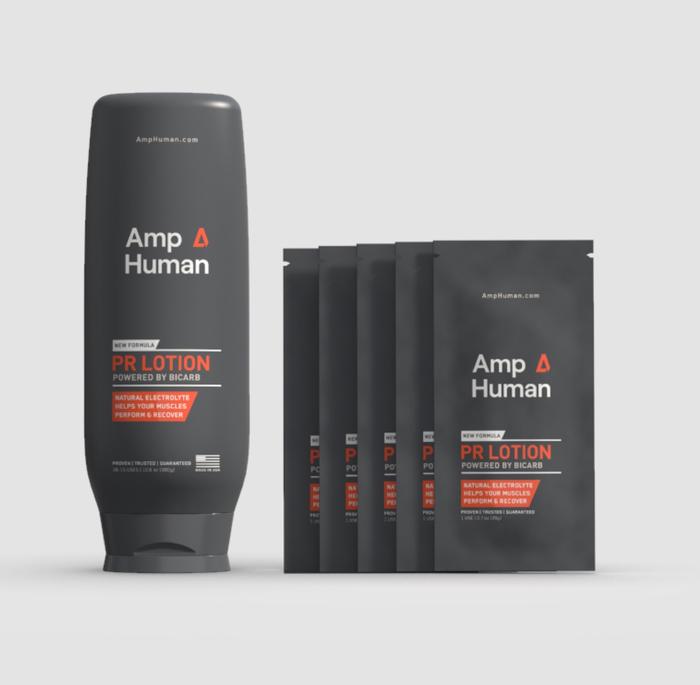
Amp Human (makers of PR Lotion, my favorite product for hard racing and training rides) has just rolled out a new Strava challenge in partnership with EF Pro Cycling (my favorite pro cycling team)! The challenge? Ride a total of 102.6 miles (the average stage length in the 2020 Tour de France).
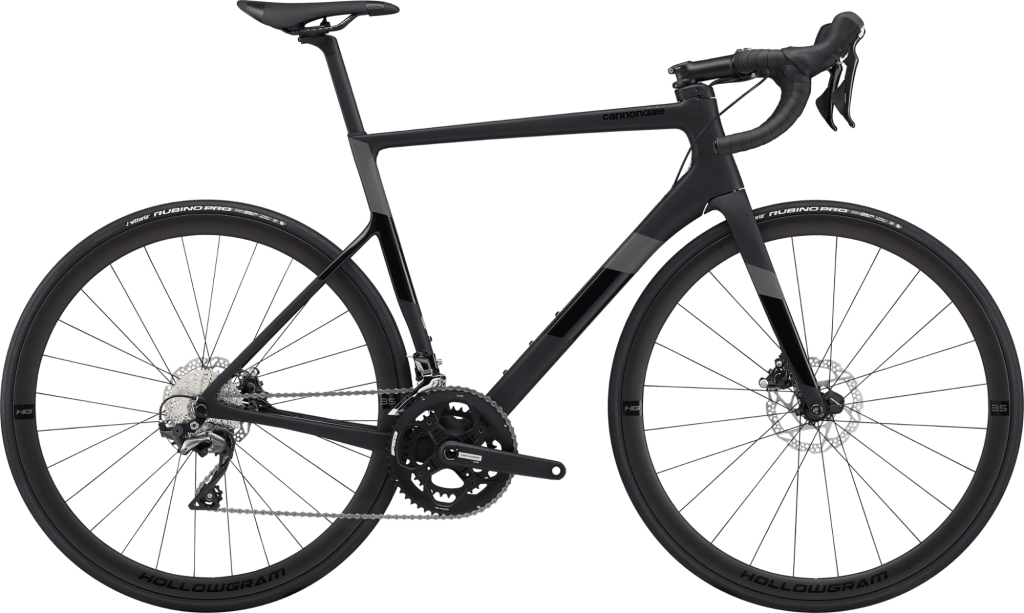
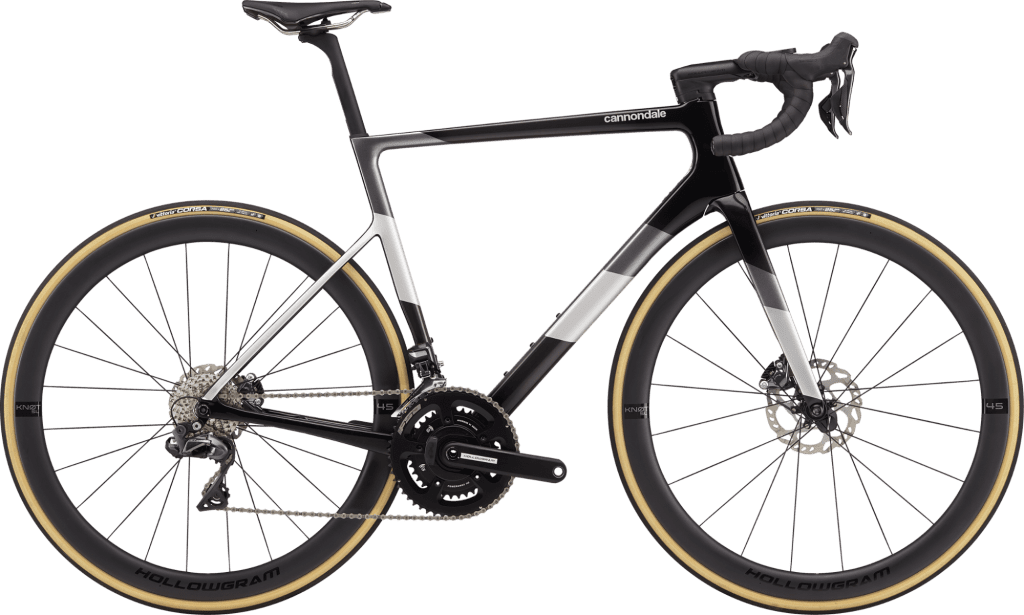
Do it all in one ride for a chance at the grand prize (a Cannondale SuperSix EVO Hi-MOD Ultegra Di2 + lots more!) or do it over multiple rides for a chance at the stage prize – which is still a big prize! Here are the details…
Entering the Challenge
To enter the challenge simply click “Join Challenge” from the challenge’s homepage (must be a Strava user to sign up).
Important note: the terms of this challenge state that it is only open to “legal residents of the fifty (50) United States, the District of Columbia, Canada and the UK who are at least eighteen (18) years old at the time of entry.”
Completing the Challenge
To finish this challenge, ride a total of 102.6 miles by September 18, 2020 (challenge starts and ends based on each participant’s local time zone).
Do it all in once ride for a shot at the grand prize (see below)!
Rides can be indoors (virtual) or outdoors, and must be uploaded to Strava to count.
Prize Giveaways
There are two prize packages associated with this Strava challenge, and both are massive prizes!
Stage Prize
Accumulate 102.6 miles between Aug 29 – Sept 18 and opt-in for a chance to win:
Cannondale: SuperSix EVO Carbon disc Ultegra (MSRP $4,200) – bikes subject to availability
POC: Omne Air Spin Helmet (MSRP $150) and Aspire Clarity Sunglasses (MSRP $220)
Rapha x EF Pro Cycling: EF Pro Cycling Pro Team Aero Jersey (MSRP $195), EF Pro Cycling Pro Team Bib Shorts (MSRP $270), Team Cap (MSRP $20), Musette Bag (MSRP $20), Team socks (MSRP $20) and Team water bottle (MSRP $12)
Complete a single ride of 102.6 miles or more between Aug 29 – Sept 18 and opt-in for a chance to win:
Cannondale: SuperSix EVO Hi-MOD Ultegra Di2 (MSRP $7,750) – bikes subject to availability
POC: Ventral Air NFC Helmet (MSRP $275) and AIM Clarity Sunglasses (MSRP $220)
Rapha x EF Pro Cycling: EF Pro Cycling Pro Team Aero Jersey (MSRP $195), EF Pro Cycling Pro Team Bib Shorts (MSRP $270), Team Cap (MSRP $20), Musette Bag (MSRP $20), Team socks (MSRP $20) and Team water bottle (MSRP $12)
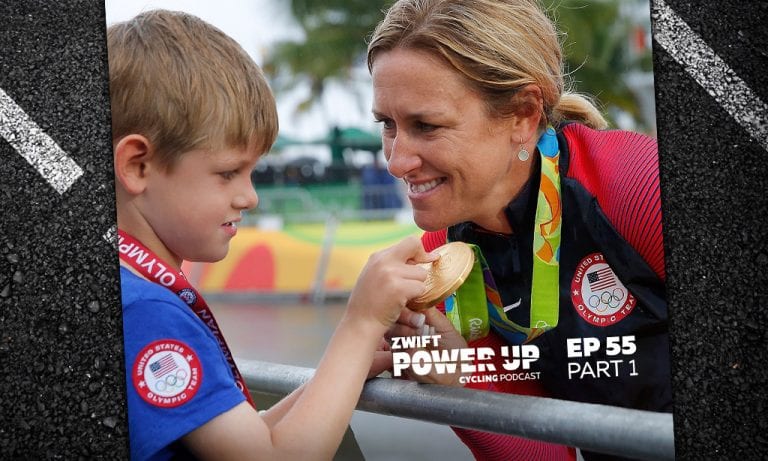
Training is tough. Pregnancy is tough. Training while pregnant… well, you get the idea. Kristin and Dani cover everything about training hard with a bun in the oven, as well as how to move forward after the baby is born. How to look after the body, ways to listen to your body, as well as why keeping track of your heart rate is so important!
The pair also get into the latest at Zwift, new pro teams, and try their hand at explaining a few cycling terms.
Photo credit: Tim De Waele/Getty
About the Podcast
The Zwift PowerUp Cycling Podcast features training tips from host Matt Rowe (Rowe & King), with regular guest hosts Greg Henderson, Dani Rowe, and Kristin Armstrong.
Since March I have become obsessed with the weekly WTRL Team Time Trial… so i asked Eric if i could share my obsession with you all, in weekly doses.
Each week on Friday I will give you a profile of the upcoming route, guidance on bike choice, and maybe even some target times if you want to aim for the Premiere League (top-10 in each coffee class get to be in a special race televised on YouTube).
There’s some big changes coming for the TTT – a new Doppio class filled with A+ riders, and a league system within each Coffee Class. As soon as I get the scoop from my informants at WTRL World HQ I’ll let you all know.
Rumble in the Jungle Recap
My recap of this week’s Rumble In the Jungle starts with a terrible error of judgment… Wednesday I was feeling great and decided to enter a race – and placed Silver (the real Zwiftpower Silver, not the pointless results table from ZwiftHQ). Brilliant! Except, as my legs pointed out on Thursday, going all-out in a race is not the same as a recovery ride. Ah well, you live and learn*.
It’s holiday season in the UK and between that and a few injuries we only started with six, but nevermind, we have heart, and we have fire in our bellies… and a mechanical leaves five! Regardless, we shot out of the pen, on matching Specialized Epic MTBs, and with the aid of double draft made it to the Start/Finish only seconds adrift of our split time and the first lap went perfectly too. But as is the way in TTT, if you go out too hot someone gets dropped. That someone was me. The lads cracked on – and passed two teams (proving I was the anchor I thought I was today) before finishing across the line together. Decent team result given that there were only 5 starters. Cone of shame for Sherpa Dave, who let the side down!
*We all know there is no such thing as a recovery ride on Zwift, and we also know I won’t learn…
Thursday 3rd September – Greatest London Flat
All back to normal next week – no powerups, normal draft and back to road bikes. This week the route is the Greatest London Flat – around the City of London itself, then over to Surrey with the flattest of the three paths through. Two little things to remember:
This isn’t the Greater London Flat… its the GREATEST London Flat – both figure into the schedule for TTTs but this one is longer, heading south of the river, and into Surrey.
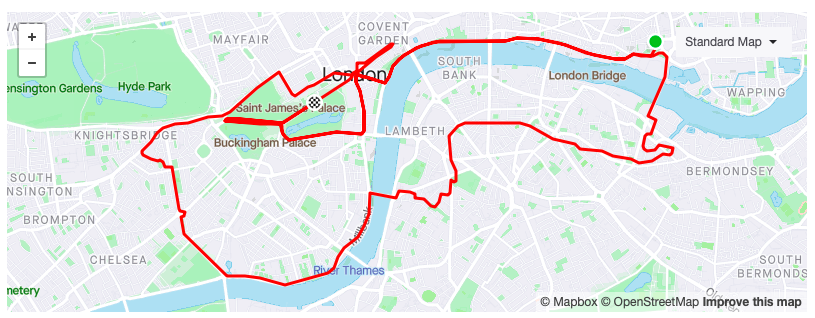
It starts and ends at The Mall, not at the Start/Finish banner on Upper Thames Street… remember to add the extra 7km to your ride as you sail past.
A 7.5km lead in from the Pens, followed by a 23.6km loop through London and Surrey.
This is a flat route so aero rules. If you have it, the Specialized S-Works Venge with Zipp 858/Super 9 wheels is the pick of the bunch (and the only frame/wheel combo to consistently beat Tron on the flat). Tron is almost as good on this course, and if you haven’t done it yet – kick off the Everest Challenge and start the long painful climb to get Tron. If you don’t have either of those, here are some frame/wheel pairings that will work well for you at different levels:
Level 5 Specialized SL7 with Roval CLX64
Level 15 Specialized Allez Sprint with Zipp 808
Level 25 Cervelo S5 with Zipp 808
Level 32 S-Works Venge with ENVE SES 8.9
Level 35 S-Works Venge with Zipp 808/Super9
Level 45 get those 858/Super 9 wheels and pair them with the S-Works Venge
As always, the Zwift Insider reports on frames and wheels are superlative so if you want to find the perfect bike and wheel combo for you, check them out.
Route Recon
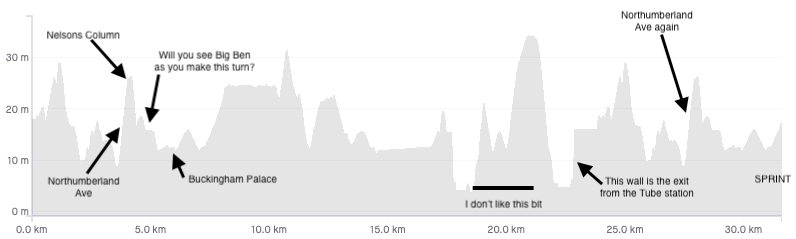
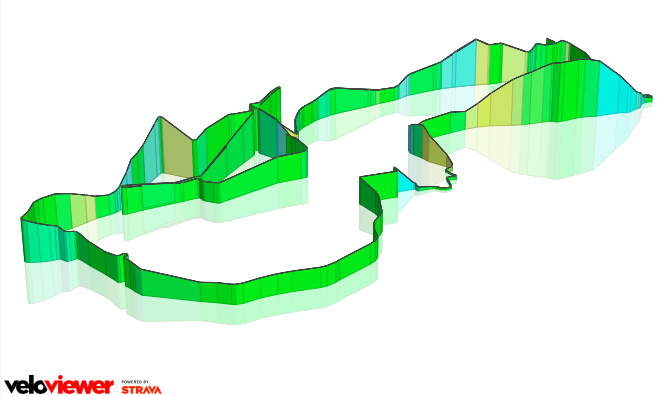
This is a single lap race. Starting at the pens and it’s mostly downhill to Northumberland Avenue, where you head up the hill to Trafalgar Square. Sharp left at the top and then a right as you head towards Buckingham Palace and then down the Mall to the reverse sprint.
You are now 7.5km into the ride, and this is where the lap actually starts.
The jaunt around Central London is mostly flat/false-flat, except when you head down Piccadilly through the Hyde Park Corner underpass and up the other side. Soon enough (17.5km) you will head across the river to Surrey – but fear not, you aren’t tackling Box or Leith, you are just heading through the beautiful Surrey parkland. Through the Underground Station and across Tower Bridge (23.5km) and you’re soon on familiar ground – because you’ll pass the Pens and be back on the lead-in with 7.5km to go. Just follow Upper Thames Street, up the Northumberland Avenue hill to Trafalgar, left, right, past Buck House and a quick Reverse Sprint to cross the line.
There are loads of upcoming rides on this route, so if you want a proper recce visit this ZwiftHacks.com link. I struggled to find many times that would suit our American friends, but the Europeans and Antipodeans have quite a few choices.
Unlike last week this is all road surface. No significant hills to split the group, but there are a few areas to watch out for:
From the pens its a nice flat start allowing you to get into formation and go… 3.7km in you make a sharp turn onto Northumberland Avenue – that’s a 150m stretch at 4% – keep the weight-weenies in check and you’ll be fine.
Just past the 11km mark you will head down Piccadilly (1.1km where you will pick up speed) into the underpass and back up the other side (where you will lose it again). The incline out of the underpass shouldn’t split the group but keep an eye on your teammates.
At 18km you hit what I think of as the worst part of the course… legs are starting to get worn, and there’s a 3km stretch of just annoying ramps. Can’t describe it better than that… annoying and just in the right place to create a split.
Right before 23km you exit the Tube station – it a short, sharp shock peaking at 15%. This will hurt.
Once more down the lead-in, with the main lump being Northumberland Avenue again
No time to look, but you’ll see Nelson’s Column, Big Ben, and Buckingham Palace again then SPRINT for the line with whoever’s left in the group.
Target times
New for this week I’m going to give you some predictions and target times to get an invite to Premiere League for each class.
Split 1 – 8km – Between the start/finish and the arch at the end of the Mall
Like some other Zwifters I have a mild self-diagnosed OCD which among other things makes me get up at 4am every Friday for my BoOCD2000 ride which is my own route including the Radio Tower, Alpe, and a u-turn on the way down the Alpe to hit precisely 2000m.
And the reason I hate Zwift (well not really but…) is they choose to roll out a new (buggy) update almost every single Friday which isn’t really what you want to see early in the morning when trying to ride before work.
A few Fridays ago, the story repeated, and a new update was forced on my Win10 setup. Fortunately, I’m on a quick connection and decent hardware so when they roll out an update it downloads quickly. I got the update and started riding. Went on the forum while getting some heat in the legs, just to see how many bugs people already has discovered, and discovered that the new steering feature had dropped like a bomb.
Stages and Sterzo
First thought was “Nah… don’t really want steering, I’m here for the pain.” And a few hours later the order confirmation from the Zwift store hit my mailbox. 😊 (Of course… guessing that the Sterzo units probably would be sold out very quick I couldn’t resist ordering one, just in case I would change my mind about that pain thing.)
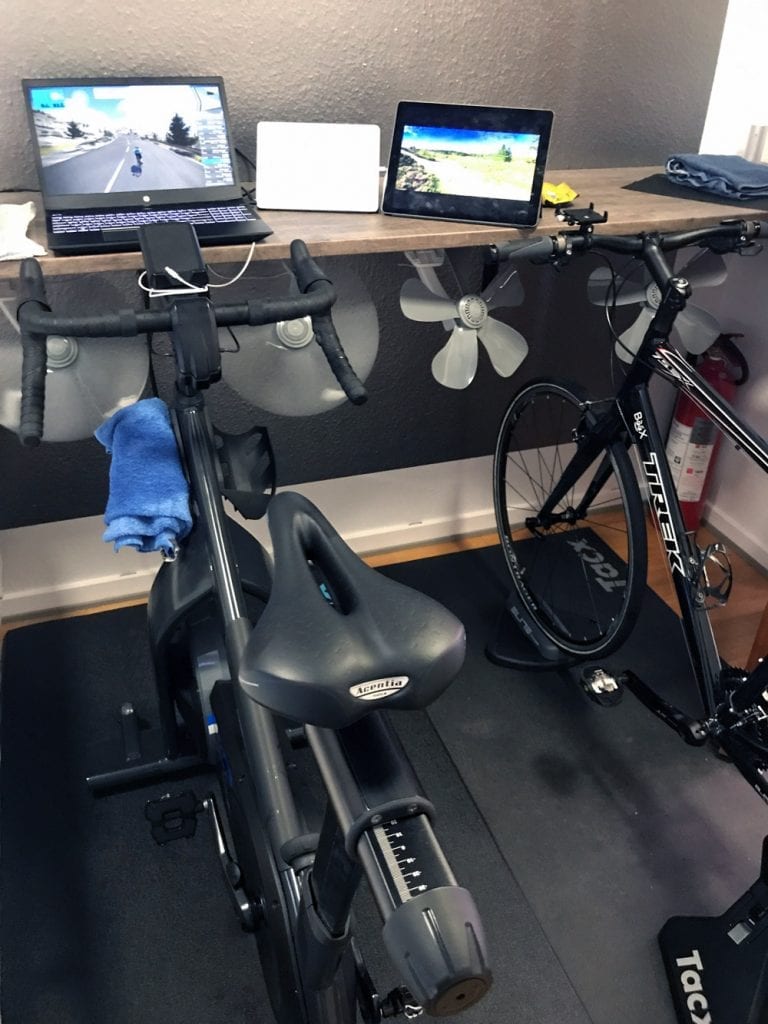
The package from Zwift arrived very fast (Tuesday) here in Denmark and installing the Sterzo on my old Neo trainer setup was a 5-minute job. The Stages SB20 next to it looked a little sad when it realized that it was “outrun” by a well-used Neo and an old Trek fitness FX bike.
The first test was quite impressive, and a few rides on the Repack Ridge MTB course was a lot of fun. Especially if you ignore that I got slightly seasick!
Finding the Line
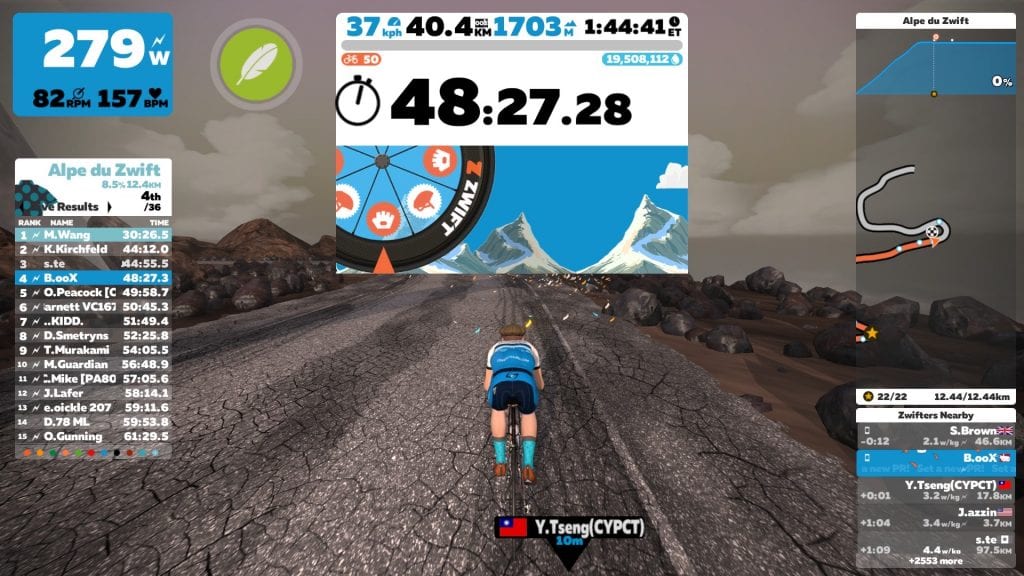
The next Friday after some outdoor riding and zwifting on the Stages bike I decided to jump on the Neo for my Friday BoOCD2000 and just activated the steering because I could. A few miles into the ride an idea popped up: why not try to steer on the optimal line up the Alpe?
So while trying to figure out if it was a great idea to climb 2000m fasted early in the morning I was also trying to estimate if actively steering for the optimum line would make any difference. But I didn’t really come to any conclusion, so I kept climbing.
No steering
Steering, optimal line
At the top (well more like on the way down when trying to find some oxygen) comparing the photos from a non-steering BoOCD2000 ride with the active ride I realized that I actually rode 600 meters less during the 40km ride by actively keeping the optimum line!
Bad, On Purpose
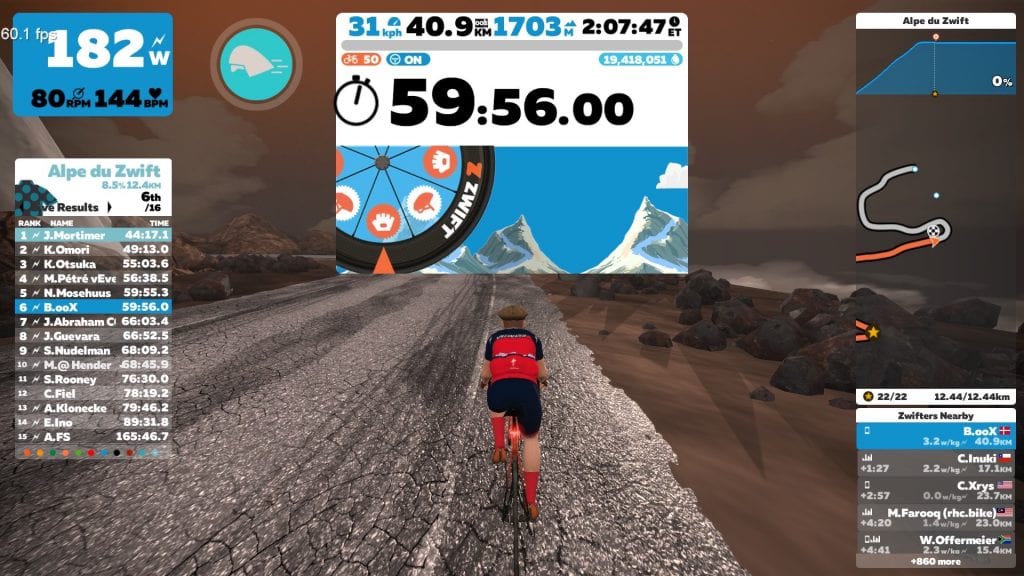
Of course, my mind had to mess with me, so for the next Friday morning ride there wasn’t really anything to do but try riding the same route while taking the worst line and see what distance that would result in on the top.
For some weird reason Zwift didn’t have an update ready that morning and I just hopped on. The legs weren’t quite as enthusiastic as I was, but at the top, the distance ridden was 500 meterslonger than the non-steering ride – making the difference between the optimum line and the worst line 1100 meters!
Steering, worst line
Conclusion
The distances stated above are from the photos included in this article. There might be a slight difference where they are shot, but Garmin connect shows the following distances to the same point at the top of the Alp which confirms everything:
Normal no steering: 40.79 km
Steering optimum line: 40.25 km
Steering worst line: 41.90 km
For me, the surprising conclusion is that line choice does affect the distance ridden. Well done Zwift! 1100 meters less on a 40km ride is quite a lot if you are racing.
This isn’t a scientific test, just me having fun trying, so you might want to do a few tests of your own. It’s fun and you get to be on Zwift so why not? Ride on!