Last Thursday, nearly 400 teams comprising around 2,300 riders challenged themselves against the clock in the weekly WTRL Team Time Trial. For the captains, the preparation involved the daunting task of creating the perfect pull sheet.
Traditionally, this task requires grappling with inflexible and cumbersome spreadsheets, turning what should be a strategic exercise into a nightmare of inefficiency and imprecision. Manually entering all the rider data becomes a tedious chore, and making adjustments or visualizing changes adds to the frustration – a sentiment widely shared among Zwift racing teams.
To combat these issues and enhance the experience, we developed the Zwift TTT Calculator – a game-changing tool designed to make preparing for race day easier, more accurate, and a lot more fun.
“This tool is amazing for TTT team captains!”
Sean Phillips (DIRTime Chasers Captain)
Development of the TTT Calculator
In close collaboration with DIRT team captains, who are long-established in the strategic nuances of Zwift racing, we sought to craft a tool that went beyond mere functionality—it needed to be designed to meet the specific needs of Zwift racers.
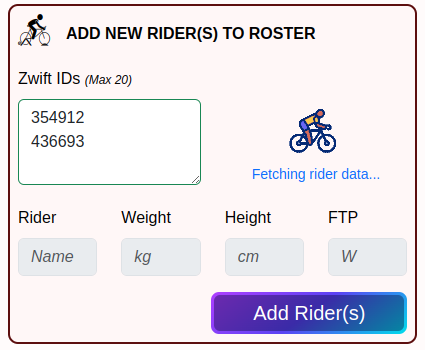
After numerous iterations and testing sessions, we refined a solution that integrates seamlessly with the zwiftracing.app API to pull real-time data, significantly automating the setup process.
This tool officially launched to the public in early April, and since then, it has continued to evolve, driven by ongoing user feedback and our commitment to enhancing the Zwift racing experience.
Features and Benefits of the TTT Calculator
The TTT Calculator is loaded with features that simplify your race preparations:
- User-Friendly Interface: Easily add riders to your roster using their Zwift IDs. The API automatically pulls in all necessary data.
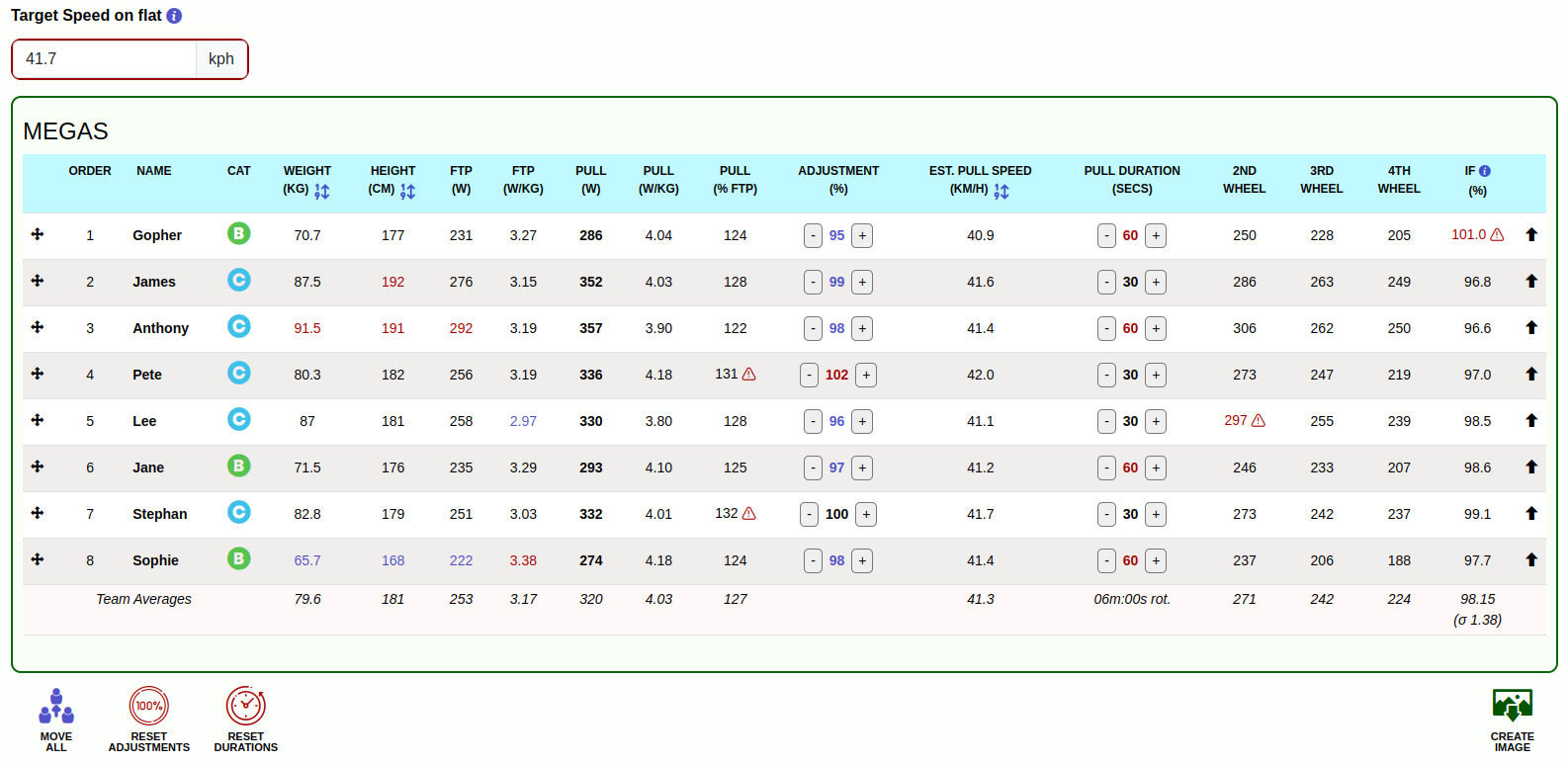
- Drag-and-Drop Functionality: Effortlessly organize riders, adjust target speeds, and set pull durations or power. This functionality also allows you to see the effects on a rider’s effort in real time.
- Guided Optimization: Use sortable columns and heed warning icons to identify and resolve potential issues, ensuring an optimal rider lineup and strategic planning.
- Intensity Factor Predictions: The calculator predicts Intensity Factor (IF) to help captains set appropriate power levels for each rider’s pull, ensuring that every team member can race at their optimal effort without risk of overexertion.
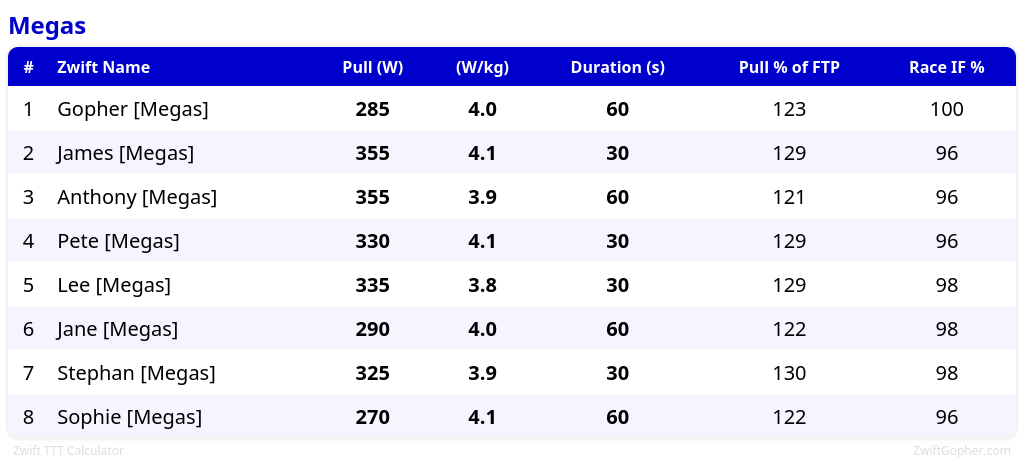
- Instant Visuals: Generate and share a visual pull sheet with a simple click, facilitating easy strategy sharing among team members.
To further streamline the workflow, we have developed custom scripts using the Google Sheets API, allowing DIRT team captains to directly import data from our sign-up sheets into the calculator, nearly automating the entire preparation process. For public use, the zwiftracing.app API facilitates easy data retrieval using Zwift IDs. We are, however, also open to exploring requests from teams for custom integrations with Google Sheets and personalized branding options, enhancing the tool’s flexibility for TTT teams across Zwift.
How to Access and Use the Calculator
Getting started is easy:
- Access the Tool: Visit the Zwift TTT Calculator to access the tool.
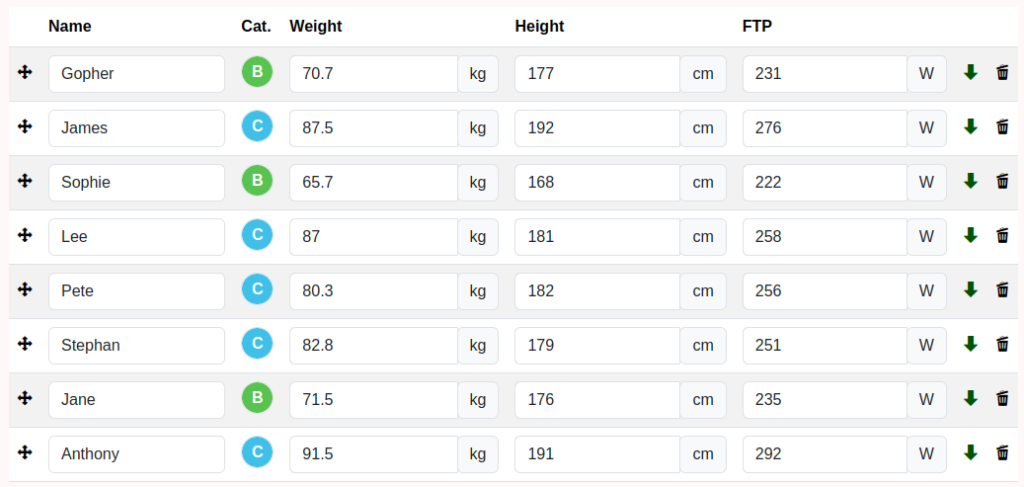
- Set Your Team: Enter your team name and add riders using their Zwift IDs or enter the details manually.
- Organize Your Race Sheet: Utilize the drag-and-drop features to arrange your race sheet. Adjust speeds, pull powers, and assign an order to optimize each rider’s energy expenditure.
- Generate and Share: Produce a visual pull sheet with a simple click to easily share strategies with your team.
Future Developments and Roadmap
We’re excited about the future of the TTT Calculator. Planned features include:
- Estimated Completion Times: We’ll provide captains with predicted finish times for different routes, enhancing strategic planning capabilities.
- Auto-Optimization: The calculator will determine the optimal power output and rider order based on individual capabilities and team goals, making strategy setting more precise.
- Terrain Modifiers and Power Curves: By integrating specific course profiles with advanced algorithms, we will adjust strategies according to varying terrains. This will further personalize Intensity Factor (IF) calculations for each rider, tailoring their efforts more closely to the race’s demands.
- Customization and Integration Options: Future updates will expand customization features, allowing for more personalized exports of images and calculator parameters.
- Advanced Power and Fatigue Profiles: We will enhance our understanding of how rider fatigue impacts performance, allowing for more personalized adjustments based on individual power curves.
Ready to ditch those clunky spreadsheets and take your team’s TTT preparation to the next level? Visit ZwiftGopher.com to access the tool. Give it a try for your next race and see the difference it can make for you and your team!
Join the Community
The Zwift TTT Calculator is designed and maintained by myself, Dave Edmonds, affectionately known on Zwift as the Gopher. With the invaluable support of the DIRTime Chasers Team Captains, I plan to continue to innovate and enhance the tool.
The Zwift TTT Calculator is a product of collaboration with the vibrant Zwift community. As we continue to refine and expand its capabilities, we invite you to join this exciting journey. Connect with us on our Discord server to contribute to the development of a tool that’s reshaping Zwift TTT race planning. Your insights and feedback are invaluable, helping drive innovations that benefit the entire Zwifting community!