

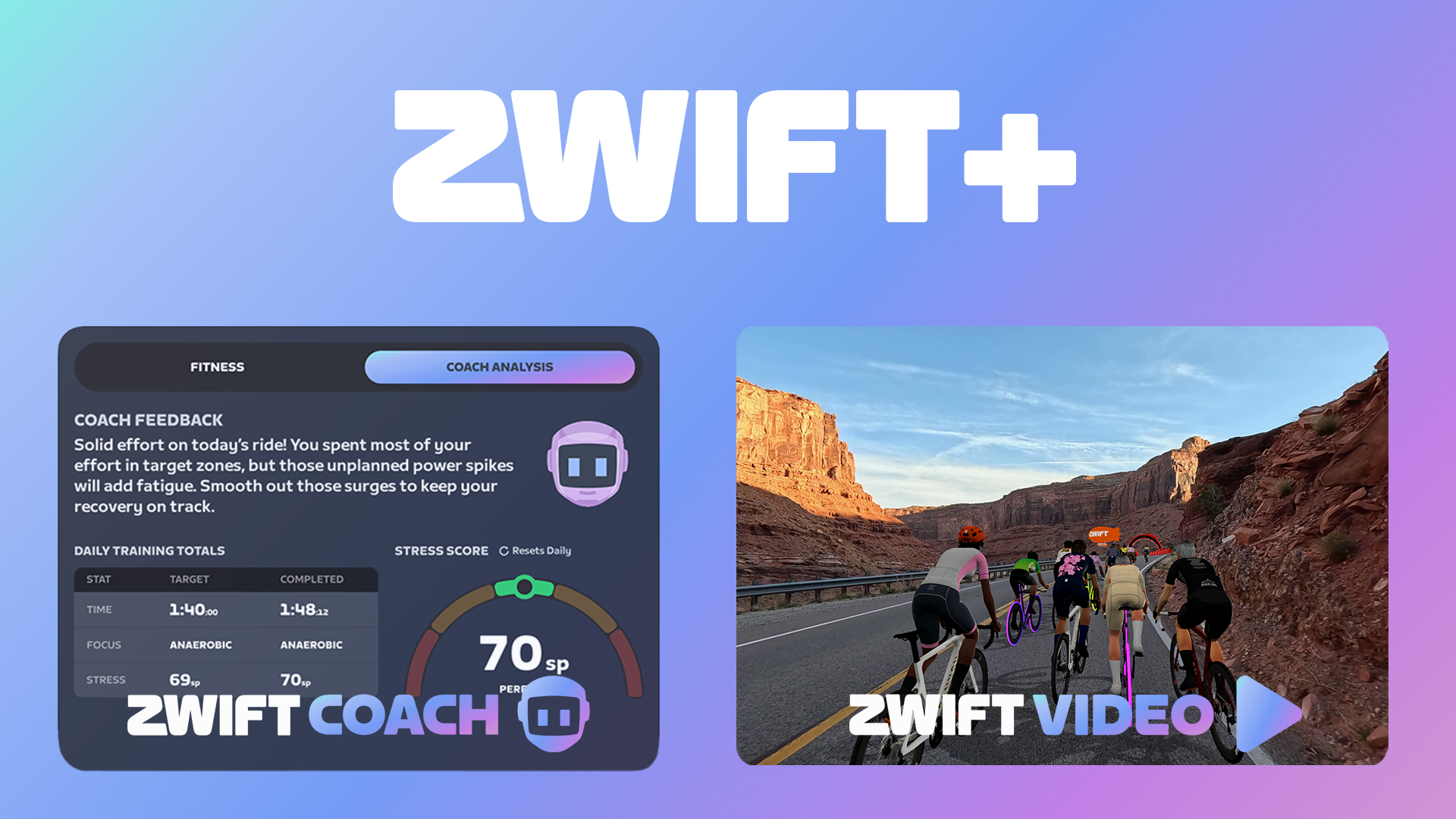
Today, Zwift launches Zwift Plus, a new subscription tier that adds two new features to the platform:
- Zwift Coach delivers a personalized training experience that is fully integrated with Zwift
- Zwift Video opens up a new way to Zwift, via real video routes from (at launch) 6 different countries
This is big news for Zwifters, of course. And while we’ll have plenty of future posts focused solely on Zwift Coach and Zwift Video, today I want to offer an overview of each, along with some thoughts on the new subscription tier, without getting too far into the weeds on any of it. Let’s go!
Zwift Coach
Here’s how Zwift pitches this feature:
Coaching can feel intimidating, difficult to stick to, and repetitive. Zwift Coach addresses these common painpoints, delivering a personalized training experience that’s fully integrated within Zwift. Simple to set up, Zwift Coach adapts when life gets in the way, leverages the full variety of Zwift’s content library to deliver a personalized plan you want to stick to.
Zwifters may see this as the next iteration of Zwift’s “Personalized Recommendations” that rolled out in January, but that wouldn’t be entirely accurate. Yes, Personalized Recommendations advise you on what to do today, which (in simplistic terms) is what Zwift Coach is doing. But Zwift Coach is much more. It’s a completely different feature, built from the ground up by a completely different team, with a much more audacious goal: to create high-quality goal-based personalized training plans while offering pre-workout guidance and post-workout feedback. In short: to be your coach.
How It Works: The Hybrid Approach
Zwift is carefully avoiding using any “AI language” when explaining how Coach works, and that’s not surprising. Five years ago, calling yourself an “AI-based training tool” was intriguing. These days? You just get lumped in with everyone else, which is not a good thing.
Zwift Coach uses AI, but it’s a much more thoughtful approach than, say, asking ChatGPT for a training plan heading into your next fondo. Coach uses a hybrid intelligence model where four specialized pieces work together instead of asking a single AI model to do everything. In basic terms, those four pieces are:
- Coaching Expertise: Using input from coaches and peer-reviewed sports science, this piece sets the guardrails every plan has to follow. Think recovery times, tapering or ramping up, etc.
- Planning Engine: The core of Coach, this piece determines your daily stress points (SP) and intensity goals for the duration of the plan.
- Personalization: Given your plan’s SP and intensity targets, what activity fits best? It may be a RoboPacer ride, a route free ride, an ERG workout. This piece fills each day with real Zwift content.
- Language: Coach’s voice. This layer doesn’t decide on training or work out a rider’s numbers. Instead, it turns everything Coach knows into plain-English coaching that shows up as pre-ride guidance and post-ride feedback.
What It Does: Planning, Execution, Feedback
Of course, all the work those four pieces do happens largely in the background. What Zwifters really want to know is: does it work? What do you actually see?
I’ve been using various beta iterations of Zwift Coach for several weeks, and I would explain what it does in three words: Planning, Execution, and Feedback.
Planning
The most effective training starts with a good plan. And a good plan requires basic rider parameters and goals. Using the Companion app, riders can easily set up a new plan by selecting their experience level, availability, and training goal. A quick video walkthrough:
Zwift has made the planning step as simple as it can possibly be. Anyone can easily open the Companion app, create a new plan, and have today’s workout showing in game in under a minute. That’s impressive.
You can also customize your plan, which is particularly useful if you enjoy Zwift events or riding outside. Coach doesn’t pick Zwift events for you to ride (not yet, at least), and also won’t tell you to ride outside. But it allows you to insert these activities into your plan, and will adjust its planning around those activities.
Execution
Of course, actually doing the workouts is the hardest part! Zwift won’t turn the pedals for you, but the day’s planned session shows front and center on your homescreen (and in the Companion app) with some guidance from Coach:
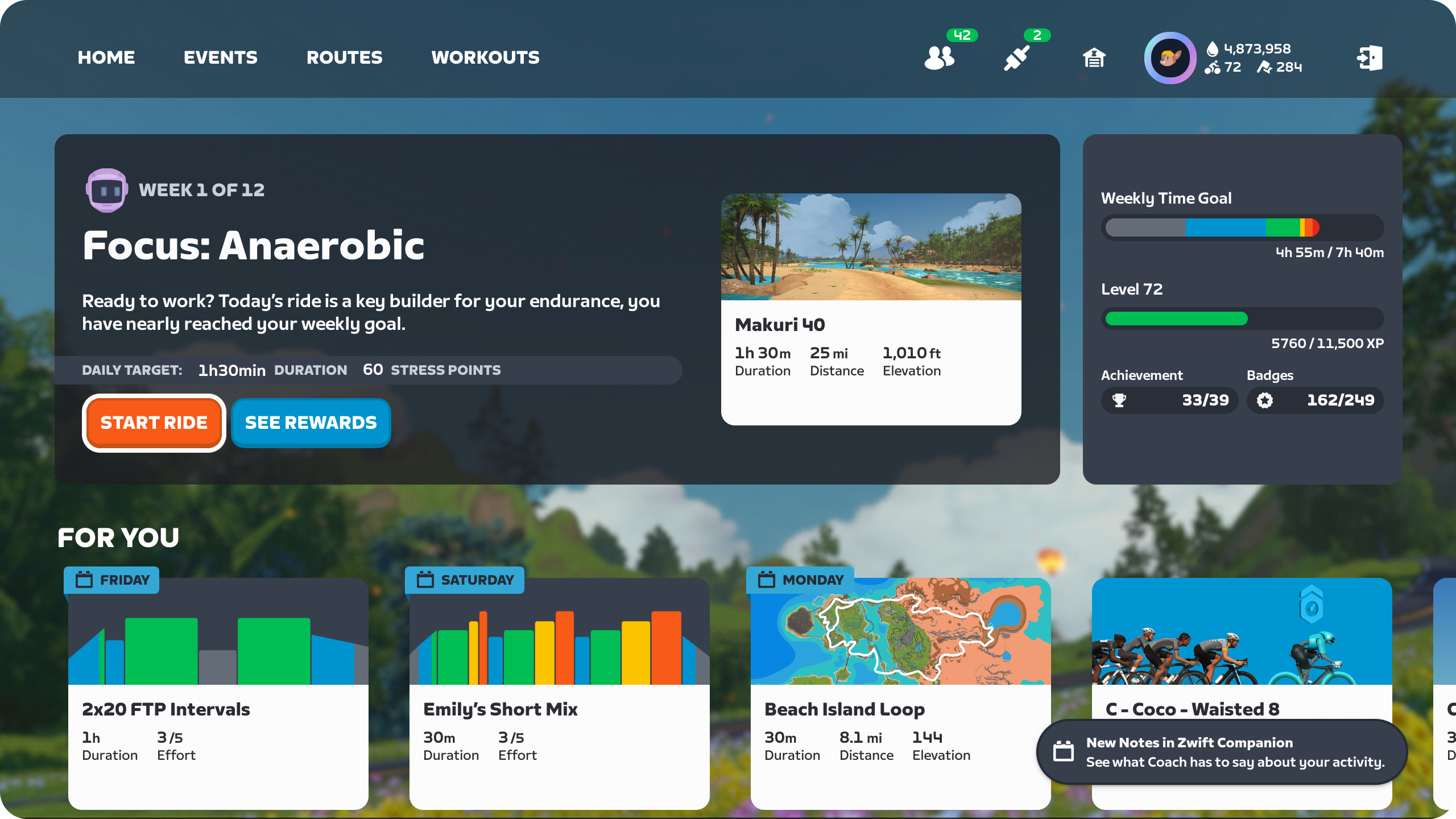
Just click “Start Ride” and go. That’s when the real work begins!
Feedback
Lastly, when you finish your session, you’ll see feedback from Coach both in game and in Companion:
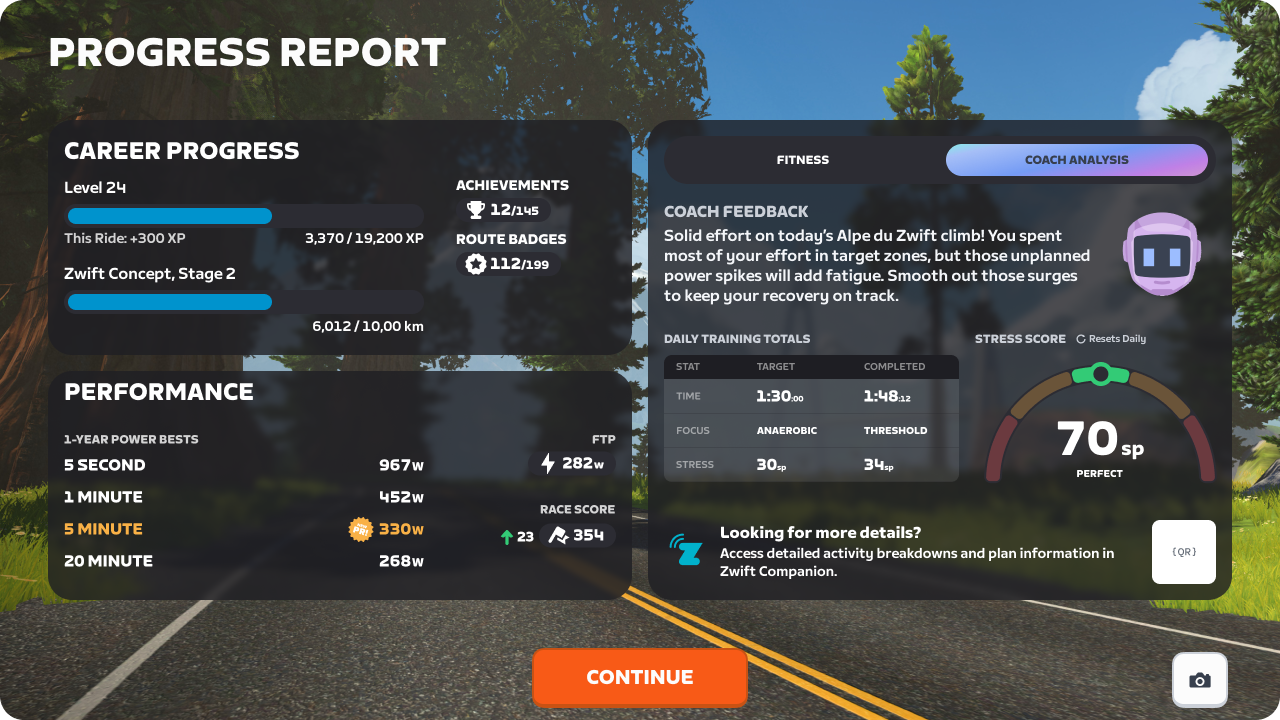
You’ll also receive some bonus rewards (Drops or XP) for each week of your plan where you complete at least one planned activity.
More Coming Soon
Coach has evolved significantly in the short time I’ve been testing it, and that evolution will doubtless continue once Zwift starts receiving feedback from hundreds of thousands of users. Here are three improvements Zwift has already said are coming soon to Coach:
- Alternative workouts: for more control over your daily experience
- Deeper personalization: set daily limits, swap content types, set content preferences
- Coach chat: ask Coach for more information or plan adjustments via a simple chat interface
A Few Thoughts
After using Zwift Coach for several weeks, I can assure you it’s much more useful and powerful than “Personalized Recommendations”. It is clearly built on strong science (that is, the Coaching Expertise and Planning Engine pieces of the hybrid system). The targets it lays out seem doable yet challenging and in line with what I know from years of serious training. The post-activity feedback is generally accurate and helpful, which is more than I can say for Strava’s version of the same feature.
Zwift Coach’s biggest weakness today lies in the third piece of its system: Personalization. This is where your day’s target (remember, that’s just SP and intensity) is matched up to Zwift content. While this works better than Personalized Recommendations, it still can’t pick a Zwift event that matches your day’s target, and the routes it picks on free ride days don’t always seem like the sensible choice given the day’s target or my habits as a rider.
Other training systems like TrainerRoad or FasCat are more proven, but the crucial question is: will you actually do the workouts? Yes, those systems can pop their workouts straight into Zwift, which makes things simple. But you still end up just doing Erg workouts all week long.
Some riders thrive on that structure. Others (like me) want coaching guidance, along with options that allow variety and flexibility. Zwift Coach does that today, from within the Zwift ecosystem. And it’ll do it even better next month.
Zwift Video
From the early days in Jon Mayfield’s house to today – a span of over 14 years – Zwift has always been 3D avatars moving through a 3D world. But that all changes with today’s unveiling of Zwift Video:
Launching with 21 routes from 6 countries, Zwift Video brings a new content experience, letting Zwifters enjoy all the fun they know from Zwift in stunning video routes.
This feature will surely grab Zwifters’ attention, because we love new roads and new features… and this is both! Here’s a demo video from Zwift’s media presentation:
List of Zwift Video Routes
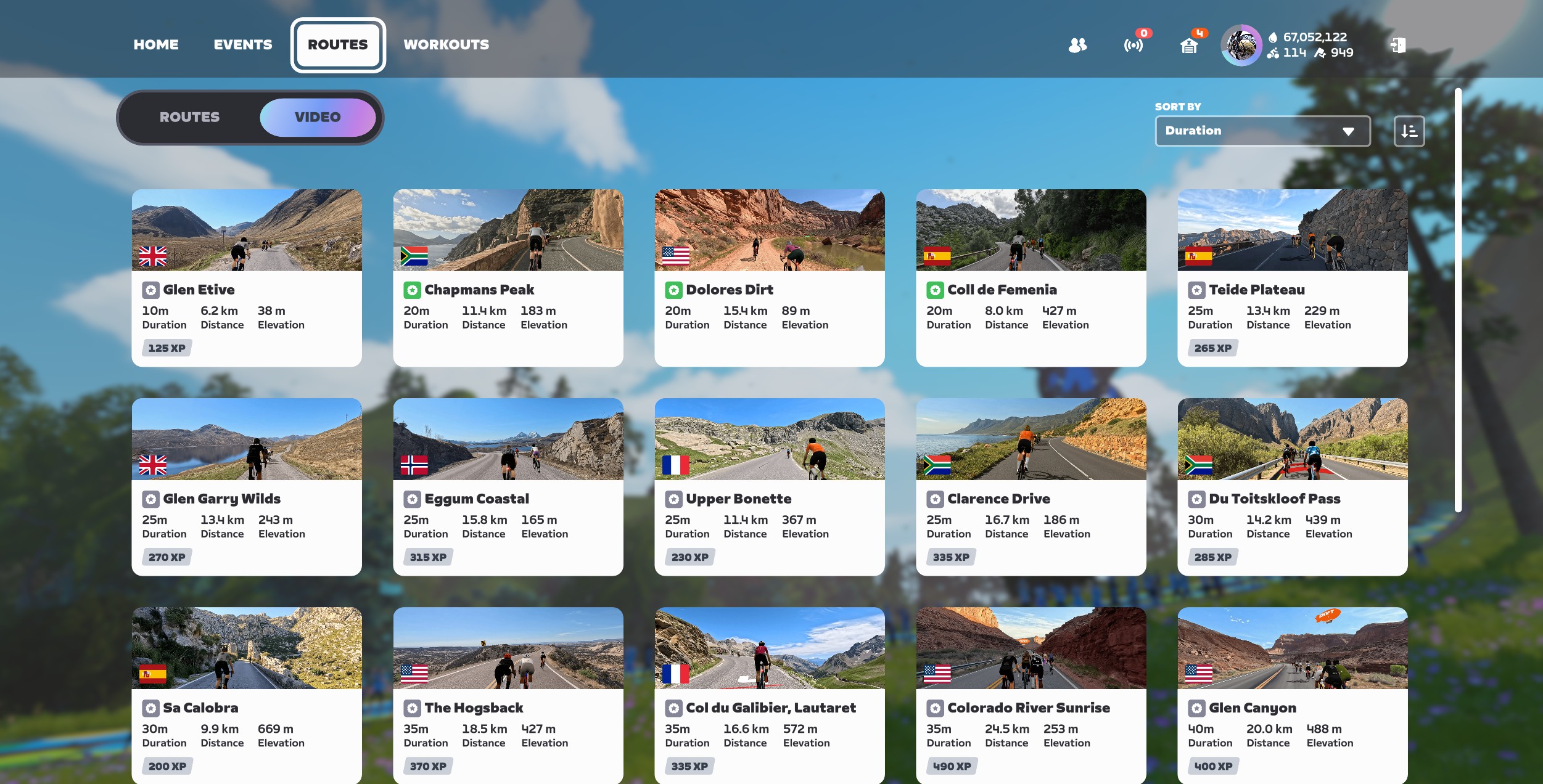
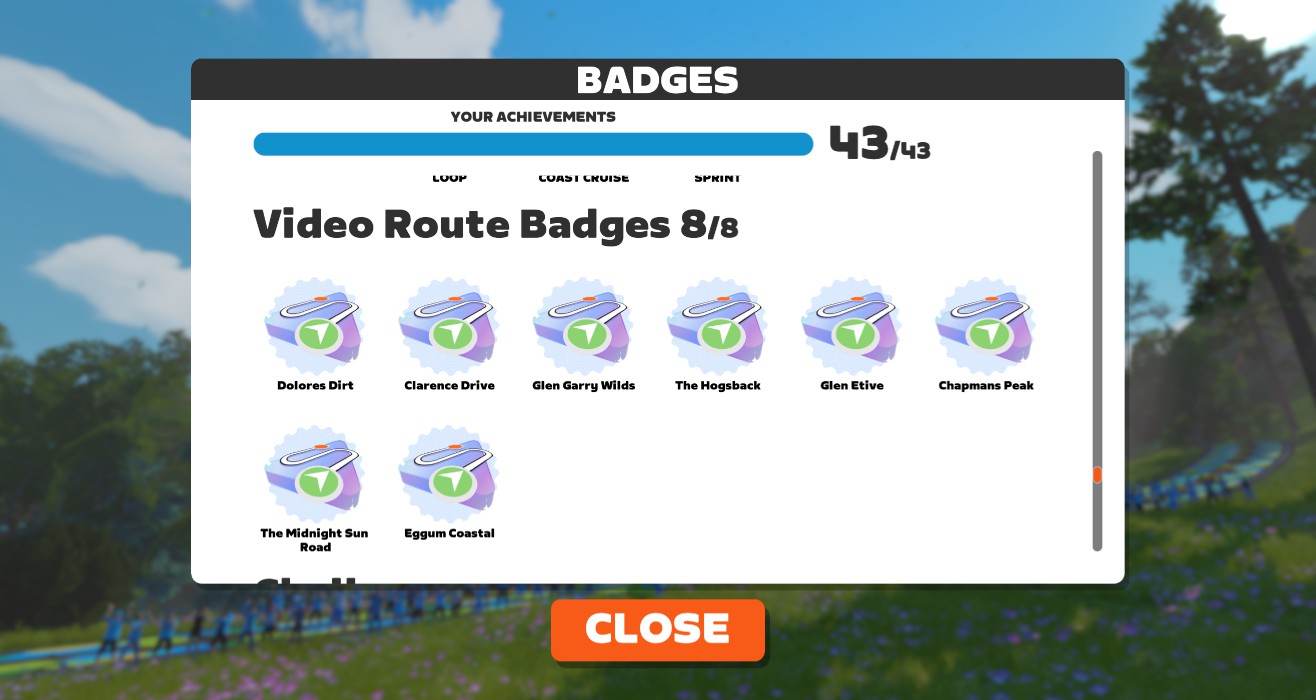
Today’s launch includes 21 distinct Zwift Video routes from 8 different destinations. We’ll be building out detailed homepages for each of these routes here on Zwift Insider, but for now, here are the basics:
- The French Alps:
- Col du Galibier (Lautaret) (16.6km, 572m)
- Cime de la Bonette (26.5km, 1055m)
- Upper Bonette (11.4km, 367m)
- Mallorca:
- Sa Calobra (9.9km, 669m)
- Coll de Femenia (8km, 427m)
- Tenerife:
- Teide Plateau (13.4km, 229m)
- Western Cape:
- Chapmans Peak (11.4km, 183m)
- Clarence Drive (16.7km, 186m)
- Bain’s Kloof Pass (22.9km, 404m)
- Du Toitskloof Pass (14.2km, 439m)
- Lofoten Islands:
- The Midnight Sun Road (28.9km, 237m)
- Eggum Coastal (15.8km, 165m)
- Nappvang Glow (26.9km, 359m)
- Southern Utah:
- The Hogsback (18.5km, 427m)
- Arches National Park (29km, 687m)
- Glen Canyon (20km, 488m)
- Colorado River Sunrise (24.5km, 253m)
- Colorado:
- Dolores Dirt (15.4km, 89m)
- The Scottish Highlands:
- Glen Etive (6.2km, 38m)
- Quinag Highlands (23.3km, 442m)
- Glen Garry Wilds (13.4km, 243m)
That’s 372.9km of new roads added to Zwift today. How’s that for an expansion?
Not Zwift… and Not Rouvy
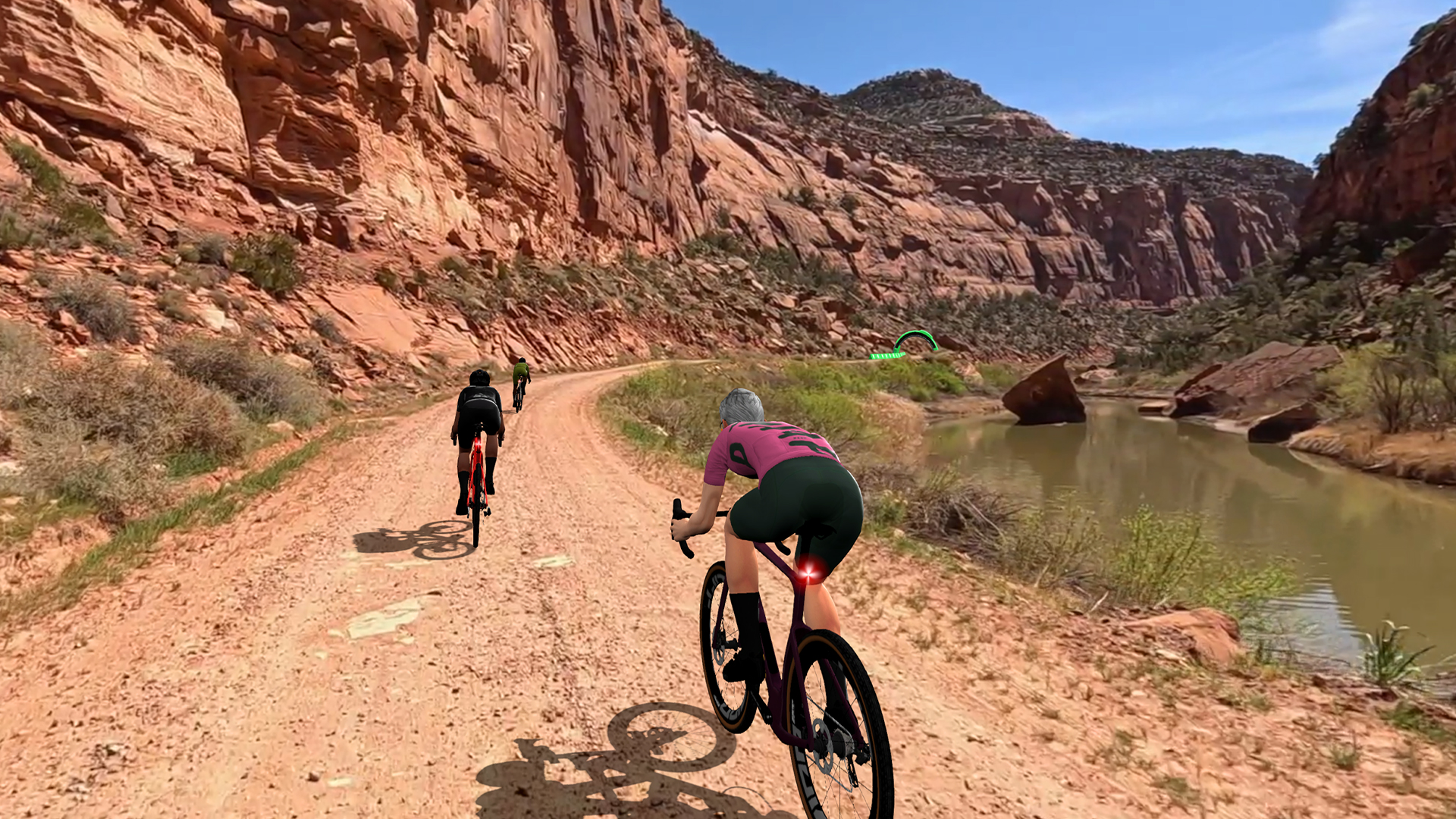
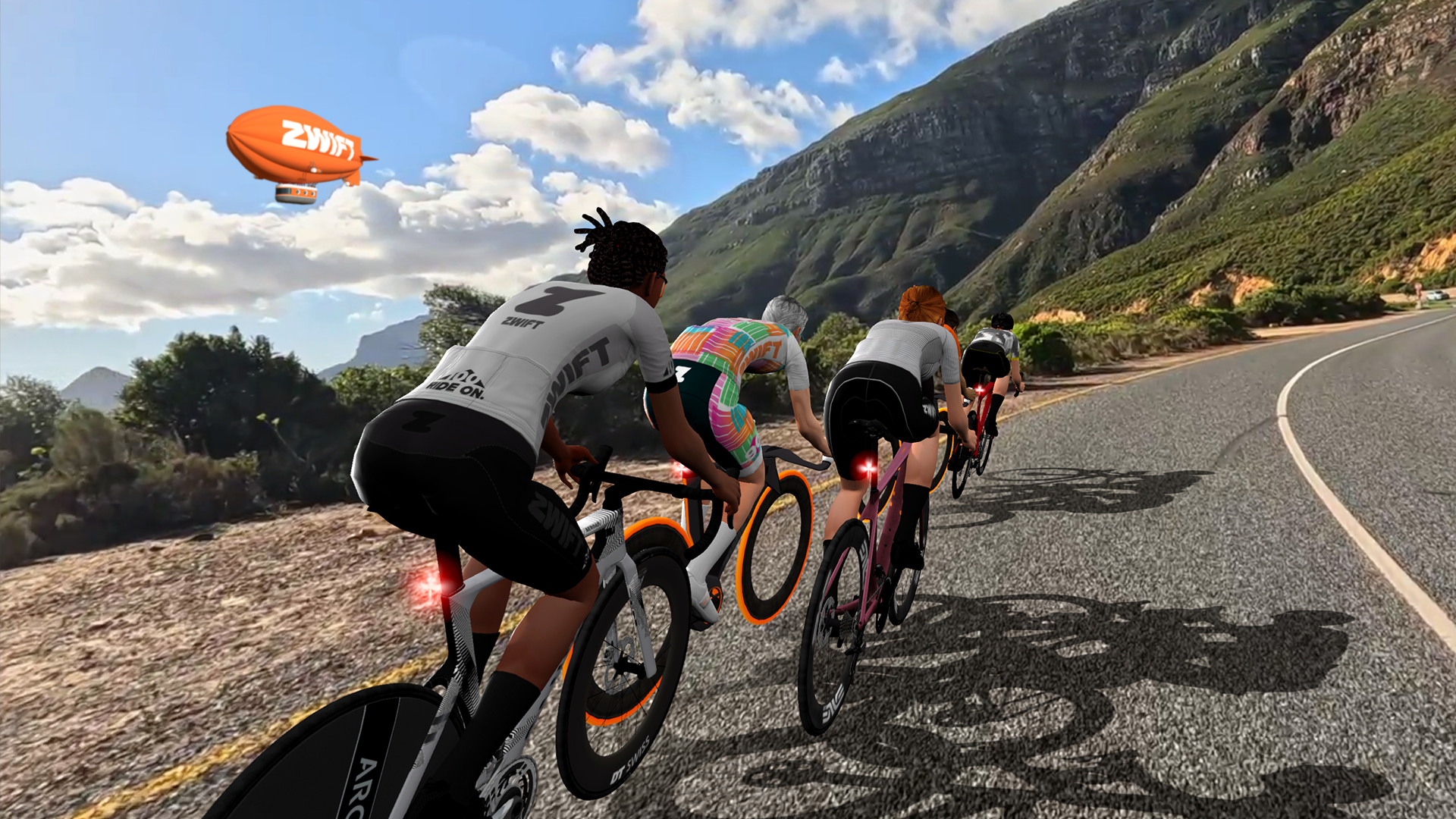
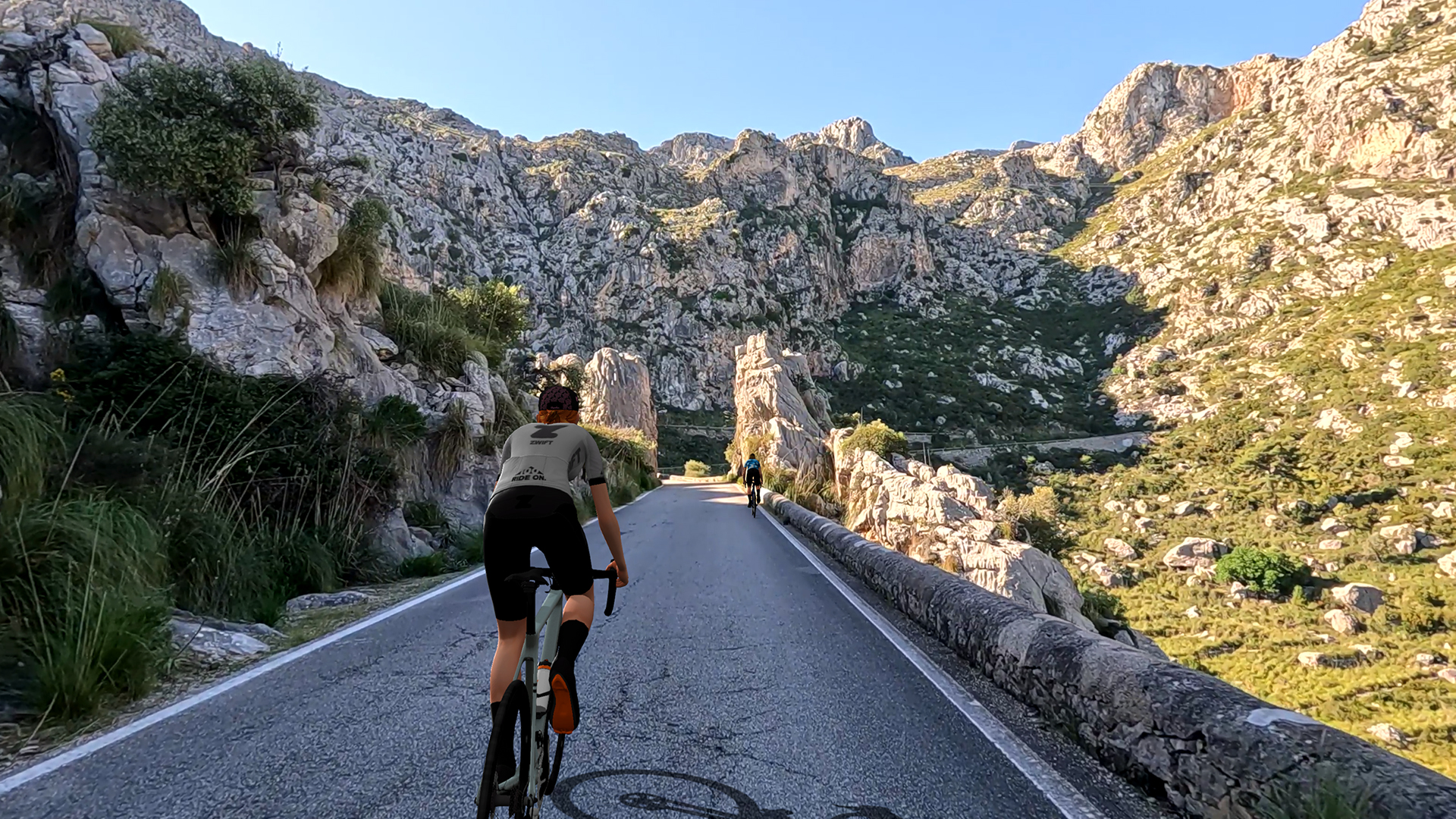
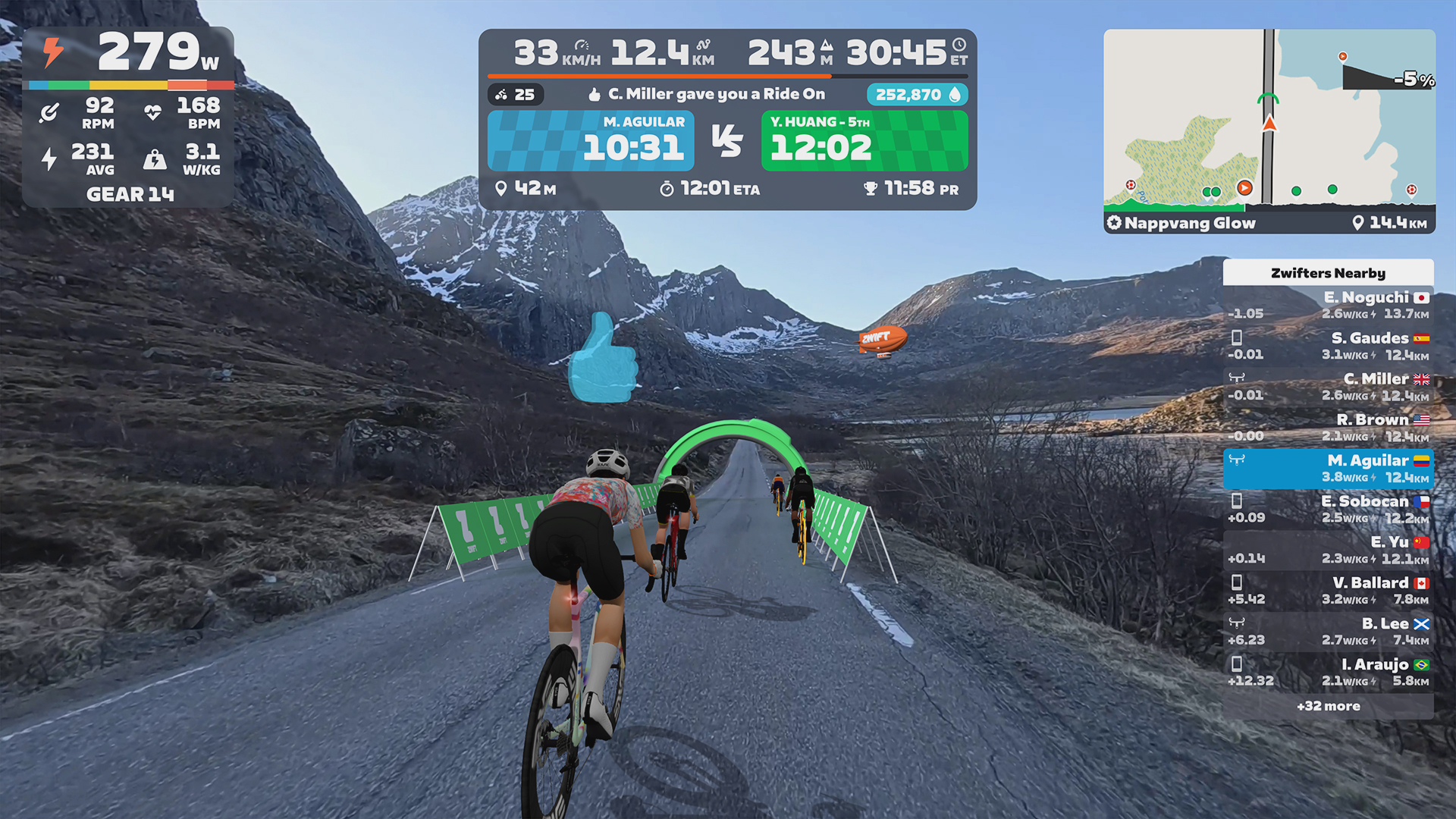
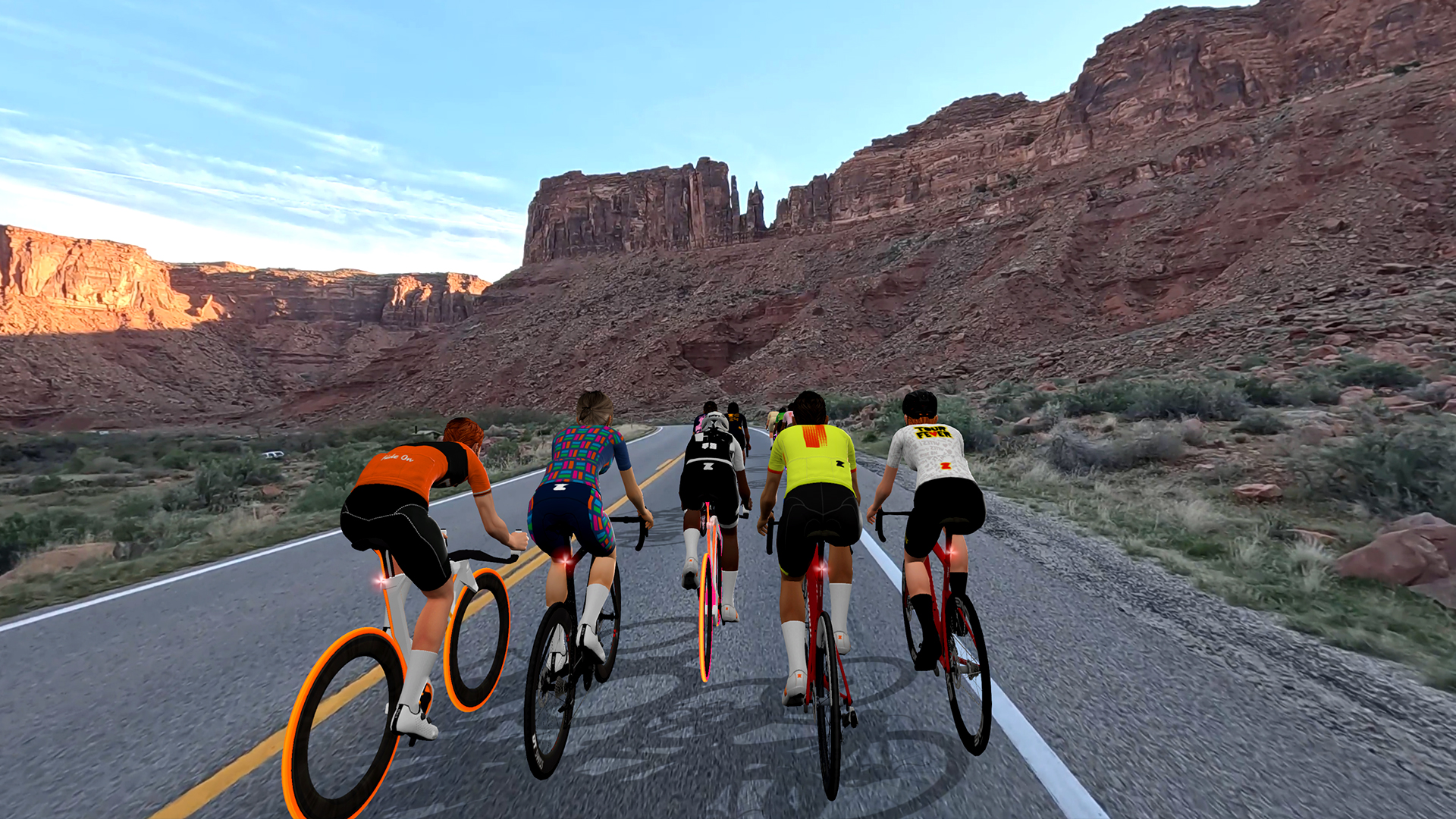
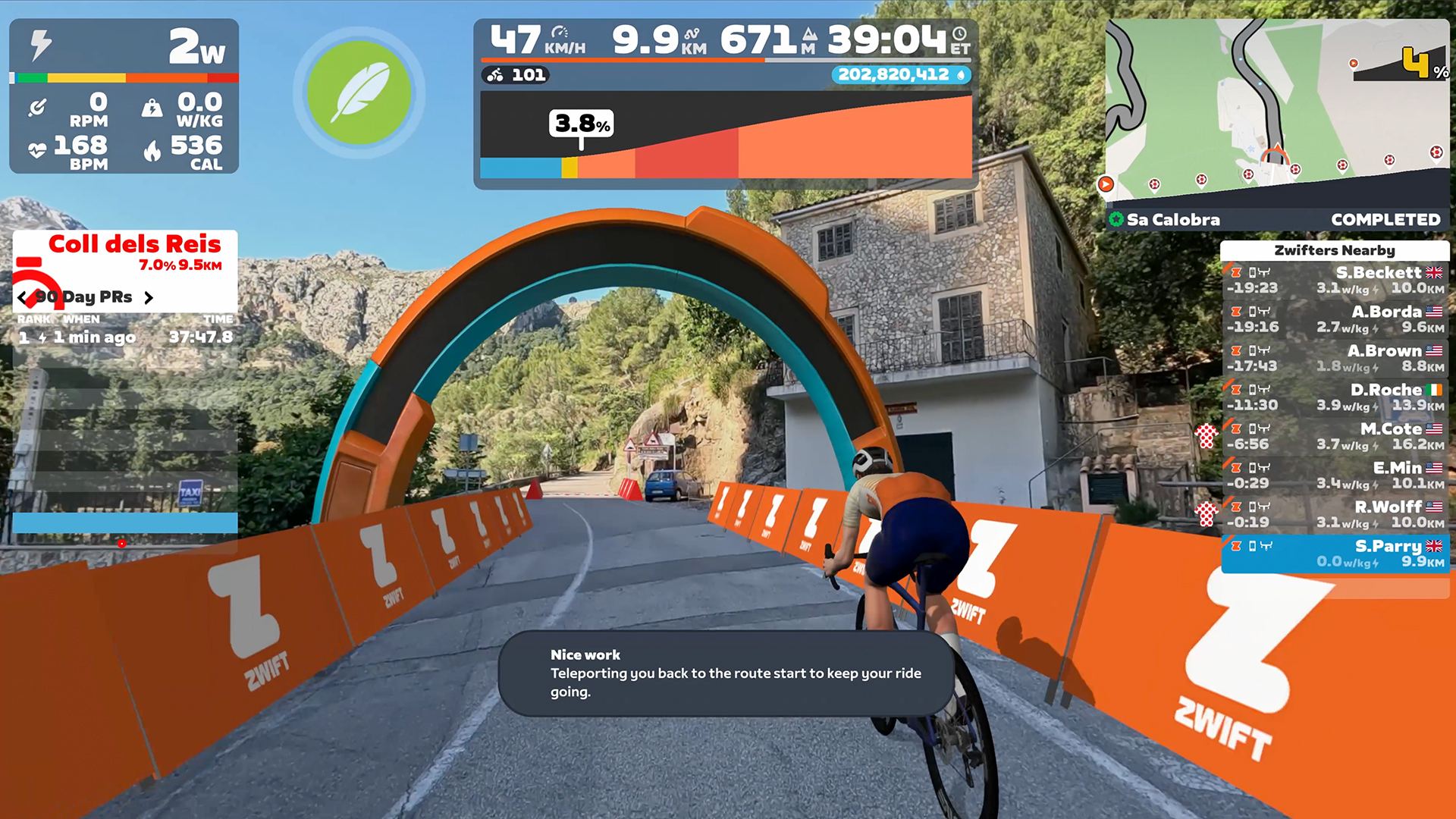
Zwift Video is, in a very real way, a major departure from the Zwift we know and love. Instead of moving through worlds created by Zwift’s art team, we’re moving through high-quality videos shot by the new Zwift Video team. This may seem very un-Zwifty, but it’s remarkable how much of Zwift can be imported into the “real video” experience.
Yes, the virtual environment has been replaced by real-world video. But you still have the same Zwift avatars, bikes, wheels, arches, powerups, varying rolling resistance (Crr) based on surface types, and all the other things that make the Zwift experience unique. I’ve been riding Zwift Video routes for several weeks, and while it’s been lonely (the only time I rode with someone else was when GPLama and I planned a meetup), the Zwift Video experience has felt quite Zwifty.
Now to the elephant in the room.
Zwift acquired Rouvy in late April of this year, and Rouvy is the top “real video” indoor cycling platform. Many expected Zwift to sort of fold Rouvy into the Zwift experience, despite Zwift stating that they plan to keep the two platforms separate. So one common response to Zwift Video’s announcement will be “Ah, so Zwift is bringing Rouvy into the game.”
Zwift has been working on Zwift Video for around two years, though. That work began well before the Rouvy acquisition even became a discussion. And the framework that powers Zwift Video is uniquely Zwift – it doesn’t borrow from Rouvy.
Comparisons will inevitably be made between Rouvy and Zwift Video. I’ll leave those comparisons to others for now, except to say that the biggest difference between the two is sheer size: Rouvy claims 6000+ routes and 140,000km+ of roads in their video library, although the quality of those routes varies greatly between “official” Rouvy videos and member-created content. Zwift Video, on the other hand, is a carefully curated and much smaller list of iconic routes.
Notable Notes
After several hours of Zwift Video riding, I’ve noticed a few interesting details worth mentioning.
First, I quickly found myself wondering why I felt like I was traveling so slowly on Zwift Video inclines. What I realized is, I’ve become conditioned to the visuals of Zwift’s 3D environments, where the gradients are visually exaggerated! Most folks don’t realize the Zwift game shows climbs and descents as steeper than they really are, because gradients don’t look as extreme on screen as they do in real life. A 3% climb in Zwift Video looks like just a slight climb, but it will slow you down more than expected.
Secondly: the weirdness of wanting to chase cars. While the videos I’ve ridden so far haven’t been traffic heavy at all, they also weren’t shot on closed roads, so you will have some cars passing you in both directions. After the first few cars came around me, I decided I would try to chase the next car – because I’m a cyclist. But I quickly realized that chasing cars in real video rides is a losing proposition! The speed you ride determines how fast the video plays back, so if you speed up, the video plays faster. That means the car will drive away even faster. There’s no catching cars in Zwift Video. Save your legs.
Next, I noticed that some of the videos are, to put it bluntly, rather drab. Some videos appear to be shot in the dead of winter, when pedestrians are bundled up, the grass is brown, and trees have no leaves. That’s a bit of a bummer, and it highlights just one of the many logistical challenges of getting high-quality videos for a project like this.
Lastly, there are so many little details caught on these videos. Monkeys at the side of the road. Someone dressed as a wizard. Interesting road signs. Bad drivers. I think we’ll end up with a new set of Zwift Video memes as riders pass the same interesting sites again and again.
Here’s a video I recorded just a couple of days ago, riding Chapmans Peak after a Zwift race. It’s not the most exciting livestream (I was tired post-race), but it gives you an idea of what the Zwift Video experience is like:
More Coming Soon
Like Zwift Coach, Zwift Video is evolving quickly. Zwift promises the following “this season”:
- New roads and destinations added regularly. Zwift says, “From the start of the new year, Zwift will add regular drops of new routes and destinations, giving Zwift Plus members even more to chase.”
- Ongoing challenges with new goals, rewards, and reasons to ride
- The ability to schedule group rides
- More features and enhancements
A Few Thoughts
Overall, the visual quality of the Zwift Video experience is quite good. I’m not an experienced Rouvy user, but the smoothness and sharpness of Zwift’s videos seem marginally better than what I’ve seen on Rouvy. I think Zwifters will really enjoy the real world visuals of these routes.
My only significant complaint about Zwift Video is that you can’t yet hold events on Zwift Video routes. At launch, the only way to ride with others is the old-school way: tell a friend when to meet you at the start line! With Zwift being such a social/interactive platform, this feels like a bit of a miss. There are echoes here of Zwift launching back in 2014 without proper event functionality, only to eventually add it due to repeated community requests.
The lack of event possibilities leads me to my final concern/question: how will Zwift ensure these routes have enough riders so they still feel “Zwifty” and not empty? Some riders don’t care about seeing others on course, but I’d wager most actually do, whether they realize it or not. Will Zwift end up highlighting particular Zwift Video routes, while hiding others? Will it be heavily restricted into some sort of rotation like the Climb Portal? Or will there be enough riders on these routes that they’ll always feel busy enough?
I think we’ll have to wait and see once the Zwift Plus trial periods expire. Speaking of which…
Pricing and Final Zwift Plus Thoughts
Zwift Plus is available now for $29.99 // €29.99 // £26.99 per month. New Zwifters will receive a 14-day trial of all Zwift Plus features. And good news for existing subscribers: you don’t need to pay extra to try it out! You will receive a limited-time offer for a 1-month free upgrade to Zwift Plus.
If you don’t upgrade to Zwift Plus, you’ll keep access to the same Zwift you’ve been using, at the same price. So this isn’t a price increase. Rather, it’s the release of Zwift’s first-ever “premium” features, which you access via an additional monthly fee.
Is Zwift Plus worth the additional $10 // €10 // £9 per month? That depends on how much you’ll use Coach’s guidance and/or video routes. For example, some riders already use other coaching services or planning tools, so Zwift Coach may not interest them. For these riders, $10/month for a small video library may feel like a bit much. Other riders, particularly newer riders who are interested in training guidance but unsure where to get it, may find the simplicity and integration of Zwift Coach make it well worth the added cost.
You can be sure Zwift will be watching the numbers closely to see if riders stay at the Zwift Plus tier when their free trial expires, or return to the standard subscription. And you can be sure the Zwift Community won’t be shy about sharing experiences and opinions on these major shifts in Zwift’s feature set and pricing models.
Like I said at the top of this article: this is only the first of many posts focused on Zwift Coach or Zwift Video. Exciting times! Ride on.
Questions or comments?
Whew. That’s a lot of big news. What do you think of Zwift Coach and Zwift Video? Are they worth the upcharge, and which one delivers more value to you? Share comments and questions below!

