

Zwift version 1.84 begins its phased rollout today. This release contains a new setting for dialing in Zwift’s dynamic Elevation Display, a new route chaser mini-challenge for the upcoming Zwift Games, and more. Read on for details…
New “Elevation Display Sensitivity” HUD Setting
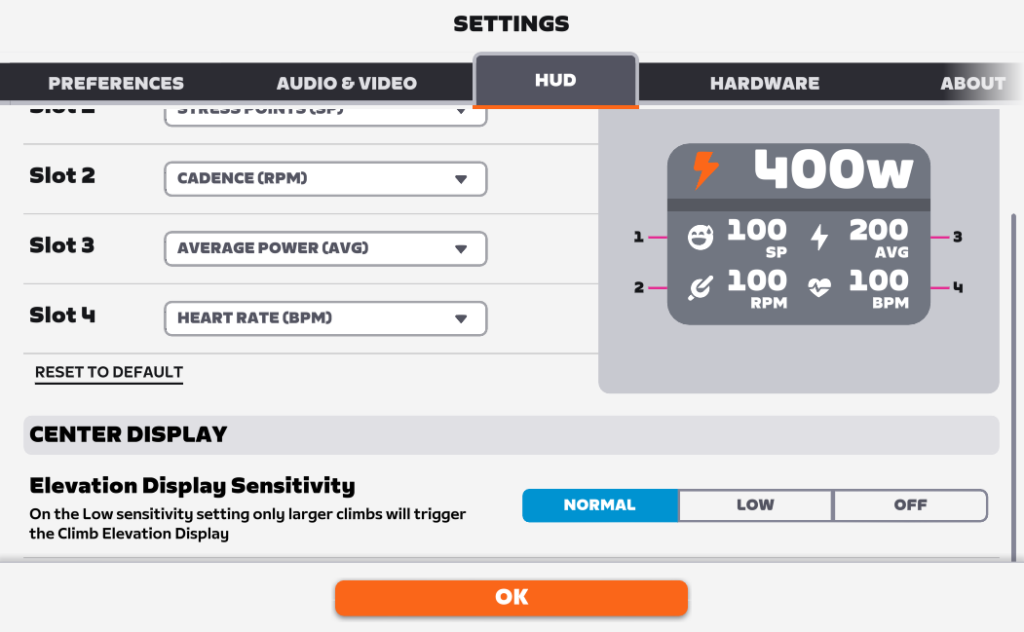
Zwift has added a new setting under Settings>HUD>Elevation Display Sensitivity so you can decide which climbs (if any) trigger the dynamic Elevation Display that pops up below the center HUD as you approach climbs:
I’m not sure what the cutoff is between “Normal” and Low”. That is, where’s the line between a slack climb like the one up from the downtown start banner into the Esses, where the dynamic Elevation Display only pops up if you have it set to “Normal”, versus a climb that shows up on both “Normal” and “Low” settings (as Watopia’s Hilly KOM does)?

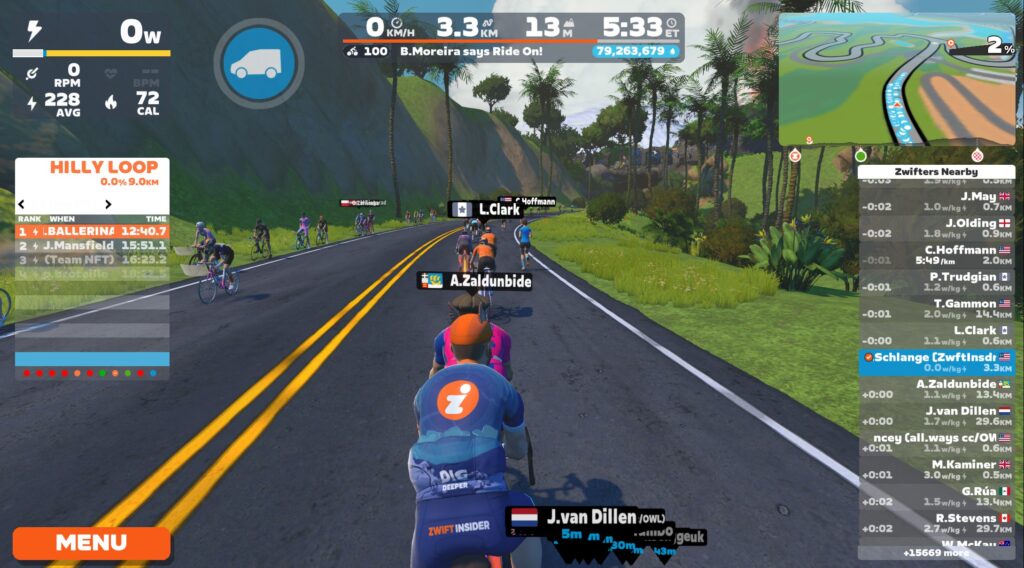
Perhaps knowing the precise answer isn’t terribly important. In simple terms, this setting could be seen as giving you three options when it comes to Elevation Display:
- See it often
- See it less often
- Don’t see it at all
Take your pick!
Zwift Games Routes Now Available
While the five new Zwift Games routes were actually added to the game back in version 1.81, they haven’t been available for anyone to ride. Today’s release adds a Route Chaser: Zwift Games challenge and opens up the routes as free-ridable so Zwifters can access them ahead of the big Zwift Games races!
Here’s the list of Zwift Games routes (click for details):
- ZG25 Queen (Watopia)
- Downtown Eruption (Watopia)
- London Uprising (London)
- Scotland Smash (Scotland)
- Makuri Madness (Makuri Islands)
We’ll be publishing a separate post on the Zwift Games ASAP. Stay tuned!
An Open Danger Noodle
Watopia’s Danger Noodle route, designed by Zwifter Mark Brzezinski (ZSUNR) and winner of the ZRL 2024/25 Round 3 design contest, is being raced today in ZRL’s final race.
If you aren’t a ZRL racer and thus haven’t unlocked the route badge, never fear: today’s release makes Danger Noodle free ridable, meaning you can pick it from the Watopia route list and finish it on your own, earning the XP bonus upon completion.
Learn all about Danger Noodle, including time estimates to complete the route at various w/kg >
New Tron Resting Posture
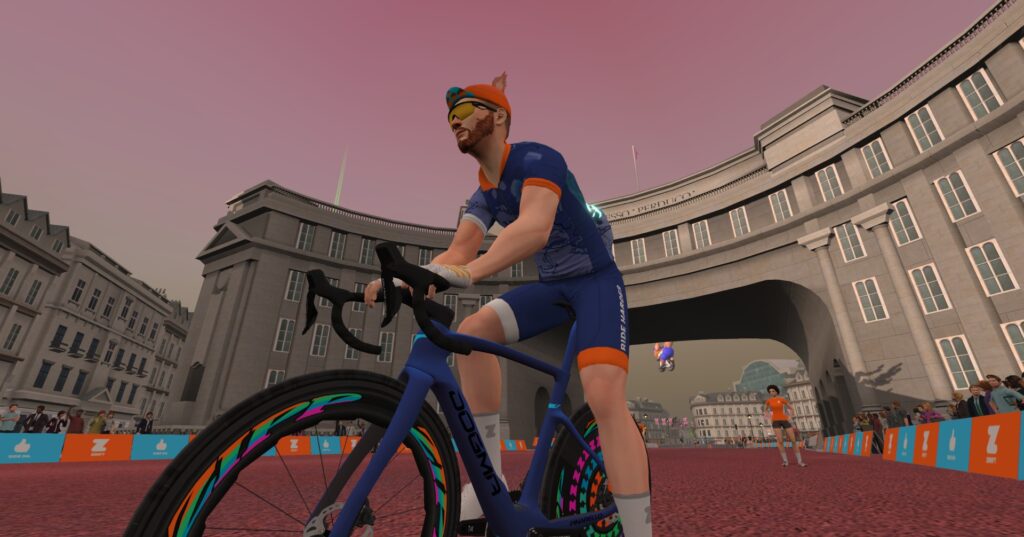
Sometimes, it’s Zwift’s little unannounced changes that I find most interesting. Today’s update changes the “resting” position of avatars on Tron bikes:
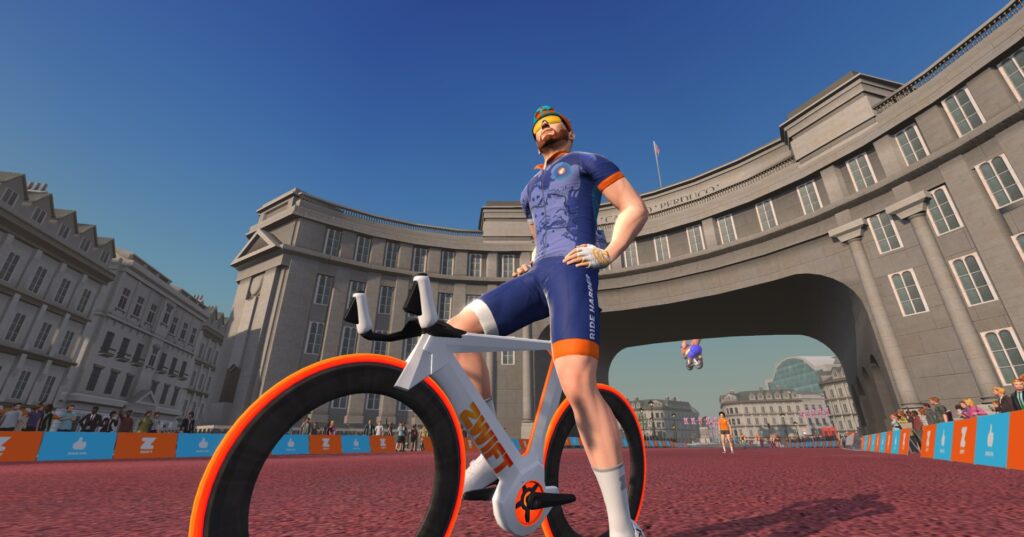
My contacts in Zwift tell me this new animation was put in place to prepare for a new bike coming to the game soon. Until then, only stopped Tron riders will see this avatar position.
Riders on non-Tron frames will not see a change in their resting position:
Release Notes
Zwift provided notes on additional tweaks and bug fixes in this update:
- The Garage icon on the Home screen now displays the new unlocked item badge counter consistent with the Garage icon in the Pause menu.
- Added new onboarding tips to loading screens.
- Fixed an issue that could cause an incorrect route name to be shown for completed workouts.
- Fixed an issue that could cause the Zwift Concept frame to appear black instead of white when selecting the Zwift Ride color scheme. Learn how to get the white Tron >
- Fixed an invisible bump in the road after the intersection leading from Countryside to Neokyo in Makuri Islands.
- Windows: Fixed a crash that could occur when resizing the Zwift window while loading.
- Windows: Fixed an issue that could cause the Video Screenshots button to be disabled when running Zwift on a non-primary display.
- tvOS: Fixed an issue that could cause the virtual gear display to be missing after completing a Zwift activity and starting a new activity.
- iOS, tvOS: General stability improvements.
- Android: Performance improvements and faster load times.
Discuss this update in Zwift’s forum >
Questions or Comments?
If you spotted any other changes or bugs in the update, please comment below!

Nice run down @Eric Schlange 👍
Any rumblings regarding an always-on ClimbPro along with slimming it up vertically, as has been frequently requested?
Yes. This is the setting we want.
I’m interested in the setting for elevation.
Hum, wonder if the new bike will be the Pinarello Espada?
I just completed all free ride available on Sunday
now another 6 to go 🥺
you should be happy – more goals!
I finished them on Monday….
Zwift now doesn’t load up for me after this update. So frustrating.
Still no news on the garage update?
TSOZ Closer Look: Garage Upgrades and Halo Bikes | Zwift Insider
Get yourself a comfortable chair while waiting…😉
Start growing a beard and don’t shave until it shows up. I bet you will look like you belong in Z.Z. Top first.
Thx Eric … but again no start for the announced frame-upgrade-options ?
I would like to see in the HUD a smoothness assessment. Surely one of the things that trainers might help with is stroke technique. It’s probably a combination of power and cadence.
Also…. I still think bottles as swag would be good. If you made it so that you had to scroll through all your useless free bottles before picking your bike you could recreate the frustrating frenzy of trying to get out the door for an IRL ride on time.
It’s a cool metric but in reality it’s soon ignored, TPV has it. If you use Bluetooth then it’s a non starter as it requires ant+. Another issue is your trainer company is the one who needs to add it into the firmware, afaik Wahoo don’t have this ability for any of it’s products. I don’t know of any other wheel off trainers that support it either.
Thanks as always for the great info.
Personally, I like the HUD profile, and would like to have it on all the time. Especially for descents as well as climbs.
I would love it even more if I could move it down to where the effort graph is. Have them each take up half the screen, one of your choice take up the whole screen, or none on. Toggle through them by hitting the G button.
I’m still on 1.83.2 and had the 5 new routes this morning.
But I don’t have the Danger Noodle yet.
I have the same thing. (Android)
No Noodle. Found it via ZH, it is available.
I’m hoping someday there will be a function to add notes to those you follow that are only visible to yourself. For those who have many Zwift “friends”, it could be a way to remember when you met them or why you decided to follow them, or something personal about them you could talk to them about in the future (how’s your doodle doing, dude?).
New “Elevation Display Sensitivity” HUD SettingThis has been available for a long time. I’m sure from a month.
Not for the general public. I know I didn’t have it until the last few days.
Zwift has been testing it internally for a while now. It’s possible they released it to a cohort of users early as well… or you just got lucky and they granted it to your ID on accident. 😃
Since upgrading to Zwift bike (and built in controller) i have been making my TTT non-steering teammates crazy with steering that i can’t turn off and the consequences in pack dynamics (i lose gears if i turn off the whole controller). The quasi work around no longer works unfortuntaely. I have been patiently waiting for this (relatively minor fix to an issue that has a big effect) to be addressed in a zwift update, but still nothing… I miss TTT races!
Thankyou Zwift finally able to get rid of that elevation for 2% slopes….
Ps who thought that Tron Pose was a good idea? Sack them!
I wonder when if ever they’ll make the obvious connection from Jarvis Island to the jungle/Alpe… I don’t want new loops of 5 km per se, I primarily want to be able to make bigger loops
I am waiting for that Vulcano in Makuri to be available to ride as the Teide.
I hope Zwift will disable Elevation Display on races. With this on, it becomes a bit boring on the race as tactical moves are difficult to achieve.
That bike where they made the upright position for is a reward in the Big Spin Event I guess ?
Actually, I think it’s a “halo bike” that will be released as part of the big garage rejiggering/upgrading scheme coming very soon…
Are we getting a new all-rounder bike better than the tron?
There already is one. Or two. But also… yes! Some fast bikes coming soon.
A little off this update, but have white sprint starting lines for some time. Even harder to see than the former black ones. Can we get clearly visible sprint starts?
Forgot about mini challenges.
New status: leaving soon.
By the way, how soon?
And, yep, no Noodle in free ride. (Android)
Click on it to see Feb. 28th
I honestly cannot imagine that anything could interest me less than how my avatar stands when i’m not pedaling…
Strange use of time and resources
I was thinking the same thing, as I was on my Tron for the first time in a while, and had forgotten that there is no visual change when I was in the draft. Instead of silly cosmetics to the game, they really should be working on the actual game play.
I’d like to see an “always on” setting for the elevation profile.
I agree, it would help in races to know when and how long the upcoming flat/downhill section would be. This would be realitvely big for me!!
When will then unrealistic and annoying PD5 be fixed? I hate to see any cosmetic updates after this wild physics change that is a major fun killer in Zwift for a couple of month now!
Are we ever getting better graphics on iPad?
Morning Eric, love your content. New issue for me, I added the new 5 routes to “My List” on the 19 Feb, ready to start doing them at the weekend, then saw the article on Danger Noodle. When I went to add that this morning (21 Feb) all the other 5 ZG25 routes are now showing as event only?
There looks to have been a possible bug around navigation on completion of route based workouts, which I’ve verified still exists in this version: on my windows 11 client, once a route based workout is complete I can’t navigate or uturn. The onscreen prompts for nav do appear as I approach a junction, but trying to change direction has no effect. Tried on play controllers,.companion and the main client.
You mean you spend damn good money that you work hard to earn and end up spending on software that doesn’t work as advertised? Why would you do that? Sounds like it would be in your best interest to do some research before you buy. I suggest perhaps coming to place of understanding you are setting yourself up for disappointment until then. Bitter disappointment.You know because there are animals that willing follow each other off the side of a cliff. Doesn’t make it right.
After updating to 1.84 has anyone else noticed that some of the landscaping (trees, farm fields, etc) seem to be missing in the worlds Watopia, France, Makuri… I am using a Windows PC with a more than capable graphics card. For instance, riding in France the sunflower field no longer has sunflowers – just grass. It seems to be a Windows thing as other riders I was with were experiencing the same thing… Submitted a ticket for what its worth.