

Zwift version 1.124 begins its phased rollout today. The update delivers the Watt Lock feature, nerfs Coffee Stops, and brings Zwifty Pinarellos to our garages. Read on for details!
Watt Lock Arrives
Watt Lock has arrived, allowing you to lock in a target wattage while free riding or in group rides. Essentially, it’s a simple toggle that swaps you out of “Sim mode” (where your trainer resistance replicates the gradient) to Erg mode, where your trainer changes resistance to help you hold a target wattage:
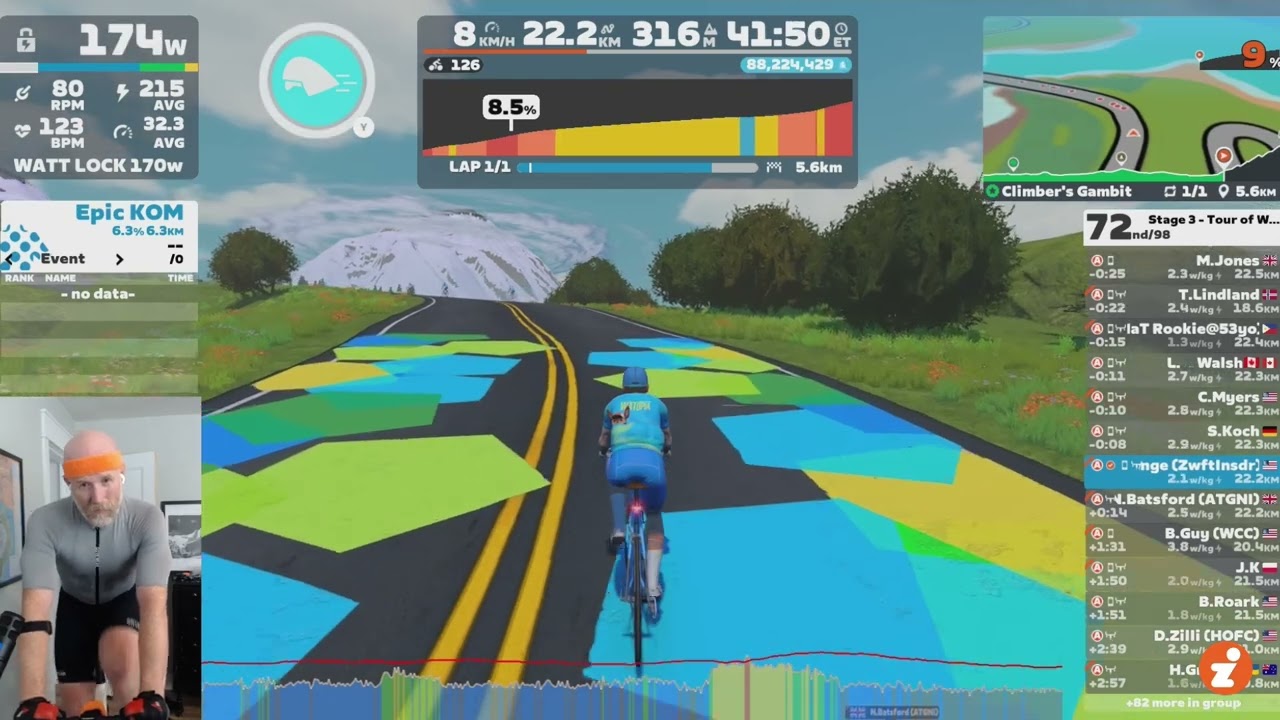
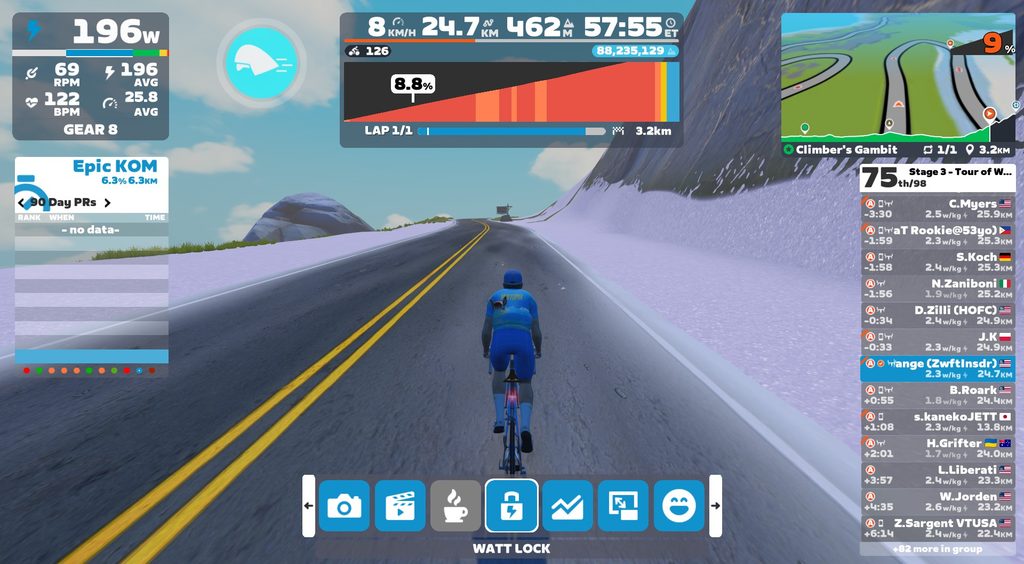
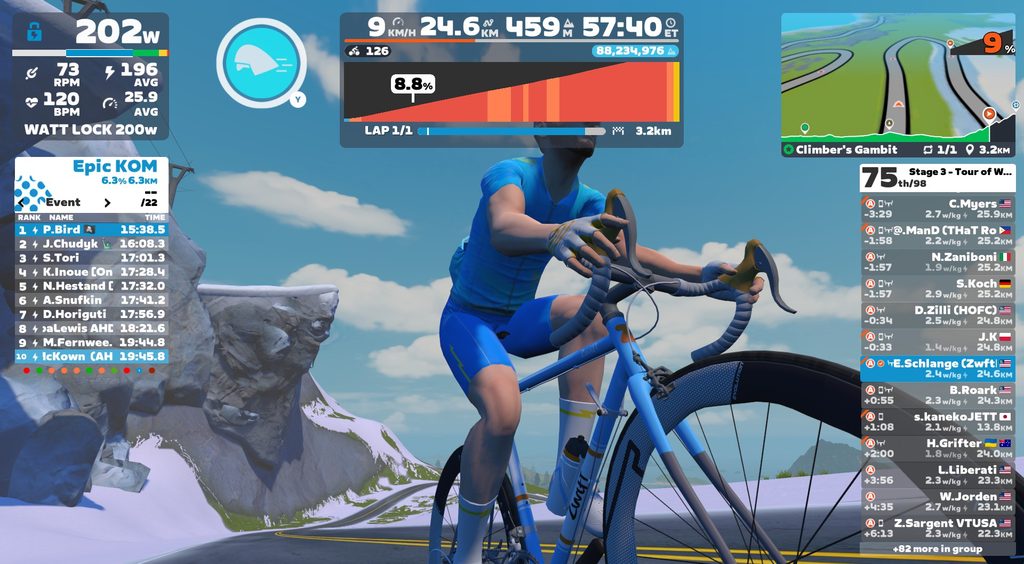
Give it a go and you’ll quickly see how it works. Enable Watt Lock via the lock icon in the action bar, then use your keyboard (+ and – keys) or virtual shifter controllers to change your power target:
Here are some ways Watt Lock may be useful:
- Specific zone work without loading a workout: Want to stay in zone 2? Recovering from injury and need to keep stress low? Set your target and spin away.
- Distracted riding: Would you rather watch the latest Tour stage or Ryan Condon video than your Zwift screen? We’ve all been there. Set your power target and enjoy your videos.
- Build an ad hoc interval session: Work a set of VO2 max or sweet spot intervals into your free ride, just like you’d do outside.
There are some situations where Watt Lock cannot be used:
- You cannot activate Watt Lock in time trials, group workouts, or races.
- You also cannot use Watt Lock at a wattage below 50.
Additionally, Watt Lock will automatically turn off if you drop to 25 RPM cadence or less. (This is typically a sign that you’re deep into the “spiral of death,” so Zwift is doing you a favor by turning it off.)
After testing Watt Lock just a bit, I’d say it works quite well and Zwifters will find it useful. There are a few improvements I’d suggest:
- Let us adjust power in larger increments by holding down our virtual shifters or the +/- keyboard keys. Currently it only adjusts power by 1 watt at a time, and it moves a bit slowly when using the Ride controllers.
- If Watt Lock gets turned off, return us to the virtual gear we were in when we enabled Watt Lock. (Right now it returns to the default gear 8, which just means I have to shift up several times to get some resistance on the trainer.)
- Zwift’s QA department probably needs to test what happens when you set Watt Lock at 1000+ watts. At least in my one test, my trainer (KICKR CORE 2) sort of went crazy (see end of video above).
Discuss Watt Lock on Zwift’s forum >
No More Progression for Coffee Stoppers
As mentioned in the latest Wattage Cottage episode, today’s update nerfs the Coffee Stop feature. Starting with game version 1.124, Zwifters no longer accumulate progression of distance, elevation, XP, Drops, or bike upgrades while coffee stopping.
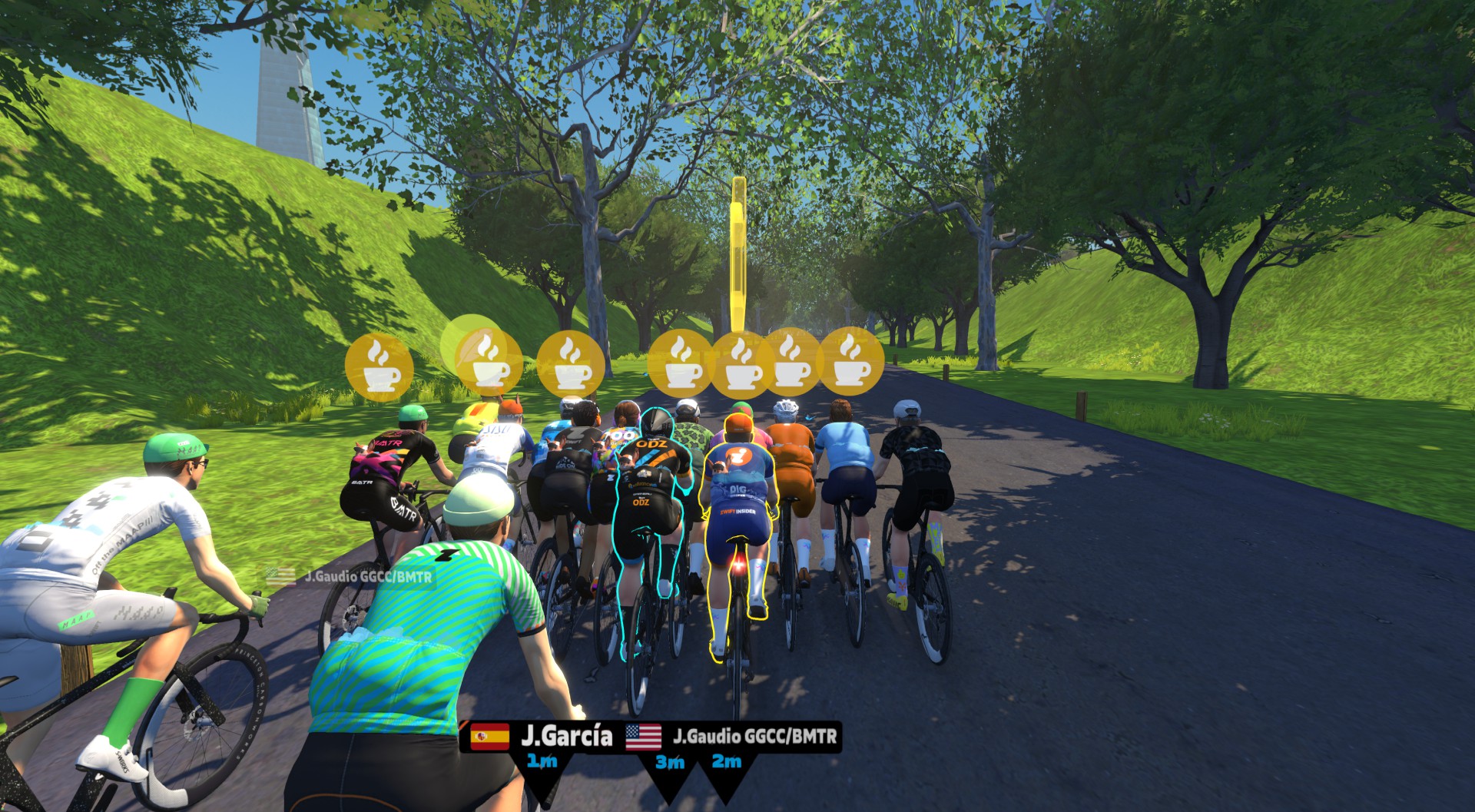
Nothing changes in terms of Coffee Stop timings or usage: you can still use them to stay with nearby riders in group rides and free rides. (See our Coffee Shop post for details on usage limits, etc.)
My take: this is a good change. It keeps the core functionality of the Coffee Stop intact while removing incentive for the freeloaders who have been rejoining the Constance RoboPacer group repeatedly to accumulate tiny gains without turning a pedal.
Workout Collections Re-Org
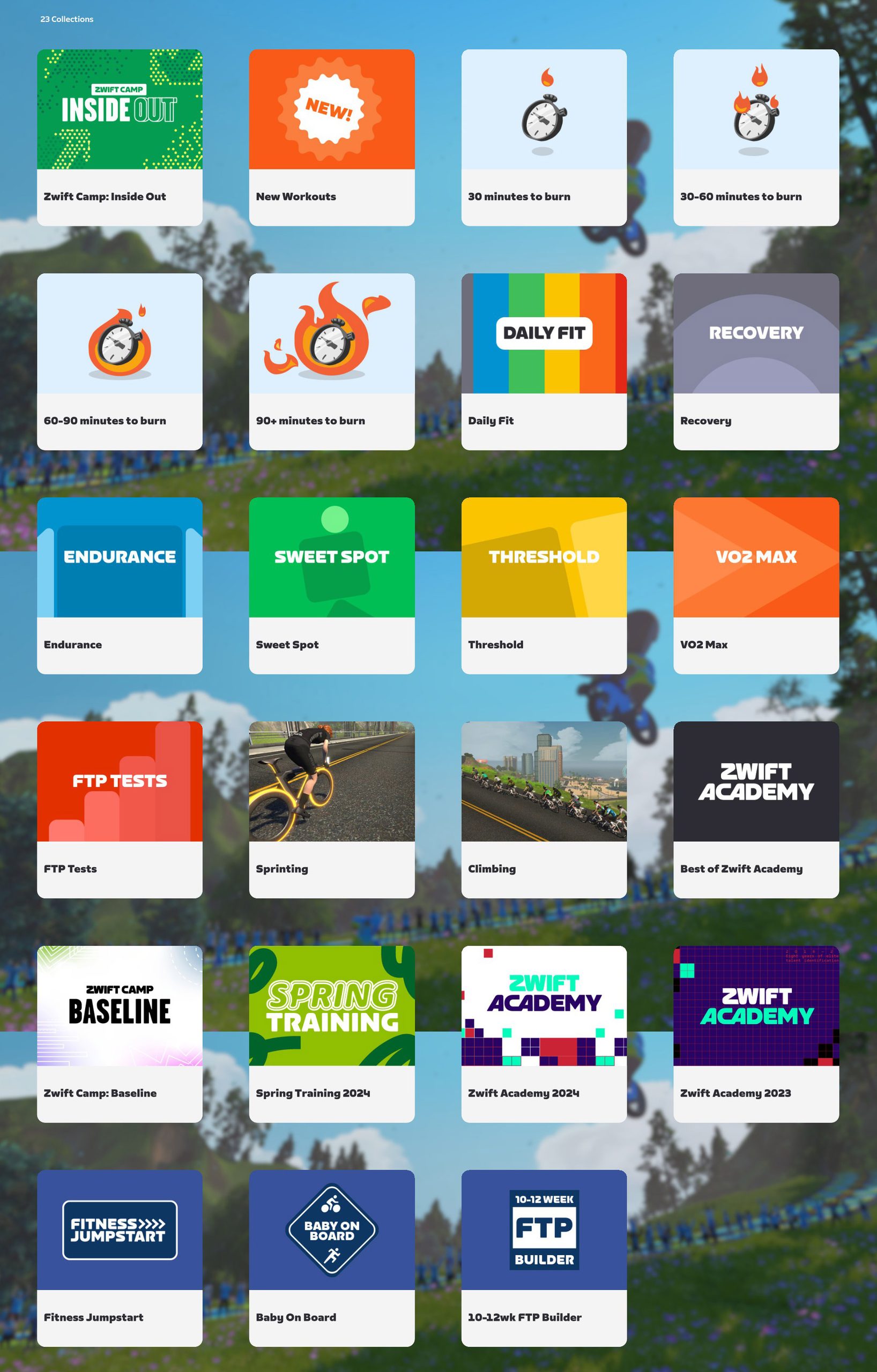
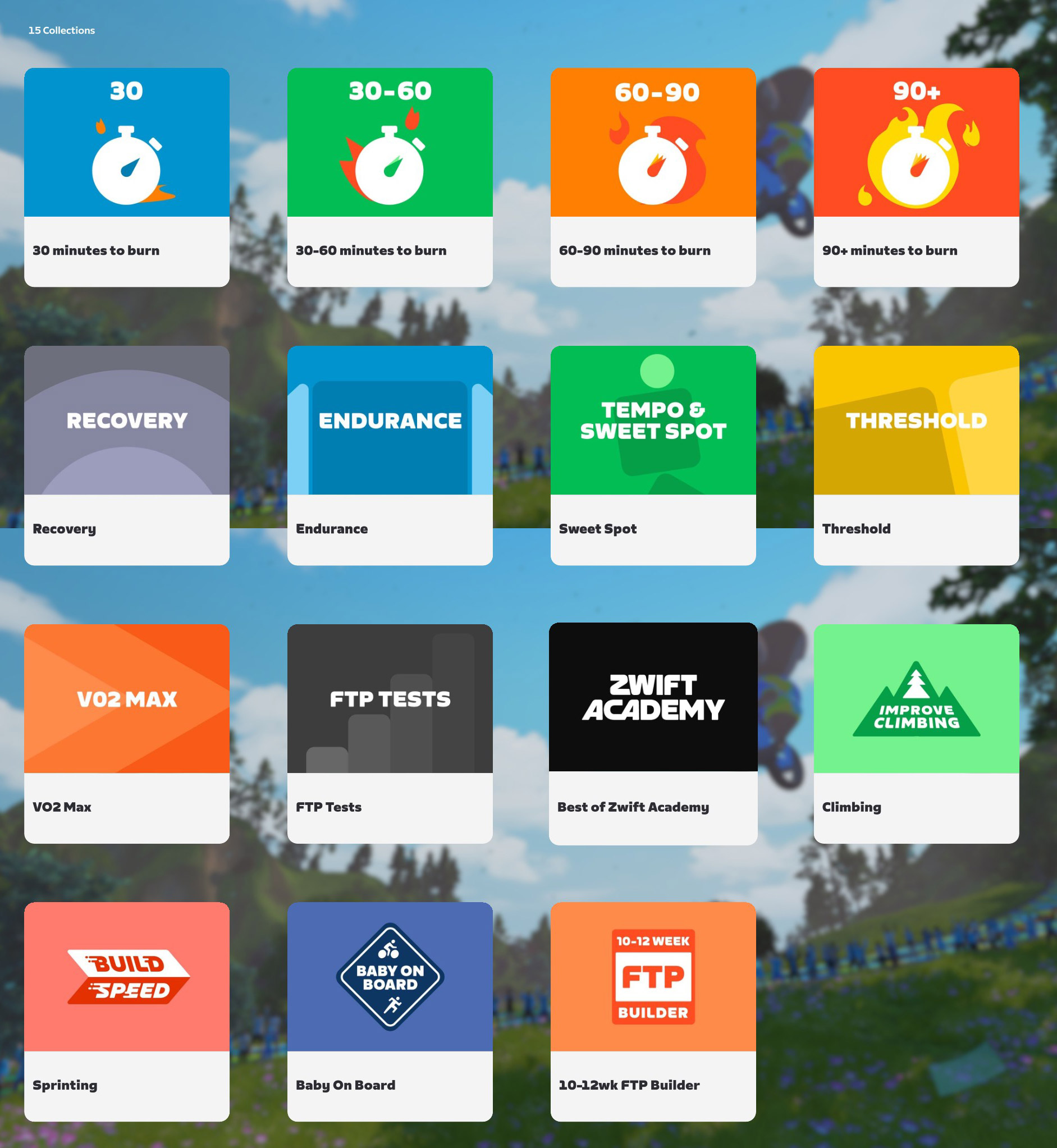
Today’s release “updates the Workout collection images and removed retired collections.” The total number of collections has been reduced from 23 to 15, but all the workouts from retired collections remain available. (We tested to confirm: there were 806 workouts in the library before the update, and 806 afterward.)
If you’re curious, here are before and after screenshots of the Workout collections:
Bring on the Zwifty Pinarellos
The Zwift-inspired pink/orange colorway for the Pinarello Dogma F 2024 was only unlocked in a single event series: September 2024’s ZRacing. (I know this because that’s the only month where I completed every ZRacing stage, so I could unlock the colorway that matches my IRL bike!)
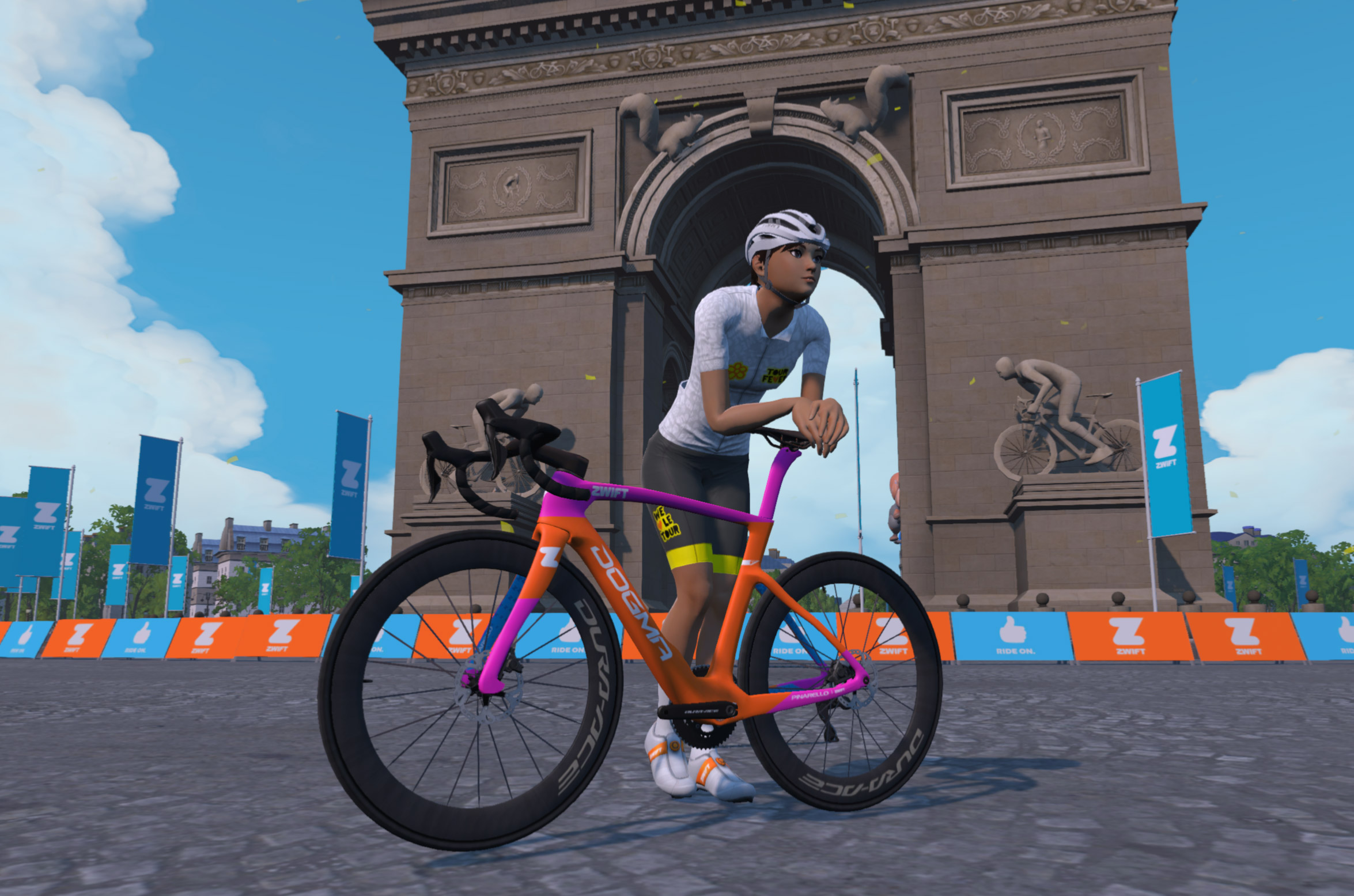
Beginning today, that colorway is now available for all Zwifters who own the Pinarello Dogma F 2024:
Some bikes may be faster than the 2024 Dogma in Zwift, but few can rival the looks of this fun Zwifty colorway. Hopefully this brings some variety to the virtual peloton!
ROUVY Rides Earn Zwift XP

A late addition to the release notes says, “Ride on ROUVY, earn XP in Zwift. Connect your ROUVY account to Zwift to earn 5 XP for every kilometer you ride on ROUVY.”
Zwift rides have been counting on ROUVY for about a month now, but now it officially works in both directions. As long as you’ve connected your accounts on both platforms, riding on one will give you XP on the other (albeit at a reduced rate, the same rate as outdoor rides).
Release Notes
Zwift supplied these additional release notes:
- Fixed an issue that could cause events Zwifters signed up for to disappear from the homescreen early.
- Fixed an issue that could cause an incorrect number of cycling and running achievements to be shown in the Badges screen.
- macOS, Windows: The mouse/trackpad cursor is now automatically hidden during your activity after being idle for 5 seconds, and re-appears after interacting with your mouse or trackpad.
- macOS: Zwift launcher version 1.1.19 is now the minimum required version and will be installed automatically.
- Windows
- Improved Bluetooth device discovery reliability if Bluetooth was enabled after discovery started.
- The Ultra graphics profile is now enabled for Zwifters with the following graphics cards: AMD Radeon RX 7700S, AMD Radeon RX 6950 XT.
- Fixed a rare crash that could occur when using multiple Bluetooth devices paired via a trainer’s Bluetooth bridge.
- Fixed a crash that could occur when closing Zwift while Bluetooth devices were being discovered.
Discuss this update in Zwift’s forum >
Questions or comments?
If you spotted any other changes or bugs in the update, or have comments about this release, please share below!


It says: “Watt Lock will automatically turn off if you drop to 25 RPM cadence or more”. My guess is taha it should said “less”.
Oops! Fixed.
“Watt Lock” and “Coffee Stop” fare dodgers is a welcome addition, but what we all REALLY want is to be able to sort that well over-crowed virtual garage properly! 🙂
Extremely glad to read about the updates to the Coffee Stop feature. It’s been very aggravating at times when other riders have latched on for a free ride while I’m cycling my butt off. Thank you Zwift 🙂 😍
Can you use the “Watt lock” in the starting grid for warming up?
During your video you threw out there that your base bike could continue to be updated in a group ride where bikes of a certain kind aren’t allowed and they put you on a Zwift Steel. I’ve joined a lot of Trek and Giant and WOW rides upgrading things but never thought about that working when forced onto the steel. Good to know.
It’s less an issue now that Pace Partners are only on flat routes, but those coffee stop and non-pedaling grifters were terrible when the bots were in Yorkshire, for example. I had a very long freestyle sweet spot ride that was repeatedly ruined by this guy who would port from bot to bot without ever pedaling, just using coffee stops, the assist you get when joining them, and freewheeling downhill.
For hours he was popping into my group between me and Yumi (who I was very carefully trying to draft) and I would have to push past him or get gapped when he lost the wheel before leaving to go to another partner elsewhere shere they were hopefully (hopefully for him) on a downhill. I asked him to stop and he refused. It was infuriating.
they’re taking away distance accumulation when on coffee????? now we riot
IMO one of the major problems with coffee breaks is that the system allowed people to rack up distance without ever pedaling. Some abused this loophole way too much. I’ve seen accounts log 400+ miles per week with an avg pwr of 0-3w, using nothing but hundreds of teleports and coffee breaks. That’s not what I’d call “tiny gains.”
This could have been prevented, but now it seems everyone is being penalized.
Anyway, I hope they address teleporting next. Too many use it to skip every hill, and it’s getting ridiculous. I’ve even seen people tele to skip Alpe du Tempus at the Oasis, a 7 ft “hill.” Like, really? And let’s not forget the Stoneway Sprint, where people farmed Drops illegitimately. Most teleported instead of doing U-turns. And you should have seen the KOM on Sand and Sequoias during Week 2 of the Tour of Watopia. As soon as the RoboPacer reached the top, 10+ Zwifters would suddenly appear. I swear, if some people could freewheel downhill all day, they would.
What’s the point of paying for a membership to a cycling fitness app if you don’t pedal your bike? I’ve never understood these people, and I never will. Agree or disagree, that’s how it really is.
“Beginning today, that colorway is now available for all Zwifters who own the Pinarello Dogma F 2024”
Bummer. I’ll never ride it again 😎