Home Blog Page 507

Interview with Frank Garcia of Cycligent Virtual Rankings

0

Interview with Frank Garcia of Cycligent Virtual Rankings

Yesterday I posted about the launch of Cycligent Virtual Rankings (CVR) at ZwiftRankings.com. Read that post for details, but to summarize, CVR is a powerful tool which can be used to rank and categorize Zwift Racers.

As a followup I’ve interviewed Frank Garcia, the man who led the charge in CVR’s development. He is a longtime elite Zwift racer and the CEO of Cycligent, and I wanted to get a better feel for how this project began, who worked on it, and where Frank would like to see it go.


Frank, I know this project was your “baby.” But I’m sure many more people were involved in many ways. Can you tell me who they are and what they did?

Lots of people involved and I have not event listed everybody!

  • James Gill (Team X) – was responsible for marketing.  He was responsible for messaging and provided the logos and handled social media.
  • Sharon Hackathorn (Cycligent Management) was responsible for coordinating the entire effort.
  • Carolyn Sulivan (Cycligent Management) was responsible for support (via Cycligent help desk) which was designed to support racers across the globe (8 help desk people where trained with a target of having 4 available most of the time).
  • Tyler Church (Cycligent Software Architecture) was responsible for continuous integration processes, infrastructure tuning, load testing. He also pitched in on coding when things got a bit tight as well.
  • James Hodges (ZwiftPower) for making tweaks to support our effort.
  • Mark McIntosh, Christian Wiedmann,  and Casey Schumm (all Team X) have been handling community outreach (talking with organizers, etc) and also responding to items on Facebook.
  • Team X. The whole team bounced around ideas, argued, came up with enhancements, reviewed prototypes and documentation, commented, etc.  It is amazing the amount of time and dedication the team had to the project.  Special mentions to Neil Law, Kim Little, Francois Coppex and Daniel Schmidheiny.

There are so many within the Cycligent organization that have done so much. The have been amazingly supportive.  I owe a debt of gratitude to them all.

Tell me about the genesis of this project. What inspired you to begin, and how long ago was that?

I get joy out of racing and want more people to enjoy it as well.  I wanted people to appreciate the importance of race craft (drafting, tactics, attacks, chases, etc) on their performance versus just raw watts.

After a bit I thought the best way to approach this was a ranking system to help illustrate the importance of race craft and that would also allow people to feel a sense of accomplishment, not just by making a podium, but by improving relative to other people with similar performance levels. I also wanted to create a system that would inspire continuous improvement versus, “Oh wow I don’t want to be promoted to the next category where I will get trashed.”

As for how long ago, the ideas around what this might look like started to formulate six to nine months ago. It became a serious effort the week before Thanksgiving in the US (middle to end of November).

I know the decision is up to specific race organizers, but do you know if there are specific races which will be using the new divisions in the near future?

It is up to the race organizers but we have talked with some that are looking into it.  I don’t want to put anyone on the spot so I won’t call out any by name.  I can say, however, I was surprised by the level of interest so I think it may be coming to some races soon.

How did your team come up with the overall points/divisions/ranking system–is it based on something which already exists, or are you all just geniuses? Or both?

Many of the concepts come from motor racing.  iRacing (online motor racing simulation) follows the same concepts.  We know it works and works well (100,000s of people on iRacing for instance).  We wanted a flexible system that would allow for racing times across the globe and for people of varying ability racing together.  The concepts had to be adapted to the physical nature of cycling.  You can’t really race 10 times a day on a bike (well not well anyway).

What would you like to see this project accomplish? Or to put it another way: if we were to fast-forward one year, and this project has “succeeded” by your definition–what would that look like?

Success would be:

  • acceptance by the community and
  • more enjoyment and more participation in racing on Zwift and
  • people seeing there is more to racing success and enjoyment than just being a watt monster.

Are there other features coming soon which you can share with us?

We hope to introduce features for non-racers (challenges – distance, climbing, etc) to have some fun with rankings.

What can the Zwift community do to help support this project?

The community can help us by providing feedback on how we can make it better and then being patient with us as we tweak things according to that feedback.  Rankings may shift and we are most concerned about people accepting that so we ask that they be tolerant of that while we are in beta.

If any Zwifters find CVR bugs or have questions or suggestions, who should they contact and how?

There is a questions or contact us tab on the site (may not appear on mobile currently we are looking into that).  We are also in the process of setting up a forum.

Who is Cycligent and what do you do?

Cycligent sponsors Team X and that is how it came be involved in Zwift and rankings. Cycligent is a framework, tool and cloud company dedicated to making web application development easier. We provide a visual, graphical Git dashboard for instance that allows you to push projects to the Cycligent cloud. Once there Cycligent Cloud runs your application with messaging, competing consumers, redundancy, etc, even though you did not code for those items. The rankings site is built completely on this platform (which by the way runs on top of AWS).

Is there anything else you’d like me to mention?

Two out of the three biggest things you already mentioned in yesterday’s post.  That is this is built on some outstanding work by the pioneers and that we don’t intend this as a replacement for any existing system we are aware of (i.e. we intend to continue to work closely with ZwiftPower and the community).

The other thing is that for a period of time the rankings will shift, not due to just race performance, but as we make tweaks based on community feedback.  This might be unsettling and we ask people to be tolerant as we improve the system.


ZwiftRankings.com (Cycligent Virtual Rankings) beta launch

0
Yesterday a new service was launched which we predict will change the face of Zwift racing. Available at zwiftrankings.com, the Cycligent Virtual Rankings (CVR) is a new way of ranking Zwift Racers.  Its creators have been very careful to explain that CVR “is not intended to supplant or replace any existing system.” It is simply a different way to rank and categorize racers on Zwift (or any other platform, for that matter.) The system is still being developed, but is already very powerful and functional. It is clear that much thought and many, many hours have obviously gone into its development, and for that its creators should be commended. It builds on the incredible work of James Hodges (ZwiftPower.com), Jonathan Lemon (zLogger), Glen Knight (KISS races and more) and Christian Wiedmann (ZTR races and more), using the existing community-developed race results tracking infrastructure which is most commonly accessed through  ZwiftPower.com.

Why Is It Needed?

There is much debate in the Zwift racing community about how to best rank and categorize racers. Currently most races group participants by FTP watts/kilogram using these scheme: Category A: 4.0 W/kg FTP or higher Category B: 3.2 W/kg to 3.99 W/kg FTP Category C: 2.5 W/kg to 3.19 W/kg FTP Category D: Under 2.49 W/kg FTP While this categorization scheme works decently well, it has several problems, including:
  • Lighter racers may be at a disadvantage on flat courses where pure wattage is a larger factor than w/kg (see Why am I getting beat by people with lower w/kg?)
  • New racers are often unsure how to categorize themselves, leading to races where rookies get quickly dropped or blow away the field
  • Racers can “game the system” in a variety of ways, including keeping their wattage just low enough (or weight high enough!) to stay in a particular category instead of moving up
The CVR system has the potential to eliminate these and other shortcomings of the current FTP-based categorization system.

How Does It Work?

Here is a quick summary, but we recommend you visit zwiftrankings.com, enter your name, and browse your dashboard. Then if you want to learn more, read the Overview to fully understand the system.

Points/Rankings 

The points system is clearly and completely explained on the Overview. It is not a simple system, but no accurate ranking system would be, given the many factors which must be included to achieve a high level of accuracy. The results, though, are quite simple–and that is the important part. You don’t have to understand the number crunching as long as the rankings produced are good!

Divisions

Racers are grouped into divisions based solely on race performance. The divisions are as follows:
  • Pro
  • Elite
  • Divisions 1-9
  • Rookie
There are separate division rankings for different race types, which currently include:
  • Flat & Climbing
  • Flat
  • Climbing
  • TT
  • Team TT
So while you may be a Division 4 flat racer, you could be a Divison 2 climber. This will allow for more competitive groupings across different race types. Racers begin as rookies, then are automatically placed in the correct division once they have enough enough races of a particular type under their belt. The number of racers in each division is held to a certain percentage of the overall number of racers, and each month racers are redistributed across divisions.

Who Is Behind It?

Frank Garcia, longtime Zwifter, CEO of Cycligent, member of Team Experimental and author of the #RideOn Philosophy is the main force behind the new system. Many others were involved in its development. We will be featuring an interview with Frank soon.

What’s Next?

Our prediction is that we will begin to see Zwift races using the CVR divisions soon, but this decision is up to the organizer(s) of each race.  
Zwift Insider editor Eric Schlange’s CVR dashboard

How to: make Strava show your Zwift runs as a run

2

How to: make Strava show your Zwift runs as a run

Editor’s note: this post is outdated. Runs on Zwift are now saved to Strava properly as a “Virtual Run.”


Runs on Zwift (you did know Zwift running is a thing, right?) currently upload to Strava as Virtual Bike Rides. This obviously isn’t ideal, since athletes want to track runs separately from rides, and you don’t want your running times used for riding segments, etc.

Strava and ZwiftHQ are working to fix this problem, but for now here’s a quick video showing how to force your Zwift runs to show up as runs in Strava:

The steps are as follows:

  • Download your Zwift activity file (from your zwift.com account or anywhere else it’s saved)
  • Upload it to Garmin Connect, where it will be classified as a treadmill run
  • Download the file from Garmin Connect as a .gpx
  • Upload that .gpx to Strava, where it will be classified as a run.

One interesting result of this is that your Zwift run times will be ranked on the Strava leaderboard against real-world segments. This won’t be the case forever, though, as it appears that Strava is having ZwiftHQ “offset” the GPS coordinates of Zwift runs so they don’t line up with real-world roads in Richmond and London.

But until then, have fun!


Rickrolled in Richmond

0

Rickrolled in Richmond

It’s official, folks. Zwifters have been rickrolled, Strava-style.

If you’ve ridden Richmond in the past few weeks you may have noticed the segments, which run the entire Richmond 2015 UCI Course and whose titles comprise the full chorus of Rick Astley’s iconic 1987 hit single, “Never Gonna Give You Up.”

In fact, just this morning I PR’d “Never gonna tell a lie and hurt you.”

Here’s the full list:

I’m not a big fan of all the crazy Strava segments people create for Zwift routes, but these, I’ve got to say, are pure gold. Nicely done.


Castelli Ride Series Skillz and Drillz, January 4

Castelli Ride Series Skillz and Drillz, January 4

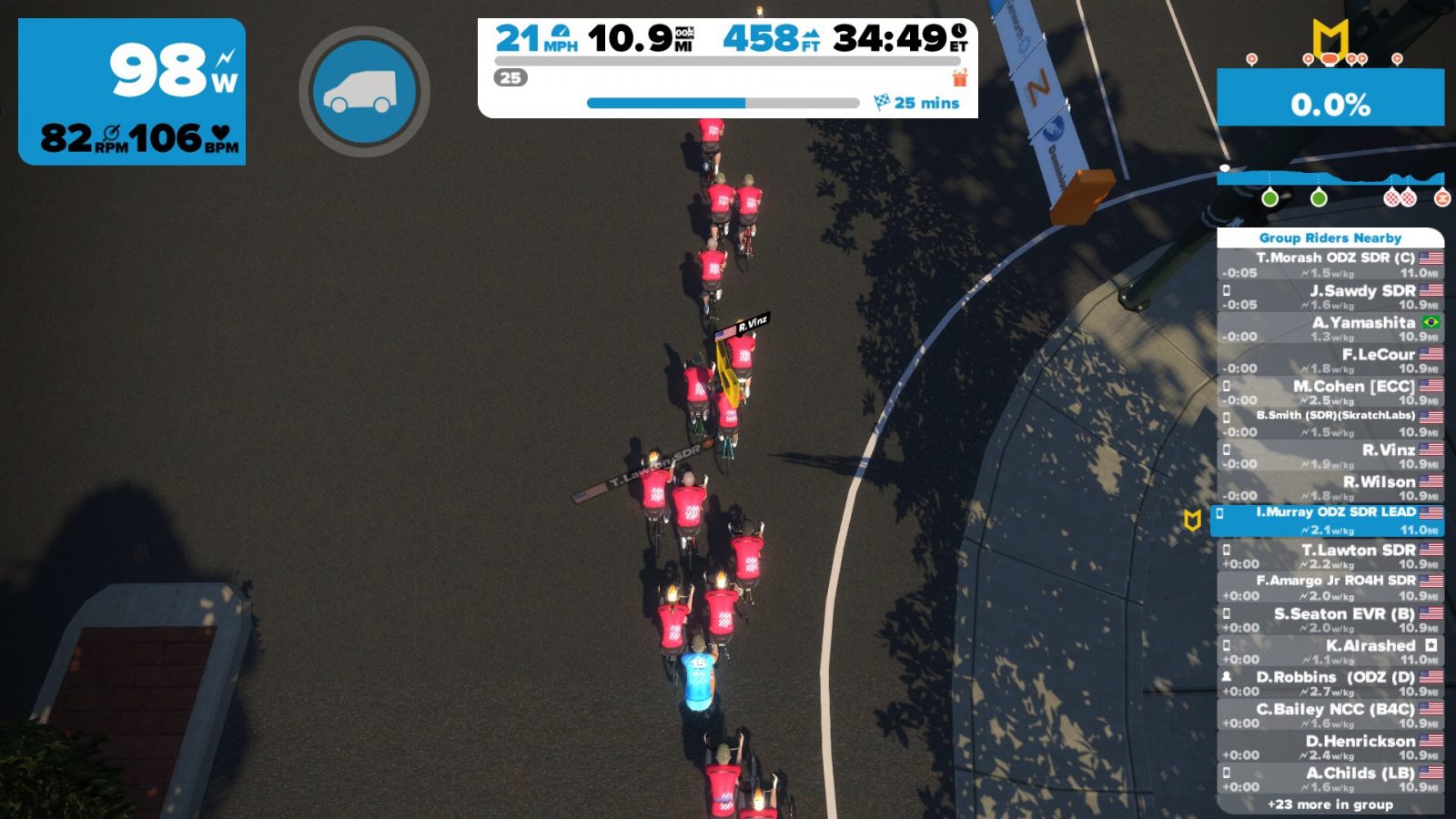
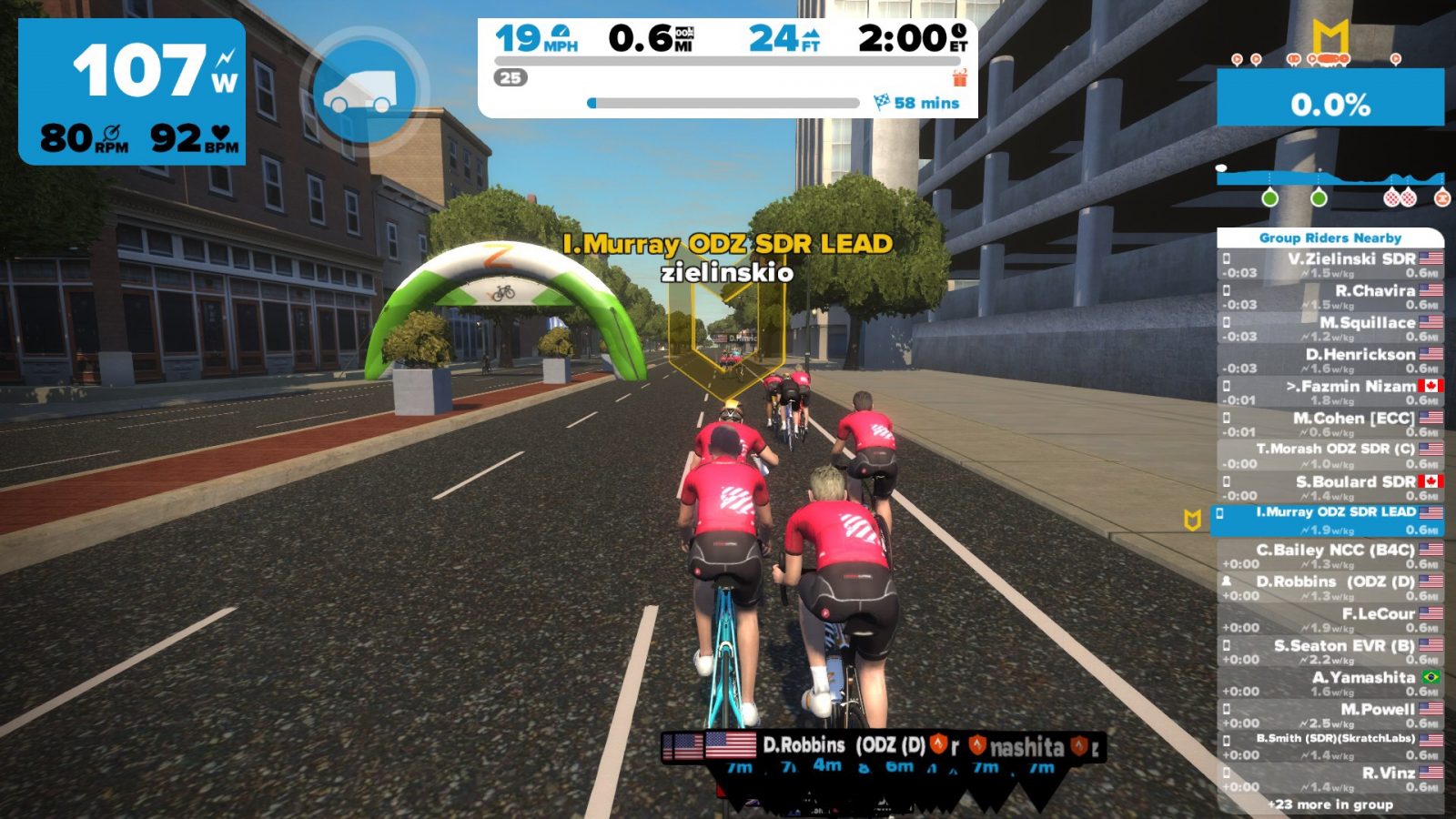
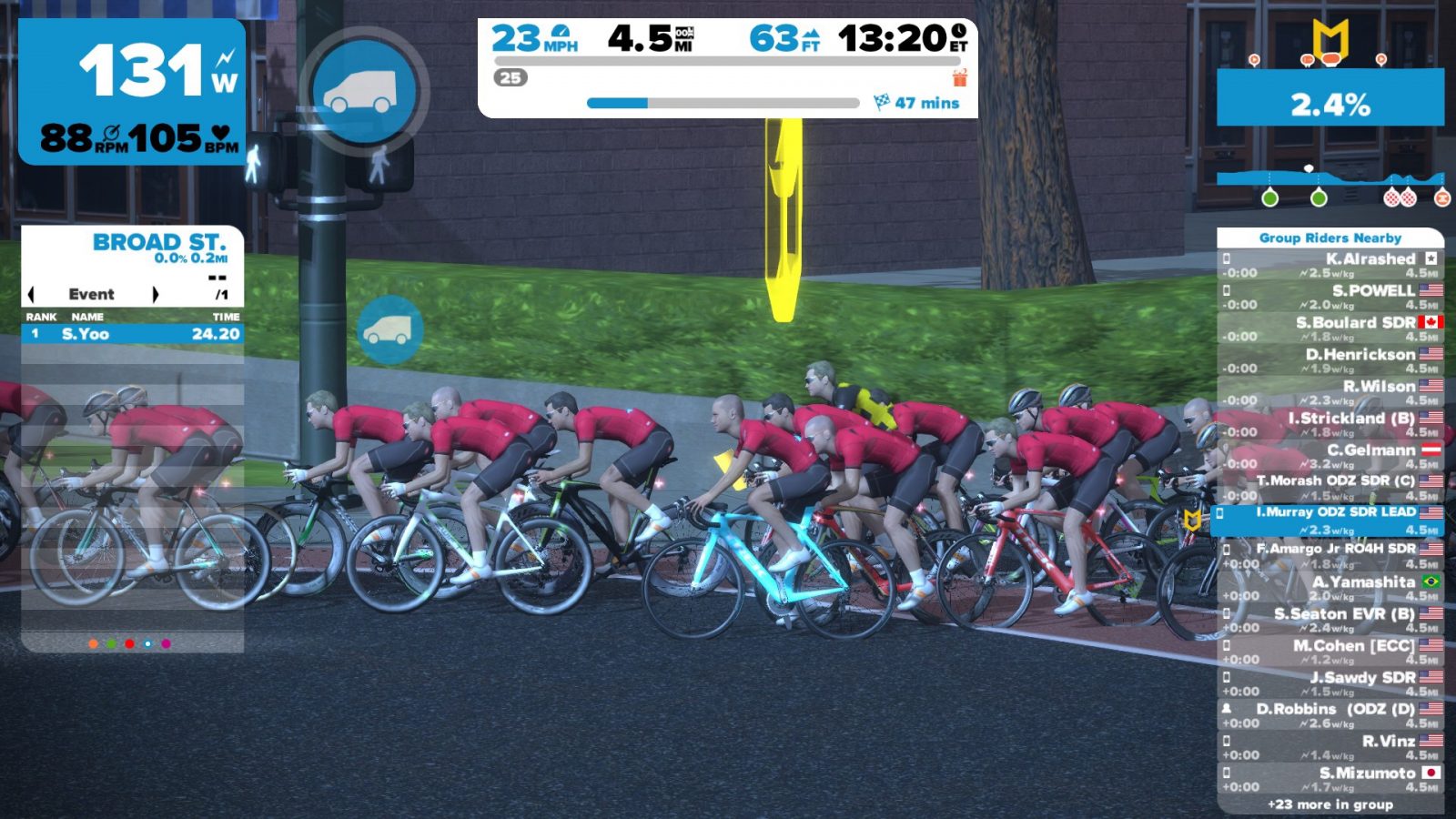
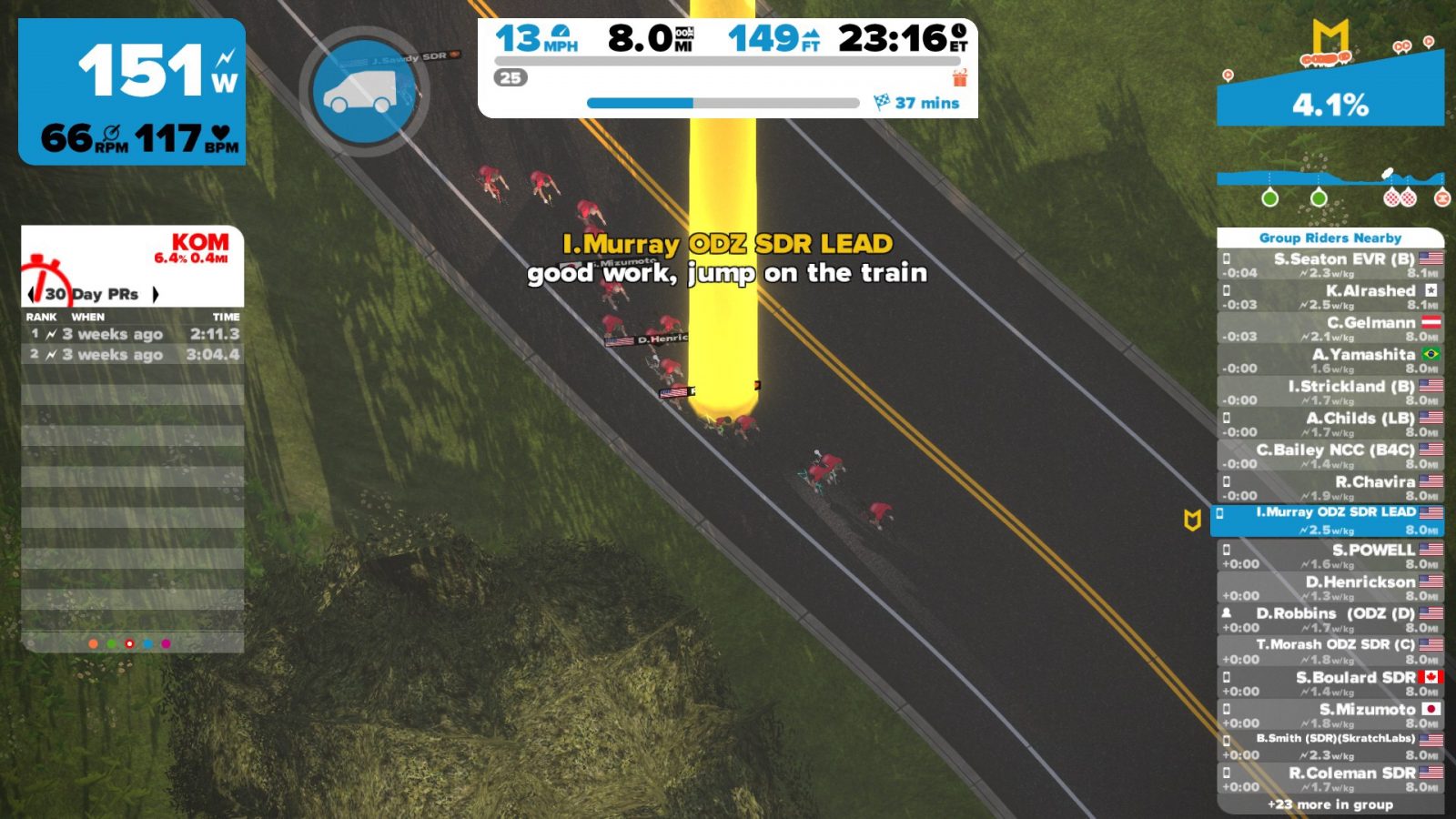
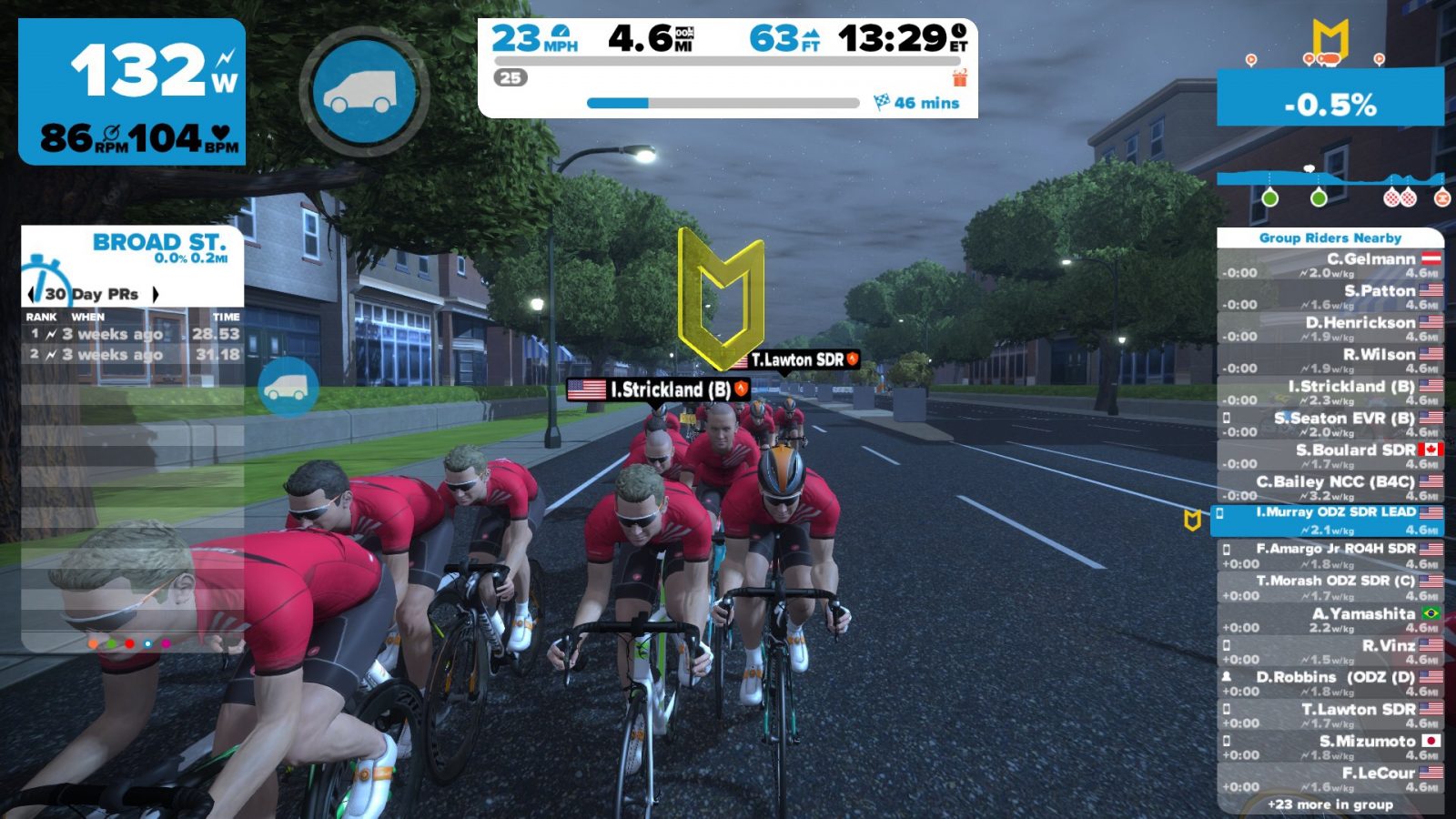
Welcome to 2017 and a new edition of the Castelli SkillZ and DrillZ Ride. We had a good-sized group of about 75 riders, and today was different for a whole lot of reasons. First, I am still in Santiago, Chile, visiting family, so I do not have my bicycle, Wahoo Kickr, or normal computer setup. That was challenge number one.  Second, we introduced a different form of the ride today, one that did not necessarily have us riding together as a group after our warm-up period.  In the end, we pushed through the obstacles and got a good ride in to start the new year.

As I stated earlier, I have been out of town, so this SDR was an exercise in improvisation. I put my Stryd power meter on my shoe and connected it to my iPad as a power meter, which worked well enough to get me out of the pen with the group.  Typing while jogging back and forth on my mother-in-law’s patio was a bit difficult, so I had to drop from the group to make sure the instructions got out.  All in all, it seemed to have worked out just fine, and it served as a good test for a SDR later in the month when I have to travel for work.

Ok, enough discussion about my connection isssues and work-arounds.  On to the class!  Like normal, we got out of the gate at a 1.5 w/kg pace. Due to some last minute changes, I did not have a beacon over my avatar, and that made for some difficulty in keeping the group together and not hammering. Some of our newer riders did not understand that SDR is not a race, but with the help of a few regulars, we were able to keep the group more or less intact. After a few minutes of warm-up and working in the draft, we got down to business.

Today was all about pacing and efficiency.  Now, I don’t mean pacing from a standpoint of holding the same effort for a long time, as is commonly thought for triathletes.  In this case, I wanted riders to take a look at how well they were able to pick a target effort and stay within 10-15 Watts of that effort over a two-minute period.  Often times, I see riders take off, whether it be for a bridge, an attack, or merely a hard interval, only to see a quick spike in power followed by a continuous reduction in power over time.  Sure, the initial surge may open or close a gap to some degree, but the resulting decline in power means that the gap never fully closes, or the escape never comes to fruition.  We approached the problem by picking efforts well below threshold effort and attempting to keep a very small range of deviation.  Let me tell you, it is not easy to do!  At threshold, every small change is noticed because the change in effort is perceived as exponentially harder or easier.

To help focus the efforts, we added a small change as we moved up in power output.  At first, I directed riders to chose one of their legs and put special emphasis on that leg to ensure that it moved through the pedal stroke smoothly with consistent power applied to the pedal.  After that two-minute interval, we changed legs and repeated the drill.  Continuing the focus on a smooth stroke, we did a third iteration at the same power before moving up in intensity.  During the third iteration, I asked riders to drop the cadence into the high 70s to remove bouncing and jerkiness from the stroke.

As we continued, the intensity moved up and the interval time increased.  All the while I continued to push the riders to focus on being smooth.  Many of the riders commented that putting the emphasis on the pedal stroke made the effort seem more difficult but actually made it easier to maintain a constant power output.  I tried to explain that the task of keeping the stroke smooth can be a mentally arduous one, but the efficiency meant less wasted energy, which led to the ability to hold harder efforts for longer periods of time.  The smoother pedal stroke helps with maintaining a consistent power output, which, in turn, means fewer surges in power. Fewer surges in power mean more matches remaining for late attacks or that finish line sprint.

During our longest interval of five minutes at threshhold power, the vast majority of the group was able to hold the effort in the designated range.  I am not going to say that it was easy, and I am not advocating that anyone focus on pedal stroke during a race. However, like any other technique-focused drill, regular practice will help with pedal efficiency. Think of it as a little bit of pedaling meditation during your warm-up. Just keep in mind that every time you surge past threshhold power, you are burning a match. Smoothing out that power profile is one way to save that little extra bit of energy for when you need it most.

That’s it from the Castelli SkillZ and DrillZ Ride for the week. I want to thank Castelli for sponsoring the ride and providing some swag to one lucky rider who completed the event. I will be back on the bike for the next session, so  the beloved beacon will be back over my head. Ride on!


How To: start running on Zwift iOS today!

0

How To: start running on Zwift iOS today!

Zwift’s iOS release includes an “Easter egg” (hidden feature) granting access to Zwift’s running mode which is still in pre-beta testing phase. With a Zwift Runners group forming on Facebook and runners seen on course regularly, our guess is Zwift running will be officially released within the next few months.

Getting Started

Want to start running on Zwift? All you need is Zwift on iOS and a sensor which outputs running pace. (Of course, a treadmill is also a good idea, although I tested it with an outdoor run and it worked fine there as long as you’re willing to leave Zwift open on your phone.)

Pace Sensors

I have tested Zwift running using Stryd and Milestone footpods and both work fine (reviews coming soon). Any Bluetooth foodpod should work. Some runners are using Wahoo’s “Gym Connect” module which can plug into certain treadmills and broadcast pace metrics. There are other footpods which can also be used–anything which broadcasts pace over Bluetooth should work.

Getting into Running Mode on Zwift iOS

Once you’ve got your iDevice and pace sensor, the only tricky part is getting Zwift iOS into running mode. This involves tapping repeatedly on a certain area of the pairing screen, which we have highlighted below (the areas are different for different devices, but the areas below work on our iPad Air and iPhone 6s respectively.)

You’ll know you’ve tapped the right place when the top-left box changes to “Run Speed” with a treadmill, as shown below:

Pairing screen in running mode

Tap the “Run Speed” box and Zwift will search for sensors putting out a pace signal via Bluetooth.

Search screen shows it has found my Milestone pod.
Milestone pod is paired and ready for running (the “No Signal” notice is a bug in Milestone’s beta firmware… the pod broadcasts just fine.)

Once you are paired up you are ready to go! Just click “OK”, choose a course, and start running.

Strava Weirdness

Strava is currently labeling Zwift runs as “Virtual Rides.” The folks at Strava say they’re working on a fix, but until then you either have to live with this or hack your fit file and manually upload it to Strava. (Some folks have uploaded their fit file to Garmin Connect, set it as a run, then downloaded the file or had it sync to Strava).

Here’s a note from Strava on this issue:

From our end, we are waiting for Zwift to offset the GPS data on all run files. This would mean that all GPS data is shifted by some degree so as not to match run segments. Then Zwift data can upload as a normal run. For now, we are enforcing all Zwift data to upload as Virtual Ride.

From this comment is sounds like Strava is having Zwift “shift” the GPS coordinates of runs so they don’t match up with Zwift ride routes.

A Note About Pace

One big difference between running and riding on Zwift currently is running speed is based off of your pace (regardless of terrain in game) while riding uses your power and computes speed based on in-game terrain.

So if your running pace is 7MPH, you will be running at 7MPH up Box Hill, down steep hills, and on flats. Because of this, you may find yourself passing riders on steeper climbs!


Zwift coach profile: Shayne Gaffney, GC Coaching

Zwift coach profile: Shayne Gaffney, GC Coaching

Based in Woburn, Massachusetts, Shayne Gaffney is a USA Cycling Level II coach who is also a licensed Physical Therapy Assistant holding a degree in biology. (It’s always assuring to know your coach has the background to understand how training effects the body… check out Shayne’s blog for useful tips like core workouts which apply to every cyclist.)

Like other Zwift Insider sponsoring coaches, Shayne uses Zwift (he’s been on since the early beta days), and he couples that with the coaching expertise needed to get you to your peak fitness and beyond. Read below to learn more about Shayne.


Shayne in a post-race interview

Tell me about your cycling background. What sort of riding have you done, for how long, etc?
I started cycling in 2006 when I got into triathlons after being burnt out from middle and long distance competitive running.  I have done road, cross, TTs, and mountain biking, but my forte and passion lie with road.

When and why did you begin coaching?
I began coaching in 2012 after a friend said she needed help running a Computrainer Program and thought I would be a great match from my background (and she would pay for the license and testing fees!  SCORE!  ?).  So, I took her up on the offer and have truly enjoyed every minute since.

Every coach has particular philosophies which define their methods. How would you describe yours?
My philosophy is quite simple: Fitness = Consistency over Time, or, F=C/T.  Nothing changes without a consistent stimulus!

Do you use Zwift personally, and if so what for?
I do use Zwift personally and have been using it since the Beta testing phase!  I use it for a myriad of things like training, racing, social riding, and satisfying the competitive aspect of my brain via the various jerseys.

How is Zwift a useful tool from a coach’s perspective?
In three ways:

  1. It is visually, socially, and competitively stimulating, keeping the athlete engaged longer
  2. The workout creator is better than any other, bar none
  3. It gives the athlete the ability to receive the greatest benefit from their time invested in their training, especially with the smart trainer becoming more widely used.  You can literally change, swing your leg over the top tube, and be doing structured workouts in 5 minutes!

If you had just one piece of advice you could share with all Zwifters, what would it be?
Whatever you do, do it consistently!  It is far better to ride shorter multiple times a week than to ride longer a couple of times a week.

Testimonials

Mike Heck from Hutchinson, KS

For several years I have had the desire to complete a multi day long distance ride.  I have always felt that my interests were more towards endurance riding than racing.  After some health setbacks in the last couple of years, the stars finally aligned and I picked a ride.  This ride was no small goal for me, it included about 400 miles and almost 30,000 feet of climbing at altitude over 6 days.

I talked with Coach Shayne about helping me prepare for this event. He had some great ideas and so we worked together to get prepared for the big week.  My goal was to not just finish, but finish strong.

Coach Shayne’s workout plans, encouragement, and an appropriate amount of pushing was instrumental in my completion of the ride.  He tailored the workouts to meet my schedule and he was always available to provide advice and the encouragement that is needed when things seem to not be going well.  I would not hesitate to recommend him to anyone, especially, someone that is just looking to get started or has a specific event in mind.  I was very impressed with his knowledge and ability to help me meet my goals.


Dan Shinnick from Rowley, MA

– The A group, the fast ones on the Saturday ride.

– A sub 5 hour century.     

These were my goals and they had eluded me for years because, I now see, I didn’t really have a plan for achieving them.  I began working with Coach Shayne Gaffney in January of 2015 through his Pure Power (P2) classes looking to finally crack them.  I came away from the P2 class seeing a remarkable increase in both my power and confidence.  Recognizing the clear benefits structured training had for me, I asked Coach Shayne to coach me through the rest of the 2015 season and I began to consider racing.  Having never raced before I was incredibly nervous.  But working with Coach Shayne only continued to improve those two facets and as I approached the first race of the season at Mt. Blue, I knew I was ready.  Through the season as my confidence and ability grew, each race became more fun than the last.

Thanks to Coach Shayne being so generous with his time and knowledge, I achieved my original goals, grew to set new ones and achieved those as well.


Zwiftcast Episode 18

Zwiftcast Episode 18

Episode 18 of the Zwiftcast has been released, complete with a new look and theme tune. Here’s the full episode description:


The Zwiftcast has a new theme tune! Simon, Shane and Nathan hope you like it.

The Zwiftcast trio kick off by rattling through a whole series of info-bombs related to the Zwift platform, including the news that a Virtual Bike Shop will soon be open, allowing users to spend XP points; the decision to include ANT+ on the iOS platform after all and the impact of the big new January influx of users on the platform – could Zwift now be feeling a bit crowded at times?

The main feature is a substantial interview with Ed Baker, a former Facebook exec, now with Uber, who is also one of the new private investors in Zwift. Ed is hugely experienced in helping digital businesses to grow and Zwifters will find his thoughts on this subject truly fascinating.

After analysing Ed’s interview (Mark Zuckerberg rides a Kickr – who knew!) Simon, Shane and Nathan knock around the idea that you may not need to own a big, expensive piece of hardware like a trainer to Zwift in future – what might it all mean?

The next feature is the concluding part of Simon’s visit to the trainer manufacturer Elite – with some interesting thoughts about Smart Bikes and the direction of trainer prices. Which leads the chaps on to talk about the continuing difficulties some users are experiencing with the Tacx Flux trainer.

Simon’s review of the Flux includes sound tests at various wattage levels, but did he get the problems others, including Shane have experienced? And when is Round Three of Shane Vs the Flux – and how might it be covered? Shane is threatening a live stream with Nathan commentating. . . .

This episode of the podcast concludes with some incredibly valuable advice from pro rider coach Kevin Poulton on how to use Zwift to lose weight. Kevin, who coached popular Zwifter Matt Hayman to victory in Paris Roubaix, gives tips on which workouts will be most effective and explains some of the science behind his advice.

The boys conclude with a light-hearted discussion on changing your weight – or even failing to do so (!) – in Zwift.


Sneak peak: Watopia’s new “Volcano Route”

Sneak peak: Watopia’s new “Volcano Route”

UPDATE: ZwiftHQ has published the route details for this expansion here. It appears there will be two new routes added to Watopia’s list:

  • Volcano Flat
    Distance: 12.4 km (7.7 mi)
    Elevation gain: 50.9 m (167 ft)
  • Volcano Criterium
    Distance (per lap): 4.3 km (2.7 mi)
    Elevation (per lap): 20.4 m (67 ft)

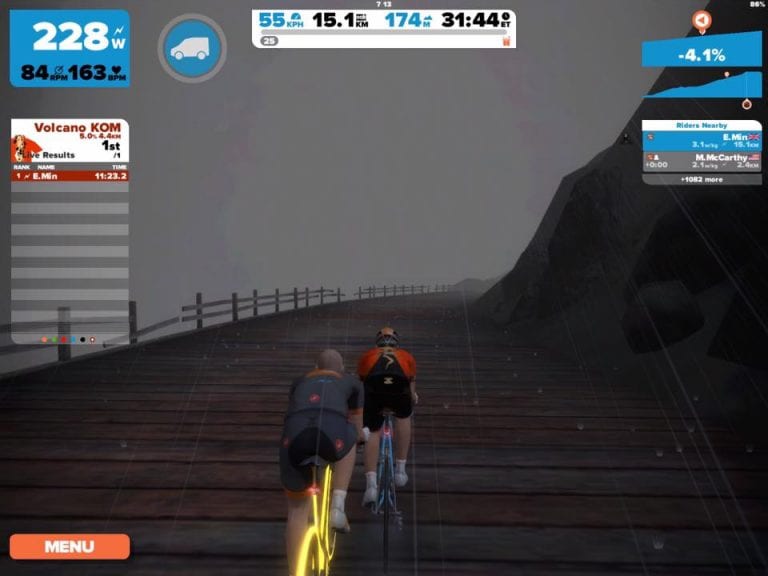
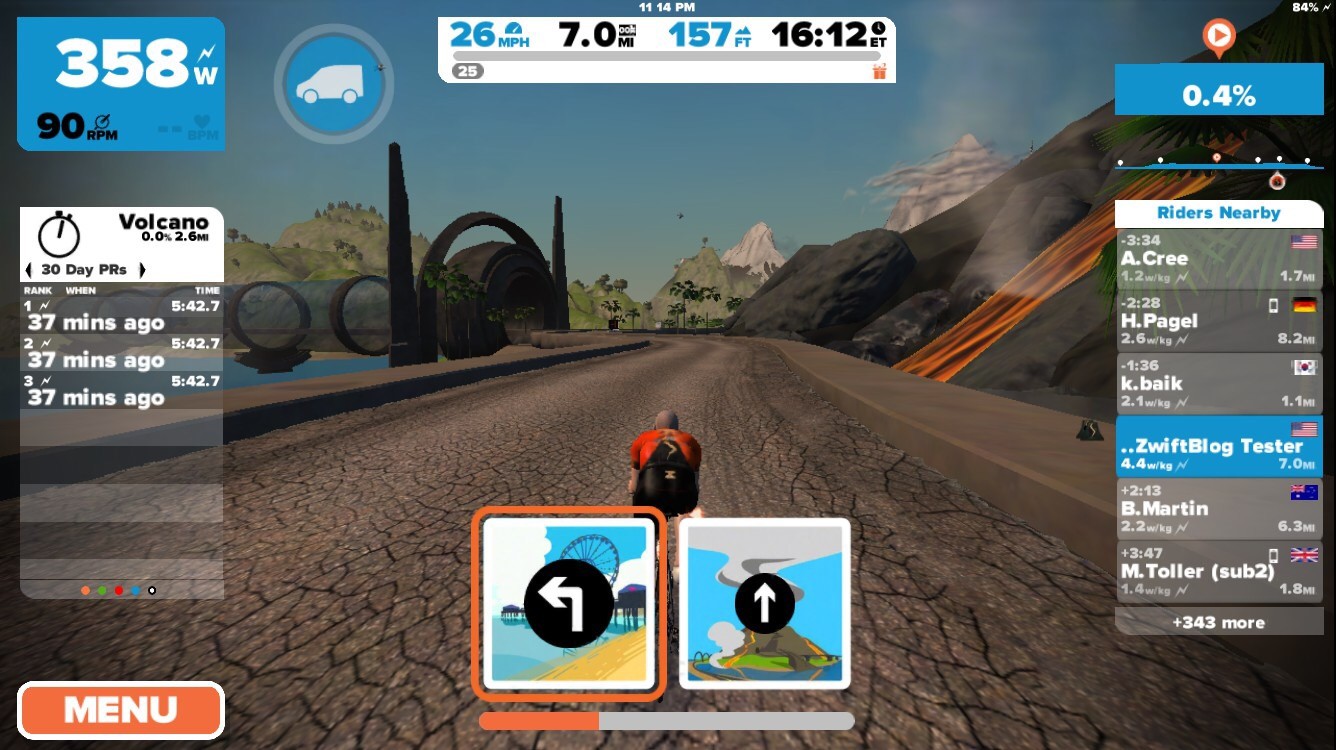
Early this morning Zwift CEO Eric Min posted a ride to Strava which includes the much-anticipated “Volcano Route” expansion of Watopia.

Route Details

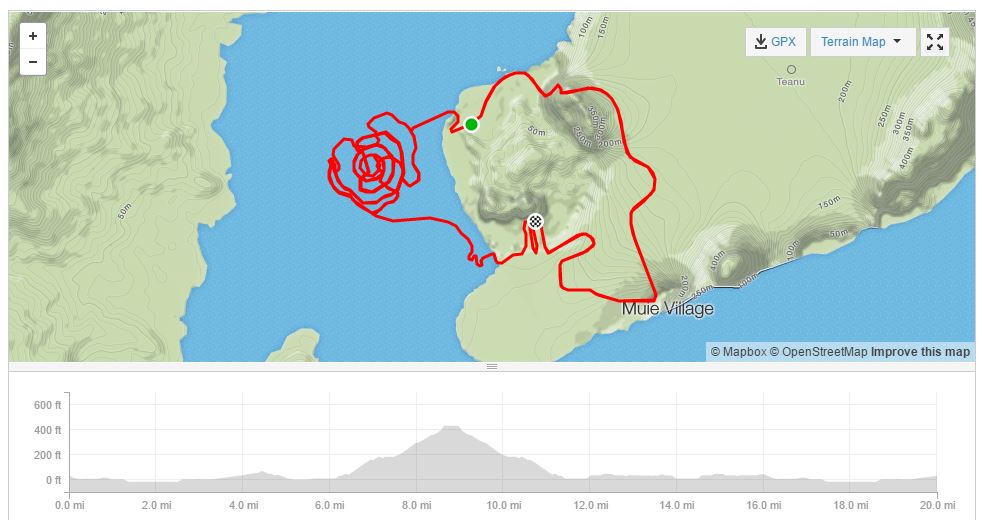
Since this the first Strava post showing the new extension, we can extract quite a few details with some basic analysis:

  • It connects to the existing Watopia roads in two places: the middle of the Italian Village, and 1.5 miles later at the end of the Esses, before the tunnel which leads to the downhill and the start/finish banner.
  • The course is very flat, alternating between 1-49′ above sea level.
  • The main portion of the course can be ridden as a loop approximately 2.5 miles (4km) long.
  • The loop has its own start/finish banner (see it in the background of Eric Min’s snapshot), so it can be used for lap races. With its short, flat loops it looks to be just right for criterium racing–perhaps a “Sulfur Series” of crit races is in order?
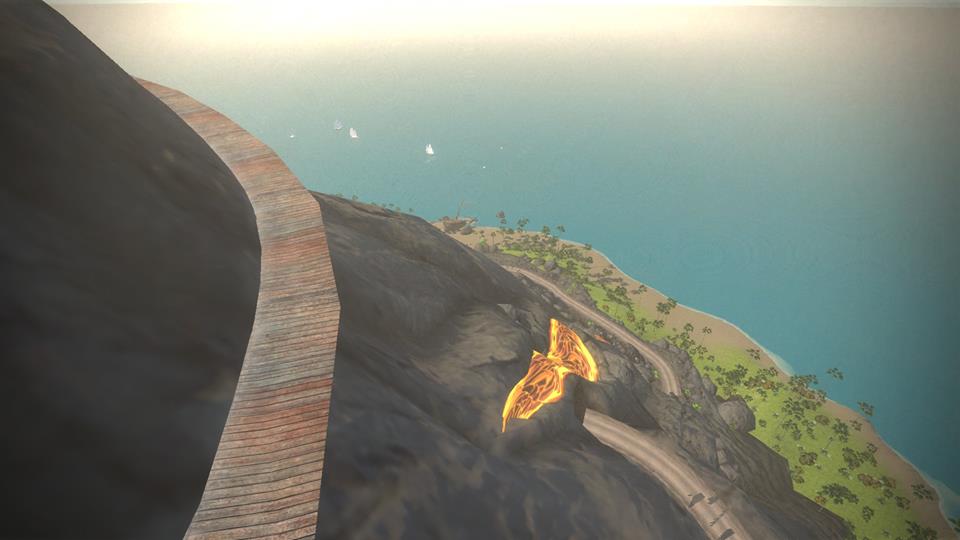
  • Part of the loop is inside of the volcano (see Eric’s screenshot, which I believe is taken where the loop narrows in the map below).
  • This doesn’t appear to be the entire new route, based on a screenshot from the GCN Zwift tour video (see below). My guess is the new route will include a climb to the top of the volcano–if it does not, then that is a planned route for the future.

Hopefully the new route release will also include the ability to go in reverse direction from the starting pier, so we can quickly get to the volcano loop.

This map shows the new route (red) and where it connects to existing routes (black).

When Can I Ride It?

ZwiftHQ never gives hard dates for new route releases, but my guess would be by the 17th of January. It may even arrive this week! They almost released it at the end of December, but had some fine-tuning to do and decided to push it off a bit.

More

You can see a short glimpse of the new route in the GCN video below (the whole video is fun if you want to look around Zwift’s headquarters, but check around the 5:00 mark to see the new route).

Based on the screenshot below it appears there is a climb up the volcano which is not included in Eric Min’s Strava ride. Exciting stuff!

Here is the intersection from the Italian Village to the new route:

Here’s a screenshot from Zwift’s VP of Partnerships, Mike McCarthy… running inside the volcano.


What to do now to prepare for races later (Advice from Coaches)

What to do now to prepare for races later (Advice from Coaches)

Editor’s note: this is the first in a series of articles focused on training advice for Zwifters. Each post will feature a single question answered by coaches who use Zwift with their clients. Here’s our first question:

It’s early January. If you could give every racer on Zwift just one piece of advice to help them meet their racing goals this year, what would it be?


Paulo Stroud-Baranda,  BIKEDNA 

If I gave only one piece of advice to all Zwifters this January, it would be to know precisely what it is that you wish to accomplish this year. Put your plan into action! Decide all races or events now. Using Zwift is a fantastic way to achieve cycling fitness as it allows you to work with smart data and in a consistent way no matter what the weather – which is so important to achieve success in cycling! Start training specifically for your goals and focus your training around that event. Is your goal to finish the race or do you have a time goal for that race? That means no more junk miles! Every ride should serve a purpose.

Of course, a coach could take your training to the next level and help you develop a solid plan, provide motivation when you need it and get you past any injuries that might occur during the year. If you have never used a cycling coach, now is a perfect time to give one a try – take the guesswork out of the equation!”


David Lipscomb, CIS Training Systems 

My advice to those looking to meet their 2017 racing goals would be to ensure that the training you are doing mimics the racing that you are looking to compete in.

Threshold workouts are great, but there are other skills needed to ensure that you come to the table with all the tools you need. One of the skills needed would be cadence development from 50 to 125+ RPM to cover all demands of racing.


Rob Manning, Tailwind Coaching

Remember that racing isn’t always about who is the strongest or has the highest FTP.  Winning a race is about being the most cunning and the most efficient.  If you have matches left to burn at the end of a race, you’ll be much more likely to win than the guy who’s been burning matches on the front all race.

If you want to be more efficient, work on the neuromuscular link between your brain and your muscles.  Working on high cadence drills (think 130 RPM and over) and low cadence drills (70 RPM and below) while staying smooth and supple will help you build neuromuscular conditioning.

The better your neuromuscular conditioning, the more efficient you’ll be.
The more efficient you are, the more energy you have left at the end of a race.
The more you have left at the end of a race, the better chance you can win.

Don’t ignore those cadence drills and the pedal stroke work.  It might be the difference between crossing the line with your arms aloft and crossing with your head hanging.


Troy Delfs, Momentum Cycling

First of all, prioritize your races.  Unless your name is Eddy Merckx, you can’t win them all.  Look at the race calendar for 2017 and determine what you top priority or A Races are.  There should only be 2 or 3 of these per season and these are the races that you base your whole Annual Training Plan around and taper for.  Next come the B Races, which you hope to do well in, may have a short taper for but are still secondary to your A Races.  3rd are the C Races which quite simply are used to build race fitness, practice you skills, strategies and tactics and to test our your bike and equipment.  Although you shouldn’t expect great results in C Races they are still very important to help you prepare for the A and B Races.

I belive that the numerous races offered on Zwift provide a multitude of opportunities to build fitness and fine tune your tactics, pacing and to help you push your limits.  My suggestion is to use the Zwift races as your C Level Races.  In the off-season, I would not suggest doing more than one race (Zwift or real world) every week or two as they can be very fatiguing and should only be done if they would compliment the current phase of your training plan (i.e. don’t race during a recovery week).  Consider doing a Zwift race as an alternative to a hard FTP or interval session.  You may wish to simply compete in the first third or half of the race, to get in the high intensity, threshold work and then change course and spend the rest of your ride working on base endurance. A few great things about Zwift races is that they are free to enter, readily available and nobody really ever notices if you just happen to turn off course after you have reached your limit.


Noel Bonk, Bonk Werx

If your goal includes racing outdoors in the spring, my advice would be to use Zwift as a way to either add to or supplement longer structured training rides. The weather this time of the year in many parts of the US is cold, wet and snowy so this can prohibit getting in those longer rides outside. On the other hand, the idea of spending 2-3+ hours sitting in one spot on the trainer for many athletes is pretty daunting, so Zwift is an especially great way to balance that and combat the boredom.

By using Zwift as a training tool, racers can get in that saddle time when needed either through one of the many regularly scheduled rides, through the workout builder or just riding along. Based on the fact that it’s January and most road races are months away, consider targeting those longer rides in zones that build aerobic endurance, aerobic power or functional threshold power first. Add these Zwift rides/workouts to your training schedule so it becomes part of your weekly routine. Just remember since fitness is not created in a silo, don’t be afraid of challenging yourself on occasion!