Episode 46 of Zwiftcast has been released. Here’s the full episode description:
In a special epsiode in celebration of Women’s Week on Zwift, Simon spends time in Girona with Academy Winners and pro racers with Canyon-SRAM, Leah Thorvilson and Tanja Erith. The women are now based in the Catalonian city, which is a magnet for cyclists and home to dozens of pro riders.
The Zwiftcast sets up camp in La Fabrica, a cycling themed cafe in the heart of the Old Town, and a familiar pre-ride coffee destination for the pros. There’s also a tour of the apartment Leah and Tanja share with team-mate Alexis Ryan, which ends up mostly being a tour of the fridge! Just why do the three women need 5kg of Parmesan cheese? And whose is the can of 12% beer?
Simon accompanies Leah and Tanja on a training ride, and afterwards in a wide-ranging discussion the trio sit down to discuss life as a pro in Girona, the season ahead, their acceptance in the peloton and their assessment of the state of women’s cycling.
There are also contributions from Zwift brand manager Kate Veronneau on the strength of the women’s community on Zwift, the health of the Acadamy programme and The Trouble With Men.
We also hear from the “Zwift Sisters” – two women who use the platform to work out together and catch up despite living on opposite sides of the world. Plus pro rider and podcaster Abbey Mickey, of Voxwomen, gives her take on Leah and Tanja’s position in the pro peloton.
The road is France’s Alp d’Huez, possibly the most iconic climb in cycling. Specifically, Zwift’s teaser route shows approximately 3km of the Alp d’Huez climb, beginning ~3km into the climb. Here is a map of a portion of the real climb, which Zwift’s route perfectly matches if rotated 90°:
What does Zwift have planned? Will they attempt to perfectly replicate Alp d’Huez, with its 21 hairpin bends who each have been named after past Tour stage winners? The actual climb is 14km in length with an average gradient of 8% for a total elevation gain of 1100+ meters. Ouch! Here’s a video of one cyclist riding the entire climb:
I highly doubt Zwift will go for a perfect replication of Alp d’Huez. In past interviews, Zwift has said their goal is to bring a longer climb into the game, but to make it fun and unique so riders don’t have to slog uphill for 45-90 minutes then coast downhill for a long time. This is the direction Zwift seems to be going (see the entire London course): including real-world elements in the game, but putting their own twist on them.
Where will the new roads tie into existing ones? This is not yet clear, although the new jungle route has included an under construction section of road which you pass just before the fork in the road taking you onto the Jungle Circuit. So it’s possible this junction may be part of the new route.
In the past Zwift has released teaser rides of new routes as Strava activities, so this video clip is a first. Hopefully it means the new route’s release is happening soon. Ride on!
CyclingPorn recently compared Zwift’s Box Hill to the actual Box Hill. Now they are back with a look at Leigh Hill, Zwift’s major addition to the London route of this winter.
Stephan Leuendorff sounds a bit like Erik Zabel and has been one of the strongest contenders in this season’s CVR World Cup. He was competing against Arvils V, who is competing for the vegan team. Who would win? (Here is Stephan’s followup video).
Arguable one of the most confrontational figures in cycling, the Durianrider never holds back with his opinions. And as often, it might not be fully clear what his opinion really is. But with his reach and knowledge, his thoughts are worth listening to.
As the indoor season slowly comes to an end, you might be interested in measuring how your power has changed. To that end, maybe you want to try something other than just the usual FTP test? Let CyclingTips guide you through a 4DP power test with Sufferfest. When will we see this on Zwift?
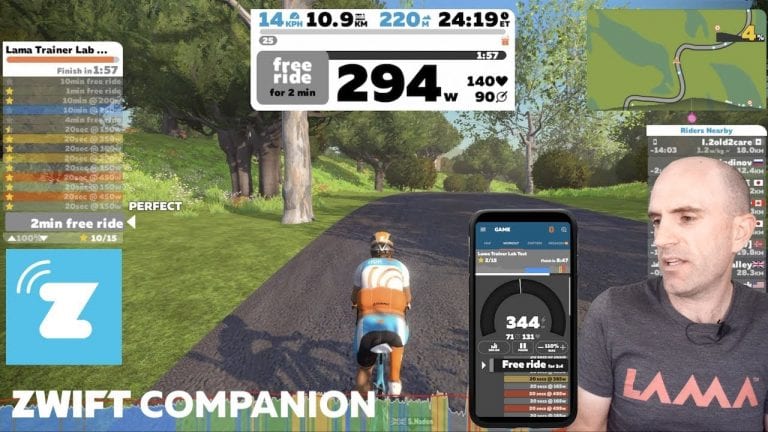
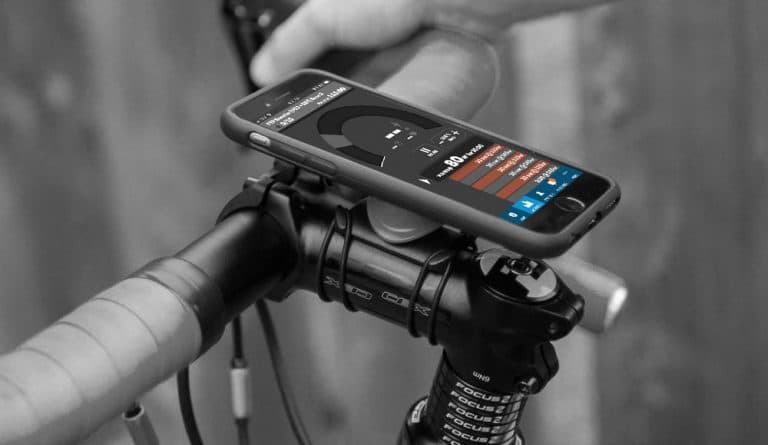
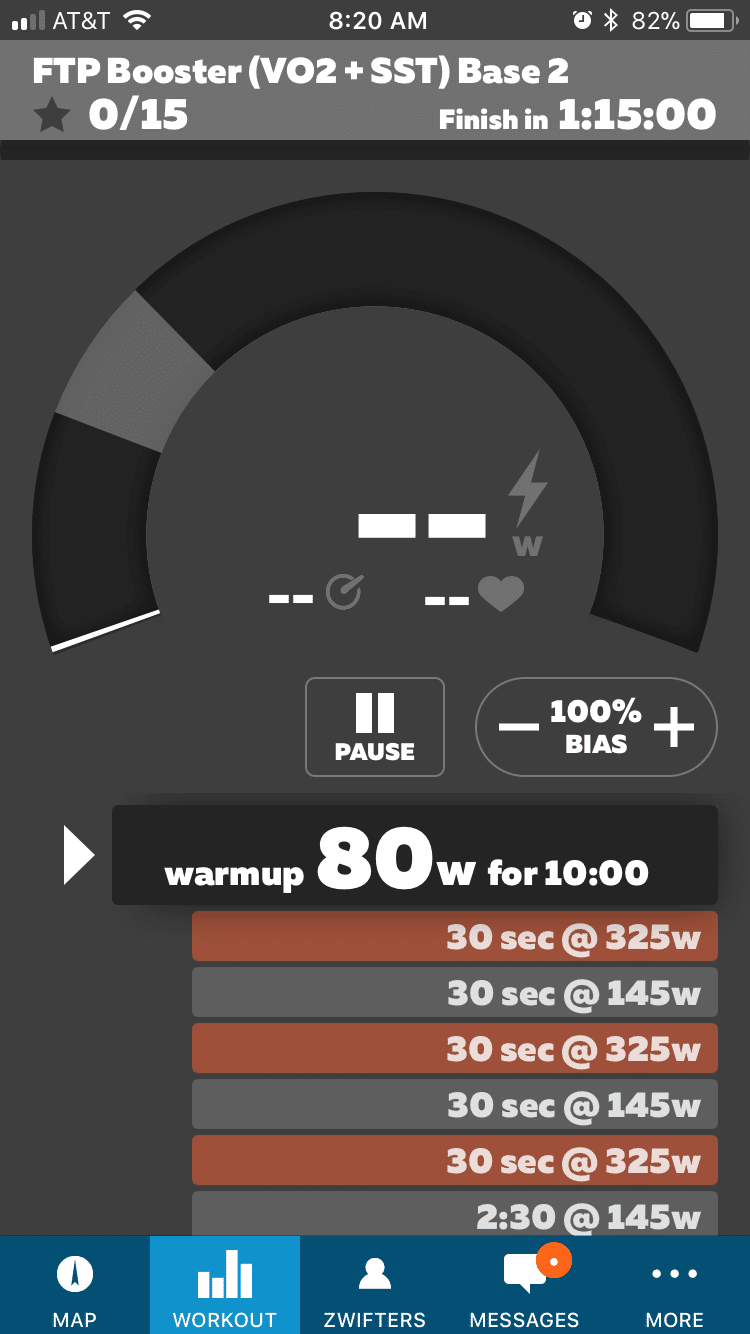
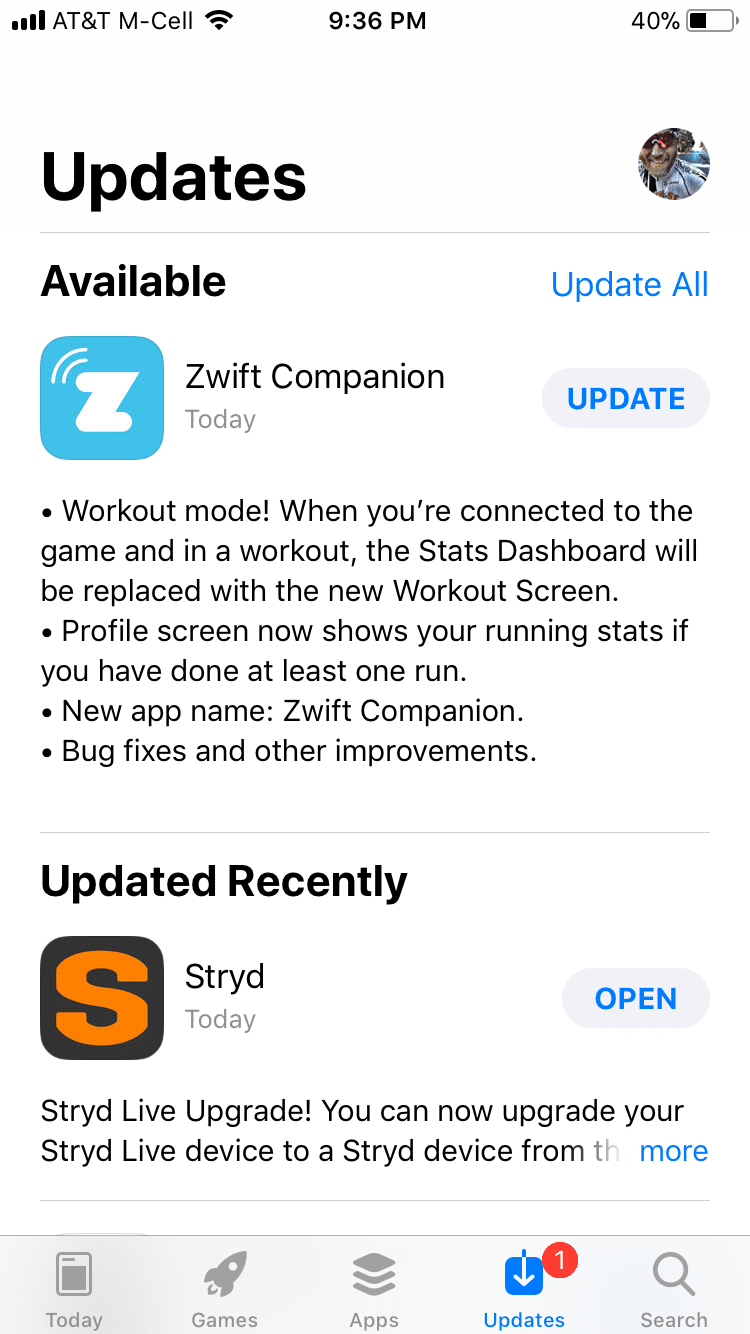
The “Zwift Mobile Link” app for iOS and Android has been renamed “Zwift Companion” and given a major upgrade in its ability to interact with workouts.
The new workout screen includes the following:
Pause workout: need a restroom break? Forgot to grab a water bottle? Pause your workout, do what you need, then hop back on.
Erg mode off/on: having a hard time holding your interval in Erg mode, or just want to force yourself to modulate your power manually? Turn it off easily by tapping to turn Erg mode off.
FTP bias adjustment: this will increase or decrease the wattage targets for workouts where intervals are based on a percentage of your FTP. You can increase to 110% or decrease to 90%. Useful for those days when you’re feeling a little weak (or extra strong).
Increase/decrease trainer resistance (incline): when Erg mode is off, you can increase or decrease the resistance level on your trainer… essentially simulating whatever gradient you prefer.
Skip Interval: slide left to right on the current interval to skip to the next.
Current workout’s details (title, intervals, etc)
Current wattage, HR, and cadence
As you can see, Zwift Companion does not provide any new workout functionality that isn’t already available via your keyboard/mouse in game (see Zwift keyboard shortcuts). But it does put all of that functionality within easy reach! This is especially important for users who do not have a keyboard nearby, including AppleTV users who don’t want to mess with the remote to interact with their workout.
According to Zwift’s Jordan Rapp, this update paves the way for future game screen changes where we could choose to have a less cleaner screen where many of the elements are only visible in the app. I like that idea!
Here is Zwiftcast’s Simon Schofield interviewing Jordan Rapp about the changes to Zwift Companion:
And here’s Shane Miller summarizing the app changes:
A proper warmup is key if you want to perform your best in any hard cycling effort, but newer cyclists often don’t understand this. The result is not warming up enough prior to races, thinking I should “save myself” for the race.
Newbies should take a cue from more experienced racers here, because seasoned riders know the importance of a warmup and what works best for them. And while it is common for indoor racers to take their warmups less seriously than they would outdoors, Zwift provides an ideal test platform for perfecting your pre-race warmup routine. With that in mind, here is a quick guide to pre-race warmups for Zwifters.
Purpose of a Warmup
We warm up so we can be in the optimal physical and mental state going into the race. Physically, a warmup should accomplish the following:
Increase blood flow: during a warmup your heart rate increases and your blood vessels dilate, delivering more blood to your muscles so they can do more work
Improve oxygen delivery: as your body heats up, your blood’s hemoglobin gives off more oxygen.
Increase muscle fiber recruitment: slowly bringing your muscles into use will let the stress of the race be spread across more muscle fibers than if you just jump into a hard effort.
Mentally, top athletes will tell you that a pre-race routine is key to high performance. The warmup should allow you to eliminate distractions, address your concerns, and focus on goals for the job ahead.
A Warmup Framework
A good pre-race warmup typically lasts 15-25 minutes and looks something like this:
Warmup into the warmup (5-7 minutes of easy spinning)
4-8 minute block at 80-90% of FTP
Recovery
60-90 second block at 100% of FTP
Recovery
A handful of hard, short intervals to raise the heart rate (10-20 seconds each, with 20-30 seconds recovery between each)
Recovery (stay warm until the race starts)
Here’s a video from Shane Miller outlining his pre-race warmup routine, which follow the general outline above. (This is an excellent routine which I use myself before Zwift races… and the Zwift workout file (.zwo) is linked below.)
Editor’s note: Ian Murray is using Zwift to train for the International Triathlon Union Long Course World Championships held in Odense/Fyn, Denmark July 2018. His weekly Zwift Insider series discusses the previous week’s training and the plan for the upcoming week.
So, after three solid build weeks, it was time to take a recovery week. Here’s the thing. I don’t do recovery weeks very well. I do them better than taper weeks, but they aren’t my thing. I like training. I like to feel a bit thrashed. (I really like thrashing others more, but that’s a different topic). Thus, my recovery weeks tend to have at least one really hard day in them… sometimes two.
Recovery Week Fun
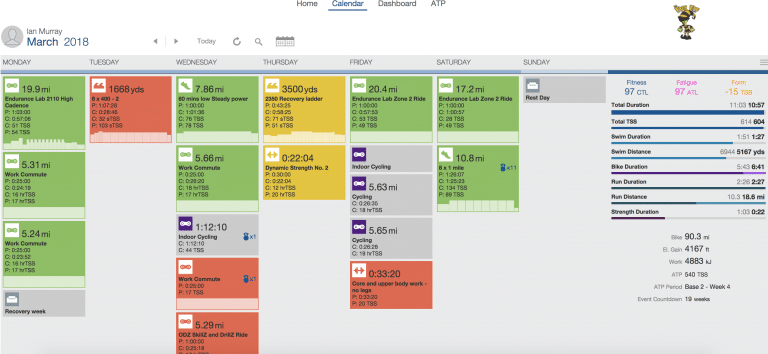
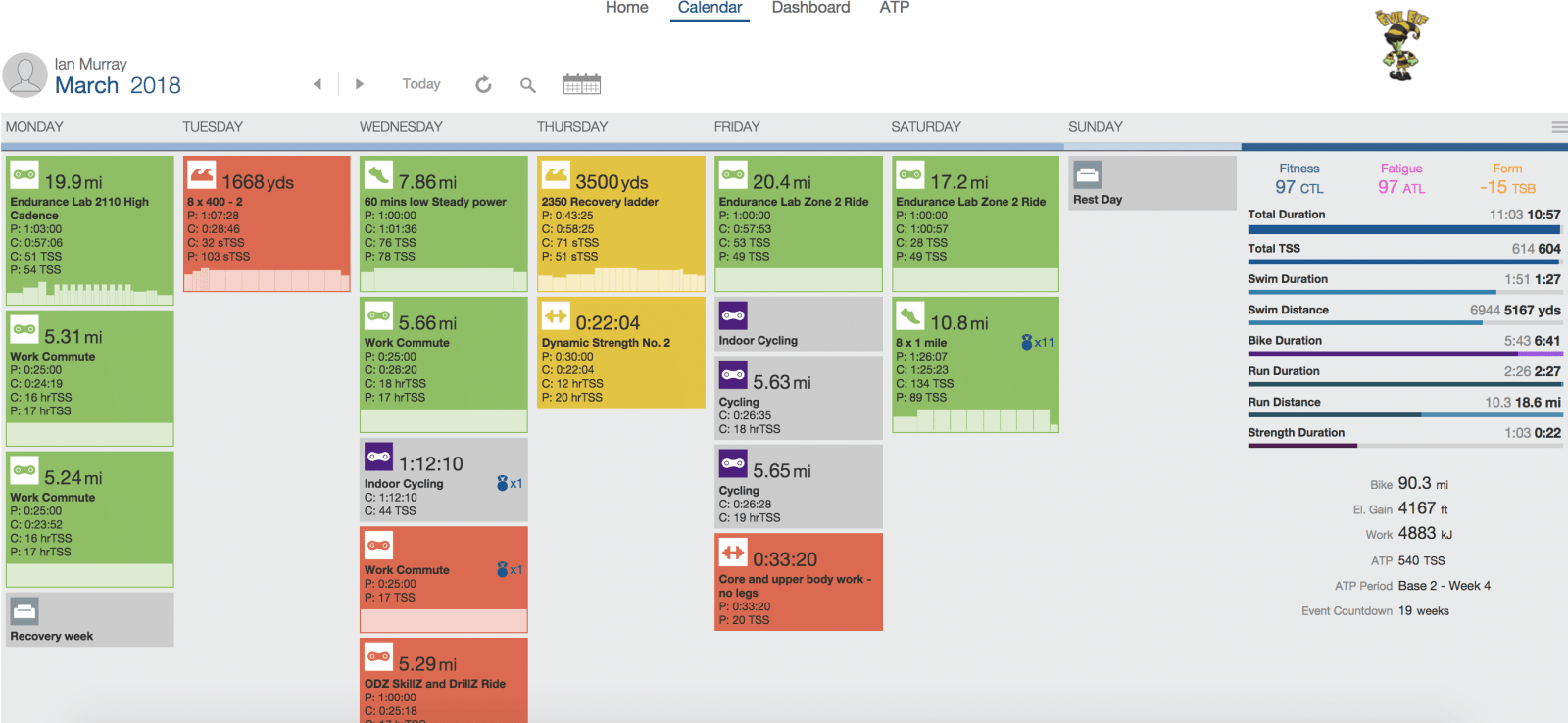
I really was trying to behave this week. Seriously. I told myself that I would keep the week really easy. I would match the 540 TSS recommended by TrainingPeaks. Well, maybe just a little more. I have to say that I only went over it by 64 TSS, so I think that’s pretty good.
Anyway, the week started nicely. I did the Endurance Lab 2110 High Cadence workout. Boom. Done. Easy. Felt good. Then, I got on my mountain bike and headed to the office. I didn’t hammer any hills. I chilled while riding as opposed to other days that may involve rage-filled tirades at people who almost hit me. I didn’t even swim after work. (To be fair, it doesn’t really take that much of a push to get me to not go to the pool.) On Tuesday, I cut my swim a little short, as I helped out my friend’s teenage son with his swim technique.
So far, so good.
On Wednesday morning, I went out to the park by my house for a run. Yes, I should have run on Zwift, but the wife wanted to get outside to the park, so you know how that goes….we went to the park. I took it easy, clocking a slow 7.86 miles in 60 minutes, rode easy to and from work, and capped off the evening leading the SkillZ and DrillZ Ride. Man, I was crushing this recovery week.
Then came Thursday. I felt really good when I got to the pool. I even grabbed my swim toys from the locker in my office. [Sidebar – Yes, I have a locker in my office. Yes, it has all of my swim toys… and my TRX bands… and extra workout shoes… and some other training gear. It also has clothes for work!] I thought that I would change up the workout a little, adding just a bit more distance than originally planned. After all, I cut Tuesday’s swim short. About two miles later, I climbed out of the pool a bit more tired than when I started. I threw in my lunch time strength workout, and all felt right with the world. I stuck to the plan on Friday, keeping everything nice and easy. Then came Saturday.
Whoa nelly. Saturday was planned as a big day. My one big day of the recovery week. Pretty simple, 8 x 1-mile at 6 minutes per mile on 2 minutes of rest. That was the plan. Remember when I said that I deviate from the plan now and then? Yeah, that’s where I found myself. My wife wanted to go to the park rather than have me run on the treadmill. So, she jumped on her cruiser bike with a couple bottles of water and a bluetooth speaker in the basket, and we headed out. Now, before you judge me for having her accompany me, she is a seasoned pro and amazing sherpa, timing when I need to drink and encouraging me to push when I am suffering.
We hit the park and found the road a bit crowded but not too bad. After all, it was a little later in the morning, and the heat of the sun was coming into full effect. As each mile passed, we went faster and faster. Up and down the small hills in the park, weaving around the walkers, roller bladers, and slower runners. By mile four, we were under 5:40 per mile, and we held that for the next four miles, coming slightly back above for miles seven and eight. Like a trooper, she hung with me despite having her own workout planned immediately following mine. After mile eight, I was tapped. I hadn’t gone full gas, but the heat and humidity had exacted their respective tolls. We got back to the house, and I jumped on my bike to join the TeamODZ Goats & Bears event mid-way through, only to get dropped on the mountain. Yeah, I had nothing left.
We’re down to 18 weeks until ITU Worlds. Really, though, we are down to 14 weeks including taper, race week, oh, and moving. Yes, I will actually be moving in late June, so Denmark will fall in between the time I leave here and arrive at my next assignment. How’s that for a little pre-race stress! We’ll cover that more a little further down the road. On to the build week!
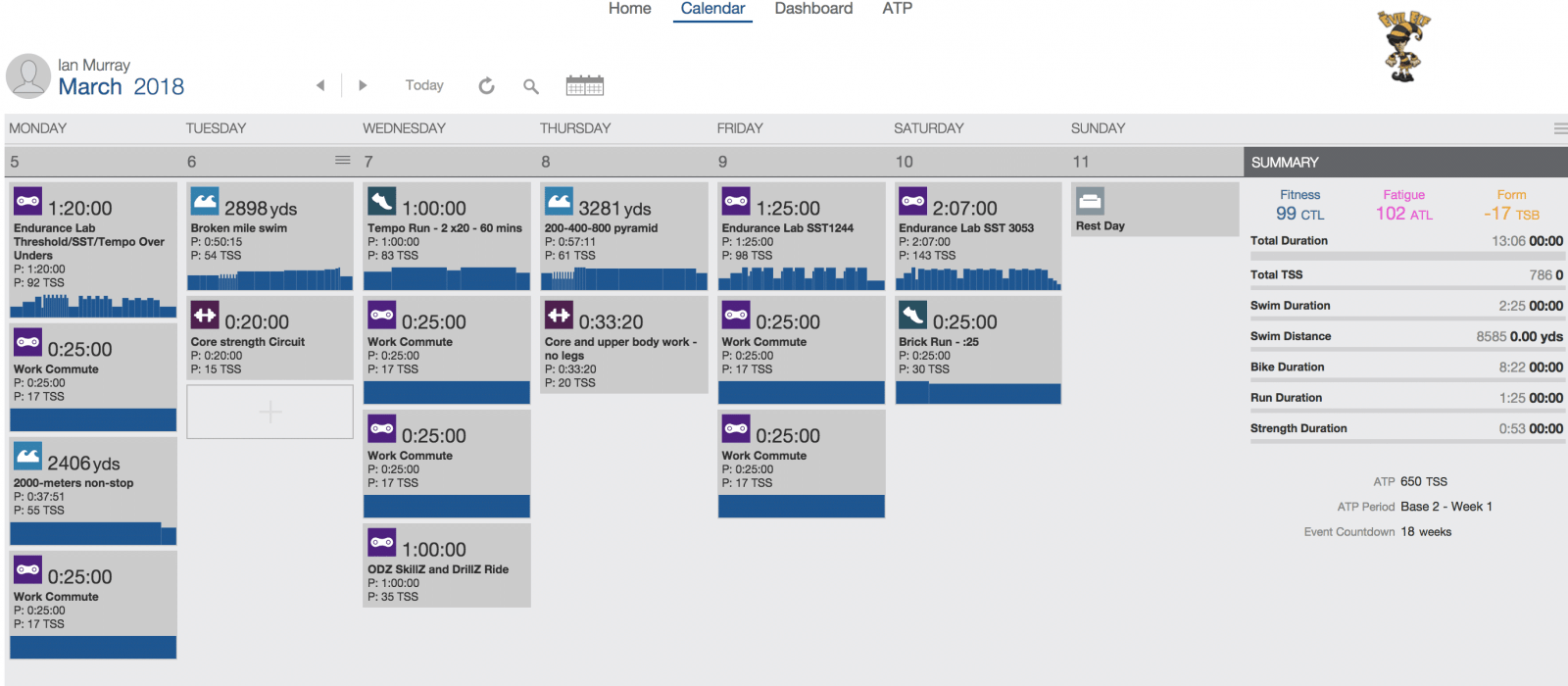
With three months of good training left, it’s time to start getting the volume up in the swim and the bike. Fortunately, this week isn’t all that bad. The next two weeks will be much worse, though, so I’ll just have to deal. The goal moving forward is to start getting at least 10K of swimming each week and 100K minimum on the long rides. Like I said, this week isn’t bad, and I don’t hit those minimums this week. Had I not had plans this weekend, I would probably have gone a bit overboard, but other life commitments will keep me in check.
You will notice some tougher runs from here forward, as well. Wednesday’s run is especially tough if there is any fatigue in the body.
Planned TSS – 786
Well, that’s it for now. I look forward to seeing you out on course. Maybe drop in to run with me on Saturday morning after my ride. Until next time, Ride On!
The new Zwift Coaching Podcast features training tips from Matt Rowe of Rowe & King and some of the world’s best coaches and athletes. Here are the details for the second episode…
Episode two hosted by Matt Rowe, Greg Henderson (Coach Hendy) and Kev Poulton (Powerhouse Cycling), explore how cyclists can prepare for the start of the season.
What sort of training should you be doing in your pre-season. Is your season focused on racing? A Sportive? Or maybe it is a Zwift event like the Fondos? The coaches will discuss what can help you get prepared and ready for whatever your season is!
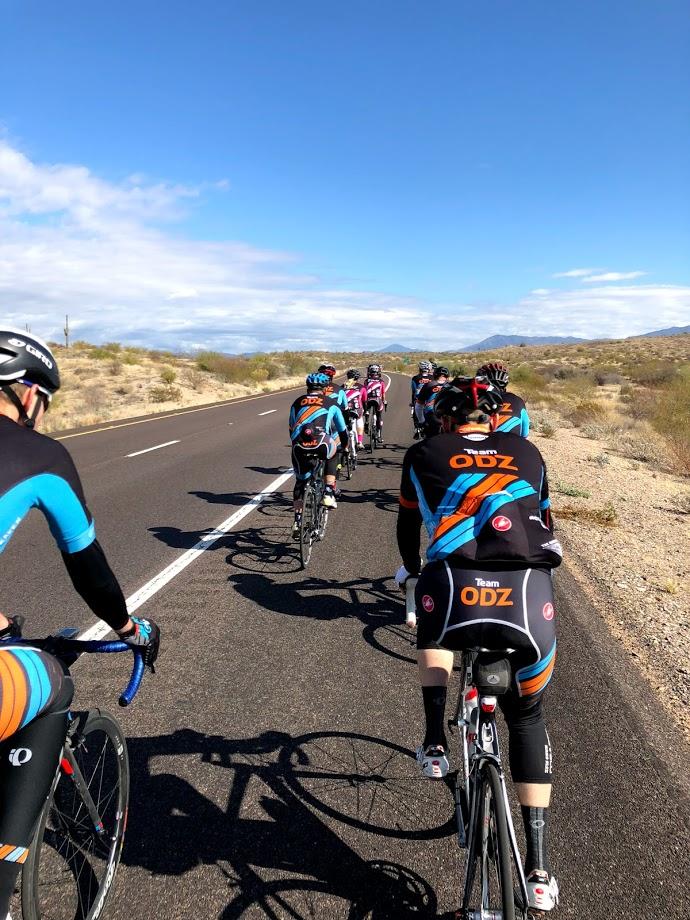
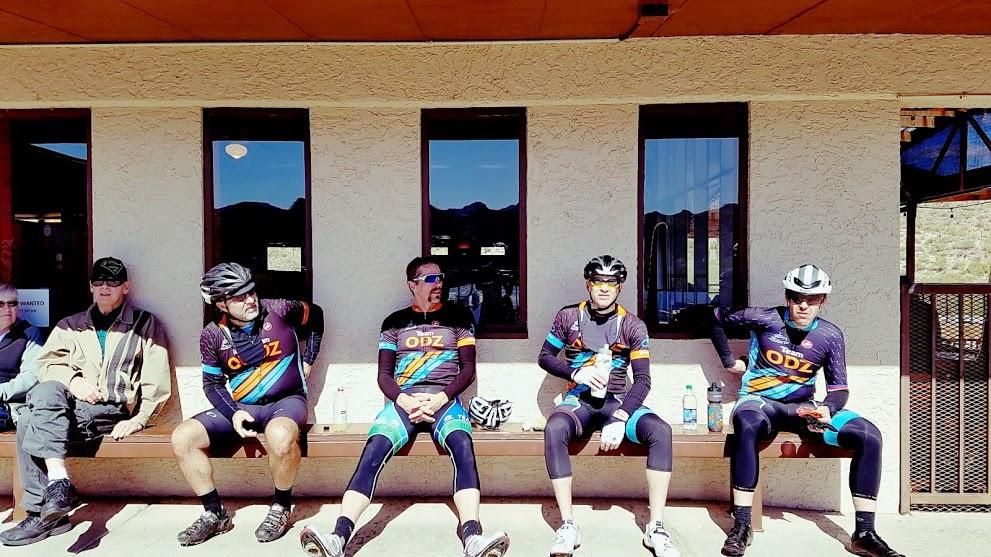
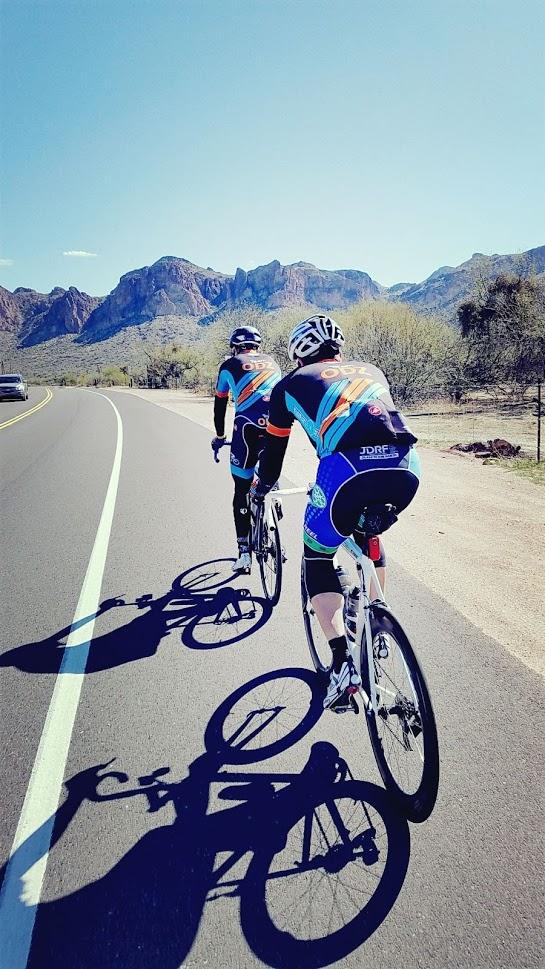
Bridging the Virtual-Reality Gap at TeamODZ’s Arizona Training Camp
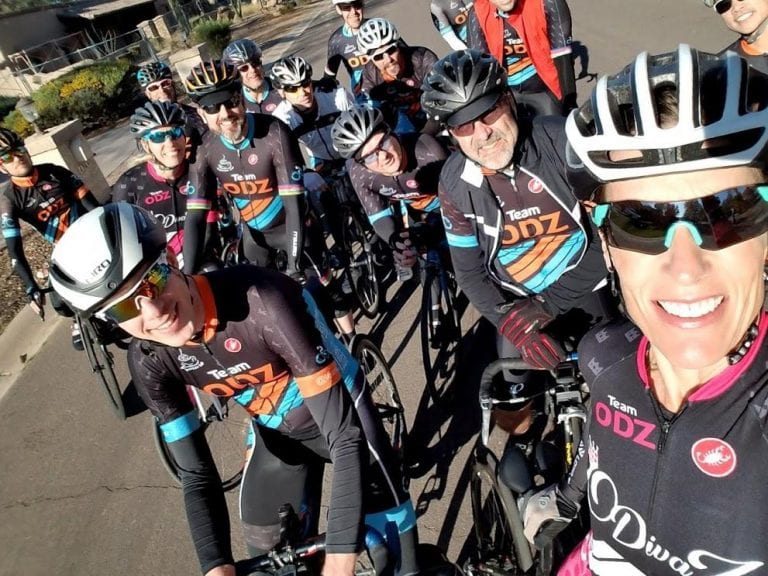
Friday February 16th, 2018: There’s snow all around me in Spokane, WA and I’m embarking on a journey to the first annual TeamODZ Training Camp in Scottsdale, AZ. For most of the attendees this will be their first TeamODZ’s real-life meet up, even though we’ve spent 3 years cycling and chatting online. An IRL (in real life) meetup is well overdue!
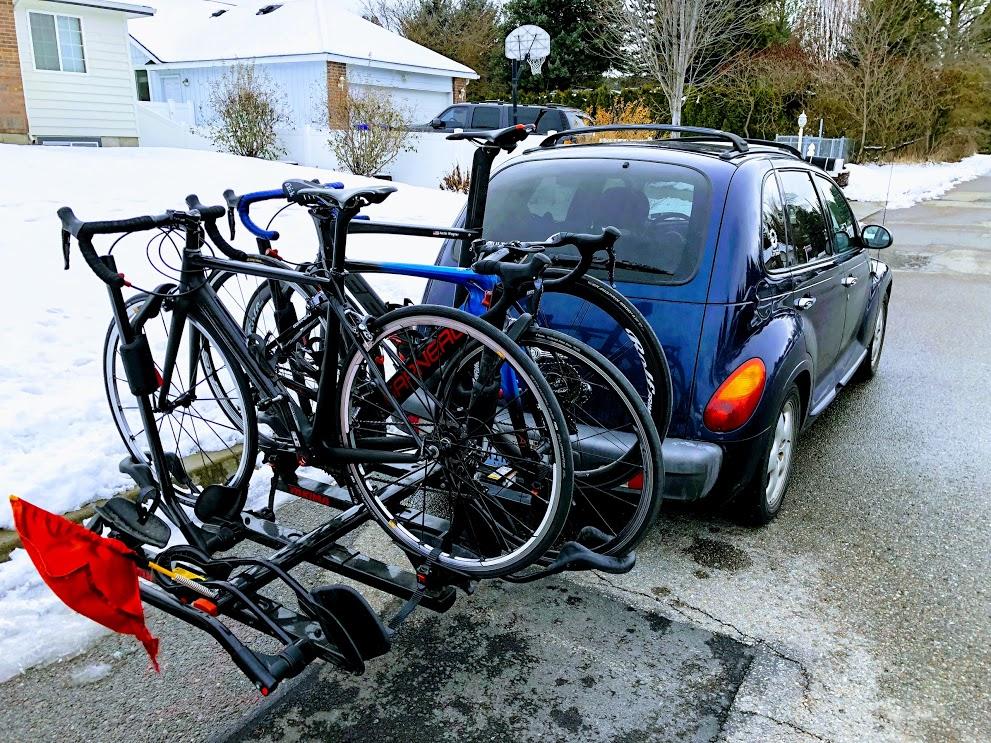
I fashioned the largest bike rack I have onto my meager PT Cruiser and stuffed it full of cycling gear for Gordon Smith, Bob Christensen, and me. We hunkered down for a 7 hour drive to Boise, ID, our first stop on our journey to Scottsdale, AZ.
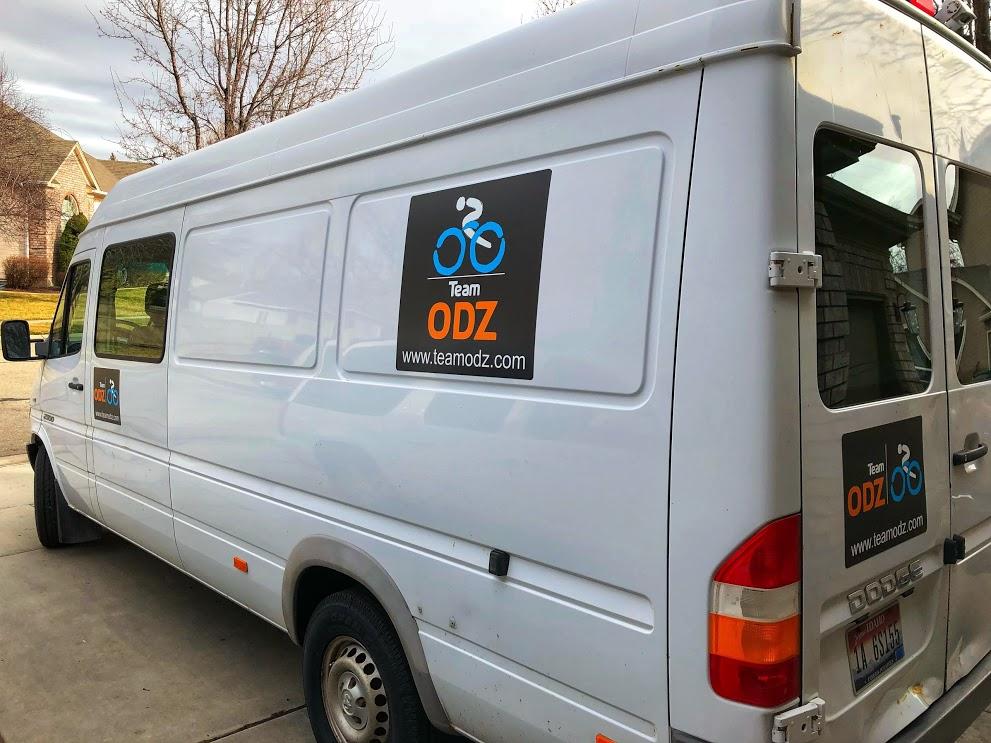
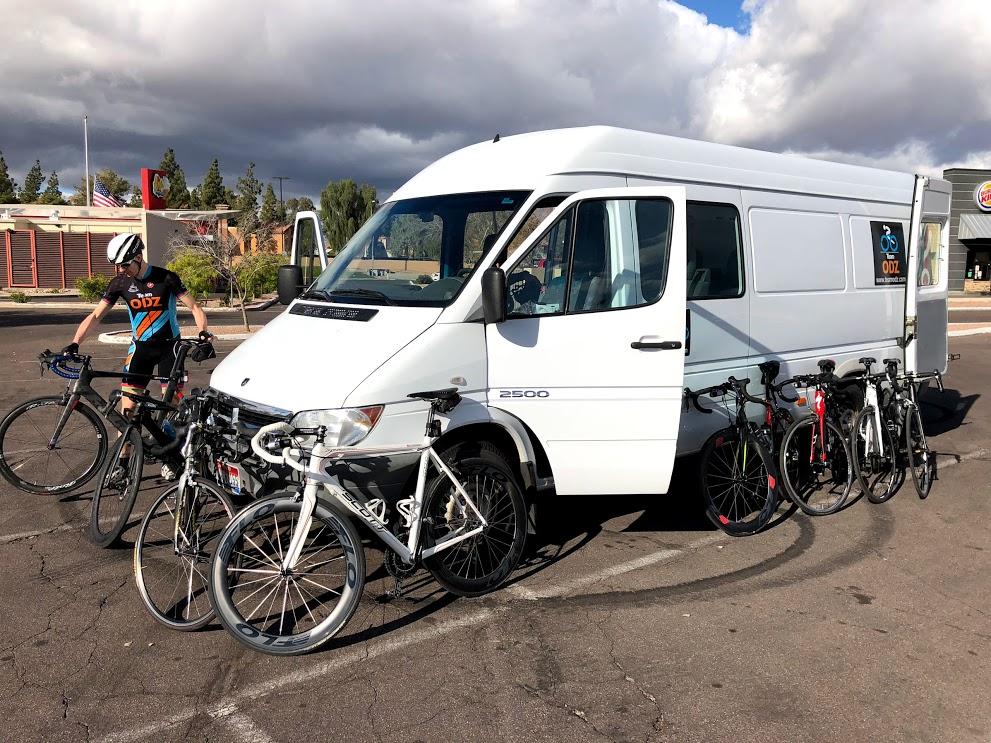
Upon arrival in Boise, we were greeted by Eric Denning and the vehicle we affectionately christened Kraken Heavy (Kraken Heavy naming credit goes to Damon Erb). “Release the Kraken” is a popular phrase frequently heard amongst TeamODZ riders near the dramatic finish of races. That phrase, coupled with the frequent usage of phrases from the SpaceX launch of Falcon Heavy during our camp prep, resulted in the van earning that moniker.
Saturday February 17th, 2018: Bright and early, Kraken Heavy departed Boise, ID heading towards Scottsdale, AZ, approximately a 15-hour drive. Reports flooded in on our Team Chat Channel from Portland, OR, Little Rock, AR, and Heathrow Airport, UK. Gregg Magnus, David Bussey, Charise Mcmullin, and Andy Jenner were all beginning their journeys towards team camp, and the chatter and excitement was non-stop and growing! The others opted for slightly faster methods of travel, namely modern aircraft, potentially as a way to pad their average speed statistics on Strava before camp even started. ZADA is still investigating that topic. (Get ready for sarcasm in this post, as it comes thick and heavy) However, anyone who traveled in Kraken Heavy will be the first to tell you that no modern aircraft can even hold a candle to the awesomeness that is Kraken Heavy. Did you see those team magnet decals?
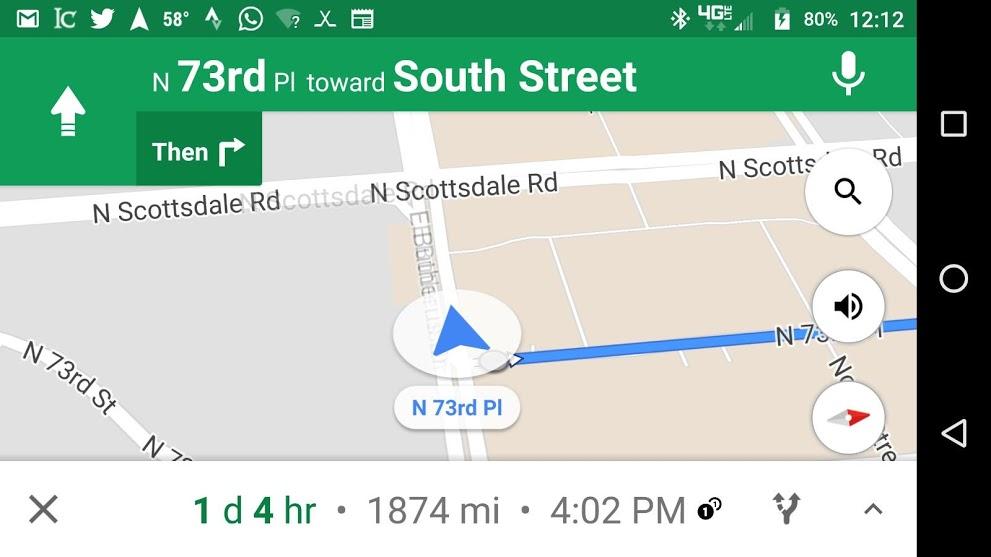
The most determined rider award was given before camp even started to John Mora, who drove over 1800 miles and 2.5 days to get to camp!
Sunday February 18th, 2018: This day presented a small challenge for me, as I’ve made the commitment out of religious respect to never race, train, or ride on Sundays. It’s for this same reason that you don’t see my name on the list of competitors at the live CVR event in Los Angeles March 24-25. Based on my regular season competition point totals for my time zone and bracket, I was invited to attend the live CVR, but with the event being hosted on a Sunday, I declined the invitation to compete. While I stepped away to attend church with my uncle in Mesa, AZ, and observe the Sabbath day, the rest of the group was itching to ride. That group went out for a nice loop of rollers and kickers, including an 18% climb in Fountain Hills.
Monday February 19th, 2018: Back in early 2015, I had spent some time riding in the Mesa/Phoenix area while my family visited our uncle. At that time I learned about South Mountain and how it was such a highly recommended ride, but due to timing and other constraints I wasn’t able to ride it then. Fast forward to this trip and it was an absolute must for me to climb South Mountain. This was the day! South Mountain is about a 7-mile long climb that winds through a park just southwest of the Phoenix metro area and leads up to radio towers at the top. If you are ever cycling in the area, make it a priority to climb because you won’t be disappointed. Joined by John Mora, who had (finally) arrived on Sunday, we set out as a group of 8 to take in all that South Mountain had to offer. After the climb, we decided to do a loop around the same mountain, which is almost completely pancake flat. The wind was very strong, which we both hated and loved, depending on our direction of travel. Upon completing the loop, we headed back to where we had parked Kraken Heavy. We were on a road with a lot of construction signs on the shoulder, and since tight pace lines and construction signs don’t mix well, you can see Charise McMullin giving a clinic in Sagan-esque bike handling skills:
We made it back to Kraken Heavy, and I made a quick pit-stop before deciding to eschew a ride back home in Kraken Heavy, choosing to cycle instead to add another 50-60 miles to my day.
More on this story later…
The pit-stop seemed to go well, but 15 miles down the road, I realized I had forgotten to restock my pockets with food, nor did I have my credit card or cash, and Apple Pay wasn’t set up on my phone. Rather than attempting to stop at a bike shop and barter for some food in trade for CO2 and tubes, I opted to just ride at a very sustainable pace to not drive myself to a bonked state. Even with that relaxed pace, I was very depleted at the end of that ride, something I certainly hope to never repeat again.
After the ride, our group grew yet again as Tiffany Larson arrived to make sure that Charise didn’t get all the QOMs for herself and to make sure the mischief department was in full swing.
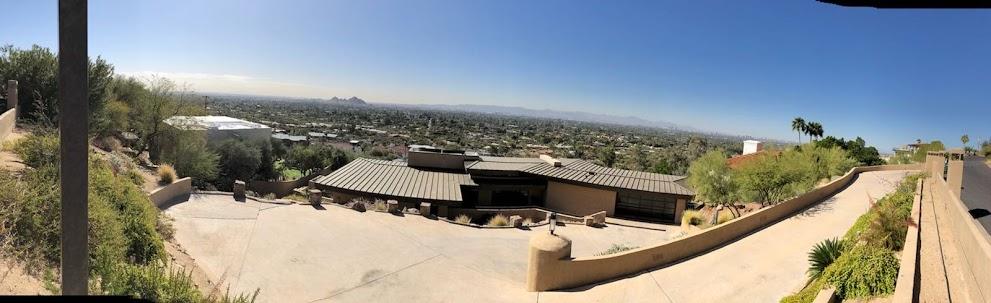
Tuesday February 20th, 2018: Camp went into full swing today with 3 different rides happening throughout the day and 4 more attendees arriving: Tex Divine, Theia and Drew Friestedt, and Pat O’Neil. The most notable route of the day were the roads around Camelback mountain, which provided great views of the area from very quiet roads with some steep climbs that were close enough to home to be ridden again. And of course, much bravado was shown and many attacks were launched.
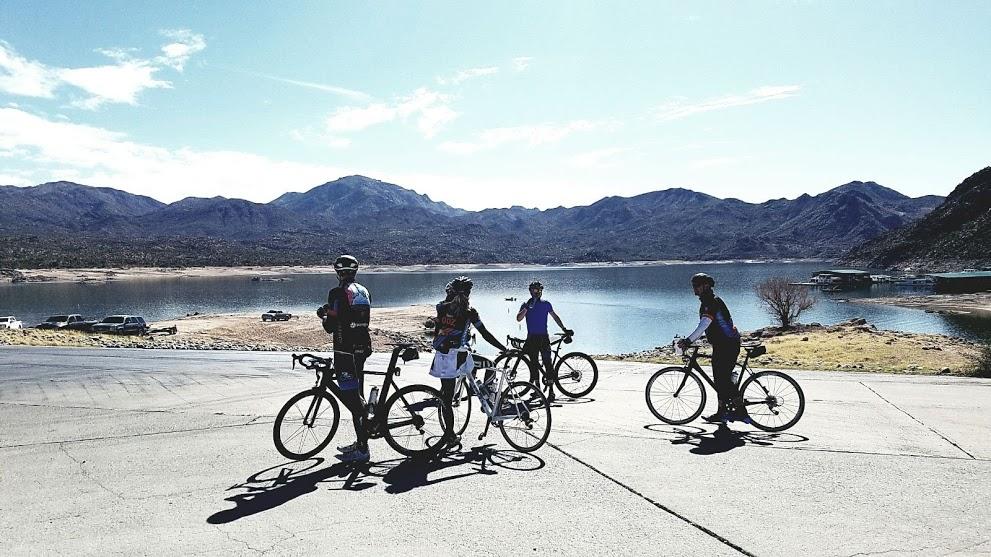
Wednesday February 21st, 2018: The adventure today was a ride out to Bartlett Lake and back, which included a decent amount of climbing compared to the rest of the area. To get to the lake, you first have to climb up a ways, and then you descend down towards the lake. The return trip began immediately with a long, sustained climb to shock our legs awake!
Don’t let the climbing deter you from making this ride, as this is another must-do route if you are in the area. The roads to the lake are in great condition, and if you are lucky enough to go during the week, or when it’s not boating season, you will likely encounter very little traffic. That being said, if it’s the weekend and it’s warm enough to go boating, we suspect that this road would be quite heavily congested with larger vehicles towing boats.
After the ride, we set out to enjoy the showing of the MAMIL film, (Middle Aged Men in Lycra), that just happened to release during our team camp. And although it was joked about, none of our middle aged men (or women) attended the showing of Middle Aged Men In Lycra while wearing lycra.
The list of camp attendees continued to grow this day as Bob Christensen, Mitch Dangremond, and Matt Roth arrived at various times in the day.
Thursday February 22nd, 2018: At this point in the camp, it started to become evident that we’d need to have the group split up into different routes. With a pack of 17 riders it seemed like somebody had to use the bathroom every 15 minutes!
One group decided to head out for a “recovery ride” to camelback mountain, and another group wanted to complete a 100 mile ride around McDowell mountain. From the reports I heard, the recovery ride turned into a 4-hour long venture with plenty of attacks at different points, and the century ride was a rather steady paced 5-hour long venture. So, maybe the rides weren’t really that different after all! The true drama came on the “recovery” ride when a construction sign jumped into the road in front of Mitch Dangremond. While not sporting Sagan-esque moves like Charise, Mitch did his best impersonation of a gymnast vaulting over the bars and almost sticking the landing:
During the 100-mile ride, I decided that I wanted to give an all-out effort on an 18% climb in Fountain Hills to see how high I could get on the Strava segment leaderboard. I arranged to have a two-man leadout train into the climb. Pat O’Neil’s job was to get us rolling as fast as possible into the climb without dropping me off the back as I started in my small chainring. Then at the base of the climb, Drew Friestedt continued the pull as long as he could in his big ring until he started to stall out on the steep gradient. At that point, I came around and finished the climb in an all-out effort in my small ring.
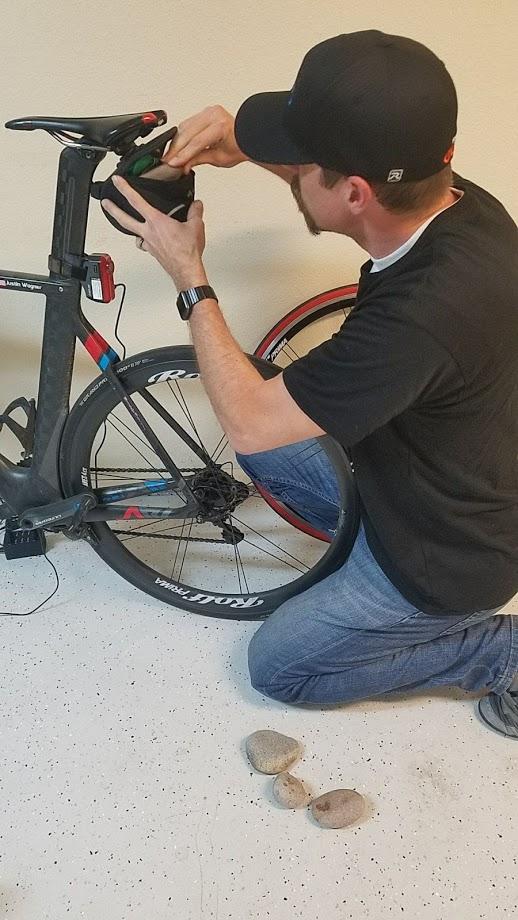
I went very deep, posting my 3rd best all time 60 second power performance at 750W. This allowed me to land 9th on the Strava leaderboard with a segment time of 71 seconds on the climb. I knew that many guys with much richer pedigrees than myself had ridden that segment, and I was quite pleased with myself until I opened my saddle bag the next morning. I had finally gotten smart enough to stash some cash in my saddle bag, and when I opened the bag I discovered several pounds of rocks that had been added by Tiffany Larson and Eric Denning on Monday night. Not only could I have definitely shaved several seconds off of that segment time, but I had also been riding around for several days with that extra weight. [unamused look] Don’t worry though, those clowns may have been chuckling to themselves knowing that I was oblivious to the situation for several days, but they certainly weren’t laughing when I’d drop them on climbs, even with the extra added weight [sadistically evil grin].
Later that evening, the last member of camp arrived, our Team Leader, Jason Flores. The riding was about to get serious, and we’d all have to put forth our best efforts!
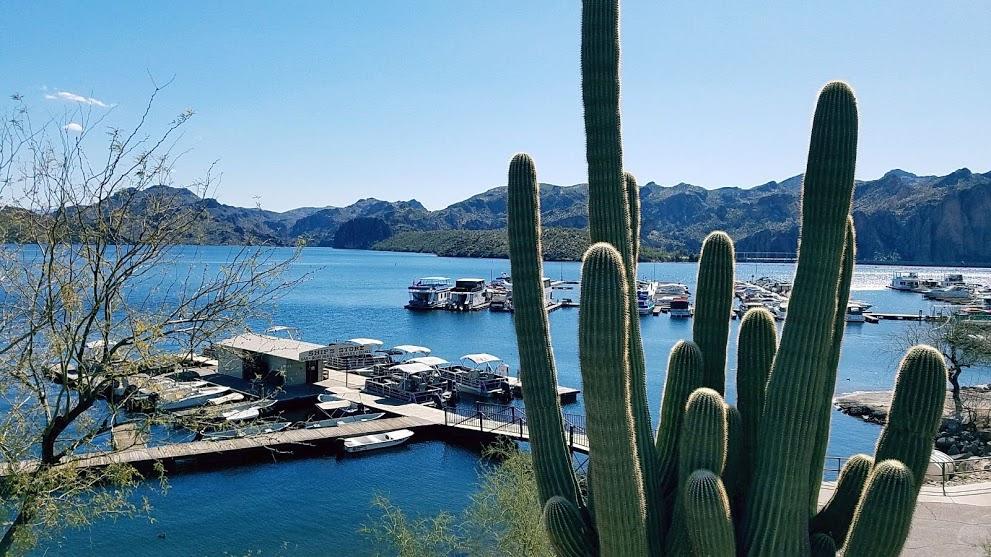
Friday February 23rd, 2018: This adventure sent us out the Beeline highway towards the Saguaro Lake marina, where we found some nice roads with little traffic, that made for very enjoyable riding. After the marina, we headed out over the Usery Pass climb headed towards South Mountain as we wanted to climb it again. When we arrived at South Mountain, we found that the park was closed in preparation for an event that was going to happen the next day. The group was pretty disappointed, as we had been saving ourselves for one last big push up the climb before calling it a day. We had to call it quits and pack up in Kraken Heavy, even though we were about 10 miles short of our 100 mile goal for the day.
Saturday February 24th, 2018: Due to the let down at the end of the ride on Friday, we were prepared to make our last day of riding worth every moment. Armed with a route of 120 miles and enough calories to sustain ourselves, Pat, Bob, a local rider named Andrew, and myself set out for a long day.
The rest of the team opted for a shorter 50 mile route, so Charise and Tiffany could make their departing flights in time.
Early on in the ride, our local guide Andrew introduced us to a hidden gem that connected two parts of our ride and avoided a major highway. Having local knowledge for training camps is a major plus and a big help. If only we’d had Andrew for the entire week! We rode hard, we rode long, and we fully enjoyed the last day of riding and even added an extra 10 miles!
The Food:
We were absolutely spoiled by the cooking of Charise McMullin and Tiffany Larson.
Final Thoughts
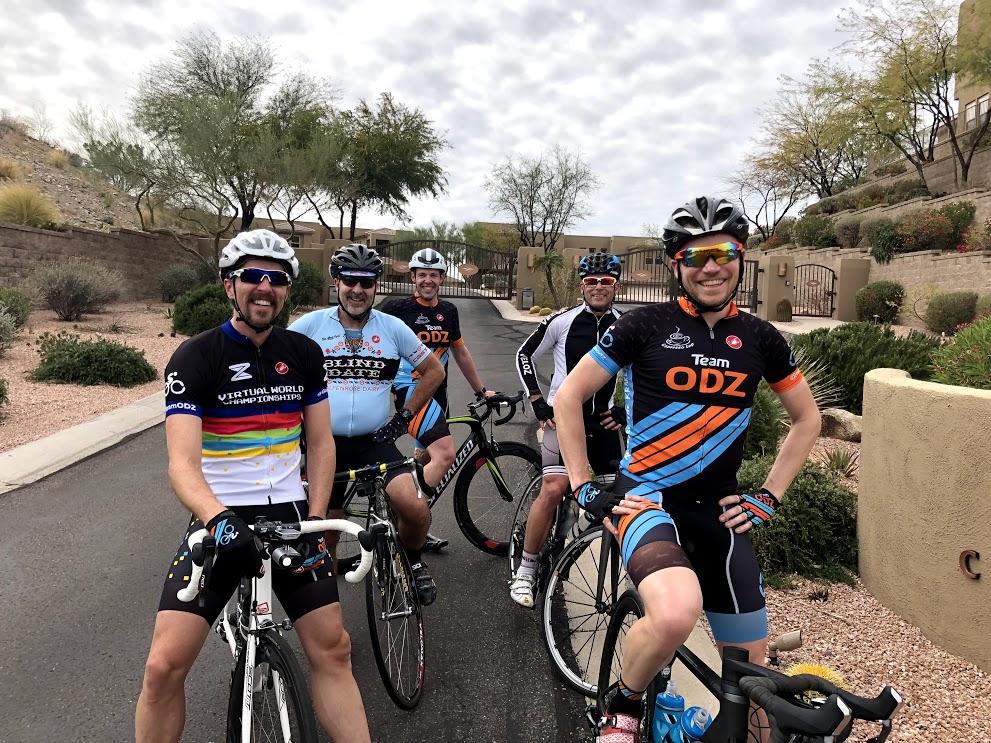
Even though many of us at camp had never ridden together outdoors, we all found ourselves falling into the same groups that naturally formed in Zwift based on ability levels. We even had a very good idea of who would be the riders setting the pace on the uphills and on the downhills. This is something that typically takes a few days of riding together to learn, but we were there from day one.
The social interactions during the week started off as if we had already been together for several weeks, and knew exactly what to expect and how to read each of the other attendees. I feel this specific social connection was built based on the hours spent conversing on Discord while riding Zwift, and not just from the in game chat.
Was the camp a success? Well, my target for the week was to get around 3-5 hours per day of riding (inspired by this post by Jordan Cheyne). This somehow then morphed into 100 miles and 250 TSS per day for my 6 days of riding. In the end, I finished with a total of 36 hours, 647 miles, and 1480 TSS for my 6 day total. Was that training sufficient for my goals this year? Only time will tell. Will the banter, laughs, food, friends, and riding live on as precious memories for a lifetime? Absolutely! [at least until next year’s camp supersedes this year in awesomeness]
SAVE THE DATE!!! The next TeamODZ Training Camp will be March 3rd-10th, 2019 in Scottsdale, AZ.
Episode 45 of Zwiftcast has been released. Here’s the full episode description:
Simon, Shane and Nathan discuss all things Zwift on the new episode of the podcast for Zwifters.
This edition begins with an intriguing tease dropped by the game’s creator Jon Mayfield that “hidden areas” which are “locked to the public” exist in Watopia. The Zwiftcasters discuss.
Rachael Elliott is one of the most admired racers in Zwift and a valued member of the community. Thousands of people were shocked to hear she’d suffered a serious stroke. She’s recovering – and Simon caught up with her in hospital for a chat about the astonishing reaction in the community to her ill health.
Jordan Rapp is a multiple Ironman winner and former pro triathlete – he’s also now working for Zwift. Jordan will be concentrating much of his time in his new role as Game Designer beefing up the game’s Workout Mode. Simon caught up with him for an in depth chat.
In front of the camera, Nathan’s streaming operation is slick and super-pro. But have you ever wondered what his studio is like in real life? Simon finds out and you might be surprised what he’s got to work with.
The Zwiftcasters polish off this episode with a discussion about Shane’s first look at a rocker plate – which stirred up a little controversy in the DIY mod world.
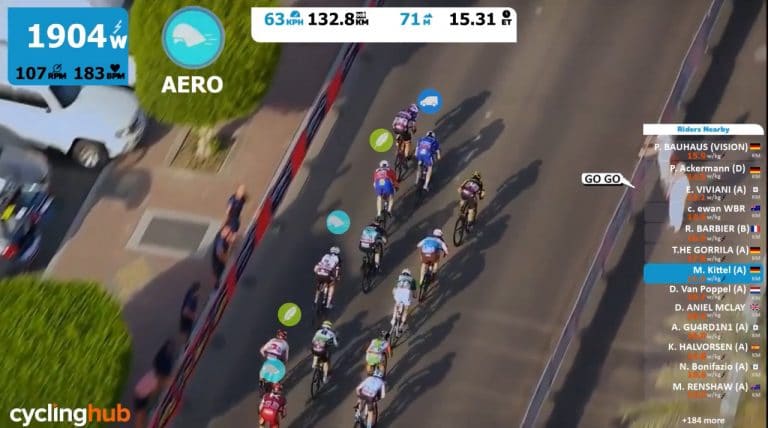
Might be one of the most creative videos we have ever seen. Many thanks to CyclingHub.tv for this wonderful idea. Just think for a second… what would the Tour de France look like on Zwift?
We featured the British Zwift Nationals last week, now here is one from the Dutch Zwift Nationals. It also takes you into a very Dutch hipster pain cave!
Lucy is a loyal Zwifter and in 2017 got 2nd at Ironman Kona and Ironman Germany. She’s a strong rider who recently finished first at the Zwift UK National Championships (but did not win in the final results due to not being registered with ZwiftPower.)
For many of us, Zwift might have become somewhat of a routine this winter. Yet it’s a long and cold winter, and new people are still joining Zwift for the first time. Do you remember how that was for you?