Home Blog Page 443

The Peak Form Project 1: A Brave New World

The Peak Form Project 1: A Brave New World

I am excited to debut a new feature here: The Peak Form Coaching Project. The aim of the project was to help one motivated Zwift athlete with a full year of free premium coaching and showcase the process here in regular updates. I wanted a personal challenge as a coach and I certainly found one.

Connie Swinson is an ultra-distance cyclist who has made a foray into the world of 200km+ cycling events over the past few years. In 2019, at the age of 65, she has taken on her biggest challenge yet: the iconic 1200km Paris-Brest-Paris Brevet in August. It is totally uncharted territory for both of us but I am confident we can make it happen.

Changes

For most aspiring cyclists, falling into a comfortable routine of training is inevitable. We naturally find something that works well enough, either on our own or with a coach, and repeat the same workouts in the same schedule to produce familiar fitness results. Some routines are worth sticking with but it is important to look around once in awhile and look for variations and new methods to get next-level results. As a coach I aim to challenge athletes with these improvements and changes. My only hope is that the athlete is open-minded about the process–a quality Pros like myself often lack!

I couldn’t have asked for a more receptive client than Connie as we broke down her past training efforts and charted our plan of attack for the season ahead. Looking at Connie’s training, I saw a few major areas I wanted to work on:

1: Variation and Polarization

Connie has taken to Zwift training in a big way and has used group rides and races to push herself hard during efficient indoor sessions. Over the past few months, most rides featured long, fairly hard efforts in the tempo/threshold zone at 130-145w as she hammered along with the fast-moving peloton. Longer outdoor rides were steady and well executed but didn’t feature much variation in pace either. These types of efforts will produce good aerobic training effects but there is a limit to their utility. Eventually, a rider will become “flat” and unable to change pace or build threshold power and recovery will be compromised by constant tough group workouts.

My first change to Connie’s training was to include some variation in her riding. This meant making moves toward a more polarized approach where hard efforts were fewer but higher quality and base endurance riding becoming easier and more frequent. We started simply by using perceived effort levels and seeing how power and HR responded to different efforts. We used Zwift’s variable terrain and aimed for 6-8/10 efforts on uphills, 4-5/10 efforts on flats and an easy 2-3/10 on descents. I think this helped Connie get in touch with the different gears in her “cycling engine” again and it helped me identify training targets and early power zones.

Over the past month or so we have gradually been including intervals of different varieties, long rides featuring over/under aerobic pacing and the occasional Zwift race for high-end stimulus. I can already see a big broadening of Connie’s power band and power that used to be “race-pace” is now a nice repeatable tempo pace.

An example of Connie’s training in the past. Zwift racing often right on the limt
An example of Connie’s new training- structured intervals.

2: Cadence, Accelerations and Strength

Working on accelerations and power

With nearly all of my athletes, I like to start with a general training focus and work on the fundamental aspects of powerful and efficient cycling. A 1200km cycling event on rolling terrain doesn’t specifically require high power sprints, 110+ rpm cadence efforts or sustained 40-60 rpm climbing work. However, we are a long way from the event and it is the ideal time to work on those more extreme elements of cycling form and fitness. Later on we will add FTP and tempo focus and eventually, very event-specific ultra-endurance work.

As previously mentioned, a lot of Connie’s past training was at a steady output and narrow cadence range. I find an easy starting place to introduce variations and intervals is Strength Endurance efforts, which feature 2-20+ minute climbs at around 40-60rpm with a high focus on core engagement and a smooth, powerful pedal stroke. Connie took to these almost immediately and by the end of our first block she was executing once foreign interval sessions with ease and gaining strength by the session. We also included some high cadence intervals to challenge pedaling efficiency and neuromuscular coordination and even some sprinting to help round out Connie’s overall cycling ability.

This first block ended in a ramp-style power test and I was happy to see Connie blow her old race paces away with an FTP approaching 160w and spend the final minutes of the test at 180-200w outputs that I never saw in her old files. The engine is already adding displacement and Connie has a couple new gears to work with in her power band.

3: Ticking Boxes

I can’t take much credit other than maybe writing a good taper, but after a couple weeks of working together Connie crushed the first event requirement in her qualification process for the P-B-P. She completed the Gainesville 200km Brevet in Florida at a moving average speed of almost 26km/h. This showed her great base capacity for endurance and it also uncovered some new areas to work on before the longer events on the horizon. Stay tuned as we move into new phases of training, refine the race nutrition plan and take on the 300k qualification event in the coming weeks.


Women’s 5-Stage VoxTour 2019 Announced

0

Women’s 5-Stage VoxTour 2019 Announced

Just announced: VoxTour, a 5-stage ladies-only series designed by the Voxwomen ambassadors. Hundreds of women have already signed up for the early stages, so if you’re looking for a series of exciting ladies-only group rides, this is it!

Tour Stage Details

  • Stage 1: Dani Rowe’s 2018 UCI Worlds Feb 4th and 5th
    Distance: 23.6km (14.7 miles) Elevation Gain: 487m (1598′)
  • Stage 2: Laura Winter’s London Loop – Feb 6th and 7th
    Distance: 29.8 km (18.4 miles) Elevation Gain: 440m (1444′)
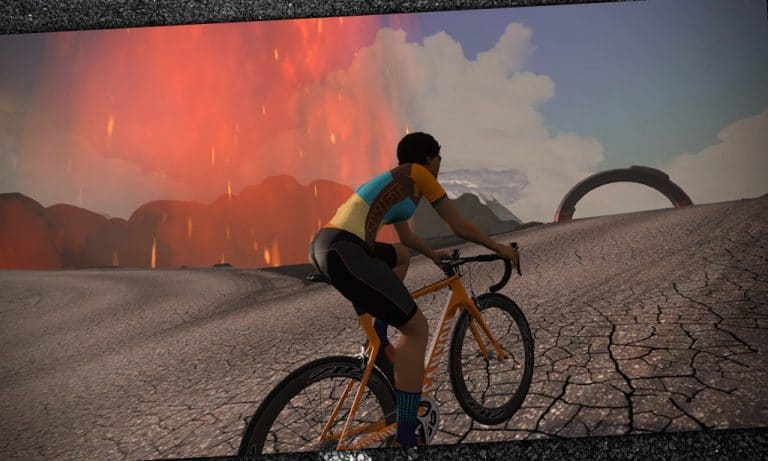
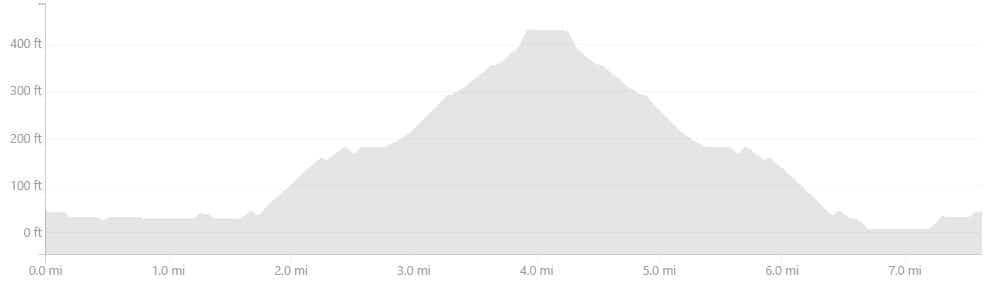
  • Stage 3: Hannah Walker’s Volcano Climb After Party – Feb 8th and 9th
    Distance: 40km (24.9 miles) Elevation Gain: 266m (875′)
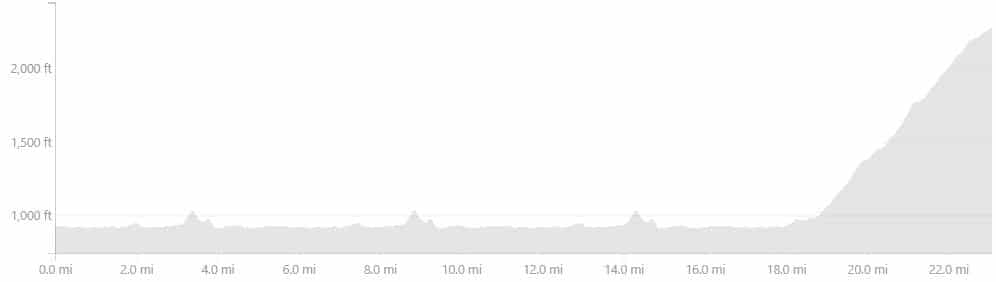
  • Stage 4: Ashleigh Moolman Pasio’s Climbing Challenge NYC KOM After Party Route – Feb 10th and 11th
    Distance 36.6 km (22.7 miles) Elevation Gain: 475 m (1557′)
  • Stage 5: Leah Thorvilson’s Figure 8 – Feb 12th and 13th
    Distance: 29.8km (18.4 miles) Elevation Gain: 234m (770′)

Unlock the Kit

Finish ANY stage of the tour and unlock the VoxTour kit in game!

Support Voxwomen by purchasing an IRL kit to match your in-game version!

About the Voxwomen Ambassadors

The Voxwomen Ambassadors are Olympians, pros, ex-pros, commentators, and entrepreneurs aiming to inspire women riders everywhere.

Learn more about the ambassadors here >

More Info/Signup

Get all the details and sign up for a stage at Zwift.com >


How hard is too hard? (Advice from Coaches)

How hard is too hard? (Advice from Coaches)

Editor’s note: this is #3 in a series of articles focused on training advice for Zwifters. In each article, coaches bring their experience to the table and answer a single question. Here is this week’s…

How hard is too hard? Training involves pain and suffering, but there’s a point where you can push too hard and do more harm than good. How do I know when to keep pushing and when to take it easy?


Shayne Gaffney, GC Coaching

Deciphering what is hard from what is too hard is a difficult undertaking due to the inherently subjective nature of something that is deemed as difficult. However, with the advent of the heart rate monitor and/or power meter coupled with fitness tracking and analyzing software, we have created a dyad that we can utilize to actually know and understand what is hard versus what is too hard.

Said another way, understanding how hard a workout is, via its Training Stress Score (TSS), is one of the many ways how I, as a coach, can decipher how hard an athlete is pushing, or not pushing.

For example, if I know a workout usually ends up with a TSS of 100, but after completing and uploading it, the athlete only hit 75 TSS, I know something went amiss and the workout is too hard for anybody to accomplish, or the athlete wasn’t pushing themselves hard enough, or the athlete is overtrained and generally fatigued and is physically unable to hit the prescribed wattage. 

Now, if we want to go further down the rabbit hole, we can analyze the power and heart rate average of the intervals and compare them to historical values for the athlete.  Another example, if the athlete performs 4 x 10 minutes at 300w with an average heart rate of 170 bpm for each interval in January, but doing the same workout in March results in an average heart rate of 180 bpm (with all things going well in their training and being equal otherwise), this shows me that decoupling has occurred and overtraining has begun to rear its ugly head, aka FULL STOP!


Noel Bonk, Bonk Werx

As many coaches know, it’s sometimes easier to make an athlete go hard but harder to make them go easy.  Knowing when to push it and when to take it easy is a balance of both training data feedback as well as taking a solid assessment of how you are feeling overall.

As I get to know an athlete, one thing I look for is training trends. This includes both ride data as well as subjective feedback on how they are feeling on a daily basis. While it’s entirely normal to have an off day, the important part is to stay aware of the recurring signs telling you to ease it back. For example, are you sleeping well? Are you irritable? Are you having to throw the towel in frequently or struggling to hold your power during workouts? Too often athletes discount how they feel and try to push through when it may be better to instead trade a poorly done workout for a bit more rest.  Pushing too often when the body is not prepared or recovered can be a recipe for doing more harm than good.

On the other hand, if you have tracked your metrics, follow training that is progressive and listened to your body, you’ll not only know when it’s OK to push it but will also be able to better absorb and make use of the harder training stress.


Troy Delfs, Momentum Cycling

Listen to your body!

Saddle sores, increased irritability, sore throat. These are some symptoms that you may be working too hard and are risking illness and injury. Most athletes are unique in their symptoms of overtraining (mine is night sweats). You need to pay attention and discover your warning sign. Think of them as the engine warning light in your car: if that light turns on, then you need to assess the situation and get things fixed pronto. 

In cycling, the easy fix is usually extra rest. If you are feeling ill or extremely fatigued and have a workout planned, then skip it.  Use the time that you had scheduled to ride and take a nap instead. This is not a sign of being lazy but rather a sign of a dedicated and intelligent athlete.

The hard Zwift sessions are what breaks your body down, while the quality recovery time is what builds your body up to a stronger level.

The number of rest days in relation to training days is relative to each individual athlete and is affected by factors including; base fitness, quality & quantity of sleep, diet & genetics. Listen to your body and find the work – rest balance that works best for you.


Rob Manning, Tailwind Coaching

Too hard is when the workout affects your ability to get back out there tomorrow and do the intervals you need to do.  Training is all about accumulated training stress, above and beyond your body’s comfort level.  If you push too far, your body will break down and fail, and you’ll burn out.
The harder the intervals, the more worn out your body becomes over time.  The more worn out your body is, the harder it is to do quality work during your intervals.
If you want to “be pro” about your training and prevent yourself from digging into a hole, try these tips:
  1. “Check yourself” before your interval sessions.  If your HR or power numbers just aren’t right, bag the intervals and modify your training calendar.
  2. Prioritize your recovery as well as your intervals.  Your body adapts during recovery, not during training.  If you’re not recovering as hard as you’re training, back down a little bit until you stop feeling flat.
If you feel good or your power numbers are on point, you can consider pushing a little bit harder if you’re feeling frisky.  If you feel flat, you probably are.  Don’t push it and dig a hole you can’t climb out of!

Conclusions

Here are the key themes I see expressed by our coaches above:

  • Listen to your body, and be willing to bag the difficult workout if your body needs it.
  • Recovery days are just as important as hard days. Without them, your body doesn’t have the chance to adapt and grow stronger.
  • A good coach can take your subjective input, combine it with your objective workout data, and advise you on a wise course of action.

2019 Zwift National Championships Announced

0

2019 Zwift National Championships Announced

Last year’s inaugural Zwift Nats were certainly exciting events, but they were only paving the way for bigger things to come.

This year will be Zwift’s biggest racing year yet! We’ve got the KISS Super League underway, KISS Community League starting soon, and now Zwift has announced the national championships for northern hemisphere countries to be held on February 24th.

Countries

The following countries will each have a national championship race:

  • UK
  • USA
  • Canada
  • Germany
  • Japan
  • Netherlands
  • Norway
  • Belgium
  • Sweden
  • South Korea
  • Denmark
  • Switzerland
  • France
  • Poland

Prize

This is the most prestigious Zwift race a rider can win, but you don’t win anything in the real world except the admiration of your Zwift peers.

The winner gets to wear their nation’s national champ jersey in-game for the next year!

Course Info

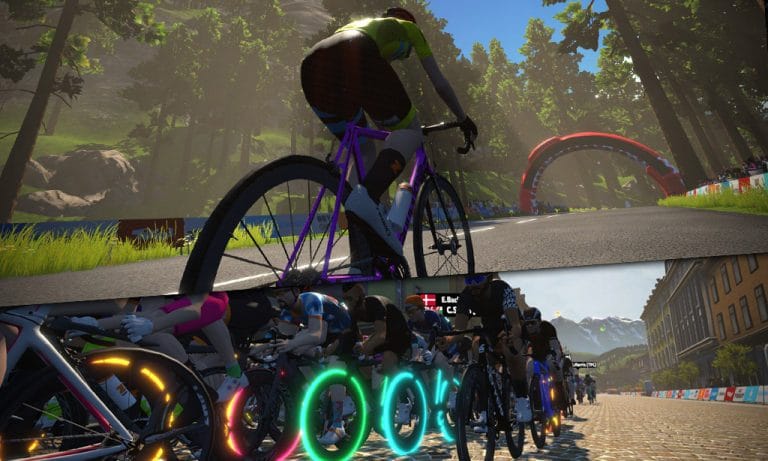
Nationals will be held two laps of Watopia’s Figure 8 route, for a total race length of 58.8km (36.5 miles). A slightly shorter race than last year, and sure to be exciting with the Figure 8’s combination of punchy climbs, rollers and flats.

Total elevation gain will be 468m (1535′).

Learn more about the Figure 8 route >

Race Schedule

Each country has just one race, and each race has two categories: A for men, B for women.

See the Zwift events page for a schedule of races >

Race Rules

This year Zwift is requiring winners to hold a valid national cycling federation race license. While this has some members of the community up in arms, Zwift’s explanation of the requirement makes sense, given the challenges Zwift faced proving racers’ countries and genders last year:

We require this race license for the potential winner of the Zwift National Champs to prove that your country and gender align with the physical federation in which you represent. (British Cycling and Dutch Cycling only require federation membership)

A Race License is not needed to enter the race and you will still be displayed in the final results to see where you stack up. But if you win without a race license, you will not be crowned the National Champion. (British Cycling and Dutch Cycling only require federation membership)

Additionally, Zwift is attempting to ensure accurate power numbers during the races, although this is impossible to do perfectly given the state of power meters today. The rules state:

Racers must use either a power meter or smart trainer. zPower riders are not eligible.

If the power numbers provided by these devices during the race are above Zwift Power’s critical power rule, you will be investigated to prove they match real-world performances.

Read the complete rules >

Watching Live

Live stream locations have yet to be announced, but I assume it will be available via the usual places: Zwift Live on Facebook, YouTube, and Twitch.tv.

Learn more on Zwift’s official page >


Zwiftcast Episode 60

0

Zwiftcast Episode 60

At long last, episode 60 of Zwiftcast has been released! World switching, big money, pro racing, peak Zwift… and plenty more. It’s a long one.


The Zwiftcasters are back after something of a break – and Simon explains the reasons for that – with a monster episode covering all the latest from the ever-busy world of Zwift.

This one kicks off with a look at Peak Zwift for the 2018/19 season. Which of the Zwiftcast trio backed the right horse on the highest number of concurrent users?

Then it’s swiftly on to World Swap, via Shane’s battles with a rival megacorp, the President of Wahoo’s eyebrows and a full tech round-up. Zwift history was made with the launch of the first ever pro league and you won’t be surprised to hear that all three of the Zwiftcasters have robust views – are you listening Cofidis?

And there’s more: the hugely significant news that Zwift has raised another 120 million dollars in funding is put through the Zwiftcast mill before the chaps consider whether Zwift are right in asking community groups to remove “Zwift” from their names.

Finally – which way do you dress? Enough said.

We hope you enjoy listening.


Additional Makeup Day for Tour de Zwift + Punxsutawney Endurance Challenge

0

Additional Makeup Day for Tour de Zwift + Punxsutawney Endurance Challenge

Missed some Tour de Zwift stages? You’re in good company. I’ve got two stages to complete myself!

Zwift had originally scheduled just two TdZ makeup days for this weekend (Saturday and Sunday), but due to popular demand, they have added makeup events on Monday as well. Let’s finish our tours!

See the full makeup event schedule (hundreds of events!) >


Punxsutawney Endurance Challenge

Looking to put in lots of miles this Saturday, perhaps while making up a TdZ stage (or five) you missed?

Team Velocity has organized the Punxutawney Endurance Challenge, and it’s all about riding as many TdZ makeup events as you like or are able on Saturday February 2nd. Earn points for each stage you complete, plus a few fun bonuses along the way.

Entering the Challenge

Comment on this Facebook post to be included in the challenge.

Scoring/Rules

  1. 100 points per makeup event completed
    – Only finishes prior to Sunday’s Team Velocity VibeTribe group workout (8:30am ET) will be counted
    – Only 50 points for subsequent finishes of the same makeup stage
  2. 25 point bonus for EACH Team Velocity rider spotted during your makeup events
    – Riders will be tagged with “[VVixen]” or “[VFox]” and have avatars who #rockthehawk
    – Prove your Vixen/Fox sighting by grabbing a screenshot and attach to a comment or just say where you saw us
  3. 200 point bonus (!) for completing the next day’s #VibeTribe group workout
    – Ride long with Team Velocity  (you can even lower your FTP setting if you must), join their Discord chatter, brag about your Saturday palmarès

Results will be tallied by Mon Feb 4, and prizes will be awarded to the top scoring male and female groundhogs. Please register in ZwiftPower to have your results count (and inform Team Velocity if your name there does not match Facebook).

Let Team Velocity know if you have any questions. Good luck, Ride (L)on(g), and Happy Groundhog Day!


How to Fuel for a Long Ride on Zwift

How to Fuel for a Long Ride on Zwift

When it comes to long Zwift rides and endurance training, one of the most commonly overlooked factors is recovery, and more specifically, nutrition.  Too much emphasis is placed on the physical work, and the amazing resource of proper nutrition and its ability to boost performance goes untapped.

Any athlete can slog through a long ride, but it takes true discipline to maximize performance with pinpoint dietary intake.  Research has shown drastic performance differences between athletes who have the discipline to maintain a nutrient delivery protocol compared to those who don’t.

If taking your cycling to the next level is something that interests you, and/or you are getting ready to break your Zwift ride-time record, then keep reading!

Intra-Ride Fueling

As you set out for a long Zwift training ride or race, you should be focused on ingesting foods and fluids that will support your glycogen stores.  Research has shown that for extended bouts of high-intensity exercise, ingesting ~30–60 grams of carbohydrates per hour via a 12 fluid ounce 6-8% carbohydrate-electrolyte solution, every 10-15 minutes is the most effective means of supporting glycogen stores (3).  Simply stated, you need to ingest close to 15 grams of carbohydrates every 15 minutes—with a drink being the efficient method of delivery and easiest on the digestive system.

Not all sports drinks are created equal, however.  Traditional ones are littered with unnecessary dyes, chemicals, and saturated with sugar, but it is super simple to make your own!  For a basic homemade drink, try mixing one to two tablespoons of honey, lemon juice (or any citrus), a pinch of sea salt, and a splash of coconut water into 10 ounces of water.  Get creative and make a drink that meets your digestive and taste preferences by adding in other ingredients. The simpler the mixture, the less “extra” ingredients your body will have to digest.  Other great sources of sweetness for your homemade drink are maple syrup or pure organic fruit juice mixtures. I personally prefer an apple/pear juice mixture with pomegranate, YUM!

Speaking of Hydration

Hydration is an often overlooked nutrient during endurance training, especially when riding indoors in a hot environment with limited air circulation and evaporative cooling.  Like glycogen stores, being hydrated is something that cannot occur from one day of increased intake. It takes multiple days of strategic water intake to properly saturate the cells.  If ingested too quickly, the body will signal the need to expel water which will take vital minerals with it during the elimination process (1).  In the days leading up to your long Zwift ride or race, sip water continually throughout the day, accounting for 50-75% of your body weight in ounces at a minimum.  The amount of water needed is exceptionally higher if you train multiple times a day.

The effects of exercise-induced dehydration on endurance performance are well documented with several studies showing that a 2% reduction of body weight can lead to higher levels of perceived exertion, increased core temperature, and increased cardiovascular strain (5).  To avoid the detrimental effects of dehydration, aim to match intake with water loss.  This may require more frequent drinking and should occur before the sensation of thirst arises.

Thirsty Yet?

If an athlete waits for the sensation of thirst to arise before drinking, then important physiological factors have already occurred.  Thirst is triggered by a monitoring system whose job is to maintain a homeostatic level of blood plasma. There is an ideal value of hydration in blood plasma, and if this value dips below a specific level, the body releases hormones that will pull water from urine and the salivary glands in an effort to boost hydration of blood cells and introduces that terrible ‘dry mouth’ feeling.  These hormones, notably Antidiuretic hormone (ADH), will also shunt off blood flow from the extremities (i.e. legs!) and force it into the core (4).  This sequence of events can reduce your overall power output as blood is needed to provide oxygen and nutrients to those big ol’ quads.  Therefore, it is important that you are drinking continually throughout the ride and drinking before the sensation of thirst arises!

Avoid Palate Fatigue

Eating the same foods over and over can induce a reluctance to eat or even make some foods unpalatable.  Luckily, there is a huge variety of options out there if you are creative enough. Dates are an excellent carbohydrate source and naturally have a mushy texture that allows for easy snacking.  They also act as an excellent “adhesive” for creating your ideal in-race nutrition.

Try mashing up a handful of dates and rolling them out with a rolling pin, so that you have a date “sheet” or “foundation” about a half inch thick.  Add in some extra flavor layers that suit your digestive abilities. A solid choice is a thin layer of nut butter, and a thinly-sliced layer of water-packed fruit such as honeydew or pineapple. Once you are satisfied with the contents, roll up the entire sheet and cut the sheet into bite-sized chunks suitable for easy access and digestion.

Skip the Fats

Fats have a huge importance in an endurance athletes diet, but when it comes to long Zwift rides, it is best to skip fatty foods like nuts, seeds, oils, and large amounts of peanut butter and its variations.  Riding at high intensity and ingesting fats increases the potential for GI distress and a feeling of nausea.

Optimize Your Protein Intake

Protein plays an important role in both pre-fuel and post-fuel nutrition for endurance athletes. Proteins play a massive role in the various functions of our body! It has been found that including some protein into your training may be able to help boost fitness performance. However, it is also important not to overdo your protein intake as this can lead to digestive distress.

Here are some general protein guidelines to follow:

  • During Training: ½-¾ grams of protein/lb. of body weight per day during your training period. The Meal Before Your Event: Two to three hours before your event, strive to get 10-20 grams of high-quality protein in.
  • During Your Event: If you are exercising or training for longer than four hours, it is recommended that you get about five grams of protein per hour to help support performance and replenish your body.
  • Recovery: Right after your event, you will want to replenish your body by getting about 10-20 grams of protein from a post-workout meal.

Conclusion

Hopefully the information above has given you to the ammunition to build better dietary habits to boost performance over your next long Zwift ride.  Hydration, nutrient intake, and timing are essential if you wish to take your rides to the next level. Remember, any athlete can slog through a workout, but it is the disciplined athlete who maximizes every detail to enhance performance!


One Woman’s Tour de Zwift, Illustrated

0
Olya Perevalova Cohen is a level 16 Zwifter and skilled artist. She illustrated each stage of her (and faithful dog Pepe’s) Tour de Zwift efforts, giving us a little window into her personal experience of the month-long tour. Here is each set of illustrations, beginning with Stage 1. Enjoy!

Stage 1


Stage 2


Stage 3


Stage 4


Stage 5


Stage 6


Stage 7


Stage 8


Stage 9

This Week’s Top 5 Zwift Videos

0

This Week’s Top 5 Zwift Videos

[et_pb_section bb_built=”1″][et_pb_row][et_pb_column type=”4_4″][et_pb_text _builder_version=”3.19.9″]

KISS Super League – Round 1

[/et_pb_text][et_pb_video _builder_version=”3.19.9″ src=”https://www.youtube.com/watch?v=aOploAdagKc” image_src=”//i.ytimg.com/vi/aOploAdagKc/hqdefault.jpg” /][et_pb_text _builder_version=”3.19.9″]

Here it is, the first race of the KISS Super League. All the big teams of professional riders have found their way into our virtual cycling habitat to mess with each other. Who had the legs to win?

[/et_pb_text][/et_pb_column][/et_pb_row][et_pb_row][et_pb_column type=”1_2″][et_pb_text _builder_version=”3.19.9″]

Patrick Christopher Races KISS Super League

[/et_pb_text][et_pb_video _builder_version=”3.19.9″ src=”https://www.youtube.com/watch?v=DmwLDf9yP5E” image_src=”//i.ytimg.com/vi/DmwLDf9yP5E/hqdefault.jpg” /][et_pb_text _builder_version=”3.19.9″]

One of the participants of the KISS Super League race last week was Patrick Christopher of the Zwift Academy All-Stars. Watch Cameron Jeffers and other friends cheer on Patrick in his first KSL race. (His race effort begins around 5 minutes into the video.)

[/et_pb_text][/et_pb_column][et_pb_column type=”1_2″][et_pb_text _builder_version=”3.19.9″]

Casey Schumm Races KISS Super League

[/et_pb_text][et_pb_video _builder_version=”3.19.9″ src=”https://www.youtube.com/watch?v=h_PBf0LkQJk” image_src=”//i.ytimg.com/vi/h_PBf0LkQJk/hqdefault.jpg” /][et_pb_text _builder_version=”3.19.9″]

Casey is a member of the Zwift Community All-Stars team, and his stream from the first race is fascinating. Listen to him chat with teammates as they take on the pros!

[/et_pb_text][/et_pb_column][/et_pb_row][et_pb_row][et_pb_column type=”4_4″][et_pb_text admin_label=”Ad” _builder_version=”3.17.6″]

[/et_pb_text][/et_pb_column][/et_pb_row][et_pb_row][et_pb_column type=”1_2″][et_pb_text _builder_version=”3.19.9″]

Cycling As An Esport: What’s It All About?

[/et_pb_text][et_pb_video _builder_version=”3.19.9″ src=”https://www.youtube.com/watch?v=B5qf68GQ6z8″ image_src=”//i.ytimg.com/vi/B5qf68GQ6z8/hqdefault.jpg” /][et_pb_text _builder_version=”3.19.9″]

The KISS Super League is now underway. It’s the first ever pro cycling esports competition and all the action takes place on Zwift. But how does it work and is it the future of cycling?

[/et_pb_text][/et_pb_column][et_pb_column type=”1_2″][et_pb_text _builder_version=”3.19.9″]

KISS Super League – Round 1 Review

[/et_pb_text][et_pb_video _builder_version=”3.19.9″ src=”https://www.youtube.com/watch?v=U6A4i_vuuro” image_src=”//i.ytimg.com/vi/U6A4i_vuuro/hqdefault.jpg” /][et_pb_text _builder_version=”3.19.9″]

We can show you all the professional and curated opinions on the KISS Super League (and we do). However, the community has its opinion as well. Tom Whalley watched the first round from the perspective of the most normal Zwift cyclist you can imagine: you. Here’s his take on it.


Canyon ZCC eRacing Team Announced

0

Canyon ZCC eRacing Team Announced

Trying to follow all the news in Zwift’s racing community these days is like drinking from a fire hose. Today Canyon announced the formation of Canyon ZCC, an eRacing team sponsored by Canyon as well as Wahoo and Nuun. The team will be racing the KISS Community League which launches Thursday, January 31.

The eight Canyon ZCC team riders are all quite strong, and will surely prove to be formidable opponents to the other community league teams.

Men’s Team:

Women’s Team:

A Taste of What’s To Come

While some Zwift teams have received corporate sponsorship in small ways, this is the first time we’ve seen a major cycling brand recruit a specific, small team of riders to create a competitive team for Zwift racing. But it won’t be the last.

It makes sense this would come from Canyon, since they are a forward-thinking brand with a close relationship with Zwift. But as Zwift racing grows in popularity we can expect other brands to step up and form teams–because the cost is minimal for the substantial exposure, especially compared to IRL team sponsorship.