

Zwift version 1.104 begins its phased rollout today, the last game update for 2025. This release includes the long-awaited draft indicator, 6 new route badges, the official rollout of a new Progress Report end-of-activity screen, and some much-needed adjustments to New York’s escalators! Read on for details…
New Draft Indicator
Not included in the original release notes (Zwift loves to bury the lede) is today’s release of the long-awaited draft indicator. Yep, you read that right! Here’s what it looks like:
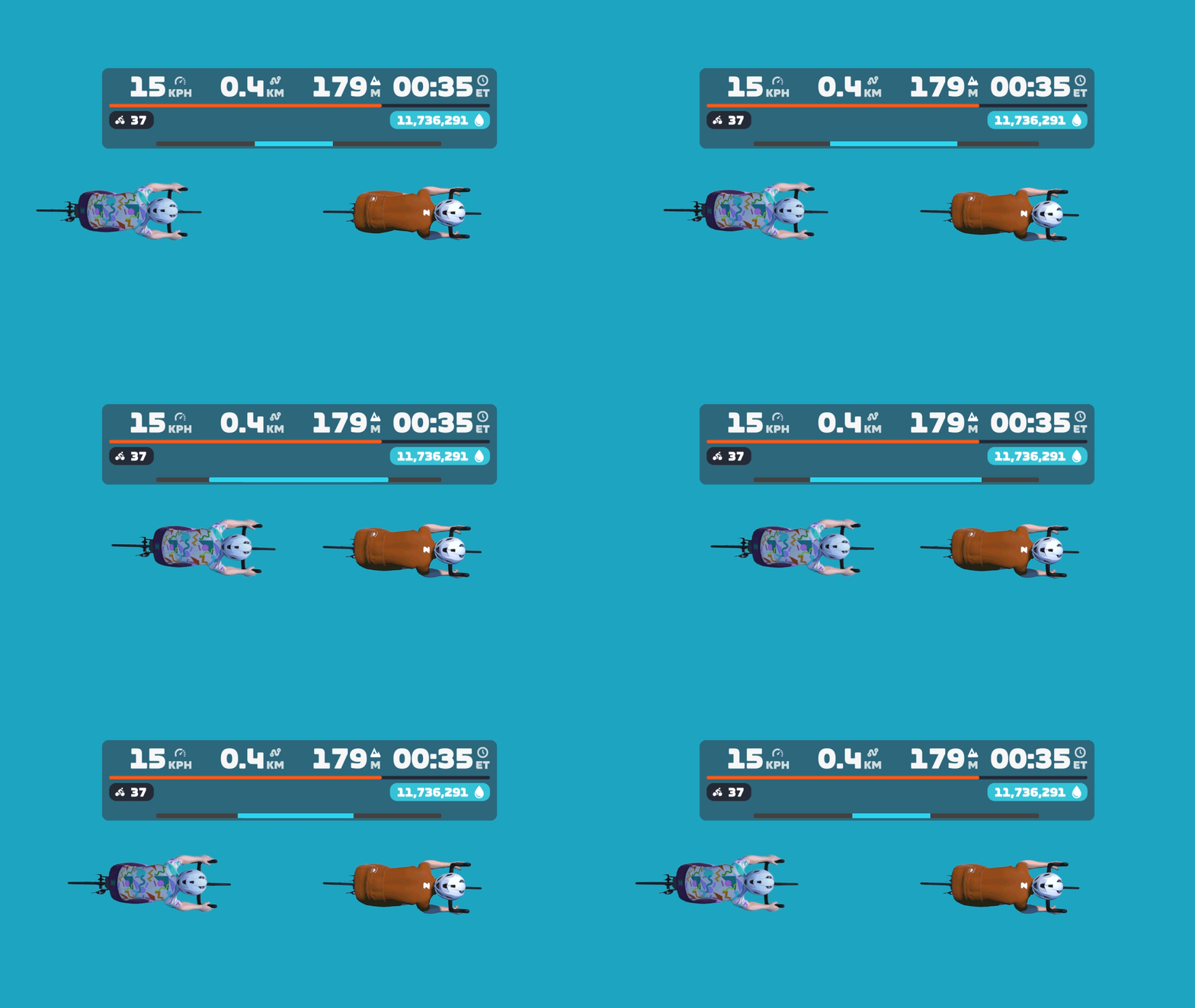
Zwift says, “The long-awaited Draft Indicator is finally here! The new bar at the bottom of the HUD center keystone will show you when you are receiving a draft benefit, the longer the bar the greater the draft benefit – use the Draft Powerup to get max draft benefit! Details are on this thread.”
New Progress Report Screen
Zwift has been rolling out the new “Progress Report” screen over the past few weeks, with approximately 50% of Zwifters already seeing it before today’s update. But they’ve included the screen in today’s release notes, since it hadn’t been included previously.
Zwift says, “A new Progress Report screen is now available at the end of every cycling activity and shows career progress, fitness trends, and performance data. The new Progress Report replaces the previous Streaks screen, and includes all information previously featured in the Streaks screen.”
Here’s a look at the old Streaks screen, and the new Progress Report:
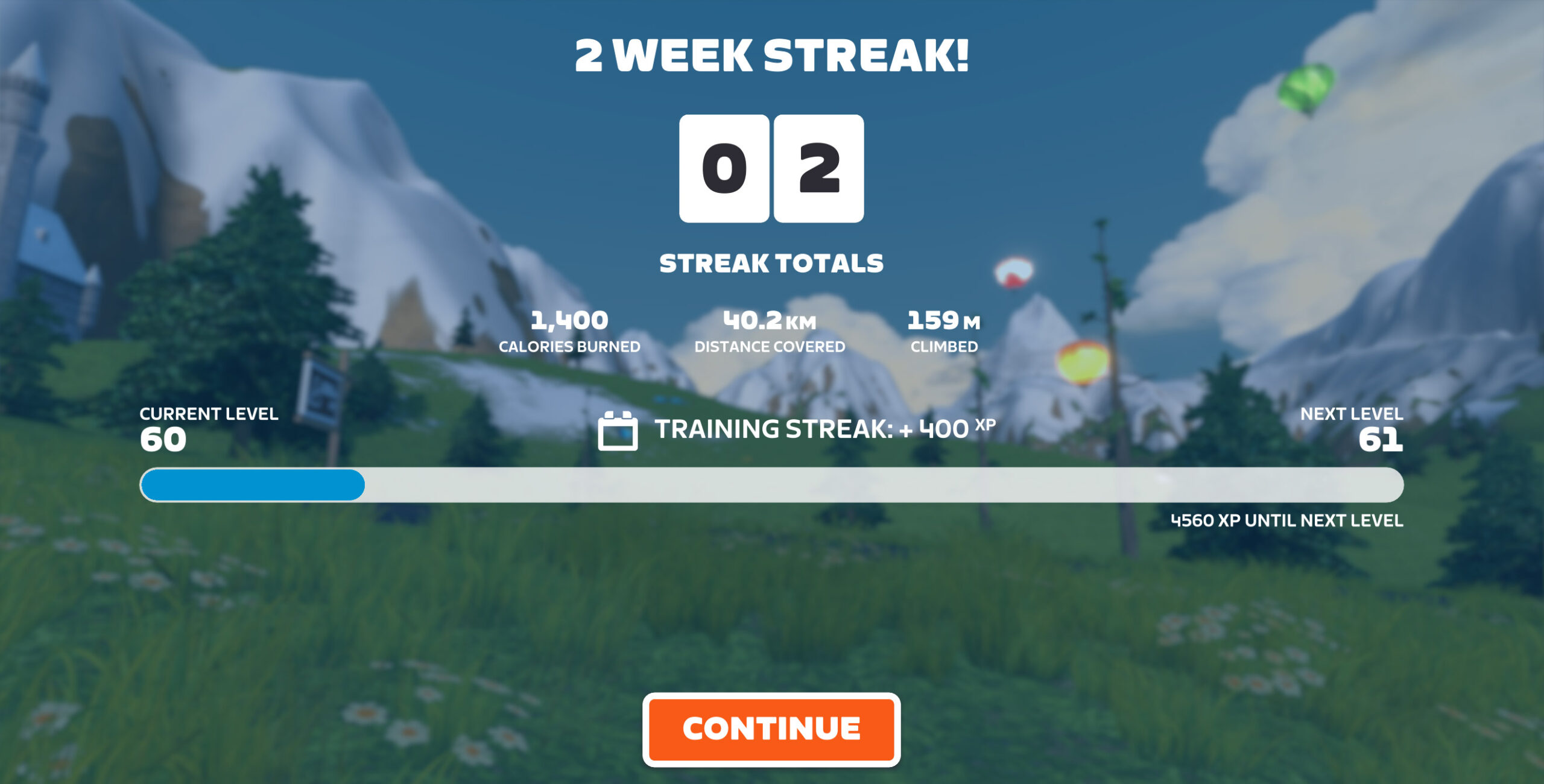
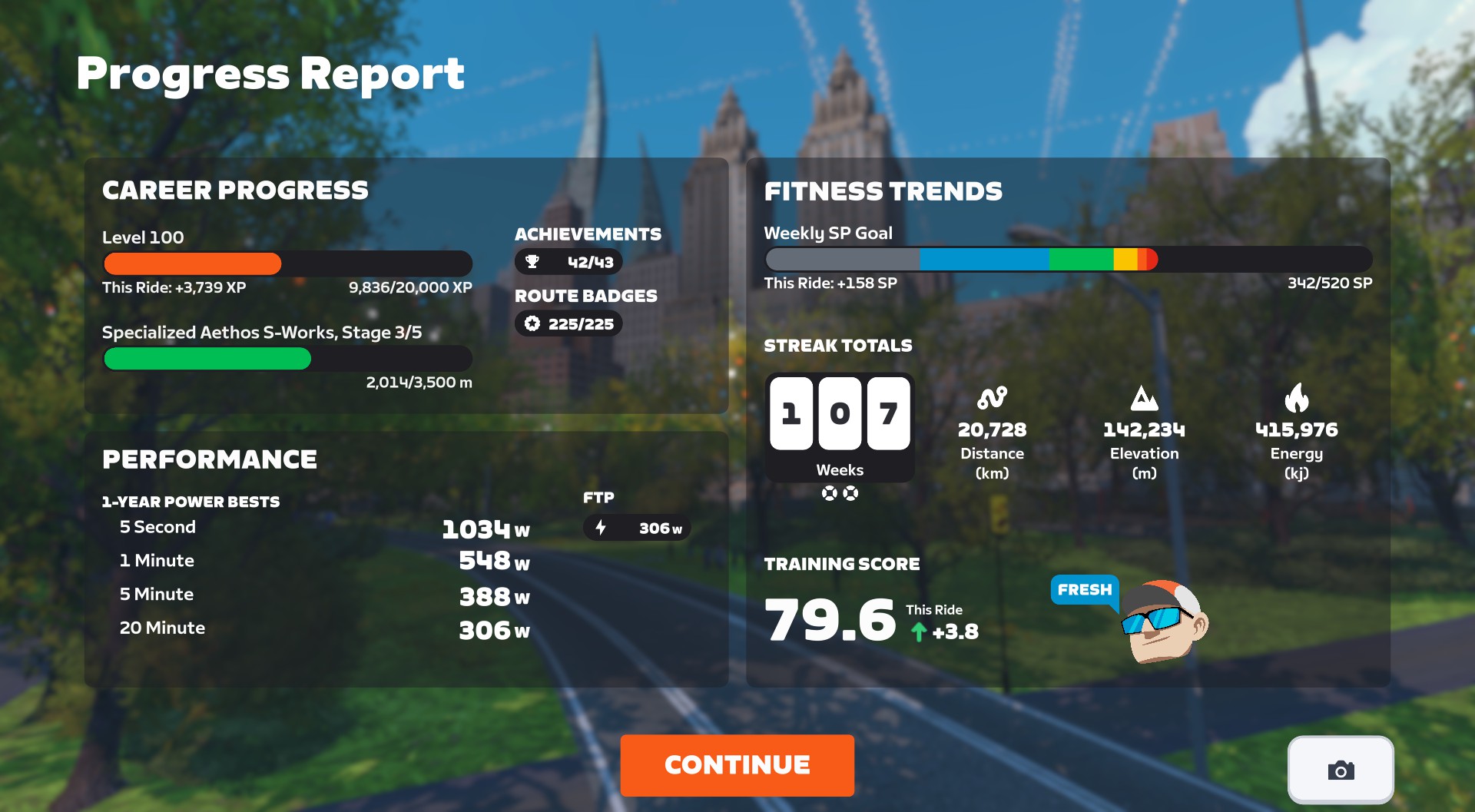
I think Zwifters will be universally happy with this change, as the new Progress Report contains a lot of helpful info, including:
- Career Progress
- Current level, plus how close you are to the next level, and how much progress you made in this activity
- Upgrade status of bike frame, plus how close you are to the next upgrade, and how much progress you made in this activity
- Performance
- 1-Year Power Bests, including indicators if you set a new PB in this activity
- Current FTP
- Current Race Score
- Fitness Trends
- Weekly goal progress
- Streak totals (Streak count plus Streak distance, elevation, energy, and number of Streak Savers available)
- Current Training Score, including change delta from this activity
- Training Status
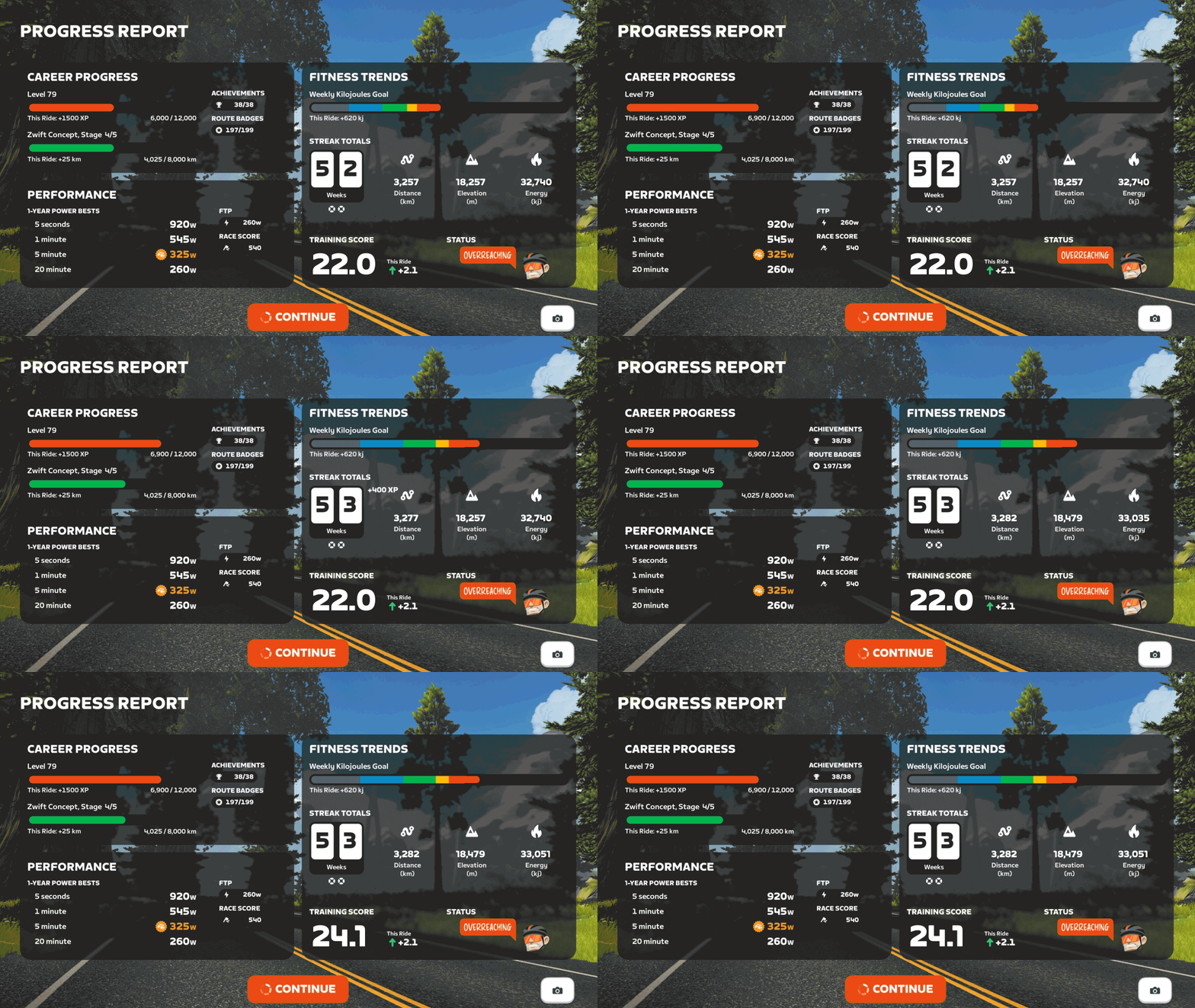
The screen even includes a button you can click to snap a screenshot. Nice!
Discuss the new Progress Report on Zwift’s forum >
New Route Badges
Six routes that were previously event-only are now available for free rides and meetups. Go get those badges!
- No Sleep Till Brooklyn (New York)
- Richmond Rollercoaster (Richmond)
- Innsbruck KOM After Party (Innsbruck)
- Yorkshire Double Loop (Yorkshire)
- Southern Coast Cruise (Watopia)
- Jarvis Seaside Sprint (Watopia)
Escalator Adjustments
Two of the release notes were related to the escalators on New York‘s newer roads:
- Reduced the effort required to ride up the escalators in New York.
- Improved the New York escalators to better balance the boost effect across riders of different weights.
After some testing, we can confirm that Zwift made two changes to the escalators to address complaints from Zwifters. First, they “reduced the effort,” which means they reduced the gradient feel of the escalators. To be precise, we’ll only feel 25% of the actual gradient. So while the escalators are around 20% in terms of physical pitch, Zwift will only send 5% to your trainer, and that’s only if your trainer difficulty is set at 100%.
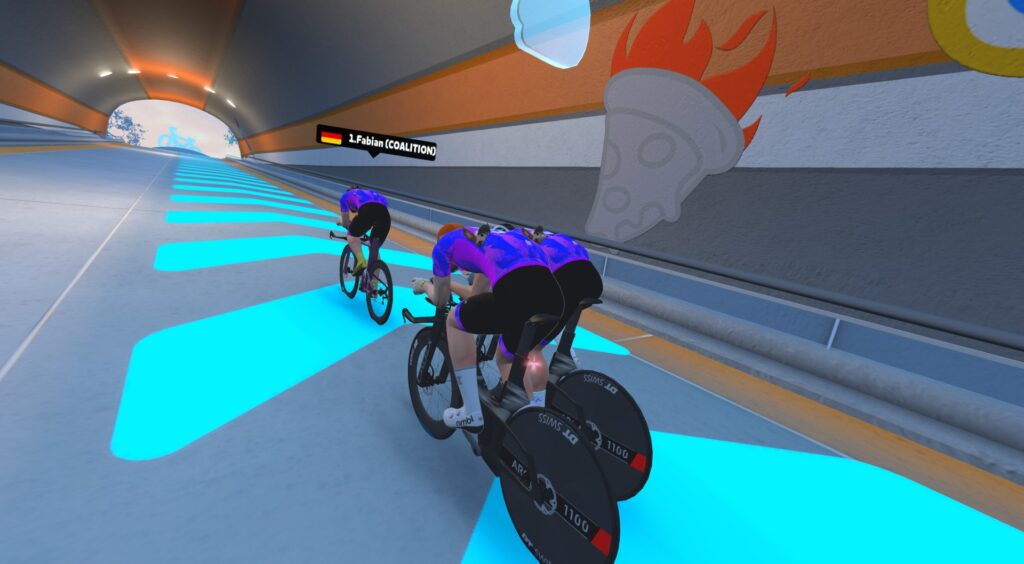
This will make the escalators a bit more fun to ride, since it won’t feel like you’re “hitting a wall” when you encounter the short, sharp ramps.
Secondly, Zwift has changed the power “boost” given to help riders up the escalators. Prior to this change, Zwift provided a flat power boost to all riders up the escalators (Zwifters estimated it to be ~1,200W). This gave lighter riders a distinct advantage, so this update changes the boost to be more watts-per-kilo based, meaning riders of varying weights will more naturally match each other’s speeds up the escalators.
I tested the updated escalators, and they appear to be working quite nicely now. But give them a try yourself, and share what you think in the comments below!
Resistance Bug
Zwifters began reporting resistance issues after installing the v104 release (see comments below for examples from Zwifters). On the morning of December 18, Zwift staff posted the following on this release’s forum thread:
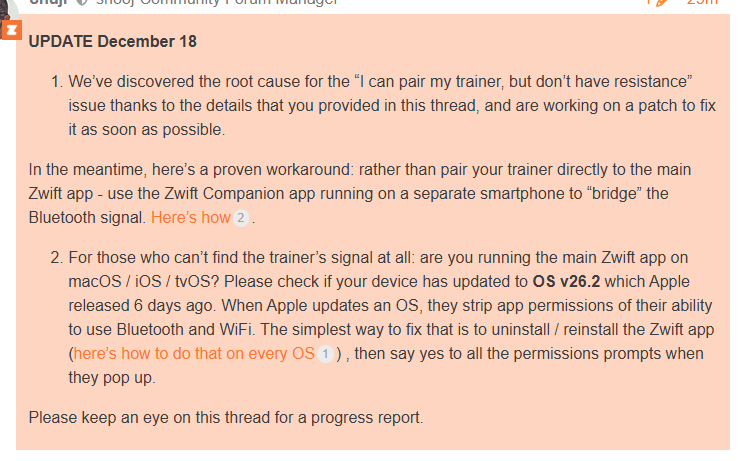
UPDATE (Dec 19, 2025): Zwift has released version 1.104.3 (157245), which fixes the above bug.
Release Notes
Zwift supplied the following additional release notes:
- Zwifters using Zwift Click v2 can now disable virtual shifting in Zwift Settings under the Hardware tab.
- Fixed an issue that could potentially cause connection issues when pairing fitness devices using Wahoo Direct Connect (WiFi or Ethernet).
- Fixed an issue that could cause a saved activity to have an incorrect name in some situations.
- Fixed an issue that could cause Ride Leader and Sweeper names to be displayed incorrectly in on-screen chat messages if emojis were present in their names.
Discuss this update in Zwift’s forum >
Questions or Comments?
If you spotted any other changes or bugs in the update, please comment below!

 wpDiscuz

