
The latest Zwift update is now available on PC, Mac, and Android, with iOS and Apple TV releases coming quickly as usual. The update includes a change to Meetup messaging, a new training plan that targets Zwift race prep, a new FTP Ramp Test, improvements for minors, and more. Let’s dig into the details…
Not sure if your Zwift install is up-to-date? Here’s how to check >
Meetup Messaging
Meetup-Only View was introduced in early May, allowing any Zwifter to organize a Meetup where only the event participants were visible on course. With today’s update, Zwift further separates Meetup traffic from others on course, making it so all Meetup messaging is hidden to those outside of the Meetup.
So Meetup participants will see group messages sent from other participants of their Meetup. But those outside the Meetup won’t see those messages. Meetup users will only see messages from participants of their Meetup: they won’t see messages from anyone outside the Meetup.
On a related note: messages from group rides still appear to Zwifters who are free riding/running nearby. We’re not sure why Zwift has set it up this way, but we confirmed today that it’s still happening.
[adinserter block=”1″]
New “Zwift Racing” Training Plan
We’re seeing more and more riders deciding to only race indoors, due to a variety of factors like convenience, cost, and safety. Of course, the COVID-19 crisis has also driven numerous cyclists to Zwift racing, because there is simply no other place to race!
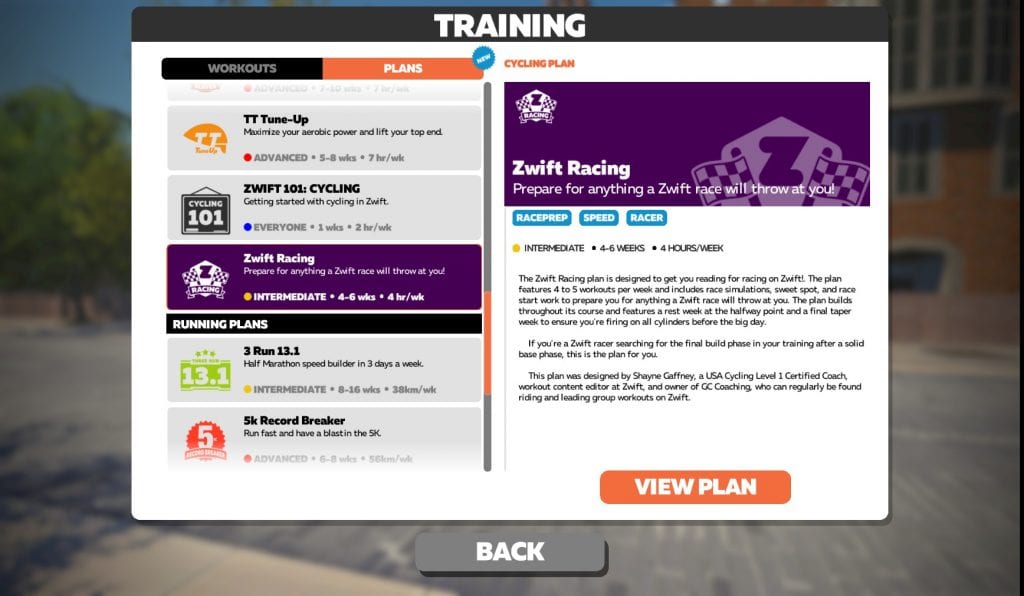
Today Zwift released its first training plan specifically targeting the demands of Zwift racing. Simply called “Zwift Racing”, this 6-week plan was created by coach Shayne Gaffney. Zwift says this about the new plan:
- This plan was developed for beginner/intermediate Zwifters, since Advanced and Elite athletes likely have some form of coaching or personalized plan.
- The plan features 4 to 5 workouts per week and includes race simulations, sweet spot, and race start work to prepare users for anything a Zwift race will throw at them. The plan builds throughout its course and features a rest week at the halfway point and a final taper week to ensure you are firing on all cylinders before a Zwift race.
- It prepares you for all types of Zwift races, but more specifically longer/hilly courses.

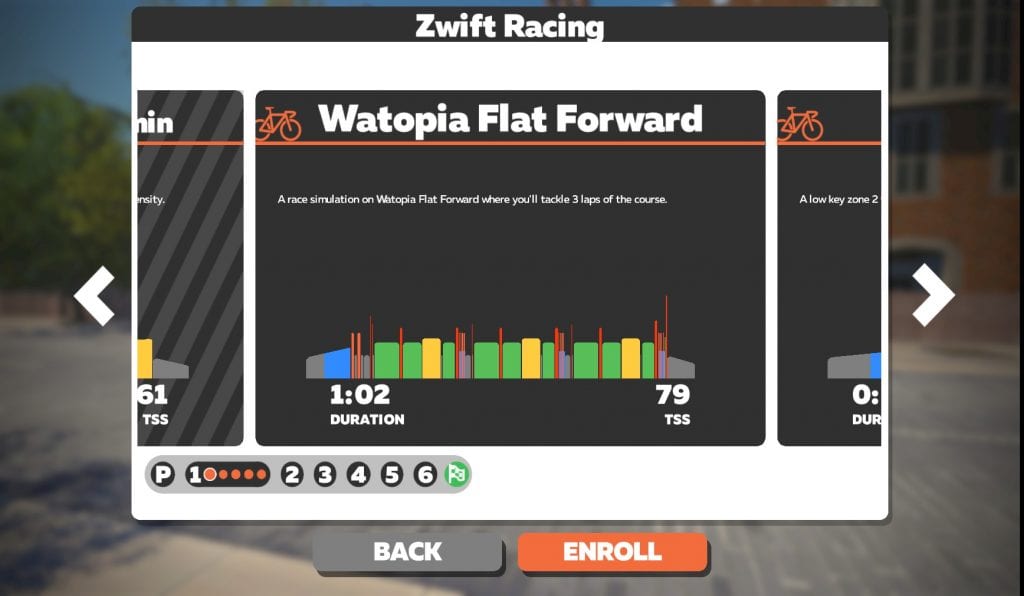
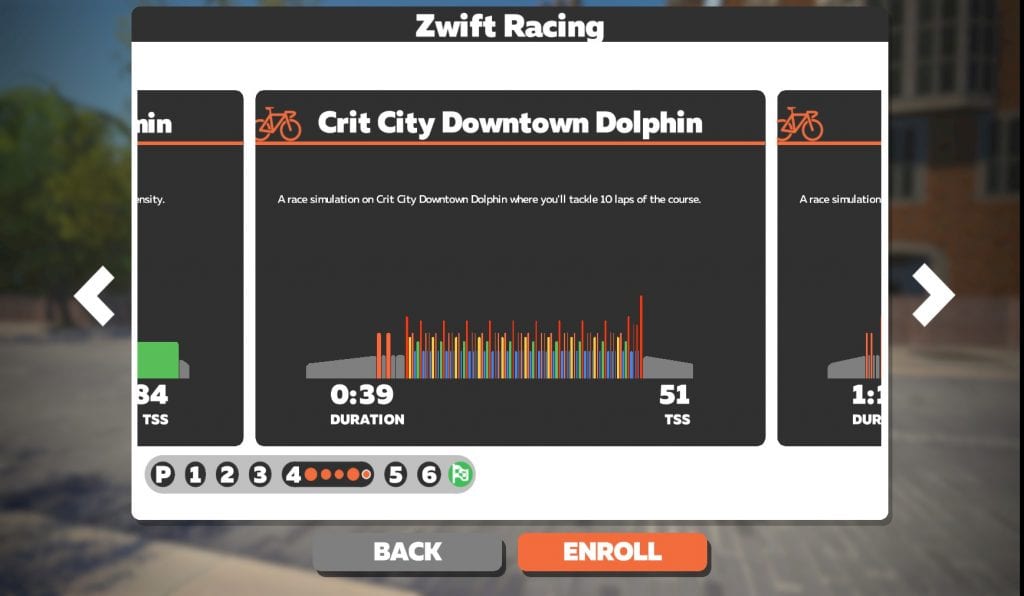
Some workouts replicate the demands of particular popular race routes 
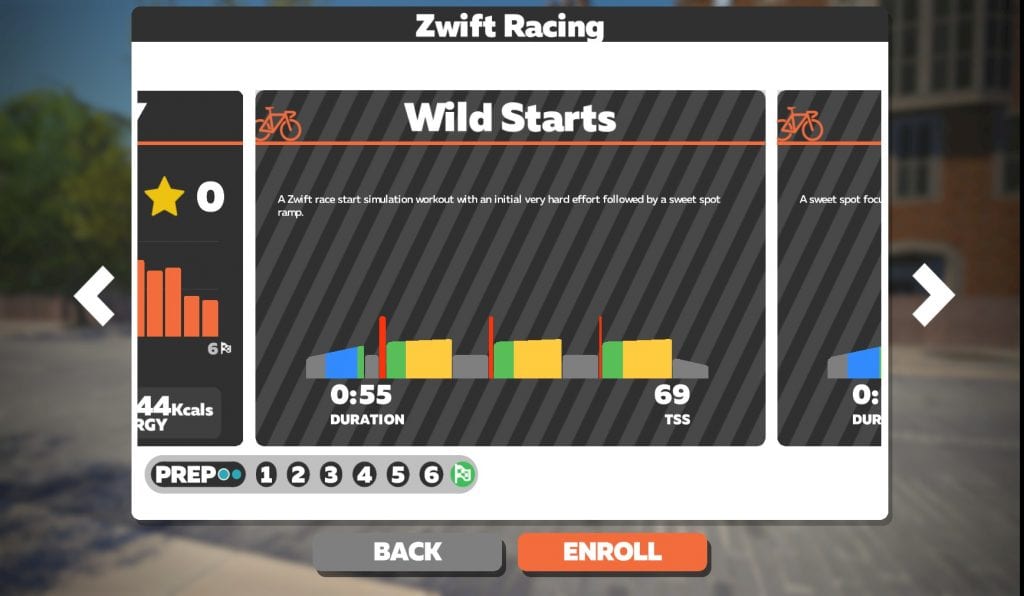
Here’s a workout training you for the tough start of every Zwift race 
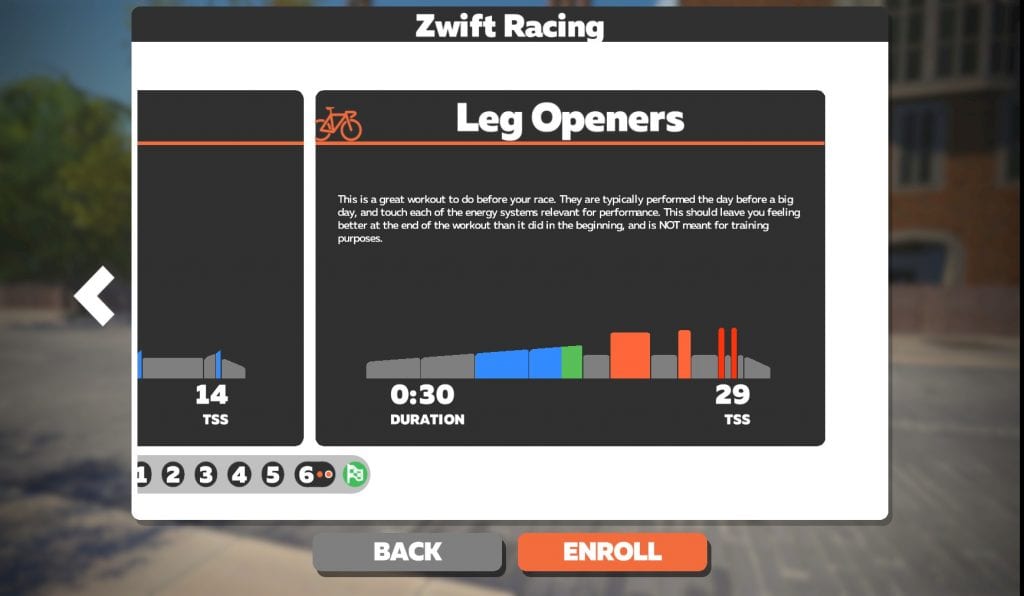
A smart workout the day before your big race
Ramp Test Lite
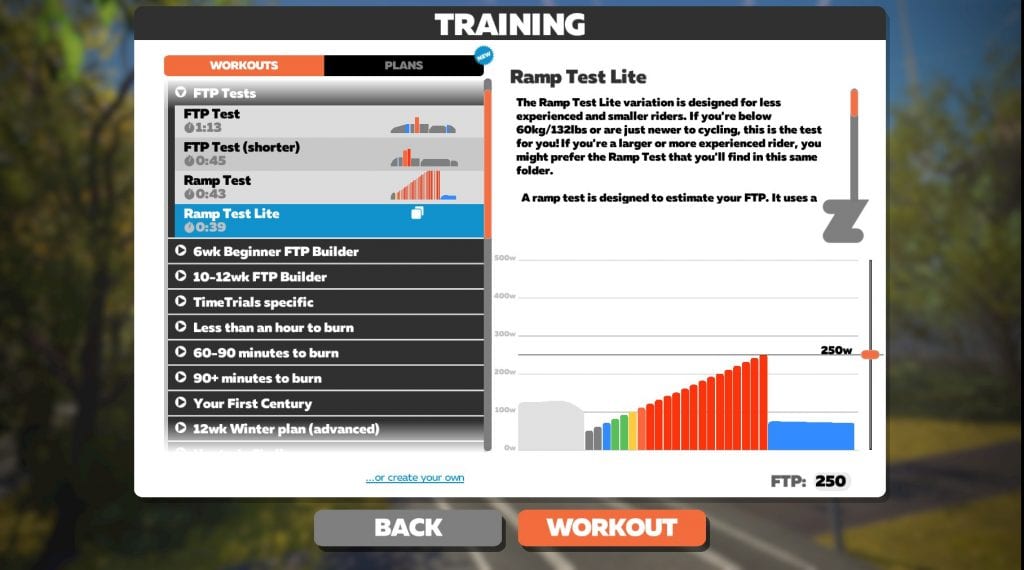
Zwift released its original ramp test in March 2019. It has proven quite popular, allowing Zwifters to estimate their FTP without a soul-destroying all-out 20-minute effort. But some riders had issues with the ramp test – specifically, smaller, lower-power riders. This is because the ramp test begins at 100 watts and increases in increments of 20 watts every minute. If you’re a rider with an FTP of, say, 160 watts, that doesn’t give you much of a “ramp!”
Today’s newly-released “Ramp Test Lite” takes care of that problem. Zwift says this test is for lighter (under 60kg) and more novice riders. This test begins at 50 watts, and increases in increments of 10 watts. Much more doable!
Find it under the “FTP Tests” category in the workouts menu.
Minor Weight
Here’s a change that will make a lot of kids (and parents) happy. Zwift made a change so minor accounts can set their weight below 45kg and have their speed be accurately calculated in game!
Before this change, minor accounts were able to set their weight lower that 45kg, but game physics and the w/kg in the right-hand menu still calculated as if their weight was 45kg!
We’re not exactly sure how Zwift has set this up, but our test account (for a 13 year old) allowed us to move the weight down to 33kg with accurate w/kg displaying. It’s possible that the minimum weight scales based on age, so an 8 year old would have a lower minimum weight than a 13 year old. But without more test accounts on our end, we can’t confirm that. Comment below if you can help clarify how it’s working for your kid.
New Steamroller Powerup
A new event-only powerup has been released to “spice things up on dirt courses.” According to the release notes posted by Wes, “The Steamroller powerup will make any bike ride smoother on dirt for a short time.” But we’ve also heard from other sources within Zwift that this powerup optimizes rolling resistance regardless of what wheels/tires you are using and surface you are on.
So if you’re on a mountain or gravel bike riding on pavement, your tire will go as fast as a road bike tire on pavement. Conversely, if you are on a road bike riding on a dirt road, your road bike tire will go as fast as it would on regular paved roads.
It sounds like this powerup is targeted toward events in the Jungle, although it would also be useful on the dirt patches near the fishing village. This will add another interesting strategic choice to Zwift races!
[adinserter block=”7″]
Bike Choice
Before today’s update, events which forced riders onto a mountain bike or TT bike didn’t allow you to select which MTB or TT rig to ride. That’s changed now, so you can equip any mountain bike or TT bike in your garage for use in a MTB or TT bike only event. Just select the bike of your choosing while warming up in the pens.
Bug Fixes
Wes’ notes also include a lengthy list of bug fixes, which is always good to see. We won’t list them here, but you can click the link below to see the full list. Keep squashing those buys, HQ!
Read/discuss Wes Salmon’s full release notes >
Questions or Comments?
Post below!

Will have a very happy 9 year old who can now ride at is 32kg weight. Zwift.com won’t allow the weight change still (insists on 45kg+) but the companion app does.
What type of wattage is a 32kg 9 year old pushing?
This particular one has a 20 min max output of 183. This change moves his w/kg for 20 mins from 3.8 to 5.4.
What?! How?
Cycling is his “thing” and he would rather ride on zwift than outdoors – he is close to 6000km and has got his tron bike (at 45kg). It would be fair to say he is at the top of his age group ability-wise, so I can’t imagine many being able to go beyond his power at this age. I can hold 325 for 20 mins (80kg), and he will beat me on outdoor sprints up a hill – i still beat him on the flat thankfully!
An FTP of 5.4 makes him the top of any age group and he should be signed to a contract…or your power isn’t calibrated.
Cool. I’ve run the tests between his turbo (Elite Muin) and my calibrated Assioma pedals. it overreads by 35 watts when the Muin displays 195 (this is best Zwiftpower performance on record). The variance is lower at lower watts and I had previously worked out the discrepancy to be 12 watts, so i have corrected this (at 370 watts on the muin this increases to 60 watts difference). Therefore assuming the Assiomas to be spot on, would take his 20 minute output to 160 or 4.91w/kg.
For reference he has been (unofficial – as the official races don’t start until U12) national champion in several disciplines already, so you would expect his level to be close to the ceiling of what a 9 year old might do.
If you are particularly interested, you can drop me a message and I can provide real life rides to back this up.
Enjoy the ride
As a post script, I won’t adjust his weight till his new turbo arrives next month. Just in case it causes any issues.
9 year old pushing 183 for 20 minutes? Doubtful.
My 9yo boy with 29kg is pushing 80watts in average. In fact, he could ride only Tempus Fugit, cause he couldn’t get over +5% hills. The new feature is awesome (although came a bit late) however, the 45kg restriction is valid on his profile at the moment. I’ll check back later
My 8yr old can do 120w on the FTP test on calibrated smart rollers. If he’s currently running at 45Kg his w/kg will go up.
Its unfair to race with dumb trainers using speed sensors and zwift converts it to power. Is there any way to separate categories of events for racers who will use genuine power meter/smart trainers and those who just used dumb trainers with speed sensors? I noticed that the converted power for speed sensors are about above 40W higher than genuine power metered smart trainers
A fairly uninspiring update…. still, with it being UK summer, most of my riding is being done in the great outdoors. Hopefully, by the time I return to a more ‘full time’ zwifting schedule in the Autumn we might have some shiny new tarmac to ride. In the meantime, keep up the good work Eric, for a great website.
I don’t really care about game like features. Give me great new roads to ride.
I’d suggest Bkool for you then. Near endless routes which most are real world and you can even upload your own. Game play isn’t as good though IMO. I came to Zwift for game play, but if you want near endles roads/routes. Bkool is streets ahead.
Or any of these https://www.dcrainmaker.com/2020/03/cycling-indoor-trainer-app-guide.html/ Cheers!
Great, another update that doesn’t do a damn thing to address the zpower problem in races.
I don’t think they really want to. I think they want subscribers no matter what quality they are. Money money money. I’m installing GTA and the GTA Bike V Mod this weekend.
Your answer to a post on Zwift addressing zpower problems on races is to install a free ride only sim mode with clunky steering?
Good to see the Meetup messaging tweaks. That was one gripe with Meetups still having all the public messages visible and interrupting your ride. Haven’t tested, but crossing fingers public messages are hidden in the non meetup-only view too!!
My 9 year old is really happy. We’ve been asking for the lower minimum weight for many months now.
My 10 year old will be stoked about allowing his true weight of 36kg instead of 45kg. His w/kg just skyrocketed!
Thanks Eric. Any idea when a revamped interface will be arriving? I’m a Apple TV user.
So you are right the minors weight works well now, barring that now my “minor” has an orange triangle, obviously meaning something bad. Perhaps the trainer is sending incorrect data as it is not a direct drive.
I have just updated and now my Zwift will not open. Let’s go screen pops up then shows the running clip and back to let’s go screen. Uninstalled reinstalled and still cannot Boone. Any ideas on how to fix?
I guess re: “all Meetup messaging is hidden to those outside of the Meetup” vs. “messages from group rides still appear to Zwifters who are free riding/running nearby”, the latter is specific to group ride Events?
When in a meetup do messages from child accounts show to ALL people.. Also do the messages show from the ride leader to all people even if they are are too far away… still so many features missing…
You see ride leader messages no matter how far away you are, if you’re in the event.
Previously we have found on a meetup that if a rider was way ahead they did not get the messages from the leader.
We gave up a few weeks ago and just do a zoom chat as it’s easier.
Thanks
Ah–I’m not sure about Meetups. I was talking about official group rides. Wouldn’t surprise me if Meetups had that problem.
Just tried to update the weight for my 7 year old’s account on the website and it still says “Weight cannot be less than 45kg”, but worked fine on companion app. Seems to be no lower limit for a 7yo as it didn’t complain about him having a weight of 1kg. He’ll be very happy to have instantly doubled his W/kg now that his true weight of 22kg is recognised. Also means he’ll kill me on pretty much every climb.
It’ll work to update their weight from inside the game. Not sure about other methods!
The ramp test Lite is a dream come true! Don’t think I’ve ever been so happy to do a ramp test before.
I’m really keen for zwift to create a pre race warm up. So you have a race starting in 30mins? Fire up the plan and use it to warm up for the race. Ideally 20-30mins long, then go straight to the race for a tick over in the pens until go time!
If you search for the GPLama Zwift Warmup you’ll find his. It’s 8 minutes at 85%, 1 minute at 101% and 5x 10 seconds at 150%. Goes for about 25 minutes.
Chris Carmichael published his favorite Zwift race warmup programs: one is 20 minutes and the other 40 minutes. I created them in Zwift as custom workouts, and they work well for me.
Forgot the link: https://roadbikeaction.com/chris-carmichaels-best-warm-ups-for-zwift-racing/
10 watts ramp up per minute is harder then 20 watts ramp up per minute.
It takes twice the time to come to the same poweroutput.
This is for lighter riders, or those with a lower FTP in terms of pure watts. The older ramp test just wasn’t designed for someone with an FTP in the mid-100’s.
Sure, taking Ramp Test Lite makes the test longer for these riders – but it should result in a more even ramp-up, and more accurate overall results. At least, that’s how I understand it.
My wife struggled to get past the first 5 stages of the 20W jump, and also found it disheartening when the in-game text was telling her that it should be feeling quite comfortable and only just starting to feel difficult when she was nearing her max.
This new test will be a lot more gradual and will give her a much better idea of where she’s at because she can work her way into it like a stronger rider in the ‘traditional’ test.
My 7 year old can fly now at 20kg, she loves it. Shes riding for 20 minutes at a time and with this update she did over 6k in that time. Until now zwift had her twice as heavy and it was really slowing her down.
Really helpful for the kids and I want to reiterate how cool it is that Zwift gives them free accounts.
I can’t get OBS to work with the latest update. Anyone else?
Since the last update, the function “Keep Everyone Together” isn’t work at all in my meetups. Any update soon for this bug??
Regards
Yes! PLEASE, please, please fix this. Thank you. 🙂
New meetup elastic band, What has happened for small groups (I assume most of meetups) it is now terrible
Surely the whole point is so riders at either mixed ability or doing different days can ride together, can even see my buddy on screen, just on map
Please put it back to how it was!!!!!
Perhaps it’s not working at all, I’m in a workout , he is in free ride, he is even off the mini map now
No not working at all, neither of us feeling any push or pull of elastic band
Both on PC’s, please sort
You need to report this to Zwift support. Zwift Insider can’t fix Zwift bugs! I just report the news. 👌
Do You know why after the update I can’t saw my TrainingPeaks Folder?
yeah i have this exact same issue this morning 🙁
Im having the same issue with my TrainingPeaks daily ride also. I hope they fix this soon.
Same issue for me, started over the weekend after the update and still wasn’t working this morning. Very frustrating
This was the (non) update that finally got me looking at alternative platforms. So far I’m really enjoying Fulgaz (which in fairness, is a different idea from Zwift, with different strengths and weaknesses. For me, I want a modern UI, lots of new roads to ride, and I don’t care about the social aspects at all – I ride by myself IRL too – so Zwift wasn’t for me anyway).
My 7 year old w/kg is not correctly calculated based on 27kg. He made it up Box Hill last night. This is a huge improvement for the kids. He’s quite grateful to Zwift HQ.
have you heard anyone struggling with their wahoo tickr my wife and I are both having issues. It’s connecting but staying really low. This is only since last update.
Saw the bulldozer powerup while freeruding today. I never landed on it but wasn’t riding in dust anyway. Thought it was only for events or maybe it is always on the possibilities but won’t land outside events?
lol this article is “trending” because everyone wants to know about the new drop!!
Why does Zwift limit the minimum weight for riders? I am 74 years of age at 5’1″ and weigh 94 pounds, however, I have to enter 100 pounds for my weight which is not accurate. Does Zwift plan to rectify this issue? I see that you have attempted to do so for juniors. Will effort be enjoyed by seniors as well?
Mary Campbell
I have recently done an FTP Ramp Test lite using my wattbike with Zwift.
I found I ran out of stream earlier than expected as my cadence was faster than usual 95-110+. I had more power to give put not at that speed. After slowing down I noticed the erg button on Zwift companion, is the best option to add an incline and therefore reduce the cadence? Will this switch erg off throughout the test?
Another small issue I slowed down at the end as I was expecting Zwift to go into the cool-down section once it realised I was toast (this only popped up when I stopped). Do you only get to to do the cool-down on the ramp test when you complete it?
i would welcome your feedback
That should said ‘steam’ ☺️