

On Friday, October 30, Zwift granted all Zwifters free temporary access to the new Zwift Plus subscription, which includes Zwift Video and Zwift Coach. (This wasn’t the original plan, but after a few bugs were found in the Zwift Plus trial rollout, Zwift opened up access so everyone could try the new features while bugs were fixed.)
Today, that “free access for all” goes away. But if you act by November 12, you can still access a free month of Zwift Plus, and annual subscribers can get an additional discount on a Zwift Plus upgrade. Here’s how it works…
Monthly Subscribers
Zwift says, “Existing and returning Zwifters on a monthly plan can claim one month of Zwift Plus at no extra cost.” While this is true whether you pay subscription fees via Apple subscriptions or on the web at zwift.com, the steps you need to take differ based on where your subscription lives.
Apple Subscribers
If you pay for your Zwift subscription through Apple, you’ll need to click this banner in your account at zwift.com (or just visit http://zwift.com/tryplusapple) from an Apple device. This will take you to the App Store checkout with appropriate discounts applied.
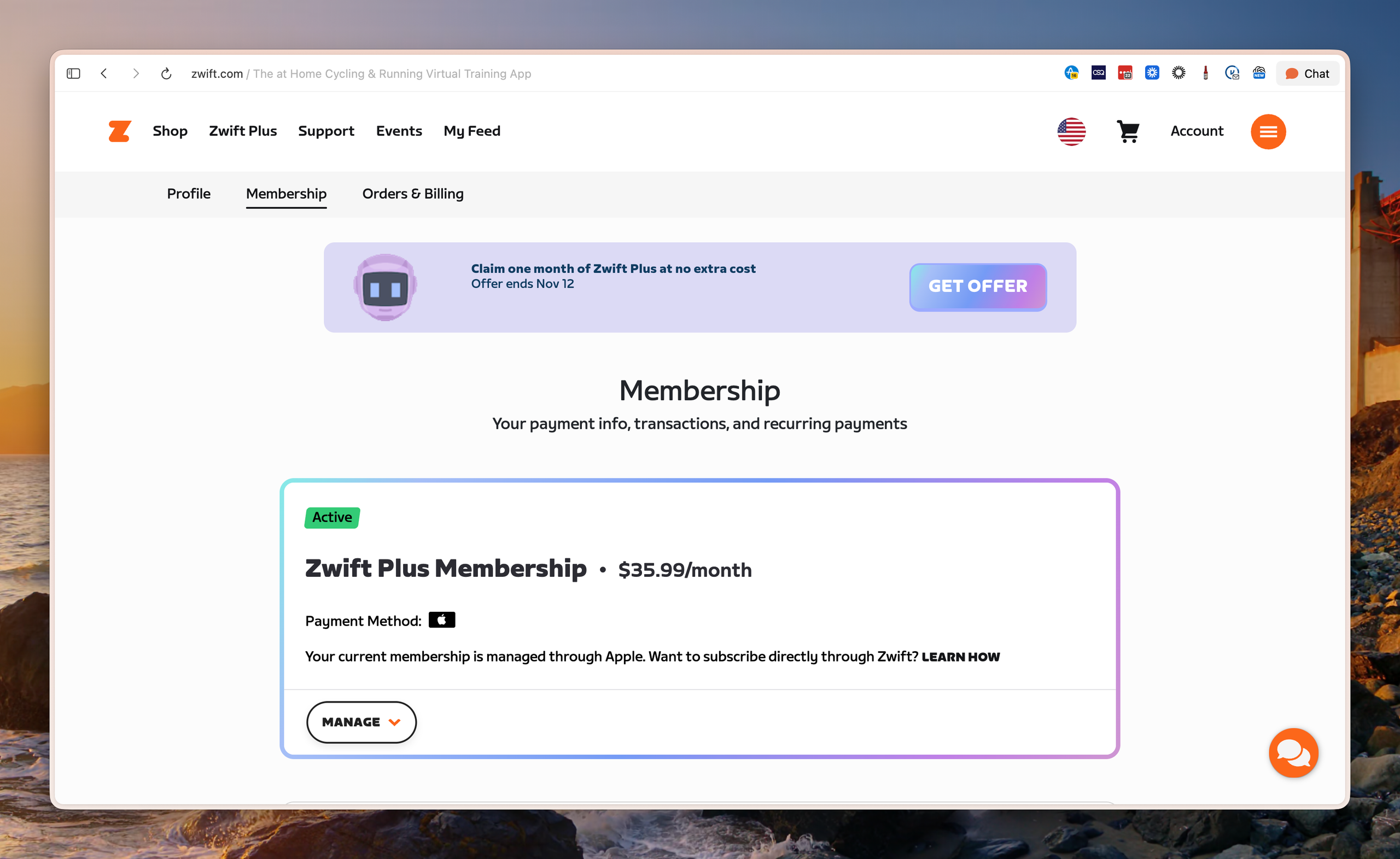
Redeeming this offer does two things to give you a free month of Zwift Plus access:
- Apple will charge you for a full discounted month of Zwift Plus access, at the regular Zwift price ($19.99 in the US). This also resets your monthly renewal date to today.
- Apple refunds whatever you have left on the current month you’ve already paid for.
Once your discounted month ends, you will automatically renew at the full App Store Zwift Plus rate ($35.99). It’s worth noting that this is $6 more than you’d pay if you subscribed directly through Zwift.com. Zwift charges what the industry calls the “Apple tax” on Zwift Plus subscriptions because Apple takes a 30% standard commission. We’ll have a follow-up post today explaining how to move your billing from Apple over to zwift.com so you can save a few bucks each month and access annual subscription plan options.
Zwift.com Subscribers
If you manage your subscription through zwift.com, simply sign in to your account, then click the banner at the top of the page to claim your offer:
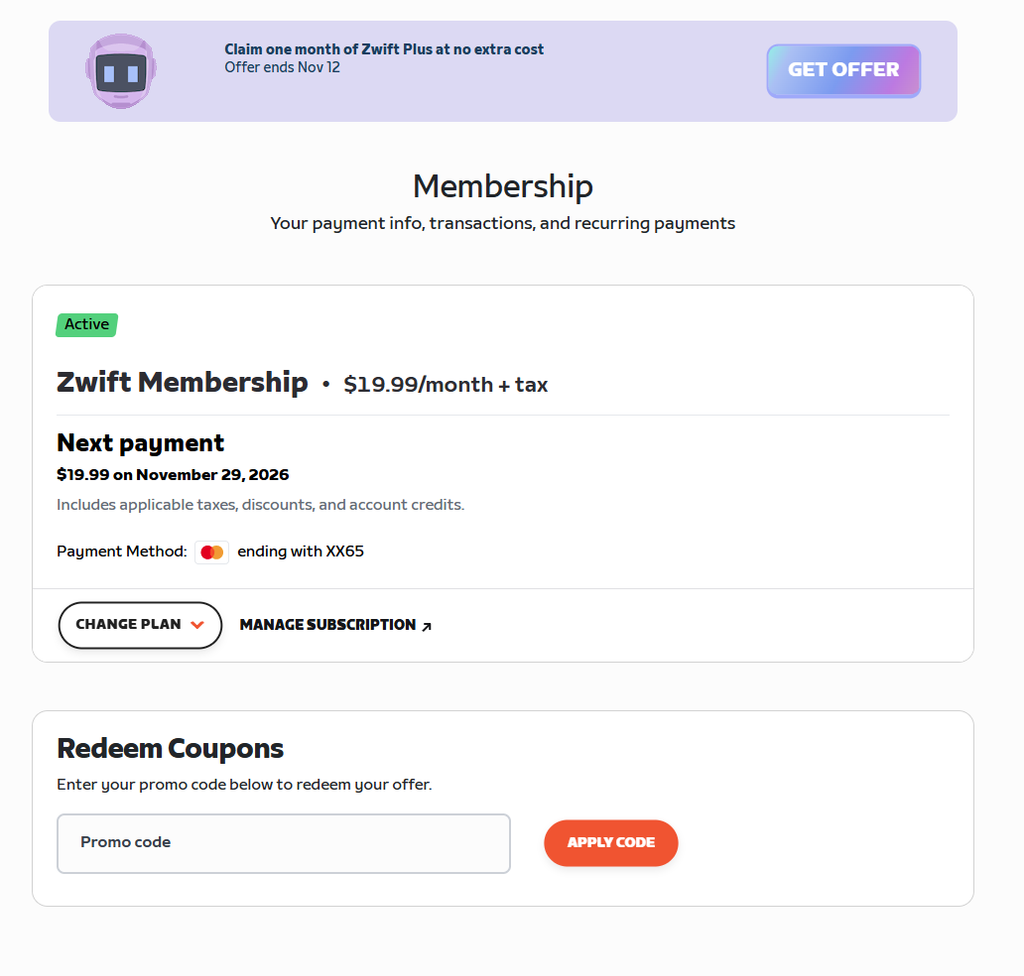
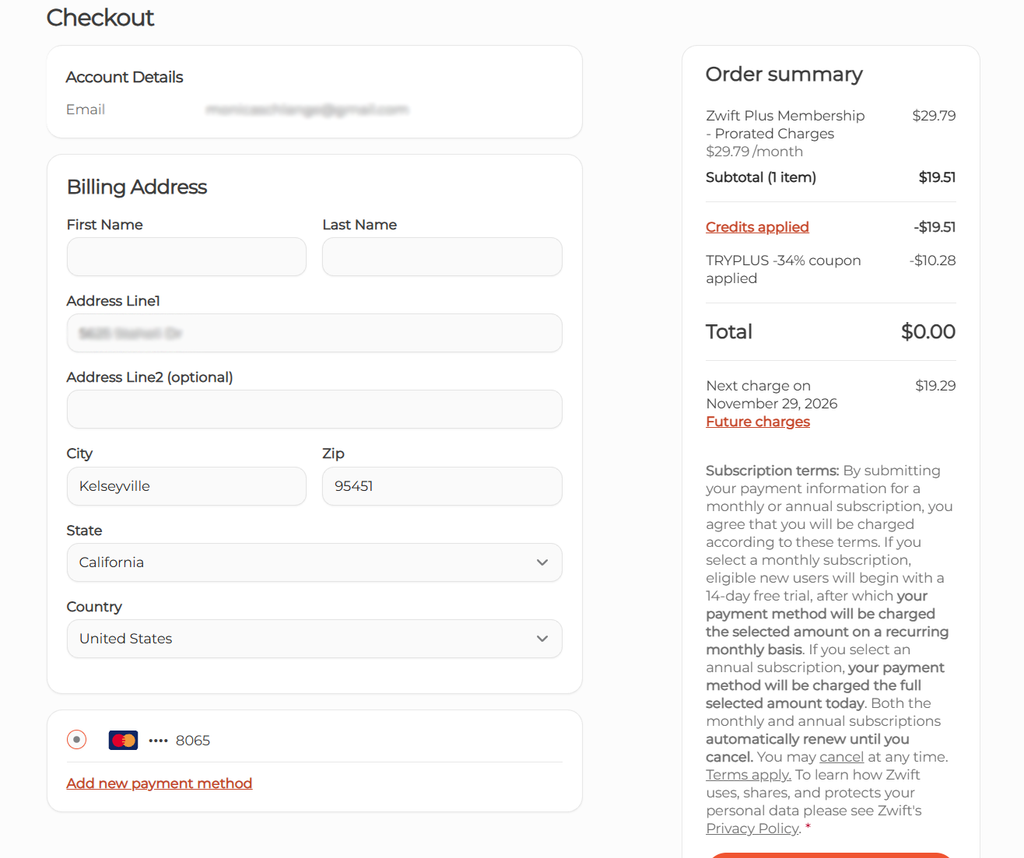
Monthly subscribers paying through zwift.com actually have the sweetest trial offer, because you get free Zwift Plus access for the remainder of your current (already paid) month, as well as the next full month of your billing cycle.
That means, if your monthly payment comes on the 10th each month, you could be billed at the normal $19.99 subscription rate, then claim your free month offer, which will give you the rest of your paid month for free (almost 30 days free) as well as the following month!
Annual Subscribers
If you pay annually, you can get discounted access to Zwift Plus. In fact, you can even get 30 days of additional free access, if you take advantage of Zwift’s 30-day money-back guarantee.
The process to claim your discount is similar to monthly Zwift.com subscribers (above), but at checkout you will be prompted to pay the Zwift Plus upgrade fees for the remainder of your subscription period, discounted by 10%. Example: If you have 3 months left on your annual subscription, you’ll be prompted to pay 3 months of the $10 account upgrade fee, discounted by 10%, for a total of $27.
You will also receive 10% off Zwift Plus when you renew for your next full year, which in most markets works out to a free month of Zwift Plus.
30-Day Money-Back Guarantee
It may seem like monthly subscribers have access to a 30-day free trial of Zwift Plus, while annual subscribers only get 10% off. But Zwift offers a 30-day money-back guarantee for annual subscribers who upgrade to Zwift Plus, which means they’re effectively offering annual subscribers the same 30-day Zwift Plus trial as monthly subscribers.
Zwift’s support page says:
How does the 30-day money-back guarantee work for annual memberships?
If you switch back to Zwift Membership or cancel within 30 days of upgrading to Zwift Plus through the introductory offer, you’ll automatically receive a refund of your prorated upgrade cost. Refund processing can take up to 7 business days.
Offer Expiration
The free month/10% annual discount offers expire at 11:59pm PST on November 12th.
Questions or comments?
Got questions? See Zwift’s support page for details on the Zwift Plus introductory offers. You can also share below.

