

ZwiftPower.com is a website originally created by the Zwift racing community to help race organizers set up custom race rules that could be applied after an event in order to produce final, fair race results. Racers quickly adopted the mentality that ZwiftPower is where you go for the final results of your Zwift race, because ZwiftPower’s ability to automatically remove out-of-category riders and other cheaters from post-race results meant its final race results were much more legit and fair compared to the results provided in game.
The site was later purchased by Zwift, who are now responsible for all site hosting and maintenance. And while Zwift now provides unfiltered race results at zwift.com, most racers consider ZwiftPower to still be the home of final results for all community-organized races, since organizers can modify the results at ZwiftPower to line up with event rules.
Everyone Should Sign Up
In my opinion, all cyclists on Zwift should sign up for ZwiftPower, even if you aren’t interested in racing. Here are four reasons why:
- The site has various handy free tools including a powerful event search, personal power curve, rider phenotype graphs, dual recording analysis tool, ability to download an archive of your Zwift activities, and more.
- It’s easy to sign up.
- Most Zwift race organizers use ZwiftPower to manage race results. That means if you aren’t signed up for ZwiftPower, you’re being removed from the final results of just about every race that happens on the platform!
- There’s no cost to sign up.
How to Sign Up for ZwiftPower
Signing up for ZwiftPower is easiest on a computer using your Internet browser, but it can be done from your phone as well. The entire process takes only 1-2 minutes and all you need to know is your Zwift account login details.
Step 1: Opt In to Share Zwift Account Data with ZwiftPower
Due to privacy regulations, you must consent to sharing your Zwift account and activity data with ZwiftPower since it’s technically a “separate” website/database from Zwift’s (even though Zwift owns it). Opting in is easy:
- Sign into zwift.com/settings/connections using your Zwift account email and password.
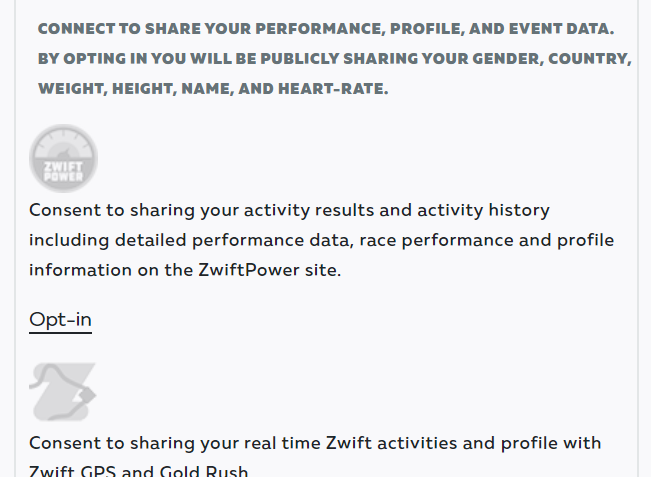
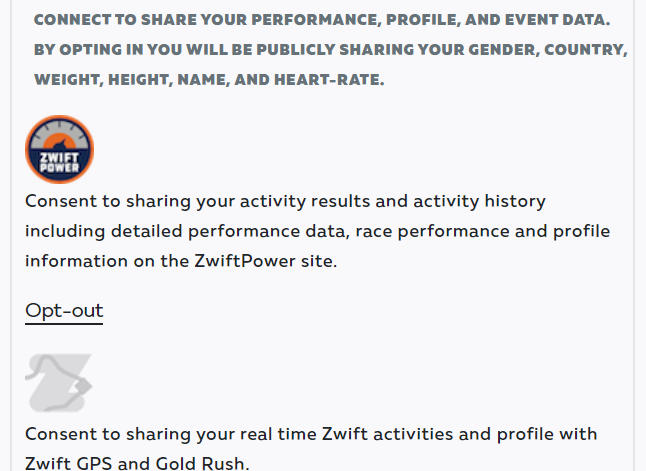
- Scroll down to ZwiftPower and click Opt-in. The logo will light up and “Opt-out” will appear below, signalling that you are now opted into ZwiftPower.
Step 2: Create Your ZwiftPower Account
Now it’s time to create your ZwiftPower account. This is quick and easy, since it all happens using single sign-on with your Zwift account:
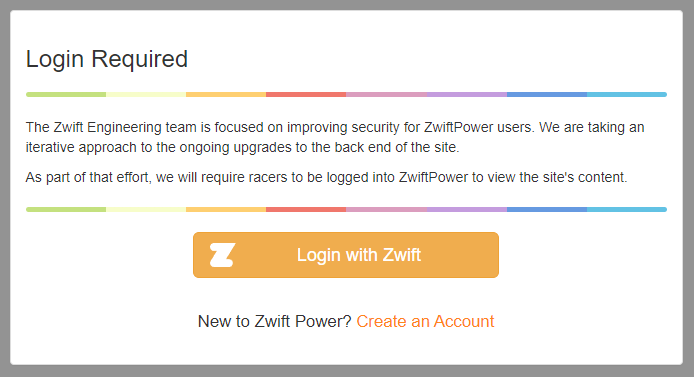
- Visit zwiftpower.com and click the big “Login with Zwift” button (clicking “Create an Account” below that will take you to the same link)
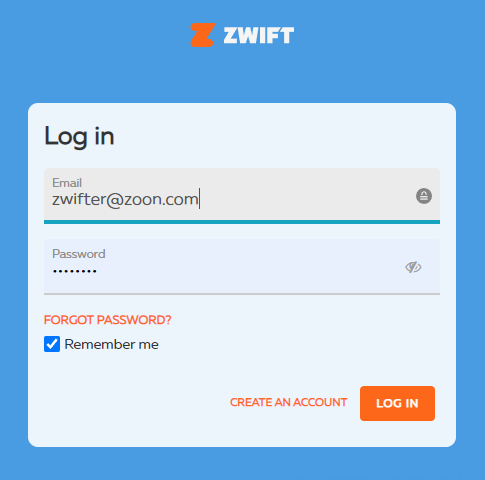
- Log into your Zwift account with the same credentials you used in step 1 above. You will be redirected back to ZwiftPower.
Step 3: Agree to ZwiftPower Terms & Conditions
There is one final step that’s easy to miss: you have to agree to ZwiftPower’s Terms and Conditions in order to finish registering your profile. Until you do so, you won’t be included in race results, and you will see this message at the top of your ZwiftPower pages:
Please agree to our new Terms and Conditions to register your profile.
The challenge is, Zwift doesn’t link that text to anything, so you’re left trying to figure out just how to agree to the T&Cs! The place to do it is on your ZwiftPower profile page. Click “Profile” at the top of the page (or just go here), check the boxes on the consent form, and click “Agree”.
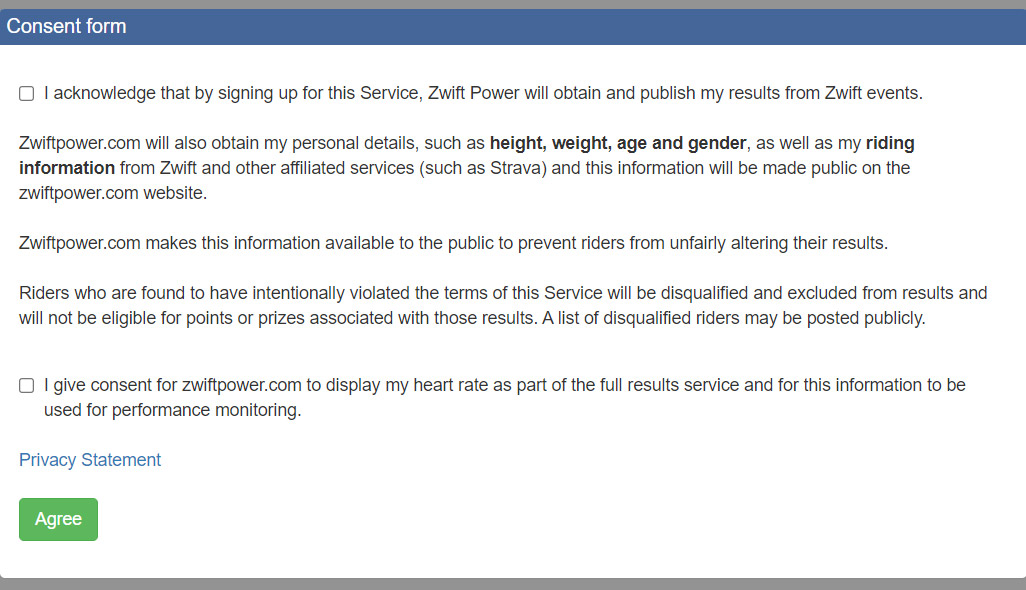
Now you’re all signed up!
Questions or Comments?
Share below!



Eric, how do you change your screen name in Zwift Power? You have advised adding your team name in certain races, but how is this done. They gave me a screen name, S. Bulfinch, which I can’t find any way to change. Thanks.
First go into your profile page, then in the row with your name click on settings. This will open up new page with options to change settings including your rider name.
Depends on what you’re actually wanting to do, Scott.
If you want your name to show up with your team name in game, you have to update your actual Zwift profile name (from within the game, or via Companion app).
If you want to change how your name shows up on ZwiftPower, just go to your profile (https://zwiftpower.com/profile.php) and click “Settings” and change “Rider Name”.
I really like the site. Useful for all the reasons cited in TFA.
One killer feature needed — sign up for events from the event list/search. That would be much easier than scrolling through events on the companion app.
Has anyone noticed that ZP keeps asking you to login again? Seems to happen several times/day now.
Hoping that the future works auto categorization is the start of just implementing this into zwift directly. Got my father in law on zwift, and while that’s difficult enough, can’t imagine adding another log in / verification sequence.
Make it easy. No fake trainers c and above to race for results. Heart rate at b and above. Weight for a and above. Just want to bang around, do what you’re doing.
Does it need a time to load data? I signed up but I can see neither phenotype nor power curve
It doesn’t load old data – only new rides moving forward.
And for this reason I will now delete my ZwiftPower account.
Erm….No?
Your reasons # 2 & 4 isn’t actually reasons, just a lowering of a trivial inconvenience in case you already want to sign up. Reason #3 is only relevant if you race, I don’t. (and if I need to join a race for a kit unlock or something, I join the A group so I’m certain to finish last and not ruin anyones fun.)
For reason #1, I got all the analysis tools I need on TrainingPeaks and can’t say I have problems finding the events I need in the companion app.
But most of all, I see no reason at all to make my personal and riding data public, which means I do not agree with the terms. In fact, if this somehow became mandatory, I’d be back on the sufferfest (Systm now?) in microseconds.
Hi Eric, does joining zwift power mean your ride data is publicly available (eg each ride you do, etc) and there’s no customisation of that (compared to say strava, where you can customise privacy settings)?
Correct, Jo Tom. Everyone has to log into their ZwiftPower account in order to use the site, so it’s not “public” in the sense that, say, Google could index it. But any Zwifter could see your stats, so it’s public in that sense. And there’s no way to make your data private (other than deleting your ZwiftPower account) that I can see.
That’s sort of a big part of ZwiftPower – to let Zwifters see each others’ data so there can be some self-policing in racing.
Hi Eric,
Thanks for this clear description. I have followed all steps but somehow I’m still not allowed to race in category enforced races (only in the always available category A). According to my zwift power profile I’m currently category B. But I’m not able to sign-up for category B in the companion app or zwift app for these category enforced races. Maybe any idea how to solve this? Thanks in advance!
That wouldn’t have anything to do with ZwiftPower. Zwift has detected you as an A based on the power you’ve done in game, hence your being restricted to that category.
Cat-enforced categories aren’t exactly the same as ZwiftPower categories. Not yet at least.
Many thanks for the swift reply and the explanation. Now I understand!! 🙂
Just one last question is there a way to participate in fun group rides/recovery group rides without an impact on the avg watt/kg in ZwiftPower?
How do they calculate group workouts. Has in finishing positions. And why has some riders not got a full line of figures after the event.
I live in the US, for the first time there is more people over 50 than under. I am 80 and would like to know the oldest person to ride and complete Alpe du Zwift, and the time. Is there a place age related for stats. Thanks