
While the big news last week was Zwift’s release of the new Innsbruck course, they also rolled out an update to their companion app for iOS and Android.
See Group Workout Details
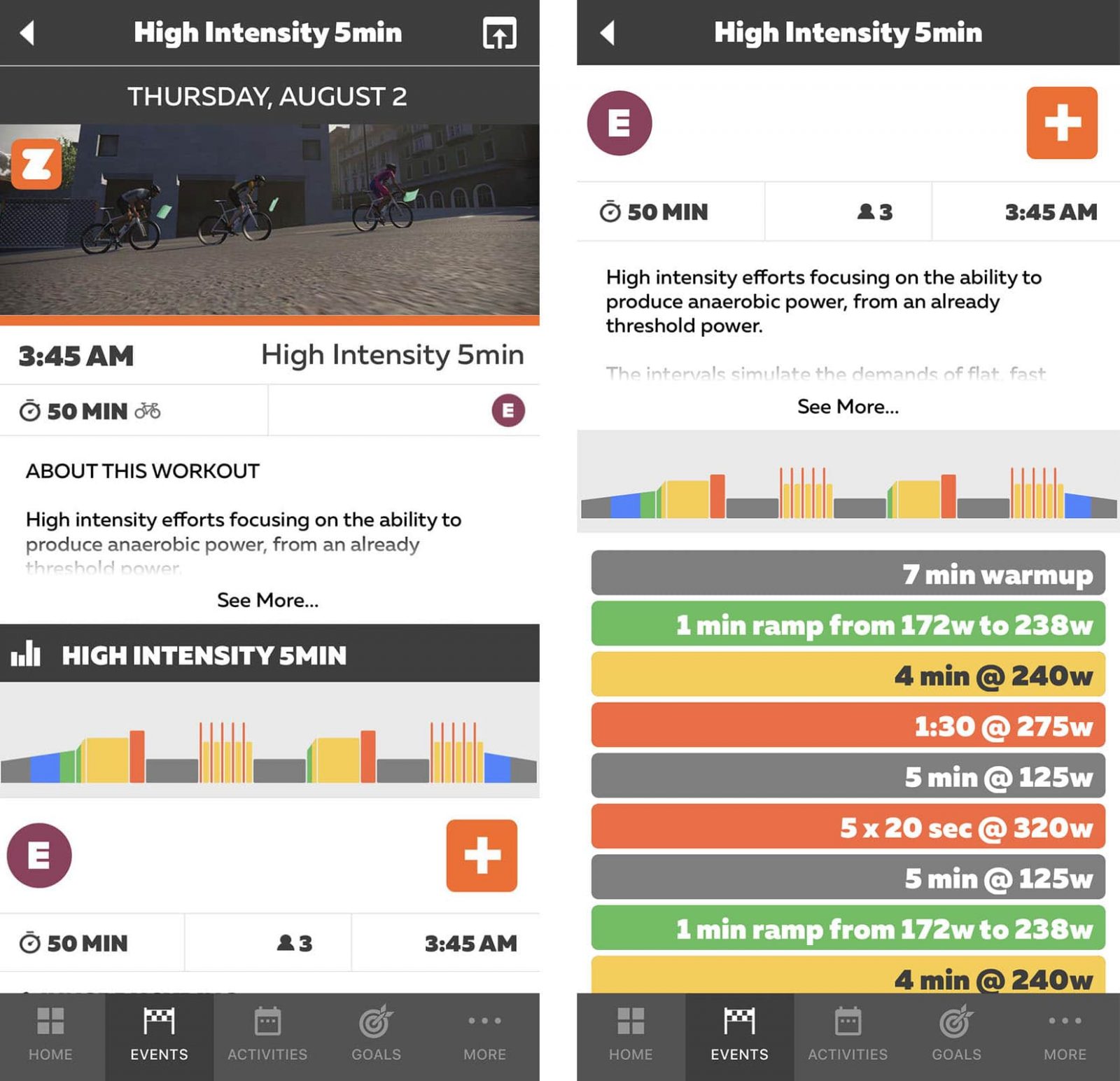
I’ve been hoping for this feature for a while! Group workouts are a helpful motivational tool, but prior to this update you couldn’t see the specific details for the workout until you started it in-game. Now that’s changed–you can see the workout chart below the event description, and tapping it brings up a complete list of workout intervals with wattage numbers based on your FTP. Ride on!
Training Plan Details
If you’re signed up for one of the new Flexible Training Plans you can now see the details of upcoming workouts, with numbers based on your FTP, from within ZC.
Here’s Shane Miller walking us through these and other app updates:

Hi Eric, I’m trying to find a description for the features at the bottom of the Zwift Companion App screen – same screen as the new Coffee Break. There are some additional buttons, and I don’t know what they do? I searched here, but could not find an article on it. Can you please point me to it?
Not sure which screen you’re talking about. Can you email it to me at eric@zwiftinsider.com?
Hi Eric
when I’m riding on Zwift and using the companion app on my handlebars the the choices on the bottom of the screen are different now. No ride on button.Still have stop and U turn. But a bunch of weird uninteresting to me buttons. I tried to change or delete and not having any luck. What am I doing wrong? Im using iPhone 12 mini
Thanks
Hi,
i can‘t see badges in Companion App for Event related Maps like ZG25 Queen. Is there a Reading for Not posting them?
thanks in advance
dominic