Yesterday, Zwift rolled out a much-requested upgrade to the Fitness Trends feature, adding running as a second activity type. This means that, effective immediately, your Zwift runs and outdoor runs will count toward Fitness Metrics, Week Streaks, and (optionally) Weekly Goals. Read on for details…
Fitness Trends + Running
Everyone’s Fitness Trends now include Zwift running activities back to January 2025, as well as outdoor runs tracked on Garmin or Wahoo. Runs show up as pink bars in the weekly Fitness Trends chart in the Companion app:
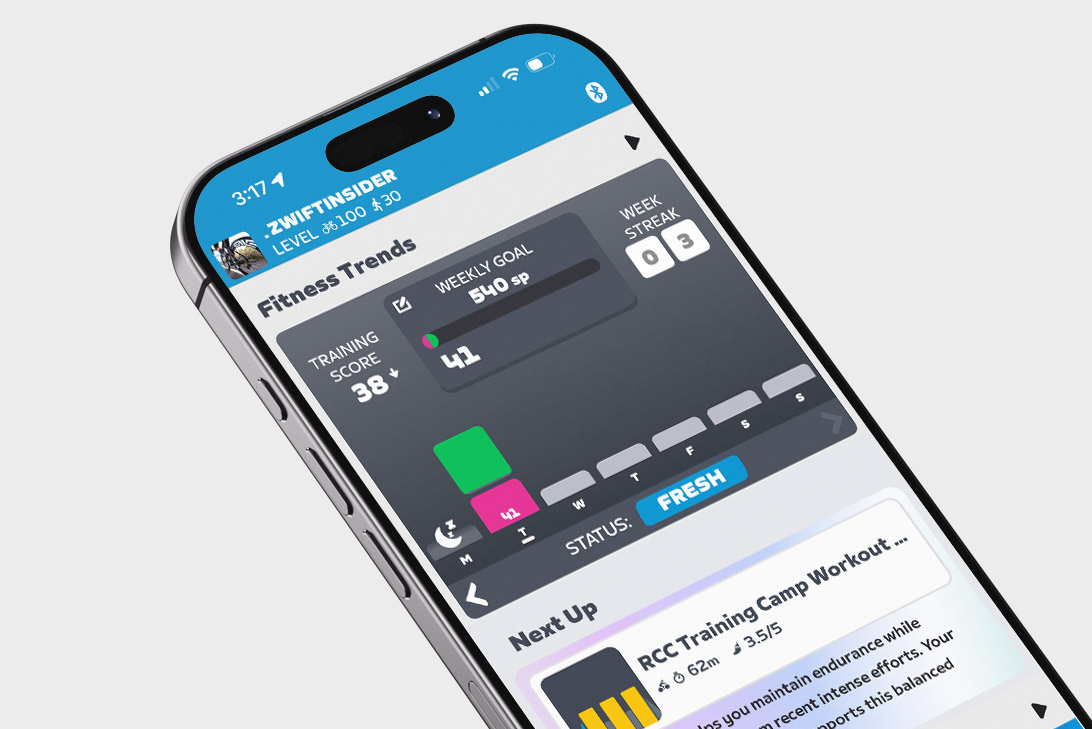
(Not seeing it? You need to be running Zwift Companion version 3.78 or later, so you may need to force the update from your app store.)
This means your current Training Score is now a combination of Stress Points (SP) accumulated via riding and running. If you’re an athlete whose primary training consists of riding and running, your Training Status (Fresh, Overreaching, etc.) should now be more accurate, whereas it was previously understated.
Related: All About Zwift’s Fitness Trends Metrics: Training Score, Training Status, Stress Points, and More
How Zwift Calculates Stress Points (SP) For Running
Zwift uses industry-standard algorithms to compute SP for your virtual and outdoor runs:
- If your run includes heart rate data, this is used to calculate the SP for that activity based on the hrTSS formula.
- If an outdoor run lacks heart rate data, Zwift uses the RPE (Rate of Perceived Exertion) from that activity as synced from Garmin or Wahoo to estimate SP using the method shown here.
- For Zwift activities without heart rate data, SP is calculated with a default RPE of 5 using the method shown here.
Importing Outdoor Runs (History, XP, De-Duping)
Many runners track their outdoor runs using a Garmin watch. If you haven’t yet connected your Garmin account to Zwift, you’ll want to do so, as it allows those outdoor rides to automatically sync to your Zwift account!
To do so, go to Settings>Connections in the Companion app. You can also do it via the web by signing into your account at zwift.com, then going to Connections. Tap on Garmin, walk through connecting your account, and you’ll be all set.
The past 90 days of runs are “backfilled” into Zwift’s Fitness Trends system when you connect your Garmin or Wahoo account. If you connected Garmin or Wahoo back in April when the Fitness Tracker was first released, that means you’ll have your outdoor runs stored in Zwift’s system going back to early 2025. If you connect it to today, it will backfill 90 days (approximately November 10, 2025).
Outdoor runs, like outdoor rides, now earn in-game XP. Outdoor runs earn 8 XP/km, which is 1/5 the rate of XP earned for Zwift runs (40 XP/km).
Some runners who dual-record their Zwift runs on a Garmin watch are already reporting duplicate entries in their Zwift activity lists. There’s a bug in the system currently where runs flagged as virtual runs are still being imported from Garmin to Zwift – this should be fixed soon. Zwift is also working on implementing further de-duping for rides and runs, but have shared no additional info at this time. For now, my best advice is to use Companion to manually delete duplicate activities from your Zwift activities feed to maintain accurate Fitness Trends.
More Running Platforms?
Zwift currently supports syncing outdoor rides and runs from Garmin. Garmin is, of course, a popular platform for tracking outdoor runs, since Garmin’s watches and fitness tracking ecosystem are mature and feature-rich. Zwift also supports Wahoo and Hammerhead, who are less popular with runners, although their phone apps can be used for tracking runs.
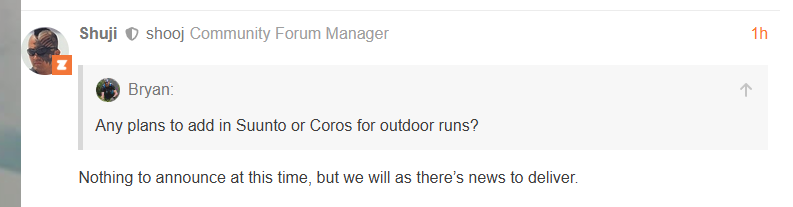
The community of runners on Zwift is already asking for integration with additional popular run-tracking platforms, namely Suunto and Coros. Hopefully Zwift is working with these (and other?) partners to broaden their outdoor activity tracking ecosystem.
Weekly Goals + Running
You can now choose to include running activities in your Weekly Goal. Do this by tapping the “Weekly Goal” box in the Fitness Trends window of the Companion app:
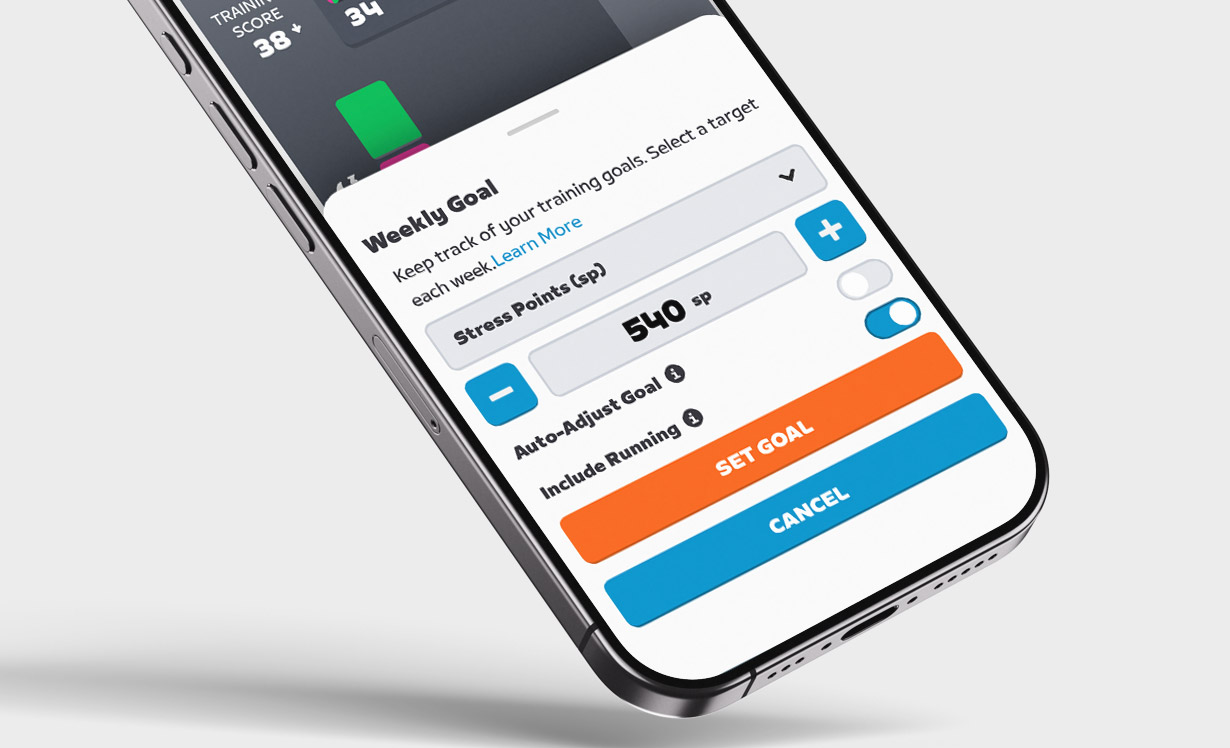
Weekly Goals can be set based on Distance, Kilojoules, Stress Points, Calories, or Time.
Zwift says, “…if the Include Running toggle is on, goals will be a single overarching target covering both running and cycling rather than sport-specific. Expect this to evolve over time.” So it sounds like Zwift is planning to let us set Weekly Ride goals separately from Weekly Run goals in the future.
Week Streaks + Running
One last bit of news re: running on Zwift. Beginning at midnight on Monday, February 16 (2026), Week Streaks can now be extended by logging a run!
Questions or Comments?
Share below! You might also want to check the official announcement thread on Zwift’s forum.

 wpDiscuz