

Zwifting isn’t just fun to do… it can also be fun to watch, particularly when it’s a race and your friend is going for the win!
But how do you watch someone else on Zwift? The solutions, it turns out, are varied and imperfect. Let’s take a look at all the options, so you can decide which one is best for you.
In-Game Fan Viewing
The first four fan viewing options all require that you are actively running Zwift, which makes them a non-starter if (for example) you want to let your non-cycling friends watch you race. That said, these are relatively simple ways for Zwifters to watch other Zwifters, so let’s cover them first…
#1: Fan View via Companion
If you are currently signed into Zwift and ready to ride/run (that is, your avatar is actually on a particular map) you can use the Companion app to look up other Zwifters and “fan view” them.
This will change your Zwifting view from watching yourself to watching the Zwifter you’re fan viewing. Here’s the 3-step sequence:
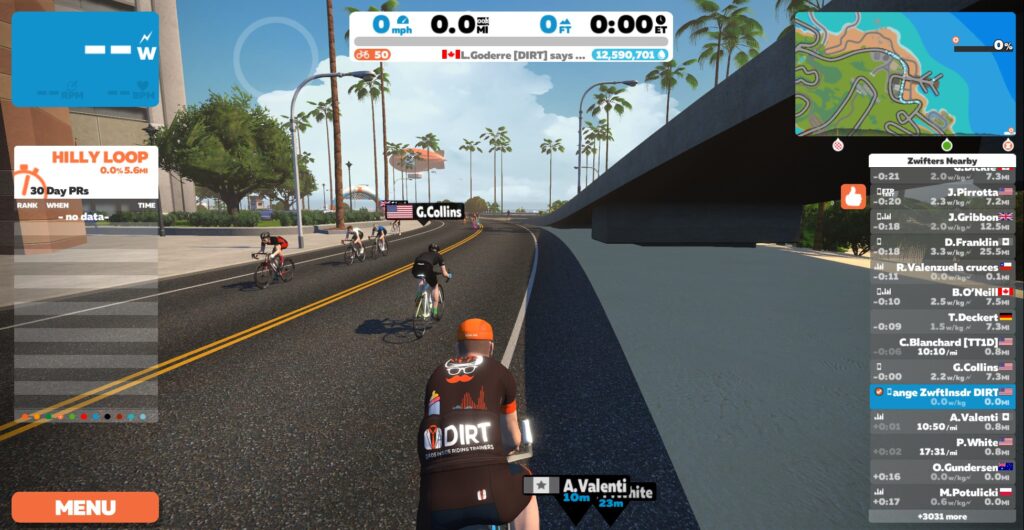
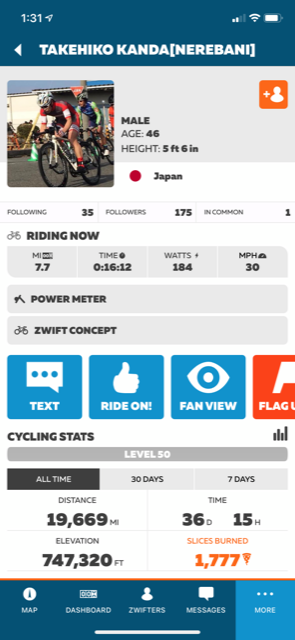
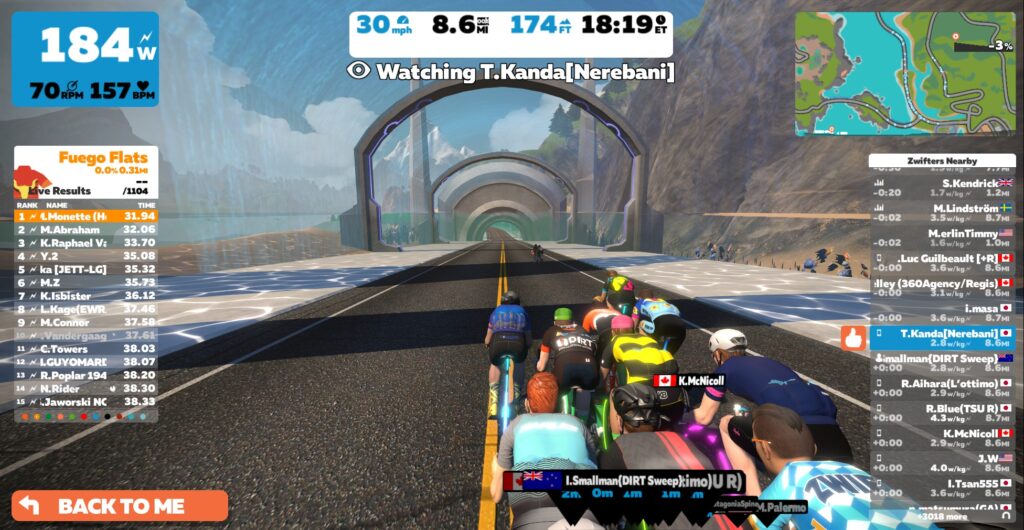
This seems simple enough – but there are a few caveats which can throw a hitch in your fan viewing:
- What World? You must already be in game and on the same map (Watopia, Richmond, London, etc) as the Zwifter you’re attempting to fan view. If not, tapping the “Fan View” button in Companion does nothing.
- This makes it really tough to fan view people on event-only maps (Crit City and Bologna). Since you can’t just click into these maps from the start screen, you’ll only be able to fan view another rider on these maps if you’re in an event on that same map.
- If you’re trying to fan view a rider who is on a map that isn’t one of today’s guest maps, you may be out of luck unless you want to hassle with some form of world hacking.
- Private Problems: You can’t fan view a user who has their profile set to Private, unless you follow the user first. (They must manually approve your follow request.)
- On-Screen Event Info: If you’re fan viewing a Zwifter who is part of an event, you won’t see some of the key event-specific info that the participant see, such as the full route on the minimap and the distance left to the finish line.
Pros
- Easy to do, if you already follow the rider and are in the right world yourself
- Allows “late join” – can fan view a rider in the middle of an event
Cons
- Only works in whatever world you’re in
- Doesn’t show event-specific data
- Can’t fan view private profiles
- Requires you to be running Zwift
Fan view is a workable option if you’re wanting to watch another rider who is in the same world as you, but it needs a few improvements to make it simpler and more powerup.
#2: Fake Joining
This trick was used by race teams for years because it provided a better view of the actual event than the fan view option above. These days, though, there doesn’t seem to be any difference between the views you get with either method.
To “Fake Join”, just sign up for the event you want to spectate. Join the start pens as if you’re taking part. But when the event begins, don’t go anywhere! Instead, just click on the rider list to “fan view” the rider you want to watch.
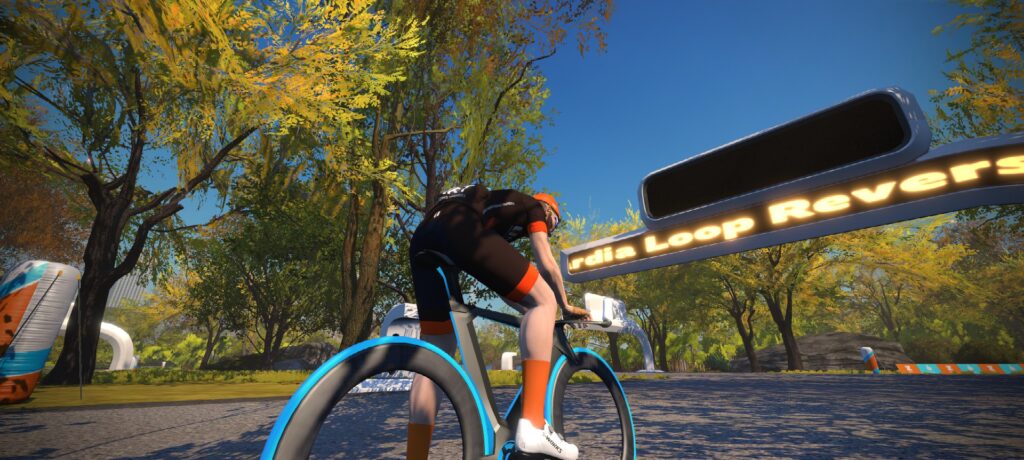
This method requires you to sign up for the event before it begins, and you’re not able to jump in late (unless the event has late join enabled, and most races do not). But if you manage to get signed up and in the pens before start time, you can watch the race and see the same view as the other riders, including rider placings. You just won’t see the distance to go/lap progress bar if you are fan viewing another rider.
One major caveat: Most races these days require you to have a smart trainer connected, and often a heart rate monitor as well, when you enter the pens. That means you can’t use this method unless you can pair those devices as well.
Pros
- Lets you watch from another rider’s perspective, including current rider placings
Cons
- Must sign up and join the event start pens before start time
- Requires you to be running Zwift
- Probably requires you to have some equipment connected
#3: Teleport
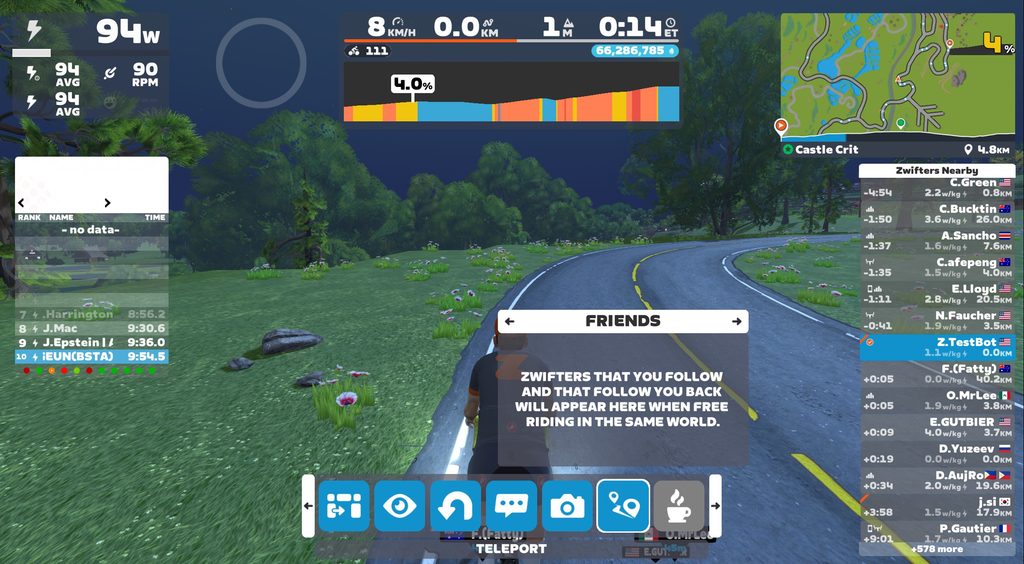
The teleport feature lets you seamlessly move between RoboPacers or active friends currently riding or running in the same world as you. It’s a viable way to pop in and view another Zwifter, but there are some major “gotchas” here as well:
- You can only teleport to Zwifters you follow who also follow you back
- You can only teleport to Zwifters free riding in the same world as you
These gotchas make teleport a nonviable option if you’re looking to watch someone race. But if you just want to see what a friend is up to on a free ride, teleporting lets you do that without using the Companion app.
Pros
- Available from a simple in-game interface
Cons
- Must sign up and join the event start pens before start time
- Requires you to be running Zwift
- Probably requires you to have some equipment connected
#4: Join a Zwifter
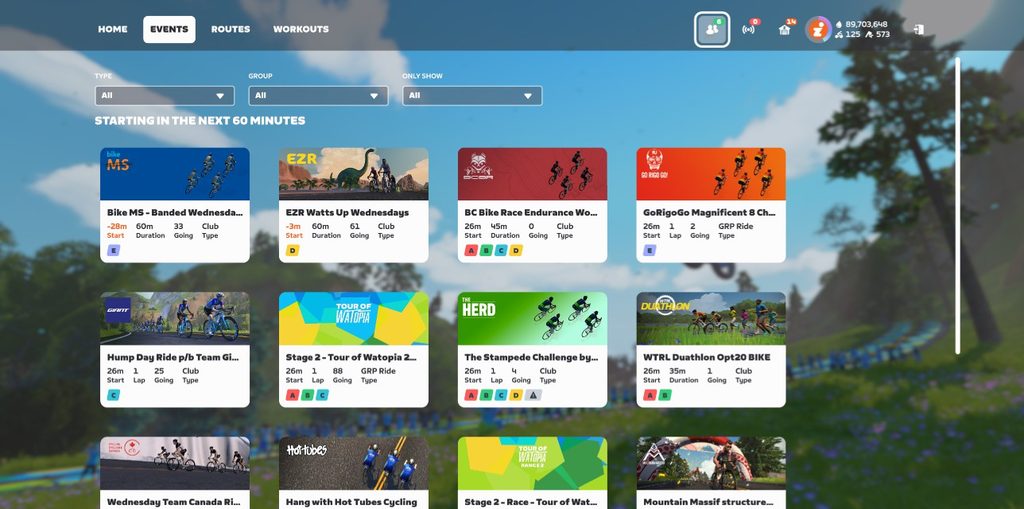
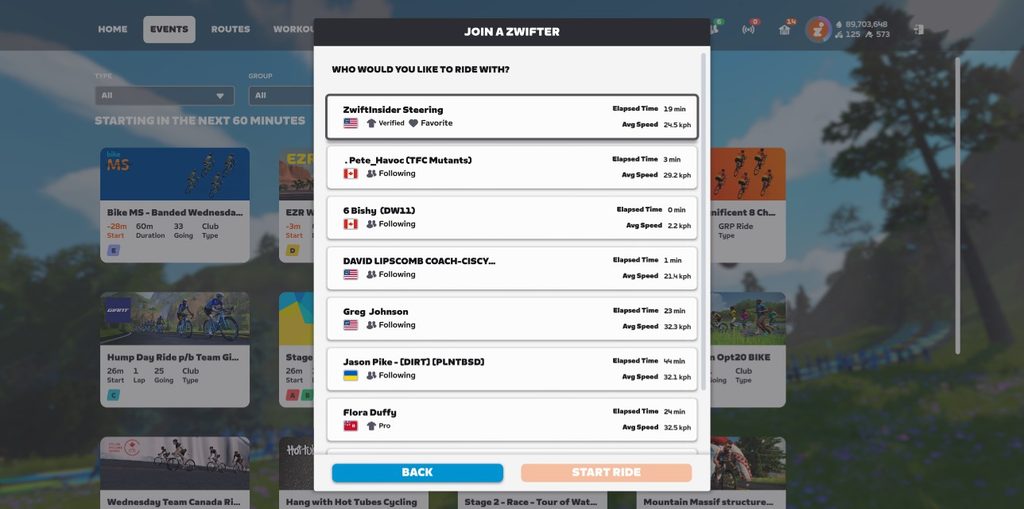
Available from the top of your home screen, the “Join a Zwifter” feature lets you pop in and ride/run with friends and pros. Like teleporting (above), you can use this feature even if you aren’t actively riding and just want to spectate. Click the icon at the top-right of your homescreen (it shows how many friends are currently active), then choose a friend or pro to join.
Pros
- Available from a simple in-game interface
Automatically takes you to whatever map your friend is riding
Cons
- Doesn’t show friends who are in events
- Requires you to be running Zwift
Live Streams and Broadcasts
Big Zwift races used to be live streamed by Zwift Community Live or Zwift themselves, but that doesn’t happen much these days. You can often head to YouTube or Twitch to find live streams of particular big races and series such as Tour of Watopia and Zwift Racing League, if you’re just wanting to watch someone race a particular course.
Watching a friend’s live stream is typically the best experience possible, since it doesn’t require you to sign into the game, and you get to see and hear your friend live as they race. The only problem is: most of your friends don’t live stream their races!
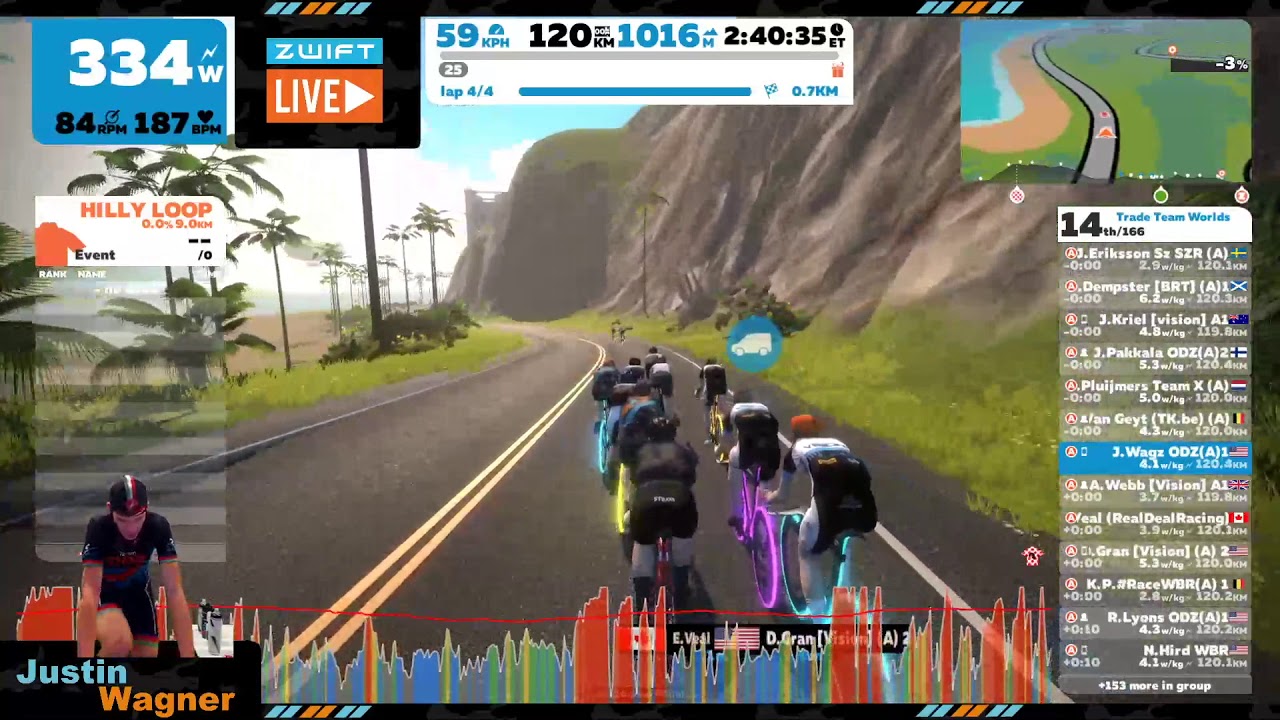
That said, here’s a snippet of one of my favorite live streams ever – Justin Wagner of Team ODZ taking the win in the 2017 Team Worlds race, with lots of teammates on Discord. This gives you a good idea of just how cool live streams can be:
Pros
- Slick production feels more like an exciting sporting event
- Easy to watch – just need the link
- Stream is archived for future viewing
Cons
- Lack of availability. Most racers don’t live stream their races!
Fixes Needed, Chickens and Eggs
Fan viewing in Zwift has never been a straightforward experience, particularly if you want to watch someone race. On top of that, if you do manage to fan view a racer, you’ll see somewhat limited data on screen.
One simple fix Zwift needs to make is to the “Fan view” button in Companion. This button shows up if you’re looking at a rider who is in game, even if they’re in a different world than you and fan viewing isn’t available. Zwift should disable the button in that case, or at least show a message like, “This rider is in Makuri Islands, so you can’t fan view them unless you go to Makuri Islands as well.”
In the past, Zwift has said it’s not worth investing resources in improving fan viewing, because there isn’t much interest in it. But I say it’s a “chicken or the egg” problem. I think if Zwift made fan viewing easier and better, more people would use the feature, and it would increase overall engagement in the platform.
Someday I hope we’ll be able to view any active Zwifter on any map, and to see their actual live event view. (Unless they’re marked as private, of course.) Wouldn’t it be great if we could look up a rider on Companion, tap to view them, and be popped over to the Zwift app on our phone, live-viewing that rider in their event? Maybe we could even get the ability to send them messages or Ride Ons as a sign of support.
Questions or comments?
Helping offline Zwifters engage with online ones seems like a community win to me. But will it ever happen? Chime in with your thoughts and ideas below!

