Zwift version 1.97 begins its phased rollout today. This is a very minor update, but we’ll share the details nonetheless…
Pairing Screen Filtering
Not included in Zwift’s release notes is an updated pairing screen UI which filters and sorts your detected devices to simplify the pairing process:
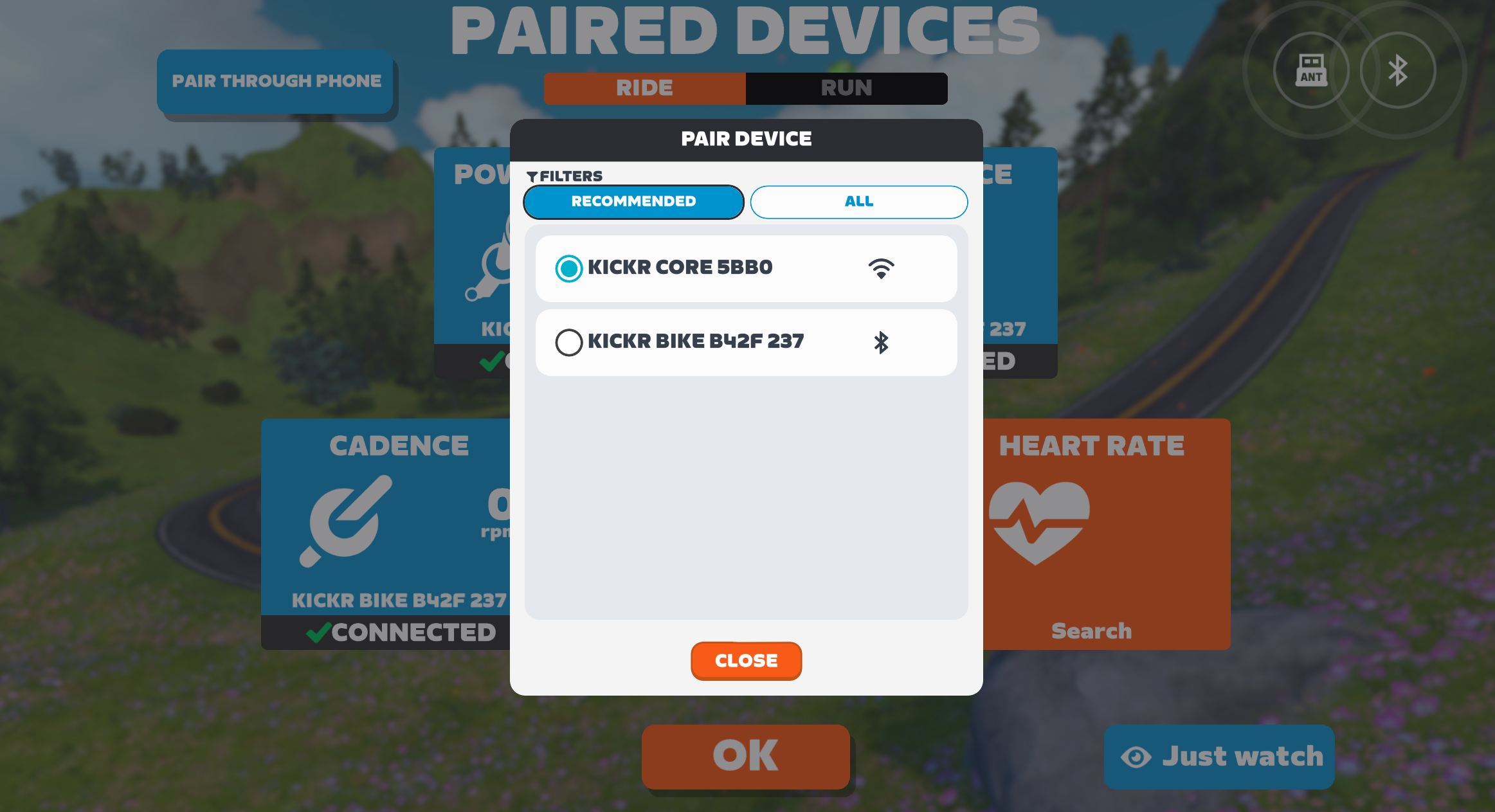
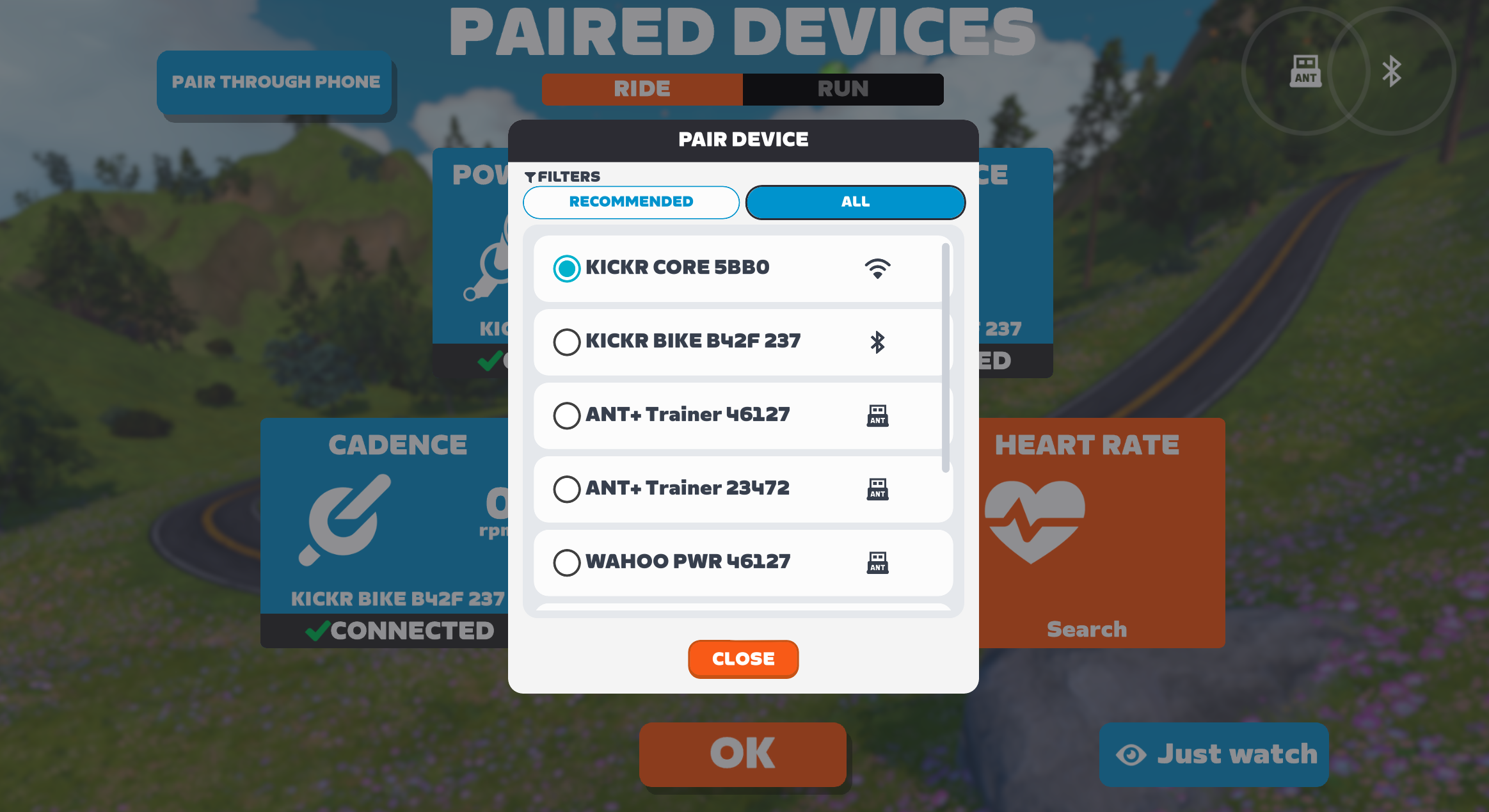
How does this work? Well, Zwift hasn’t released any documentation (yet). But clearly, Zwift is prioritizing and filtering devices in the list by connection type:
- WiFi
- Bluetooth
- ANT+
So instead of showing, say, 3 different connection options for one smart trainer (like the KICKR CORE 2 which supports WiFi, Bluetooth, and ANT+), the game simply finds the WiFi connection first and shows only that when filtering by “Recommended”. (Clicking to show all will show the additional connection types.)
When pairing your heart rate monitors, sensor bridges are listed first, as it is assumed that you want to use bridged connections.
Aero Lightning Socks Visual Effect
If you’re one of the small subset of Zwifters who have already put in the work to unlock the Aero Lightning Socks, this update includes a new aero visual effect. See it here:
This effect appears at 25 km/h (16 mph), and gets stronger the faster you go. We found it to be fun for solo riders, but we aren’t sure how it’ll look if lots of riders have it in a group.
(That may never be an issue, though, as it takes a lot of work to unlock the socks, plus riders actually have to wear the socks in order to get the visual effect.)
Don’t know anything about the Aero Lightning Socks? These are unlocked after completing the extra credit portion of the Factory Tour Challenge, and give you a ~12-second advantage across 1 hour of flat riding in Zwift.
Learn all about the Aero Lightning Socks >
Momentum Sport Core Temp Fix
Zwift announced support for heart rate and body temperature from the Sennheiser Momentum Sport earbuds back in update v1.94, but the body temperature data wasn’t actually being recorded to our .fit files. This is now fixed, with the values being recorded to the core_temperature field.
Zwift says, “To get started, in the Pairing screen, open the Heart Rate card and select your Sennheiser MOMENTUM Sport earbuds, then configure the displayed metrics in Zwift Settings under the HUD tab.”
(Watch this space for a review of the Momentum Sport earbuds, which we’ve been using on Zwift for a few weeks now…)
Release Notes
Zwift provided notes on additional tweaks and bug fixes in this update:
- Fixed a bug that could potentially cause riders to start in the wrong location on Hilly Route in Watopia.
Discuss this update in Zwift’s forum >
Questions or Comments?
If you spotted any other changes or bugs in the update, please comment below!
The trigger speed for that effect seems a little slow. Should probably be 25mph instead of 25kph. Could this be another instance of them announcing the trigger points wrong for those socks? 25kph is literally easy-noodling speed in Zwift.
25kph is what it actually is in game, although I don’t disagree that maybe the speed should be higher…
At that slow speed, the effect is going to lose its novelty in about 10 seconds, and be annoying as heck in a group. Better at 40km/hr+, if at all. It may drive owners not to wear them.
Not sure what the purpose is really 🤔 the wheel effects at higher watts differentiates itself from the fire socks, and no one cares whether you have an aero advantage other than in a race. Do race admins neutralize the aero socks? If not, maybe just have the effect if it is a race.
Can confirm having just updated, that the sock effect is annoying in a significant way. Hoping they will provide something to be able to turn the effect off, as I like the benefit of the socks.
Is that changed from the electric visuals or is this something added to them ?
In a pack it can become pretty overwhelming. I recently had 4 riders in a sprint in front of me and it was like seeing one big thunderstorm.
Might become even a problem with people who are epilectic sensitive.
And I would love an personal option to turn these visuals off. It is not really the gamification I need/want to see.
I am a light sensitive epileptic. None of the sock effects, including these, bother me. The only thing in game that bothers me is the Arcade in Neokyo. There I have to look away from my laptop where the colors are very concentrated. It seems to be okay if I look at the 32” television the laptop is hooked to. The colors are more spread and a little muted.
look like toilet paper streamer socks 🤨
I thought 1.97 was going to include the route for ZRL round 1 race 1?
It does. 😀 But it’s event-only, so nobody can see/use it yet. I’ll be publishing posts with route details this week!
Whew! We have about 30 racers chomping at the bit!
https://zwiftinsider.com/route/southern-coast-cruise/
Updates seem to be rolling fast these days! Zwift 2.0 seems just around the corner and I cannot wait to see what they will come up with!
Same speed as always. And don’t be surprised when they go to 1.100, 1.101…
Good point! I was hoping for more level soon. We will probably have to wait for that.
I’ve been using the socks as they have performance benefits but if I’m going to have some stupid effect basically all the time except going up steep climbs it will soon get annoying. 25km/h is way too slow.
My zwift play controller hasn’t worked in months. The firmware has been updated but it will not pair so I can’t use it. I am ready to throw it out.
How many people would it take to complain about the aero sock visual for Zwift to turn it off?
Go comment on the forum thread for this game release and let’s find out.
I made a post
I would hate to see them turn it off at the top level. If anything, make it like your happy little Scotty Squirrel friend that you can toggle on and off. If someone really wants to go around Watopia with an avatar that looks like he picked up bog roll streamers from a mid-ride nature break, who am I to stop him.
my fire socks appear red in the shop and when I put them on my rider… however, in your video yours appear white? Am I missing something? Mine don’t seem to be doing anything?
You’re referencing fire socks, but my video above is for the Aero Lightning Socks. Two very different pairs of socks!
(Learn how your fire socks work here https://zwiftinsider.com/fire-socks/)
I unlocked 850 power units in only 3.5 months so need a new challenge…lmao! It will be cool to see the new effect though!!
So holding 3w/kg for 2h42m every day for 3.5 months? Wow.
Matt Ladd is indeed a mad lad!
I use ZC able to pair my devices , usually takes 1 min, going on 2hrs after 1.97 update. Will not sync my 5 devices using Apple IPAD with ZC and Apple TV . Been syncing 5 since Jan 2024 will zero problems . Once in a while get the CONFIRM notice , go through the trouble shooting process , within 5 mins back riding . But zero after 1hr , took 1hr break , still 1hr later would have to choose to either have HR or steering to only use 4. Like I said been using 5 with ZC since JAN 2024 . The Zwift tech flat tire .
I love the effect, of the swooshing motion, I noticed it straight away, also I have a glowing white ring around me now!
They just pushed 1.97.2 today, of all days. Don’t they know the whole WORLD is riding ZRL?
I like the aero socks effect, because it shows me if Im in draft or not. You forgot to say that this visual effect only appears when you are not in draft. For me a good indicator in races to use my steering if I went too far outside the pack and the aero effect appears.
So I can reply on this:”but we aren’t sure how it’ll look if lots of riders have it in a group.” You dont see anything by the riders who are in draft! Best regards…