

If you are not familiar with the ins and outs of Zwift’s “Trainer Difficulty Setting” I suggest you read this excellent Zwift Insider piece as a primer before continuing.
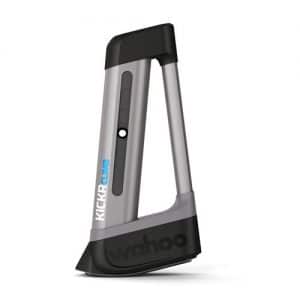 The Wahoo Kickr Climb at first blush does not have much adjustability of operation because of the way it receives signals from the Kickr trainer. This poses a problem for anyone who has their trainer difficulty setting at less than 100% which is the majority of Zwifters–especially those who race.
The slope the Climb produces is identical to the slope in game multiplied by the “trainer difficulty setting”. Therefore, if you have the slider at 50% then the Climb will only move to 5% when on a 10% grade in game.
Most riders have the difficulty set lower to reduce the frequency/necessity of shifting and also to not spin out/be able to provide power on descents. Most racers I know compete with their trainer difficulty settings in the range of 10% to 20%. So when running difficulty at 10% the Climb would go to 0.3% on a 3.0% grade and only 2.0% on a 20.0% grade. There is no reason in racing or otherwise that I can think of that a user would want the Climb to not simulate the actual slope regardless of trainer difficulty. For me the two biggest selling points of the Climb are the correct ergonomic simulation of body and bike position on gradients and increased immersiveness of the simulation.
I called Wahoo and expressed this concern but they said there was currently no way around the issue because Zwift simply sends the slope/gradient to the trainer already modified by the “trainer difficulty setting”. The trainer then simply relays this number to the Climb. They also said others had contacted them with the same issue but that there was not a fix in the works yet. I suggested that in the future they add a field in the Climb config for the user to enter a multiplier to correct for the trainer difficulty setting.
Then I realized that they had already accidentally done this in the settings, but for an entirely different reason!
The solution: WHEELBASE!
In the Wahoo Fitness app under the Kickr configuration (once you have paired your Climb) there is a field for you to enter your wheelbase. A bike with a shorter wheelbase will require slightly less travel from the Climb to produce the same slope than a longer bike. Thankfully the engineers/coders did not limit the range for this field! Therefore it can be used as the “correct for trainer difficulty multiplier” and wheelbase simultaneously. This makes me VERY happy!
Three steps:
- Look up your wheelbase (mine is about 1000mm)
- Divide your wheelbase by your trainer difficulty setting from the perfs.xml file
- Put the result in the wheelbase field
So for my bike and setting it shakes out like this:
- 1000mm
- My difficulty is set at 20% so : 1000mm / 0.20 = 5000mm
- Enter 5000mm in the “wheelbase field” in the Wahoo fitness app Kickr setting
Now the climb will simulate the full slope (accurately enough for our purposes) regardless of the trainer difficulty setting!! You just need to remember to adjust this number if you ever change you trainer difficulty setting in Zwift.
Notes:
Although the slider in Zwift settings makes this setting seem analog, you can see (and alter) the exact number for this setting in the “prefs.xml” file in your Documents/Zwift folder.
In the xml file the line is <TRAINER_EFFECT>. If you have only adjusted the slider in game you are likely to find the line with a numerical value like this: <TRAINER_EFFECT>0.48656234</TRAINER_EFFECT>. This was with setting the slider roughly in the middle – hence the number is close to .5 though not exact. You can edit the number in the file (it will move the slider automatically in the settings) and keep this number until you touch the slider in game or edit the prefs file again.


Great hack! I just got a climb and this article got it working as expected. Disappointing Zwift doesn’t recognize the need / separation for this…
Anyhow, thanks !
Hi there!
I was curious to see if you have some inside on how to do this with a Wahoo Kickr Smart Bike?
Thank you,
Jorge
I’m trying to do this but it says my kickr climb isn’t connected. But it is…any suggestions?
So as of July 2020 a hack is the only way to get the KICKR Climb to work accurately with Zwift???
Its more so getting around that zwift sends slope and resistance levels based off the same thing. So if you want 100% slope raise and lower from the climb you would need 100% trainer difficulty in zwift . This gets around it and allows you to have the lower simulated resistance but have your climb move like its at 100%. Not sure id call it working accurately. Its probably why zwift has left it be i dont see any problem either way as watts are watts. But the bike raising a ton but resistance not really going up would be slightly odd for me. But i kinda understand for races as the lower resistance change almost turns it into a TT. But for my self I enjoy the hills to some what simulate real road riding
The hills are still cut 50% no matter if you are at 100% “difficulty” or not. Just went through a bunch of back and forth with the Zwift support team on this subject, and wanted to share the info.
What about on Apple TV..?
It makes no difference. You still have control over the Trainer Difficulty setting in Zwift. You still have control over the Wahoo Climb setting for the bike wheelbase in the Wahoo app. So, it makes no difference whether you are using Zwift on ATV or any other device.
I had the same problem on the Kickr Bike – but it doesn’t have this setting. However, I can change the number of rear cogs to 12 or even use a triple chain ring. So I can achieve the same with virtual gearing. I tried both and prefer to stick with a double chainring, 12 cogs. Thanks for the article – it was this that got me thinking about a solution.
Sorry for necro-posting but that seems like it would just allow you to use a very low gear and not actually let you run at (say) 20% trainer difficulty and have the Kickr Bike incline match the in-game gradient. Am I missing something?
Maybe one minor issue what you are describing and which can be solved using your guidance. The bigger one is that using a trainings plan the climb will not react. For him everything is flat. Since some years many are requesting to chance this – no reaction by Zwift. More can be read in the Zwift forum.
Hi. thanks for the guide. I’m using the Kickr Bike, which has no such setting. Is there any similar hack or any way to get the same? thank u!
Hi, I tried to simulate Winnats Pass from my wahoo element to the wahoo kickr climb and I changed my wheelbase to 965 and it still didn’t work. I did the hill climb in a time of 3:36 at 299w (I am 55kg) whereas the QoM is 4:15 and 345w (she is 49kg) so there must be something else I am missing. Please help
Just run 100% in Zwift. The hills are still cut in half, but it feels more reasonable.
Hi, there is no TRAINER_EFFECT parameter in the xml on Mac, please can you update, thanks very much
Any idea if this ‘hack’ is transferrable to Kickr Bike in any way?
Genius! Many thanks for this
changing the wheelbase, the climb will lower the front end, so in 0 slope, the position will be descending. in case of 50% trainer dificulty.