Home Screen Scaling: How To Change the Size of Zwift’s Home Screen UI Elements

UPDATE May 1, 2024: Zwift released game version 1.64, which removed the option for home screen scaling. Read more about the change here >

As Zwift’s new home screen UI rolls out to more and more Zwifters, some Zwifters have complained along the lines of “The text is too small” or “Everything is too big”.

We don’t envy Zwift’s UI/UX design team and their task of creating interfaces that work well for everything from an iPhone to a big-screen TV.

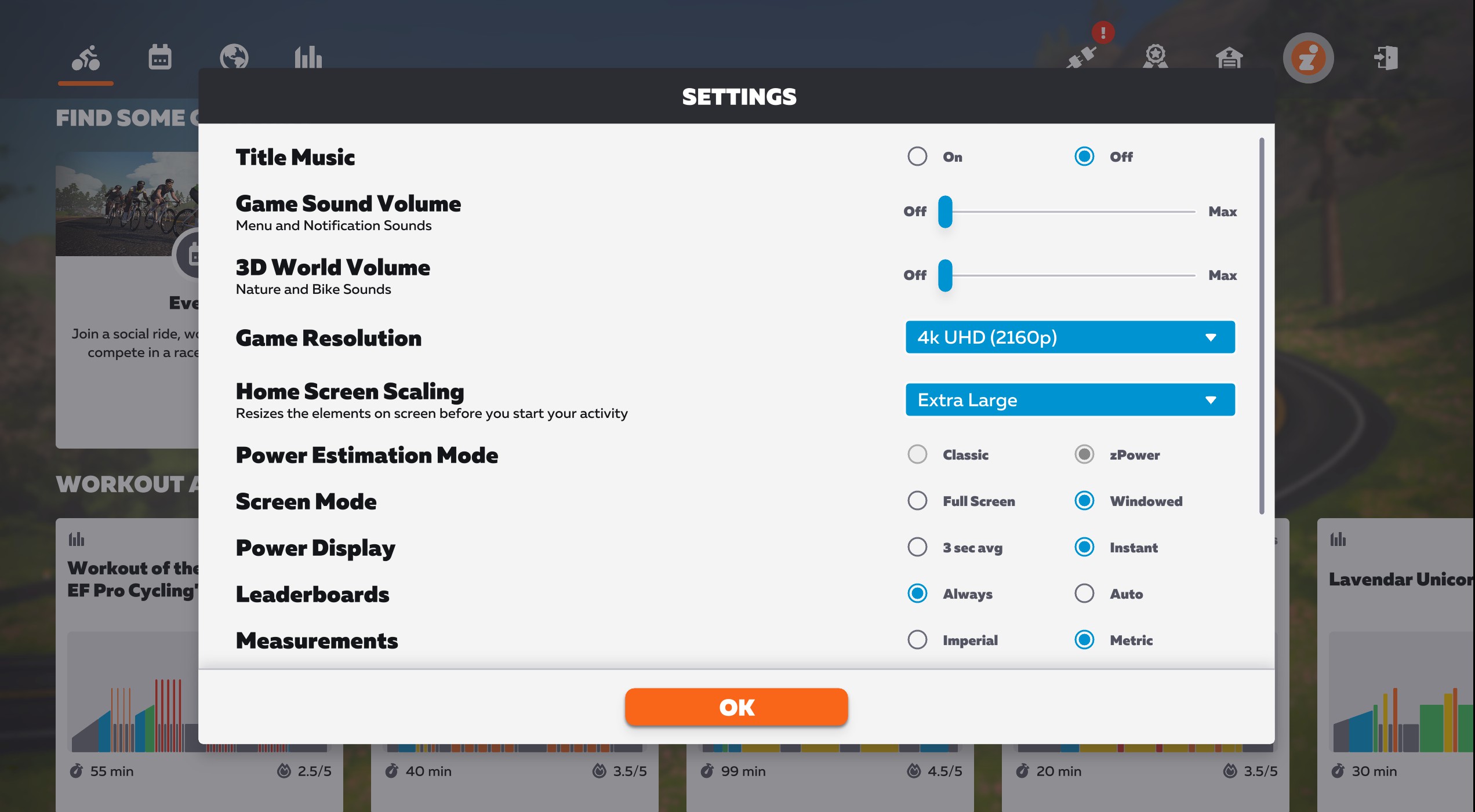
If you don’t like the sizing of elements on your new home screen, you’ll want to get acquainted with a recent addition to the new UI available under the main settings menu. Called “Home Screen Scaling”, it does exactly what it says. Here’s a quick video showing how it works:
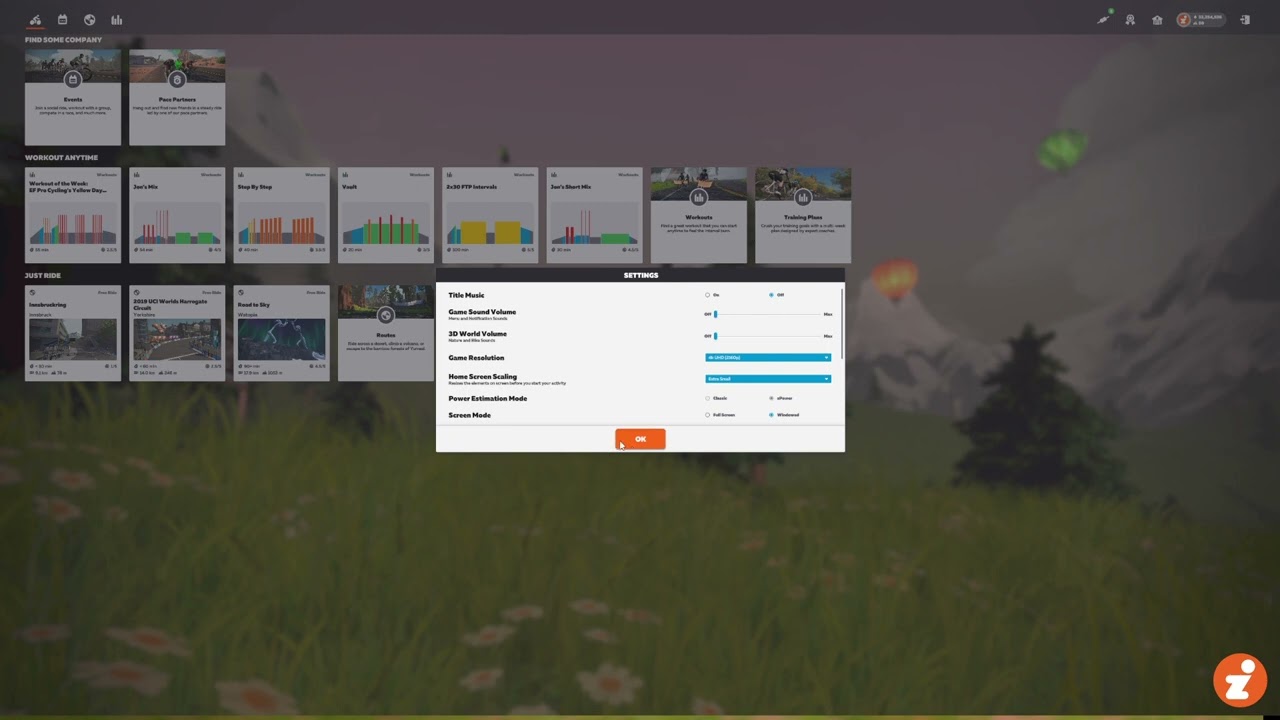
Home Screen Scaling option on Zwift's new Home Screen UI

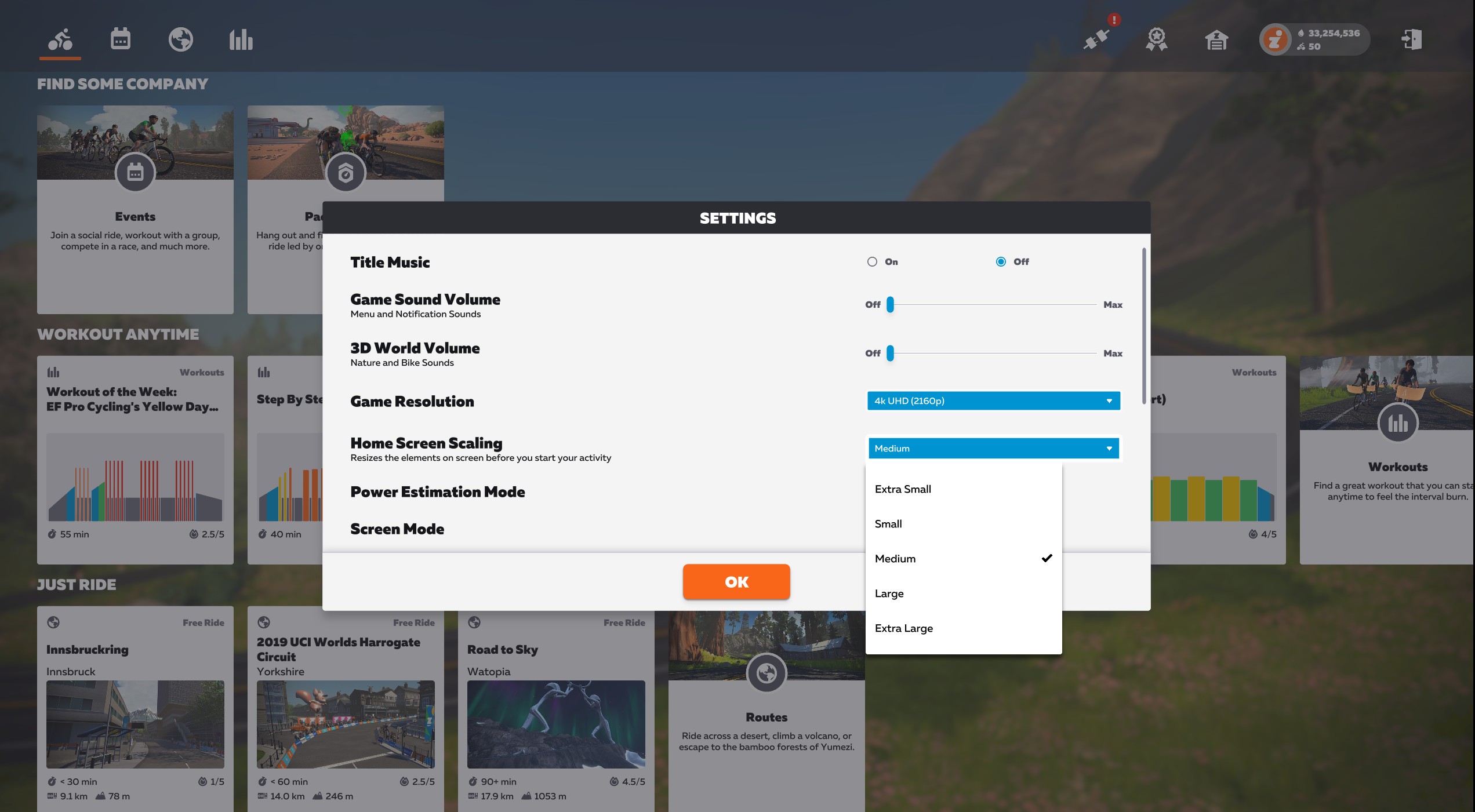
There are currently five options available for Home Screen Scaling:

  • Extra Small
  • Small
  • Medium
  • Large
  • Extra Large

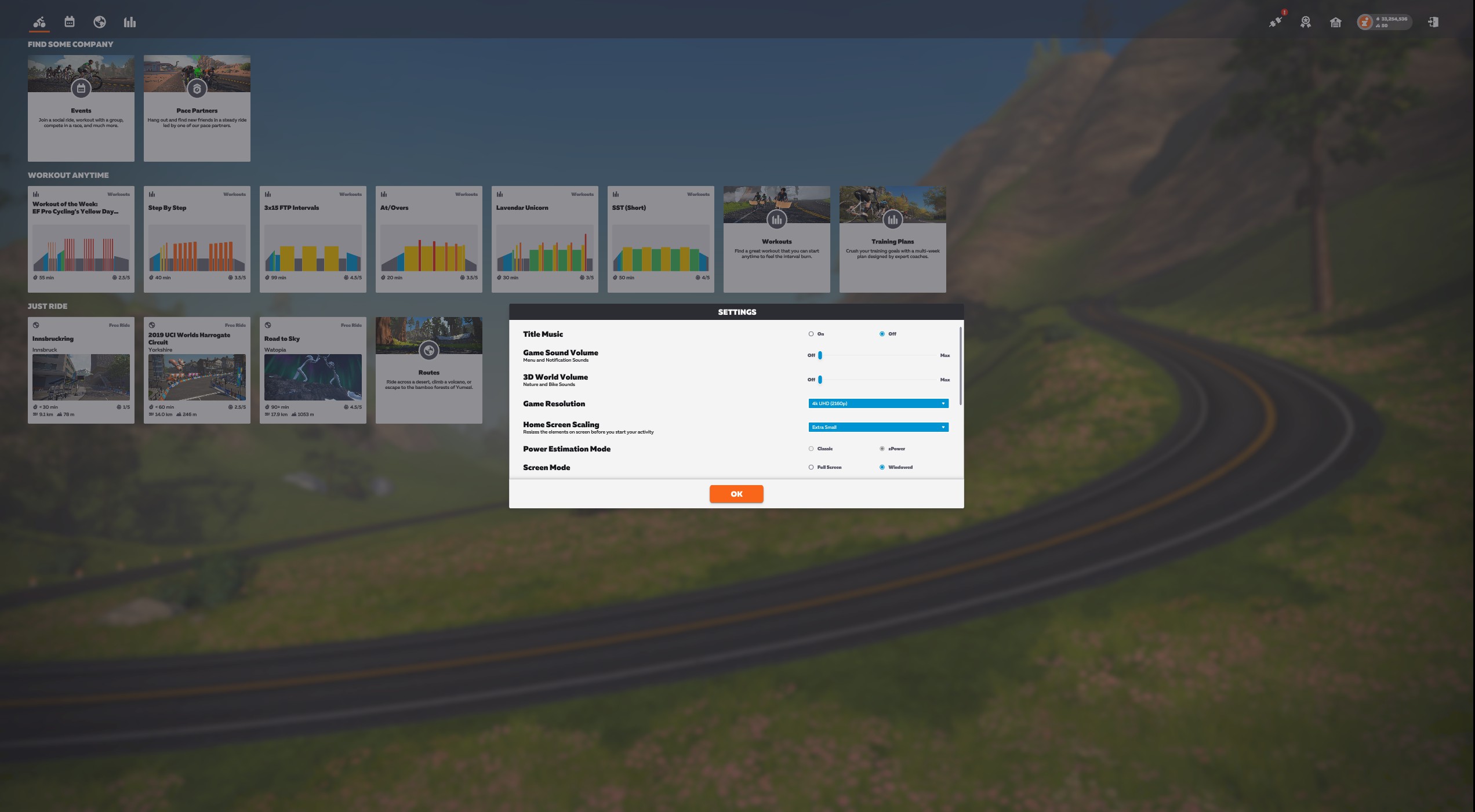
Here are a few screenshots showing how the layout flexes on our test setup at the Extra Small, Medium, and Extra Large settings:
Questions or Comments?

Share below!

Eric Schlange
Eric Schlangehttps://zwiftinsider.com
Eric runs Zwift Insider in the spare time he finds between riding his bike and managing various business interests. He lives in Northern California with his beautiful wife Monica. Follow on Strava

14 COMMENTS

Subscribe
Notify of
guest

14 Comments
Oldest
Newest Most Voted
Eric Clopper
Eric Clopper
4 years ago

It seems this new UI is only for PC users?
Or will it eventually be rolled out to Tablet and mobile users?
Thanks

Eric Clopper
Eric Clopper
4 years ago
Reply to  Eric Schlange

Thanks Eric. I run via an iPad connected to a TV. I shall continue to wait patiently.

STEVE C SIMMONS
STEVE C SIMMONS
4 years ago
Reply to  Eric Schlange

Not yet for PC for everyone as of 5/20. Hopefully soon!

bolanbiker
bolanbiker
4 years ago

or do you mean “zoon”?? LOL

ShermanO
ShermanO
4 years ago

I got excited for a moment thinking that we could scale the on-screen display while riding. I guess I’m just dreaming too big….

Geno
Geno
4 years ago

After SIX MONTHS of having first released the new UI, why don’t they put some effort into getting it on Apple TV before spending time these bells and whistles!!! (Argh!!! #@%^*)

Jelantik
Jelantik
4 years ago

I must say that I don’t love this new UI. The card options? kinda like a web news-type card. I thought the older version is a lot simpler and takes you to the route you want with one click. No need to click on the name, just page through and it gives you the route visual on the right-hand side. So you have an idea of what the route looks like before you make your choice.

Now it takes too many clicks just to get to the route. First, need to click on the globe if you want to get the list options, then you need to know “what route” you’re looking for, if you aren’t sure, you ended up clicking each name to access the map, just to see the route visually. Takes too many clicks IMO. I wonder when they create this UI, did they even do any UX research? This can’t be the better solution.

Last edited 4 years ago by Jelantik
David Rowe
David Rowe
4 years ago
Reply to  Jelantik

I was of a similar mindset, but have recently discovered that the up/down, left/right and OK (or Enter) keys on a keyboard reduce the need for sweaty finger swiping on a touchscreen or touchpad.

Brian Decker
Brian Decker
3 years ago

I have been unable to find the Home Screen Scalong option on my iPad version

Jose
3 years ago

Weirdly, on my mac the extra small option is actually larger than the small.

Mark McDonald
Mark McDonald
2 years ago

Hi My Zwift version doesnt show the option for screen scaling. I am in 1440 UHD resolution and the icons are too small. The option to change scaling doesnt appear in my settings. I am on a Modern PC and Intel I7 and nvidia graphics card. ZwiftLauncher tells me it is upto date

Barry
Barry
2 years ago

I just started using Zwift. Since I do not wish to invest heavily, I’m using my old iPhone. I find the text size too small to read – how can I increase the text size? Thank you.

Get Started on Zwift

Newest Featured Posts

Support This Site

Write a post, shop through us, donate or advertise. Learn more

NEWSLETTER SIGNUP

Zwift tips and news every 2 weeks! Click to subscribe.

More Posts