Welcome Back! Let’s Upgrade Your Pain Cave

Many riders return to Zwift in earnest when the time changes and the weather turns nasty. That may mean unpacking the trainer, clearing a space in the garage or spare room, and installing all those Zwift updates you’ve missed over the summer months.

Once you’re up and riding, consider what you could do to upgrade your Zwift experience early in the indoor season, so you can enjoy those upgrades for the next few months. Here are the top 5 upgrades we recommend…

#1: Big Screen

The bigger your Zwift screen, the more immersive the gameplay. Sometimes we hear Zwifters say things like, “I just can’t get into it” or “It’s boring and doesn’t hold my attention.” Almost without fail, those Zwifters are squinting at a small screen like a laptop or iPad for their Zwift sessions.

Big-screen TVs are quite affordable today, even with Covid-related supply chain issues. For example, here’s an Amazon-recommended 55″ model for $379.99.

You’ll also need to buy an adaptor and/or cable to connect your Zwift device (laptop, iPad, phone) to the big screen. Here are a few tips:

  • iPad or iPhone: buy the Apple Lightning to HDMI Adaptor, which plugs into your iPad or iPhone. You’ll need a standard HDMI cable as well, which plugs into that adaptor and into your TV. One nice thing about the Apple Lightning to HDMI Adaptor is it lets you also plug in your standard USB charger, so you can charge your iPad or iPhone while Zwifting. Very important for those long sessions that would sap your battery otherwise!
  • Laptop: most laptops these days have an HDMI out. If you’ve got one of those, you’ll just need a standard HDMI cable to run your computer into your TV.

#2: Strong Fan

Beginning Zwifters inevitably underestimate their cooling needs. We’ve written about this already: it’s a well-documented truth that indoor riders need significant cooling in order to perform at their best.

Sweating a lot doesn’t necessarily mean you’re getting in your best training session – it may just mean you’re overheated. Make sure your body is cooled enough that you can put maximum effort into your rides without overheating and having your body’s internal “governors” kick in.

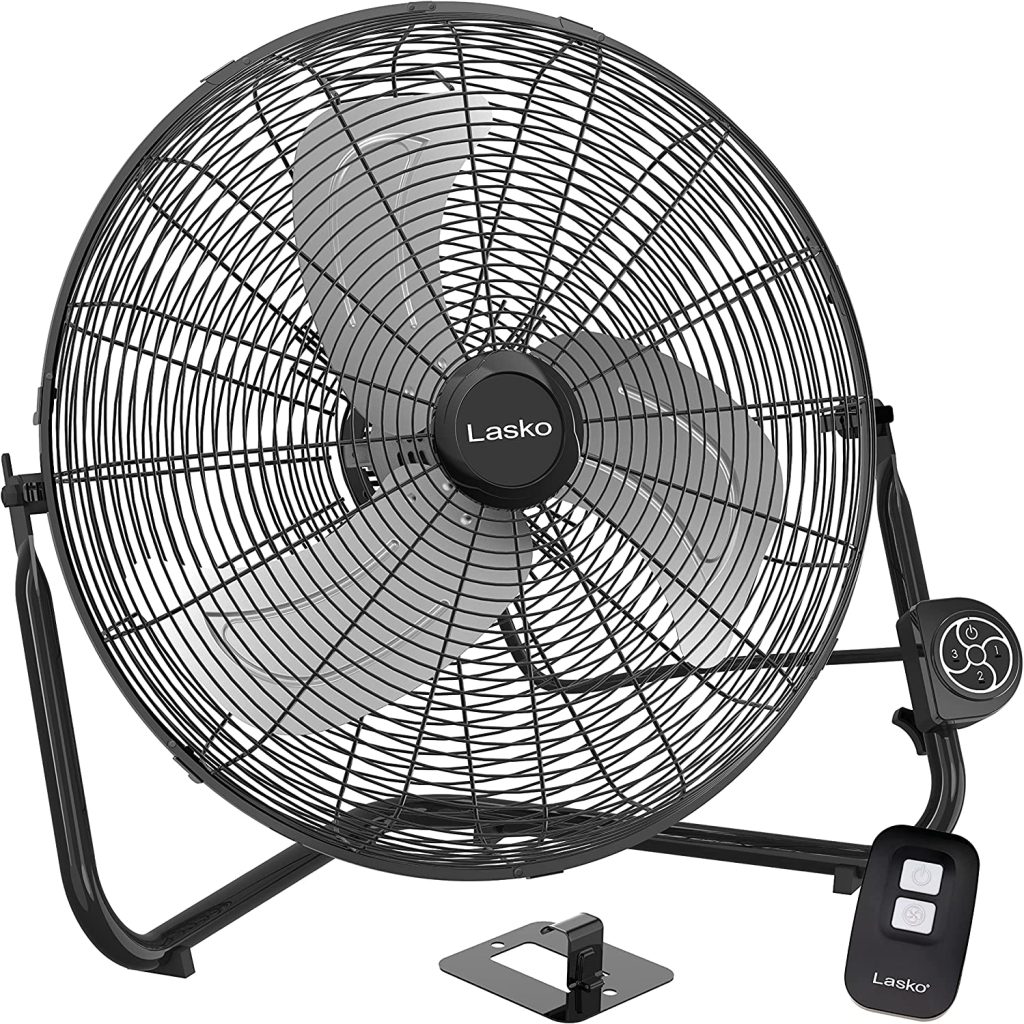
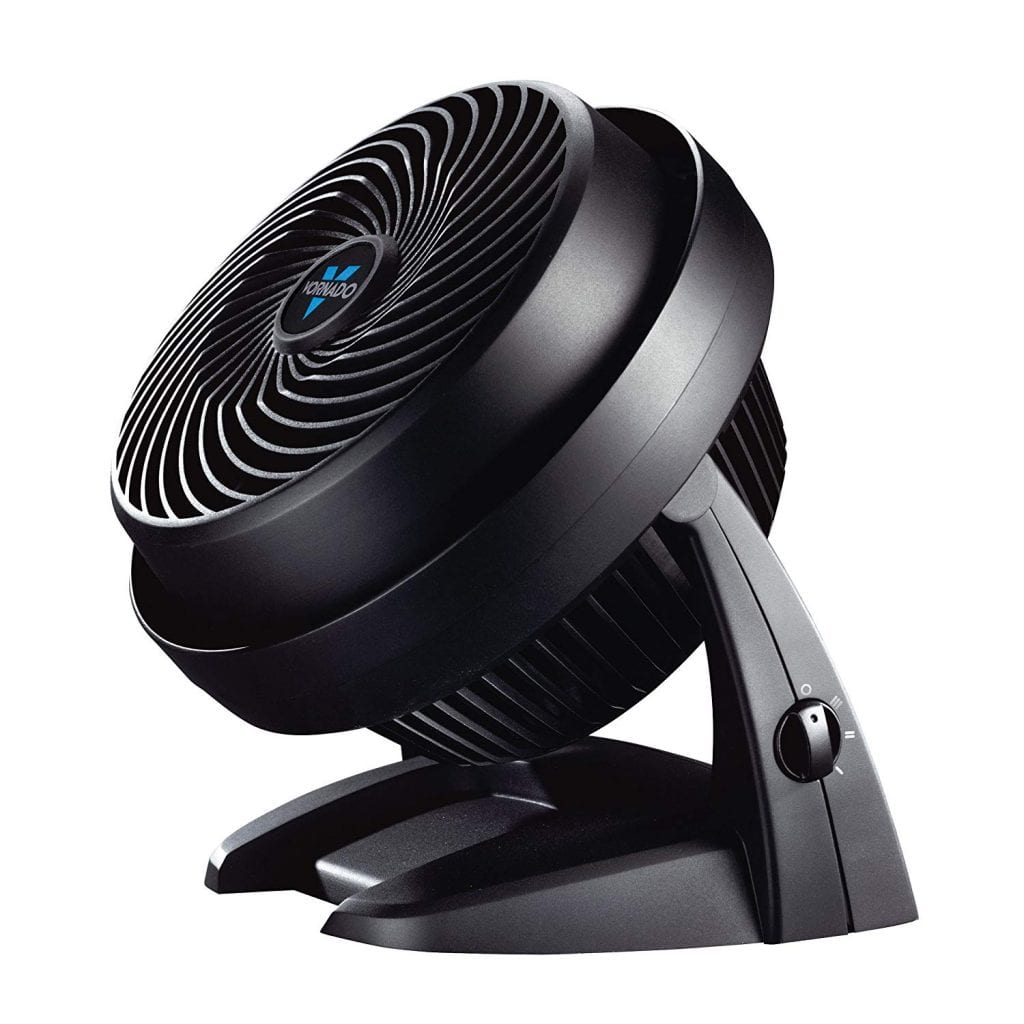
Here are three recommended fans, moving from a tightly-focused air column on the left to a less focused blast of air on the right.
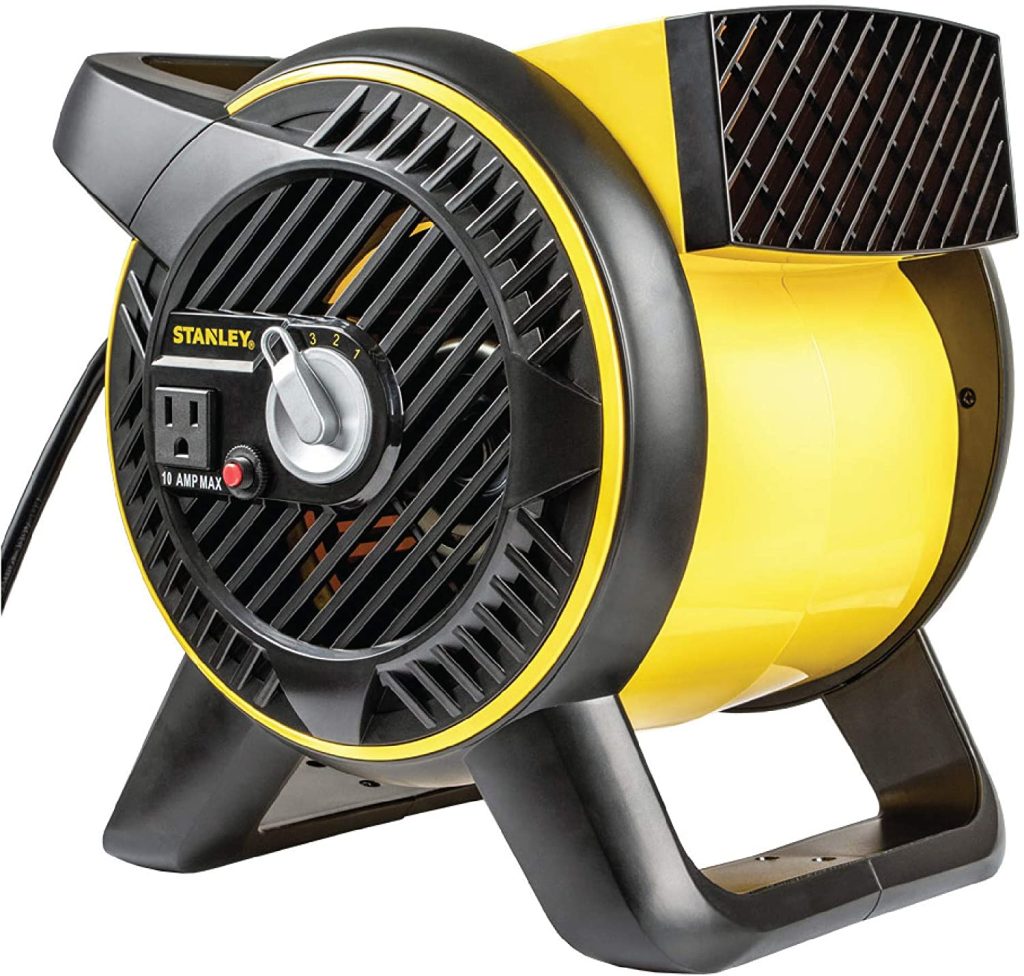
Stanley Blower

Blower-style fans move a lot of air in a focused column.

Vornado 9″ Air Circulator

The Vornado is the smallest of our picks, but it packs a punch.

Lasko 20″ fan with remote

If you want to move a lot of air over a larger surface area (like your body), this is a good choice. Bonus: it has a remote, and is wall-mountable so you can move it out of the way.
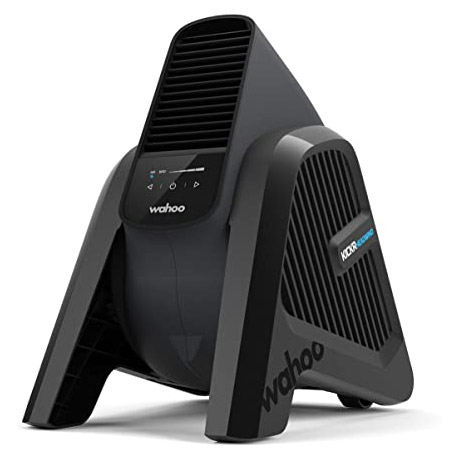
Want the very best? Check out Wahoo’s Kickr Headwind. It blows a very tight column of air right where you need it, and wind speed can be automatically modulated based on your virtual speed (to simulate a headwind) or heart rate (to cool you when you need it most). It can also be controlled easily from your phone.

#3: Direct Drive Trainer
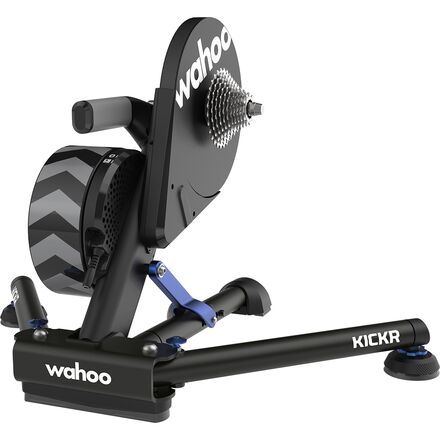
Wahoo KICKR

Look, we get it. We all did it. When we first discovered Zwift, we weren’t convinced that we would enjoy it, so we bought the cheapest smart trainer we could find.

But when our second indoor season spun up, we bought a direct drive trainer. And we never looked back.

Direct drive trainers are more accurate than their wheel-on cousins, and they provide a much more realistic road feel as well. Trust us: once you try one, you’ll never want to go wheel on again.

Not sure which trainer to get? You’re in luck. Unlike last year (when retailers couldn’t keep trainers in stock), all the good trainers are available online this season. And we’ve put together short lists of the very best direct-drive trainers:

#4: Training Table
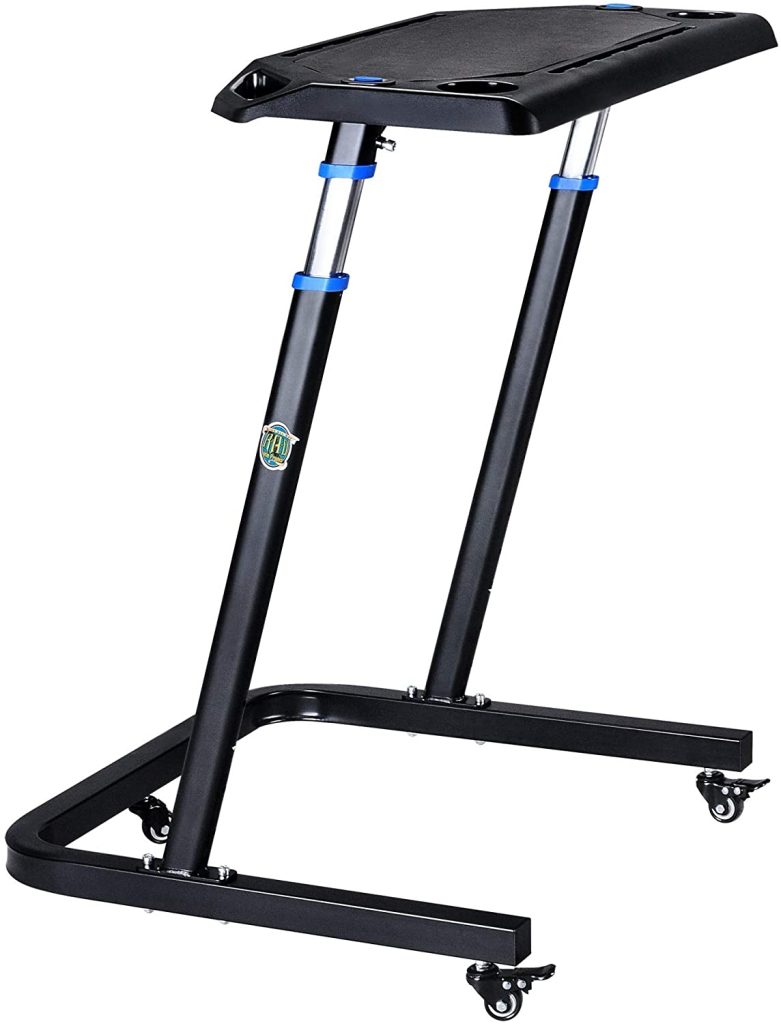
If you’re still using a music stand, hatrack, or some tacked-together contraption to hold your laptop, towels, food, or other necessities – maybe it’s time to level up.

Wahoo was the first to make a true indoor cycling desk, but there are competitors selling similar knockoffs for half the price, including the RAD Desk and Conquer Desk. You might also consider the more budget-friendly KOM Cycling Desk (which is admittedly a bit smaller and less stable than the Wahoo-style designs).

Look for something adjustable and stable, with plenty of space for essentials like your keyboard, laptop, remotes, phone, towel, etc. You won’t regret it!

#5: WiFi Power Strip

WiFi-connected “smart” power strips make it easy to control the power to various devices from a simple app on your phone or via Alexa or Google Home voice commands. They are super convenient, plus they protect your sensitive devices from damaging power surges. And they’re cheap nowadays – here’s a $30 unit that Amazon recommends.

Plug your trainer and fan in so you can easily turn them on and off when desired. Most smart strips include USB ports so you can easily charge your phone, earbuds, or other devices as well.

Questions or Comments?

Got other recommendations? Questions or comments about what we recommend? Post below!

Eric Schlange
Eric Schlangehttps://zwiftinsider.com
Eric runs Zwift Insider in the spare time he finds between riding his bike and managing various business interests. He lives in Northern California with his beautiful wife Monica. Follow on Strava

27 COMMENTS

Subscribe
Notify of
guest

27 Comments
Oldest
Newest Most Voted
romaric
romaric
4 years ago

coffee machine?

Bernie
Bernie
4 years ago

What’s the advantage of a Wifi power strip? I imagine the savings in cutting off power to various devices is outweighed by the electricity draw of the Wifi in the power strip itself. I got a few of these Belkin switches which cut off phantom power draw, but don’t draw power themselves: https://www.walmart.com/ip/Belkin-Conserve-Power-Switch/54002771

james
james
4 years ago
Reply to  Bernie

you can turn fans and heaters on/off without getting off your bike!

Peter Higgins
Peter Higgins
4 years ago

An up-cycled music stand (to the side of the bike) is a pretty cheap and useful add-on, for holding remotes, towel, back up gels, etc. within arm’s reach

Ricky
Ricky
4 years ago

What about Headphones? My Discord experience is suffering due to crap sound and mic – what’s the recommendation?

Joe
Joe
4 years ago
Reply to  Ricky

I use my webcam mic and headphones for sound.

Peter Higgins
Peter Higgins
4 years ago
Reply to  Eric Schlange

Jaybird Tarah also quite good.

Henry Swinson
4 years ago
Reply to  Ricky

an elgata wave 3 mic with the included software has to be up towards the top,

Joe
Joe
4 years ago

5. Cheap spray bottle. Misting yourself down with water helps massively with cooling.

Nathan
Nathan
4 years ago

One thing missing: what to put on the floor for all the sweat. Old towels? Are Rubber mats worth the cost? I’ve even used spare frisbees (to cover the trainer transformer due to the way I to routes cables)

chris benten
chris benten
4 years ago
Reply to  Nathan

I think the Wahoo mat is definitely worth the cost. Keeps sweat and spilled liquids contained and prevents slipping.

Simon
Simon
4 years ago
Reply to  Nathan

I bought this 2 years ago and it is still in perfect condition even after thousands of trainer miles… I put 4 interlocking foam squares underneath to help absorb any vibration and give a tiny little side to side movement (the kind that go in a kid’s playroom).

AmazonSmile : CyclingDeal Bike Mat – 30″ x 72″ (Soft) – for Peloton, Exercise Stationary Bike, Elliptical, Gym Equipment Waterproof Mat Use On Hardwood Floors and Carpet Protection : Sports & Outdoors

Joe
Joe
4 years ago
Reply to  Nathan

Dollar store yoga mat. $4, done

Dan G
Dan G
4 years ago
Reply to  Nathan

Rubber stall mat

Curtis Repen
Curtis Repen
4 years ago

Hi Eric, nice work as always. You should also suggest that the best graphic experience will come from a PC, and point to the ZPCMR FB group for advice on how to select/build/configure a PC for best effect/least cost.

Joe
Joe
4 years ago

Banana rack

://www.amazon.com/gp/aw/d/B0098QOVW0

Bob Howard
Bob Howard
4 years ago

I just use screen mirror from my iPad to my 65 inch TCL TV. No need fit $41 iPad to HDMI adapter.

Bas de Vries
Bas de Vries
4 years ago

Got quite a bunch of items from that list :).

A single fan is not enough for me. The headwind alone is fine for recovery and tempo, but not enough for races (at least for me). I agree with the Stanley being a great fan and I use it pointed at face and top part of chest. See attached picture from temporary pain cave while my house is being renovated.

What is missing from that picture, but is an item I use every race, is one of those sweat covers / phone holders strapped over frame. Not that expensive, keeps sweat of your frame and puts phone in a good position for the companion app.

249569562_3052863681662759_7305779656488777085_n.jpg
Chip
Chip
4 years ago

I wedge my front wheel under the top of a wooden table. It keeps the bike rock solid steady for standing, go-for-broke sprints on my Neo 2. My remote, phone and a paper towel are on the table – I’d never want to lose the stability of the table by replacing it with a stand.

David Cooper
David Cooper
4 years ago

I have multiple laptop stands that I use when playing with the band. Around £15 each and more than adequate for the job of holding everything I need on Zwift as well.

Per Christensen
Per Christensen
4 years ago

A nice and soft towel

Nick
Nick
4 years ago

You ought to have your own wattopia map poster in there! https://zwiftinsider.com/product/watopia-map-poster/ You might need to do one for Yumezi soon?

J D
J D
4 years ago

Another tip for the cooler months. I use the 24″ 3-speed Lasko metal blade fan similar to the one shown, but the lowest setting moves too much air for my room since my workout room is pretty cool during the winter. Buy a router speed controller to have more fine tune control and to have a control dial within reach of your trainer to change air speeds. Just make sure your fan is on the highest setting and only use the router controller to adjust speed. Also, always start the fan at a high speed before adjusting it down to slow.

Router controller can be bought cheap at Harbor freight, Mendards, etc.

Stefan Cobbold
Stefan Cobbold
4 years ago

I cannot get the ZWIFT app on my iPad to pair with the Wahoo KICKR. Tried just about everything i have seen recommended. KICKR has the lates firmware..

Henry Swinson
4 years ago

When you talk about fans you might include noise levels next time. This is important as it affects the communications factor which could use some better coverage. I would love to see a post from you covering commo setups in detail. Ear pods are not the best solution for everyone for multiple reasons. Getting the room quiet so external commo is possible is a great choice if you can achieve it. I would love to see a guru demonstrate the best commo system which allows for one to control music bot, discord best set up, microphones, etc. These would be great pain cave upgrade tips.

Get Started on Zwift

Newest Featured Posts

Support This Site

Write a post, shop through us, donate or advertise. Learn more

NEWSLETTER SIGNUP

Zwift tips and news every 2 weeks! Click to subscribe.

More Posts