

Zwift version 1.125 begins its phased rollout today. The update includes two Watt Lock improvements and a simple crash recovery feature. Read on for details!
Watt Lock Upgrades
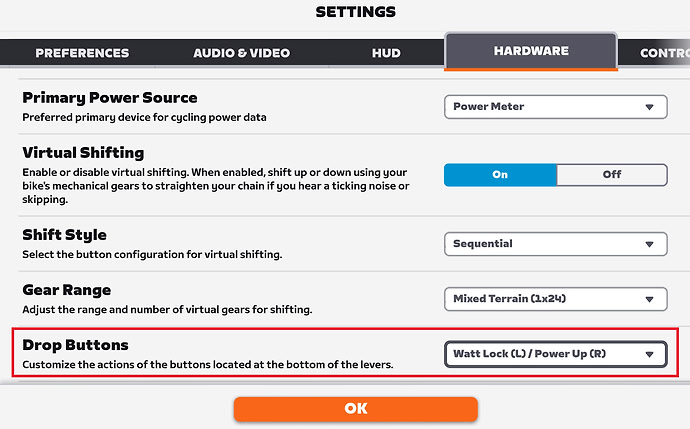
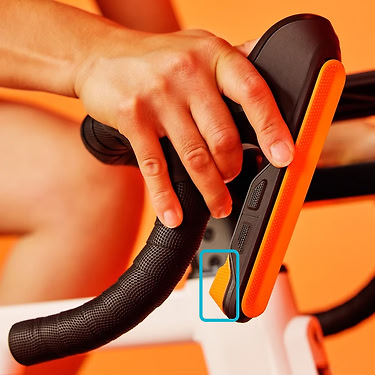
Watt Lock arrived in version 1.124 two weeks ago, allowing riders to lock in a target wattage while free riding or in group rides. It’s essentially an Erg mode toggle switch, making it easy to do specific zone work without loading a full structured workout.
Today’s release includes two improvements to the already-popular feature:
- Watt Lock can now be assigned to the customizable drop bar buttons on the Zwift Ride: assign the left or right button as a Watt Lock toggle, making it even easier to engage and disengage.
- Watt Lock now restores your previous gear when disengaged: previously it was returning us to gear 8, which is a much lower gear than most riders need to be in. Now, it just returns you to the gear you were in before Watt Lock was engaged. (Hopefully this same memory feature comes to Erg workouts soon as well.)
Crash Recovery
Since Zwift’s early days, if a power outage, computer reboot, game crash, etc., interrupted your session, you ended up with a corrupted .fit file that had to be repaired before you could manually upload it to Strava or other platforms. It was such a confusing hassle that I wrote a post about it years ago.
Today’s update includes a recovery feature, so if the game crashes mid-activity, it now shows a recovery prompt. Click “Recover & Sync” to publish your interrupted activity to all connected third-party platforms:
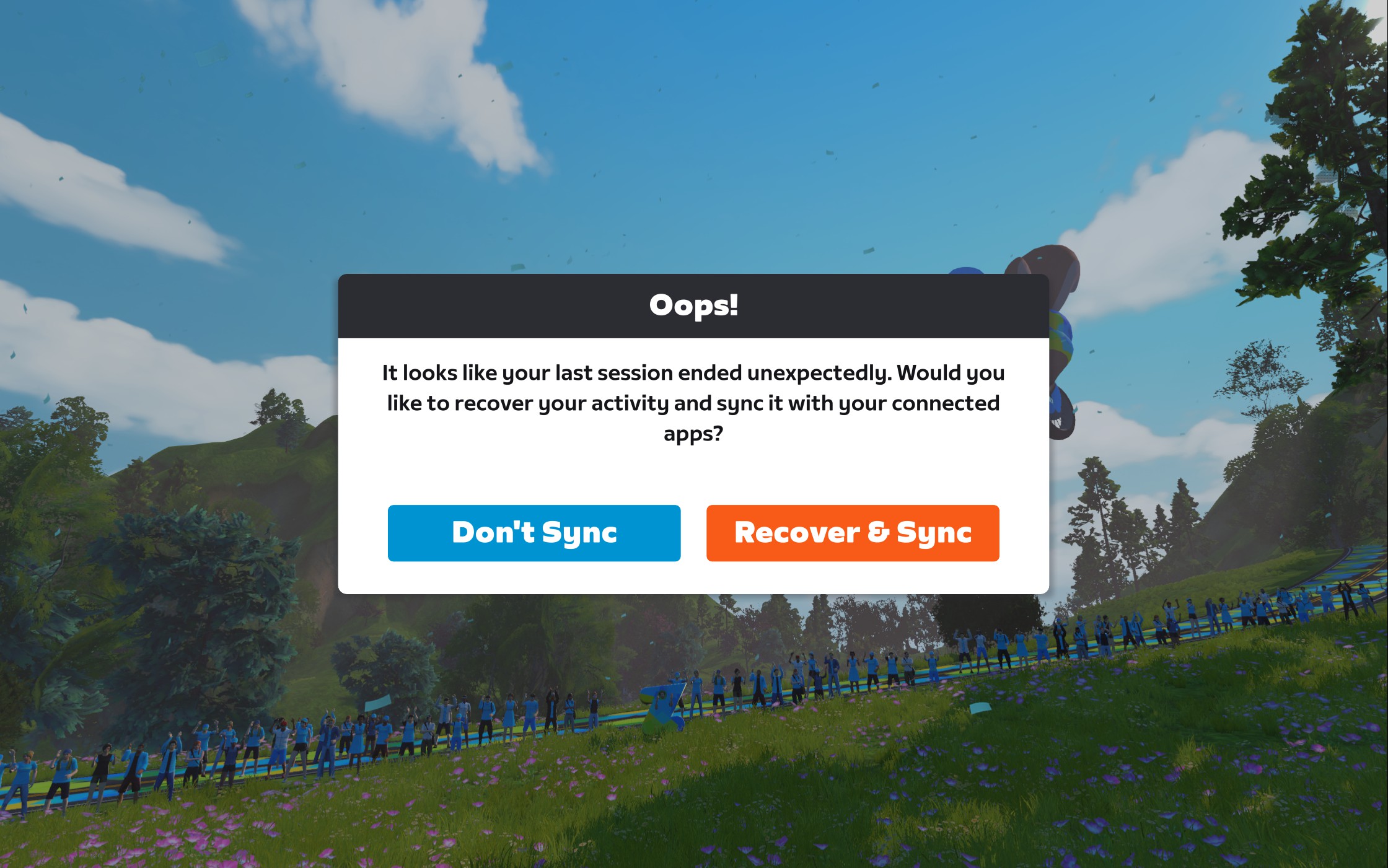
Note: Zwift says this feature is currently in effect for rides greater than 2km and at least 10 minutes in length.
Zwift Video Pre-Downloading and Clearing
In a late-breaking addition to this release, Zwift has added a “Pre-download Videos” option to our settings:
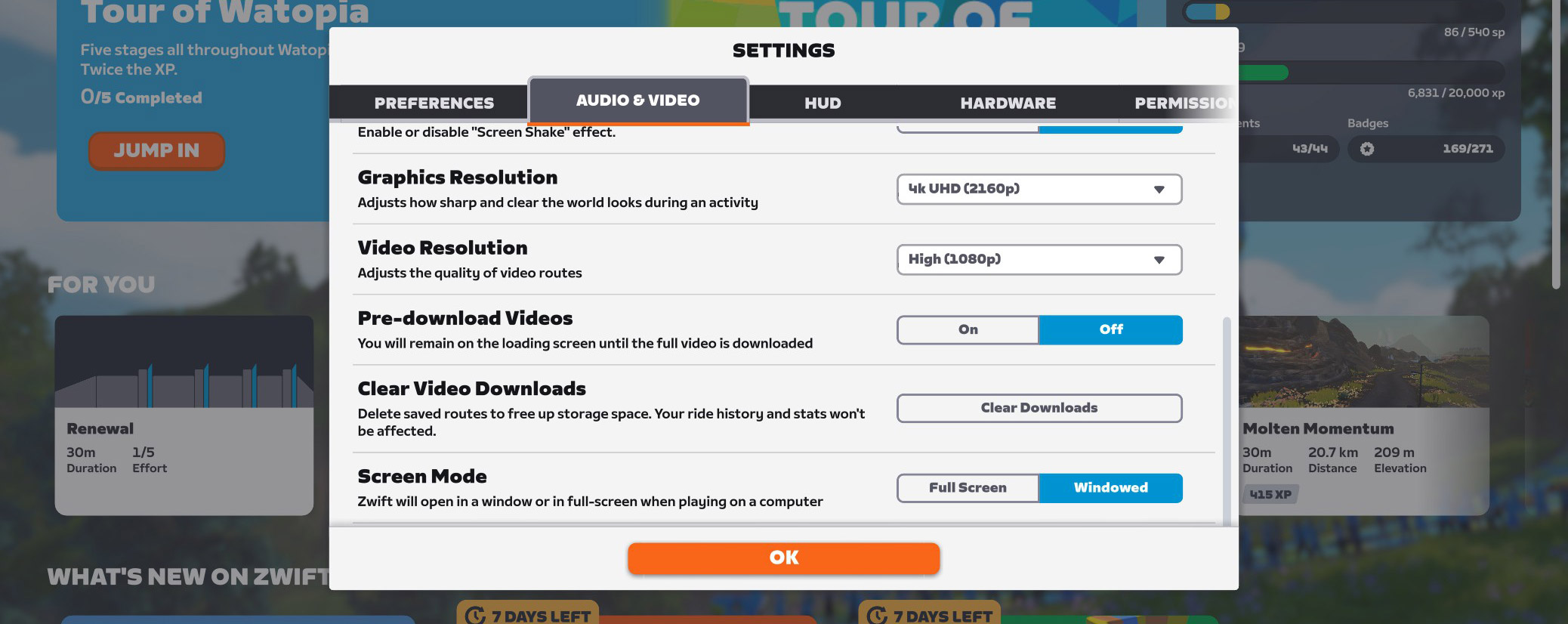
If you turn this on, your Zwift Video ride won’t begin until the entire video downloads to your system.
If you leave it off (the default setting), the ride video is streamed to your computer. This typically works well, as long as you’ve got a fast and stable enough internet connection to handle the video resolution you’ve selected from settings. If your internet connection isn’t strong enough, you’ll see an image like this until the video downloads sufficiently:
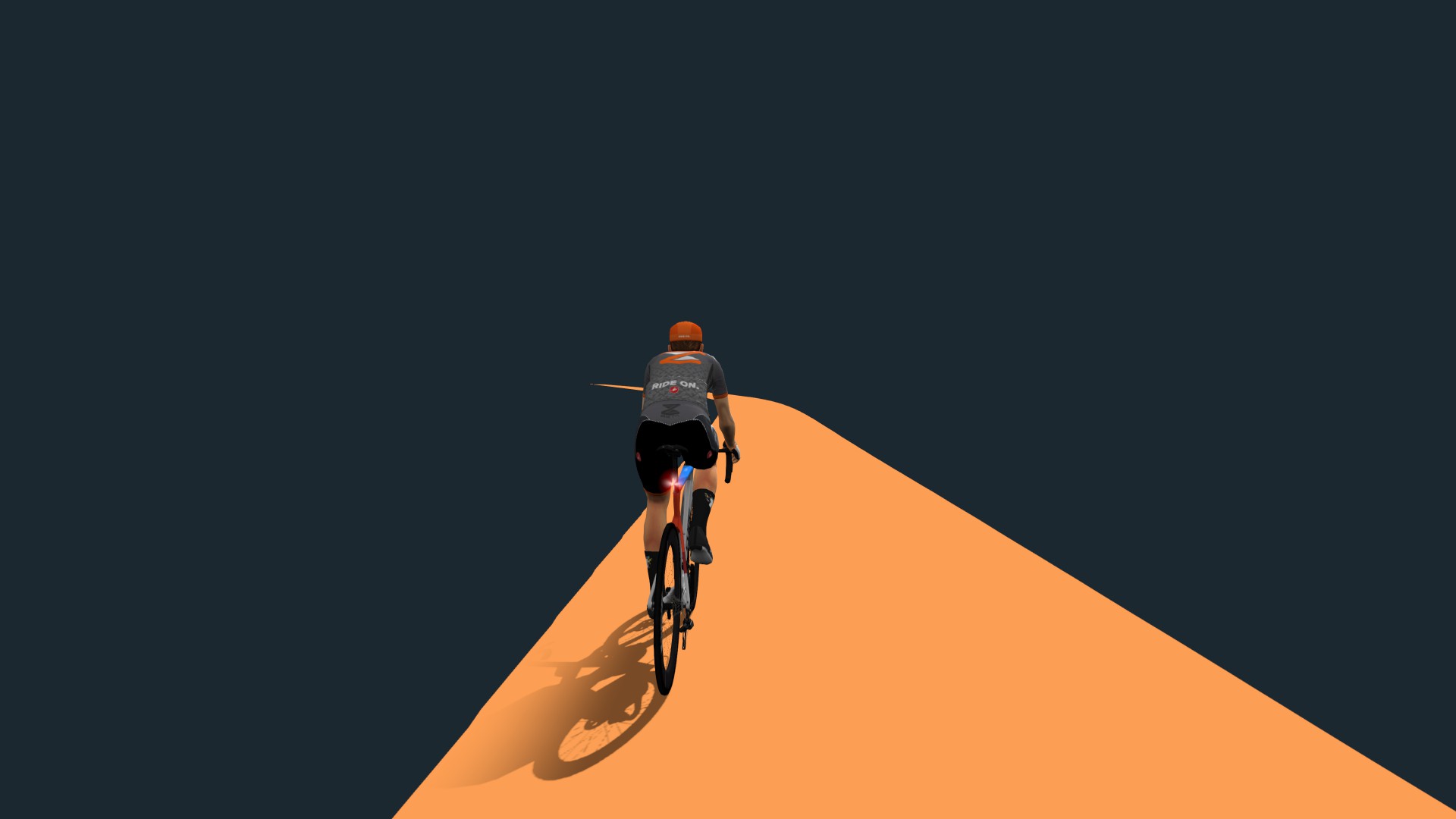
So, this new pre-download option ensures that slow or intermittent internet speeds don’t interrupt your video ride. It also means your ride will take longer to start! I just tested it with the 24.5km long Colorado River Sunrise route at the highest resolution (4k UHD), and it took ~4 minutes to download the video. Of course, lower resolution videos will download faster, and the length of the route will make the download longer or shorter as well.
You’ll also see a new “Clear Video Downloads” button. Pre-downloaded videos are somewhat persistent – that is, the last route you loaded will stay on your system even if you restart Zwift, etc. Streamed videos are not persistent, with data being purged whenever you choose a new route or reboot Zwift. Clicking “Clear Video Downloads” clears both pre-downloaded and streamed video data.
New Zwift Video Segment
Here’s another late-breaking addition to these notes. This isn’t strictly part of today’s release – Zwift is able to modify video routes server-side, and this change was made yesterday. But I wanted to mention it here because it’s funny and interesting to see how Zwift Video updates work.
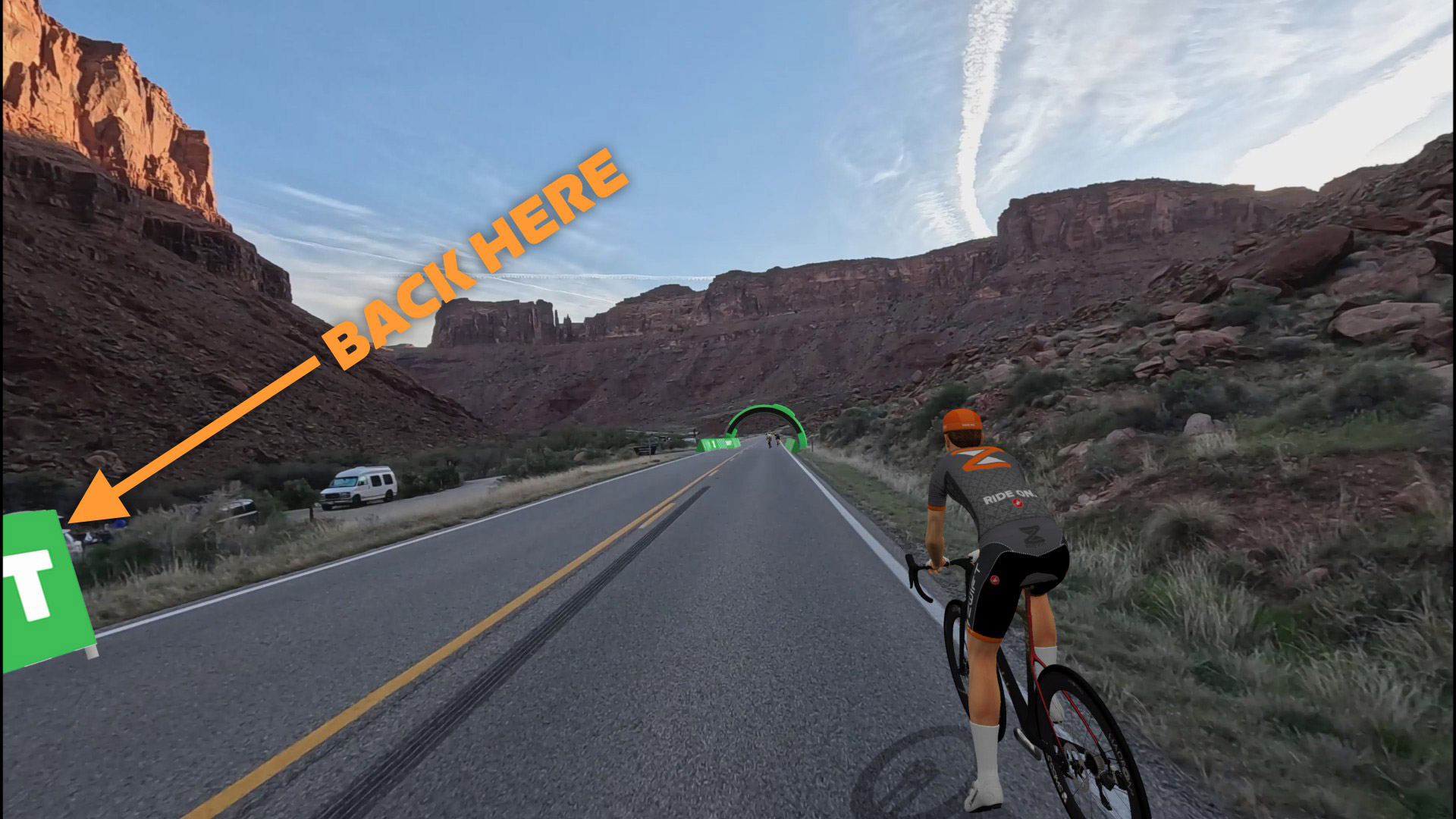
Yesterday, a Zwifter shared in Zwift Riders that they’d spotted someone taking a nature break 4.5km into the Colorado River Sunrise route. Zwift responded within a few hours by erecting new road barriers to block the view… and by adding a new sprint segment called “When You Gotta Go!” Amazing.
Release Notes
Zwift supplied these additional release notes:
- Locked campaign stages now show their start time within the campaign screen. Know the hour you can begin riding the next stage to ensure your rides count towards your progress.
- Fixed an issue that could cause mini-map route progress to not update for the Volcano Circuit or Volcano Circuit CCW routes in Watopia.
- Fixed an issue that could cause some activities in Watopia from appearing in the activity feed or in 3rd-party services.
- Fixed an issue that could potentially cause Zwifters using Coffee Stop to accelerate ahead of their group.
- Android: Reduced the amount of time it takes to launch Zwift after a game update.
Discuss this update in Zwift’s forum >
Questions or comments?
If you spotted any other changes or bugs in the update, or have comments about this release, please share below!

