

Zwift version 1.105 begins its phased rollout today. This is a minor update containing mostly bug fixes, although it does include a homescreen UI upgrade that will (hopefully) be rolled out elsewhere in game to better inform Zwifters. See details below…
KICKR CORE 2 Bridging Upgrade
Announced with this week’s release is a feature Wahoo actually rolled out last week, allowing Zwift Ride controllers and Click v2 controllers to be bridged through Wahoo’s KICKR CORE 2 trainer.
According to Zwift, this was done to “improve Bluetooth connectivity and to work around the Apple TV Bluetooth connection limit.”
Read all about this firmware update >
Mouseover Route Profiles
Zwift says, “On the home screen, you may see a gradient profile on route cards when hovered/focused. This feature will be rolled out slowly.”
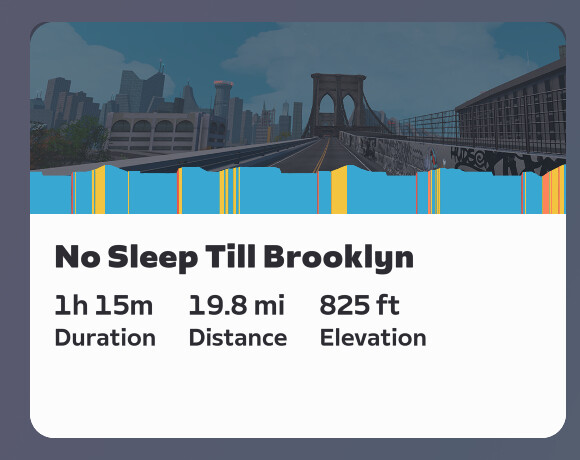
This looks like a helpful and welcome change, although it isn’t live for me yet. I especially appreciate the gradient color-coding, which is a nice upgrade from the one-color route profiles used elsewhere in the game.
Now I’m going to do the most Zwifter thing ever, and complain about a feature before it’s even released.
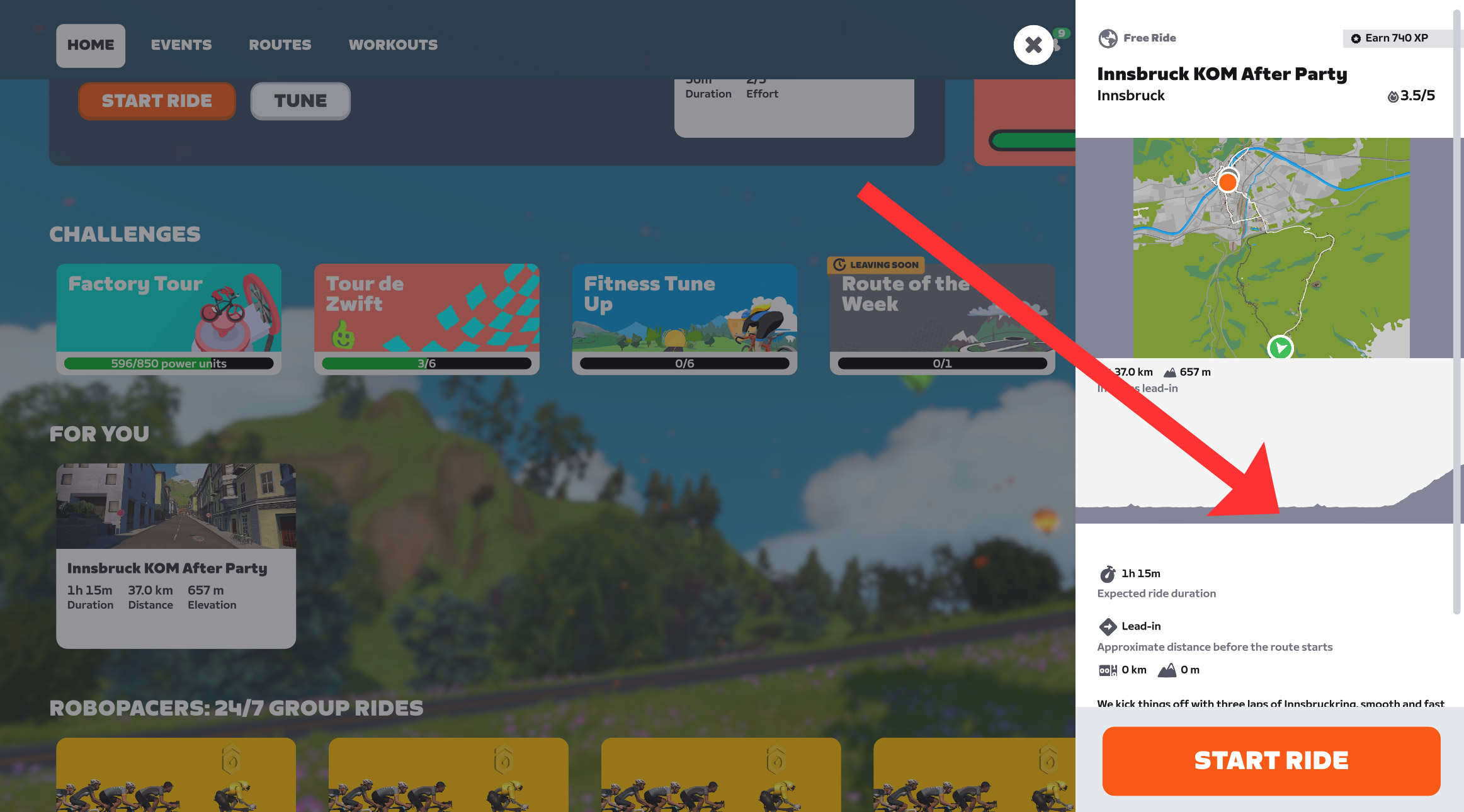
Yes, the route profile on hover is a good upgrade nobody will complain about. But Zwift should show this color code the route profile sidebar as well:
And much more importantly, this profile should be available on event cards and in the event sidebar:
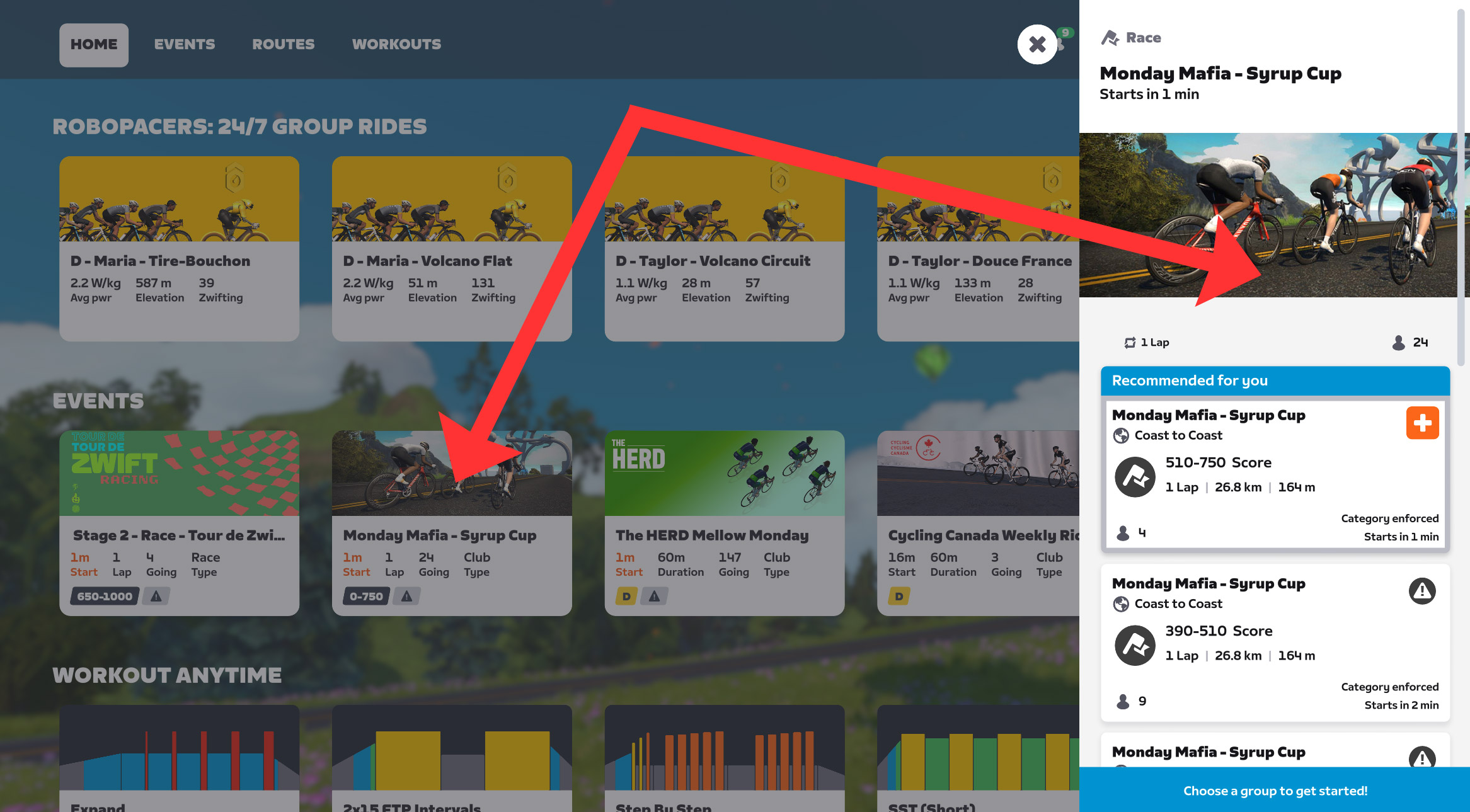
Notice: the event cards don’t even say which route the event is on. That’s saved for the sidebar, which helpfully shows the route name, number of laps, total distance, and total elevation. But even the sidebar displays no route map and no route profile.
This is all fine, as long as you know the route. But there are now over 300 routes in Zwift. The game needs to do a better job of telling riders what they’re signing up for. Hopefully, this new “mouseover profile” feature is a step in that direction.
The Triathlete Bug
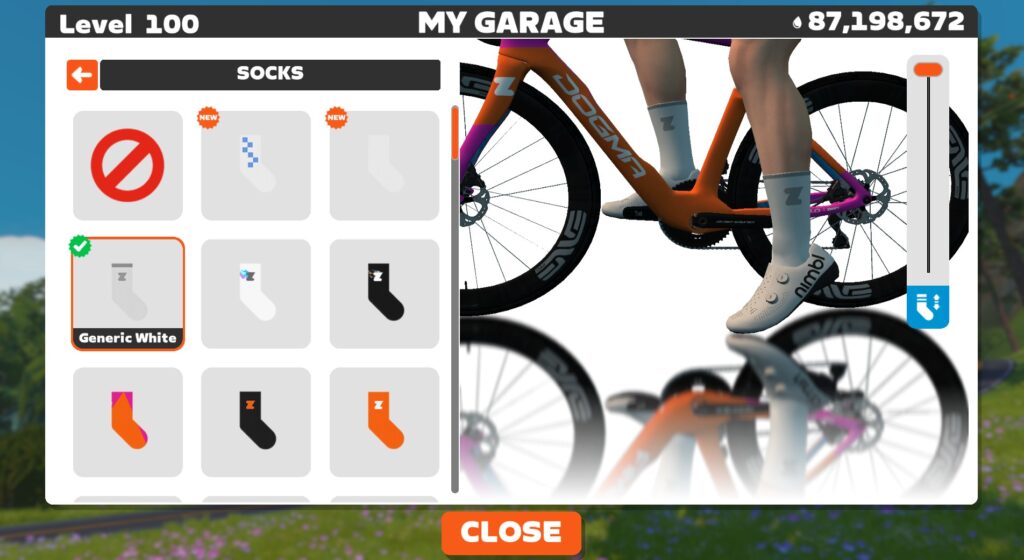
It’s been years since this last happened: many Zwifters are reporting that this update has stolen our socks:
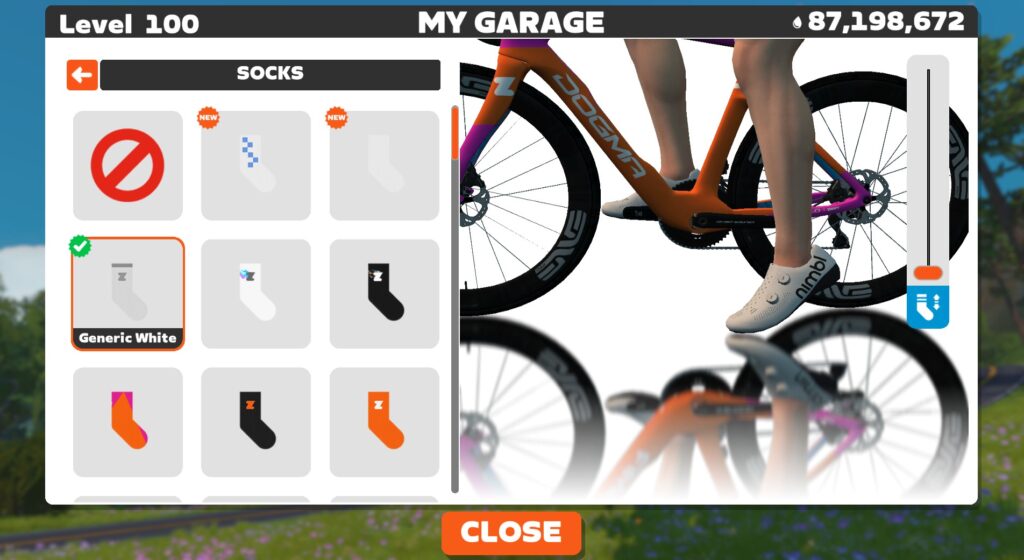
What’s actually happened is, our socks have all been set to the lowest possible height, making us all look like triathletes. Very sneaky, Zwift. But we aren’t falling for it! Move the slider up, and you’ll be a roadie once again:
Release Notes
Zwift supplied the following additional release notes:
- Fixed an issue where some ANT+ devices could have a blank name in the Pairing screen.
- Fixed an issue with extra lanes in New York on Central Park roads; Scotty at NYC DOT corrected the issue.
- For races with event cooldowns enabled, fixed an issue where race rank could be incorrectly positioned on the Zwifter’s avatar on some devices.
- Running: Improved the appearance of time input fields in Public Profile settings.
- In group events, if a Ride Leader or Ride Sweeper have unsupported characters or emojis in their name, their event chat messages in the HUD will be shown as sent by “Ride Leader” or “Ride Sweeper”.
- Android: Improved Bluetooth connection reliability for Zwifters on Android 15 and newer.
Discuss this update in Zwift’s forum >
Questions or Comments?
If you spotted any other changes or bugs in the update, please comment below!

 wpDiscuz

