
Continuing my theme of racing each stage of Tour de Zwift, this morning I tackled stage 5: 2 laps of New York’s Gotham Grind.
According to ZwiftPower, this was my 300th Zwift race. Thinking back, I’ve found many ways to lose races over the years: lack of course knowledge, poor fitness, strategic mistakes, getting dropped on climbs. It’s fair to say the vast majority of my losses can be pinned on myself!
Today’s loss, though, was of a different sort. A bit like suffering a mechanical in an outdoor race. But I’m getting ahead of myself…
The Warmup
The race began at 6:11am, so I set my alarm for 5:10. Rolled out of bed, grabbed my kit, then headed upstairs for my typical pre-race ritual: a piece of caffeine gum and some PR lotion on the legs. Hopped on early and got a nice 30-minute, ~10-mile warmup in on Tempus Fugit.
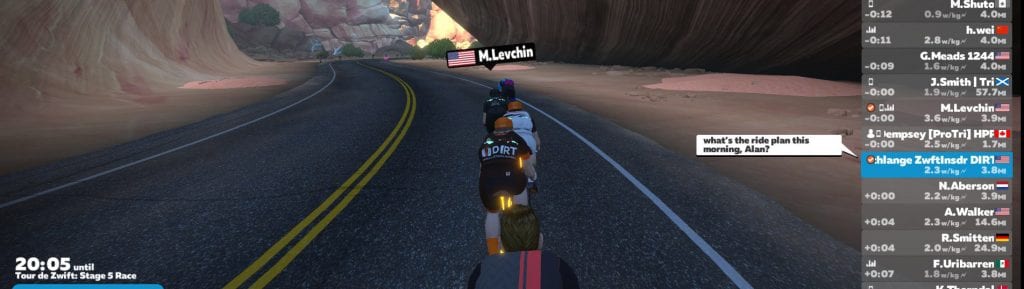
My buddy Alan Dempsey (a pro triathlete and coach from Canada) dropped in and rode with me a bit. He was beginning a 3-hour effort at 55% of FTP. I was about to do an 11-mile race! Two very different training plans.
The Start
The race started hard and fast, and I averaged 340 watts for the first 2 minutes to stay with the front group. There were definitely some strong riders pushing the pace! We flew around Central Park, barely slowing up the rises. And there are lots of rises on this course. Gotham Grind has no long or steep climbs, but it’s full of 1-3% ups and downs. This makes for a tough race, since you’re never able to rest for any significant amount of time.
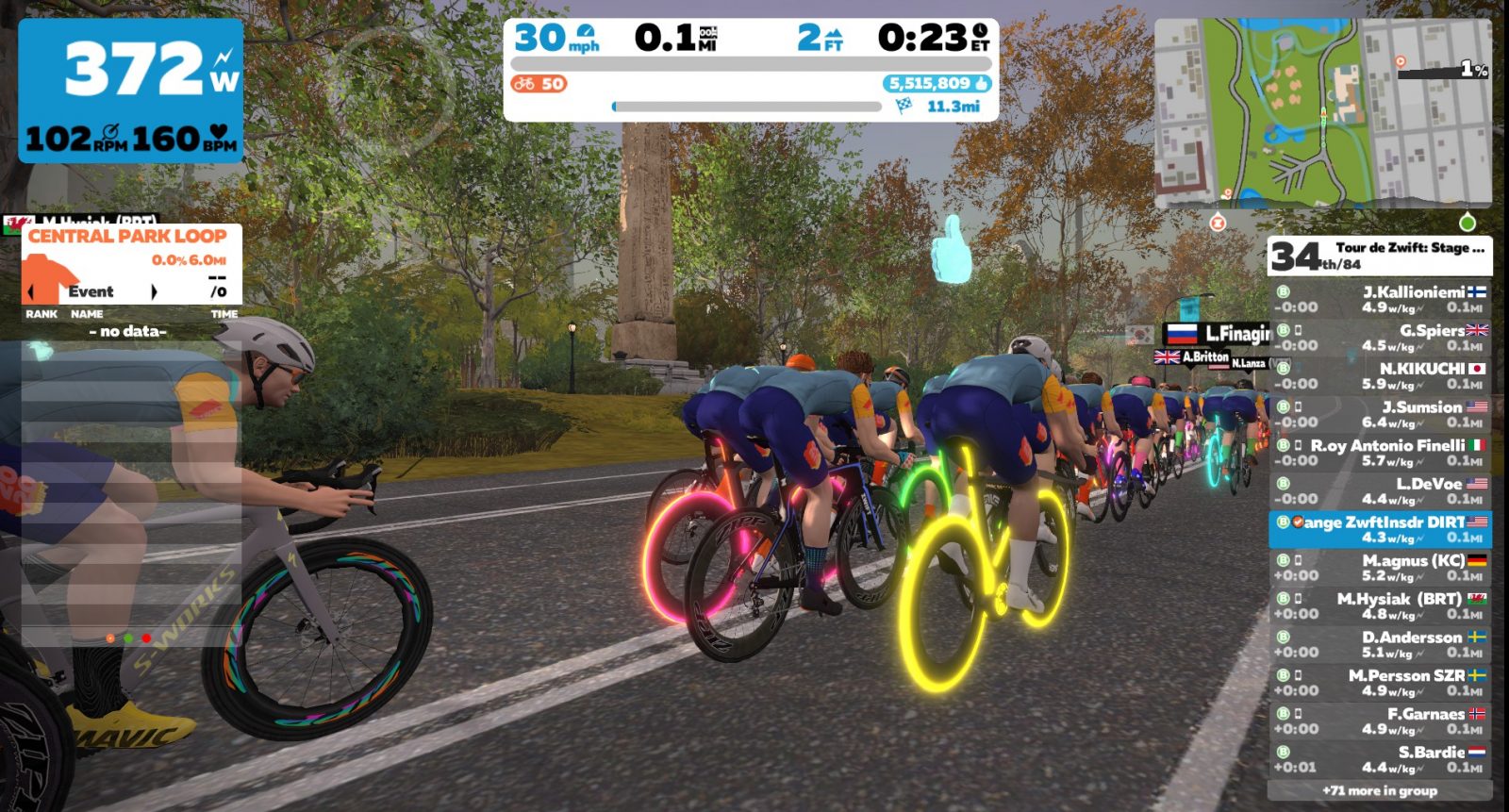
I knew at this pace no breakaway was going to get away early and stick, so I just sat in the draft and made sure no gaps opened up ahead when the group strung out up the inclines. The effort was hard, but doable: I knew I could hang with the front until the finish. But I still had to do the work to get there.
The Middle
After the first lap, our starting group of 84 was down to 36. And while there were definitely a few sandbaggers in the mix who were pushing the group’s speeds a bit, it wasn’t anything like stage 1 where I couldn’t even hold on to the “Super B” efforts of the Zinners.
The Dreaded Drop
With 3.2 miles to go, we were pinning it up a 3% drag on the back half of the main loop. I was already rehearsing in my head how I was going to work the finish without a powerup. Then disaster struck!
Here’s a screenshot from the precise moment I realized my race was over:
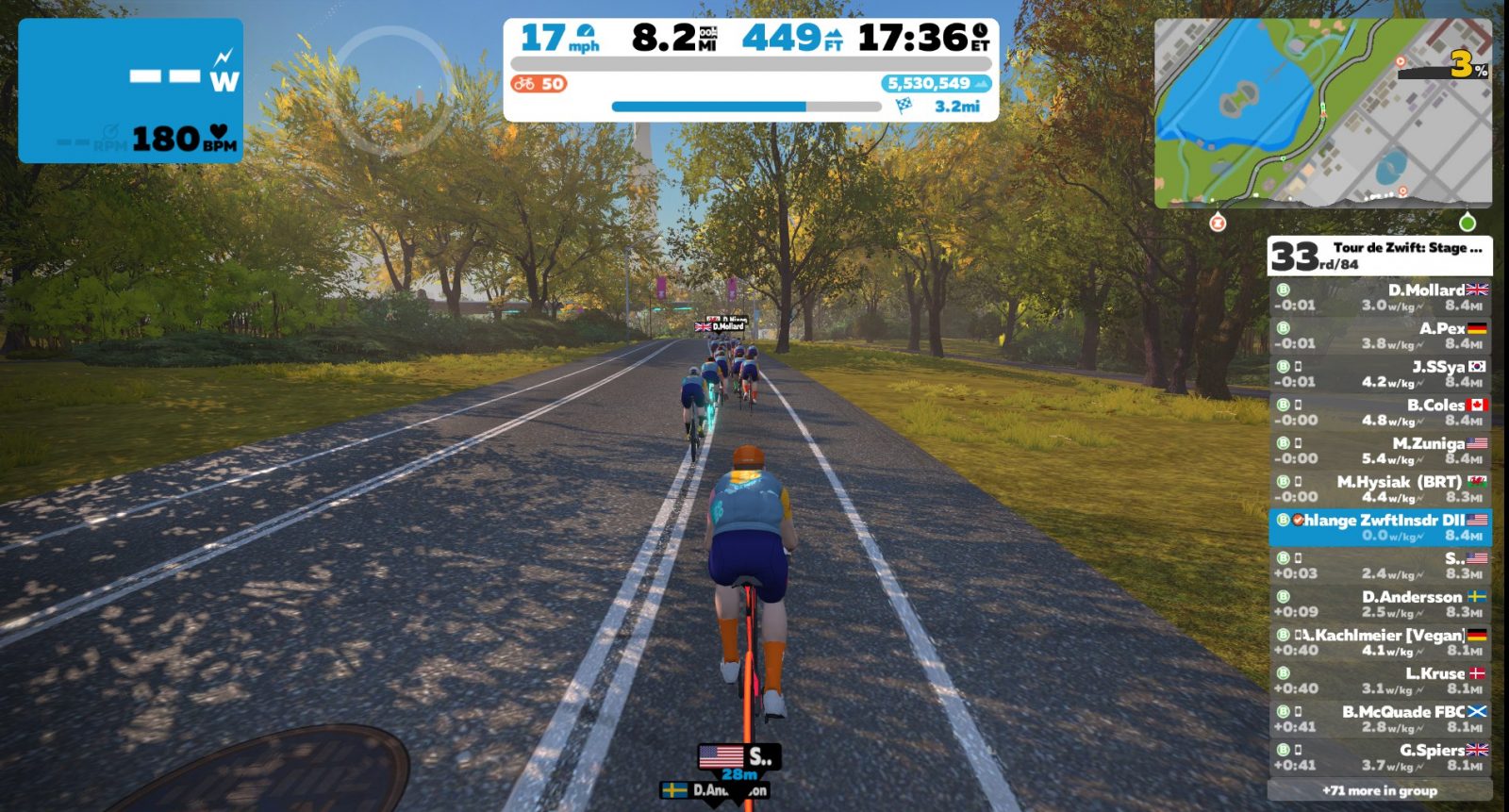
The wireless ANT+ connection to my power source (Garmin Vector pedals) had dropped, and it wasn’t just a quick blip: it was gone for several seconds. My rider stopped pedaling and coasted to a stop. By the time the connection returned, the front of the race was 30 seconds up the road.
I’m not sure there’s anything more mentally debilitating than a connection drop in a Zwift race. I’ve only had this happen in one other race, as far as I can recall. And it’s just so hard to keep pushing when you know your race is lost and your connection may very well drop again.
The next group was a minute back, and I thought perhaps I’d be able to stay ahead of them to the finish. So I buckled down and tried to push, but now the same wattage I’d been holding in the front group seemed impossibly high! Isn’t the brain and its connection to our body such a crazy thing?
The Finish
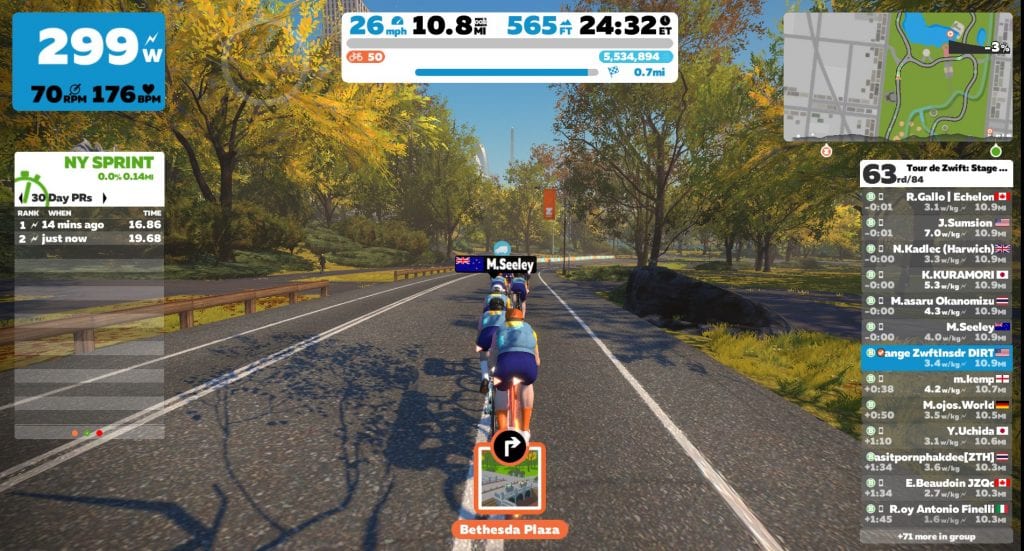
The group behind caught me with .7 miles left, and I grabbed onto their wheels. 63rd place! I hoped I could just hang with the group, maybe get a decent powerup through the sprint banner just up the road, then gain a few places in the final sprint.
Unfortunately, the anger of the Zwift gods hadn’t been satiated by my power drop. Once again I received an XP bonus through the arch – that’s all I’d received this entire race! Then as we turned right onto the road which connects us to the other side of the loop, I saw something really strange – a finish line, in the wrong place!
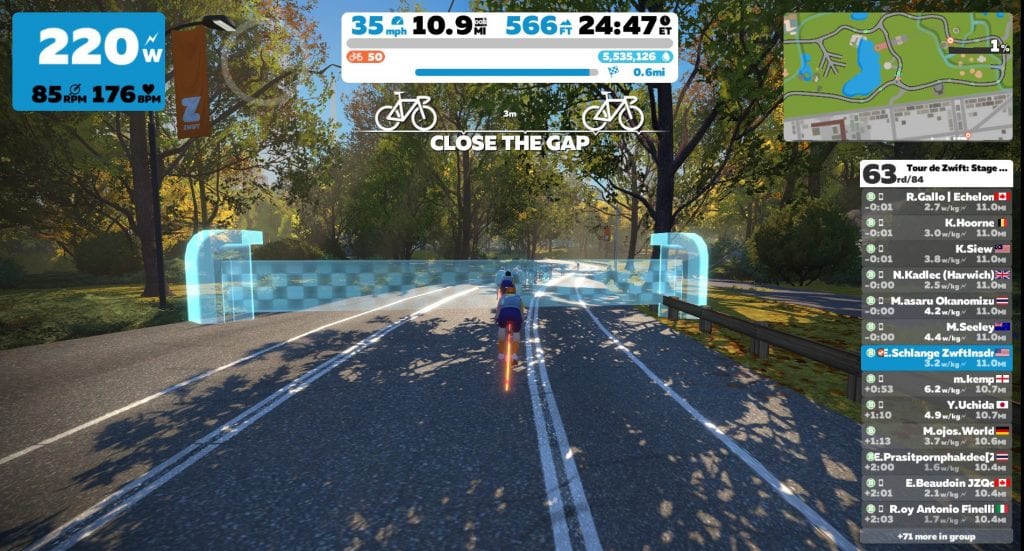
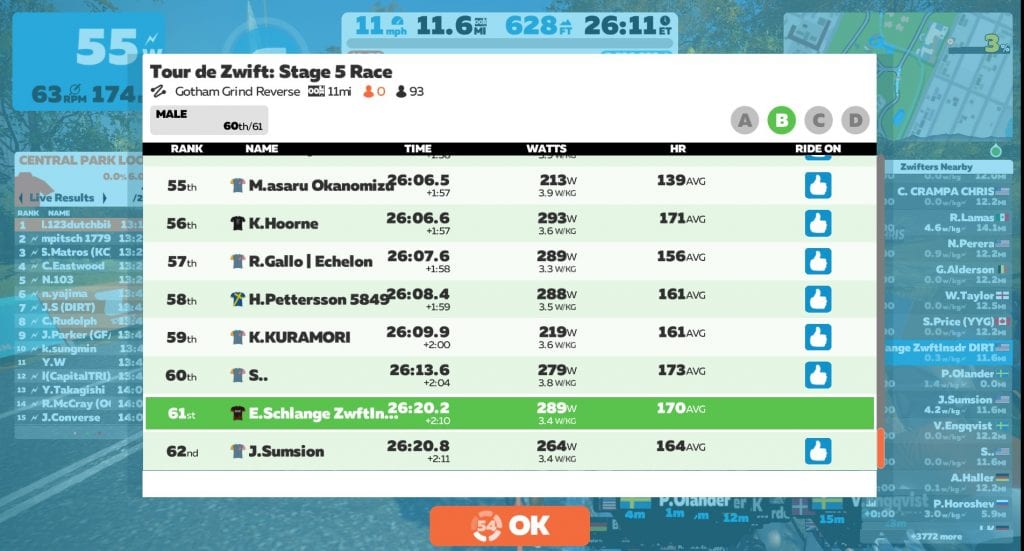
We flew through this banner and kept charging toward the real finish. I couldn’t even hold onto the group with my paltry weak-willed wattage, finishing 61st overall, 44th on ZwiftPower.
See my ride on Strava >
See race results on ZwiftPower >
Watch the Race
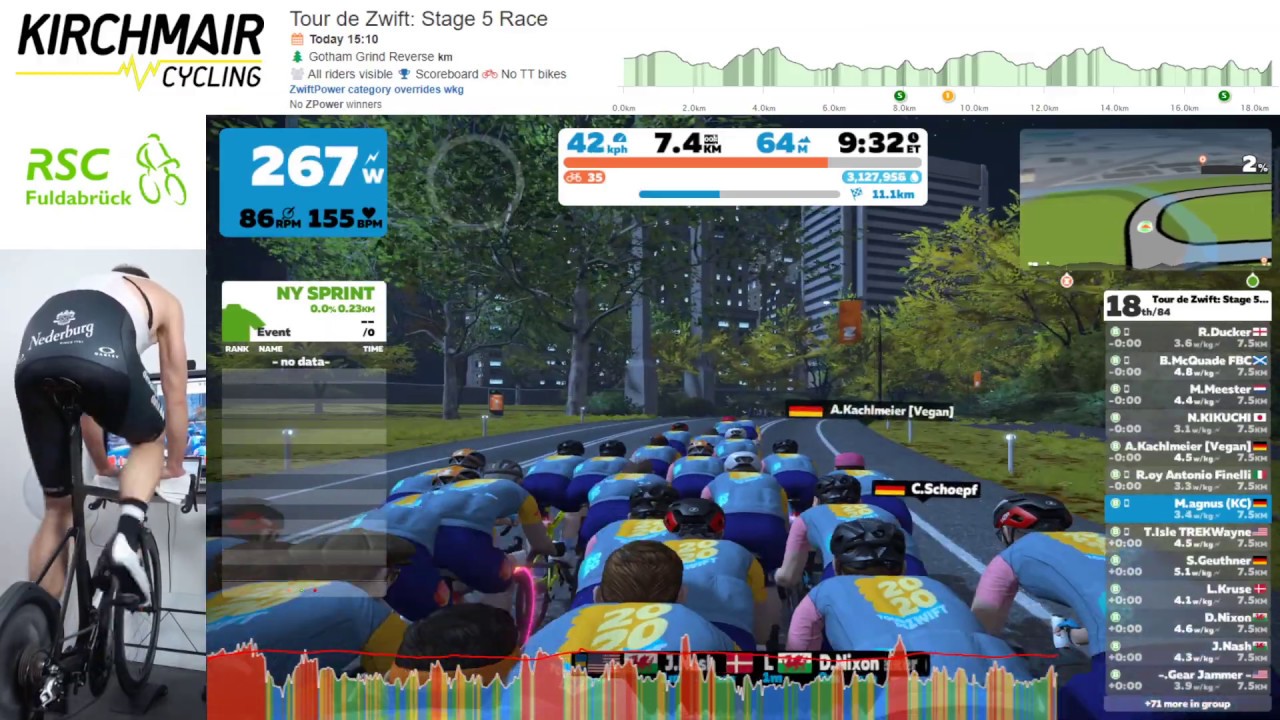
Magnus B is a German rider with the Kirchmair e-Cycling team. He was in my race and recorded the whole event, including his win in the final sprint! If you’re curious what it takes to come out on top in a race of this sort, watch his stream below. You’ll even see my power drop at 20:20:
Takeaways
My only takeaway from this race is that I need to get this ANT+ issue sorted. I hate the idea of going into a race unsure of whether my power will drop at some random point.
You would think, of all people, the guy who runs Zwift Insider should be able to get his Zwift setup sorted. But nope! Ever since we moved house in late summer, I’ve had ANT+ issues here and there. Some have been my own doing, like my ANT+ drop during the Le Col metric century caused by having two ANT+ dongles plugged in. But mostly, what happens is I’ll get a complete ANT+ signal drop for a few seconds, as shown by uploading my log file to Zwiftalizer. Here’s what today’s drop looks like:
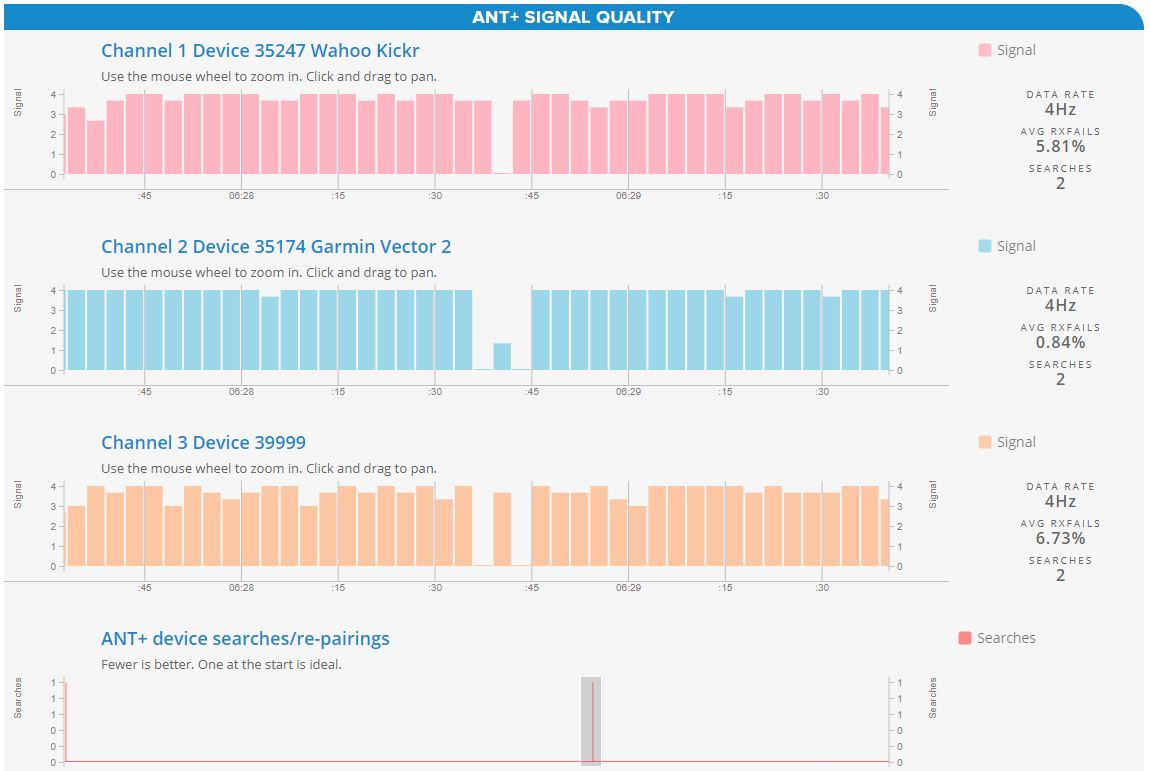
My current theory is 2.4gHz wifi interference from neighbors, so I’m going to give Bluetooth connections a go and see how that works. I’m also in the market for a new set of power pedals, as I think my Garmin’s are perhaps on their way out.
If you’re having ANT+ dropout issues, check out this post for tips.
What About You?
Have you ever lost a race due to a signal drop or some other “Zwift mechanical”? Have you raced stage 5 yet? Share your experiences below!
What frame and wheelset combo would you recommend for this race? (I don’t have the tron bike)
Hey James,
It’s all about aero on this route, so pick the fastest wheels and frames you have access to, from these lists:
https://zwiftinsider.com/fastest-frames/
https://zwiftinsider.com/fastest-wheelsets/
Same thing happened to me when I did Stage 4. I had a series of 3-4 drops in about a minute, enough to go from sitting in the front group to clawing back the middle group, all before ever hitting the climb. I postulated it was my ELEMNT and (which uses BTLE) and the computer (which uses ANT+) arguing over who was authoritative. After turning off the ELEMNT I had no more drops.
It was a good workout either way.
Wireless is nice, but I think that whichever trainer manufacturer brings one out with a wired OPTION will have something.
I would LOVE a wired option! But I also trust a good pair of power meter pedals more than most smart trainers, so it wouldn’t help me much there…
I don’t race but on the Stage 5 B group ride something significant happened to me today, my heart stopped beating!
I suspect I may need a new HR strap battery 😉
Happy 300th anniversary !
Thanks!
Hi Eric, sorry to hear about your ANT+ woes. I had a similar problem, it just turned out that my ANT+ dongle needed to be closer to my trainer. I purchased a 4 foot USB extension and placed the dongle close to my trainer. Problem solved, until my Internet service provider glitched out on me mid-sprint. Sigh, such is life. 🙁
I had BIG Drop problems with my Stages PM when I turned a fan on. It took me awhile to figure out. Ended up putting the dongle on an extension and have it underneath Bottom Bracket aimed up towards Crankarm. I still occasionally get a 1s drop. Almost hard to notice until I download my power file OR if I’m on a steep climb.
Cheers
Scott Zoro
I’ve had really good luck using the companion app at all times and connecting ALL my sensors through there using the bridge functionality. Just don’t accidentally turn off bluetooth or wifi on your phone during the ride.
You have to keep your phone battery in good standing, but direct-to-laptop has had my fair share of issues.
I also had an issue a couple races ago when I had to use my older backup laptop (A beast of a ThinkPad W520, but it’s over 10 years old)
Today I downgraded the resolution to 720P from 1080p and the frame rate issues were mostly all resolved.
I’m a bit of a novice, so I’m on a fluid trainer. Still got a tire to blow out on me on Stage 2 of the 2019 Tour of London. That was very disorientating and LOUD!
Hi,
I also had time with ANT + disconnections on my PC and in the end I changed the quarq potentiometer communication to BLE with the same USB extendable cable that I used for the ant +. So far it is going well.
Greetings
Had my first ANT+ dropout in quite a while yesterday too. Also using Vector 3s. Co-incidence? I restarted my pc today which I normally leave on. It installed some Windows 10 updates and then was perfect all through my ride today.
For more exciting racing thanks to a signal drop, check out today’s Fiets Magazine race at https://www.youtube.com/watch?v=HBRuPAkjibY
What happened? I don’t have time to watch the whole race right now… just watched the end…
Vujasin is in the lead, has a signal drop at around 11:30 in the video maybe one fifth into the race, falls about 30 sec behind the lead group and starts an epic chase, no spoilers as to the end.
At least Zwifttalizer doesn’t give you the dreaded red “Your ANT+ signal is all over the place” box. I seem to be getting it most of the time and there’s pretty much nothing more I can do (at least I’m not using it for anything other than trainer control).
Should add that this was an on-site live event, so certainly less than ideal conditions when it comes to the RF spectrum…
I can’t even use ANT+ in my house. Constant drops. I switched to Bluetooth and using an iPad a couple years ago and never have had a problem since. Absolutely infuriating when a big effort is wasted on a last km power drop!
Eric, I use BTE IOS and this morning I did the same race as you just D group and during my warmup in NYC and I dropped as well (I have Kickr ) with a similar experience. I ended up going through recalibrate several times – I tried doing it after the drop from within the menu but it wouldnt read correctly and failed 2x. So eventually I rebooted did Wahoo calibrate followed by Zwift calibrate from the main menu to get it dialed in again. My observation after having this happen 2x is that after a drop at least in ios, there is too much gunk in the memory and the only way to clean it up is to reboot and do a full calibration. I fortunately had no issues during the race itself but I also saw the wierdo finish line as well.
I really enjoy your ride reports on TDZ. Keep up the great work.
Thanks,
Love your column so i have two comments. Worse than an ANT+ failure? Accidentally hitting “join event” instead of hitting “not yet” (or anywhere on the screen) when I was killing it up the Bologna climb. Secondly I bring Assioma pedals with me on business trips around the world. I use them on hotel bikes Bluetoothed to my IPad haven’t had an issue yet.
Good luck and keep riding.
Oh no, that’s bad… exiting yourself out of a race. Ha!
I’m intrigued wiht your Hotel solution. I travel 2-3 weeks of the month and hate not being able to keep up when using the dumb hotel bikes. I have no experience with power pedals. All I need to to carry a set and an Allen wrench and I can Zwift in the hotel? Will they link up up to an iphone?
Yes. Just connect them via Bluetooth to your phone. Same for HR strap as long as it transmits Bluetooth.
I haven’t had a drop since I switched my modem to 2.4 GHz wireless channel 6 (instead of auto) and deleted my Garmin Software. Thanks for the article!
Wahoo kicker solved my problem. My garmin vector pedals dropped all the time. Maddening. The wahoo is perfect
I used to get many ANT+ drops on my HRM. I move my setup to within 5 ft of the dongle and haven’t had a problem. I always connect Kicked with Bluetooth.
dm
Does this PR Lotion thing actually help? I’ve seen many endorsements, but I am not sure if this makes a difference…
I wouldn’t use it if I didn’t notice a difference!
I wrote a series of posts about it when I first “discovered” PR Lotion. Check out the first post: https://zwiftinsider.com/topical-edge-first/
Hi Eric, my set up at home uses a Wattbike connected to a PC via ant+, I also use an old iPhone 7 to run the Companion app and stream music via Bluetooth to a set of Bose headphones. I use a 45” Samsung 4K TV as monitor an original iPad to pick up the Wattbike pedalling dynamics also via Bluetooth and three fans for cooling. Now this is a lot of electrical kit with simultaneous ant+ and Bluetooth signals bouncing about and it all works perfectly without ever dropping out HOWEVER six months ago I got a new iPhone XS Max and if this phone is even in the same room as my trainer set up I get dropouts. This happens even if the phones case is shut with the phone just sat there apparently doing nothing. It took me a while to find the cause but it’s a simple fix – I just leave the phone in another room. Good luck 😀
Crazy!
I’ve noticed a couple (very short) ANT+ dropouts as well.
(laptop, ANT+ dongle, Kickr-core)
What I suspect is interference caused by my phone.
Typically my phone is on laying on my laptop keyboard however When I place my phone more in between dongle and trainer, the problem occasionally occurs, esp. when also connected to my bluetooth headset.
Yes, get this running too using ant through the run pod. It is usually for a few seconds, smack the pod a few times, and go again. A little tougher on a bike!
I use bluetooth. I noticed I have to restart my computer before using zwift to avoid the connection issues. I always leave my computer on. It seems by restarting the computer, the drop issues are gone.
I had a very similar experience on Tuesday night – TdZ stage 5, holding on to the front pack, ANT+ drop for over 3 minutes, and the weird false finish line. Cruised in solo near the very back of the pack after unplugging and re-pairing the ANT+ dongle. Very frustrating. Definitely need to have a more reliable connection.
Its like getting a flat tire, really ruins the ride
Thanks Eric; it’s always interesting to read other people’s experiences. Sorry about yours!
Mine was quite different but also frustrating in retrospect. I’m a Cat C rider and entered the correct Stage 5 race at 17:40 UST yesterday. Riding at 2.9 w/kg I expected to be in the middle of the field but finished 78th of 81. Looking at the top of the results I could see why: of the top 50 only 8 were at 3.1 w/kg; the other 42 were above! Why is that tolerated? Shouldn’t they all be D/Q’d? I know that there’d still only be 3 folk behind me, but 36th feels a lot nicer than 78th….
I did the Stage 5 race this morning and the false finish line was still there. Sorry to hear about your ant+ issues. Just like most of the other posted comments, I also have occasional ant+ drops but fortunately they’ve lasted only a second, usually involve a huge power spike, and have only happened when I’m doing training in ERG mode. It used to be a regular problem until I started shutting down every 2.4 GHZ connection in the house while I’m riding. My guess is that my occasional drops are also from a neighbor’s 2.4 GHZ interference (houses are close). I also want to thank you for helping me get my best finish ever in my short racing career. I was getting frustrated by my 6th from the bottom finishes in my previous races but this time I finished 21st of 87 on Zwift and 15th of 36 on ZwiftPower. I may have just been in a slower B group this time but as you recommend in your posts, I made a hard effort to stay in the front group as long as I could, managed to stay in the second group when I did fall off the front, and used the Draft power up (as you recommended) in the final bunch sprint, passing 3 other racers and finishing 3rd of the 9 racers in the group. Your good advice definitely paid off. We’ll see how it works during this Saturday’s Stage 6 race. What bike/wheel combo would you recommend for Richmond? I used the Tron today.
Great result, @guest_31484! Glad to hear my tips are helpful.
For Richmond, the Tron is a great choice. The climbs there just aren’t long enough for a climbing bike to matter, so I’d stick with what’s most aero.
I faced the same situation in a race (not TDZ).
I am a brand new Garmin Vector 3 (dual) owner, and all the people told me that Garmin had several issues with that sort of things (high power, low power ,etc)
During this race the same thing happened to me. Power to 0 for a couple of seconds. And this continued for some days while free riding or doing structured training. I was very frustrated. This is what I did just in case this helps anybody else.
Garmin Vector Batteries
———————————–
1) I checked how many hours I’ve been using the Vectors without changing batteries. The # of ours was 75.5hrs whereas Garmin states that they will last 120. Forums of people said in 60 hrs you will have problems.
2) I saw that the original batteries were 2 x LR44 (alkaline) the cheapest ones… those can maintain voltage until 80% of consumption then they cannot do it and this is why you might lose precision.
3) After researching the recommended ones were the SR44 (Silver Oxide)… those can maintain voltage (3V) and then suddenly die. Much better than the other that will give you less V.
4) But the real thing is the CR1/3N (Litium) you just need one because this one is the size of 2 LR/SR 44.
5) The CR1/3N will avoid other problem having 2 of the other models and that is batteries moving inside the pedal causing fretting.
SO I DECIDED to change batteries.
I tested that on ZWIFT but after 10 minutes BUM!!! Same issue.
BABY OIL and GARMIN VECTOR DESIGN
———————————————————-
1) This is when I kept reading forums, ANT+ specifications and this is where I found that Vector 3 launched with some design problems on the pedal battery covers.
2) Fortunately for me I have the new model of the covers. So no need to ask Garmin to get the new ones.
3) This is when some people recommended to put some oil (neutral) the the battery contacts. I did that with some Johnsons baby oil with a toothpick like in this video. https://www.youtube.com/watch?v=hIVTZkEDDvw
I tested that on ZWIFT but after some minutes BUM!!!! Power drop, not zero but I was on 250W, ZWIFT went down to 100W but my Garmin Fenix 5 kept showing the correct power… INTERESTING.
OTHER ANT+ SENSORS
———————————————————–
1) This is when I read in a forum that if you have an ANT+ sensor with low battery can mess up with the other signals. So I decided to change the batteries to my HR strap (Garmin) and my Candence and Speed Sensors (CR2032) new for all of them.
2) I switched the WIFI from 2.4GHZ to 5.4GHZ because ANT+ uses the same spectrum and using the same channels might cause interference.
3) I also read that puting your ANT+ dongle closer to the sensors is better, and that made sense because my FENIX kept getting the right power but not ZWIFT. So I got myself a USB extension and put the dongle closer to the BIKE
I tested on ZWIFT………… NO MORE PROBLEMS. Alll working fine. Zwift is detecting the SENSORS super fast, no spikes, no drops, all as expected.
This was my struggle so I hope this could help someone else.
Cheers.
Matias.
I had 2 dropouts on 2 attempts at stage 5. First time this has happened to me and it sounds like several others had problems in this stage.
With the ant+ drop, was it due to ant+ signal drop between trainer and computer or a Zwift glitch?
As far as I know, ANT+ drops are basically never due to a Zwift glitch. They’re generally due to signal interference (WiFi, etc), weak signal, or an issue with your ANT+ dongle (like your computer setting the USB port to low power mode.)
I have had the same thing happen quite a few times and its very frustrating. I wasn’t racing but dropped from groups. Put new batteries in my pioneer power meter. Didn’t seem to matter. The reading on the power meter can vary by about 50 watts on zwift and my garmin. I have had both synced up at the same time. Many times the power numbers are identical but some of the time zwift reads 50 watts higher.