

It’s been almost a year since I first wrote about the ZwiftPower ZRS browser plugin. This free plugin, created by an avid Zwifter, began its life delivering a simple but useful upgrade to the ZwiftPower experience by adding Zwift Racing Score results to event pages.
See the plugin at the Chrome web store >
Since its launch, the plugin’s creator (who goes by the pseudonym “int” on socials) has continued to build out features, adding ZRS History, Power Curves, a personal dashboard, and much more.
Today, I want to dig into a little-known but highly intriguing feature of this plugin: Power Data Analysis. In particular, I want to look at the plugin’s ability to analyze power data and draw objective conclusions about a rider’s use of Sticky Watts and/or Ghost Watts. Let’s jump in!
Defining Sticky Watts and Ghost Watts
I wrote a post unpacking the mechanism and exploitable benefits of sticky watts back in 2020. Everything in that past is still accurate today, including this simple summary of sticky watts:
Zwift processes the data for certain power meters in such a way that the wattage reading in-game gets “stuck” on a particular wattage for 3+ seconds whenever a rider stops pedaling quickly.
It’s important to note that only certain power meters/smart trainers are susceptible to sticky watts. Pedaling oddly doesn’t mean you’re abusing sticky watts – you have to have the hardware that allows for the abuse. Specifically, you need an event-based power meter. These devices only send data when they experience a particular physical event, such as a pedal revolution. The most common event-based power meters seen in Zwift are pedal-based power meters. Event-based power meters work differently than most smart trainers and smart bikes, which are time-based power meters, sending data at regular time intervals (say, once every second) regardless of whether you’re pedaling or not.
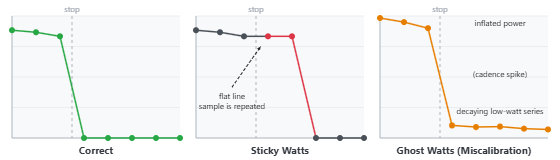
Ghost watts aren’t discussed as much in the Zwift Community, but they’re an important issue as well. Ghost watts are typically caused by a miscalibration which raises the “floor” of your power meter from 0 watts to, say 20 watts. They are easily spotted: if your cadence drops to zero, but power meter continues to send a reading to Zwift, whatever it is sending are ghost watts.
As the ZRS Plugin’s FAQ page explains:
It is important to note that coasting only makes the miscalibration visible, but every reported power sample at all times is affected — not just when coasting. In most cases this results in a small overreading of 10–30W, though deliberate miscalibration can produce hugely inflated readings of 100W or more.
Detecting Sticky Watts via the ZwiftPower ZRS Plugin
The ZRS Plugin does its work via ZwiftPower’s Race Report page, which is a bit hidden on the site but has existed for years. Here’s a link to a Race Report from my recent 100km Pizza Burner ride: zwiftpower.com/racereport.php?id=725850600006
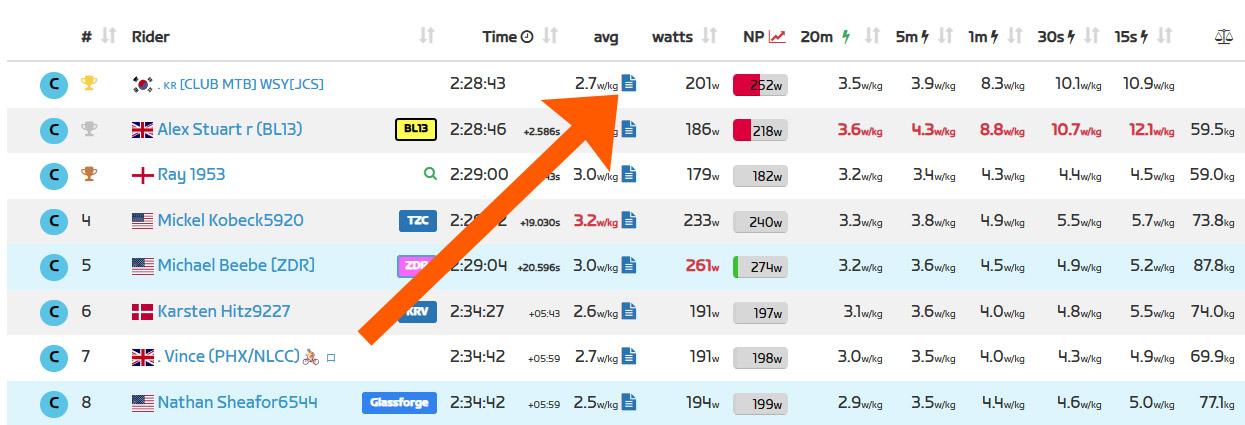
With the ZRS Plugin installed, the Race Report links are made more prominent – it’s the blue page icon next to a rider’s average power:
Clicking one of those links with the plugin installed produces an augmented Race Report page which includes the plugin’s Power Data Analysis at the top and ZwiftPower’s regular charts below:
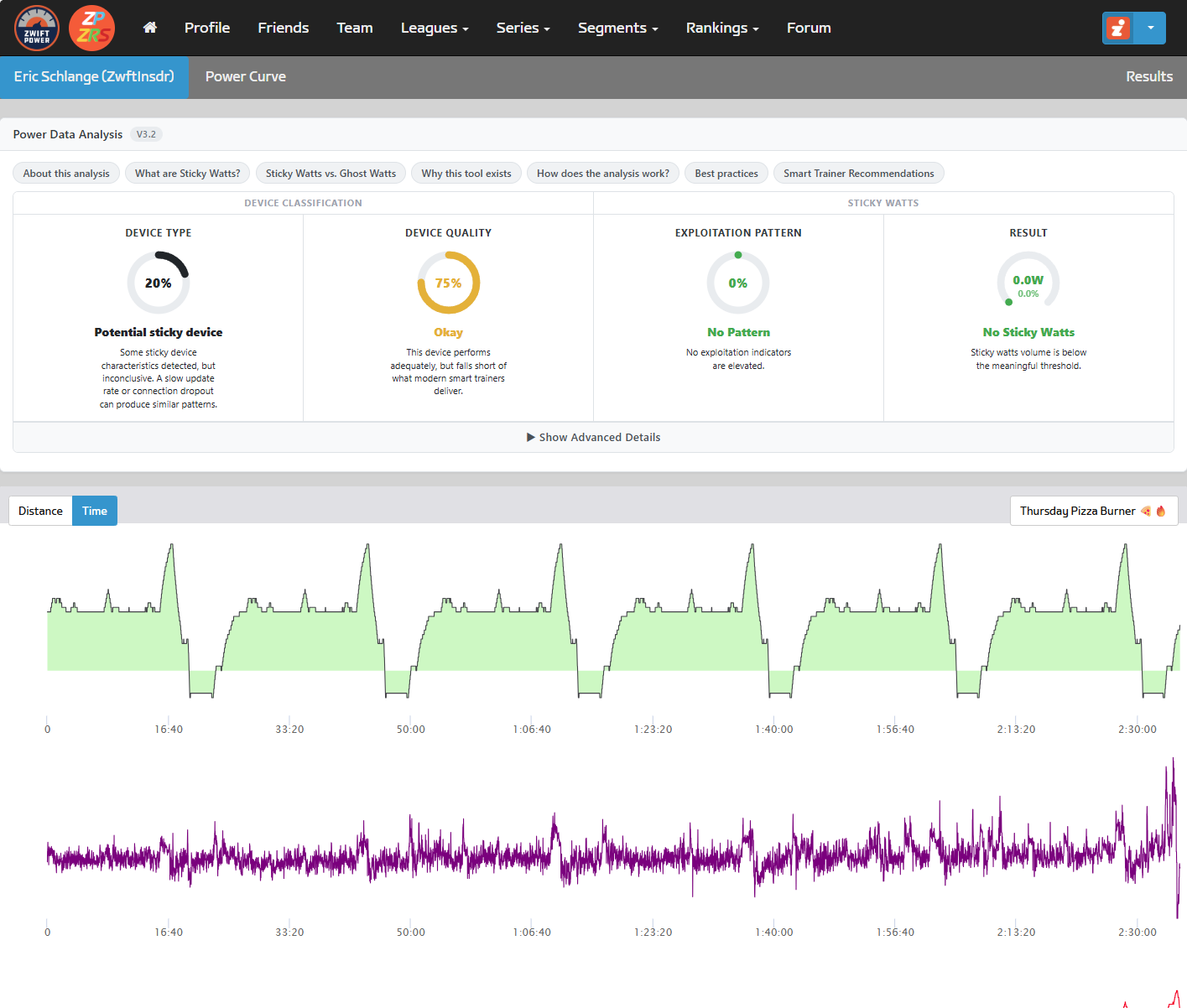
ZwiftPower ZRS’ Power Data Analysis computes and displays four scores:
- Device Type
- Device Quality
- Exploitation Pattern
- Result
You can read all about these by clicking the “How does the analysis work?” button on the Race Report, but basically, these scores are used to answer two questions: is this device susceptible to sticky watts, and if so, how much did it matter in this race?
My chart above shows that I used a potentially sticky device – which is true, since I paired my Favero Assiomas as the power source in Zwift. But it also shows that any sticky watts which occured were “below the meaningful threshold” – so no cause for concern.
Contrast my Race Report above with this Race Report from a rider who shall remain unnamed:
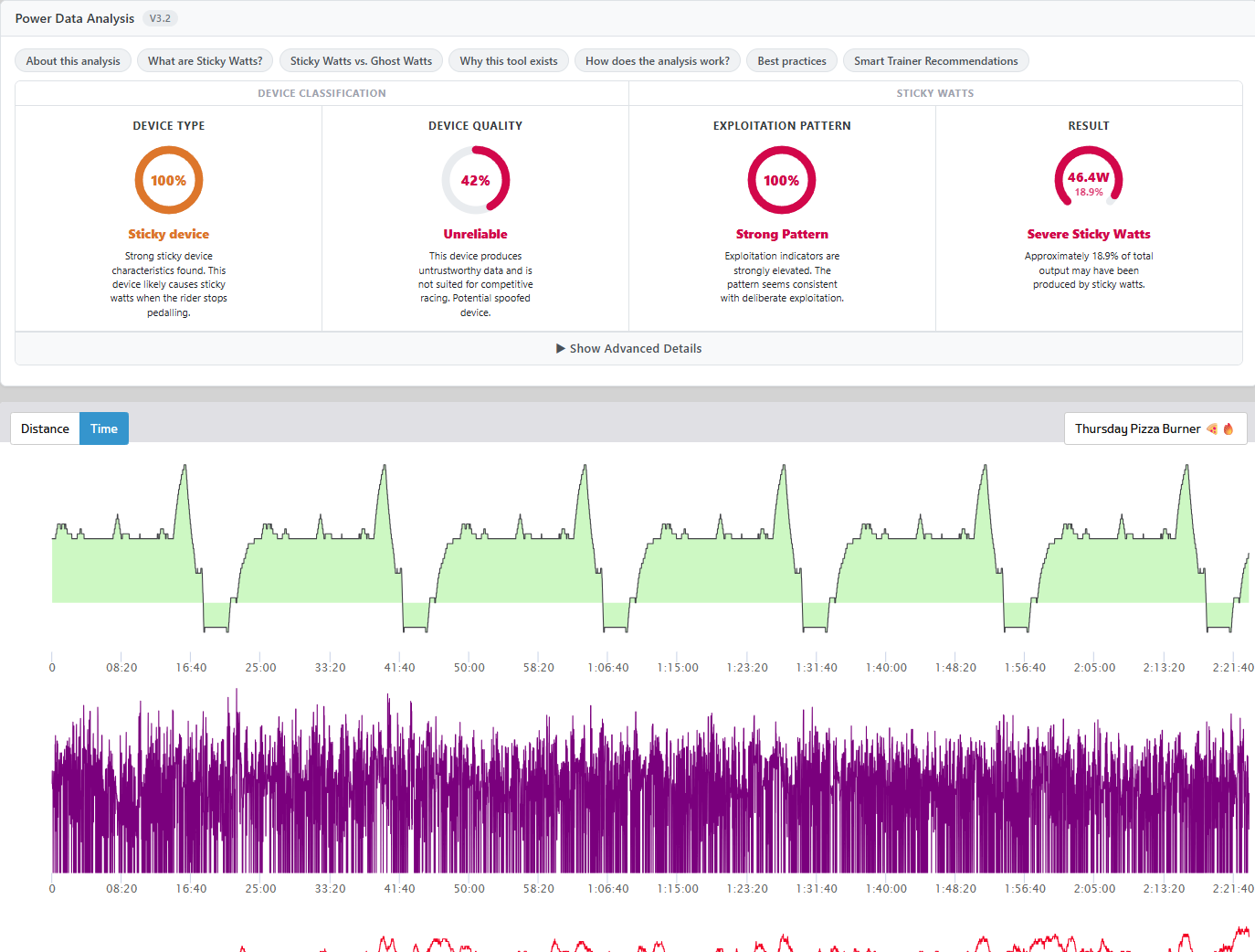
Wowzers! Major red flags here, including an estimate that 46.4W from the rider’s average power came from sticky watts.
Clicking the gauge drops down additional info which includes details of how each figure is calculated.
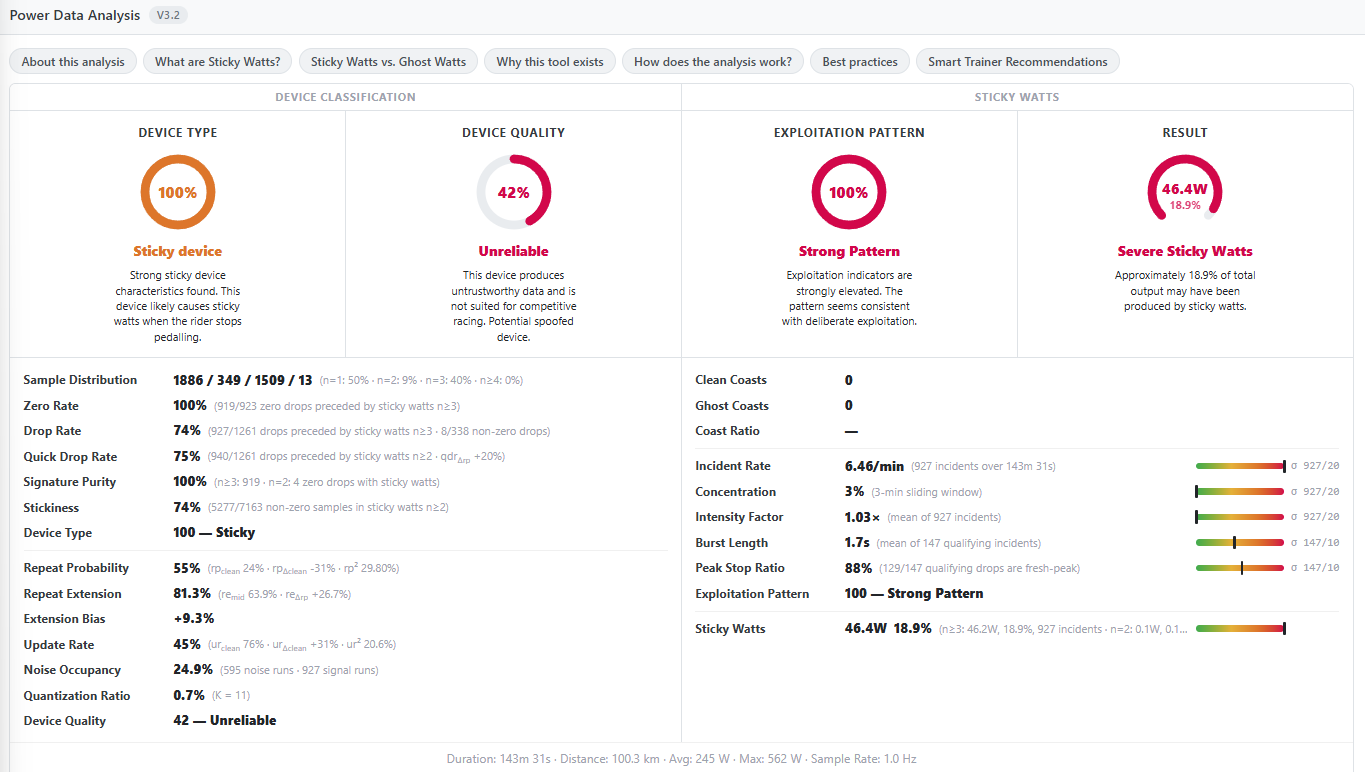
Of course, anyone who understands sticky watts can glance at this rider’s power chart and immediately see the pattern. Zooming into a random portion of his power chart, I see this:
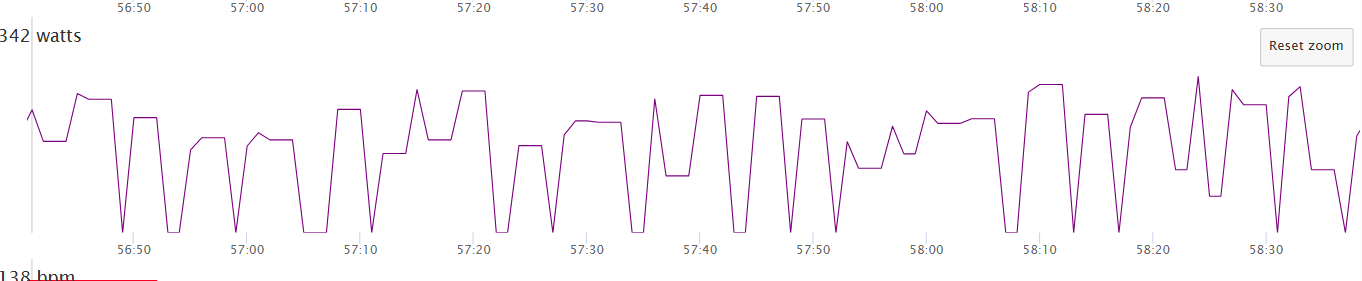
All those flat spots are sticky watts.
After checking a pile of riders’ Race Reports, I wasn’t able to find any examples of ghost watts – so I can’t include screenshots here.
Real-Time Detection in Zwift
If you think anything like me, seeing sticky watts detected so clearly and quickly by the ZwiftPower ZRS plugin makes me think: it’s way past time for Zwift to start detecting and dealing with sticky and ghost watts. At this point, 10+ years into the Zwift racing experience, it’s just silly that the ZwiftPower site (or Zwift’s newer results at zwift.com) can’t flag sticky and ghost watts after the fact.
And really, these patterns should be detected in real-time as we ride! I’m convinced that a fair number of riders abuse sticky watts without even realizing it. Those riders need to be informed of what’s going on, so they can take measures to resolve the issue. And bad actors who choose to continually abuse sticky watts? Give them a shadowban. Block them from racing. Or at least… at the very least… remove them from results.
Your Thoughts
I hope you enjoyed this look at yet another impressive feature from the ZwiftPower ZRS plugin. But now I’m curious: what do you think of all this? Share your thoughts below.

