Two years ago, I found myself sitting on a couch in Eric Min’s living room, talking about where we’d love to see Zwift go next. The single biggest idea I shared was simply this: I want Zwift to give me a brilliant recommendation for each day’s workout.
- As a Zwift fanboy, I know the platform has so much to offer. Routes to explore, community events, engaging races, workouts and training plans… there’s something there to motivate just about anyone, but it’s also easy to get lost!
- As a cyclist, I know it’s easy to get confused about what I should do to get stronger. With training advice coming from all sides, sometimes I end up heading down rabbit trails, chasing the next shiny thing I saw on YouTube, instead of sticking to a consistent plan.
I knew a simple, brilliant recommendation engine could help to solve both of these challenges. But also, it was no easy ask! (Especially back then, when Zwift wasn’t even “seeing” my outdoor rides.) Now, two years later, Zwift can see what we do outside, which is brilliant. But that doesn’t mean the holy grail of workout recommendation engines is easy to build. (Case in point: Strava’s new “Instant Workouts” feature, which hasn’t impressed anyone I know of.)
Zwift is completing a major rollout of their Next Up personalized recommendation engine this week. And while Next Up is still very much a beta in Zwift, and some of the feature requests I make below are already being worked on internally, I’m sharing this post now in hopes of sparking useful conversation and actionable feedback for Zwift’s team. This will, in turn, help to drive the development of what I believe is an important feature. So let’s dive in!
First, a Quick Explainer
If the Next Up feature is enabled for your account, you’ll see it at the top of your homescreen. It’s pretty hard to miss:
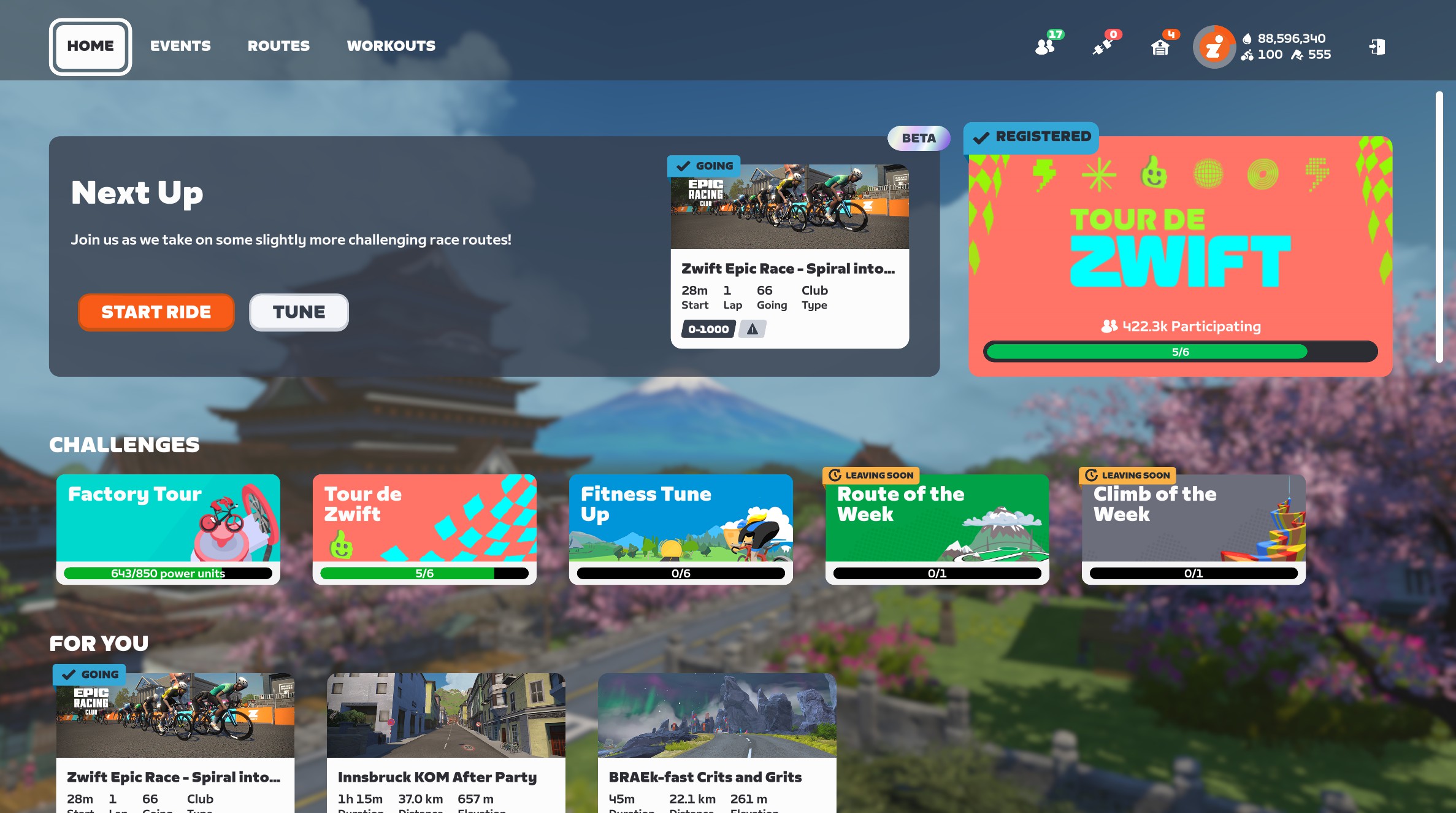
If you’re signed up for an event that’s coming soon, it will show that event as your first option. Otherwise, it shows the selected workout as your next option:
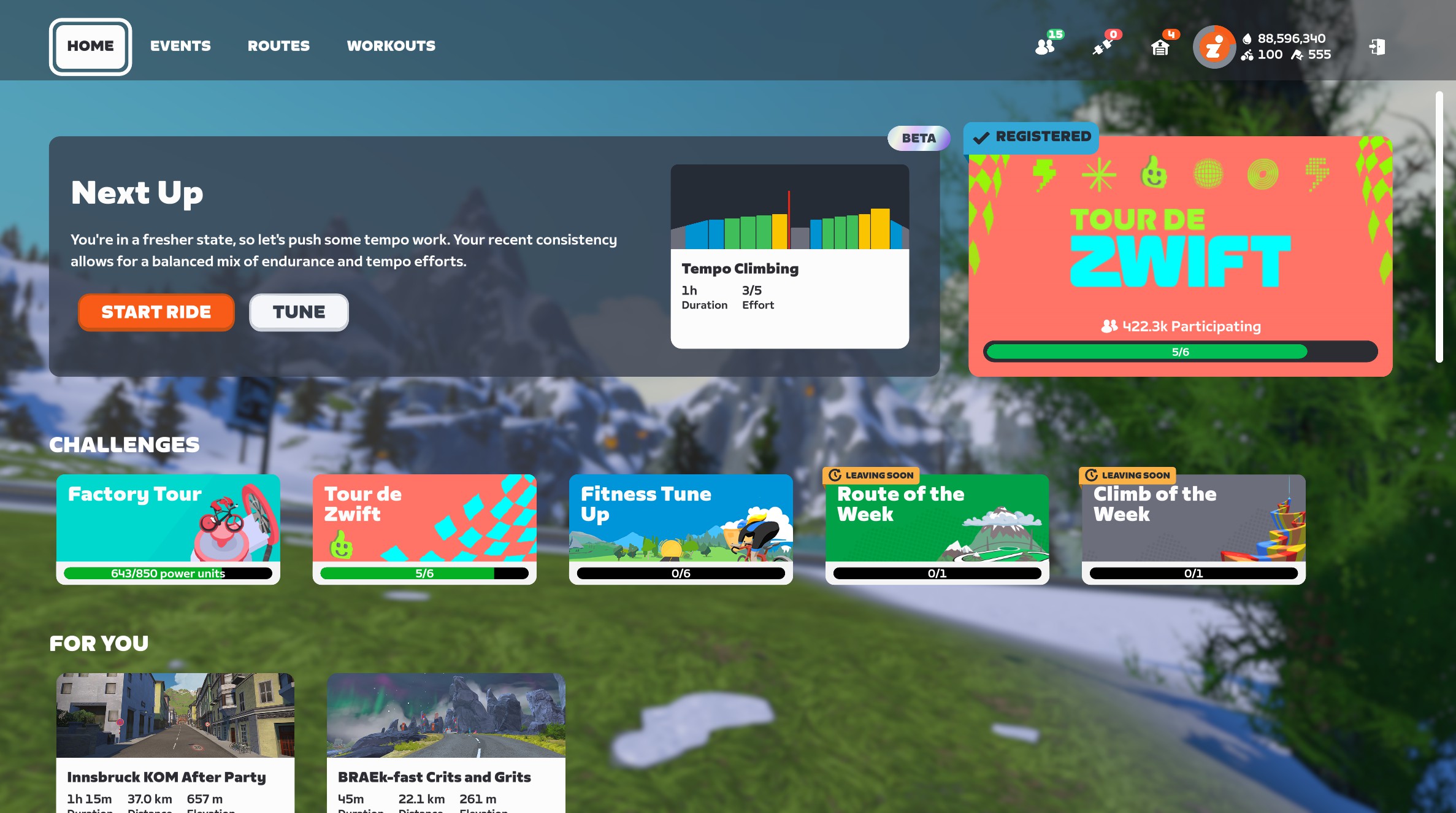
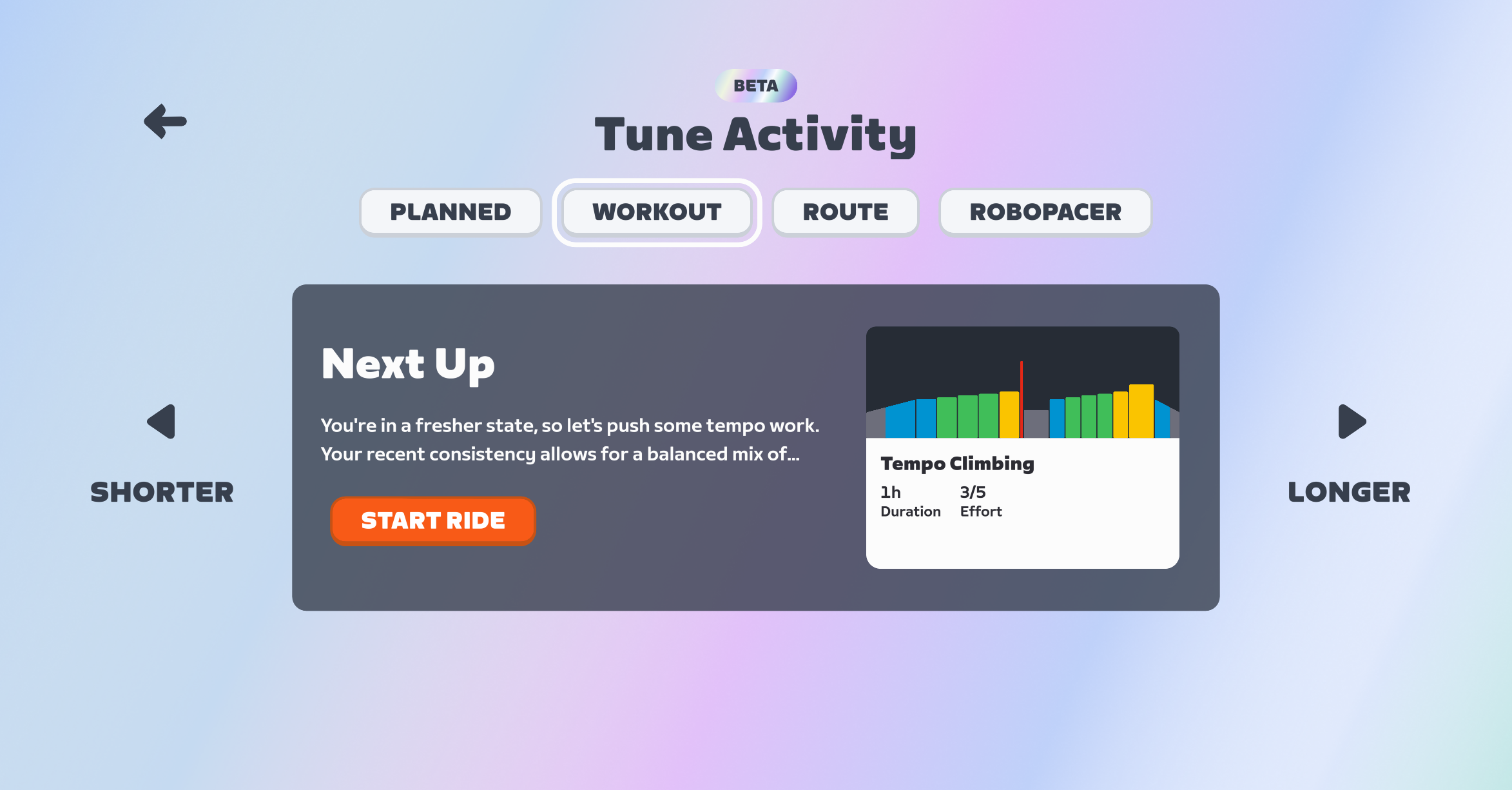
Click “Start Ride” to begin the recommended activity, or “Tune” to see and/or modify the recommendations. Next Up currently serves up four types of recommendations:
- Planned: events you’ve signed up for, or today’s scheduled workout if you’re syncing from a third-party training plan provider like TrainerRoad. (You won’t see the “Planned” option if you aren’t signed up for events or syncing from a third-party provider.)
- Workout: a structured workout from Zwift’s library
- Route: a route from Zwift’s library
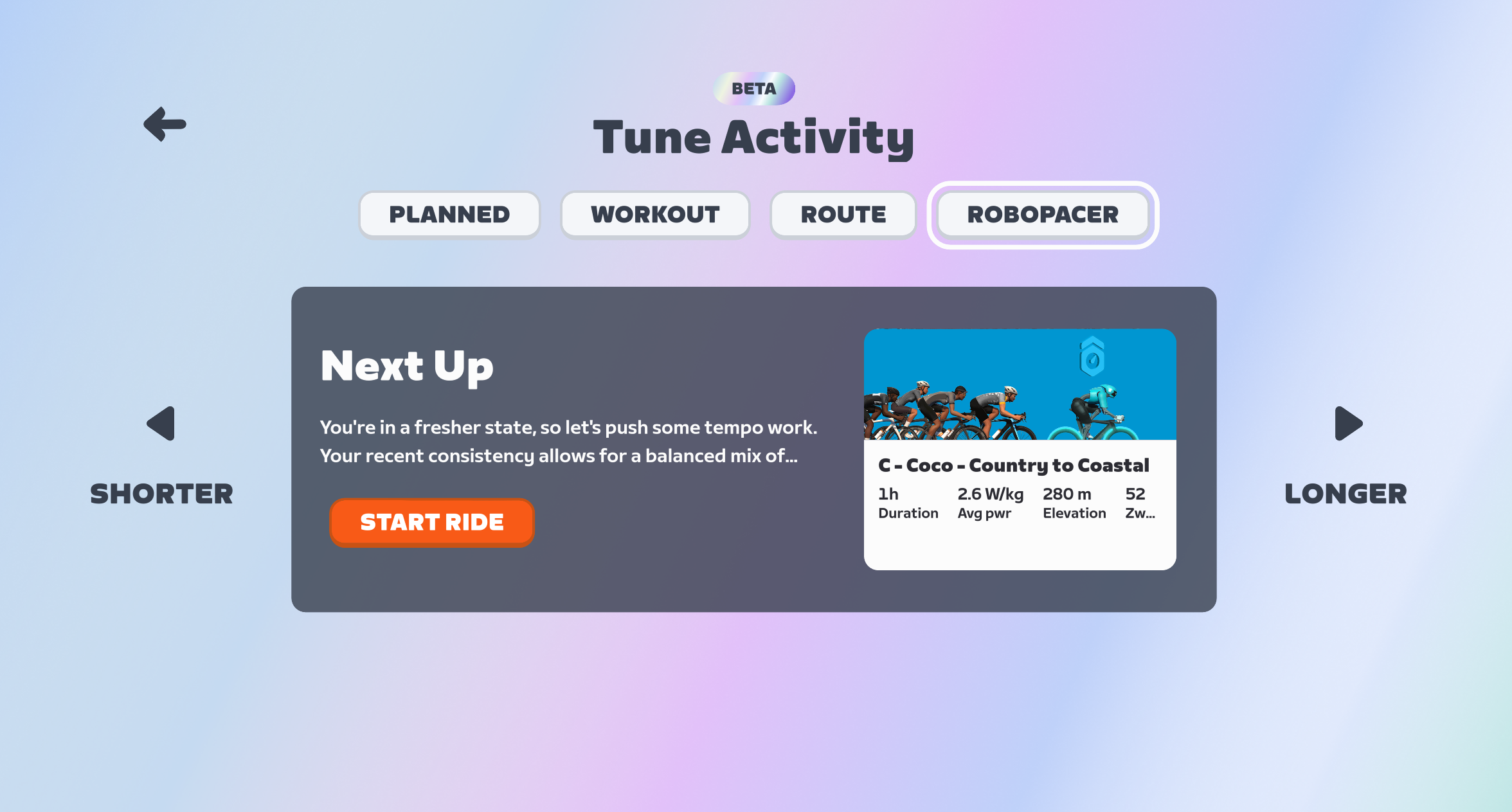
- RoboPacer: a RoboPacer moving at a pace that works for your current fitness and freshness
Once you’re on the “Tune” screen, you can click the “Shorter” or “Longer” buttons to select a shorter or longer Workout, Route, or RoboPacer ride. You’re given two shorter options and two longer options, plus the default option, for a total of 5 possible Workouts, 5 Routes, and 5 RoboPacer lengths.
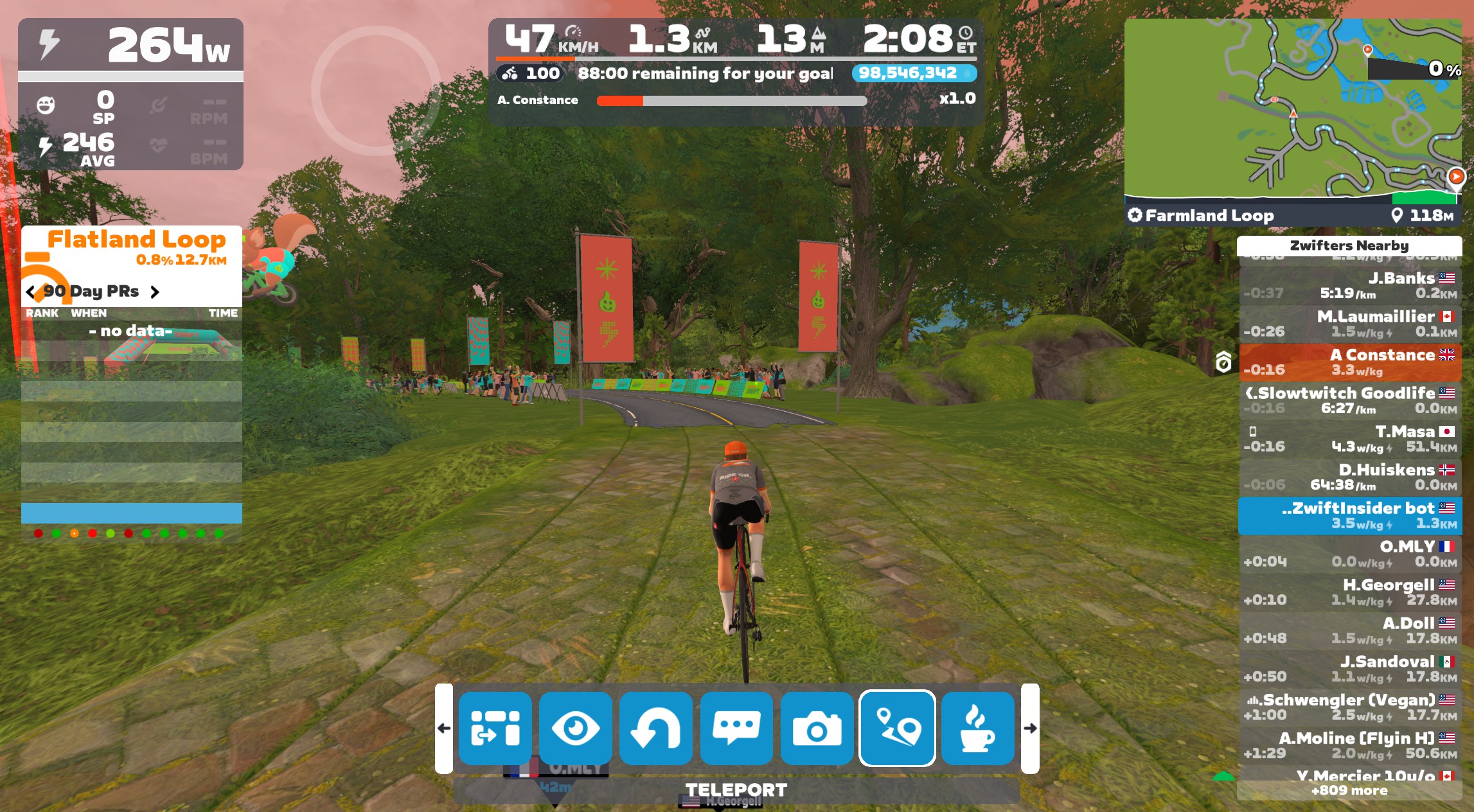
If you “tune” your RoboPacer ride, it just adds or subtracts 30 minutes from the stated duration. There is a timer in the game’s center HUD that pops up intermittently to show how much time you’ve got left to hit your goal:
Two more things to call out:
- Next Up has a limited presence in the Companion app as well (more on that below)
- Next Up refreshes its activity recommendation once per day at this time (more on this below as well)
Rollout Plan and Target Audience
As I explained in this week’s post on Zwift’s version 1.106 release, Zwift released Next Up to all English-speaking Zwifters this week. The plan is to roll it out for all other supported languages by the end of February.
In terms of target audience, while the current iteration of Next Up can provide value to every Zwifter, it should prove especially useful to newer Zwifters and less experienced cyclists. More experienced Zwifters don’t necessarily need guidance on the next route to ride or which RoboPacer group to join, and many experienced cyclists already have some sort of training plan they’re following.
While Next Up could someday provide great value for all Zwifters (I discuss this more below), in its current form, it’s most helpful to newer riders. I would say this sort of Next Up’s “unofficial target audience.”
Feature Requests
Option to Turn It Off
I’m seeing more and more riders asking if the Next Up feature can just be toggled on and off, as they don’t have a use for it. While Zwift has never been big on letting people toggle key features, I think there’s some sense in this idea. Turning it off would save AI processing and free up screen space for the features people do want.


The Next Up feature, as it currently stands, isn’t super-useful to everyone. Until Zwift can build it out so it’s really good at knowing what you should do next, it makes good sense for Zwift to add a setting to turn it off.
Refreshing After Each Activity
Currently, the recommendations in Next Up for Workout, Route, and RoboPacer only refresh once a day. This is done to save AI cycles, no doubt, but it makes the feature feel rather “dumb” if you’re a rider who often does multiple activities in one Zwift session, or you’re a rider who does two distinct Zwift sessions in a day.
I would love to see the recommendation refresh after I save my Zwift activity. That means, for example, on Tuesdays I might log in for my ZRL race. It would recommend a race warmup for me (see that feature request below), then recommend the ZRL event to me, then recommend a cooldown.
To save on AI cycles, perhaps they could just add a refresh button to the UI, so I could easily get a new recommendation if I want it?
Remember My Week
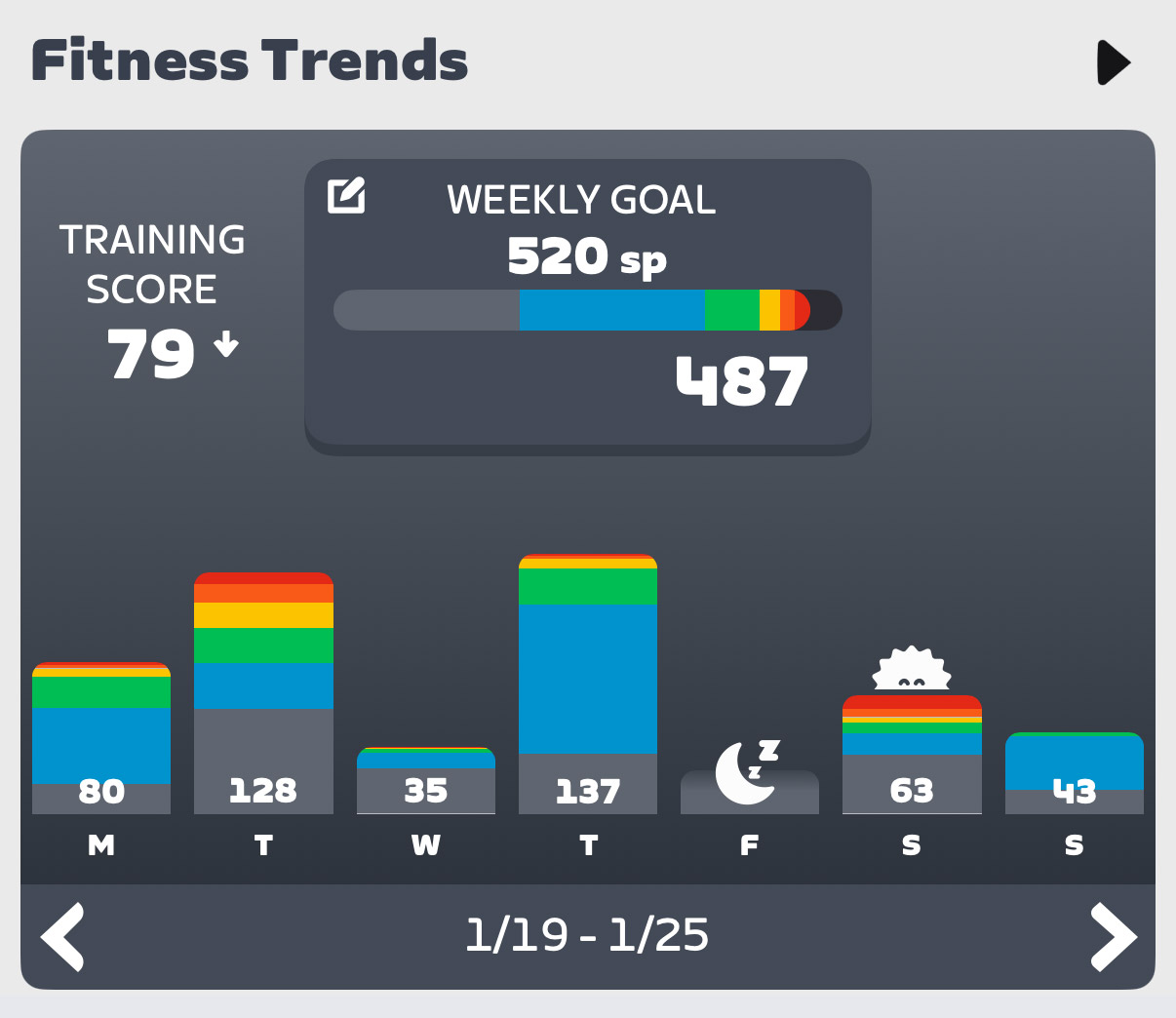
Currently, Next Up seems to recommend 1-hour activities every day. Yes, you can click to tune them longer or shorter, but it feels like the engine is a bit blind to my weekly habits.
For example, I’ve led my 100km Pizza Burner ride every Thursday morning for a year, yet it still recommends a 1-hour ride for me on Thursdays. And Saturdays are always a long day for me (2.5-4 hours, typically), but it’s still just recommending 1-hour rides. (And even if I try to tune them, the longest options are sometimes only 2 hours).
Next Up needs some logic to spot day-of-the-week patterns.
Event Recommendations
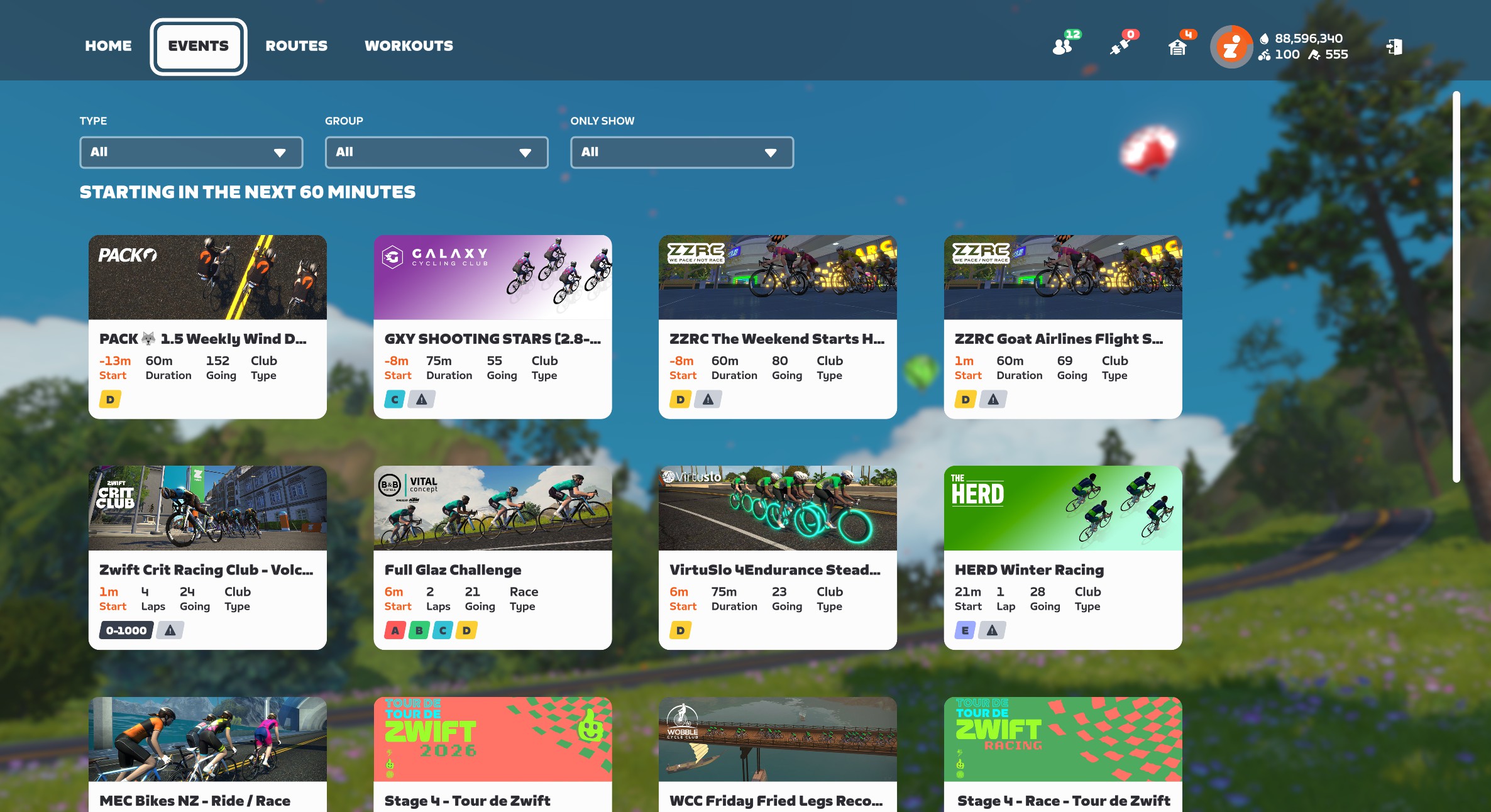
Zwift has always struggled to surface (or let people discover) events that will leave Zwifters coming back for more. Think about it: there’s still no tool in Zwift that says, “Show me the most popular events happening in the next hour” or “I want to do VO2 work in a group, what events are coming up?”
This is an untapped area with huge potential wins for Zwift.
Imagine if it could find the best event for you that was coming up soon? And you could tune the selection a bit, to choose between a handful of event options?
Currently, the “Planned” section of Next Up will show the next event you’re signed up for, assuming it’s coming up soon. But that’s just the most basic functionality Next Up should have. There’s much more Zwift can do…
Warmup Recommendations
If Zwift knows I’m signed up for a race that starts in 15-60 minutes, it should be recommending race warmups for me. There are several race warmup workouts in Zwift’s library, and there are also routes and RoboPacers I could ride that would do the job.
Route Recommendations
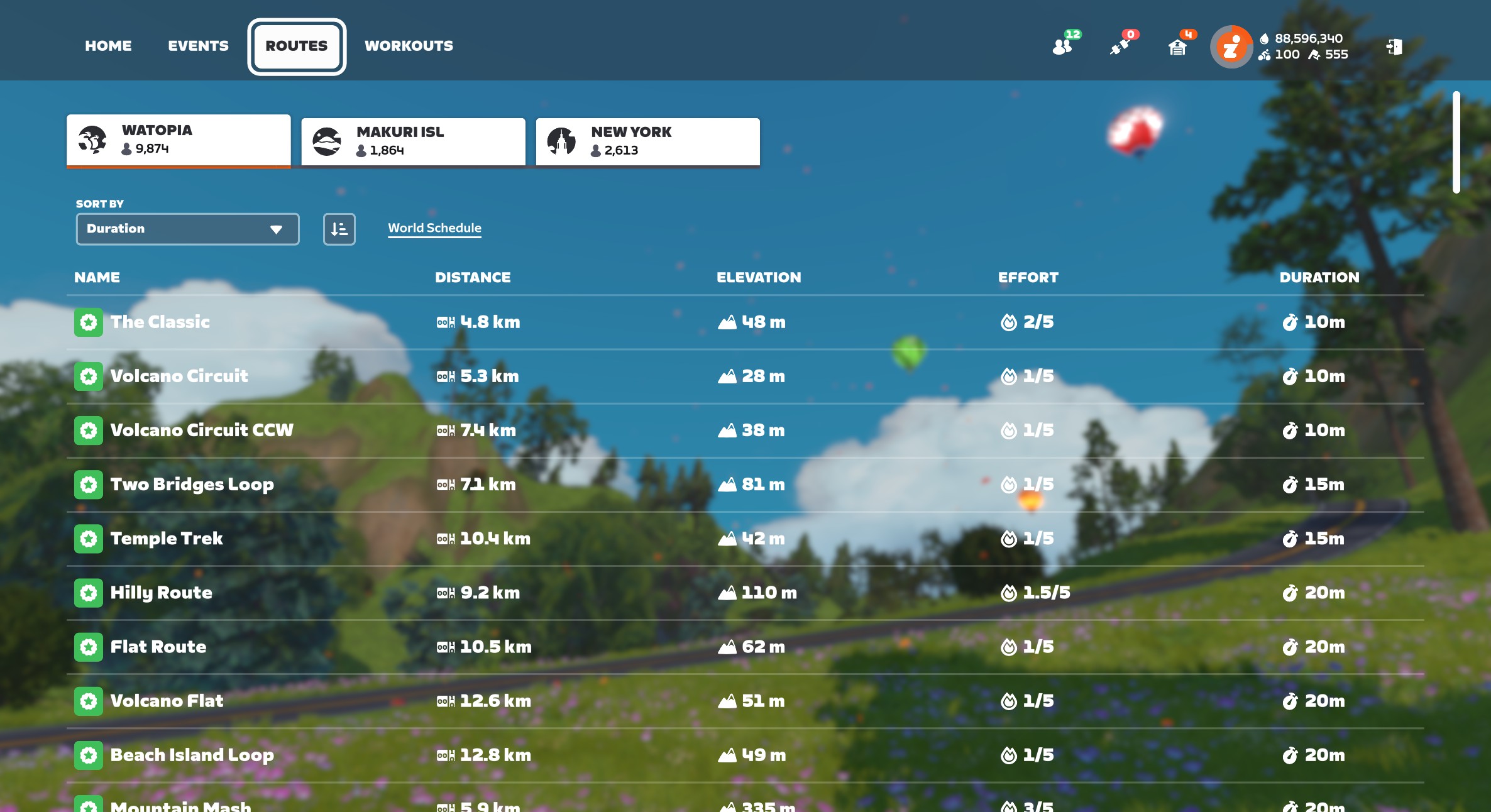
Zwift’s huge library of routes (well over 200 free rideable routes now) can be a bit overwhelming, especially to newer users. Add route badges into the mix, Route of the Week, and the huge variation in length and difficulty of routes, and you can see that a strong route recommendation engine would be a great addition to the game.
To Zwift’s credit, they’ve improved this portion of Next Up since its initial launch. It’s now recommending Tour de Zwift routes for me, for example – even though the explanation text doesn’t explain this (that’s coming soon).
Personally, I’d love it if the feature just brought up routes I haven’t ridden yet, and explained that if I ride the route, I’ll get the achievement badge and XP.
Improved Explanation Text
Speaking of the explanation text (we need a better name for this text that explains why a particular activity is being recommended) – there’s a lot of improvement that could happen here.
First: as a text guy, it’s mildly infuriating that I can’t read the full text from the screen in game. It ends with …, but there’s no way to click and read more. Zwift needs to fix this, as that explanatory text is going to play a key role in convincing Zwifters of the value of Next Up selections far into the future.
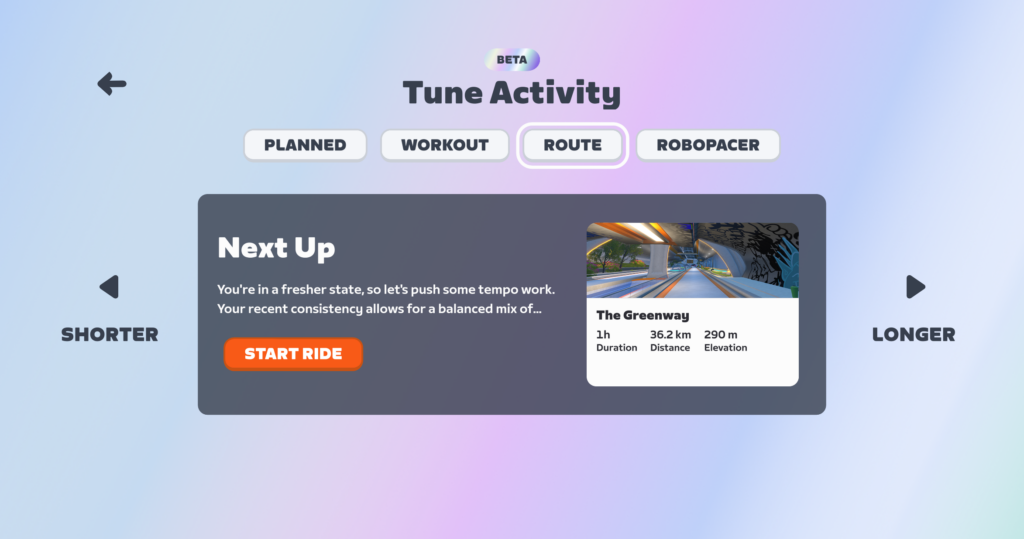
(To be fair, that text is fully readable in the Companion app).
Fixing the way the text is displayed is the easy part. Improving the actual text, I imagine, is much more challenging. You’ve got to keep it short, but also informative. Right now, the text feels overly simplified to me. I know there are unmentioned factors (like weekly goal settings) driving Next Up to recommend a particular activity, and I wish it would mention them.
Companion App Buildout
Currently, the Companion app only shows you the default Next Up activity. That means it shows you your “Planned” activity (an event you’ve signed up for, or a third-party workout), or if you have nothing planned, it will show you the selected workout of the day.
There’s no way to tune the workout in Companion. And no way to see selected routes or RoboPacers.
For Next Up to be useful, it definitely needs a strong presence in Companion, since this is where people go to plan their next activity. But right now, its presence in Companion feels a bit half-baked.
Zwift Training Plan Integration
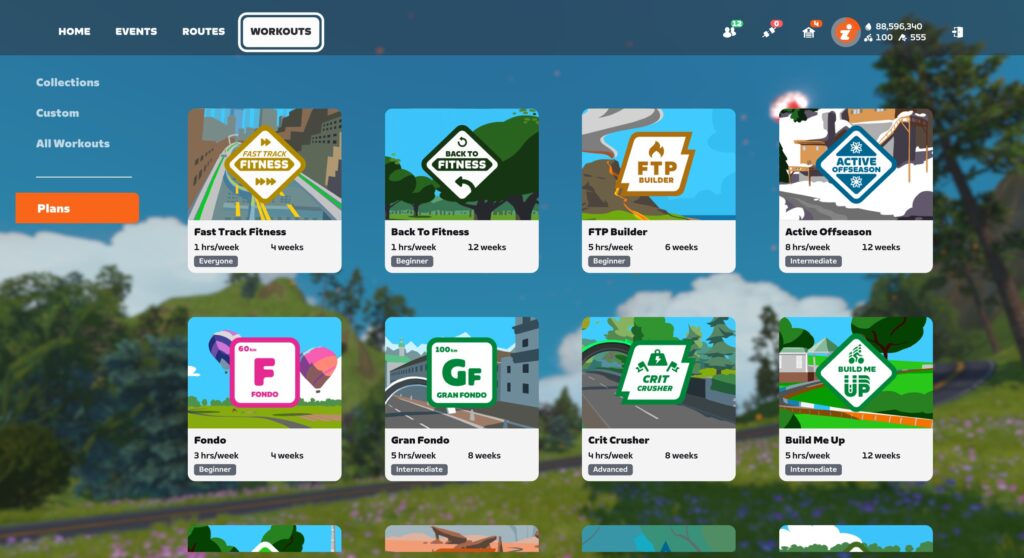
It’s a bit odd, but if you’re signed up for a Zwift Training Plan, nothing about that plan shows up in Next Up. Ever.
Workouts from third-party providers like XERT will show up, but Zwift’s own Training Plan workouts do not.
My guess is this hasn’t been fixed yet because Training Plans have their own UI in game – a popup window where you select your workout for the day. That would need to be modified/removed, and Next Up may need to be modified somewhat to replace that functionality.
One possible solution: surface the day’s planned workout in Next Up, just like you’d do if I were using TrainerRoad for my plan. Swap the “Longer” and “Shorter” buttons for “next” and “previous”, so I can choose to execute a workout that’s scheduled for tomorrow, if that’s what I want.
Smart Activity Type Selection
Next Up currently defaults to showing me the recommended Workout for the day, and I have to click “Tune” to choose a non-workout activity.
Here’s the problem: I rarely do workouts! The vast majority of my activities are events, RoboPacer rides, or solo efforts on particular routes.
The feature should be better at choosing which activity type to display based on my habits and goals.
Don’t Forget the Runners
Zwift is nearly ready to enable the addition of our running activities to Fitness Metrics (it’s coming very soon!), so my guess is they plan for Next Up to expand into running recommendations in the future as well.
Final Thoughts
I’m sure there are other great things Zwift could do with Next Up that I didn’t cover above, and conversely, some of what I recommended above won’t prove useful to everyone. But the big thing I’m hoping Zwift and the Zwift Community both understand is that the Next Up concept has huge potential. Like I told Eric Min over 2 years ago, Zwift has the historic data needed to make smart activity recommendations. That engine in turn will:
- Increase engagement among existing users as it helps them discover and participate in the types of activities that suit them best
- Grow the subscriber base, because people are looking for fitness tools that provide simple, accurate, and affordable guidance
- Help people build fitness, as it provides basic coaching guidance
In talking to contacts within Zwift, it’s clear the company knows that Next Up is an important feature, and is planning to continually invest in improvements.
I’ll wrap up with this: many Zwifters are asking if they can just turn off the Next Up feature. While I think a toggle is a good idea, I also know Zwift can make Next Up compelling enough that everyone will want to keep it turned on. Here’s hoping!
Share Your Thoughts
What do you think of the Next Up feature? Share your thoughts below! I would also recommend sharing your thoughts on this topic in Zwift’s forum.

 wpDiscuz