

One of my favorite Zwifty features (and one of the unsung heroes of Zwift’s social success) is the Ride On. These little blue thumbs delivered to my screen by other riders are always a fun mid-ride encouragement.
I especially love to give Ride Ons, so when I’m riding with a group for any significant amount of time, chances are good that any nearby riders will get a thumbs up from me.
After racing and riding with Zwift’s new Play Controllers for a few weeks, I noticed that the Ride On bomb dropped using Play’s Z button was on a slightly faster timer than the Companion app’s Ride On bomb. (Neither allows you to just tap the button repeatedly – you have to wait several seconds between button presses to deliver Ride On bombs.)
Were they on totally separate timers, and could I therefore trigger both simultaneously to give twice as many Rides Ons?
Turns out I can. Here’s a video demo:
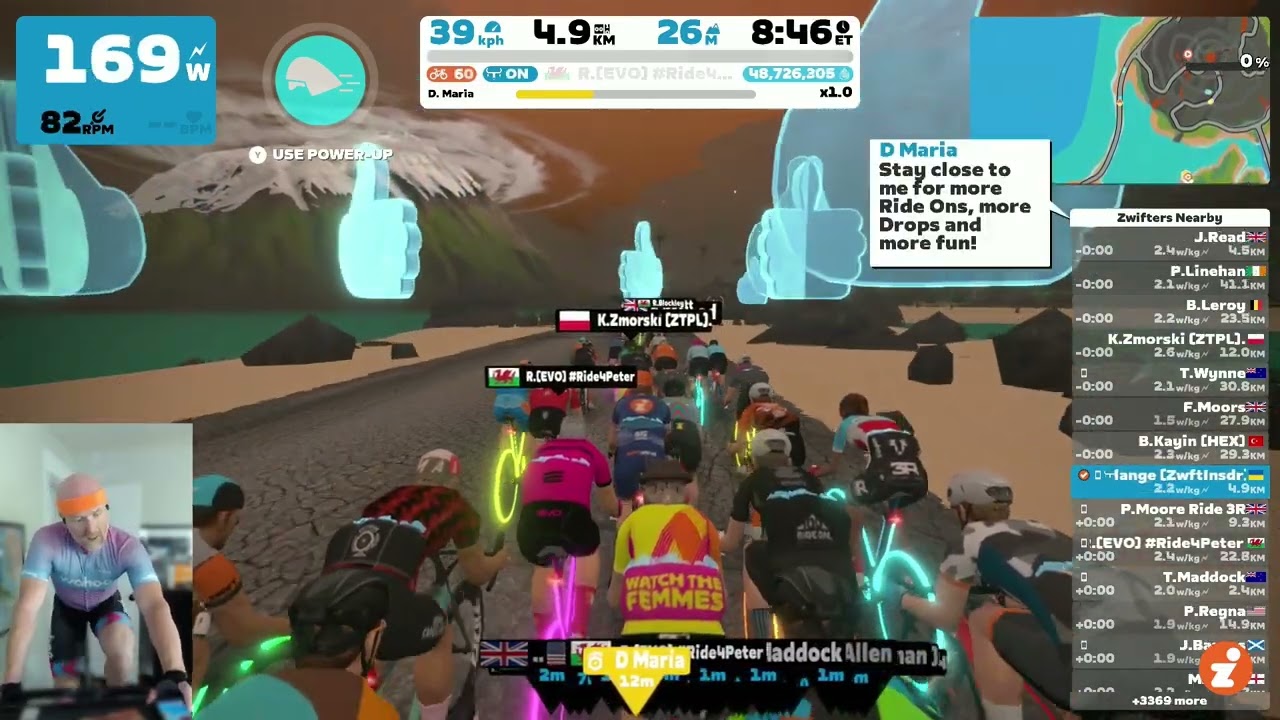
Using this method you can drop 10 Ride Ons to nearby riders every ~8 seconds, making it easy to give everyone nearby a Ride On, even in a group of 50-100+ riders.
Note: thanks to an unannounced update in early 2025, you can use your keyboard‘s F3 button to drop a Ride On bomb as well. Doing so also makes your avatar exclaim, “Ride On!”
Questions or Comments?
Post below!


Feature Request:
Option to turn off Ride On notifications/hover thumbs for everyone other than my avatar.
It would be nice to see a tally of ride ons given and received in the heads up display. Unfortunately, not many riders use the Companion App (seen with the icon next to the near-by rider name on screen), so I tend to give many more than received – but that’s okay.
Sadly even after being onto Zwift Support for over an hour, I was unable to get my Zwift controllers to pair. Says too many devices. My android phone does not allow me to pair devices directly so either a new phone in the hope that works or will be returned.
Jeff, on my android phone the controllers connect to the companion app (be sure to allow discovery of devices) which is on the same wifi network as my zwift machine (windows pc).
I alternate between them every few seconds. I do a ride bomb with Play, wait a few seconds then companion app, then play, ect.
I do find the Play has a lag of a second or so as it powers up (circle fills). Harder to get riders coming the opposite way.
What I find annoying is that the Zwift Play controller initiated Ride On bomb also triggers the sound “Ride On” every time, which is not the case with the ZCA initiated Ride On bomb.
I have the same issue and have responded with feedback (several times) asking for an option to disable the audible “Ride On” with a ride on bomb.
It seems to be turned of with version 1.44. Woohoo!
I think they said it’s fixed in 1.44
What about returning a ride on with the controllers? I get a message to press Z but it does not seem to work. I tried to press while the message is still on the screen and when it’s not. If I long press, it give a bomb ride on.
Still can’t do it from a keyboard though.
Maybe I’m just not seeing it, but it appears to me that the Zwift Play ride on bomb will only give ride ons to riders riding in the same direction I am. The companion app seems to prioritize riders on my side of the road, but will give ride ons to riders going the other direction.