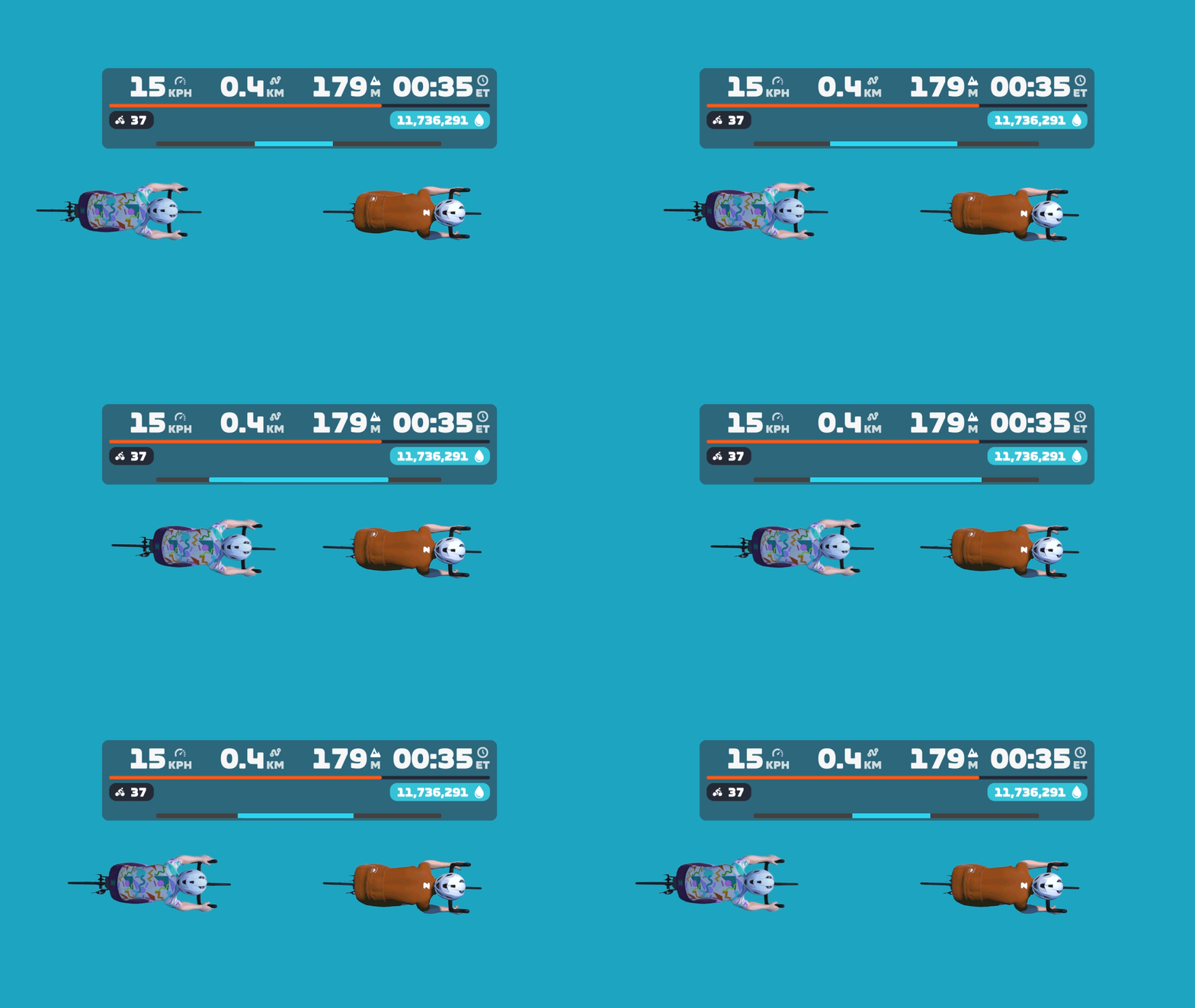
Yesterday’s Zwift update included the release of a long-awaited feature: a draft indicator! It’s a very simple yet useful addition to the game UI: a horizontal blue line that expands and contracts at the bottom of the center HUD element. This animation shows how it basically works:
Want to see it in action? Here’s a quick recording I made while spinning around Watopia yesterday:
Into the Weeds
The new draft indicator, in typical Zwift fashion, is a very simple UI element. But there are lots of details worth discussing, so let’s dig deeper…
What are we measuring?
This is a tricky question to answer, actually.
The blue bar isn’t showing exactly how much power you’re saving. If that were the case, it would be wider when drafting two riders at ~60kph on flat ground, vs drafting the same two riders at a lower speed. But that’s not the case. The bar is full even at 34kph, as shown here:

And here you can see it’s filled to the same level drafting off of one rider, whether I’m saving a lot of power at 48kph, or less power at 34kph:


The blue bar is also not indicating how much of the potential draft you are experiencing. If that were the case, the bar would be full when you’re on a climb in the middle of a pack, receiving as much draft as possible in your current location. But that’s not the case. On steep climbs, the bar only fills partway:
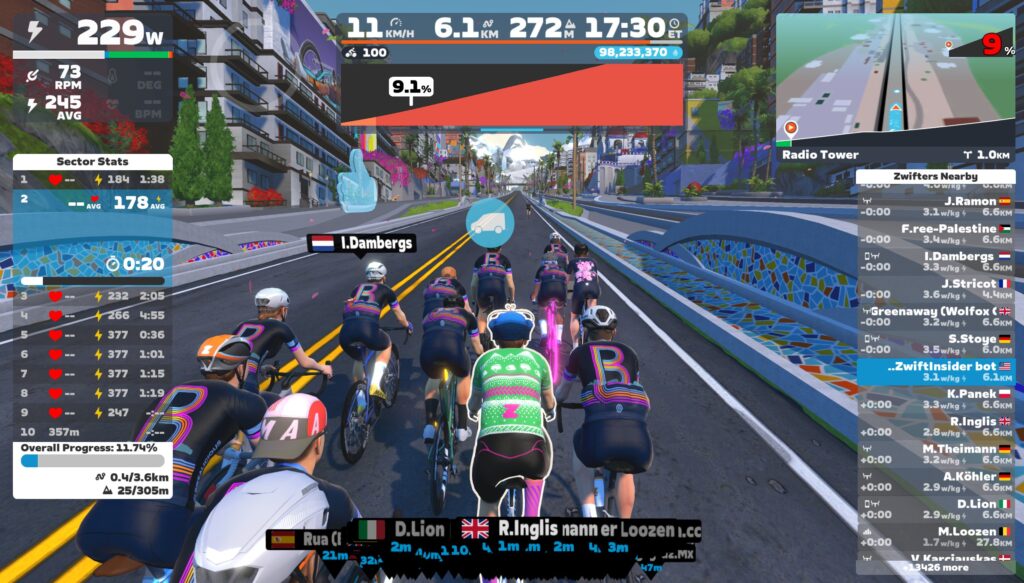
So what is it displaying? I think it’s best to think of the Draft Indicator as showing what percentage of your power is being saved in the draft. This isn’t a perfect description of what it’s showing (especially since the blue bar fills up even when you’re coasting), but I think it’s as close as we’re going to get.
A Note About Bar Width
No, I’m not talking about the UCI’s controversial recent stance on handlebar widths. I’m referring to how the draft indicator’s design could stand to be polished a bit. Currently, the draft indicator bar only fills ~80% of the HUD’s width, but it’s so low-contrast that you can’t really tell how wide the bar should be, if there’s a dark background behind the center HUD:
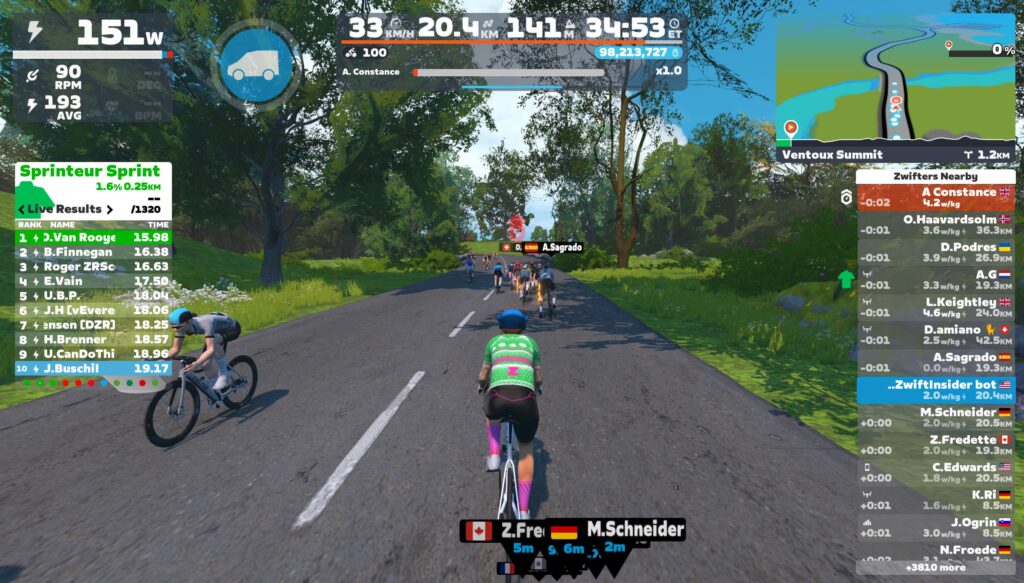
Because of this, when the bar is fully filled, it can look like it’s only partially-filled, since it doesn’t go to the edges of the HUD.
The bar only expands to the edges of the HUD box when using a Draft Boost powerup (see below). But perhaps the bar should be the full width at all times, then a Draft Boost powerup changes the color of the indicator, or the bar expands to be a bit wider than the main HUD element?
Draft Boost Powerups
What happens when you activate a Draft Boost? I’m glad you asked. Here’s a demo:
How many riders for max draft?
How many riders have to be ahead of you for you to fill the Draft Indicator to max? The answer appears to be two, at least on flat ground at a descent speed.
If you’re well-positioned behind a single rider, the bar fills to this level (around 75% of max):
But get behind two riders, and it fills completely:
This doesn’t quite line up with my Pack Dynamics tests from past years (see Test 2 in this post, for example), which seemed to show that a 4th rider got a bit more benefit than the 3rd rider in a TTT. But my guess is the discrepancy can be explained by Zwift’s new draft indicator having a cap on the power savings it displays, as explained in “What are we measuring?” above.
Goodbye, “Close the Gap”
Zwift says the “Close the Gap” text will be retired with the rollout of the Draft Indicator. I don’t think anyone will complain about that, as long as the Draft Indicator is always visible in its place! (“Close the Gap” was a handy tool in TTT’s… IYKYK.)
How Far Back?
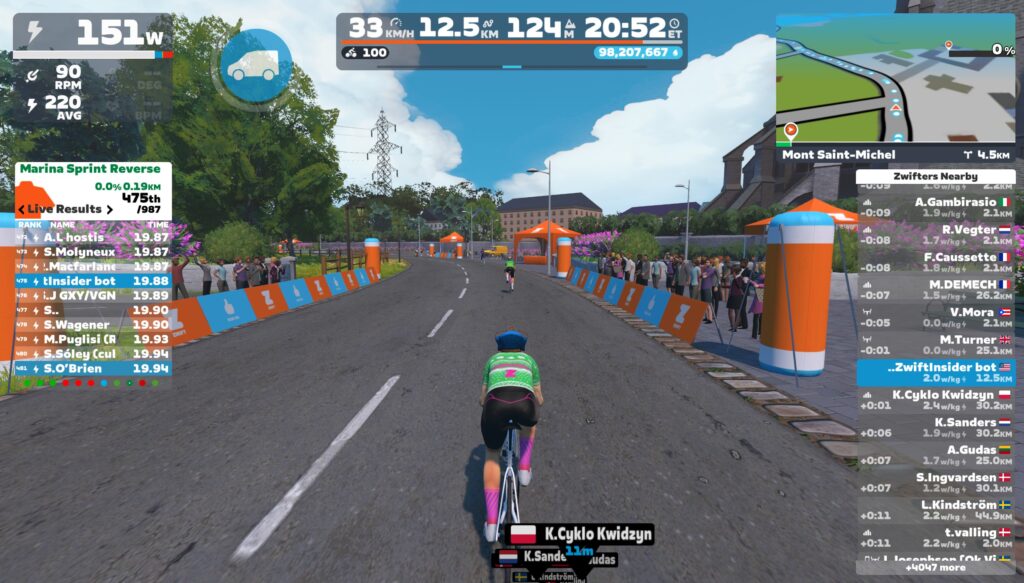
One thing the Draft Indicator will teach Zwifters is that you receive a draft benefit from riders quite far up the road. How far back can you be, and still receive some benefit? I don’t have precise measurements, but here’s a visual showing where the Draft Indicator begins to show a benefit on flat ground at 33kph:
Zwift vs Sauce for Zwift
Until this week’s release, the only draft gauge Zwifters could access was the one provided for Sauce for Zwift. Here’s a quick demo video where I compare Sauce’s drafting gauge and Zwift’s new Draft Indicator:
Sauce’s gauge is titled “W Savings” to indicate that it is showing how much power you’re saving in the draft. This isn’t perfectly accurate, though, as it’s actually showing you how much more power you’d need to be doing to hold your current speed on flat ground without a draft.
Some Zwifters prefer having an actual number displayed. But I think Zwift’s choice to keep it a simple bar is probably the right call, in the interest of keeping the HUD clean and simple.
Drafting Ghosts
With the Draft Indicator now being used by hundreds of thousands of riders, people are going to start discovering new things.
For example, on Zwifter wrote in yesterday to tell me they discovered in a Ladder Race that you can draft off of someone who is invisible due to the ghost powerup. I’d already written about this a few years back (see the post), and of course it makes sense: everyone knows ghosts still have bodies, even if they’re invisible. Right?
TTT Drafting
While Zwift’s Draft Indicator announcement in the forum says, “this indicator will not appear when riding a TT bike…” sources in Zwift tell me that’s not actually true. If you’re in an event where TT bikes can draft (like a TTT), Zwift says the Draft Indicator will be visible. I guess racers will find out tomorrow if that’s true!
Questions or Comments?
What do you think of the new draft indicator? Comment below, and you can also chat on this Zwift forum topic.

 wpDiscuz