

Over two years ago, Zwift launched the ability to hold group workouts via Club events organized using the Companion app. While the feature launched with a library of just 11 workouts, did you know Clubs currently have access to 59 workouts for events?
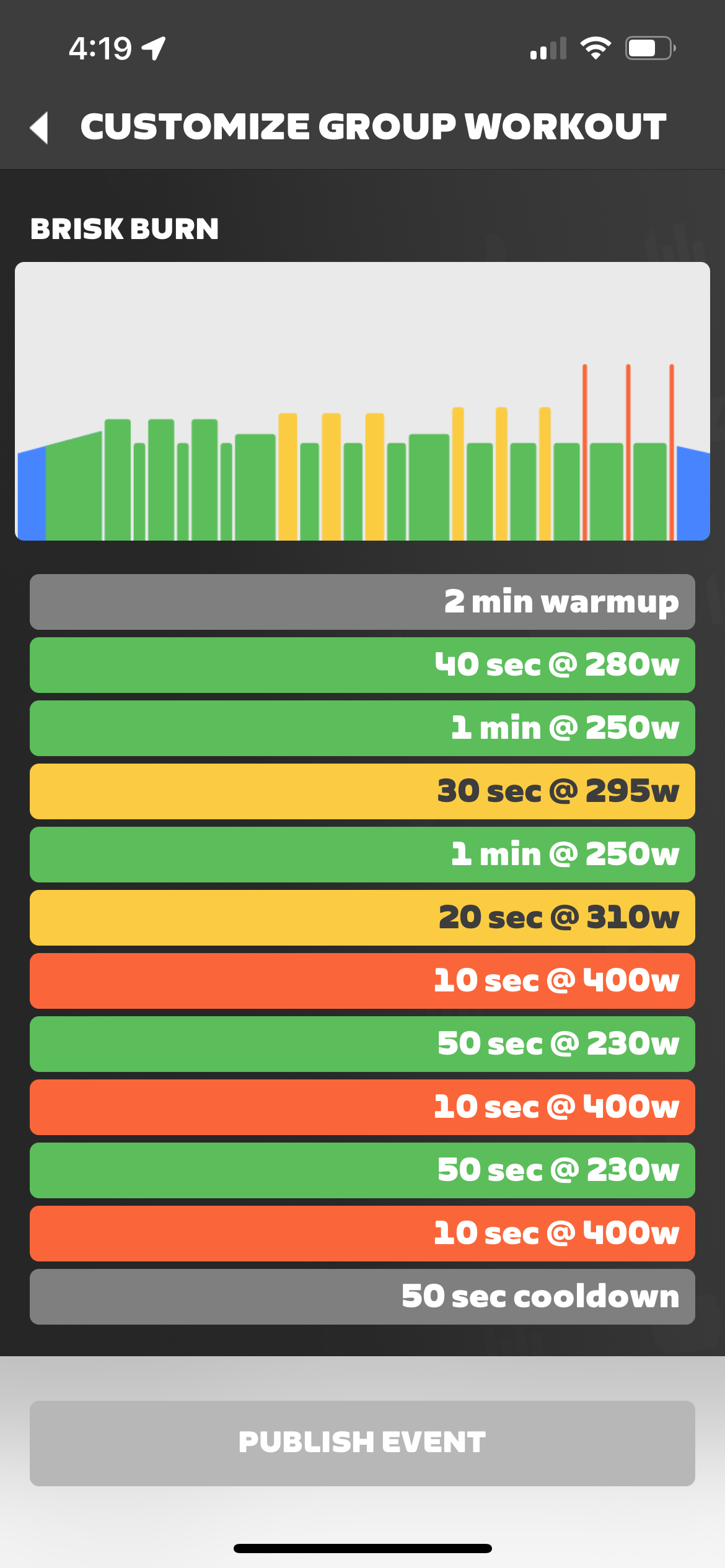
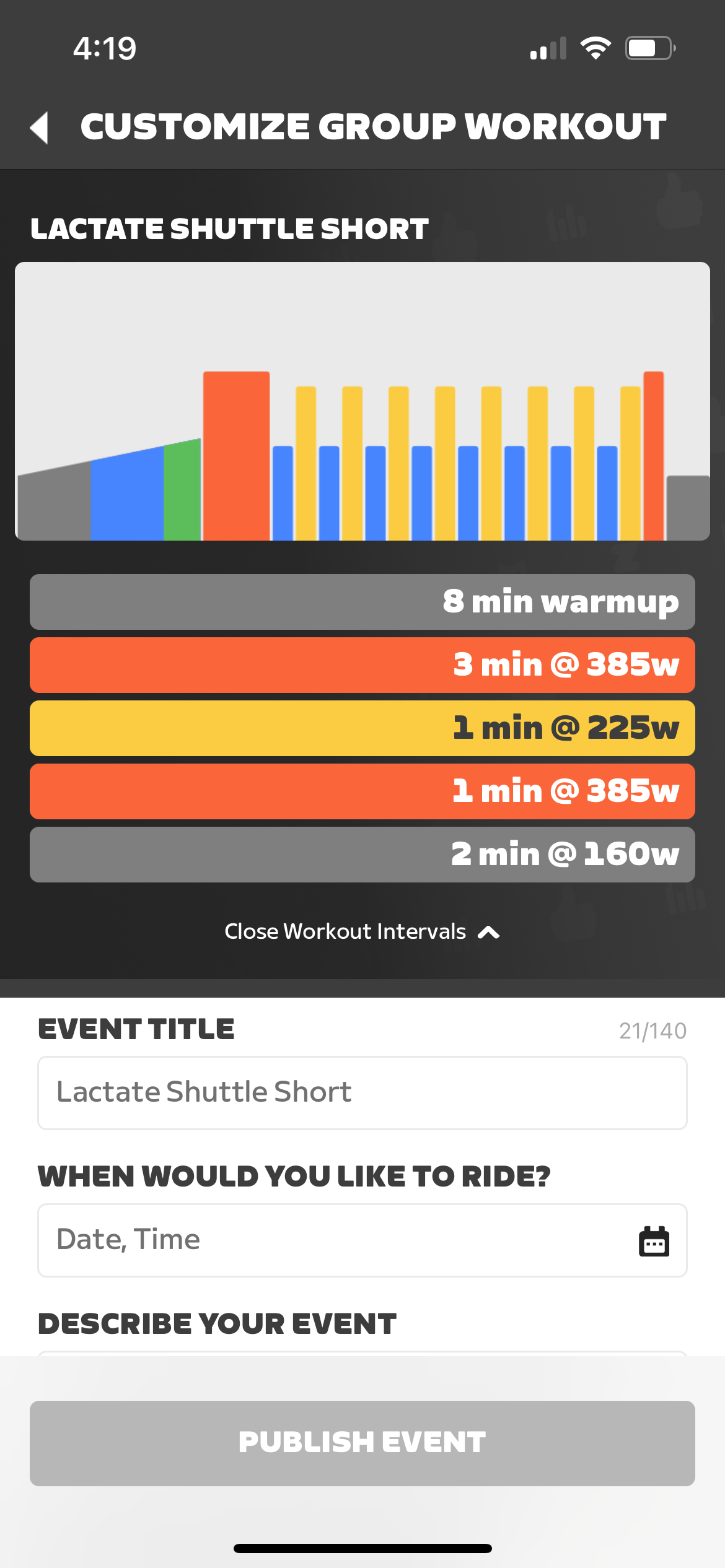
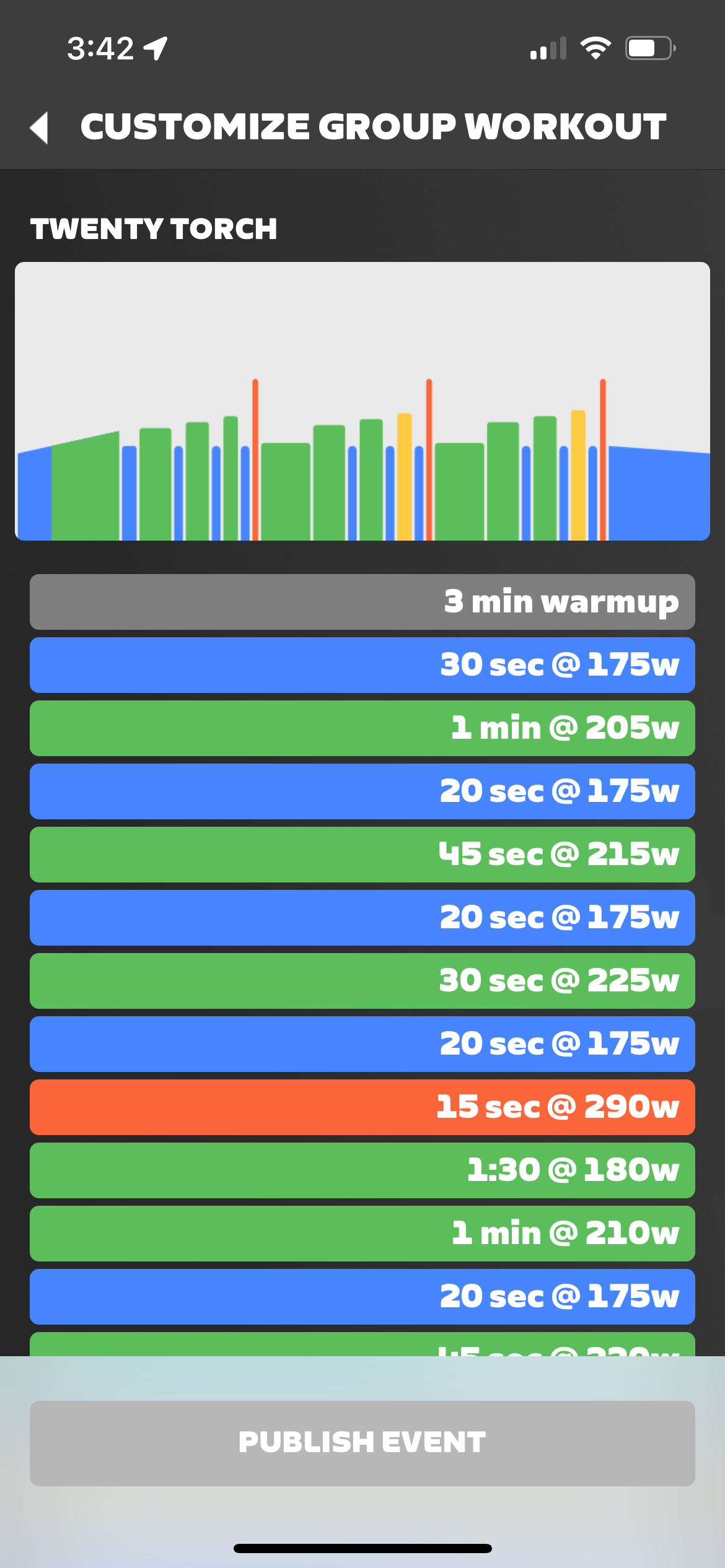
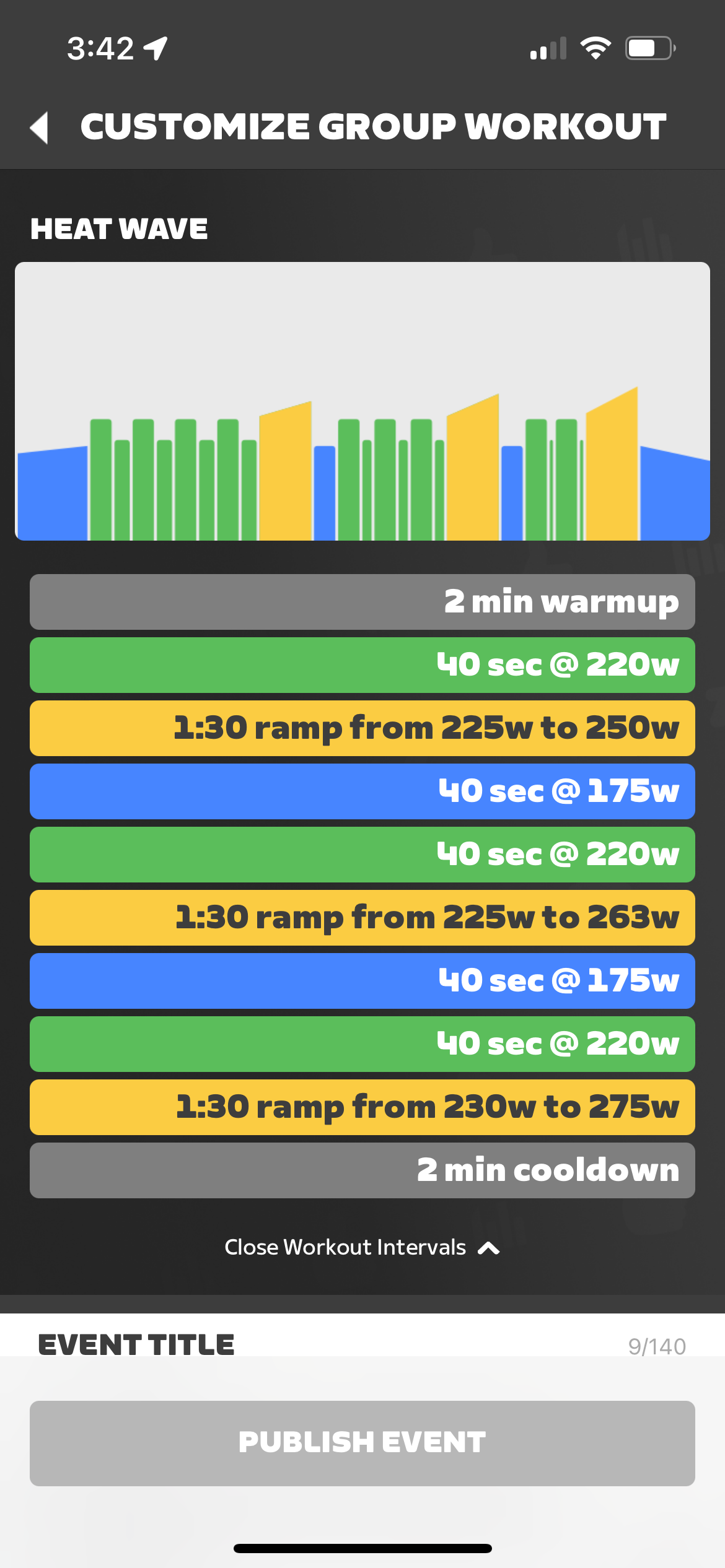
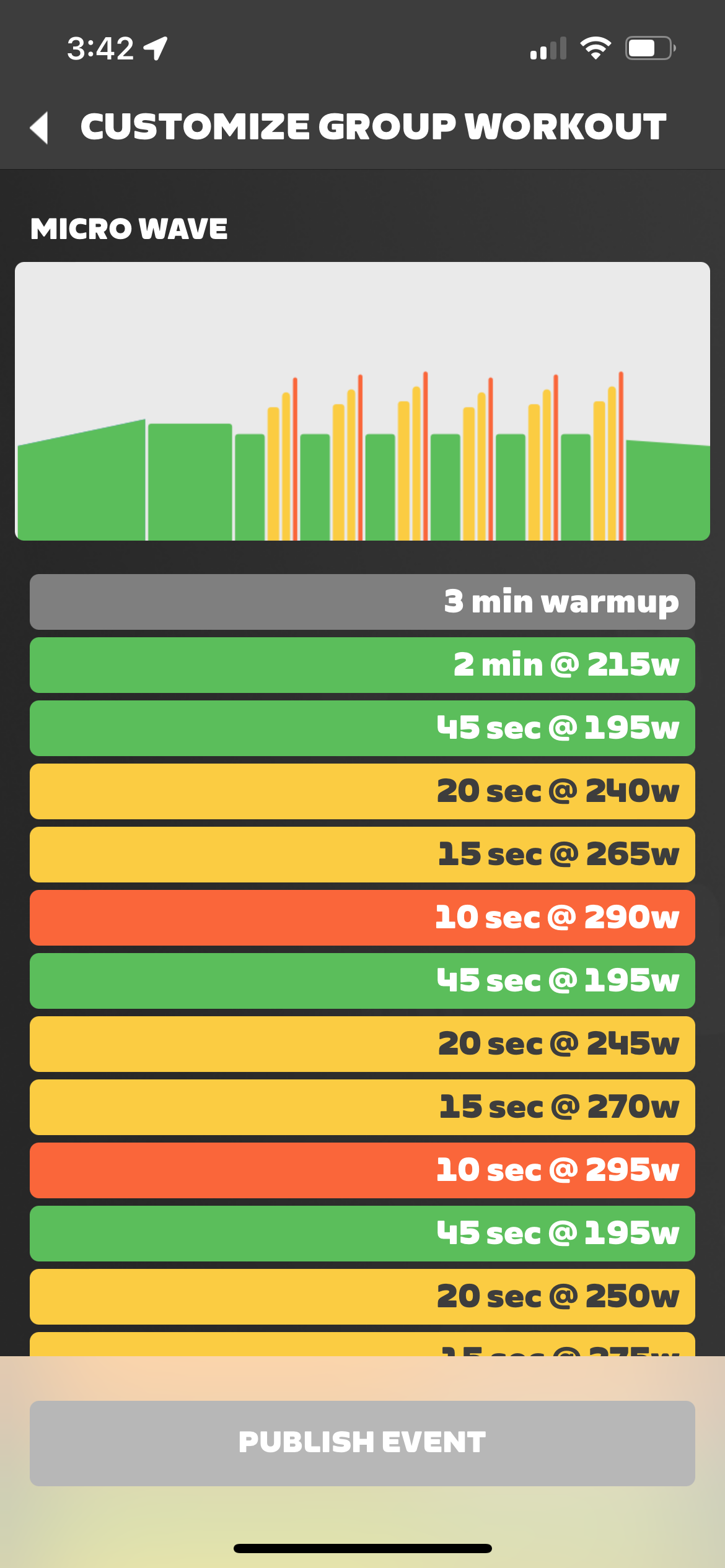
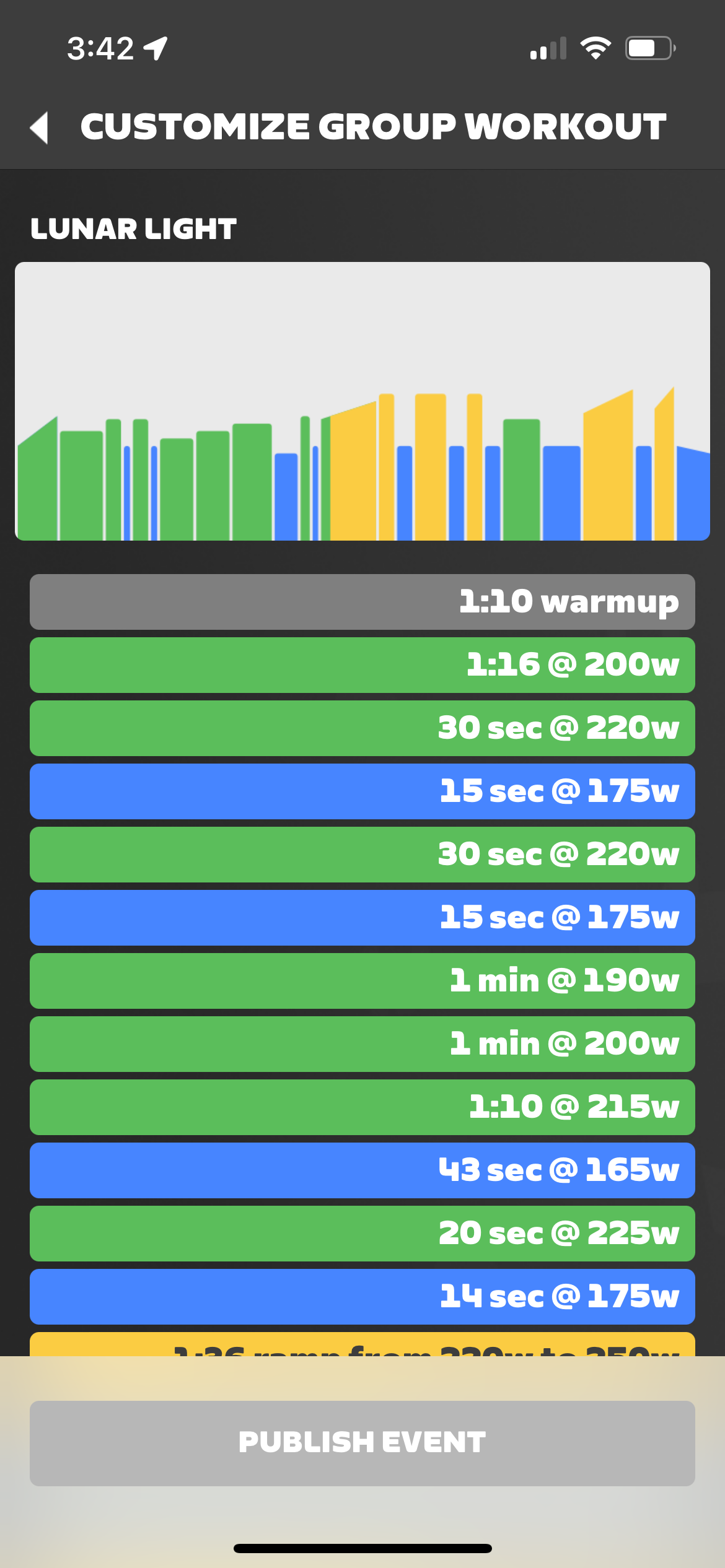
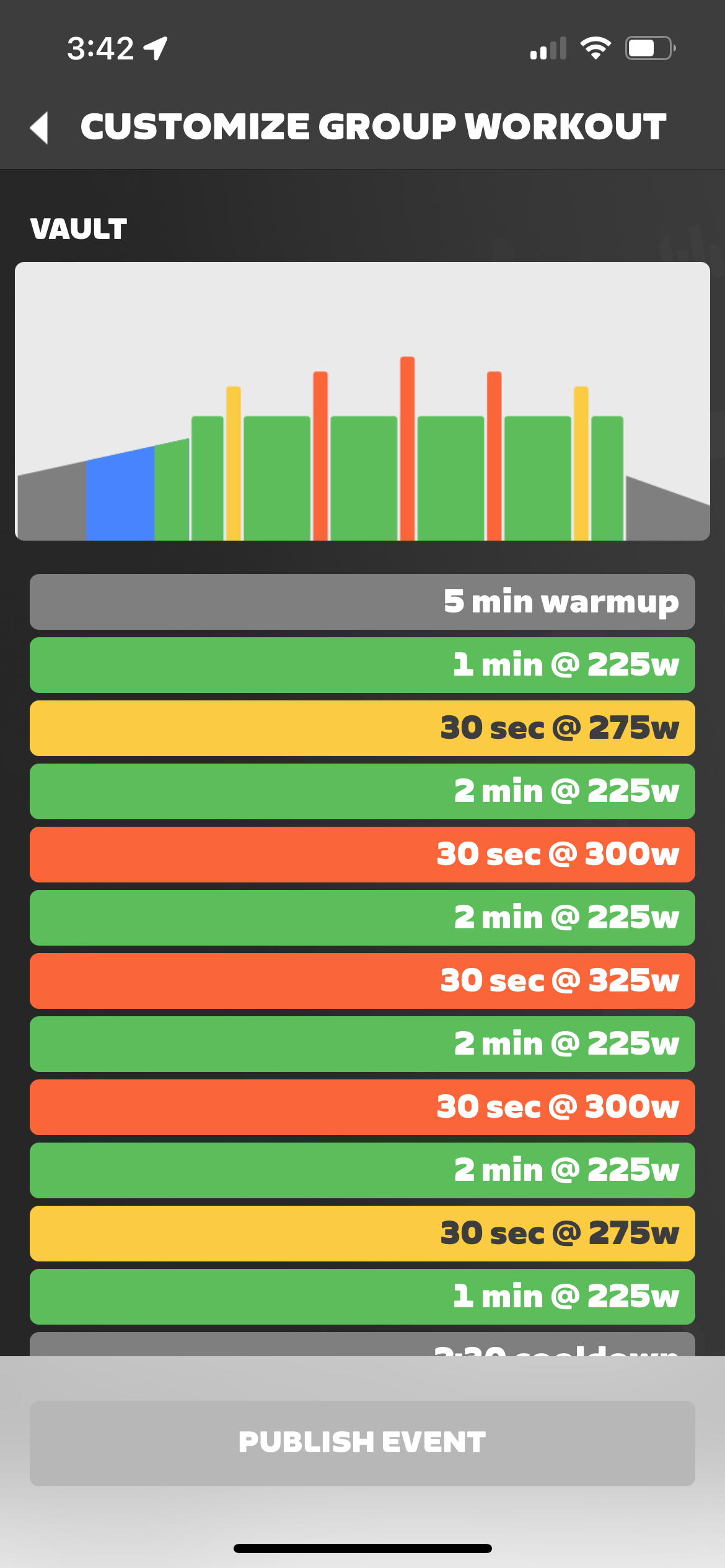
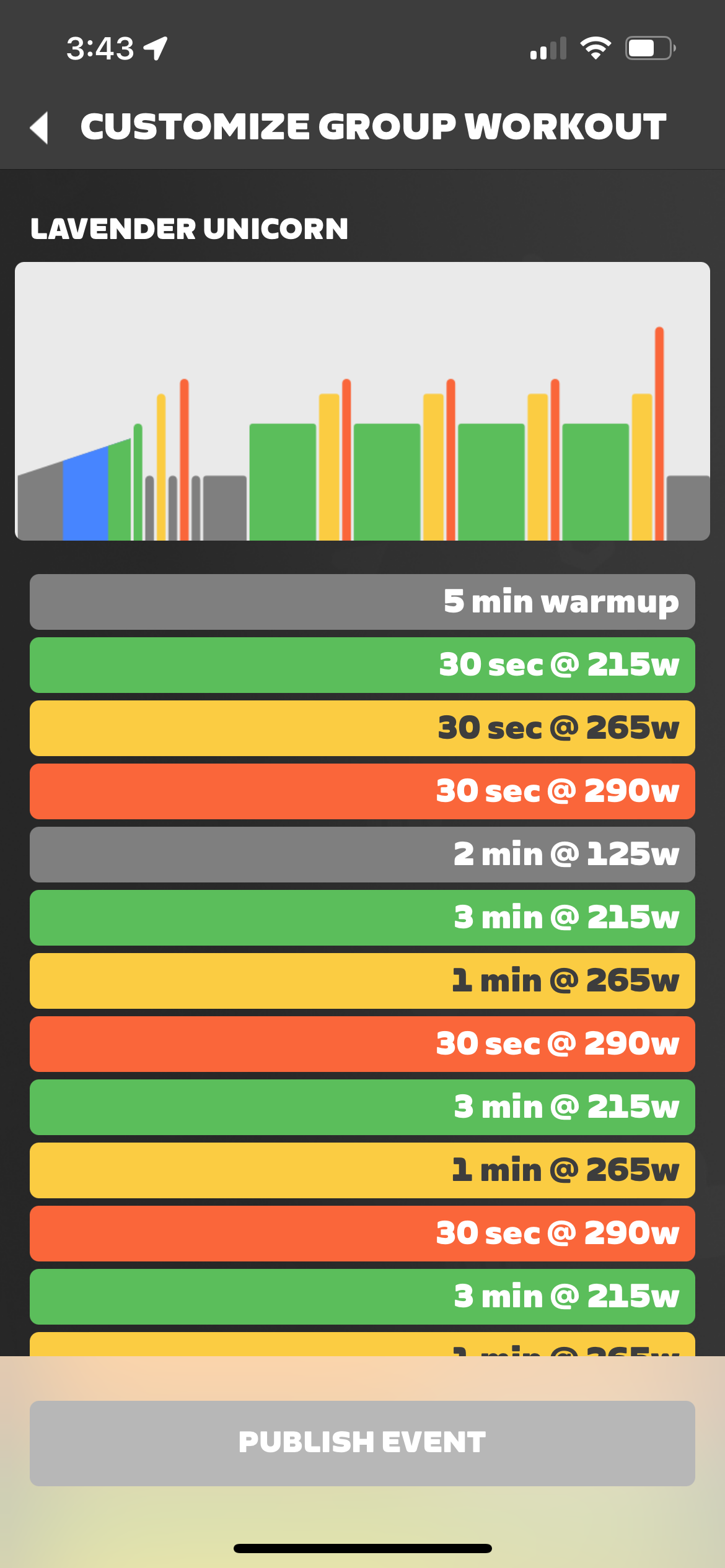
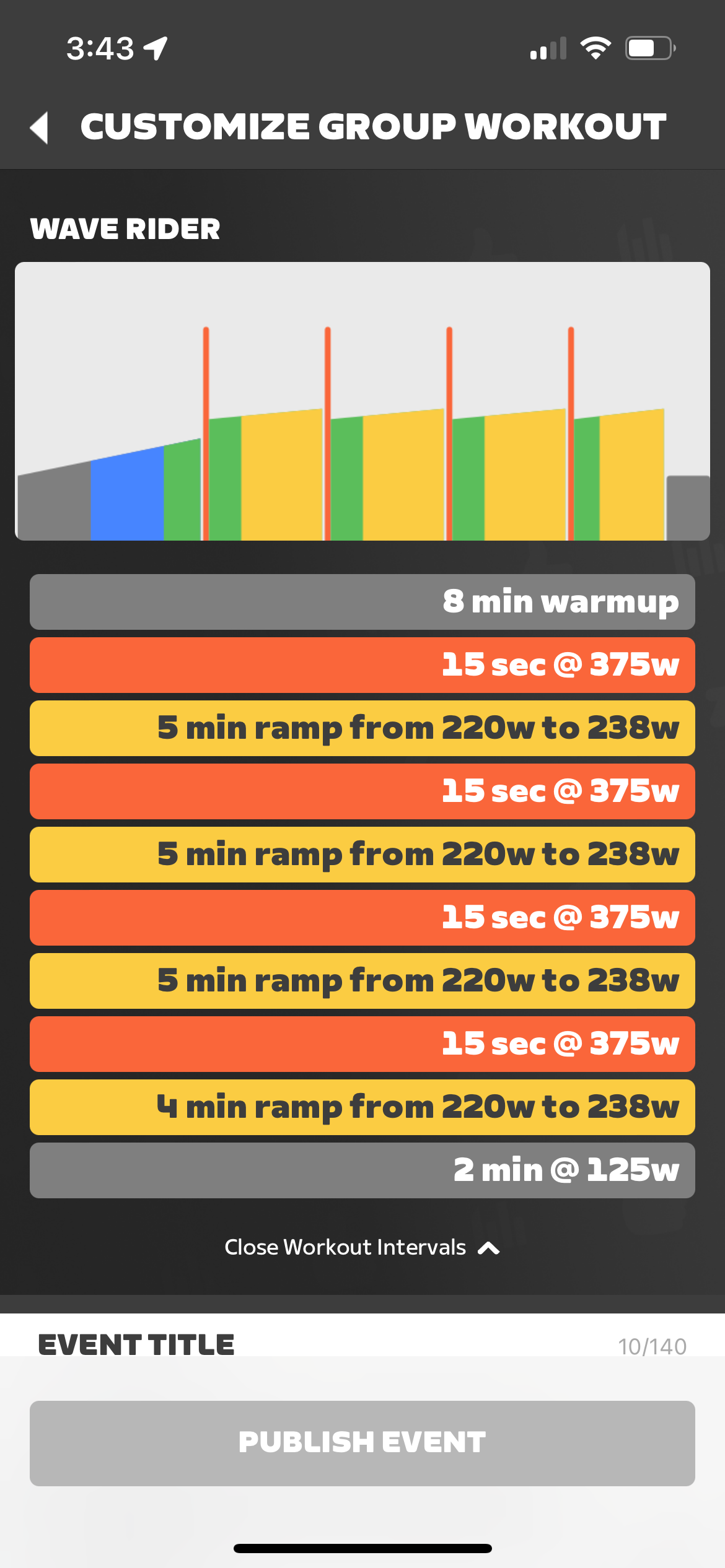
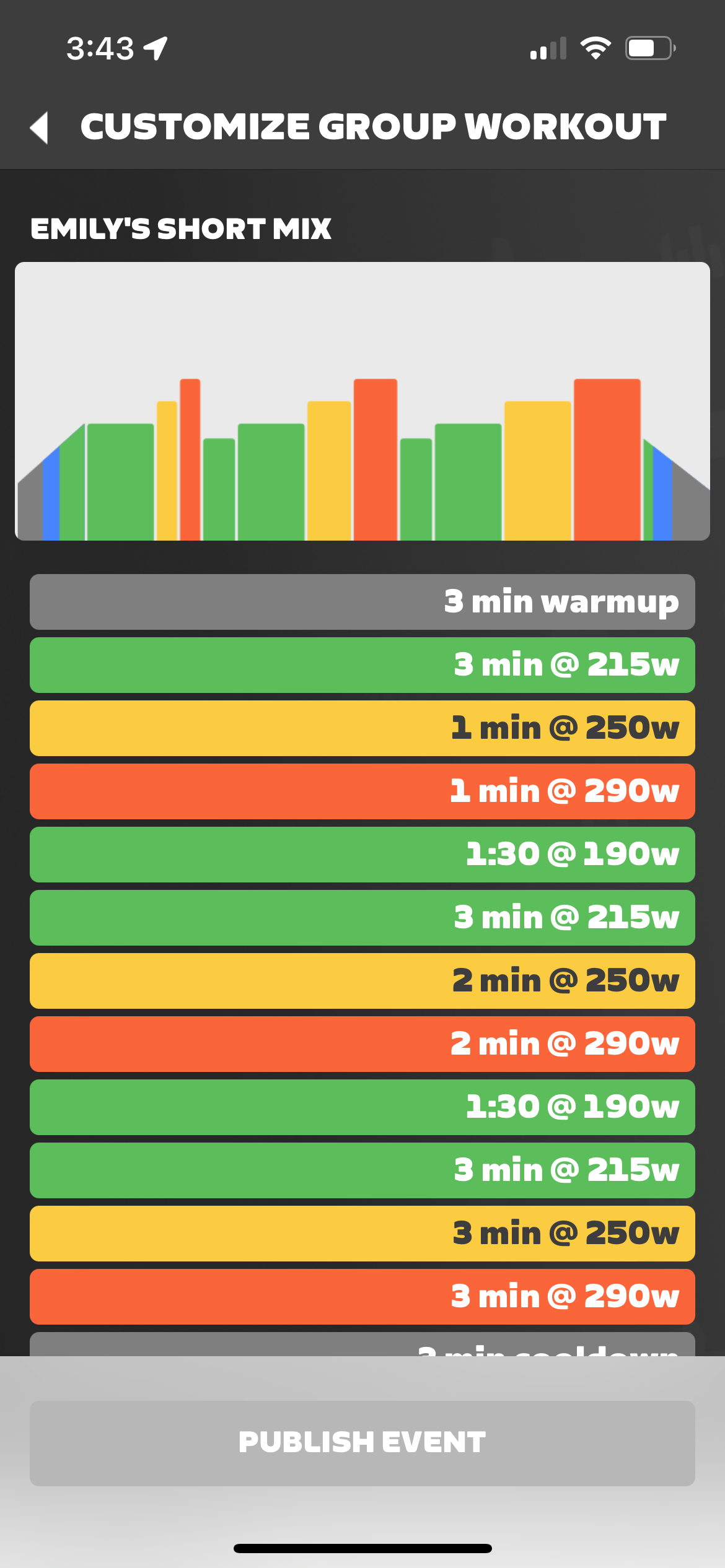
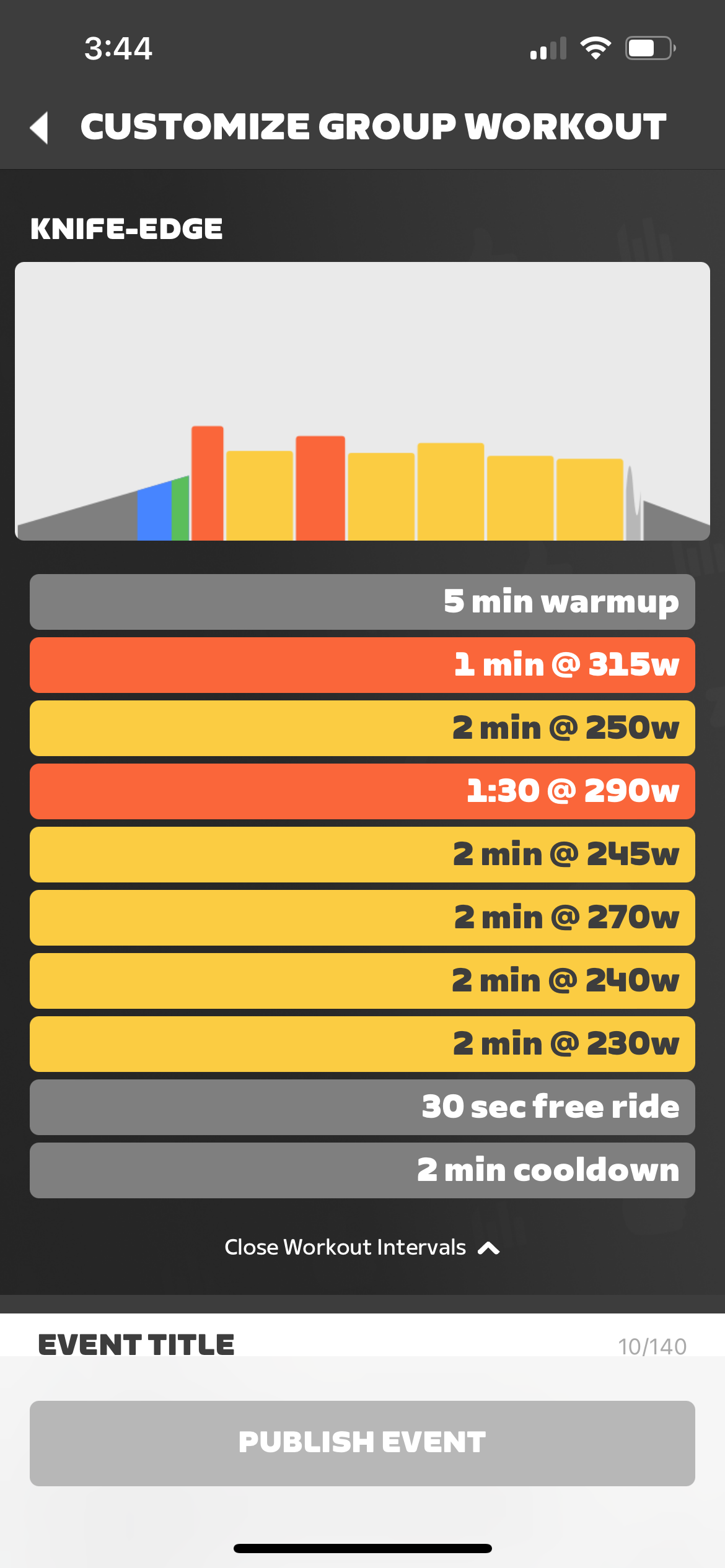
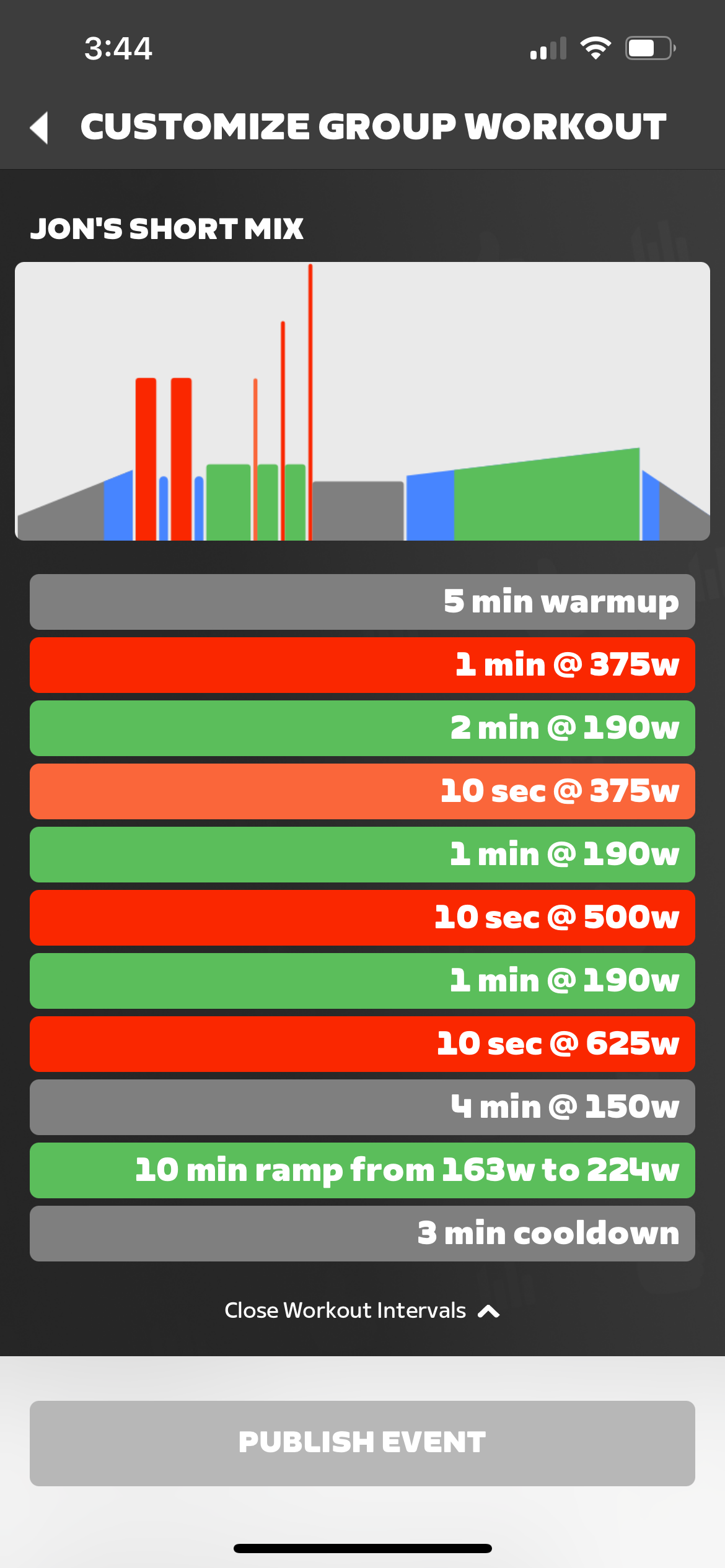
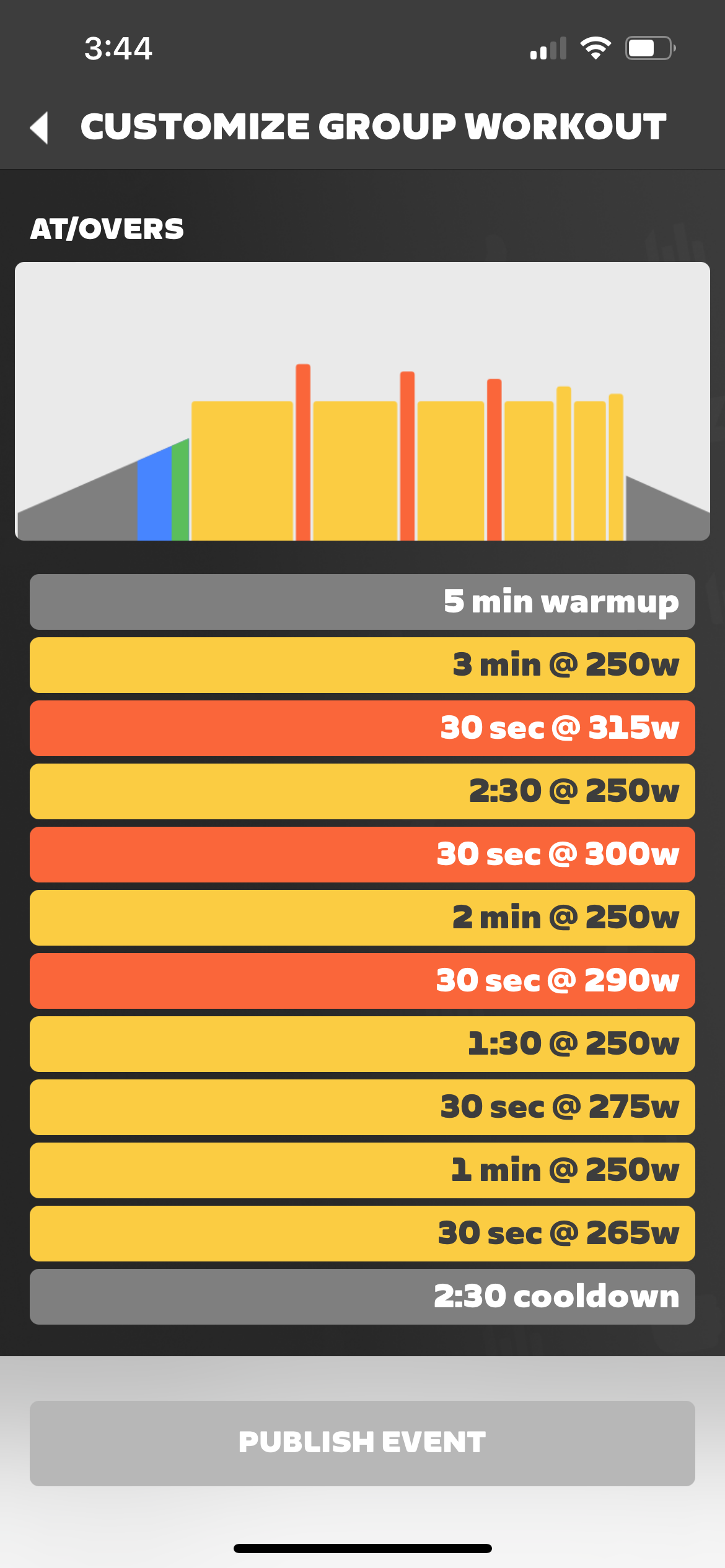
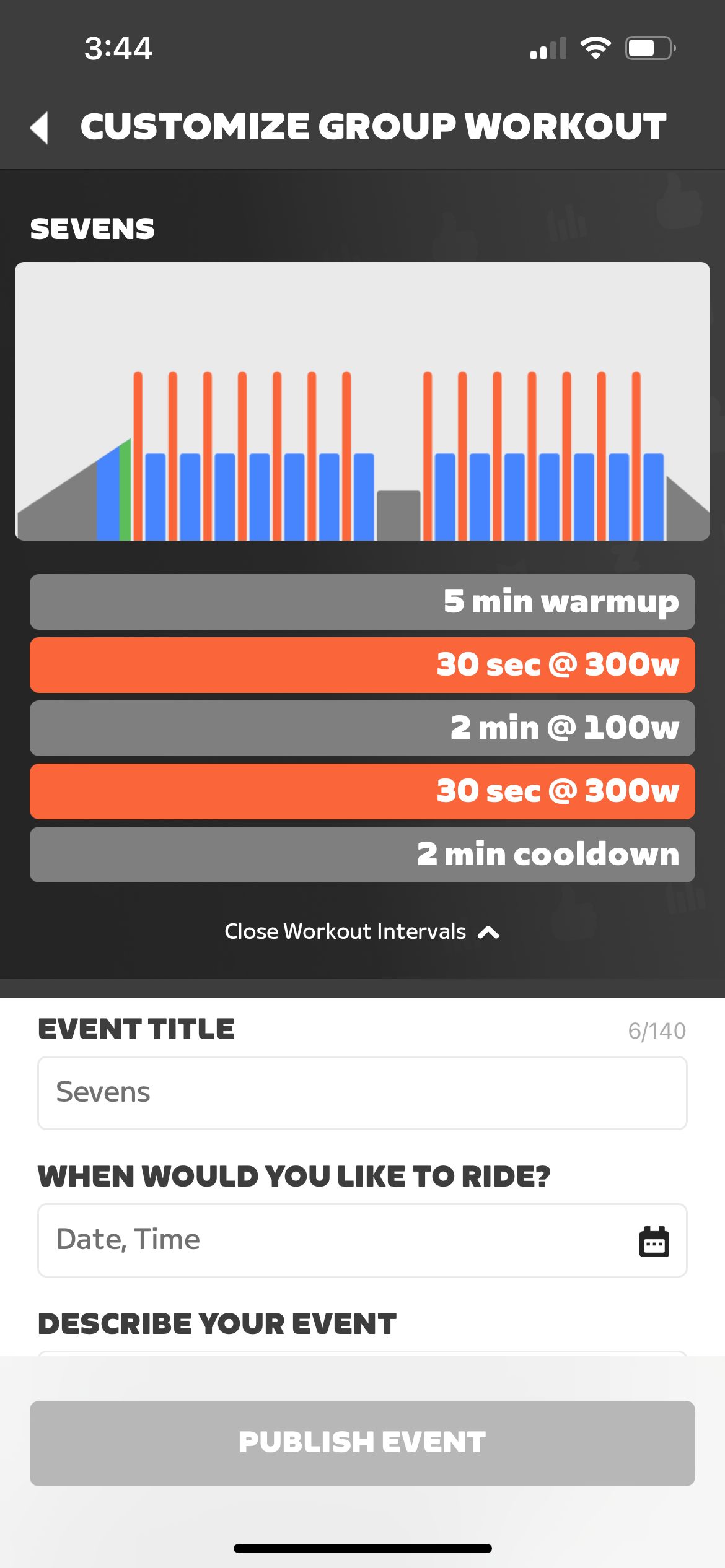
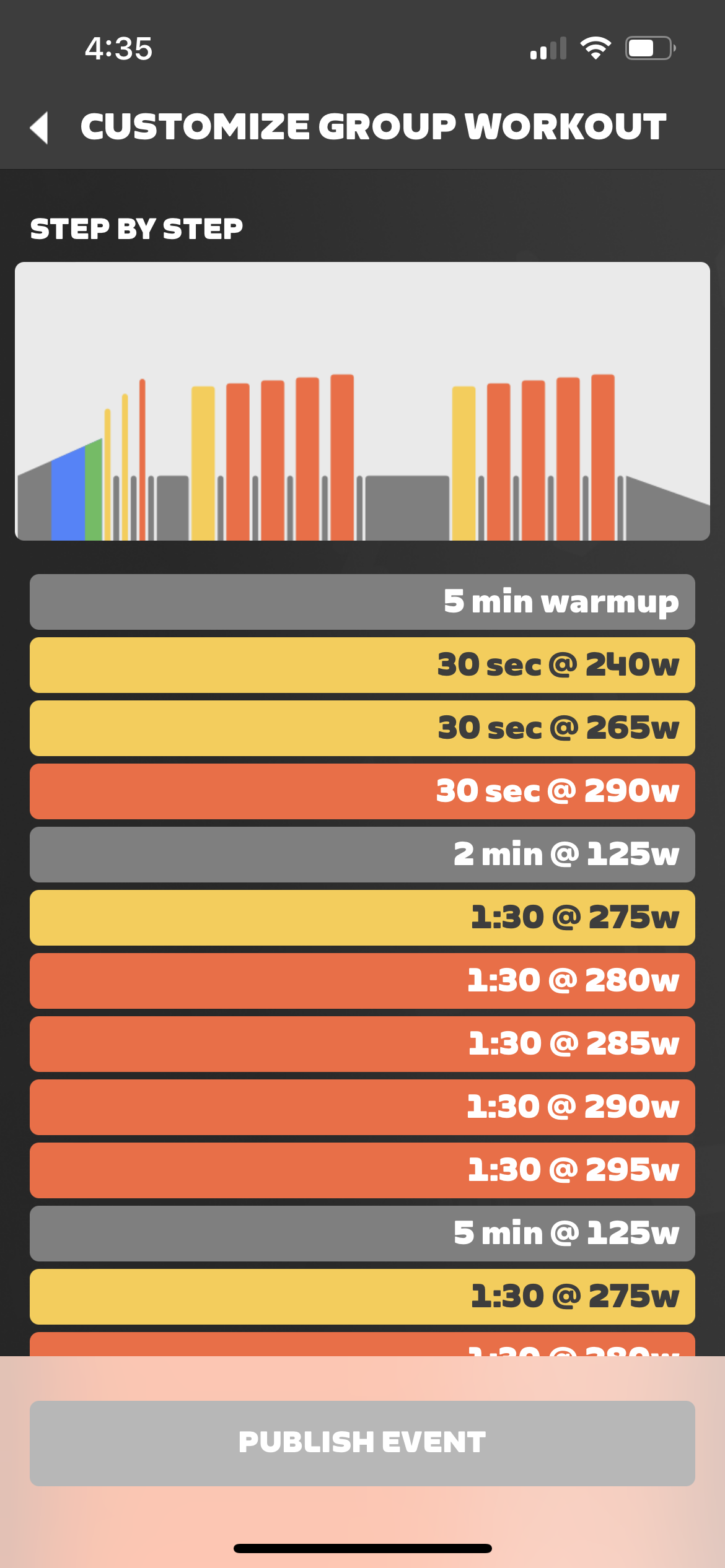
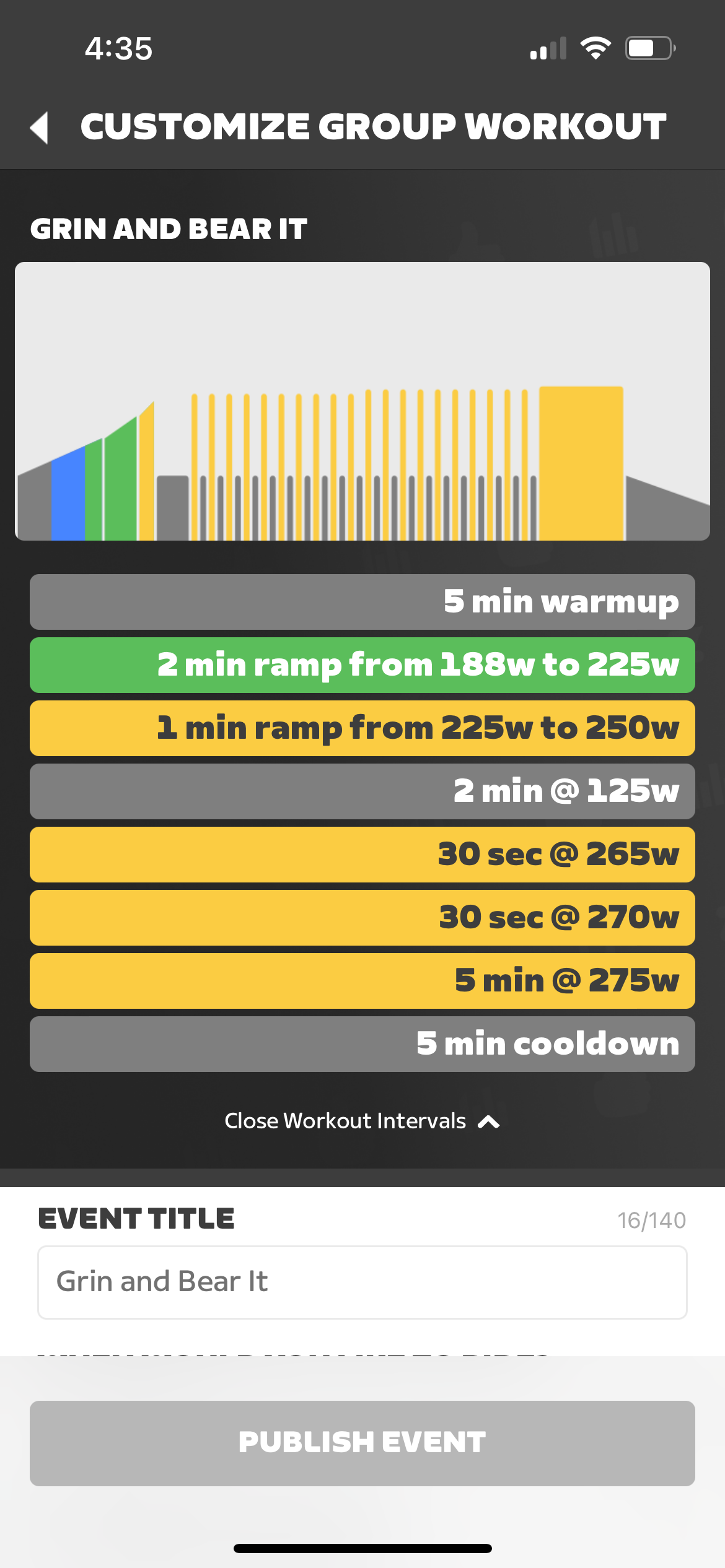
Here’s a complete list of workouts that can be used for Club events, including screenshots so you can get an idea of what each workout entails. (Keep in mind the power figures in the workout screenshots are based on a rider FTP of 250W. When you create a Club workout event, the intervals shown are based on the FTP stored in your profile. In the actual event, of course, the intervals will be customized to each rider’s FTP.)
Under 30 Minutes
Alphabetical List:
- 2 By 2
- At/Overs
- Brisk Burn
- Calorie Crush
- Control the Burn
- Emily’s Short Mix
- Expand
- Flash Burn
- Heat Wave
- Instant Inferno
- Jon’s Short Mix
- Knife-Edge
- Lactate Shuttle Short
- Lavender Unicorn
- Lunar Light
- Micro Wave
- Miracle
- Sevens
- Twenty Torch
- Vault
- Wave Rider
- Wild Iris
As shown in Companion app:
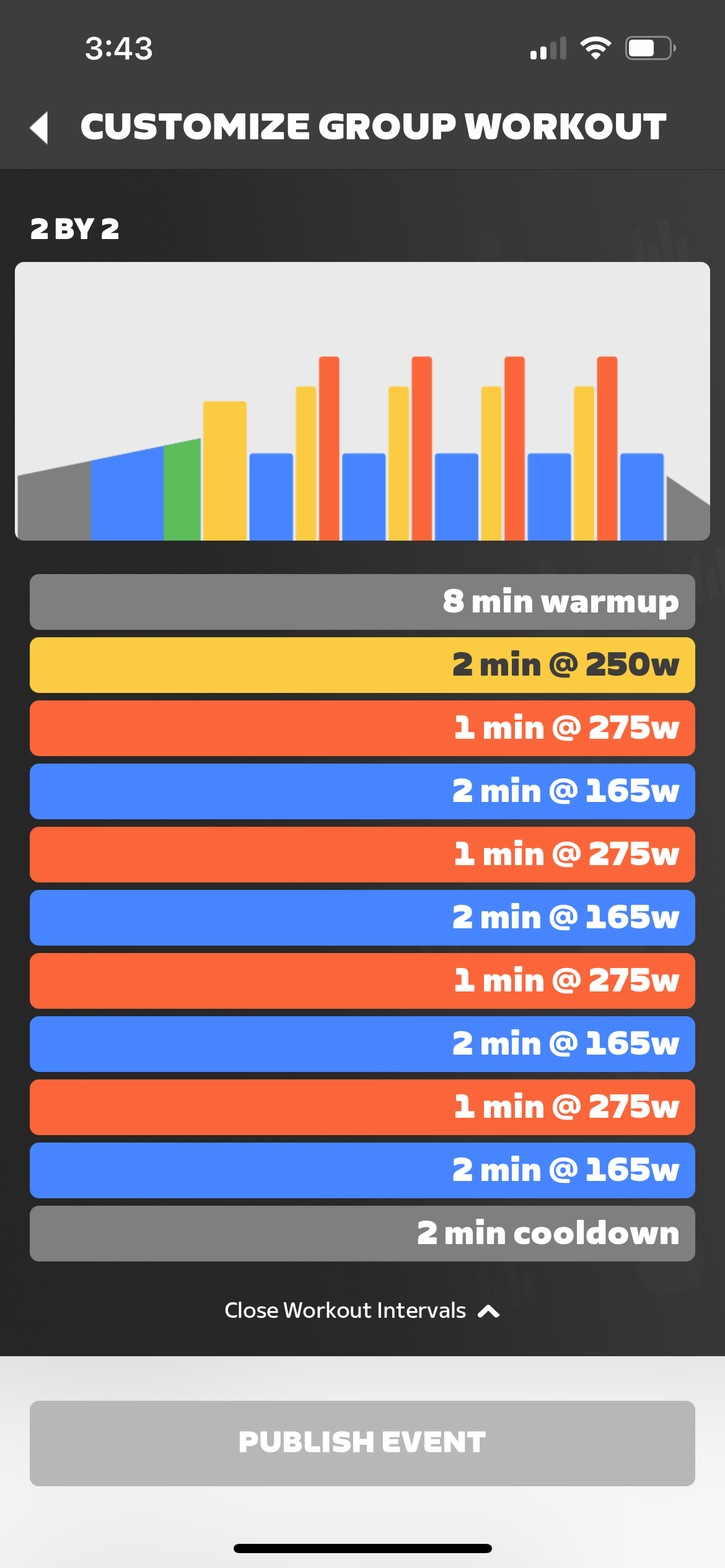
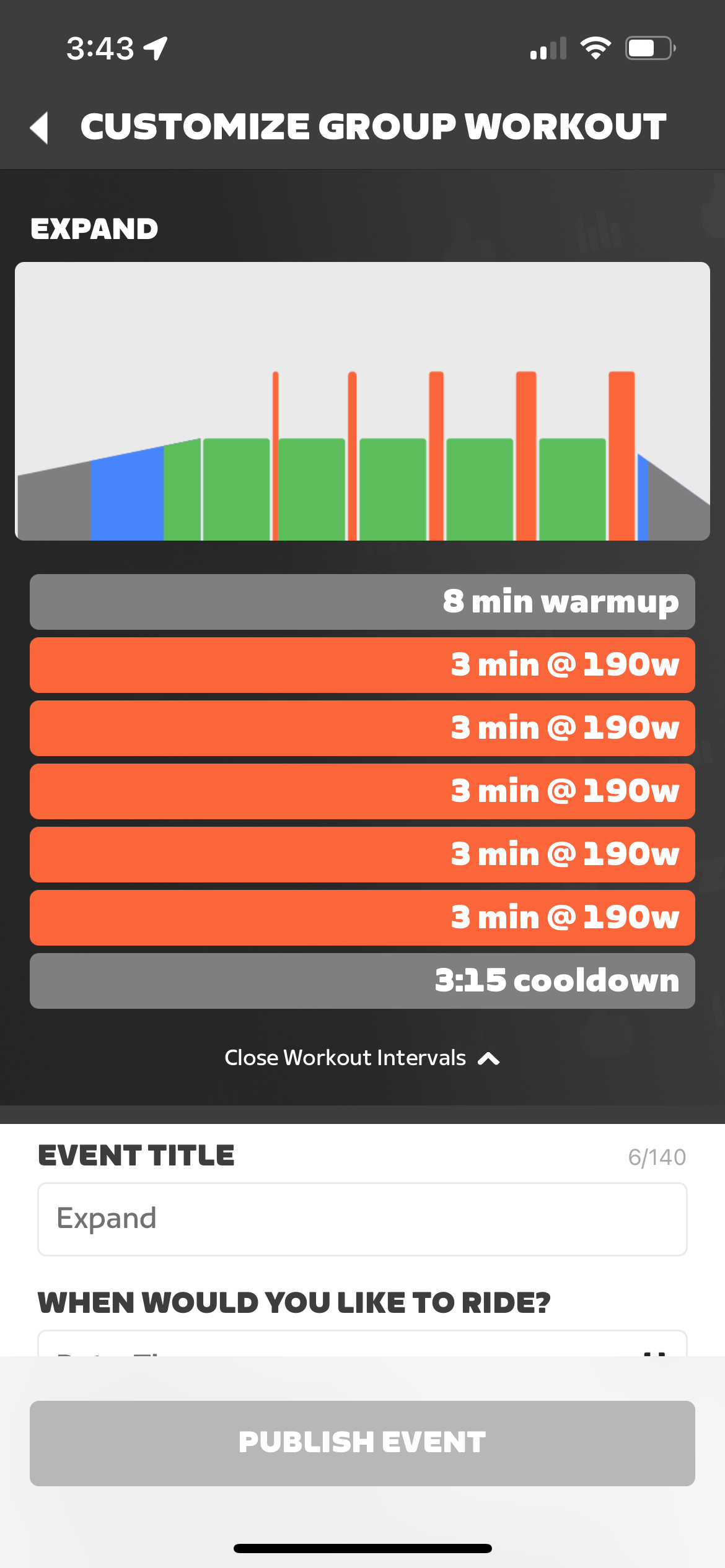
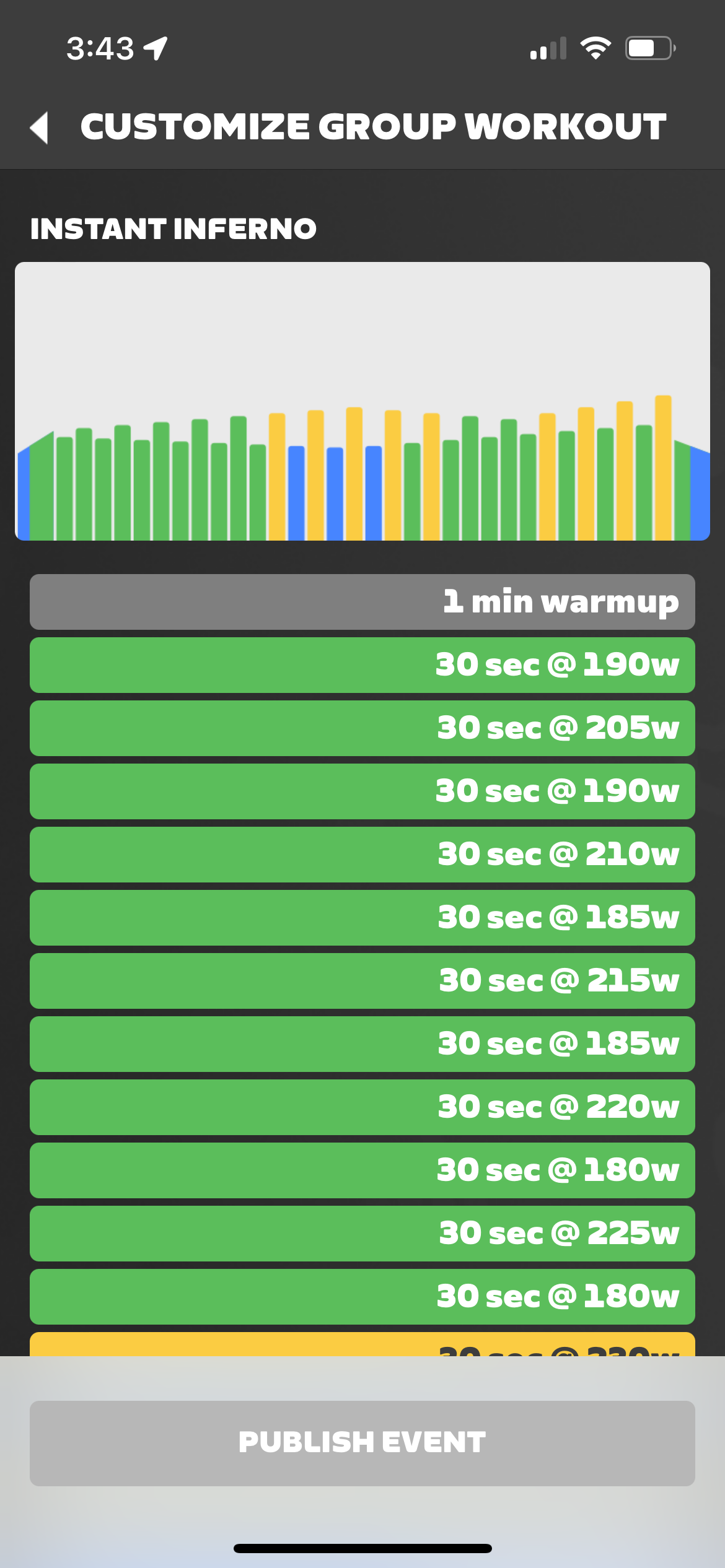
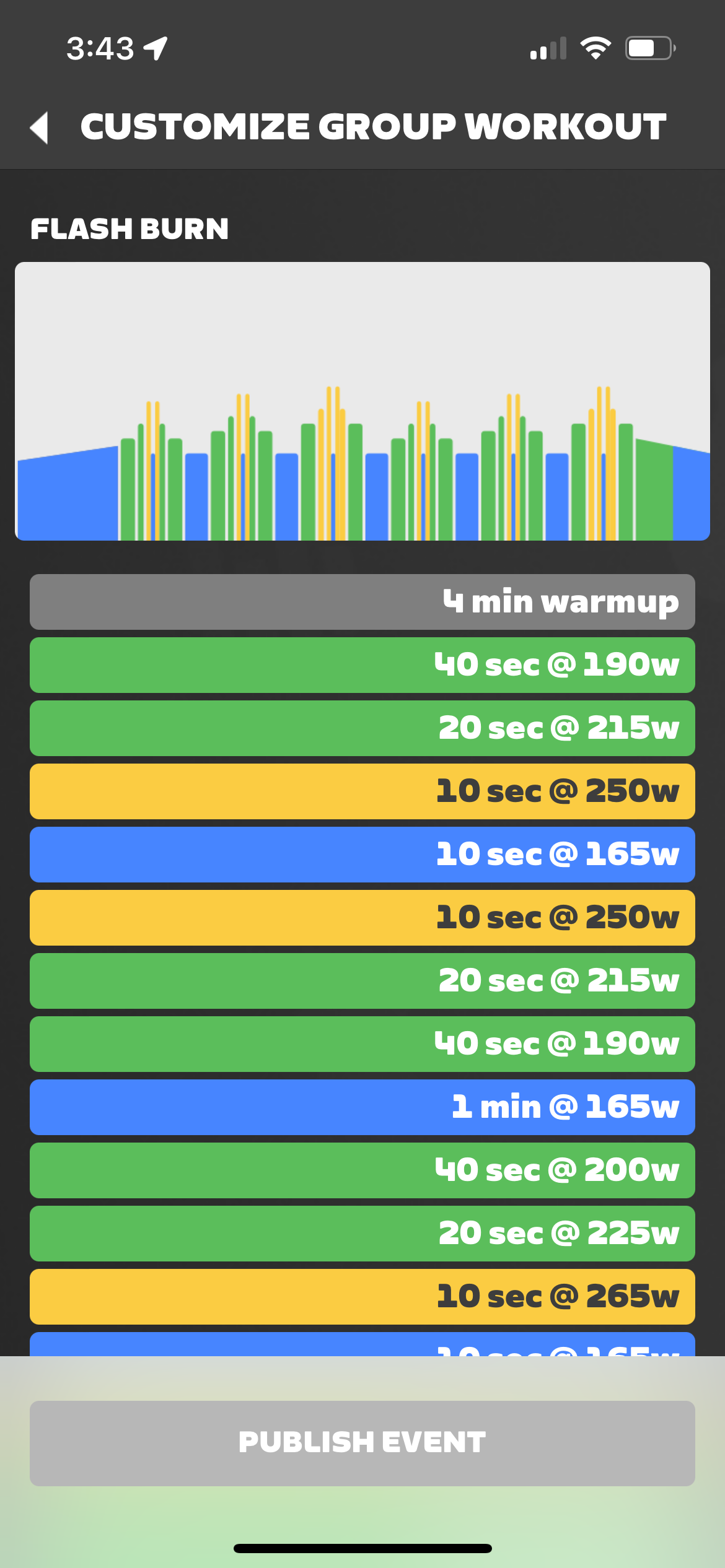
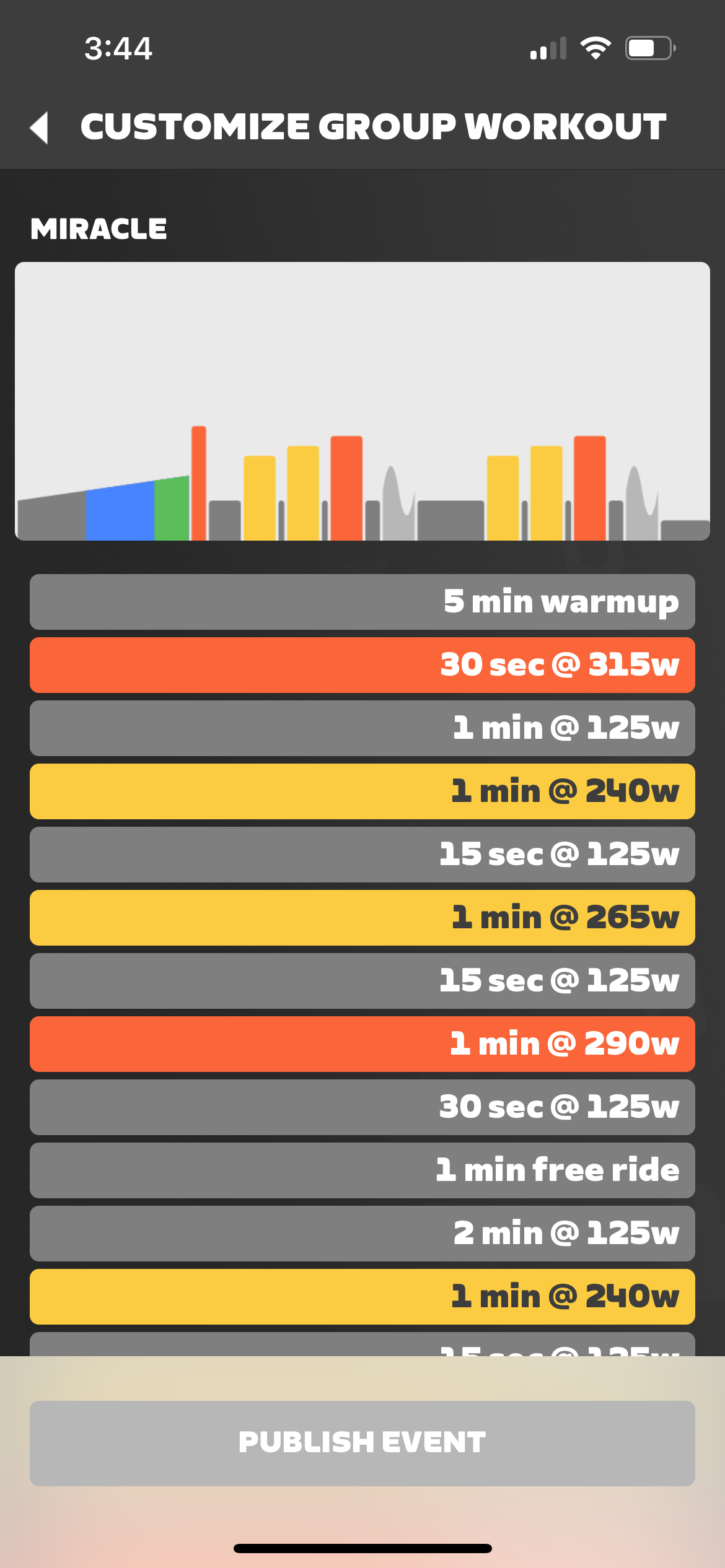
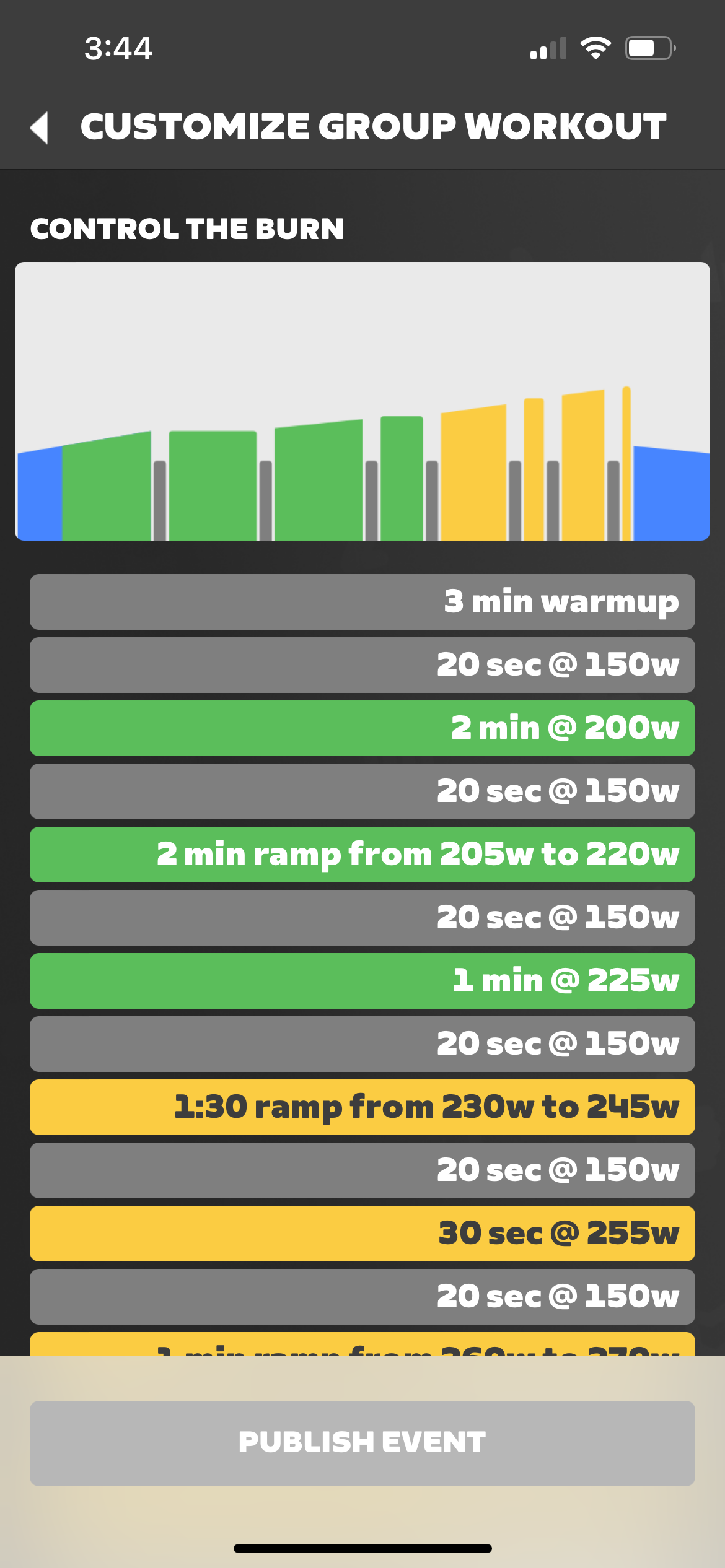
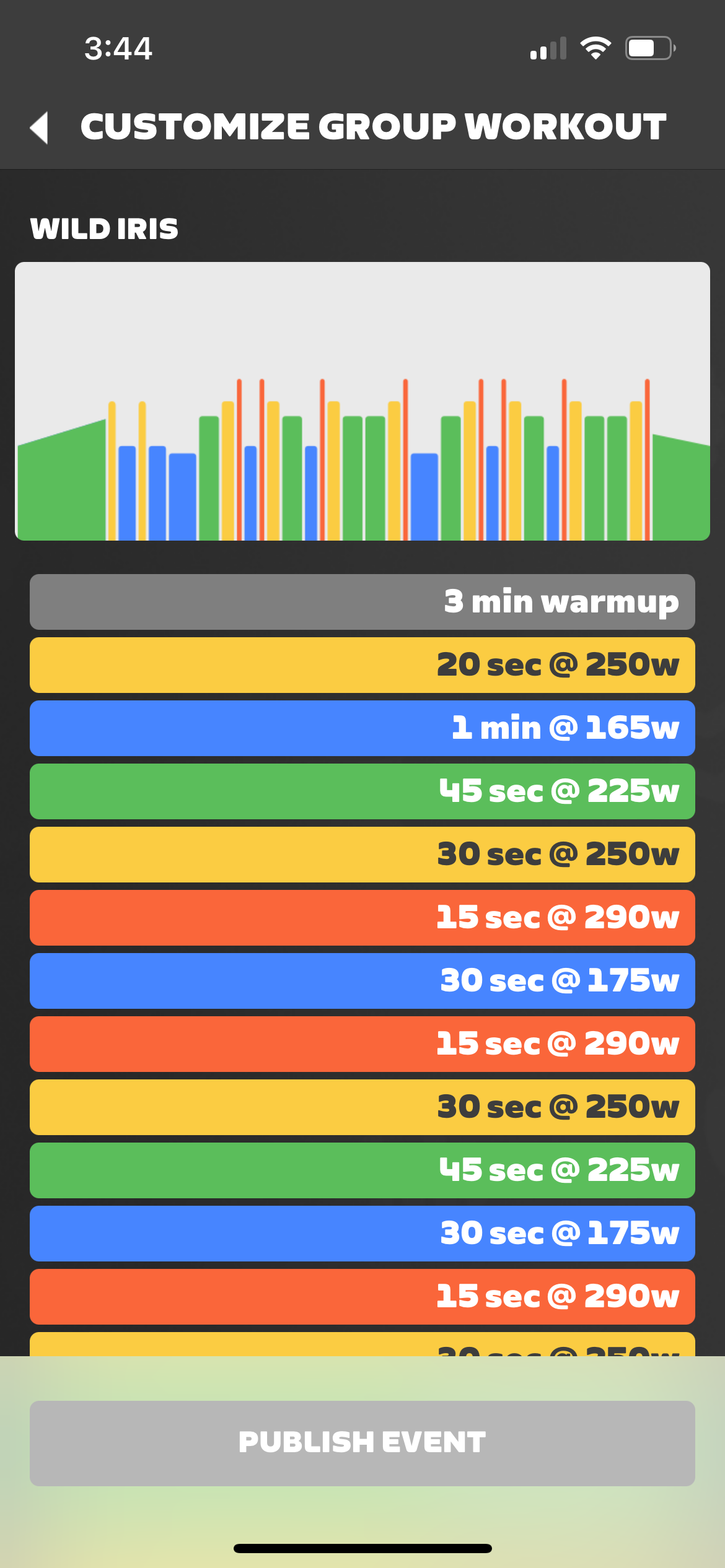
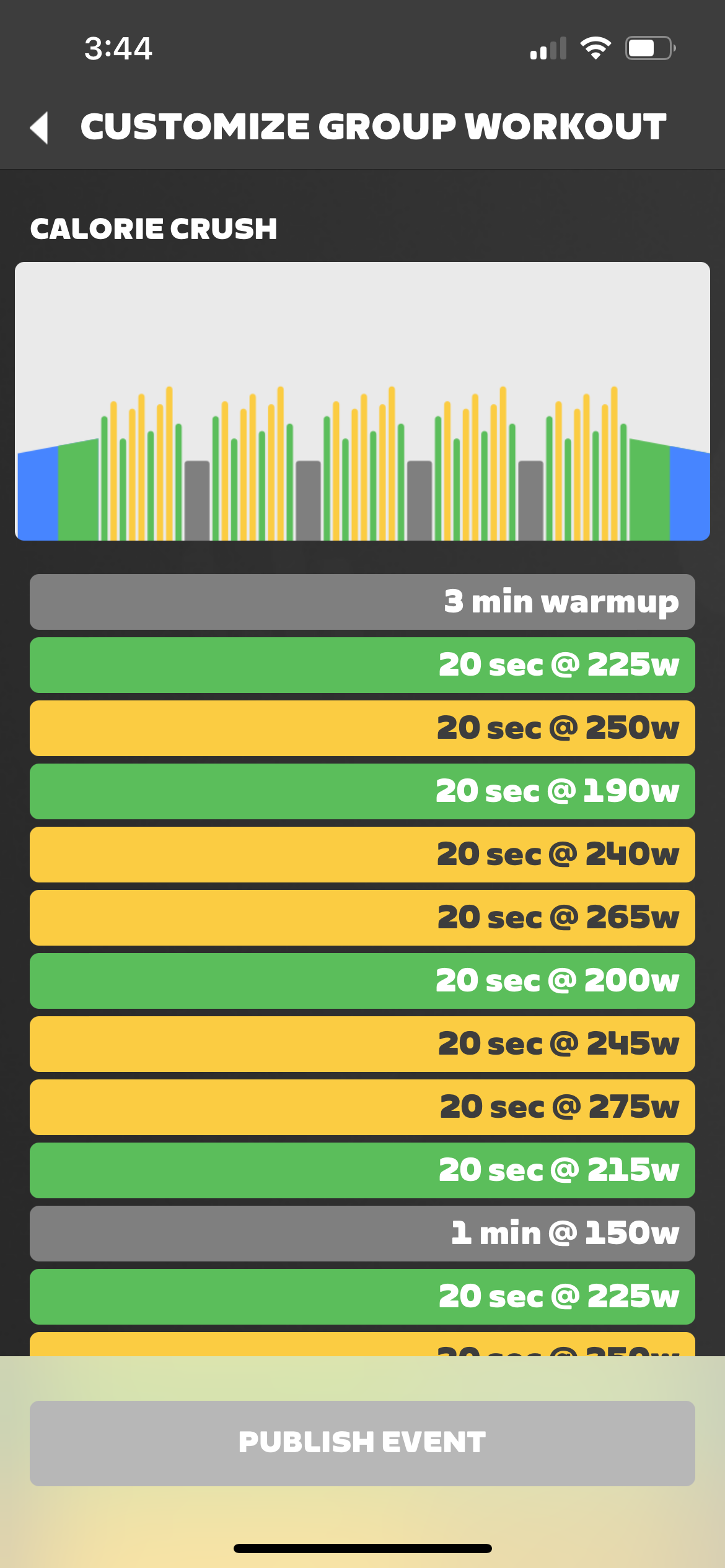
Under 60 Minutes
Alphabetical List:
- 2×15 FTP Intervals
- Aerobic Conditioning
- Aerobic Power
- Anaerobic Depletion
- Depleting Workout
- FTP Gains
- FTP Short Blogs
- Grin and Bear It
- Intensive Aerobic
- Jon’s Mix
- Low Cadence Intervals
- Primed FTP
- Pyramids
- SST (Short)
- Step By Step
- Strength Endurance/Threshold Combo
- The Gorby
- The McCarthy Special
- The Volcano
- The Wringer
- Threshold Development
- VO2 Capacity
As shown in Companion app:
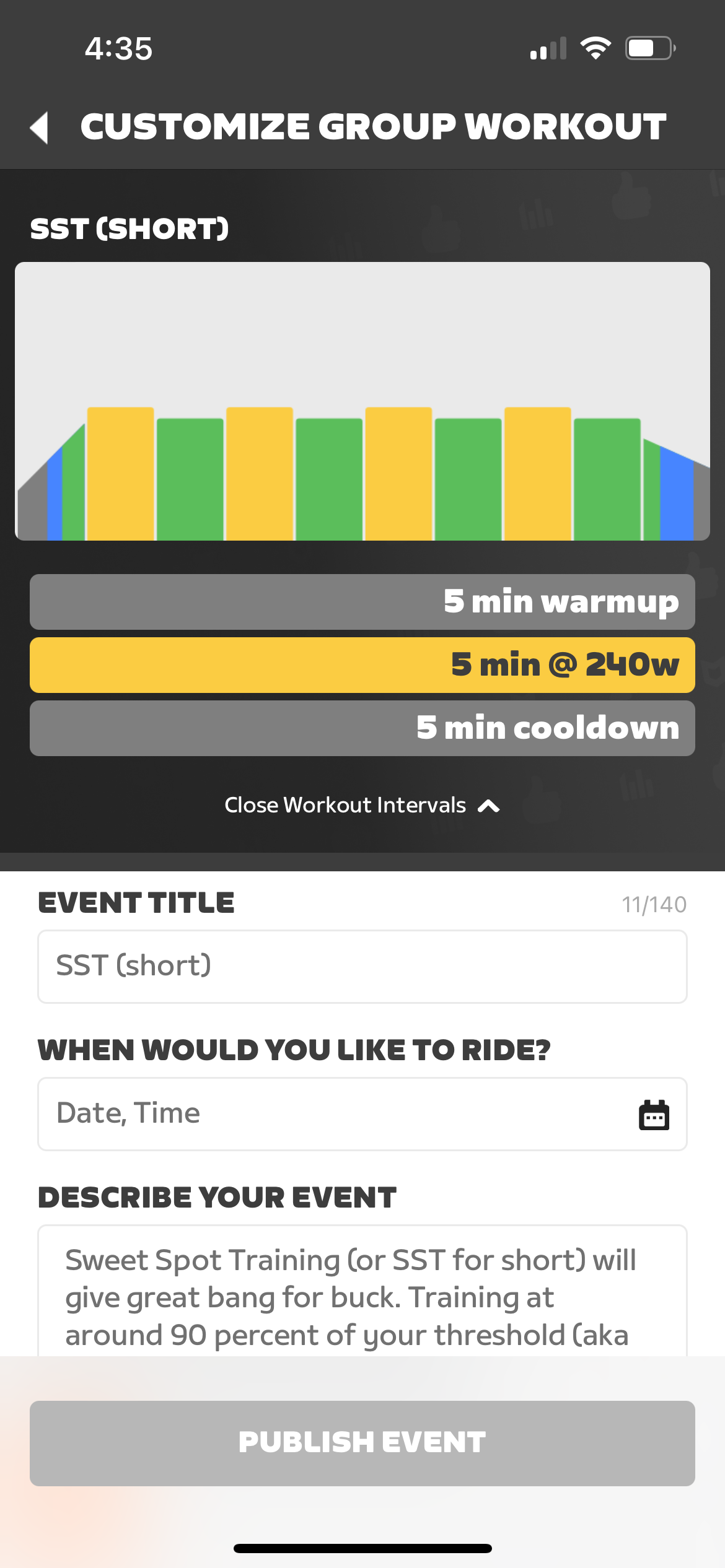
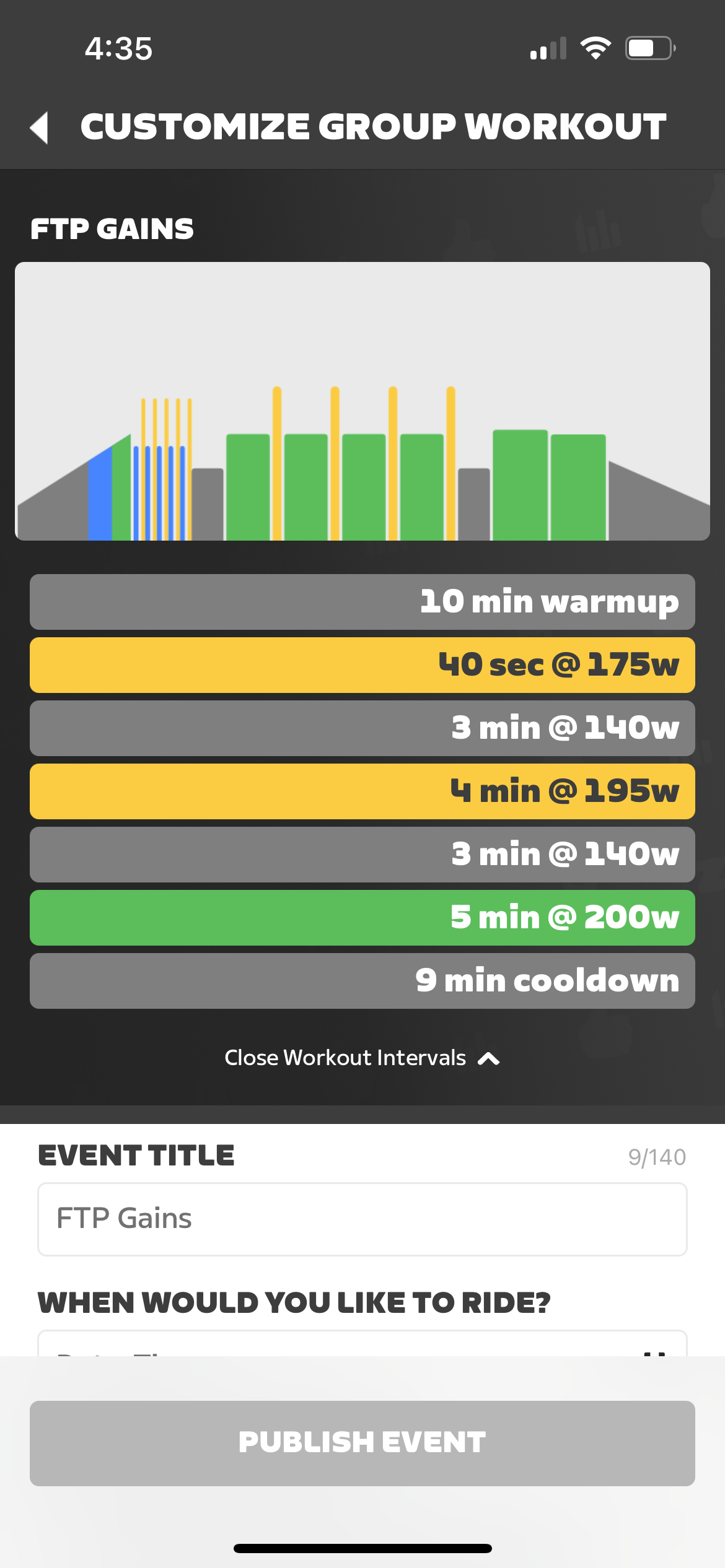
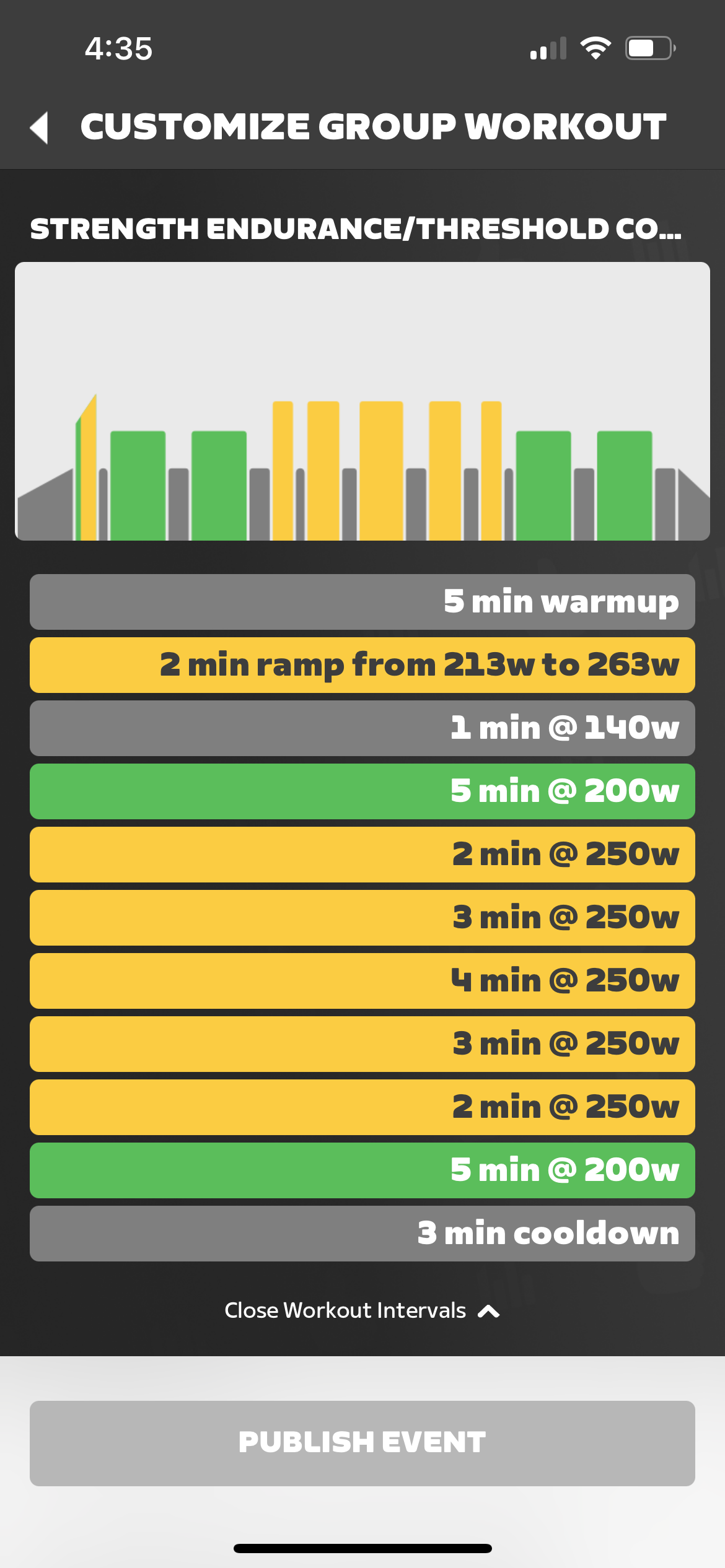
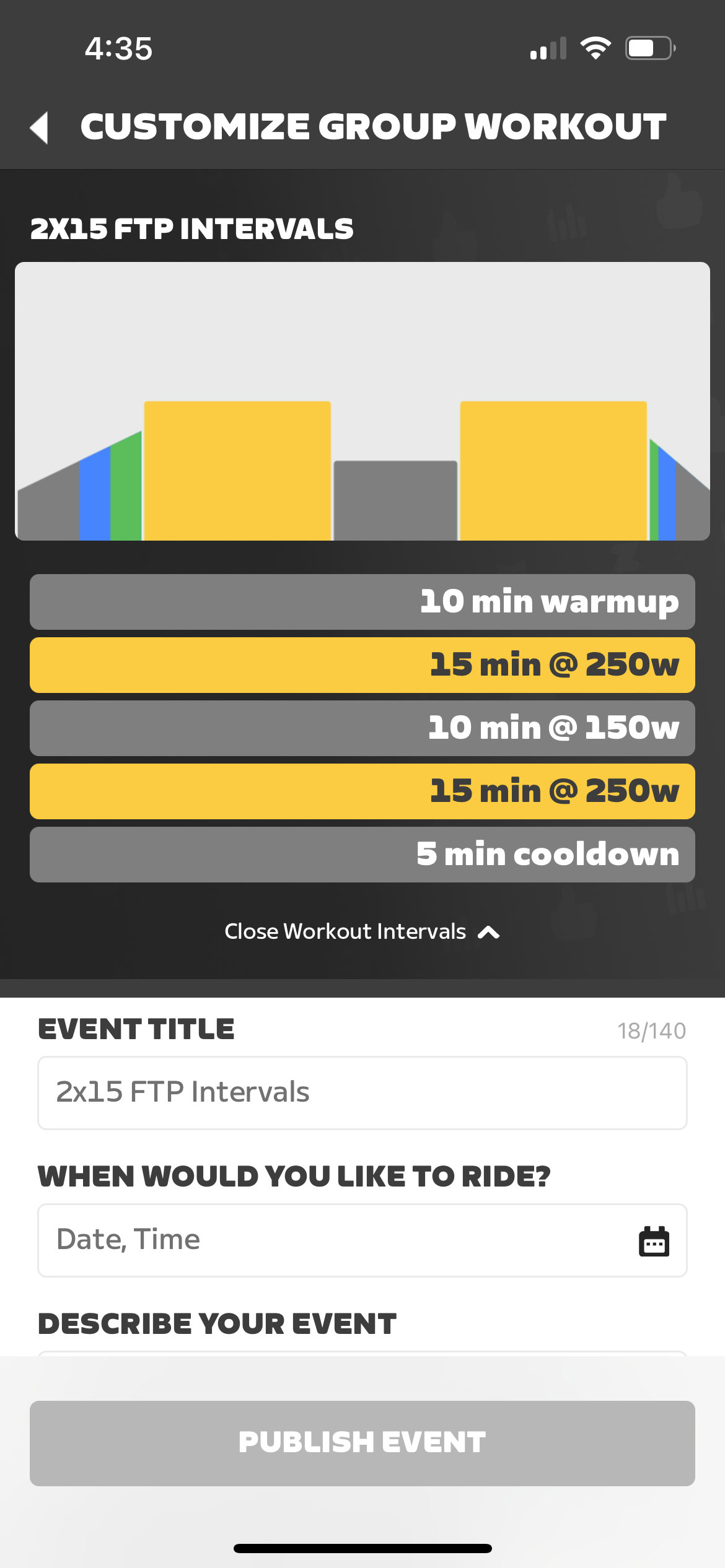
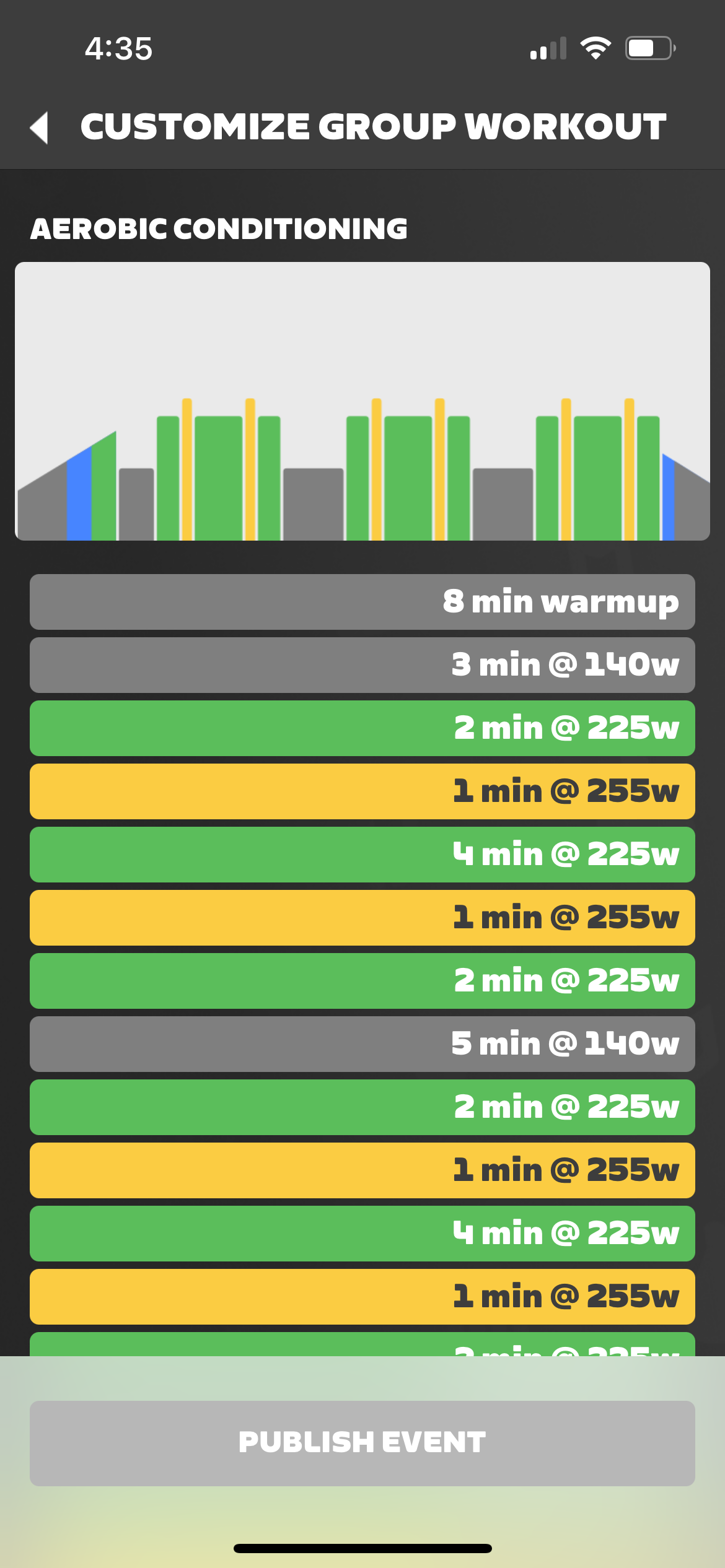
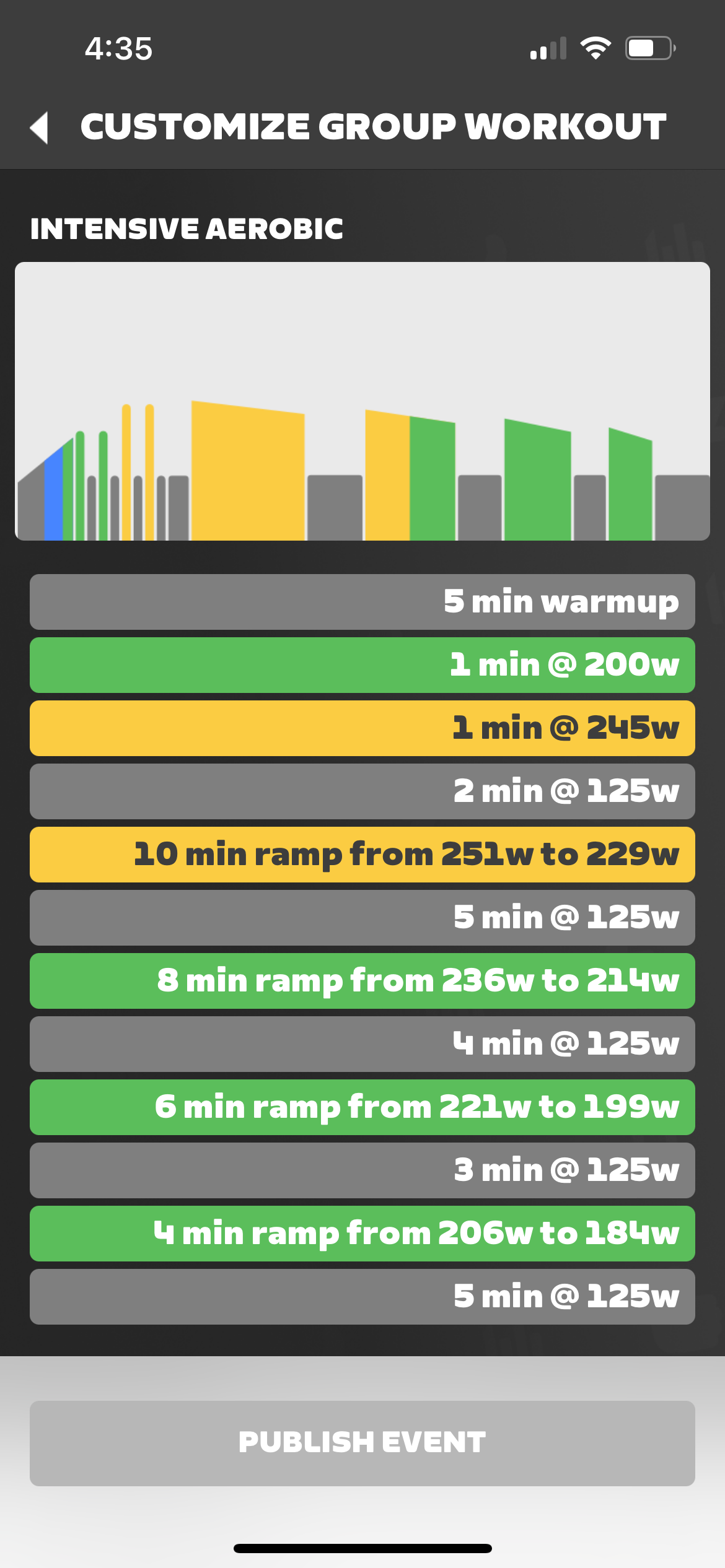
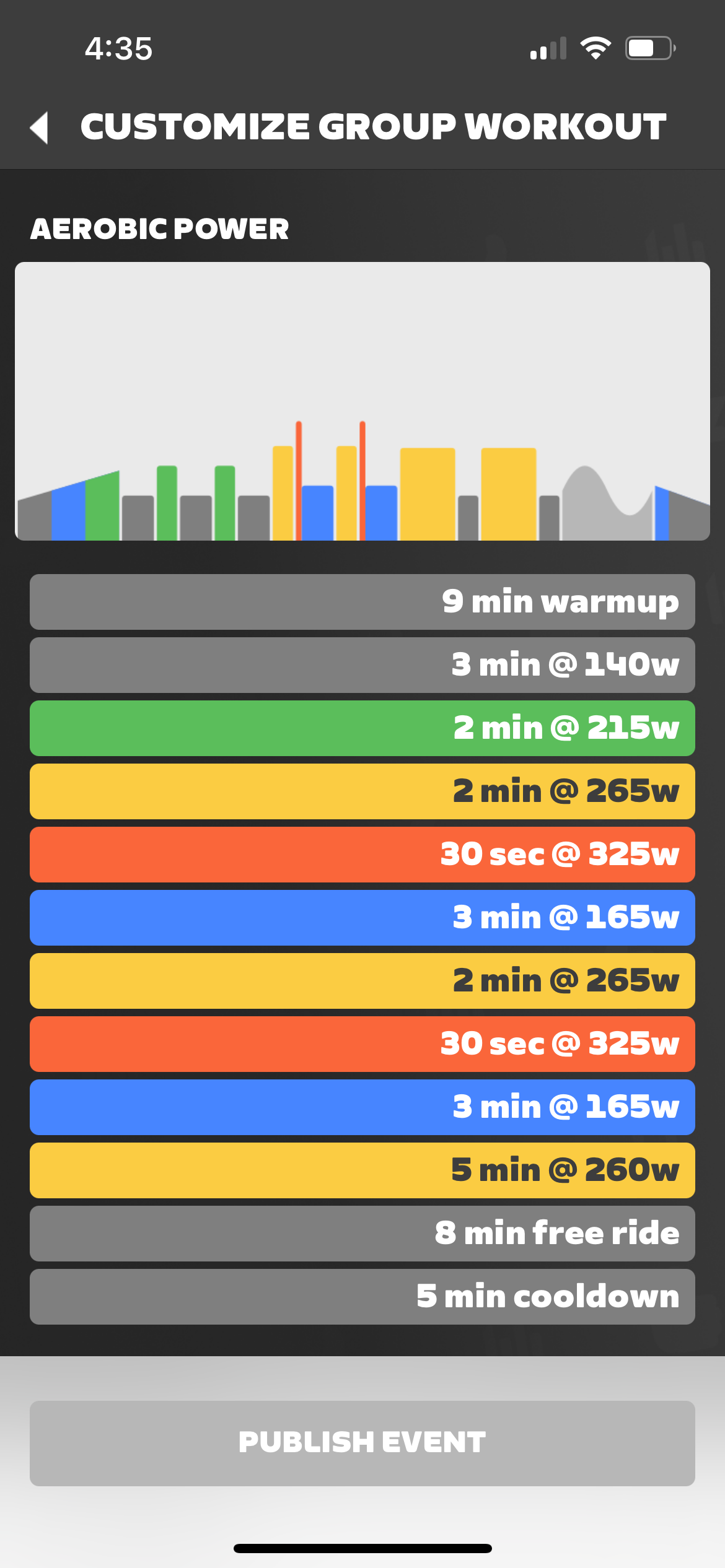
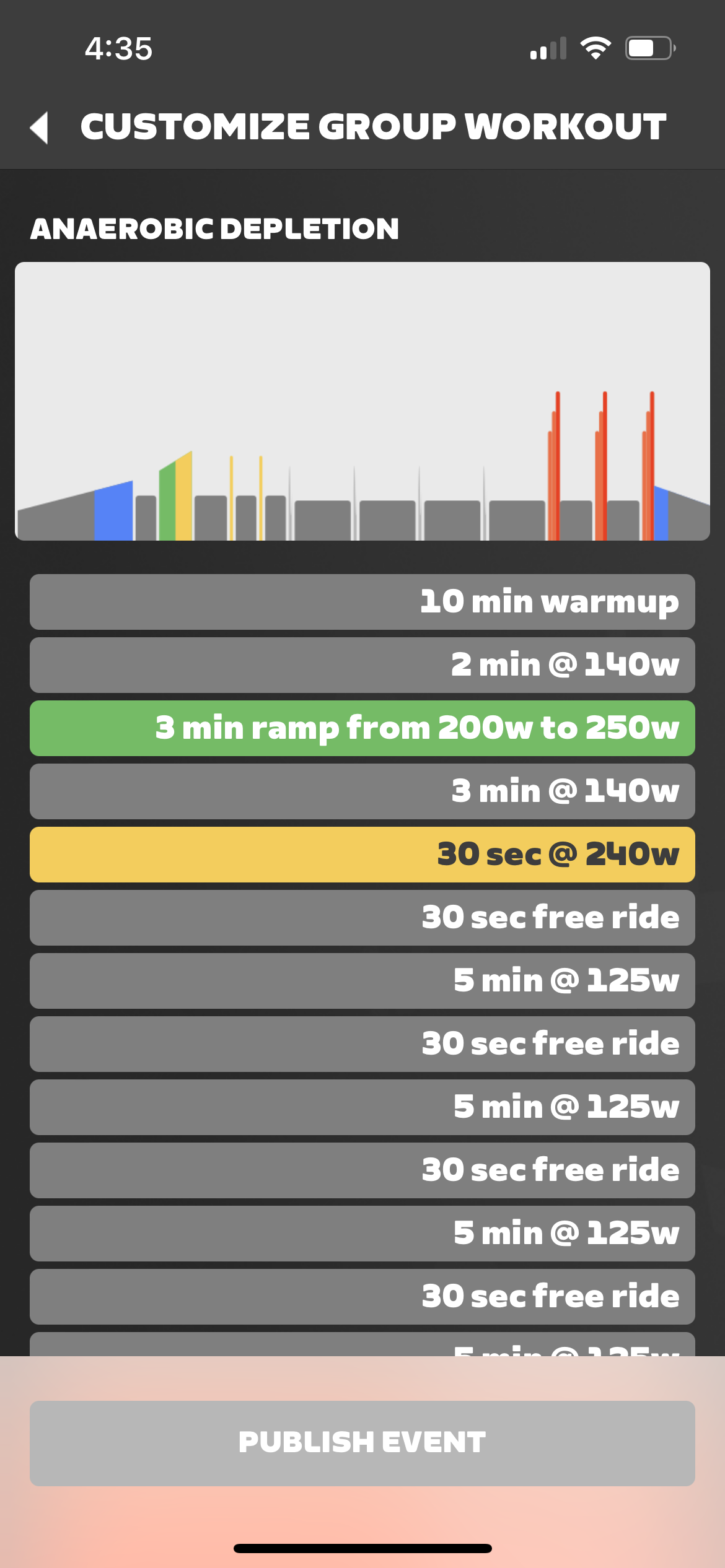
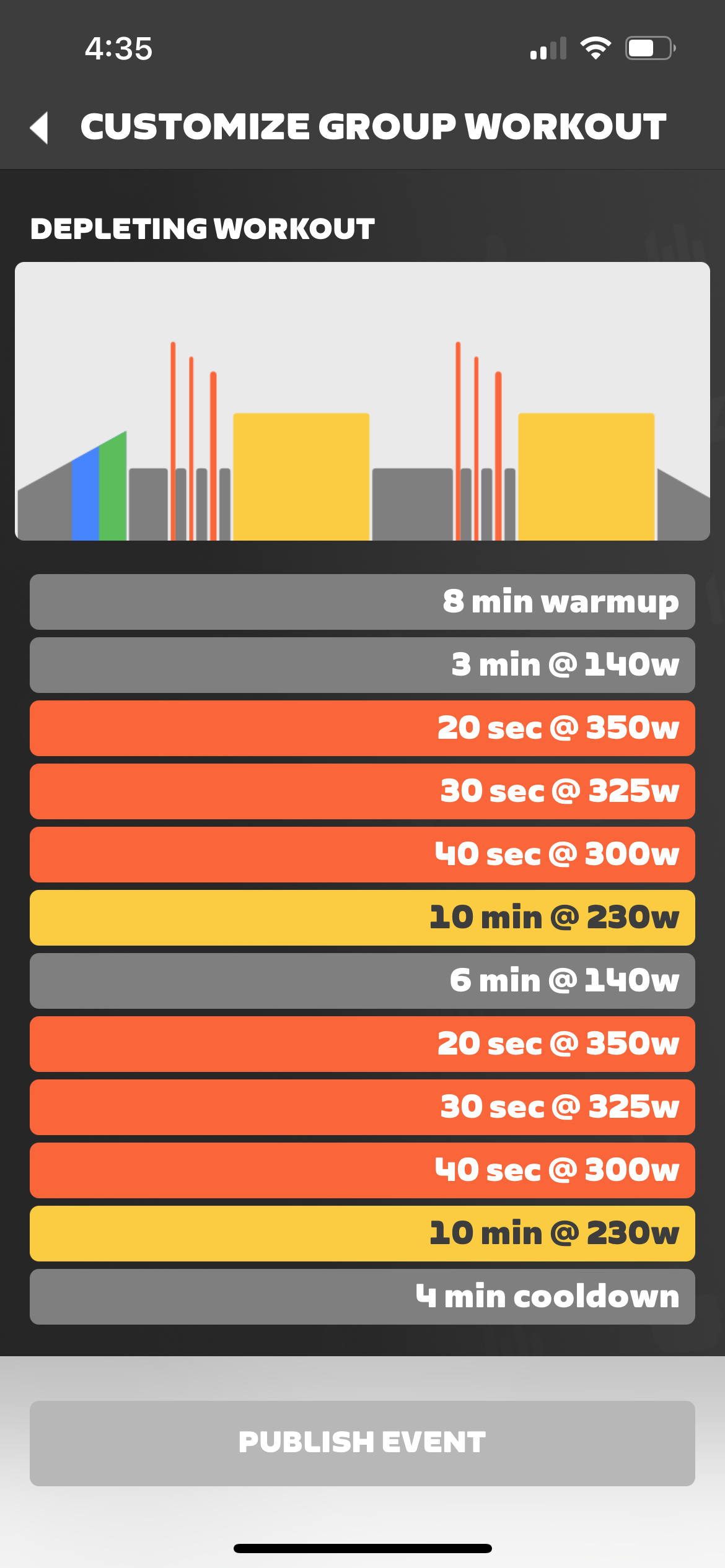
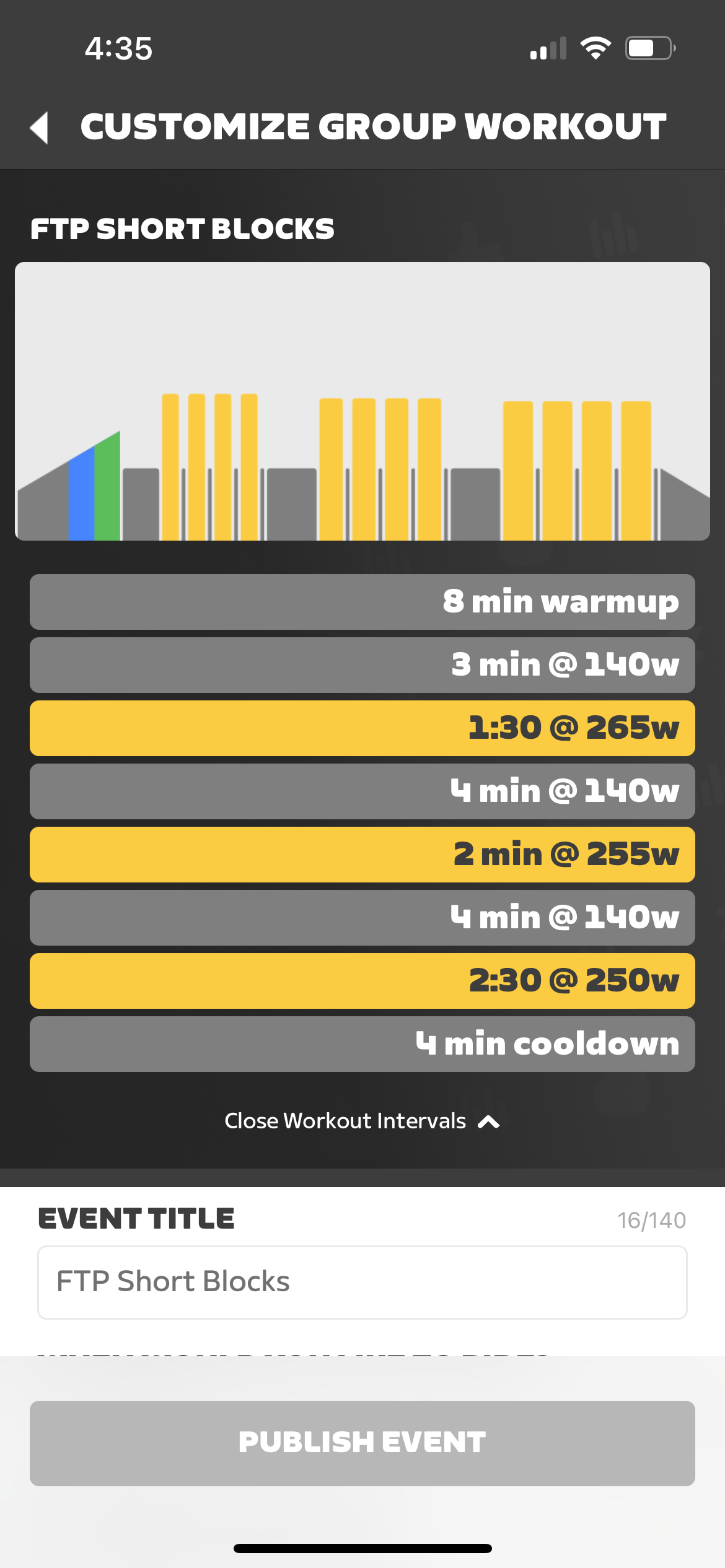
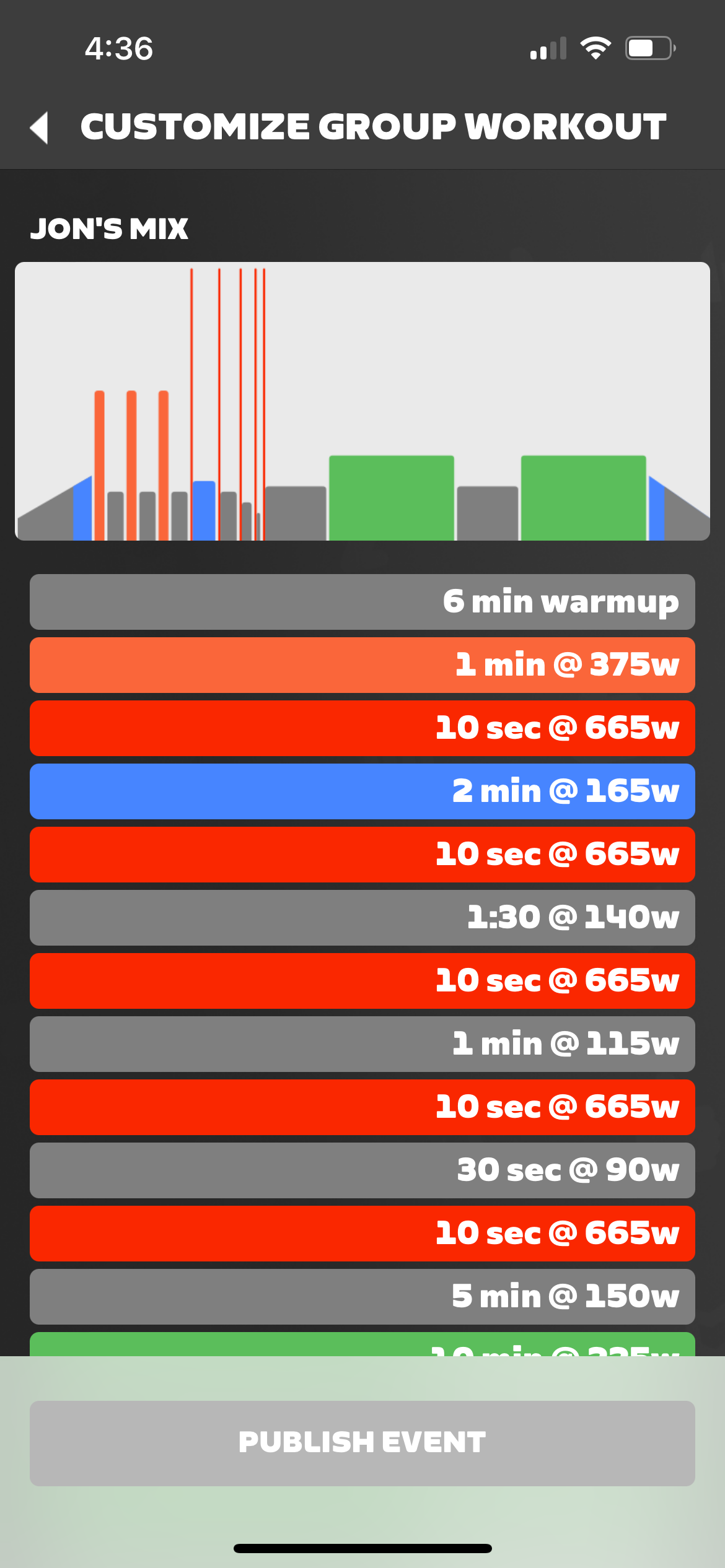
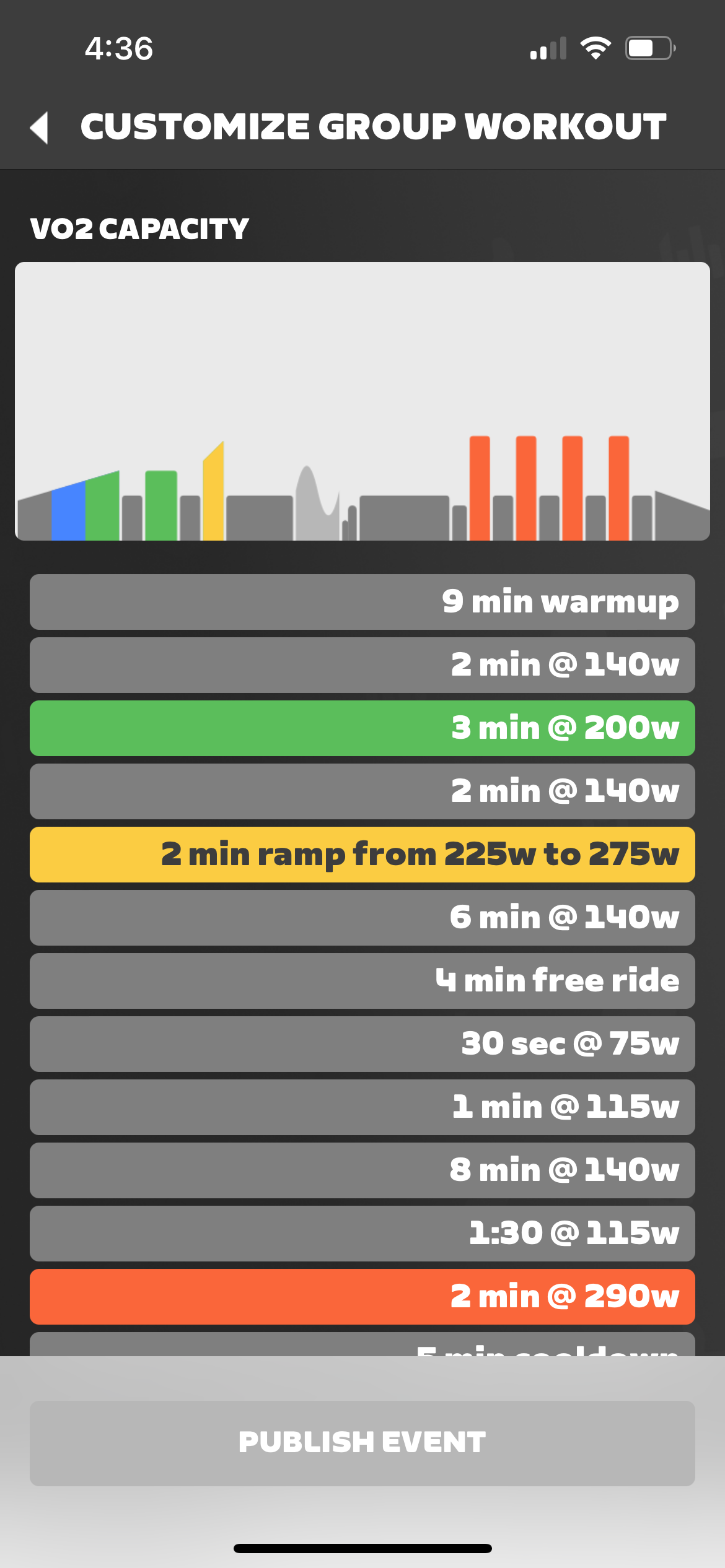
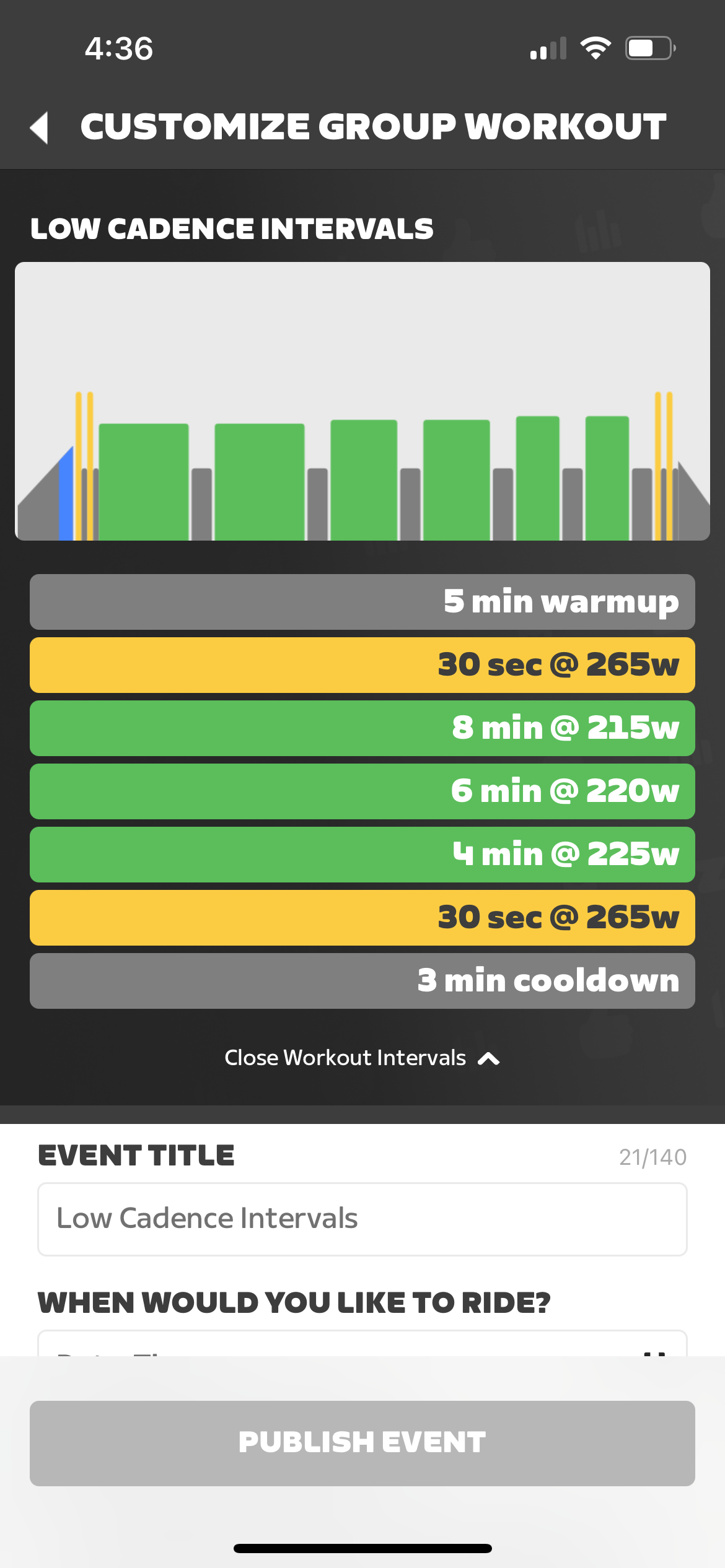
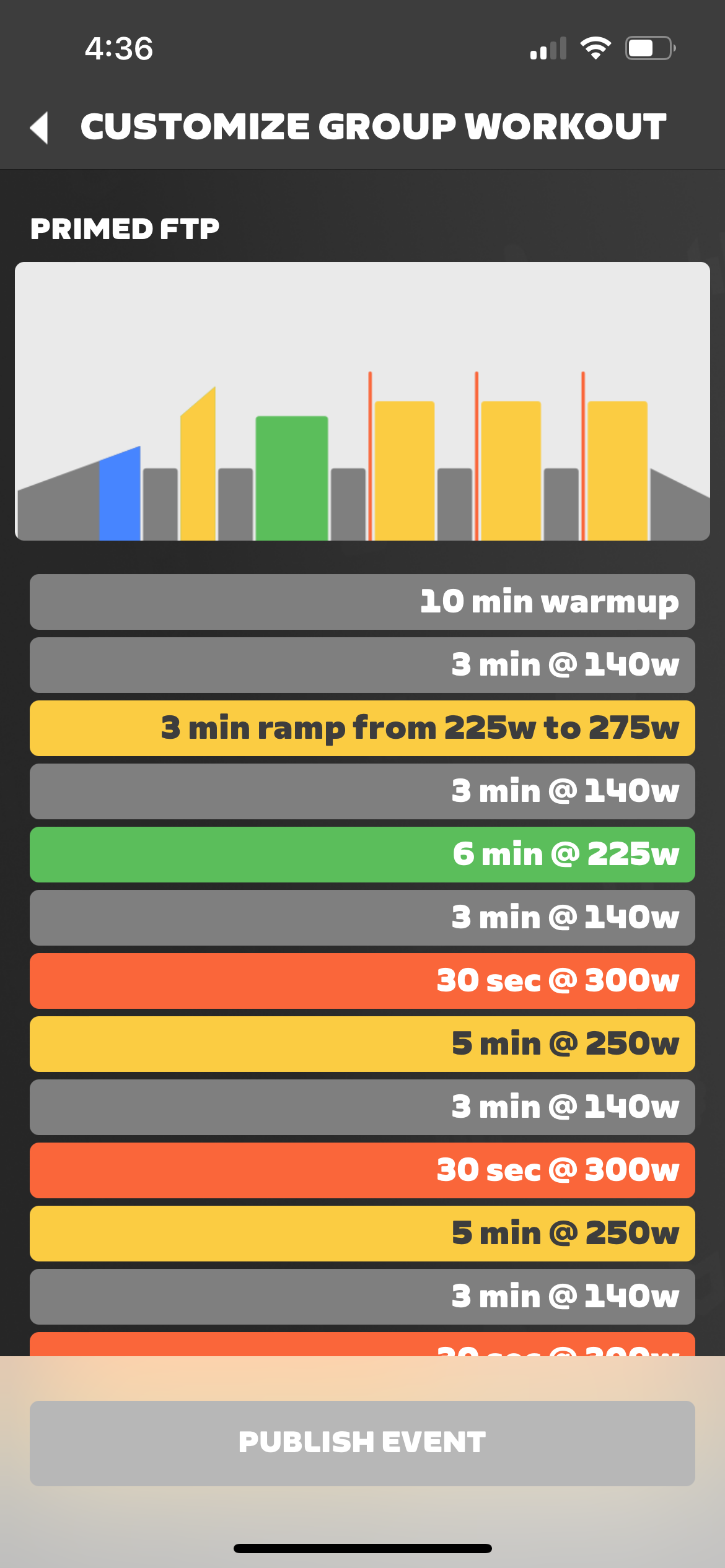
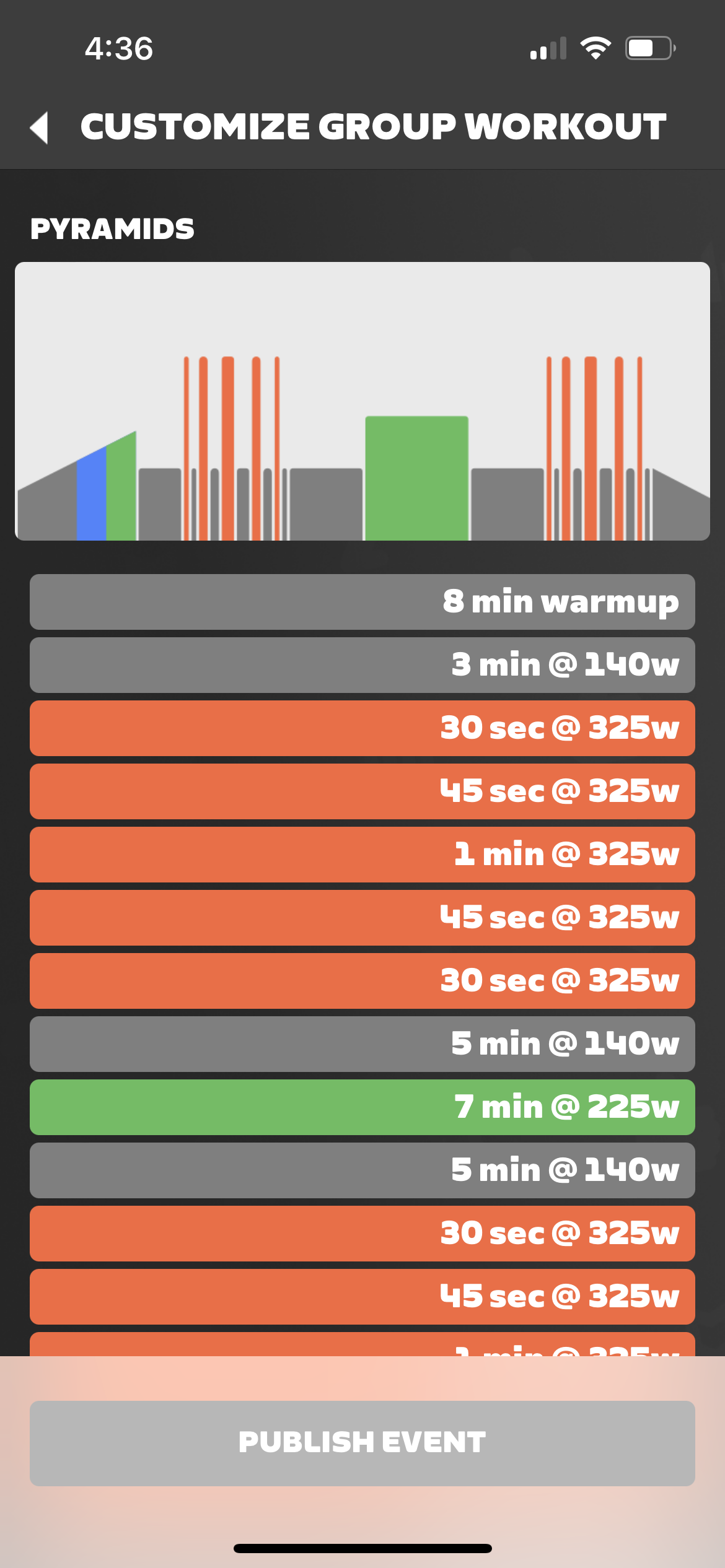
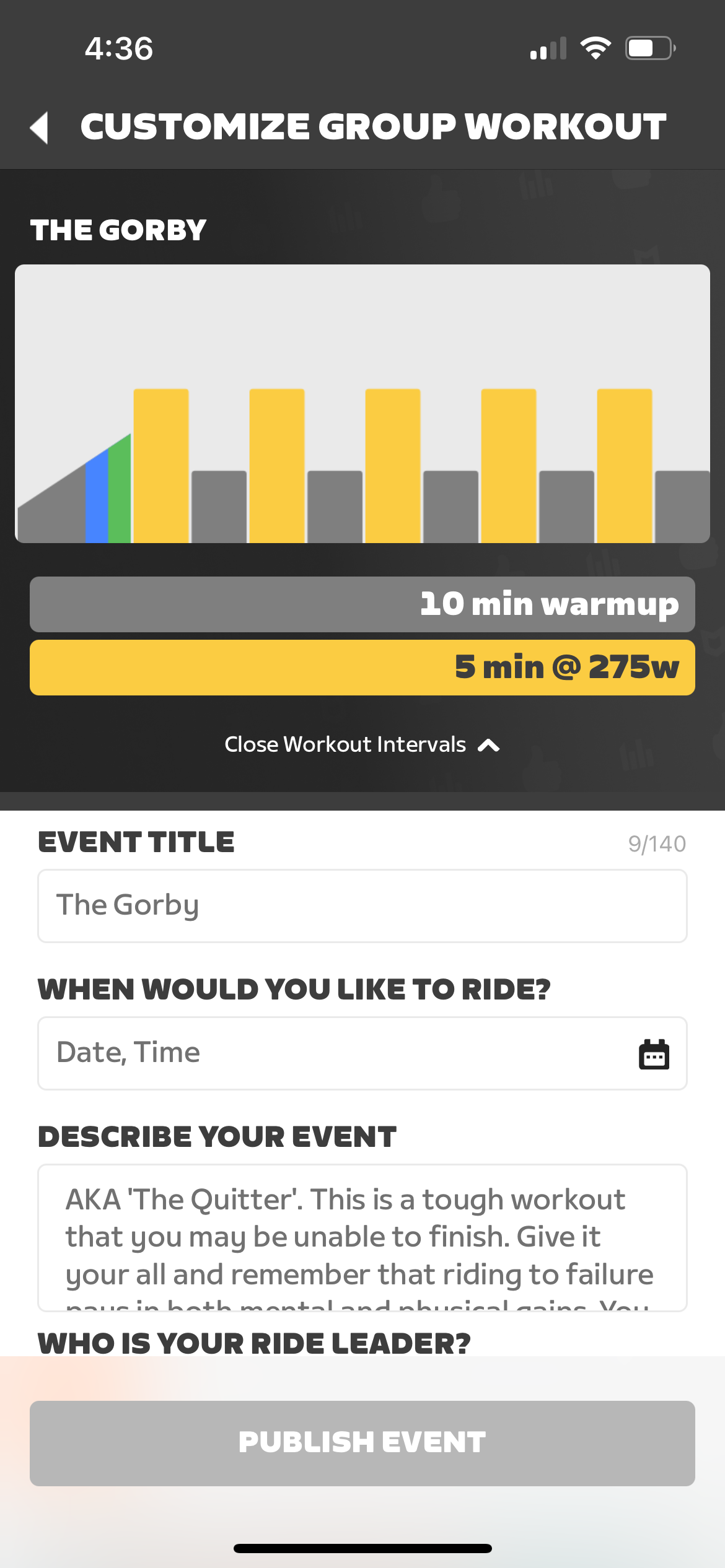
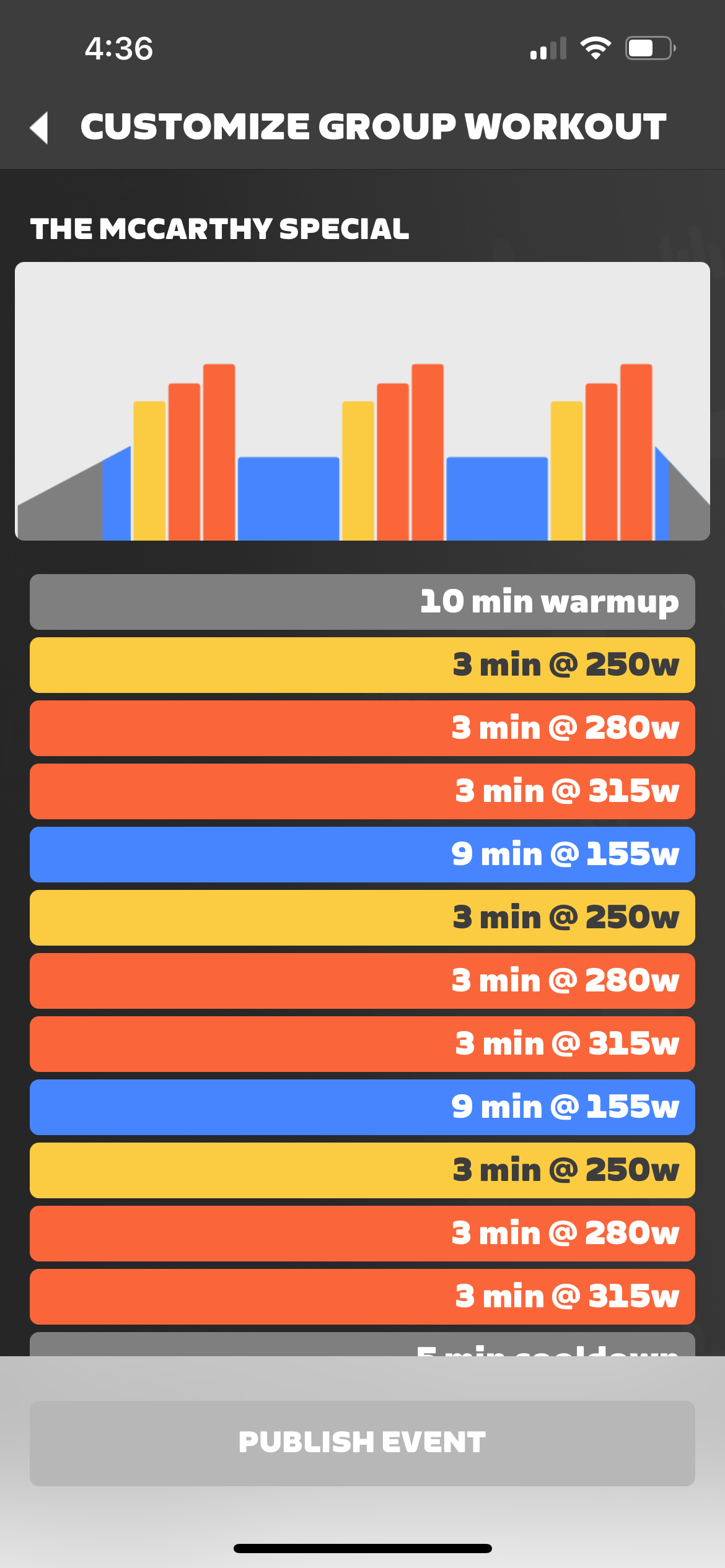
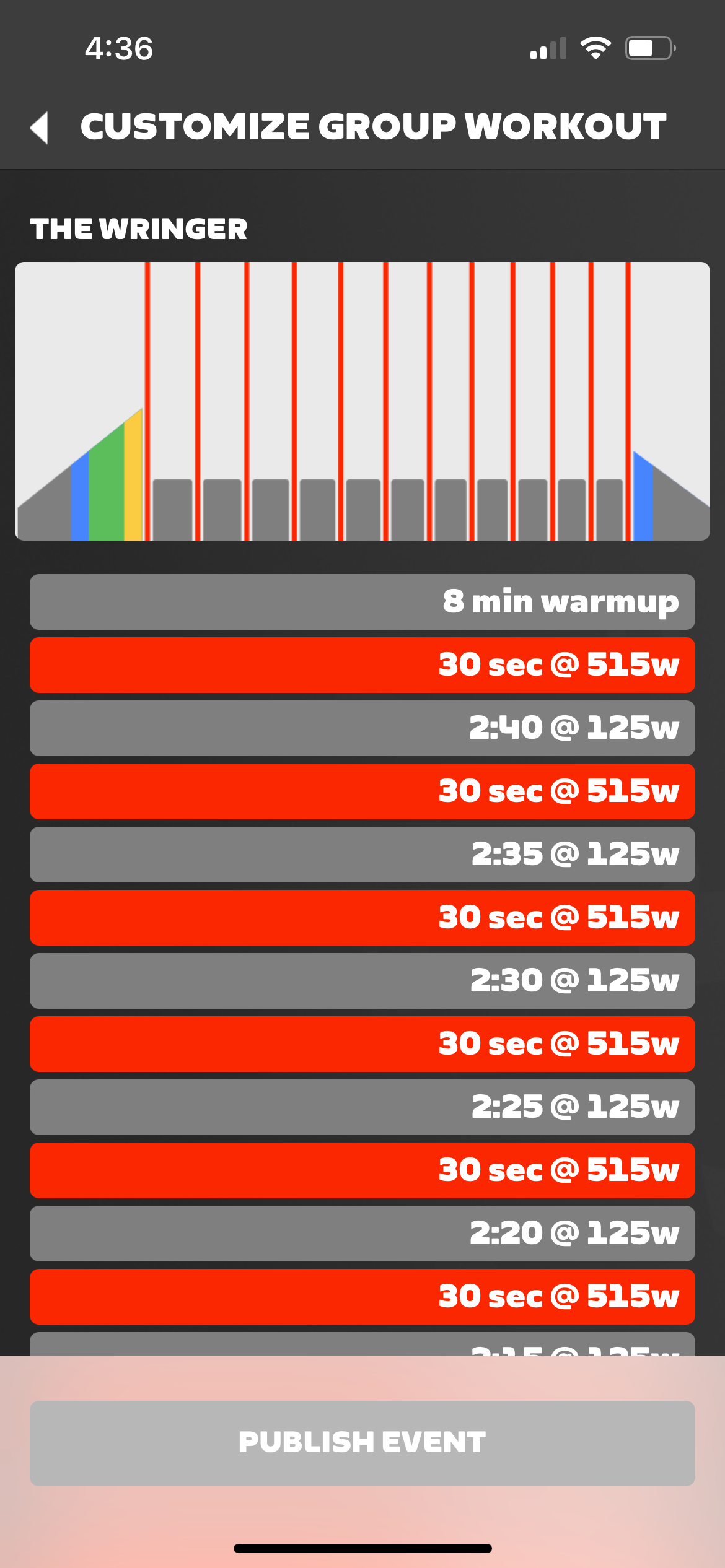
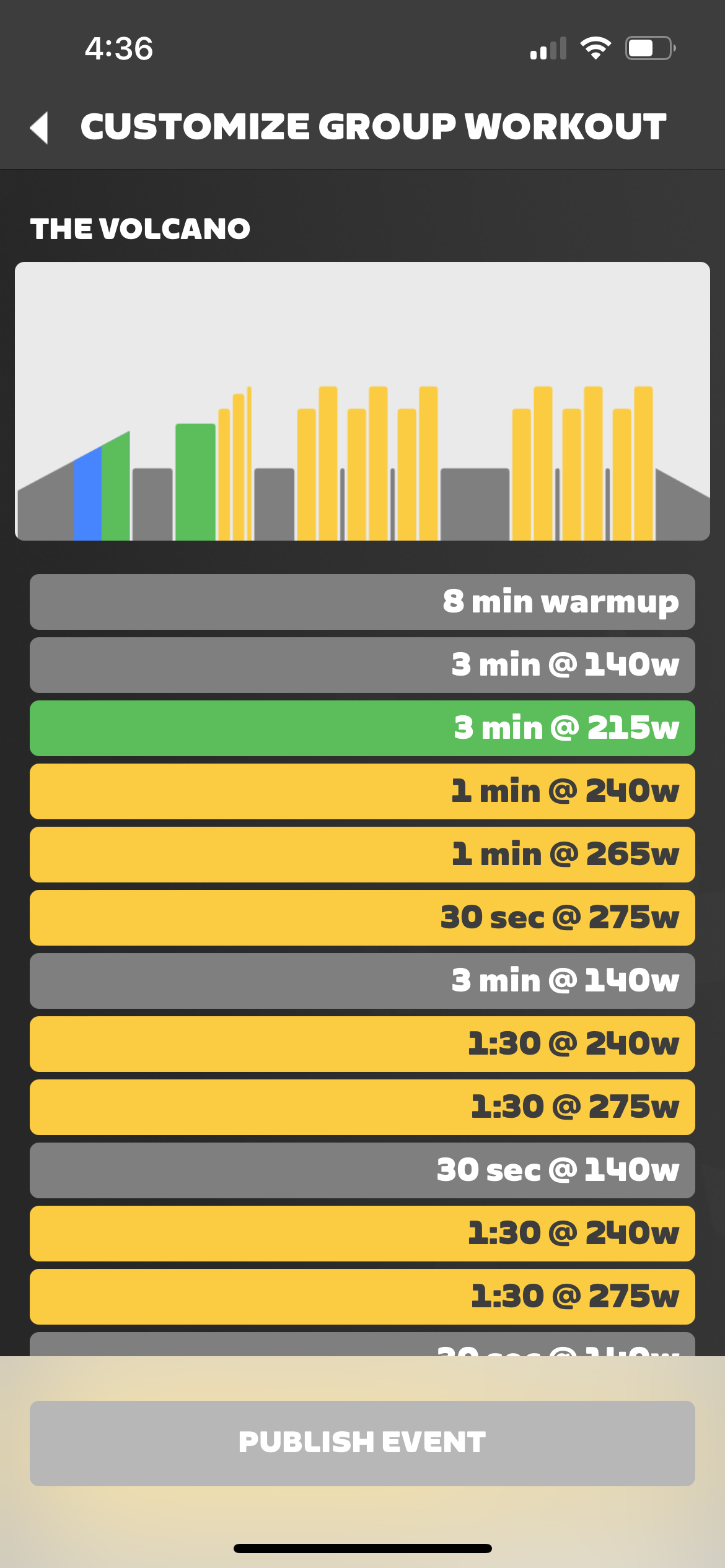
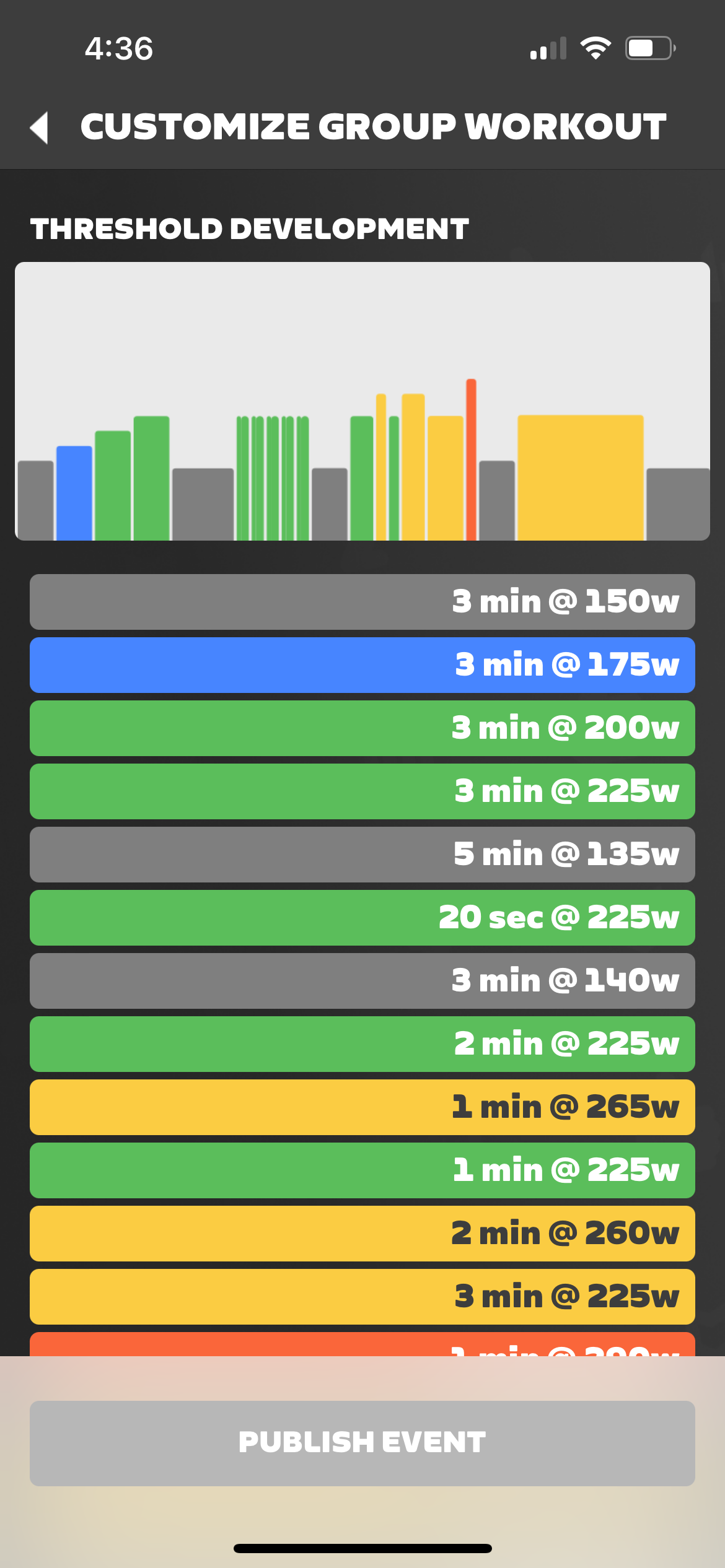
Over 60 Minutes
Alphabetical List:
- 2×20 FTP Intervals
- Aerobic Threshold Development
- Anaerobic Resilience
- Capacity Reloaded
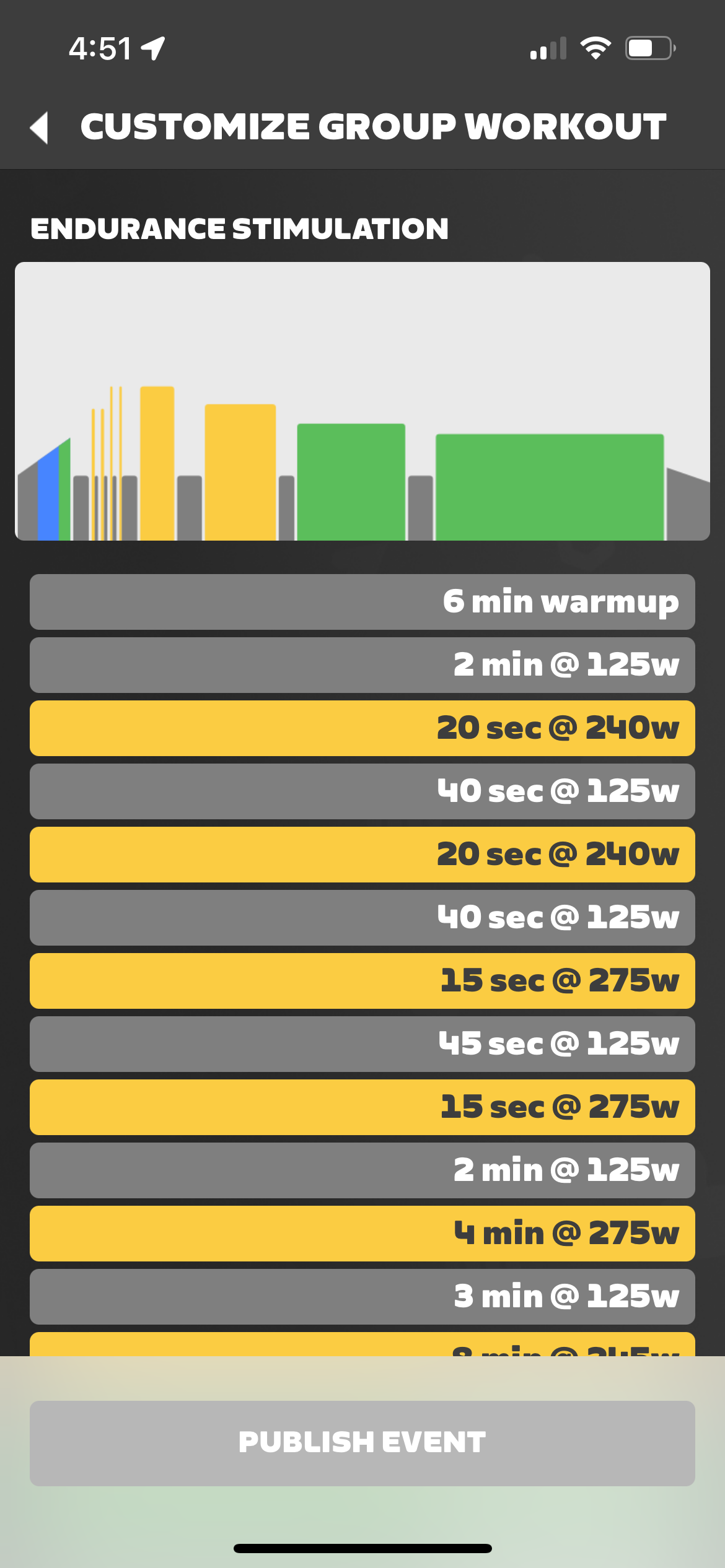
- Endurance Stimulation
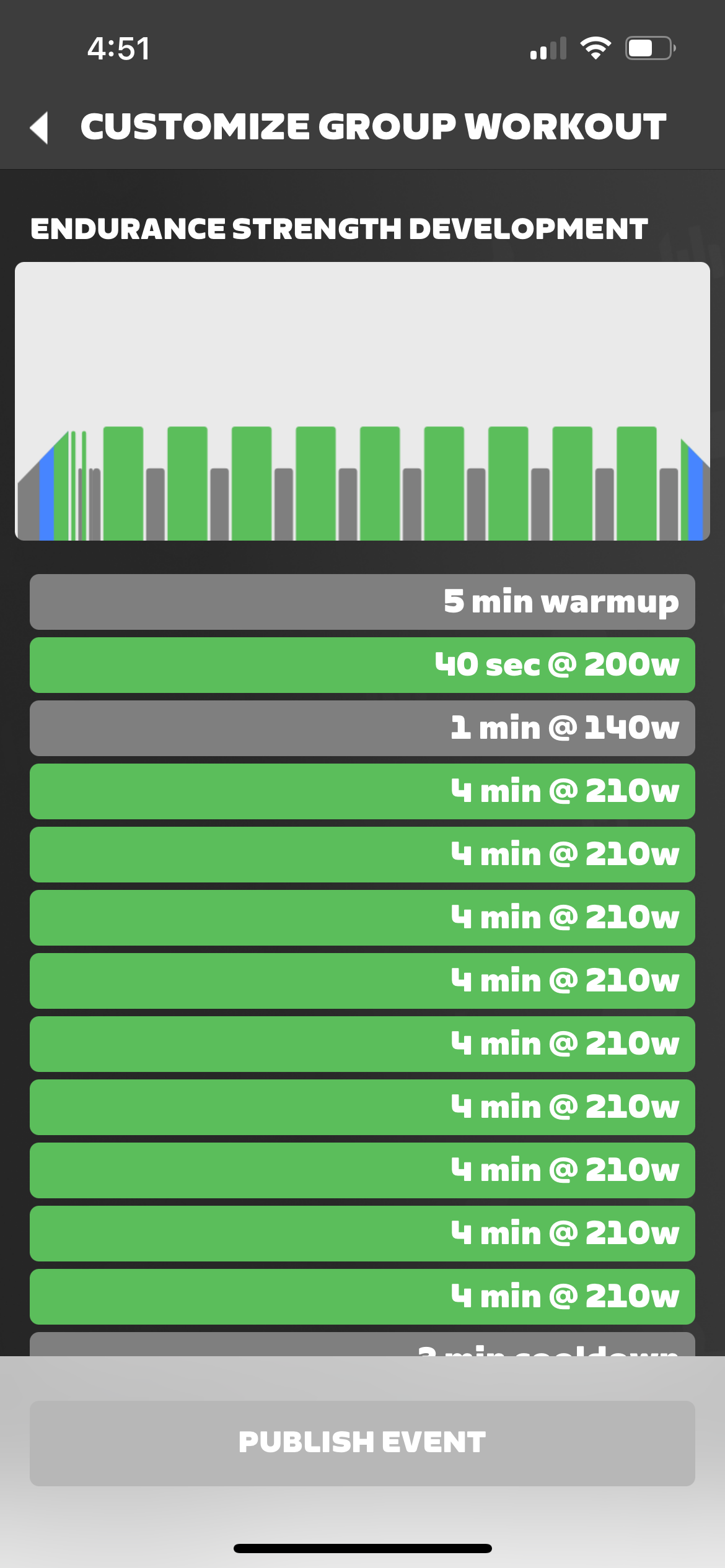
- Endurance Strength Development
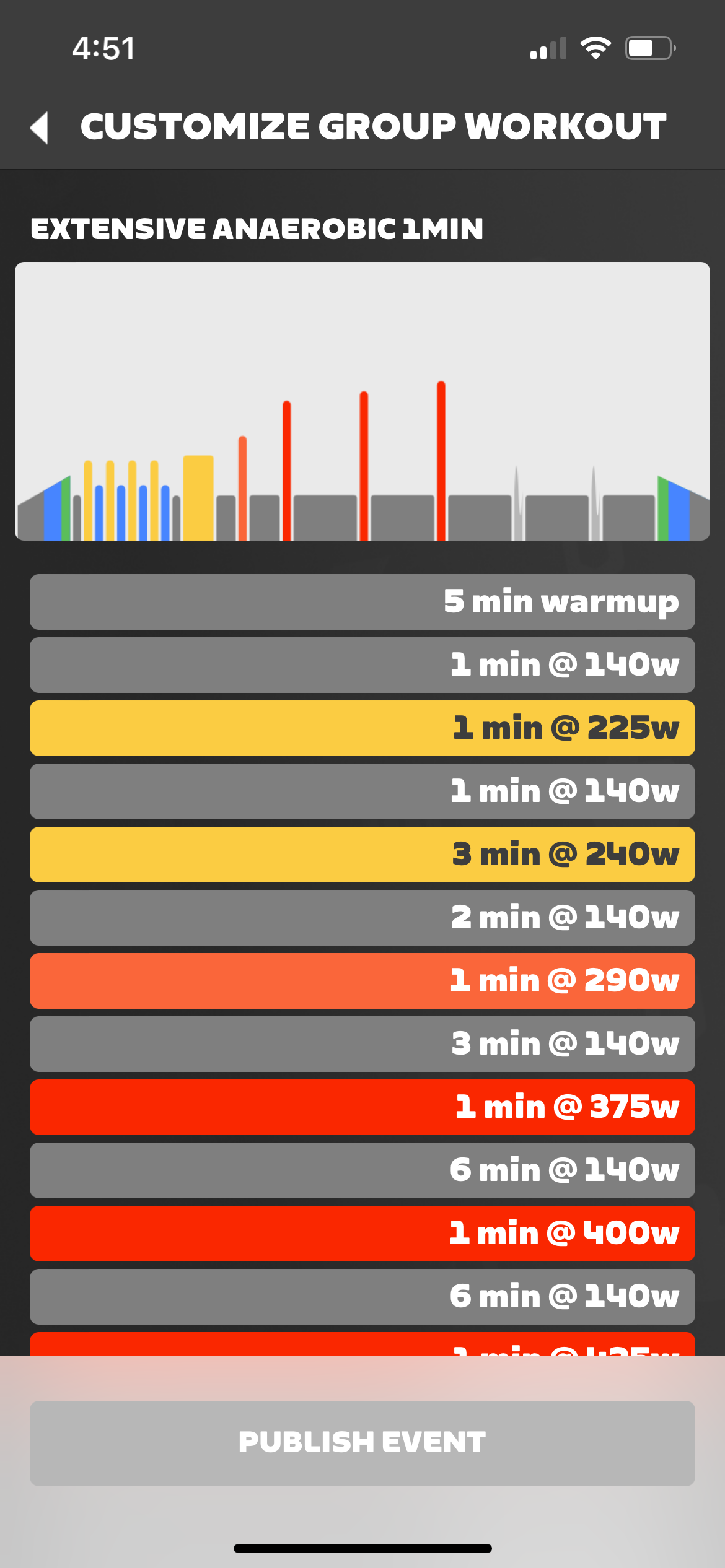
- Extensive Anaerobic 1min
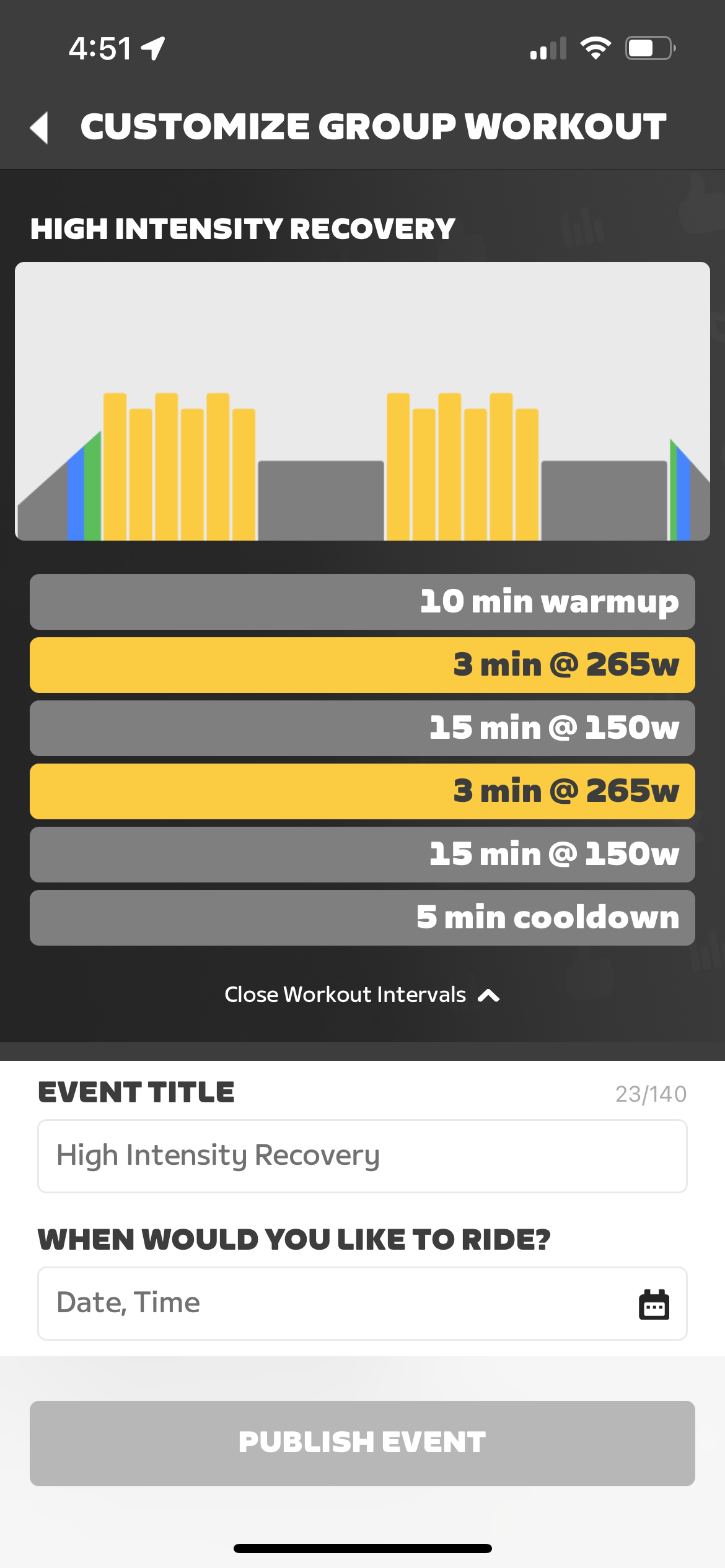
- High Intensity Recovery
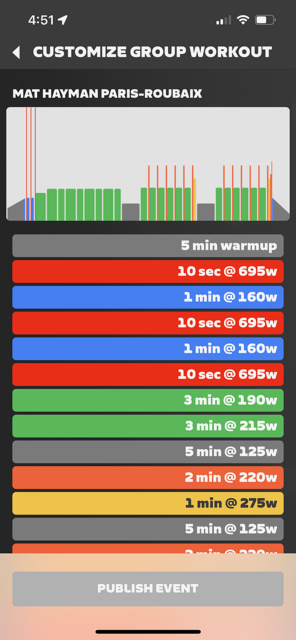
- Mat Hayman Paris-Roubaix
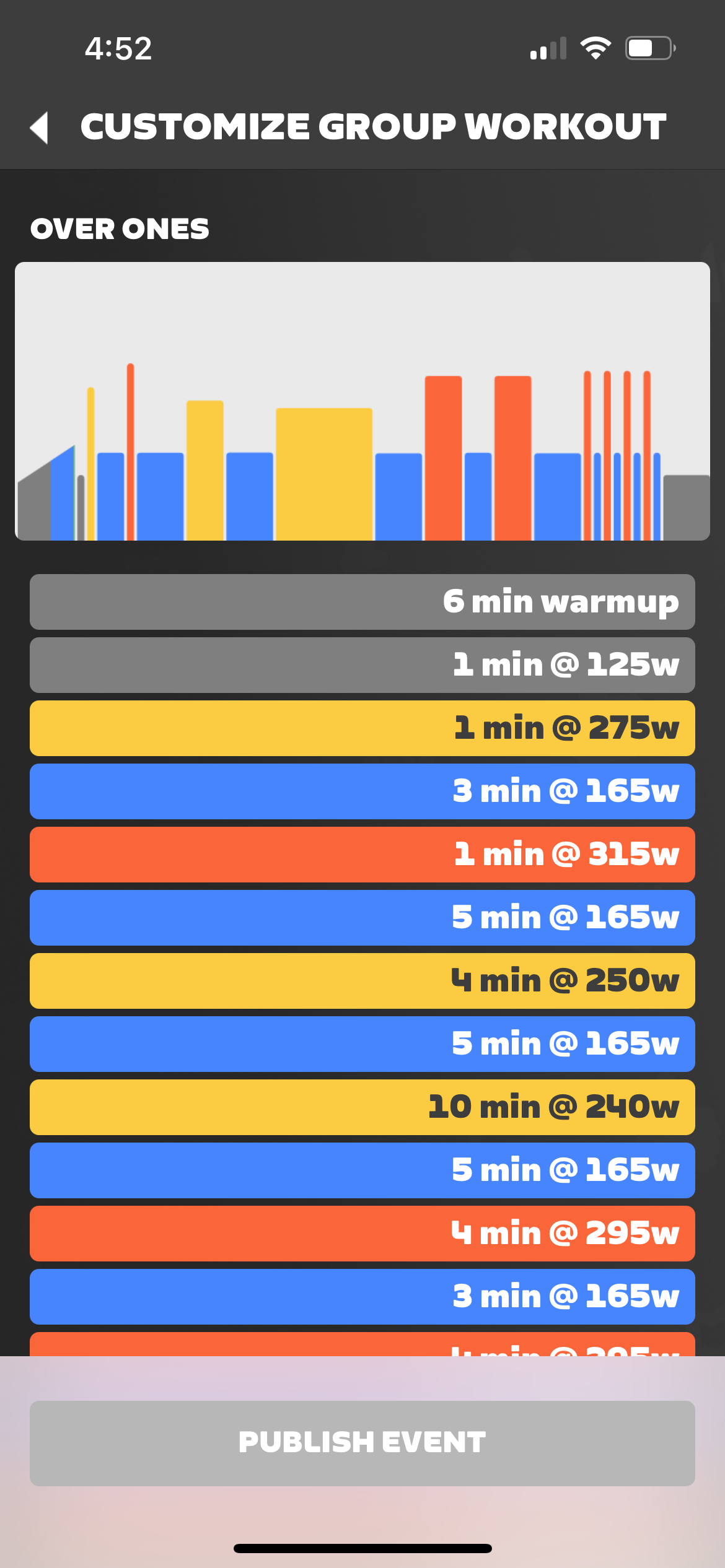
- Over Ones
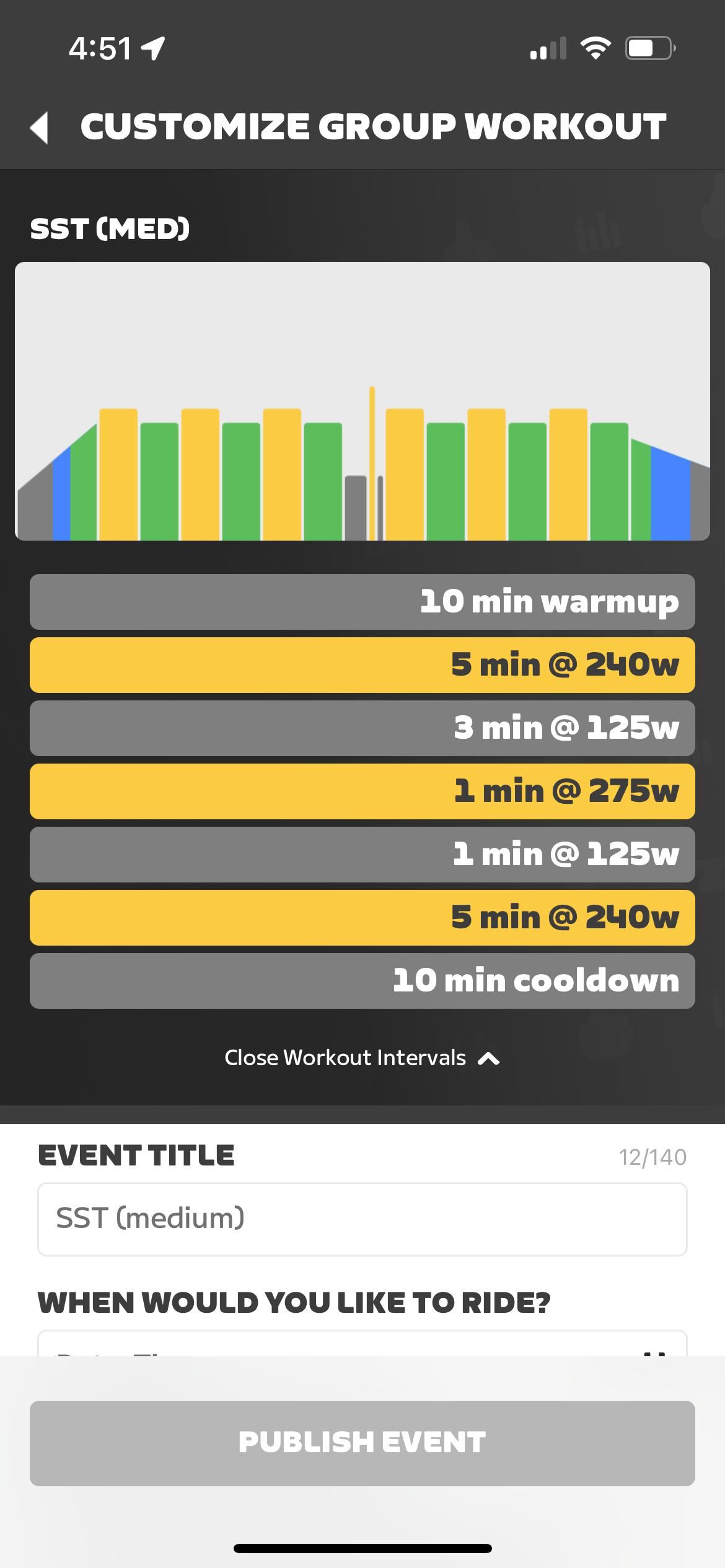
- SST (Med)
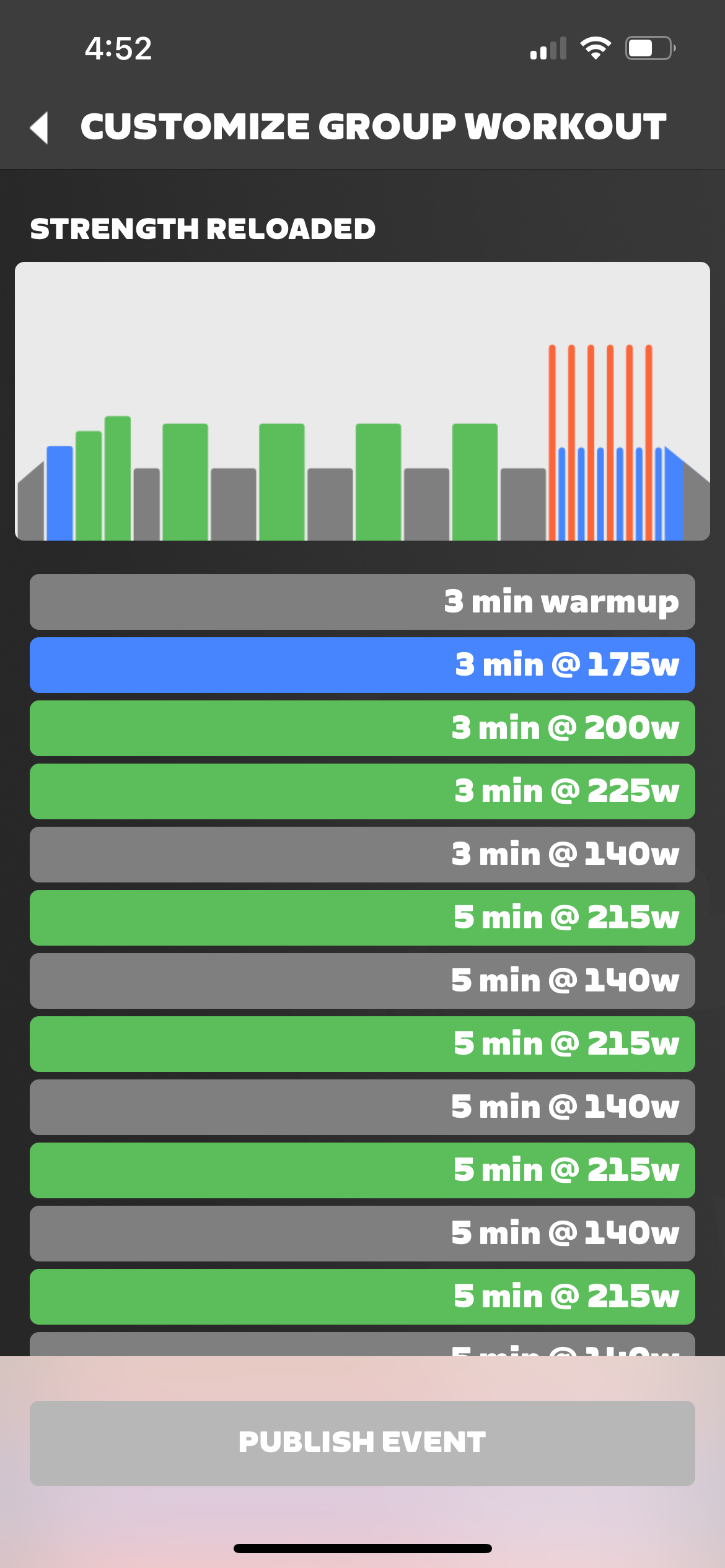
- Strength Reloaded
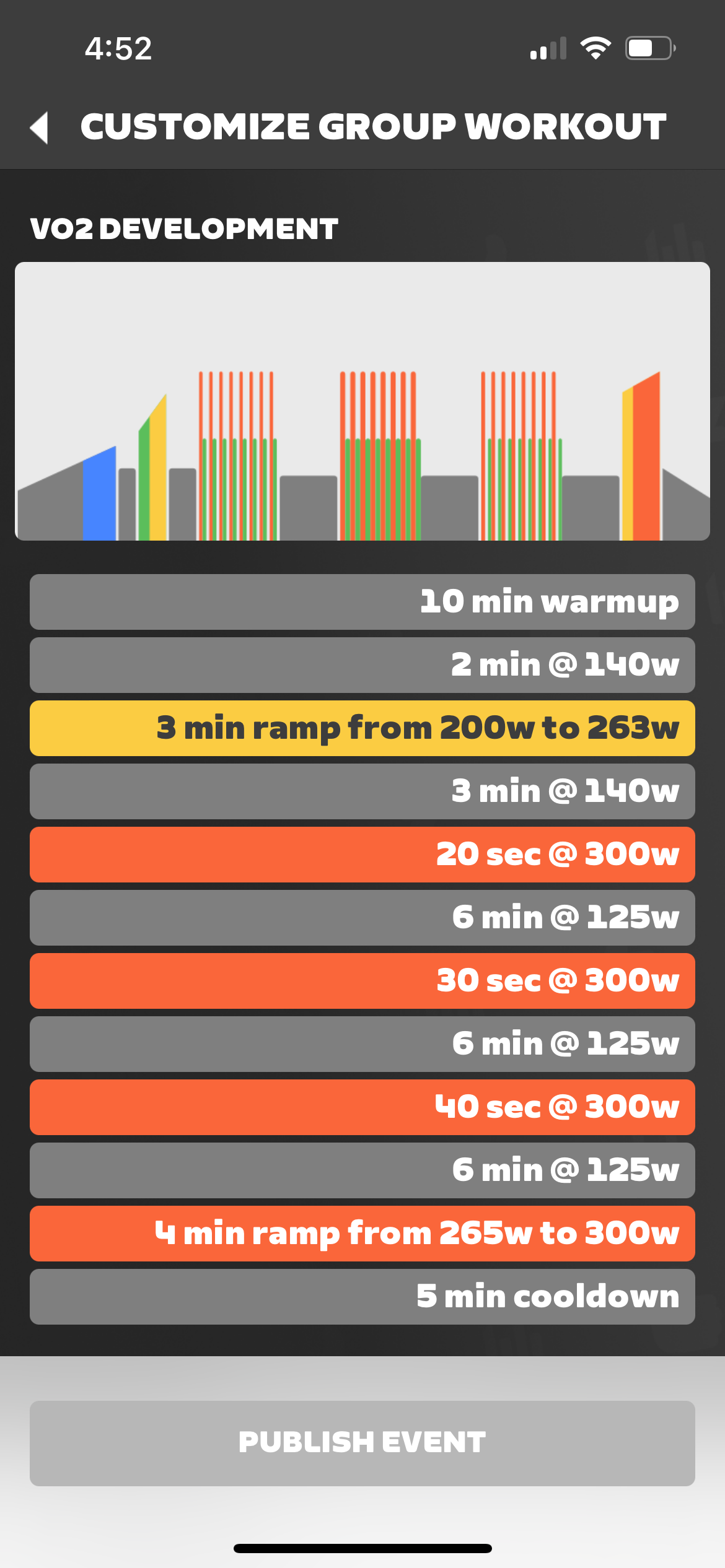
- VO2 Development
As shown in Companion app:
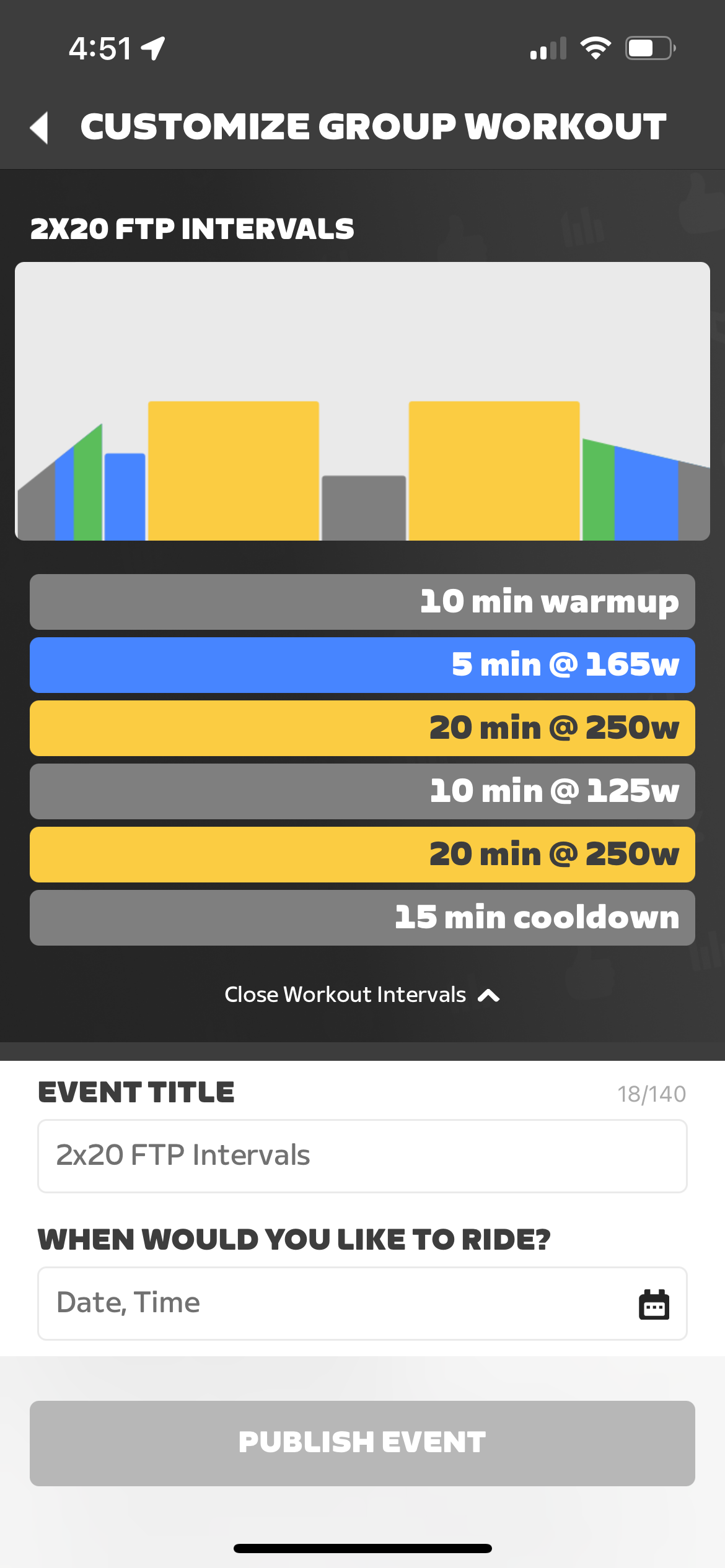
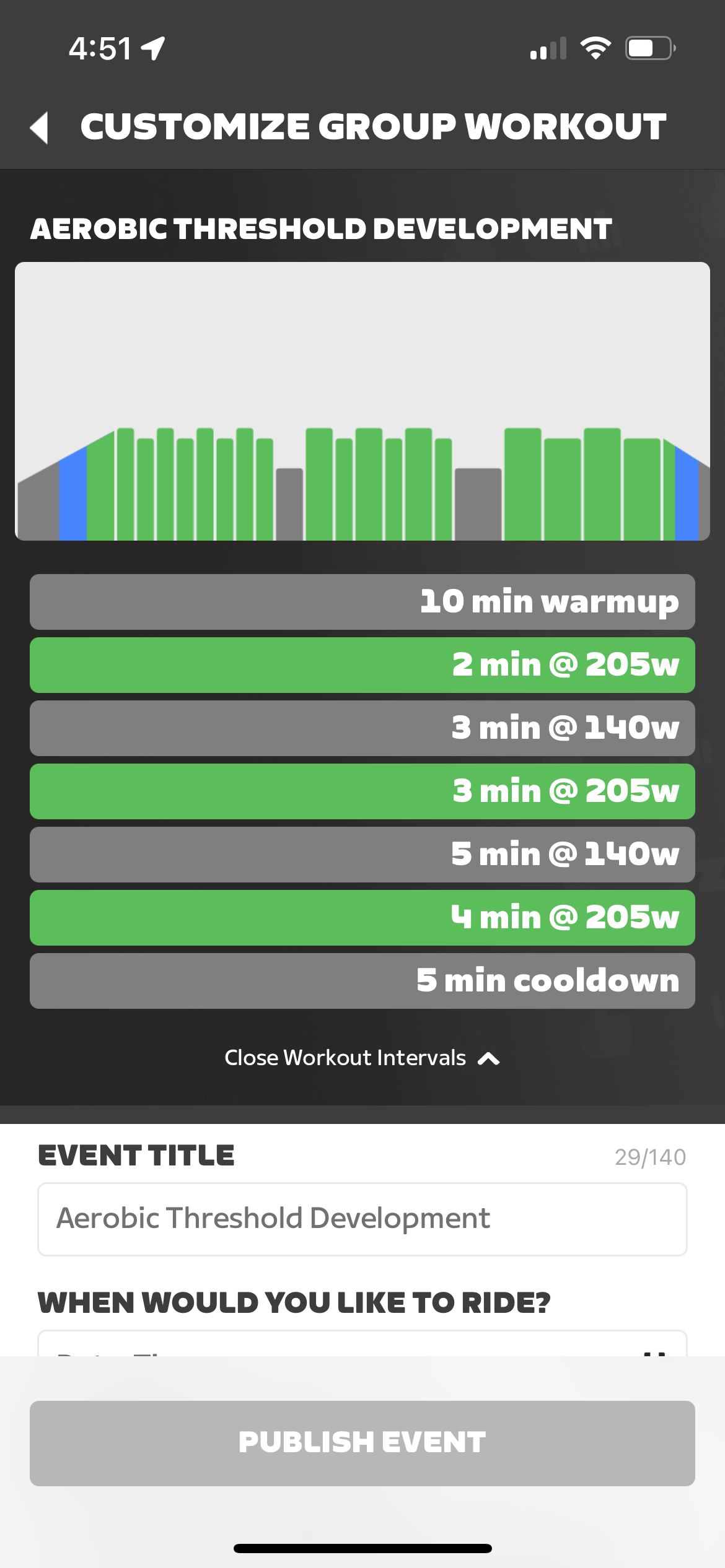
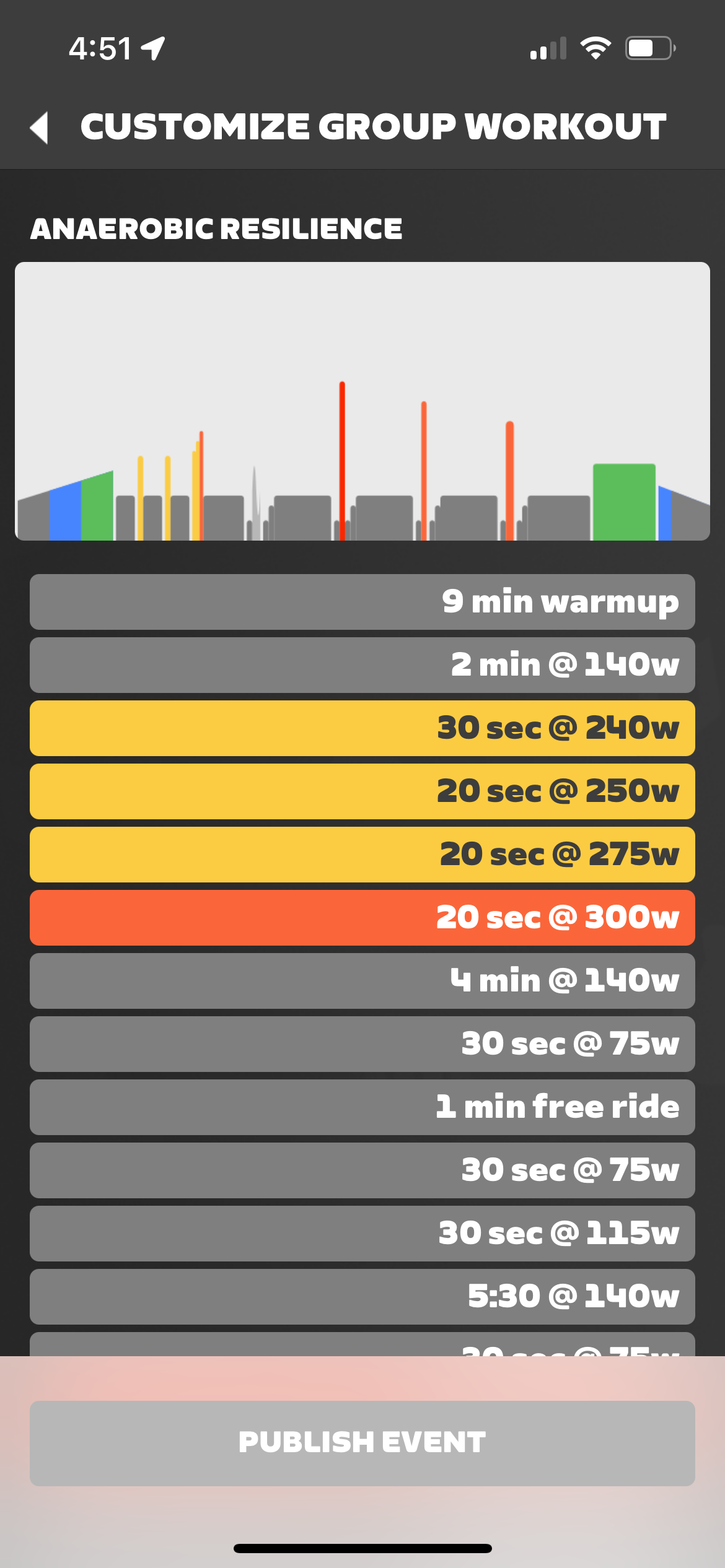
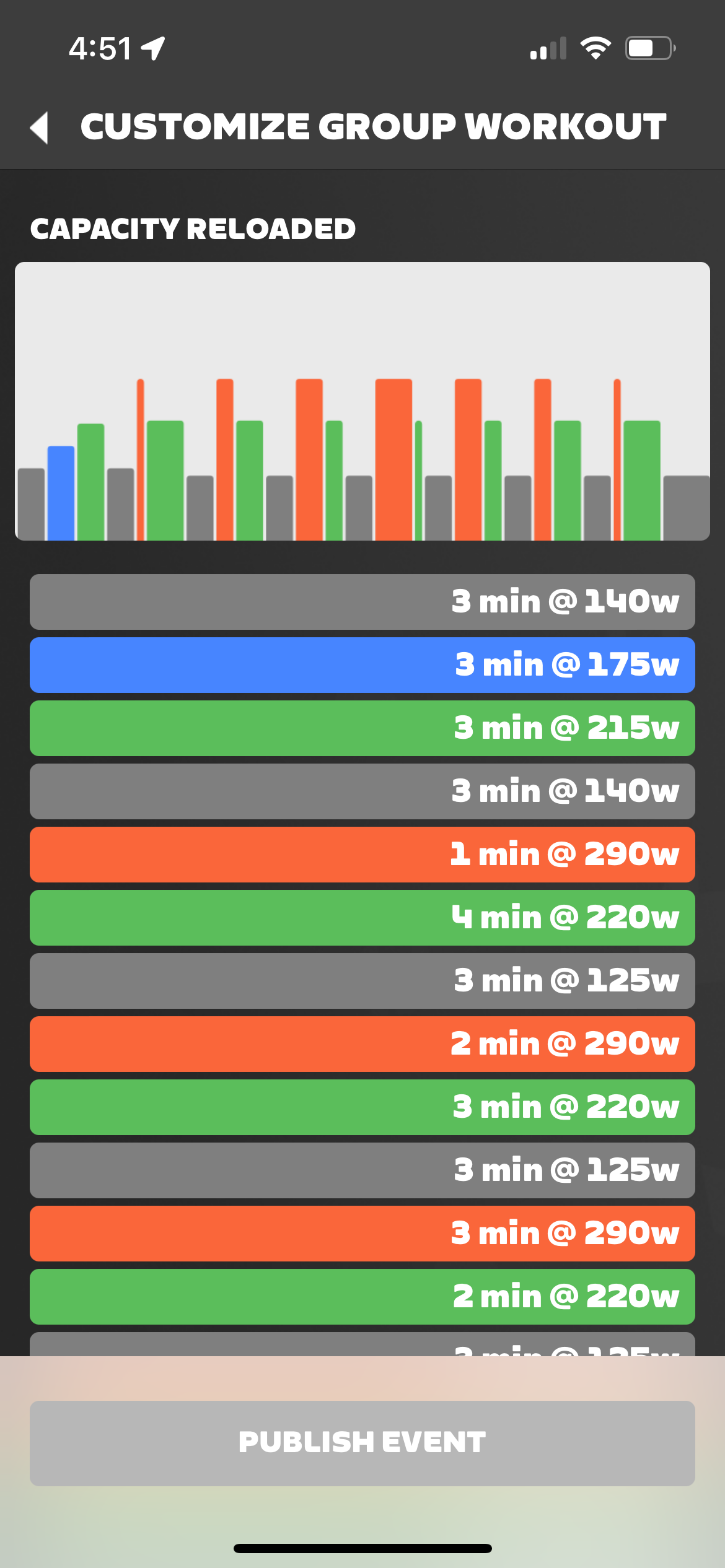
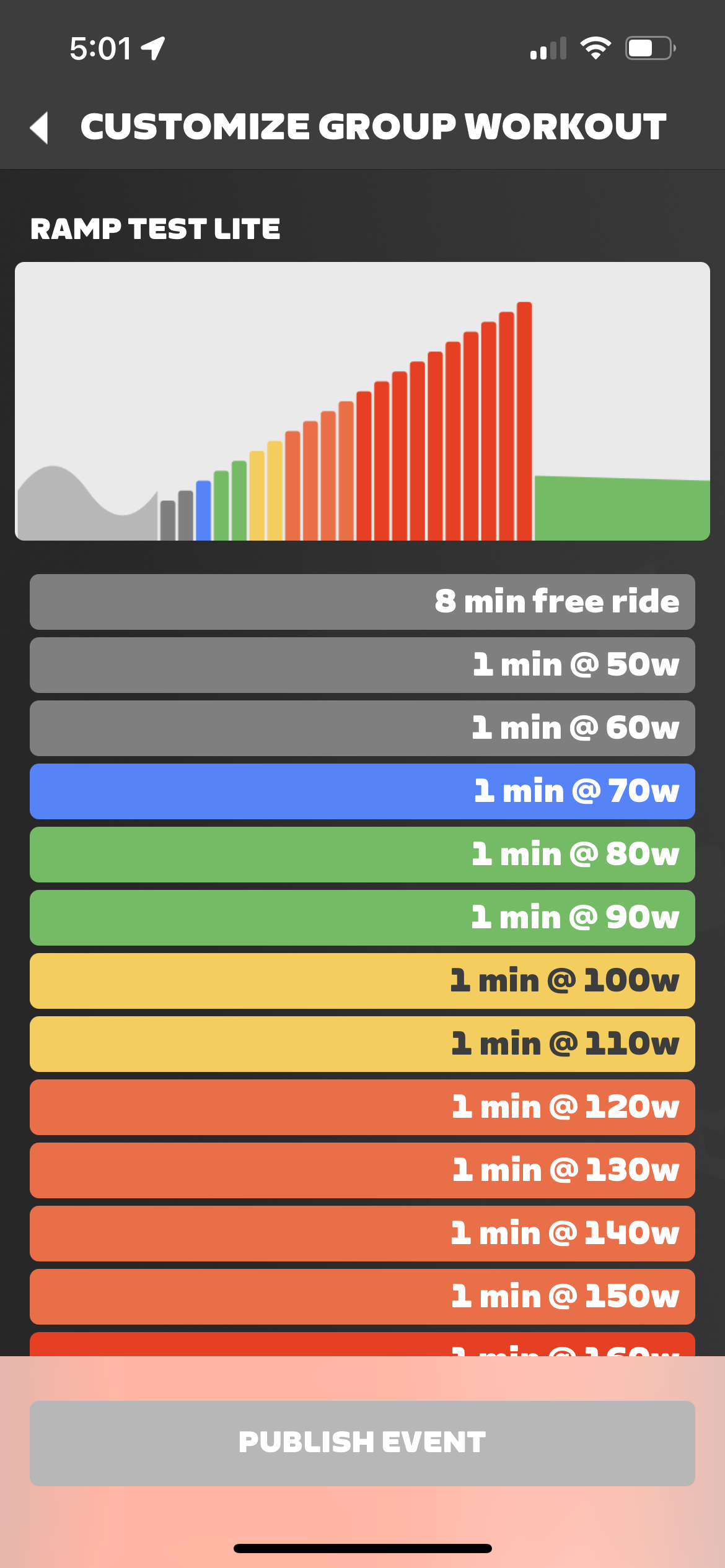
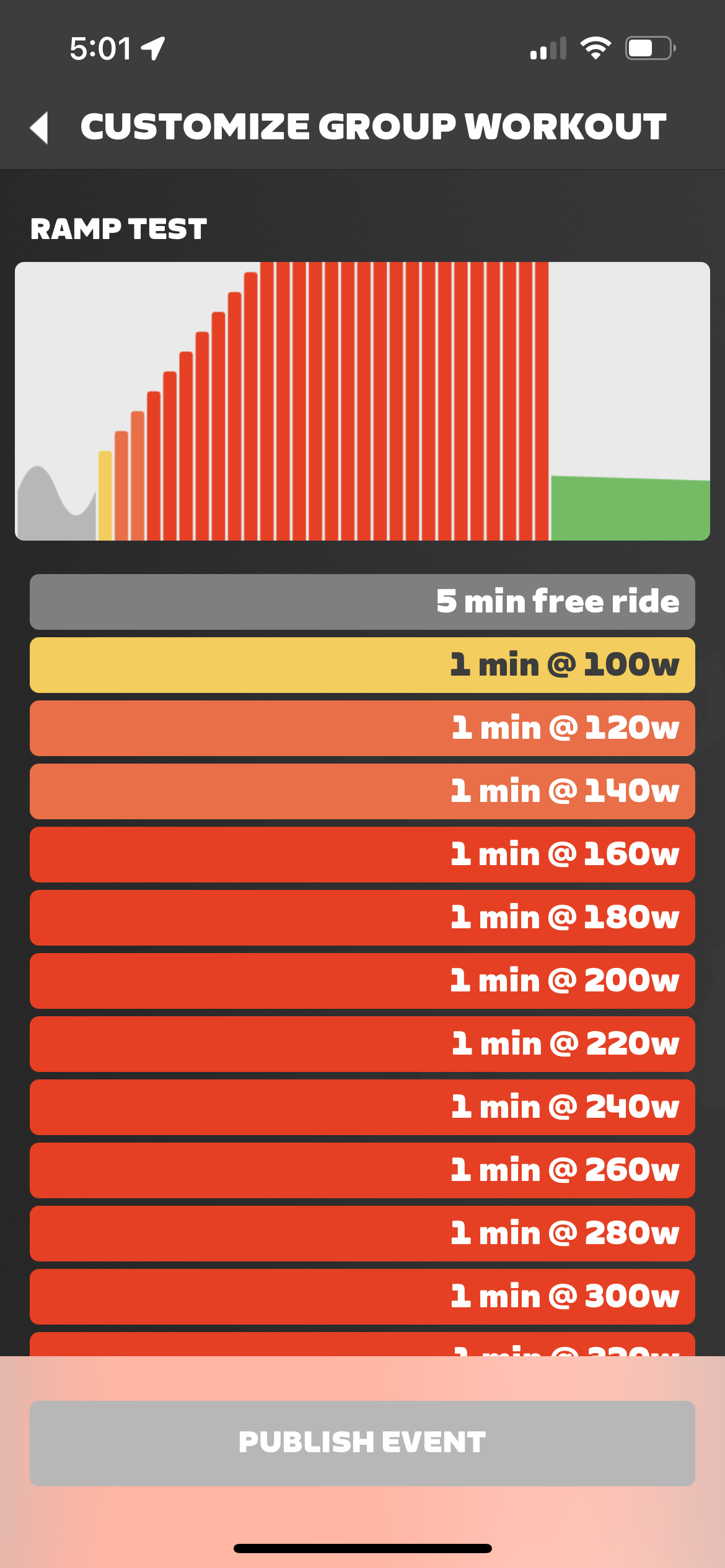
Ramp Tests
Creating a Group Workout Event for Your Club
Creating a workout event for your Club is easy and intuitive, much like creating a non-workout event. At a minimum it requires four easy steps:
- Tap “Group Workout” on the initial Create Event screen
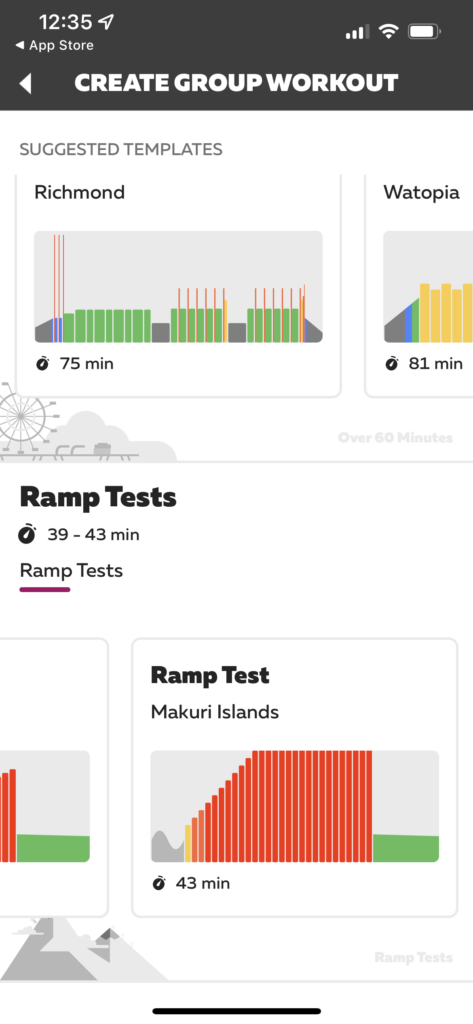
- Tap the workout template you want to use
- Fill in the event details (everything is pre-filled except for date/time, but you’ll probably want to customize the title and event description, among other things)
- Tap “Publish Event”
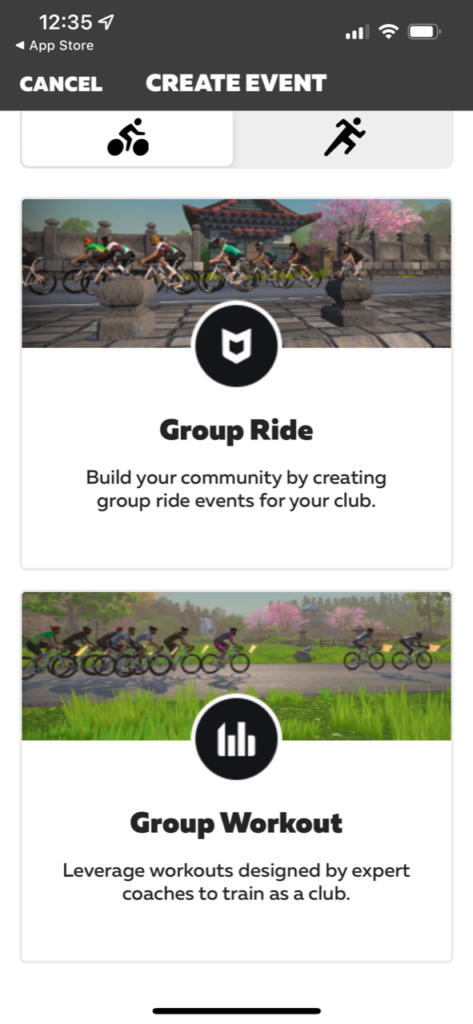
In practice, creating an engaging and high-quality group workout event will require a bit more work:
- Tap “Group Workout” on the initial Create Event screen
- Tap the workout template you want to use
- Fill in the event details (everything is pre-filled except for date/time, but you’ll probably want to customize the title and event description as well)
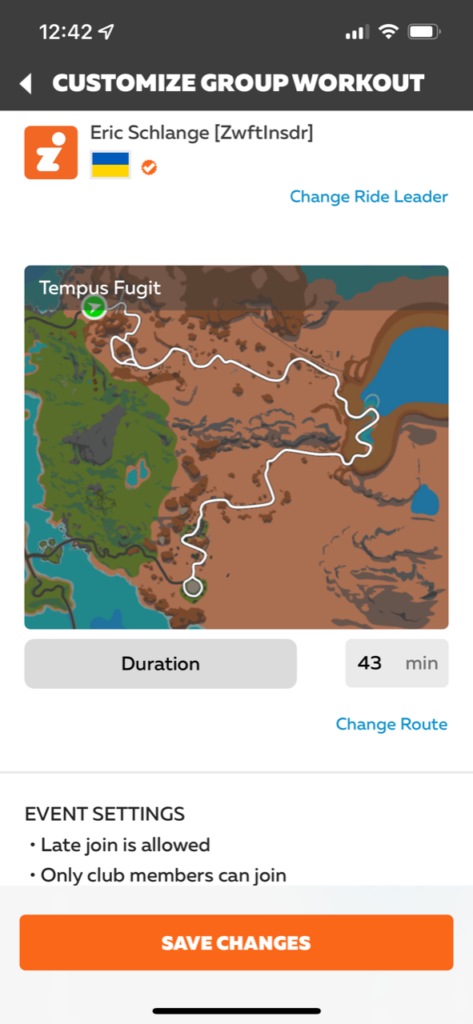
- Tap “Change Route” to change which route the event uses. Each workout template is attached to a particular route by default.
- Select a ride leader if desired
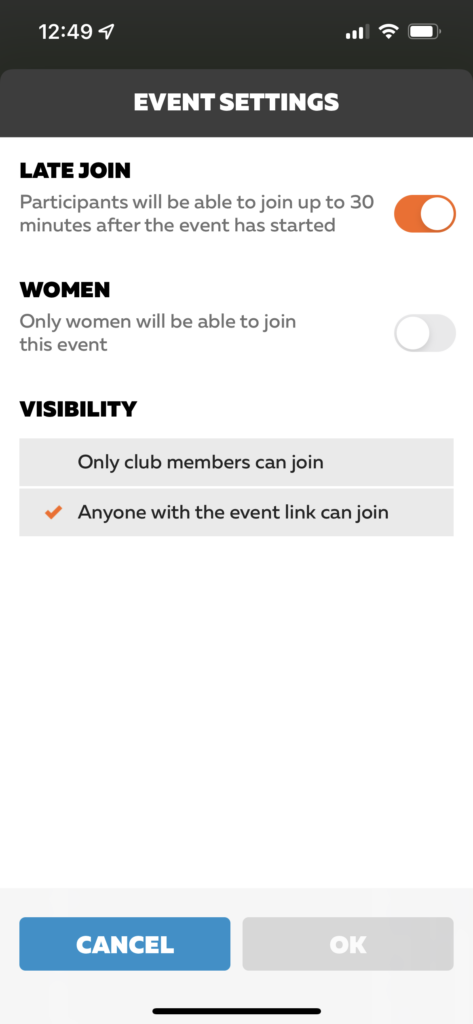
- Tap “Change settings” at the bottom and turn off Late Join (see below for more on this). You may also want to make the event visible to anyone with the event link.
- Tap “Publish Event”
- Notify your Club members of the new event, by whatever means you’d like
Note: rubber-banding (“keep together mode”) is enabled for all Club Workout events at this time, and cannot be disabled.
Next Steps
The Clubs workout library has expanded nicely beyond its initial launch, but there are several ways workouts for Clubs could still be improved. Here are my ideas:
- Disable Late Join by Default: Late Join is currently enabled for Club Workouts by default. But late joining a workout is probably not an ideal experience, as it places you in the middle of the workout, wherever everyone else is at! (An especially terrible idea for a Ramp Test.) My recommendation: disable it by default, but let event organizers enable it for those odd workouts where it may make sense.
- Toggle keep-together mode: keep together mode is enabled for all Club Workouts by default, and cannot be disabled. It’s possible, though, that Club owners may want to host workouts where riders aren’t rubber-banded together. Give them that option.
- More workouts: give Club owners more options for workouts to host from the on-demand library. Of course, if Zwift is going to make its full workout library available then a search/filtering interface will need to be developed to help Club owners comb through the hundreds of available workouts.
- Custom workouts: this will be a common request, especially from Clubs centered around a coach who puts together team workouts. But implementing this feature will be a more involved project than just adding additional on-demand workouts, due to the way Zwift stores custom workouts on a per-individual basis.
- Group metrics: this idea is more of a stretch than the others, but how cool would it be if we could see metrics (real-time or after the event) showing how many group riders finished each interval, who had the highest wattage or w/kg, how many riders started vs finished, which interval riders failed the most, how many riders adjusted their FTP bias mid-event, total group calories burned, etc. (This would be interesting for all group workouts, not just Club events.)
Questions or Comments?
Post below!


It would be nice if Zwift would allow the use of ALL of the routes and worlds in Zwift, to include all of the “event only” routes, for this as well as for individual non-club workouts. It’s a shame that we can’t hold TT workouts in Bologna or do HIIT sessions in Crit City.
I belive if you join an event starting within the next hour (but not the next half hour, so say it’s 4:09pm find an event 4-5 but more than half an hour from now so 4:39-5), you can join the event early and have access to the world. I imagine you can then workout as usual, although i haven’t tested any of this recently
Interesting idea! Thanks for the suggestion! Do you happen to know if you can load up a structured wko in the particular world or is it just a “free ride”? That would be the most beneficial.
Yes, if you’re free riding anywhere you can click to load a structured workout and it’ll take place on your current route.
Thanks! Do you happen to know how to do that with an Apple TV? I’ve done some searching but haven’t been able to find how yet. I also have the Zwift Play if that helps, but no keyboard.
Just go to the pause menu while riding, then click the Workout button on the right (I think that’s what it’s called…)
Eric, do u have any informations, why some workouts are shown incomplete in the companion app? For example in your VO2 Development, its only showing the on and not the off part for the intervalls.
I think that’s just how they keep the summary short. Personally, I’d rather see the whole workout!
My companion app looks nothing like these screens and has no create even screen??
Its for Club owners only – they. An create WO events that way.
That Group metrics suggestion is way too good. If Zwift were to pull that off, they’d be able to draw in Peloton users and entire Spin classes into the ecosystem.
In the club group workout can a custom training plan be added rather than what Zwift has . We have a club member who makes the training plan and we have to do as a rider invite instead of the group any idea if this will be something we can do ?
Not at this time, unfortunately.
Too bad that Zwift hasn’t made available one of the pre-race warmup workouts — such as the “Race Day” or the Ineos Pre-race options — less than 30 minutes. Seems this would be a natural for a Club’s members to want to run together prior to an event.
Why are not all workouts available in club workouts?
Dear Eric, Is there any possibility that Zwift would add another workout program to the Zwift Club workout area? Our club has had great success using the new Zwift Camp Baseline program and are keen to follow another structured series perhaps a Zwift Academy one? Many thanks. Sue