
Recently an annoying script error has started to pop up in the Zwift launcher, at least in the Windows version. It looks like this:
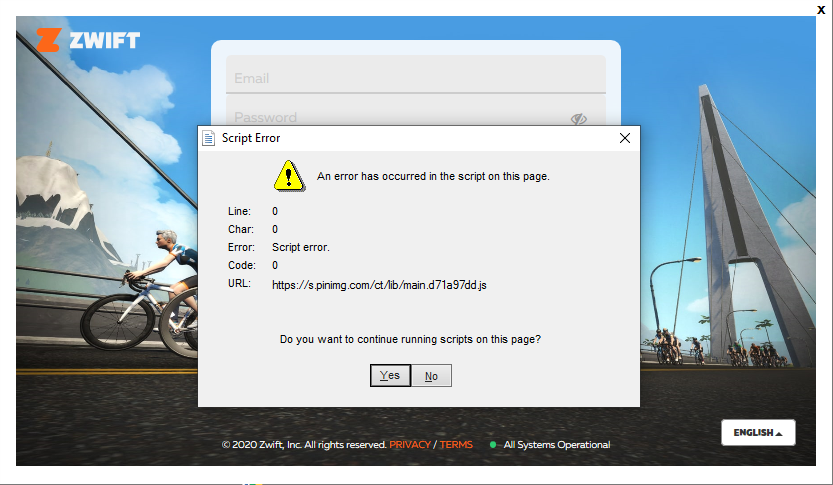
As some have found out, the error is in a script coming from Pinterest. But how can that be, and can it cause Zwift to run poorly?
To answer the last question first: No, this does not cause Zwift to run poorly.
This is because the Zwift launcher (zwiftlauncher.exe) is a separate program from the Zwift game itself (zwiftapp.exe). The launcher handles user authentication and login, then starts the Zwift game, which runs in its own process.
But why is this error appearing?
The Zwift launcher does user authentication by showing regular web pages, coming from Zwift web servers, inside an embedded Internet Explorer control. If you investigate what those pages contain you will see that they include a whole load of different scripts and tracking stuff from many different sources, including Pinterest.
The same web pages for login are also used when you access Zwift web sites such as my.zwift.com. Apparently, Zwift forgot to test that their pages also work properly in their own launcher when they updated something recently!
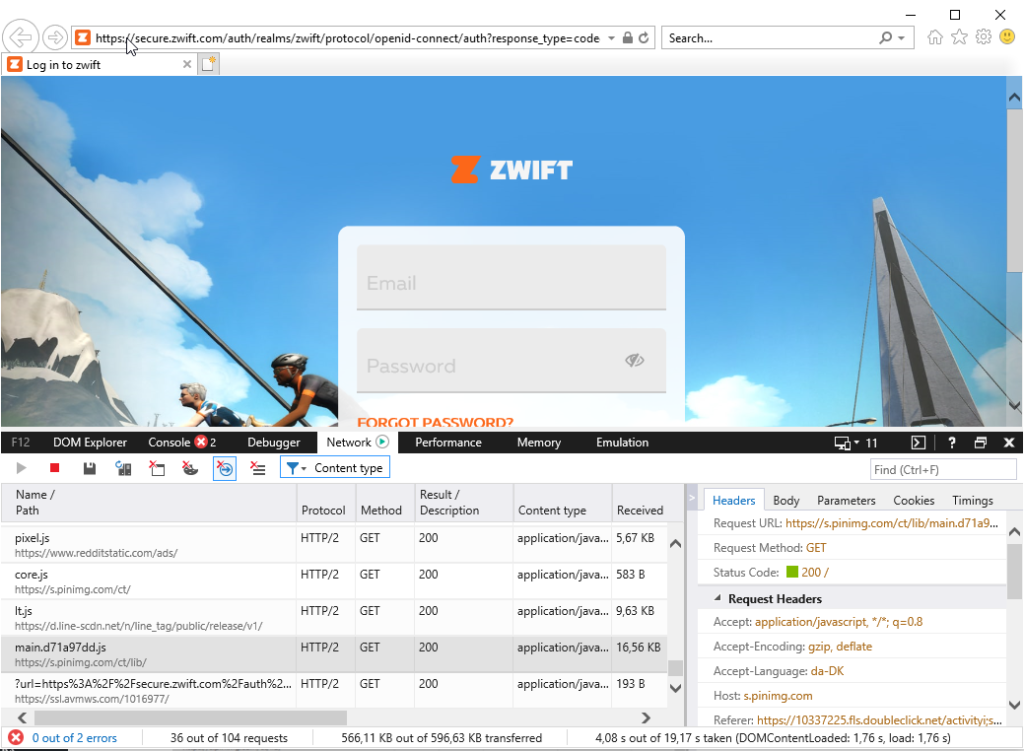
What can you do about it?
It is possible to change your Internet Explorer settings to block the script from Pinterest entirely, but the easiest is simply to answer ‘Yes’ to continue to run scripts. It will probably be fixed by Zwift zoon.
Note: this post originally ran on ZwiftHacks.com
Thanks for the post. Had this problem with a facebook script for at least half a year now. Honestly, I don’t know if it changed to pinterest lately or if there even are two errors now – I’m so used to just klick it away…
Would be nice to have it fixed, though!
This has been occurring for many months on my PC running windows 8. I thought it was just my old laptop, so relieved to find out it isn’t
The first thought that comes into my mind about this is how can I block all this 3rd party tracking that I didn’t agree to and don’t want?
I’ve had this too. But when I have had it recently, I can’t actually launch Zwift at all. So I have uninstalled and reinstalled twice. If it happens again I will make sure to click “yes” and see if that helps.
I saw the same error. I found that it ONLY appears when I start Zwift using a shortcut on my desktop. In contrast, if I start Zwift from Windows menu (or using Zwift icon pinned to the taskbar), this error does not appear. As an added beneift, Zwift does not show a screen for user name and password either (which autopopulates, but one still has to click into these fields with the mouse).
Hm, interesting. I can’t replicate that. Starting from taskbar yields the same error.
it’s a bit rubbish that Zwift are *even* using Internet Explorer to run scripts. No-one else is, Internet Explorer has been unsupported for quite a while now. That’s before we get into why Zwift are using a web browser as a ‘launcher’ app. I know Zwift looks like a game from the 1990s, but the coding shouldn’t be…. 🙄
while the graphics are dated I must defend zwift and say this blows the water out of any game released from 1990-1999. Richmond pre make over looked rough….almost like an average GameCube game circa 2004.
that being said, new graphics would be nice and in 2-3years time will be an absolute necessary upgrade…but I’d love to see new animations.
i would love to be able to customize rider a bit to have different types of riding form for sprints and uphills, and even downhills, see riders cheer on the bike when you get a 30 day PR, see the rider keel over in exhaustion when a pre selected loop is completed etc…
have this popping up recently. just hit “yes” and program runs fine.
I got tired of waiting for Zwift to fix this bug (add this one to the long list of bugs which have stayed unaddressed for years now) so I simply added *.pinimg.com to the list of Restricted sites in Internet Options>Security>Restricted sites>Sites in IE11. Problem solved !
I suppose, one can do the same thing in firewall settings, either on the computer or even on home wi-fi router. Many of them have built-in firewalls, too.
I started getting that error on my Windows 10 PC a few weeks back after a Zwift update, and found uninstalling and reinstalling the Zwift app on my PC resolved it for me 👍
All, I had these script errors on a recently re-built machine. Nothing out there to explain why… my issue was this:
Windows 7 ships with IE 8. Zwift will throw these errors with IE 8. You need to run all the updates including an upgrade to IE 11. With IE 11 you will be fine.
Please note, installing Chrome, Firefox etc won’t solve it, for whatever reason, in Windows, Zwift uses IE for that splash screen.
my script error is actually stopping zwift from working??
There is a different script error which has popped up today (2021-11-03). It prevents you from logging in normally.
I worked around the problem by adding http://www.gstatic.com to Restricted Sites in Internet Options *and* clearing the cache.
I was able to stop the annoying script error message by copying and pasting the URL and adding it to the restricted sites list in “internet options” . Problem solved!