

Last week Zwift announced via a forum post that the Video Screenshots feature has begun rolling out to some Windows users. Let’s look at what this feature does, and how it works on Windows!
What are “Video Screenshots”?
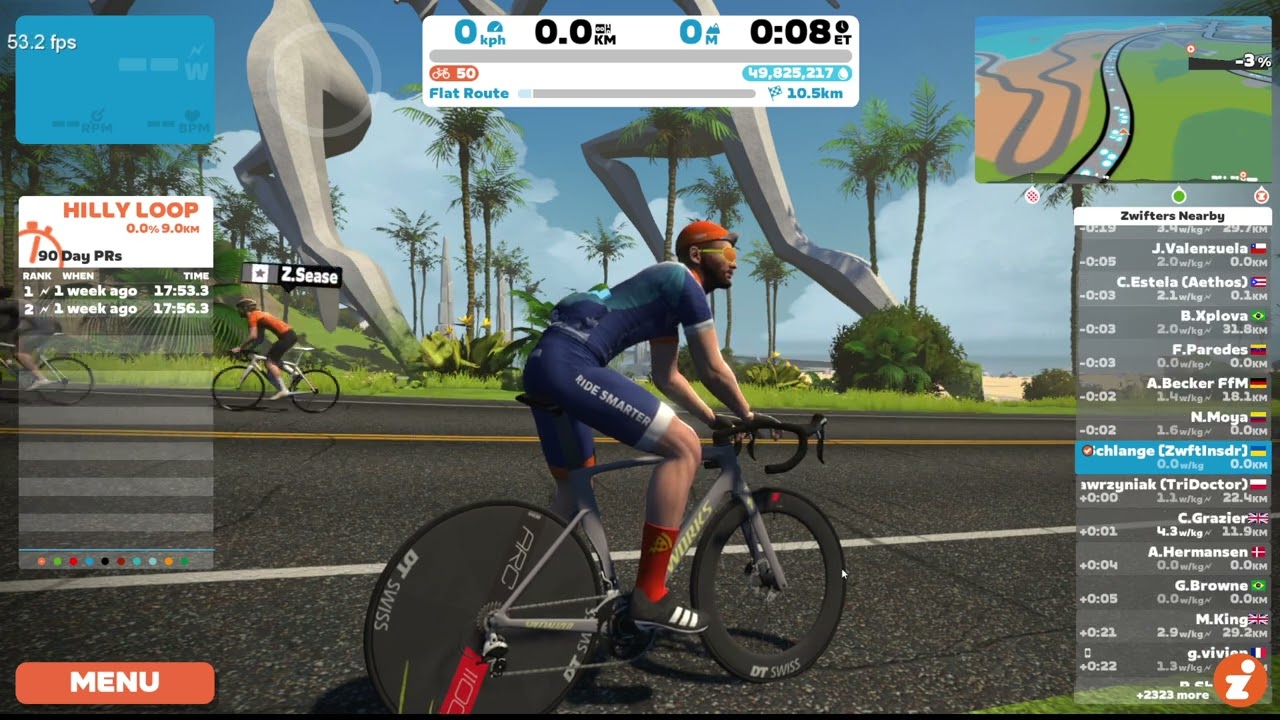
Video Screenshots is a feature that records 15-second video snippets of Zwift gameplay. You can trigger the recording manually via the Action Bar or Companion app, or videos will also be automatically recorded for “notable moments” like setting a segment PR, finishing an event, etc.
Here’s one that was automatically saved from a recent ride of mine:
These videos can be uploaded to Strava easily when you save your Zwift activity, or used wherever else you’d like.
Initially rolled out to iOS users in February, Video Screenshots are now available on Mac and Apple TV, leaving PC and Android as the last two unsupported platforms.
Finding Your Videos on Windows
Your videos are saved to Videos/Zwift on your Windows PC. If you manually record a Video Screenshot using the Companion app, that video will also be saved to your phone.
Limited Rollout
Zwift’s initial rollout to Windows users is restricted to those with particular processors, although my guess is this list covers the majority of Windows users:
- Intel Core i5
- Intel Core i7
- Intel Core i9
- AMD Ryzen 5
- AMD Ryzen 7
(Notably missing from the list are AMD’s high-end Ryzen 9 and the ZPCMR-popular Intel Core i3.)
Zwift says, “Please also note that this is a gradual rollout, so even if you have a CPU listed above, you may not have the feature just yet. The total duration of the rollout will depend on a variety of factors, including performance metrics and feedback, but in general we’re targeting having this feature available for all of the above devices over a period of one-to-two weeks.”
Update: at 11am Pacific on July 31st, Zwift announced that video capture ability is moving from 10% to 25% of Windows machines with the following processors:
- Intel Core i5 (9th Generation and newer)
- Intel Core i7 (9th Generation and newer)
- Intel Core i9 (9th Generation and newer)
- AMD Ryzen 5
- AMD Ryzen 7
- AMD Ryzen 9
A Note about CPU Usage
It’s worth mentioning that, in tests on multiple PCs, we’ve seen Zwift’s CPU usage increase by 15-20% when the Video Screenshots feature is enabled:
If you have a strong enough PC this shouldn’t impact your game experience, since the Video Screenshots feature is multi-threaded and won’t use the same CPU core that Zwift heavily uses for gameplay.
That said, riders on weak or overloaded systems may see an impact. If you notice your system performs poorly with Video Screenshots enabled, simply disable it via the main Settings menu:
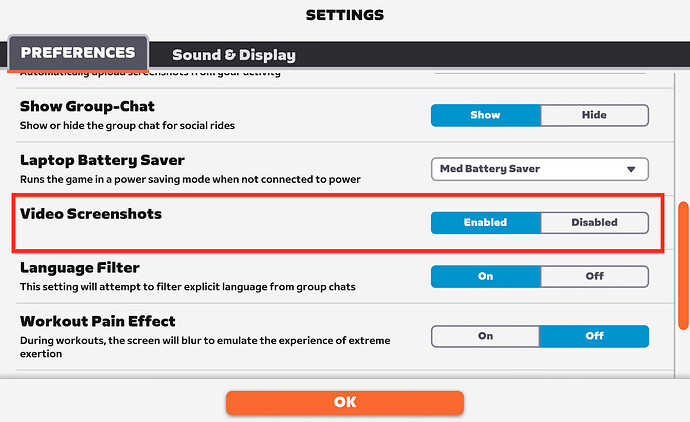
Zwift says they are watching performance metrics closely and will further refine the list of systems included or excluded from the Video Screenshots feature. Still, if you notice any negative impacts from the feature, I recommend sharing your experience and system specs on the forum thread.
More Questions?
See the forum post, which includes helpful links to support pages and a note for Windows N or KN users.
Your Comments
Share below!


It’s hard to wrap my head around the idea that this got prioritised in the huge backlog of features that Zwift must have.
Who was waiting for this?
This one has an additional feature related to free marketing in that pushing quick clips of exciting moments from Zwift to the Strava timelines of cyclists everywhere would likely draw more attention than the usual screenshot photos
been doing this video sreenshots for a while now using an i3 chipset PC (30s clips with streaming)…. works a treat.
i’m guessing my ipad (gen5) is still months away if window users are just not getting the feature. 🙁
Mari, most Apple users have had this functionality for months. They were the first to get it. I have no idea how old a Gen5 iPad is but that may be what’s keeping you from having the video button. Check your settings, too. May be in there. Zwift doesn’t do a very good job of letting users know what’s going on behind the curtain.
BTW, Megan Guarnier sez, “Hi!” She’s my DiL…
Eric,
How long have Apple users had the video functionality? A bunch of my friends on the side of light (their words) have been posting Zwift videos for months.It’s odd that this isn’t mentioned when we’re talking about Zwift video on Winderz…
Since February (https://zwiftinsider.com/video-snippets/) although it didn’t roll out to all Apple devices immediately.
Are there plans to roll out video screenshots to intel core i3? Looking at my cpu usage, Zwift uses just 20%, so there should be plenty of headroom for the code feature?
all it has done to my Ryzen7 Win11 laptop is lock it up on Save or TrashCan. it even locks it up if i try to Disable the feature in Settings (no other Settings options lock it up). i have to End Task in Task Manager. so far i am not finding any fixes. the DISM.exe and SFC.exe have not fixed it. uninstalling and reinstalling has not fixed it. multiple reboots have not fixed it. my laptop is unusable for Zwift at this point and i am reading of users having the same issues with the full client and Companion App on their phones as well. i have submitted a post to Reddit /zwift to see if i can find some help there as no one is reporting success with Zwift Support either
i found the fix for my Video Screenshots issue. after posting to the /zwift Reddit group, a user advised editing the prefs.xml file for 1 and setting that to 0. after doing that i launched the app and confirmed in Settings that Video Screenshot was now set to Disabled. i then backed out to the Trash Can/Save screen and selected the Trash Can and it worked taking me to main options screen where i could then Exit. hope this helps others!
Jan 6, 2024. I am running Zwift on a MacBook. The Zwift version is up to date and so is the Companion app. Has the video capture feature not rolled out for Mac users yet? I was just curious because the video icon on the activity bar is not there.