

Zwift version 1.61 begins its phased rollout today. It’s a minor game update, but perhaps the biggest news is the update to Zwift’s website that also rolled out this morning. Online race results! See details below…
Online Race Results
Until today, Zwift race results were only available in the Companion app or on third-party websites like ZwiftPower, where race organizers could alter Zwift’s “provisional” results before displaying the finalized list.
Race results are now accessible via the web at zwift.com, offering a similar level of convenience as Zwift Companion app race results. Note: you must be signed into your account at zwift.com for the results to be visible. Race results are available for old events too, not just new ones!
Here’s a quick video walkthrough:
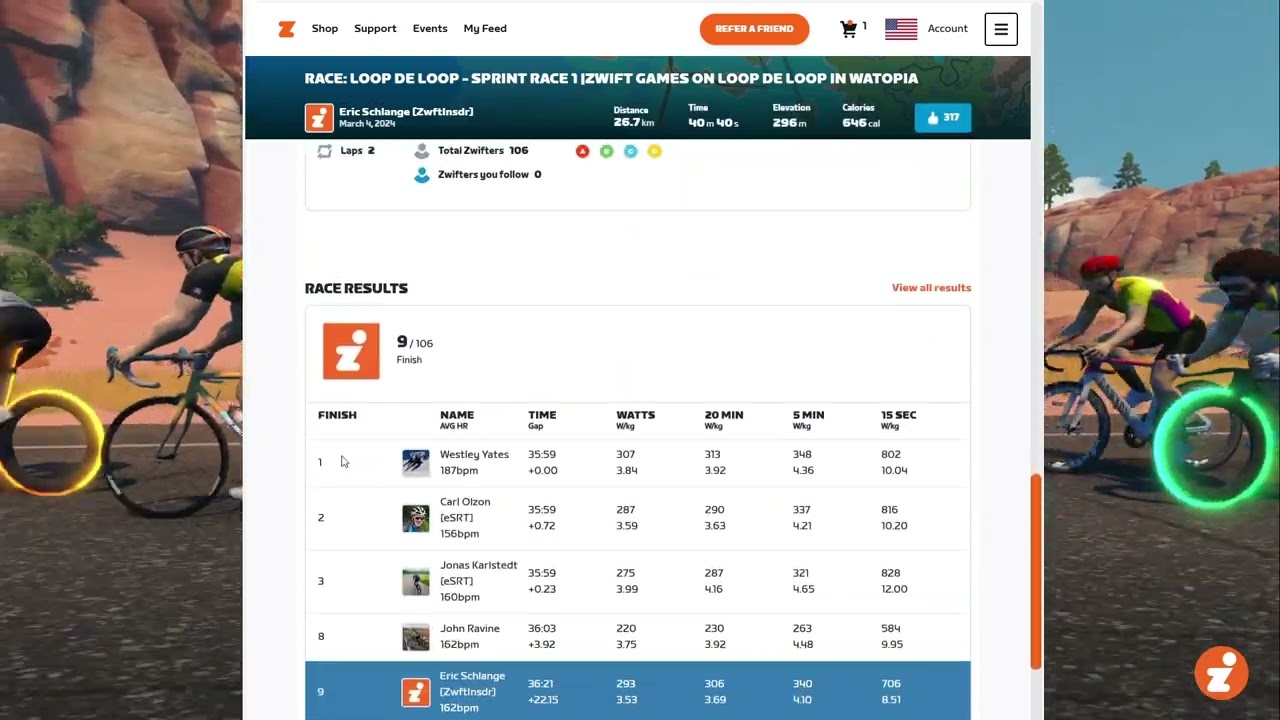
Partial race results are available on your activity detail page when you are logged into your profile at Zwift.com. If you want to see the full results (including other categories), just click the “View All Results” link. This takes you to the event URL, which has the complete results for all categories at the bottom.
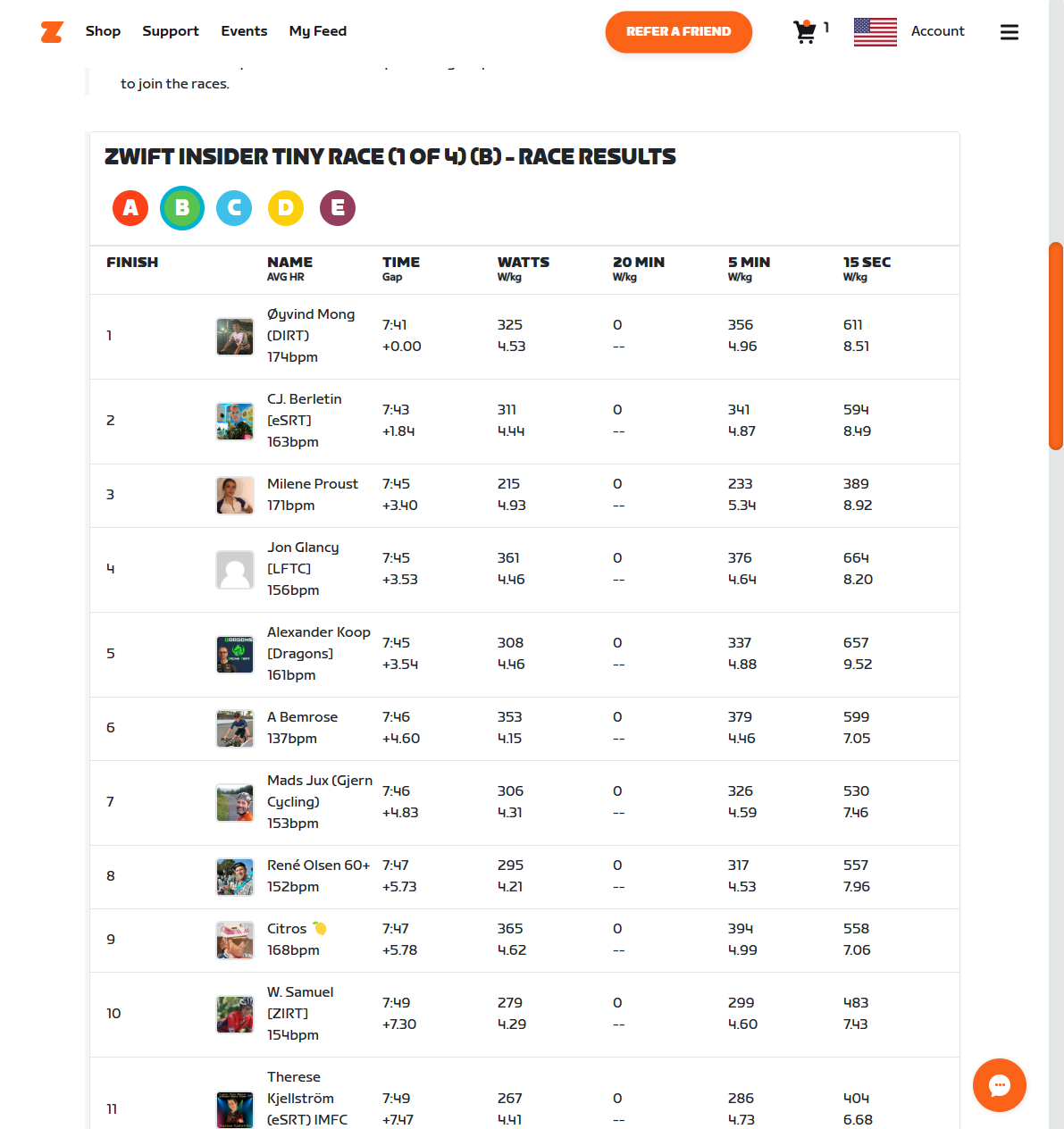
Zwift tells us this is just the first iteration of web-based results, and there are improvements to come. One thing we’d like to see quickly is the ability for event organizers who use ZwiftPower for additional results processing to set an option in the event settings that directs people to ZwiftPower for final results.
A simple toggle for “Final Results on ZwiftPower” might do the trick. Then Zwift’s web results would say something like: “Provision Only, visit ZwiftPower.com for final results.” And if that toggle isn’t set, Zwift’s web results could be labeled as “Final Results.”
5 New Workouts
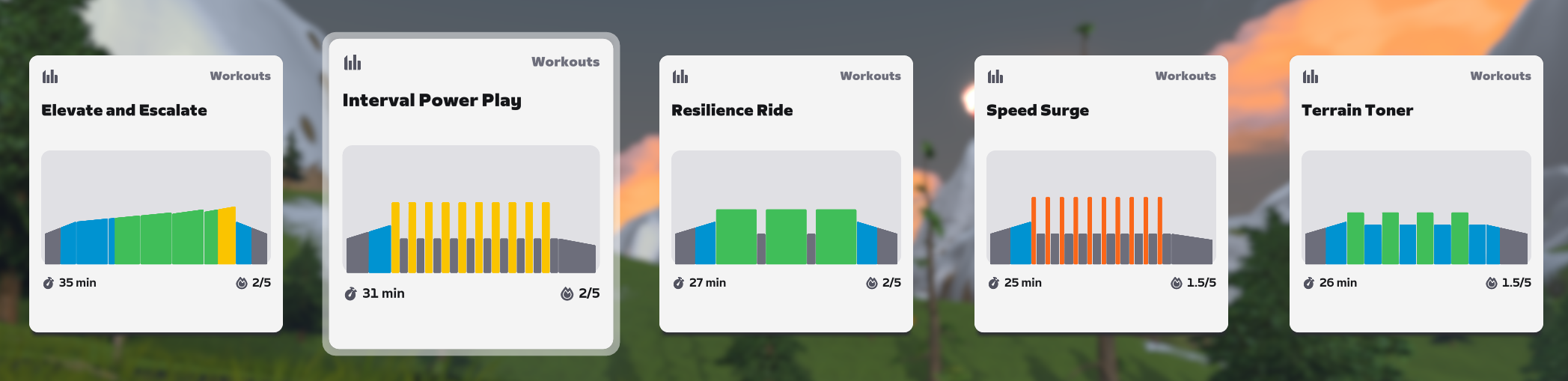
Zwift’s has added five new, efficient workouts between 25 and 35 minutes long. Find them in the ‘New Workouts’ collection.
Faster Tri Spoke
Last week, we shared how the new Tri Spoke // Disc Wheel from the Zwift Big Spin is fun to see but not fun to ride since it’s slower than molasses. Today’s update should fix this problem. Zwift says, “Improved the performance of the Zwift Tri Spoke and Disc wheelset, which can be unlocked by participating in The Zwift Big Spin event.”
We’ve tested the updated Tri Spoke, and published the results here…
Streamlined Streaks
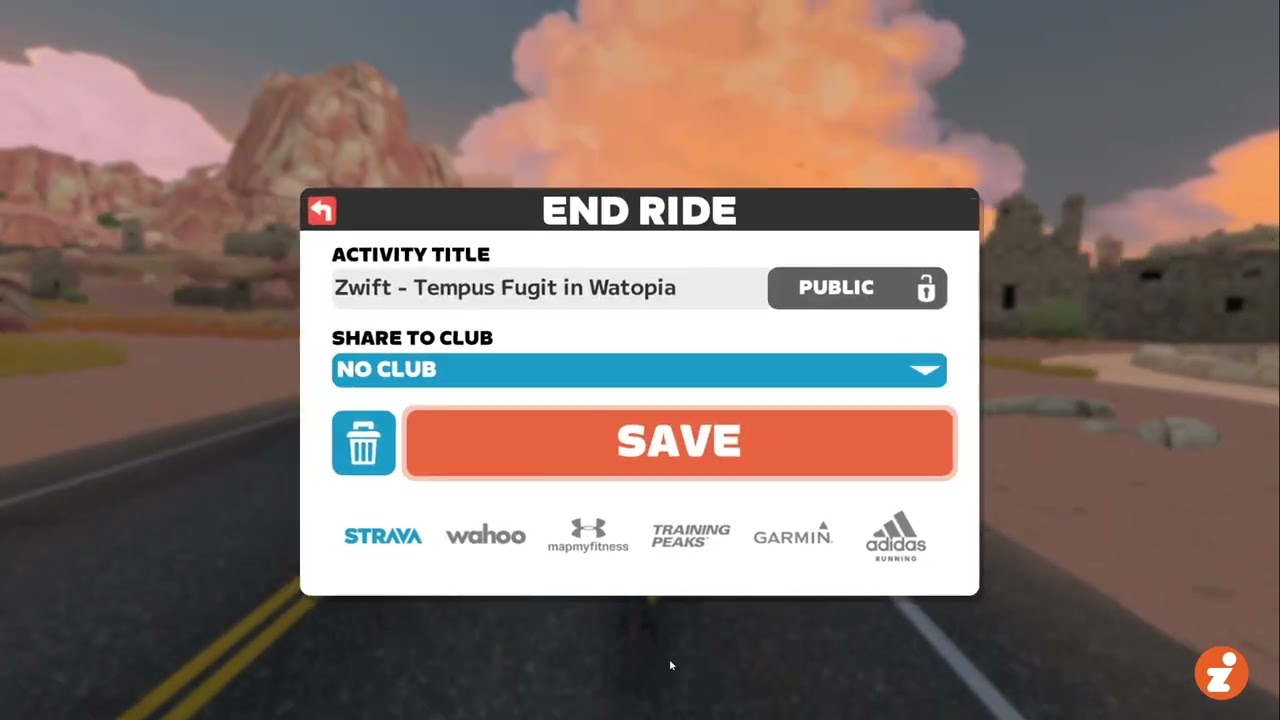
Zwift continues to tweak the Streaks screen in an attempt to walk that fine line between encouraging Streaks without annoying users. Pressing the Continue button on the post-ride Streaks screen now immediately dismisses the screen:
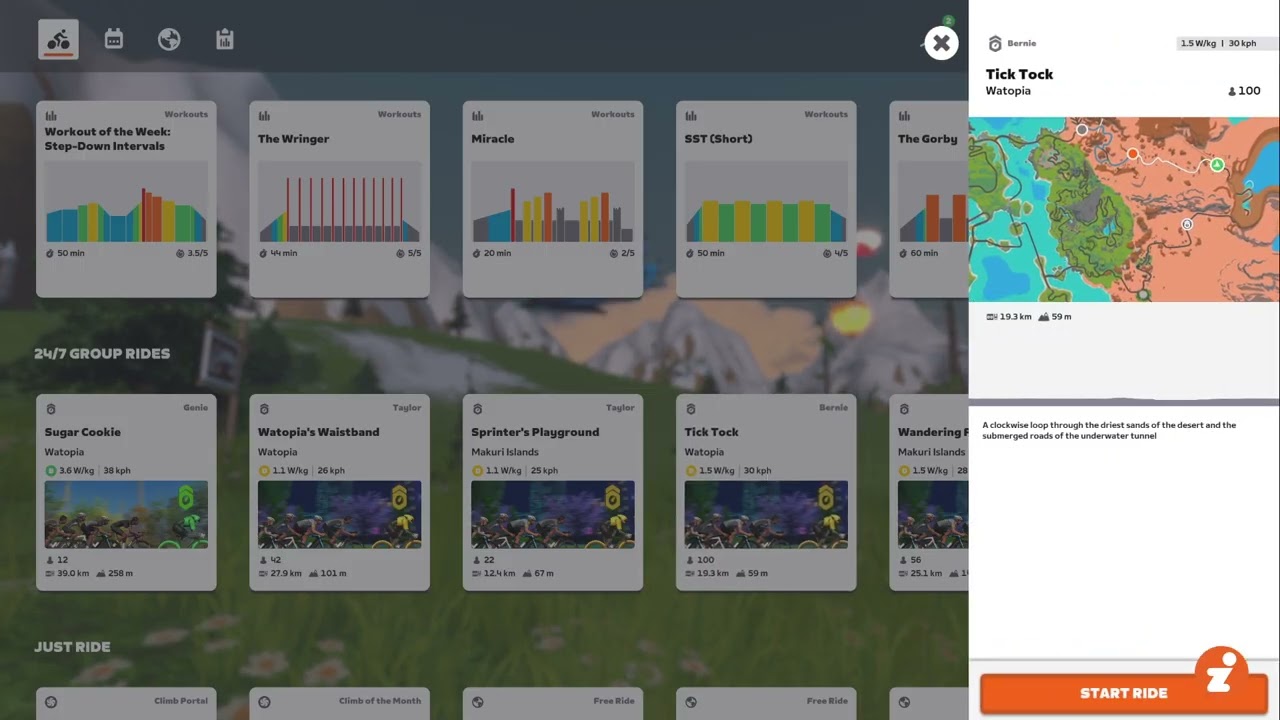
RoboPacer Location
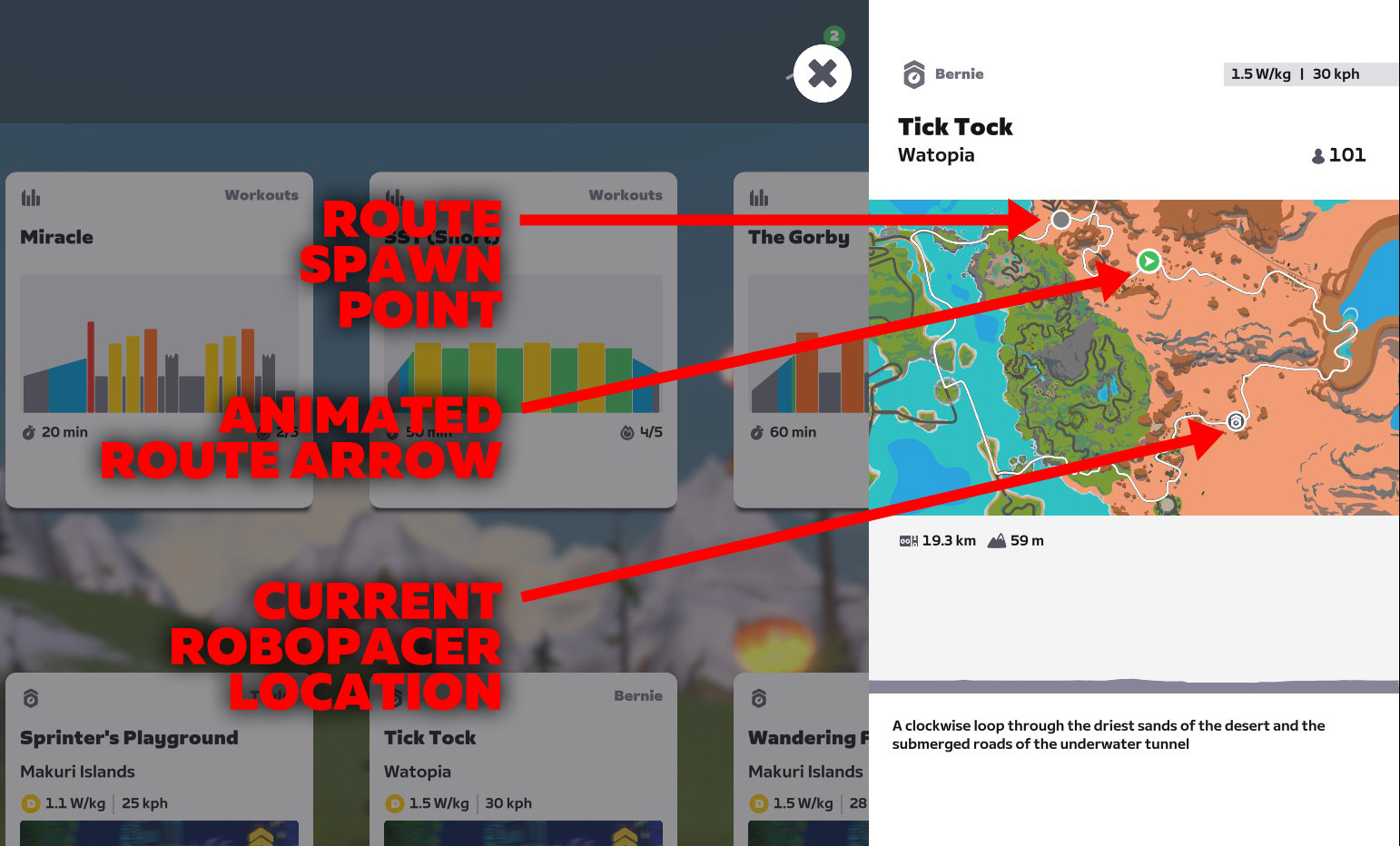
RoboPacer locations have always been visible on the map when clicking a RoboPacer from the homescreen. Today’s update enlarges the location icon so it’s easier to see. Here’s what it looks like:
And here’s what each of the location beacons on the map indicate:
More Release Notes
Zwift provided notes on additional tweaks and bug fixes in this update:
- Fixed an issue where some route cards didn’t have images on the home screen.
- Fixed an issue that could potentially cause a Did Not Finish (DNF) result when racing on routes “The Muckle Yin” in Scotland and “Legends and Lava” in Watopia.
- Zwift Click: Fixed an issue that could cause Zwift Click to not automatically reconnect on the Pairing screen during new sessions.
- Fixed an issue that could potentially cause a crash when loading worlds on lower-performance mobile devices.
- Fixed a potential issue in the Pairing screen where cycling devices could appear in Run mode and running devices could appear in Ride mode.
- Android & macOS: Fixed an issue that could potentially cause a crash when riding in large groups.
- Android: Fixed an issue which caused Android users to enter their email address twice when logging in.
Discuss this release on Zwift’s forum >
Questions or Comments?
If you spotted any other changes or bugs in the update, please comment below!


I get no race results in any of the ZG events I click into in my feed. Is it rolling out?
Far as I know it’s rolled out to everyone. I’m seeing results under several test accounts I have, too.
Does it matter how long ago the event was? My last ZG race was 16th.
Ok, I have them now too.
I’m not seeing the results either.
Same, just done a race and no results showing on my profile (in browser) or if I go direct to the event url
I see them today – looks like they were just delayed for the less special of us 🙂
Assuming this is the preliminary step for implementing the new ranking system?
Which will possibly be in the next update? 😬
Sounds like it’s another step toward Zwift Power getting “made redundant.” I’ll miss it when it’s gone.
They are definitely getting rid of Zwiftpower. Question is only “when,”.
Liking your comment because I agree that it’s inevitable, not liking it because I’m happy about it. Right now, it looks like the results are missing a lot of the customization of displaying results that can be found on ZP.
For many events I wouldn’t even call these results “provisional” – they are simply wrong for events with primes like the Hill Climb Series, points races, etc. A wrong answer is in many ways worse than no answer at all.
Ah, good point! Maybe three options then:
I hope that the new wheel set is not the fastest. It will be unfair that they make it the best, when you only can get it by luck
People are going to use ‘Current RoboPacer’ position to teleport jump directly to Alpe du Zwift’s front door.
Or hop to whatever pacer is at the top of a long climb so they can have a free ride down. Nothing wrong with that, if that’s how you want to ride.
The results screen is showing a Score column. Is this the Zwift Racing Score? To me it could be a random number generator for all the sense it makes.
In the post event streaks page just what exactly is Zwift saving? I supposedly has already saved the fit file etc.
Yeah, not sure. The fit file is definitely sent to Strava before the streaks screen, so I’m not sure what else needs to happen.
I have apple TV I don’t have all the features lie the movie real
Eric how fast are the Tri spoke wheels looking I’m eager to find out after unlocking them last week.
Yes please do tell us…
Here ya go: https://zwiftinsider.com/zwift-tri-spoke-update/
This is obviously the first visible big step in getting rid of ZwiftPower. ZwiftPower is our only way thus far for checking power numbers and, most importantly, the only way to check dual recordings. So, if they’re now integrating ZP into the Zwift website, I would like to see persons with some influence like you are, @eric, to point out the utter need to ZHQ for also integrating at least all the means ZP has for performance “verification” before shutting it down 😐 Otherwise it’s kind of a next proactive step for reducing fairness.
I can’t wait for the route drawn on the map to be drawn faster or shown immediately like it was a long time ago. Browsing routes is now very time-consuming.
I wish they’d put as much effort into giving us an upcoming gradient chart that was readable as they do keeping tinkering with streamlining streaks which was already fine!
Most noteworthy, the results include the new ranking points. And they’re now affected by all races obviously.
Looks like I’m too stupid to use the activity feed on zwift.com
Can someone please tell me how to filter for race results on there and how to search for a specific race?
I have tried it on 3 browsers and don’t get any results. Very frustrating
Recently Repack Rush Route Badge went from a normal route badge to an extra credit badge. Don’t know if I saw that mentioned in any update
On my iPad, I was asked for Apple Health access from Zwift. Is there some new synchronization going on?
Same here.
Anyone else have heart rate issues after the update? Sees my monitor, but no heartbeat
I have exactly the same problem since the update. Using Garmin HRM-Duo connected via bluetooth to ATV – connection established but HR is zero. My Garmin Edge (connected via ANT+) shows HR correctly.
Since the update several of my rides do not display correctly in the companion app and these same rides do not sync to strava.
Same same.
I noticed today that I’m not receiving my bonus XP, earned as a Level 60+ rider when the new levels came out in November. I should be receiving the bonus until level 98 and I’m at 94 right now. I believe I was receiving it yesterday, but not today. Perhaps it’s a bug in the new version? Has anyone else had this issue?
I’ve been having Zwift Disconnects since this update was applied. Both times about 30 mins into the ride. Anyone else experiencing issue? iPad Pro (IOS)
Hello Eric – I’ve noticed since the update bringing race results to Zwift’s website that the power numbers are not being pulled through to ZwiftPower correctly, and therefore, also ZwiftRacing. Any idea why this is happening? And how it can be addressed?
Links below to one of the events
https://zwiftpower.com/events.php?zid=4233465
https://www.zwift.com/uk/activity/1570227623848607776
I know Zwift is aware of some ZwiftPower issues. They fixed some stuff over the weekend in fact. Not sure beyond that – you can always contact Zwift support to let them know if you see something wonky.
Companion App shows me, that my husband is riding at the moment, but that was yesterday ca. 22h back
New update, multiple crashes already
Hi! I have got a strange issue after last upgrade, neither my iPhone or iPad can find my Treadmill when bluetooth pairing in “Run mode”. If scanning all bluetooth equipment in Ride mode the Treadmill is visible, Have anyone seen anything like this? My daughter has not yet updated the zwift app on her iPhone, and she can still connect to the Treadmill.
Any ideas in any more tests or does anyone know if it is a bug or if it is already reported?
Best regards,
Anders