

UPDATE: this refreshed workout library UI was released in Zwift’s September update.
Zwift recently published their “This Season On Zwift” (TSOZ) press release summarizing plans for new Zwift features through the end of 2022. And while that press release gives some high-level details of upcoming features, we like to dig a little deeper here at Zwift Insider.
This is one in a series of individual posts discussing specific upcoming features in more depth. See all TSOZ posts >
Zwift’s workout screens are about to get a much-welcomed facelift, bringing them in line with the look and feel of of the updated Homescreen UI.
For comparison, here’s a look at the current on-demand workout and Training Plans browser screens:
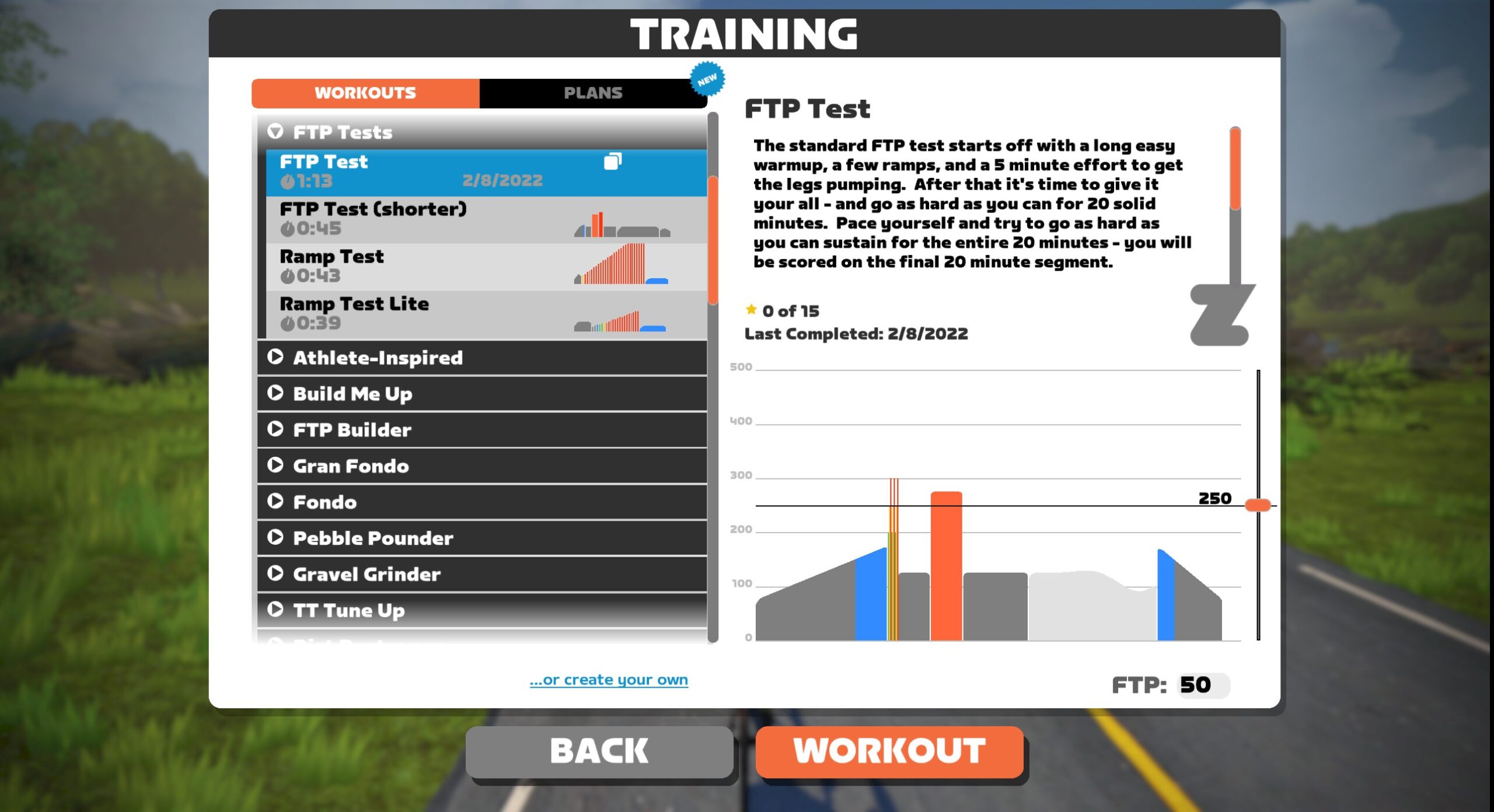
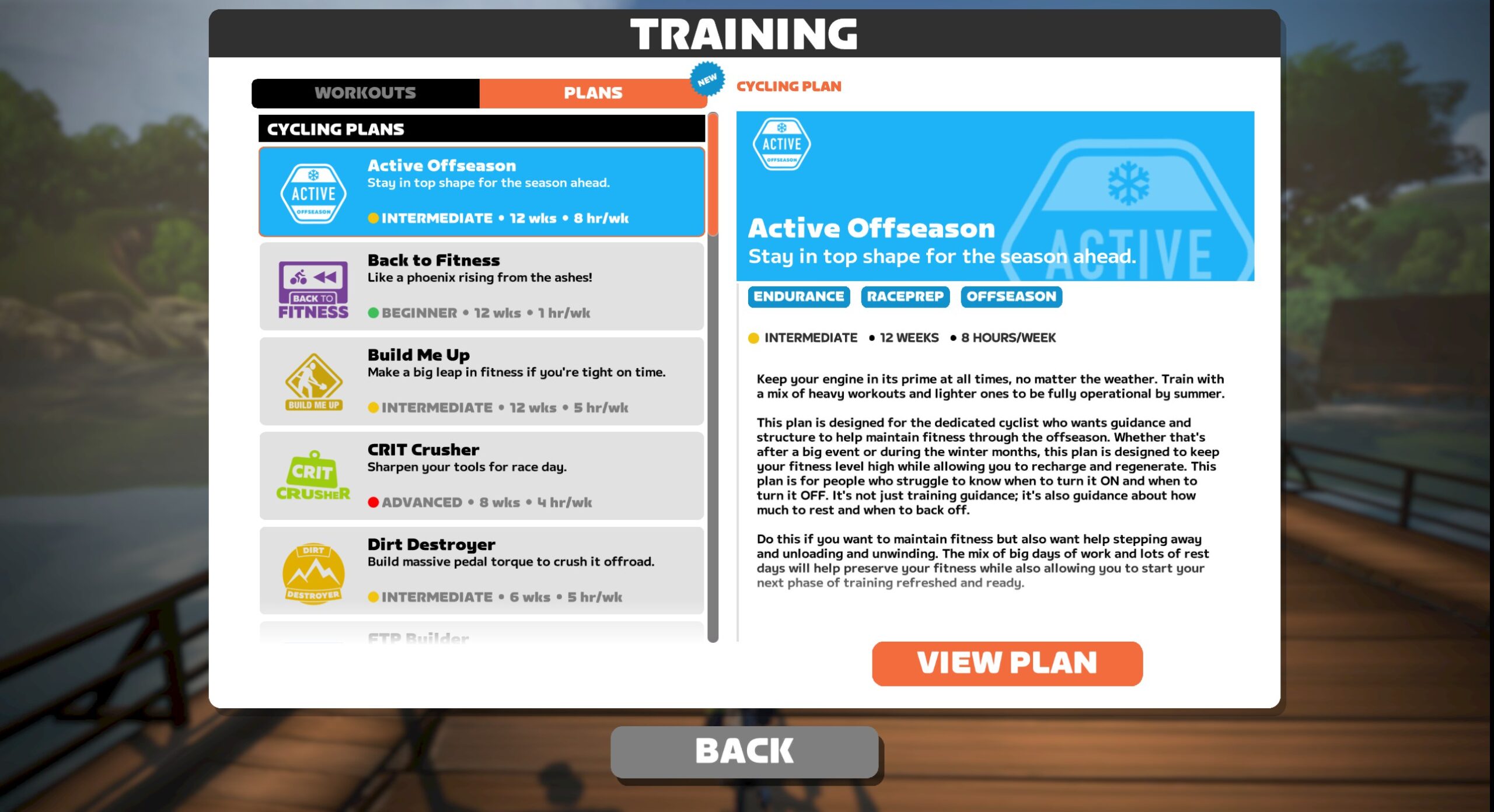
Zwift’s updated workout browser will let us browse workouts in multiple ways:
- Collections: groups of workouts, analogous to the current grouping structure of the on-demand workouts list
- Custom: your custom workouts
- All workouts: a complete list of available workouts, with filters for duration and effort level (see below)
- Plans: list of available Training Plans
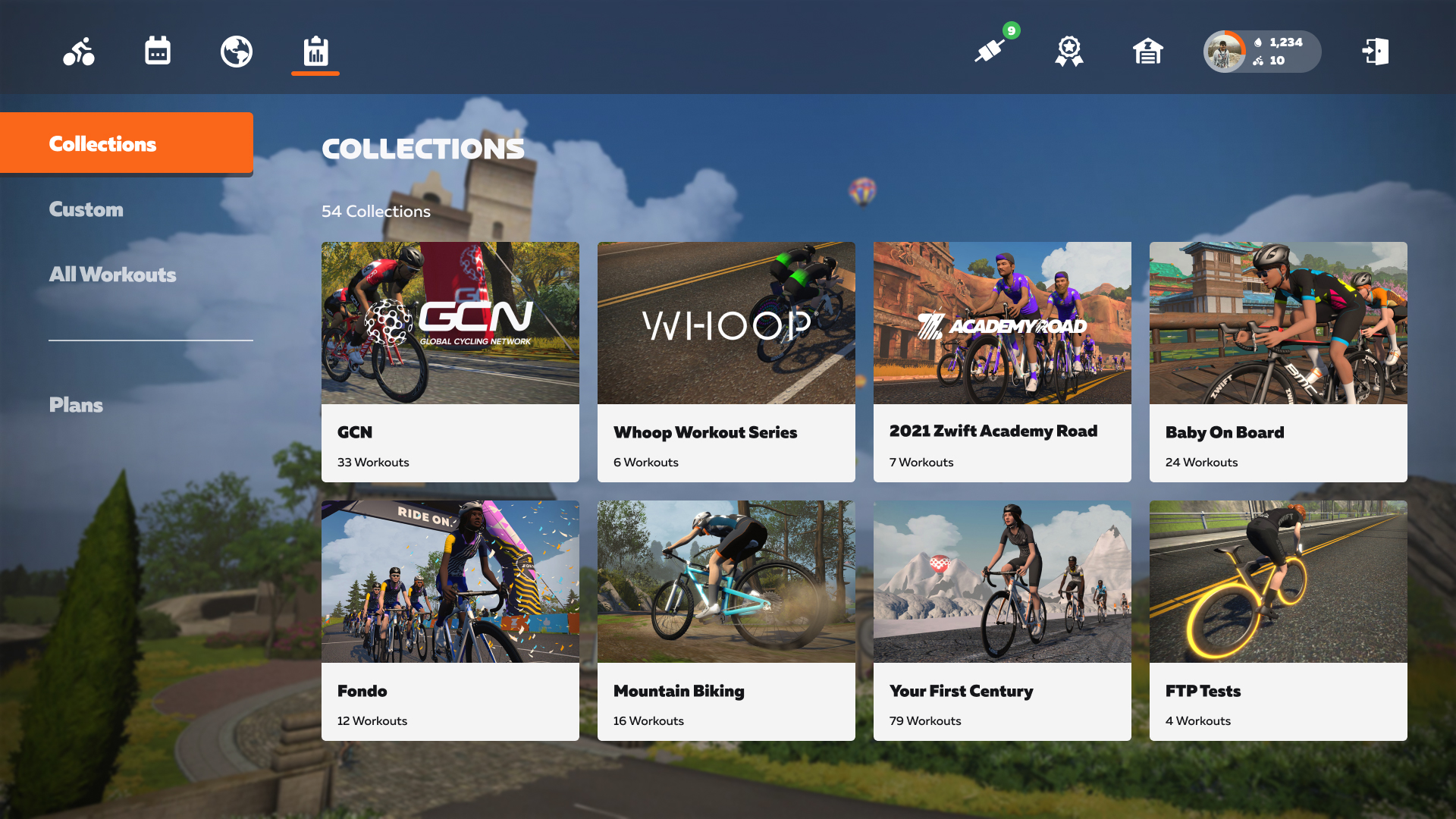
When browsing “All Workouts”, users can filter the list based on workout duration and/or effort level:
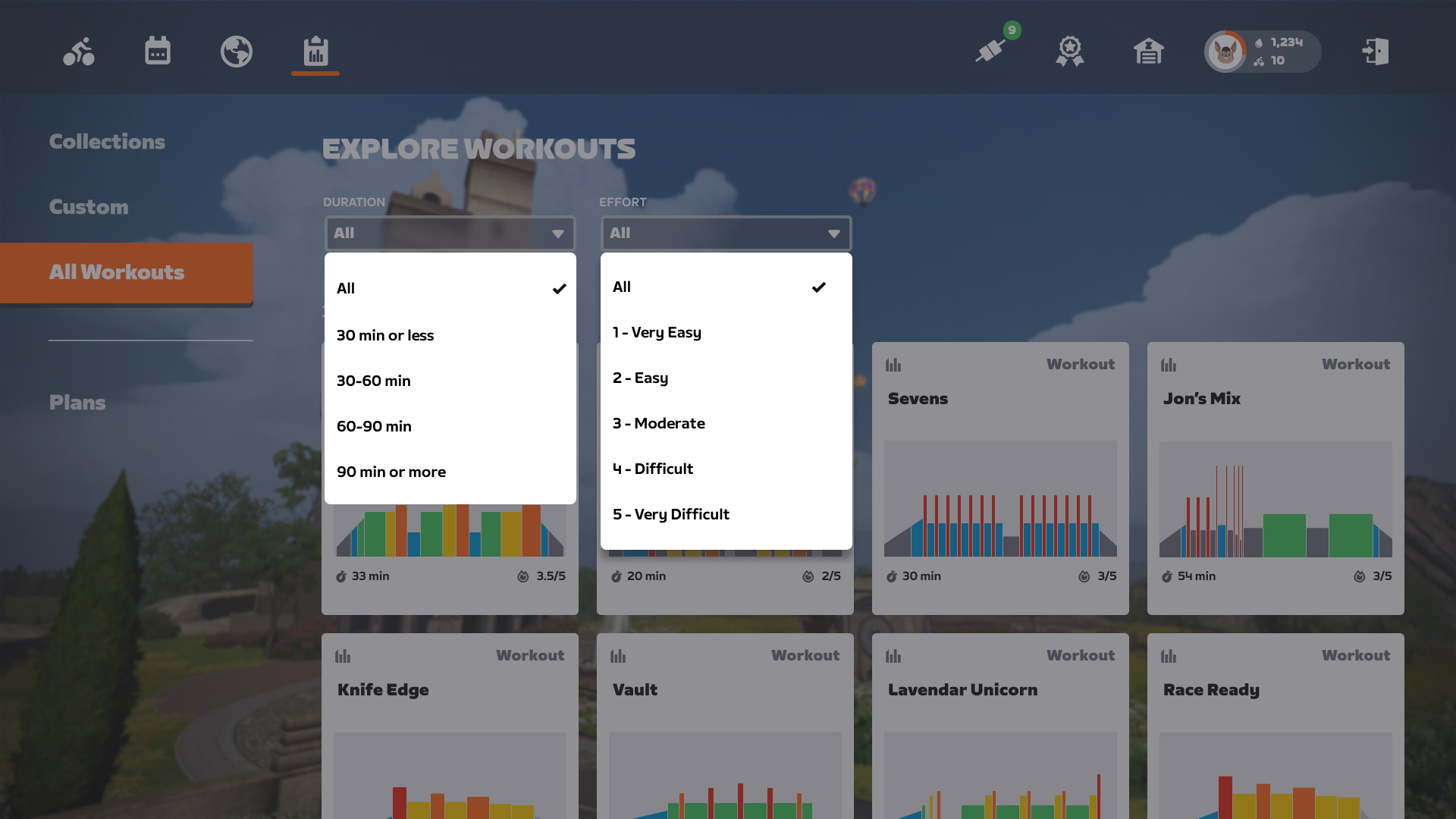
The workout viewer is also getting a facelift, providing a comprehensive overview of the selected session including a breakdown of time spent in zones by percentage and a field to edit FTP:
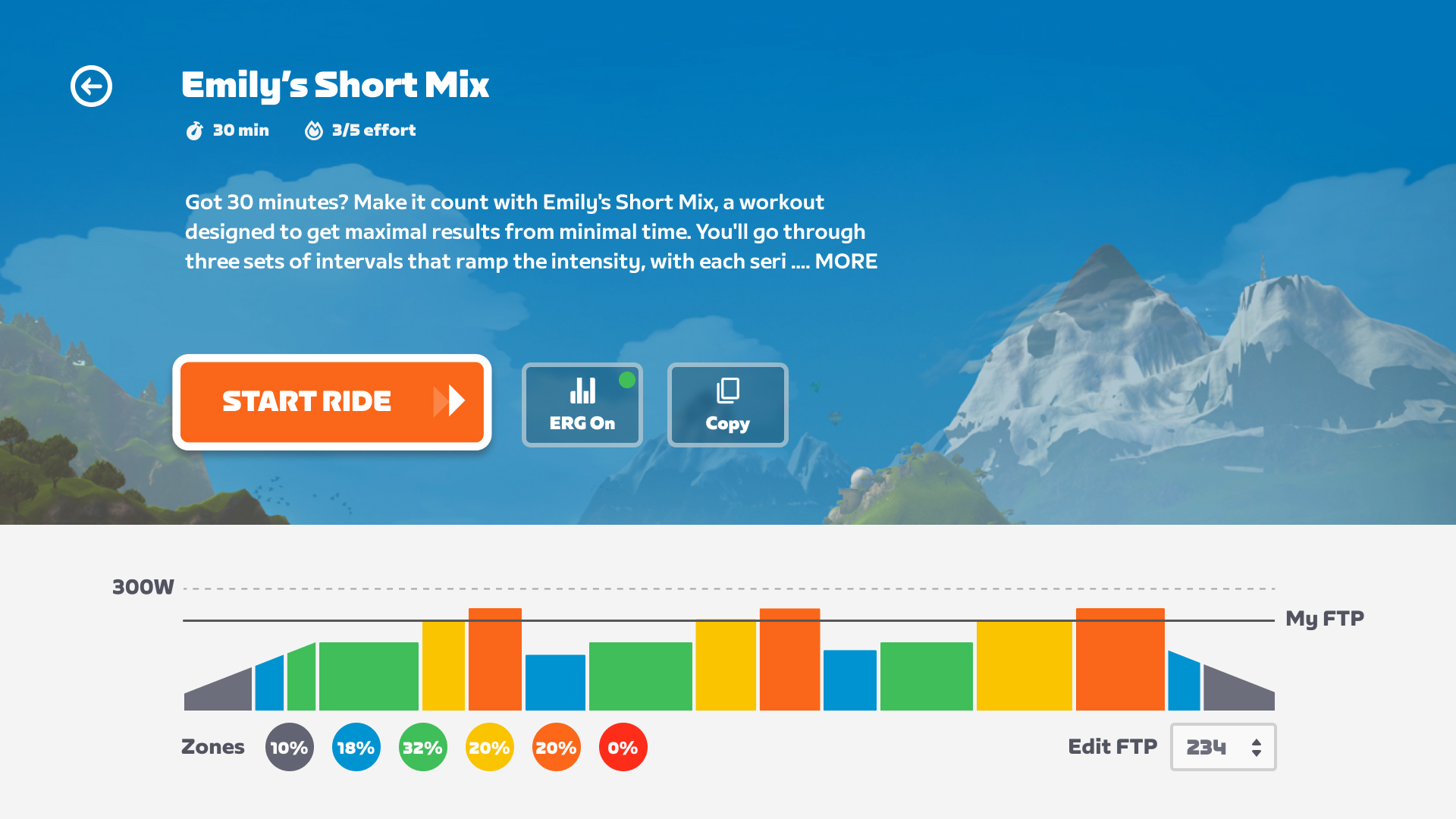
An Important Step
We’ve long maintained that Zwift’s workout UI and library have lots of room for improvement. The workout library itself could be expanded greatly, but doing so requires improved tools for browsing/searching workouts so Zwifters can find the right workout or Training Plan to fit their needs.
Grouping workouts into collections is nice, but many Zwifters lack the knowledge to select the best workout to help them meet their goals. Zwifters who do have a better idea of what they need would surely appreciate more powerful filtering tools. The “All Workouts” screen above with its basic filtering features is a good first step.
In summary: we hope this UI upgrade is the first step toward greatly expanding Zwift’s workout library and improving the tools used to help Zwifters find their perfect workout.
Release Date
Zwift isn’t giving a firm date for the release of the updated workouts UI, but we’re guessing it will arriving in September or October’s releases.
Your Thoughts
Share below!


What about a personal workout library? I often do the same 6 workouts, but they’re in all different categories; would be nice to have them in one place!
Yeah, strange to not have a favorites folder, finally. I make copies and save them as custom workouts so I can find them but it shouldn’t take a workaround. They need more filtering, too, for tags. I’ll often be looking for say a VO2 focused workout, or sweet spot. “Effort” is some help but it will take a while to search and see how things are classified to guess where a particular type of workout might be found.
A favorites page would be great. As would a favorite routes line on the homepage. The last route you did and your 5 most common other routes. Just a line right below Pace Partners.
The interface for creating your own workouts is not user friendly (certainly on an ipad. Room for improvement there too.
I was hoping this was going to be about it. Alas.
But at least it seems like Zwift have finally got their act together when it comes to actually making continuous updates to the UI. Fingers crossed.
What I’d love to see with the new UI, is the ability to set preferences/favourites for each part…
As in, I want my home screen to have a small number of shortcuts to my personal choices: Tempus Fugit route as a free ride option, ignore most pace partners (the sideways scrolling for them is horribly unintuitive) and just show a couple (Coco of course), one or two ofy ‘go to workouts etc.
Happy to see workouts are getting some love!
A couple ideas for future improvements:
Have workouts within their tier (30 min, 60 min etc) ranked by TSS
Be able to browse by TSS – ex. under 26, 26-50, 51-75 etc.
Absolutely. They’ve actually removed the TSS from the workout detail screen which is a big step backwards. There’s a decent different between a 70 and 88 tss workout.
Can’t believe they’ve removed TSS. Other than looking at zone percentages and time in each zone, my next metric is TSS. Big step backwards if they take TSS out.
Can you do the same for apple tv as this is not how it looks. More than 2 operating system.
For a workout that has come from trainingpeaks, 95% (guess but imagine it is pretty high) of the time, the user logging in will be wanting to do that workout. So, should be the first question/option you get on the homescreen to select that workout. Pre planning from companion app to schedule in next workout etc would also be useful.
Is the new font used in the w/o UI?
Those search filters – particularly by effort – are going to be very handy.
The facelift looks good… but I am also concerned that the ‘Effort’ filtering is going to be a step backwards for those that like to use the TSS to gauge what workout to do.
My hope (hopefully you can confirm, Eric?) is that although the Effort score 1-5 is now the main filter, when you click into a workout, the ‘Stress Points’ (TSS) is still shown
Based on what I see in the screenshots, TSS isn’t being shown. Hopefully Zwift will change that.
It would certainly be a shame to loose that line of information. I agree that, for some, the 1-5 scale is all that is needed… and can even act as an initial filter for those that are happy dealing with TSS… but the ‘fine-tuning’ or which workout to select from there can mainly come down to Stress Points / TSS.
All this effort for a new ui. Better use resources to develop more routes.
All this discussion about update and changes yet UI for apple tv still unchanged despite this being the easiest and most cost effective setup for a stand alone system. Can they at least get everyone on the same ui.
I for one don’t really care all that much for the UI, but I would really like to have the possibility when making your own workout that you can copy an interval-set that you’ve already made. Up until now I haven’t found a better way than simply noodling with the duration and power of every individual set, which can be really tedious
The ability of Zwift clubs to create workouts in their club area with granular access levels permitting all users as well as limiting to approved club members would be interesting…
Really hope they don’t get rid of Stress Scores, since that is the primary metric I use to see if a workout will fit into my weekly goal.
Would like to see some AI in this. You set your goal date, you set what you’re aiming for whether it be a crit, a road race, a stage race, a fondo, a 100 miles, Fred Whitton or whatever. And then the AI suggests the appropriate plan based on that. Pretty sure there are apps that do that out there already, why not introduce to Zwift?
Zwift HAS to go in the AI-powered workout recommendation direction eventually. It just makes sense.
Did they drop the FTP Builder plans?
Oops wrong topic my bad