

Many Zwifters like to watch movies or TV while Zwifting. Personally, I’m not one of those Zwifters – I like to interact with other riders and see where I’m riding in Zwift. But if you’re an AppleTV user looking to watch TV while Zwifting, AppleTV’s picture-in-picture mode may be just what you’re looking for!
AppleTV has supported picture-in-picture mode for a few years now, and our favorite Lama from down under recently posted a quick tip explaining how it works:
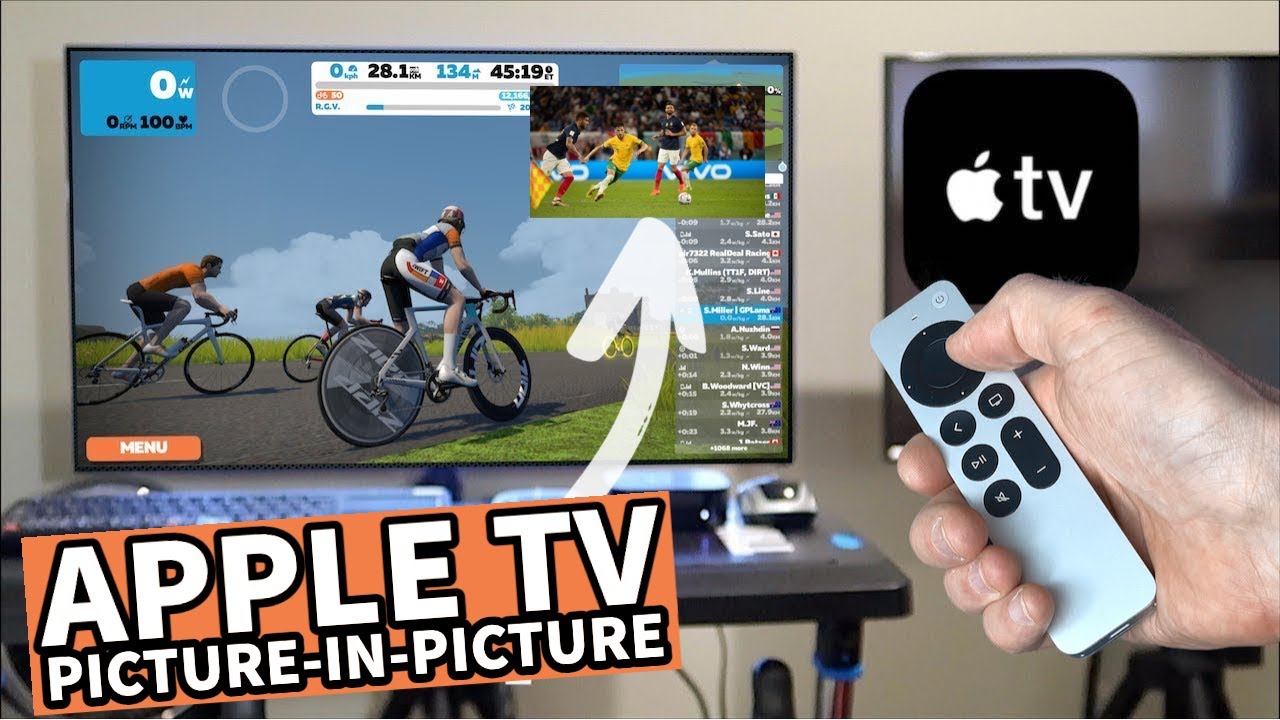
A few notes:
- You can’t run Zwift in the small window, and your other app as the large window. This is because only certain apps support running in the small window, and Zwift is not one of them.
- That said, most modern TVs have a picture-in-picture mode that operates outside of AppleTV (for instance, it may use two different HDMI inputs). You may be able to figure out a way to make Zwift on your AppleTV be the smaller window, while watching a show from another source outside of AppleTV in the large window
- It appears that YouTube can only be used as the small video source if you airplay it from your Phone/iPad
- Audio can be a bit of a hassle, but Shane explains how to set it so you hear the audio from the smaller video source
- If your TV has built-in picture-in-picture (#2 above) and you Zwift using a PC/Mac or other non-AppleTV device, you can use your TV’s built-in picture-in-picture to achieve a similar effect.
Questions or Comments?
Post below…


Running ZWIFT on a PC is just so great…all the limitations mentioned on the video comments are solved in Windows or MAC… sometimes I am running ZWIFT, watching any movie (youtube,netflix, amazon, whatever) in any size, and being able to mix the audio on any source…
This giroud guy is handsome, I can pedal into it all day!
Am I to assume similar comments on female appearance will be tolerated here?
Also works on iPad!
Any tip in getting Discord, Zoom or other Video-meeting up in screen when using ATV?
Possible to remove three circles while audio is on small screen?
Regarding Shane’s picture-in-picture using Apple TV video I noticed Shane was able to have his cadence and heart rate both working at the same time. I use Apple TV 4K, latest generation and I am only able to hook up bluetooth for the smart trainer, and one other device, either cadence or heart rate, but not both. How is Shane able to hook up all three bluetooth devices at once using Apple TV? I would appreciate seeing a video about how he does it.
Mot likely because Shane is getting the cadence from the smart trainer itself rather than a bluetooth sensor, so it’s connected and passed through along with the power. Alternatively you should be able to pair one bluetooth device to the Zwift Companion app on your phone, so pair the Turbo and HR to the Apple TV, and then Cadence to the Zwift app on your phone, and it should work. (or pair Turbo and Cadence to the Apple TV, and then HR to your phone)
You can use a CABLE device to connect multiple sensors via ANT+ to Bluetooth to an Apple TV
https://npe-inc.com/cableinfo/
I’ve had delay issues with ATV(2017) running through my smart TV. Regular rides results puts me way behind people I’m ahead of even the leader and sweepers are ahead of me when I finish way ahead of them. I was off Zwift for a year due to spinal collapse but have come back great but frustrated with the delay. After reading your post and googling again the new 2022 ATV is touted to be faster and more accurate. I wanted to get opinions before I go spend more money. I want to race again but no way right now from ATV delays.
Interesting function but useless without beep sound. You have to activate it to play the sound from the pip, but then the main image dims.
Has this stopped working for any others? I found this an awesome feature but it is not working anymore for me. I start something from my device (tried on both iPhone and iPad), shrink the window. Then I go and open Zwift. Get riding on Zwift and everything is brilliant. Now, the instant I switch back to what I was streaming on the PiP to get the audio Zwift stops. When I open menu it says “PAUSED’ across the top and I can not start it again. I have tried multiple devices and combinations but all have failed me. If anyone has an idea please let me know as would be terrible if this cool feature is not longer available.
I’m having this problem as well all of a sudden. Switching to PiP and Zwift loses all Bluetooth connections. So annoying
Me too. Switching to the picture in picture (so you can hear audio) seems to auto-pause Zwift. There is no button to unpause Zwift if you return to it.