
In the latest World of Zwift episode, lead game designer Wes Salmon chats with OJ about “Hide the Display Mode” – a new feature that appears to be releasing in Zwift’s next update.
The feature isn’t live, but Wes gives us a sneak peak which includes this screen that pops up when you choose to hide the display:
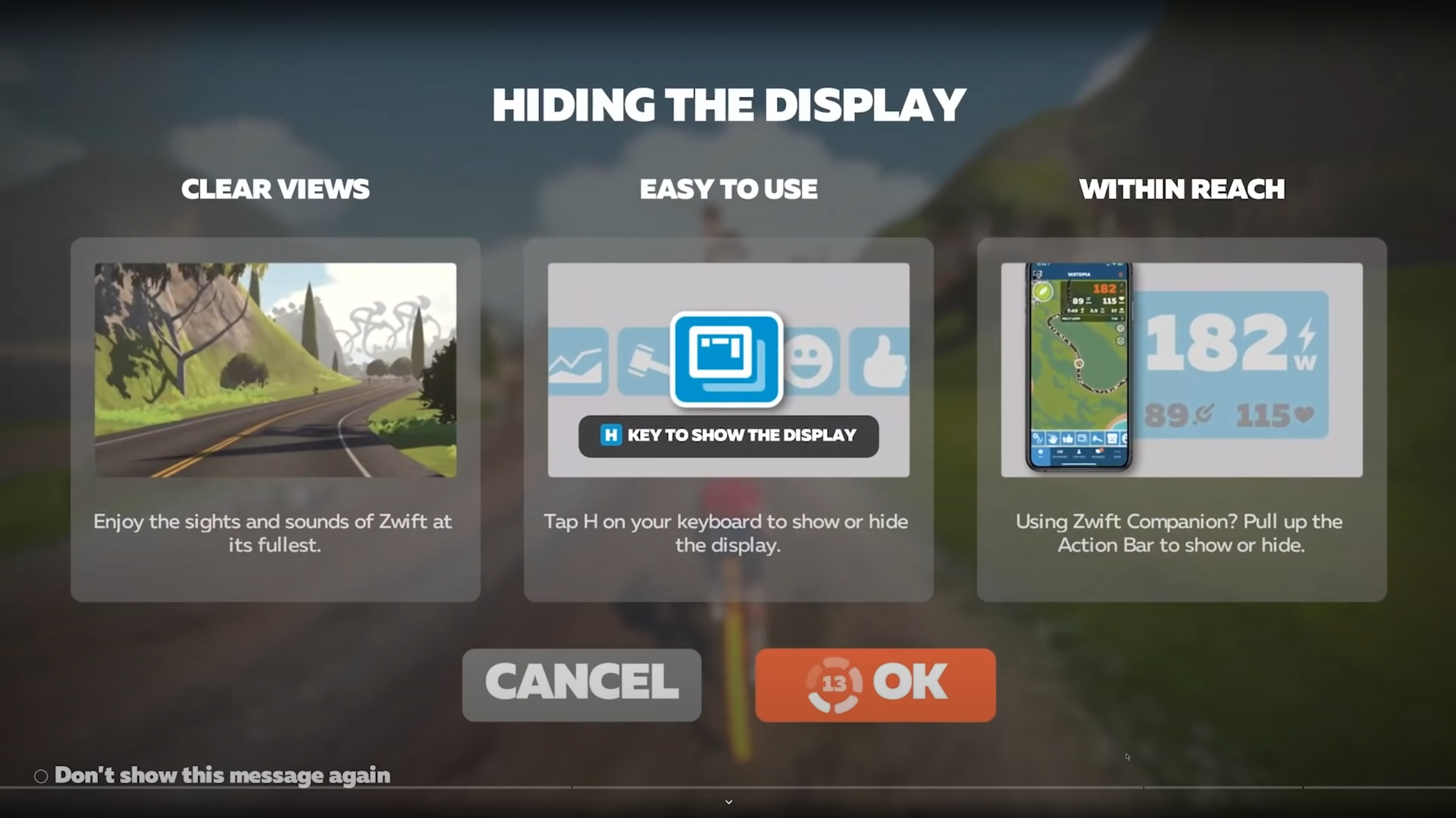
The end result appears to be the same as the “minimal UI hack” that PC and Mac users have had access to since Zwift’s early days. That is – all of the heads up display (HUD) elements leave the screen, so all you see is the virtual world. Here’s what your screen would look like in “normal” mode, then with the display hidden:
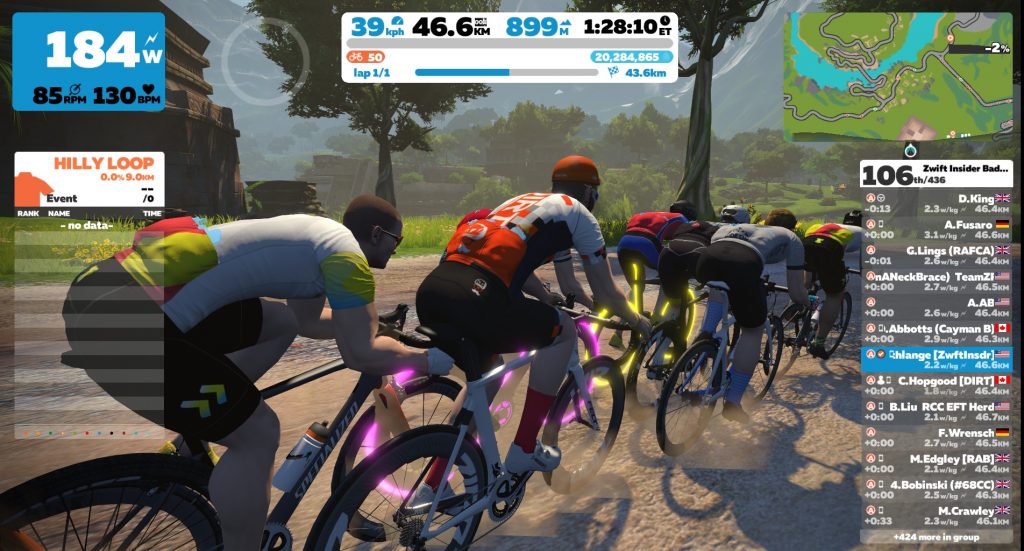
Normal mode 
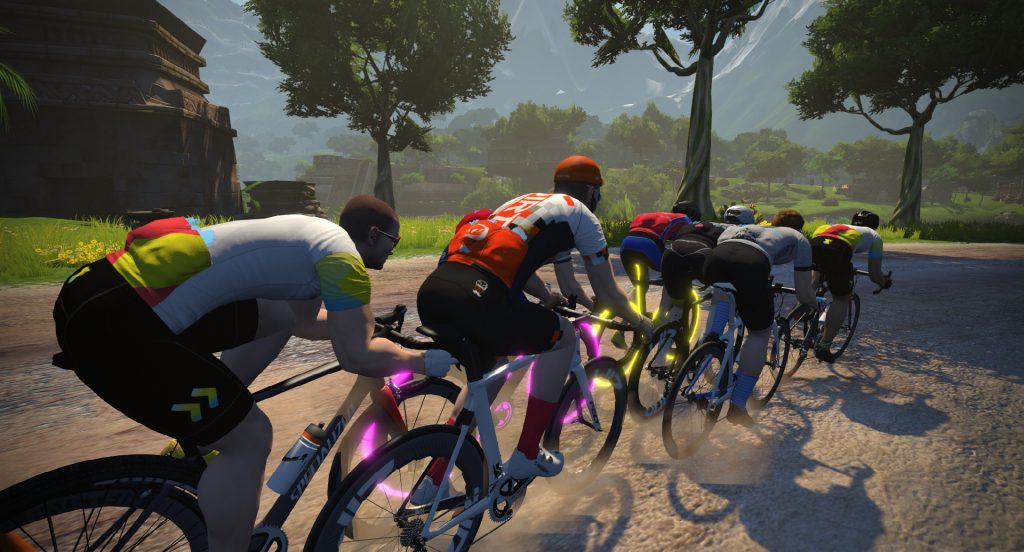
Displays hidden
I’ve written previously about racing with all the HUD elements hidden. It’s a super-cool experience that definitely forces you to pay closer attention to other riders as well as the terrain.
Zwift’s pending update for both the Companion app and the actual Zwift game will make it easy to toggle the HUD on and off whenever you’d like. PC users can just hit “H” on their keyboard, or you can use a new button in the Companion app’s action bar to accomplish the same.
Next Level
Of course, I wouldn’t be a Zwifter unless I requested more after seeing the preview of a new feature. 😊
Zwifters have talked for years about how they’d like to customize Zwift’s HUD elements to display the data they want, in the location they want. Perhaps we’ve all been spoiled by our customizable bike computer screens? “Hide the Display Mode” will be a nice first step, but hopefully in the future we’ll see some additional functionality, including:
- Turning off specific HUD elements while keeping others visible
- Moving HUD elements around so we can have our screen laid out just how we’d like (especially handy if you’re on a large screen)
- Modify font (and overall) size of HUD elements: this a request we’ve seen from farsighted Zwifters, as well as those with large screens.
- Change the actual metrics displayed: perhaps I want to see average power, average speed, calorie burn, TSS, etc while Zwifting?
Your Thoughts
Share below!
This will be a great addition. I rode some of the first club Jarvis rides that had this minimal display. It was a really great experience and allowed you to be more immersed in the game. Bring it on!
There was a rider who wanted me to shut up even though I was talking about cycling-related topics… perhaps have an option to hide the chat?
This option WILL hide in-game chat.
You can! Just go into settings – hide chat
Wow, I was just looking for this the other day and thought I just didn’t know where to find it. Kind of crazy this hasn’t been a feature since day 1.
Welcome to Zwift, award winner of Most Popular Platform in the Bad Programming category.
Even ostensibly simple things such as Exiting the program take so long on Zwift (even on fast computers) that I’m glad we don’t have to what’s under the hood! I can only imagine the poor engineers stuck with a load of technical debt trying to push out new features
Maybe it exists already but for Apple TV users I think a picture in picture feature would be cool whereby you could have the zwift interface on half the screen and a show/movie on the other half
Excellent idea.
That’s already possible, just don’t run Zwift full screen.
Can’t do that on apple tv Steve
Whoa… Never even thought of this. Thank you!
A great option for users. I would like to be able to see watts/kg next to the watts and HR display
I think that this will make Zwift Racing more real; in IRL races, you can’t see HR data or watts, w/kg. Can’t wait to try it out!
I can see HR and watts IRL.
Thanks mia, i am not sure what that comment was about..
I can’t see watts IRL though because I don’t have the proper sensor – it only works in zwift
But not from other racers. Duh.
Have looked to see if the display can be customised and been disappointed. Let’s have it please!
So an old option just to make it available? are they really that short on idea of what to do ?
How about an add the display so we can just put the metrics over the line of duty on apple tv iplayer
Your suggestions are spot on and it’s disappointing Zwift doesn’t understand there’s a need for something more personal than simply on or off. It can’t be very difficult to implement, unless your coding has been crap from the start.
Agree with a personalised option – this is a step in the right direction, but as I like to have my wattage and HR showing, along with seeing the gradient, being able to tailor it is more important to me than simply turning it off. Even IRL I’d have a cycle computer on showing wattage and HR etc.
Thanks Eric. I requested this topic yesterday. LOL!
I LOVE this… and agree with you that it would be great to add to it by toggling off key elements… after all, this update doesn’t actually give us more than we already have through Zwiftprefs… that isnt meant to sound like a criticism… i am very pleased they productized this hack!
Laughable. If their code base isn’t utter crap, an intern could code this feature in an hour and I am being generous.
All the other suggestions about customisable HUD are spot on though and these would take more time to implement, alhough not ages like Zwift HQ makes it look… 🙁
Yeah, I gave up trying to explain the companion app bug to zwift. If you use ant+ on a pc, then take a screenshot with Android companion app, it can cause ant+ dropouts. I have no faith zwift can even understand the issue, let alone address it.
Many features that *should* be very easy to implement remain unimplemented. I suspect their code base is very scary.
I think being able to modify the HUD to suit your likings would be best. Moving and resizing or hiding would be best. I would still like to be able to go to profile directly rather than having to first selet a RIDE first. Put menu right on top of EXIT.
maybe ZHQ will do some futureworks races with no HUD
Can we assume you’ll be able to see the data on the Companion app after you turn off the HUD? Or does this turn off on the Companion app too?
Still visible in Companion.
I’m curious if that development make it possible to turn while the UI is hidden? Minimal UI hack is great, but one cannot turn in-game nor in Companion app when it’s active. Could you please confirm that turning via companion and/or on-screen control possible with this “hide UI” function?
The single worst aspect of Zwift is the menu system, the HUD is way less important than fixing menu navigation. Please stop introducing new features until the menu is fixed
It will be great to check the route altimetry and what is missing on the route for races so you can regulate or attack when you feel strong for example. Also it will be great that you can personalize de hud on companion
Wow. ‘Game developer’ figures out how to remove hud elements from render queue. Give that spotty teenager a promotion!
I run zwift on a projector and it really annoys me how when you are doing a workout 1/2 the road ahead is obscured by the data fields – this is a great step forward, but as others have mentioned a fully customizable HUD (with data fields split between the main screen and the companion app) would be perfect
Nice to see 2 of the longest standing complaints : end ride without exiting and hide HUD have been addressed. Is this a sign of a little change of emphasis or restructuring at Zwift HQ?
Maybe. Or they figured out that releasing a single tweak every couple of months distracts users from the fact that there hasn’t been any major development to the platform in years. Even the latest real new roads are almost a year old by now.
Realistically, adding the option to enable/disable the HUD should take a couple minutes or programming and a couple hours of bug testing. That whole “project” should cost less than $1k from conception to release.
Hopefully, Adam. Hopefully!
Being able to change your hub would be the most amazing feature. During workouts putting yours watts in a location visible if you’re on a TT or turning off your HR when things get dark!
How about a lap button?!?!
Use Zwift Activity Monitor to get the real-time telemetry.
looks good. where do i find this monitor?
Can they also give us the ability to turn off the weather? No one wants rain indoors!
will this remove the rider overhead tags?
I’ve used the “minimal UI hack” in the past and noticed that powerups and the spinner at the alpe also get turned off using it. I would hope zwift fixes this but my expectations are pretty low so at least I will be able to the the UI back on at the top of the alpe to get the spinner.
The UI should have been customizable, or at least amenable to 3rd party plugins, long long ago. The worst UI “feature” relates to upcoming elevation changes. I can’t believe it still isn’t possible to clearly identify upcoming inclines, the involved gradients and lengths.
Don’t know if it’s already been said but how about races that are solely HUD free. That really would be good IMHO and more like real life.
What would be awesome would be to see your real time Watt Balance in game. I know this would require a bit more rider data, but doable and incredibly useful in racing situations.
Average watts is one of the most important metrics for racing and should be included as a standard.
Add me to the chorus of people who would really really like a more customizable HUD. I hate the massive real time “ranking” indicator I get when I’m nearing the top of a KOM. “You’re 402nd….403rd….404th….” So what? Am I going to miss out on a medal?
And I wonder if we’ll see lifetime Personal Bests in my lifetime. Even though I ride 3 days per week, it is not common for me to see the same segment more than once in 30 days, so a “30 day personal best” is useless. Strava does it, so the free software does something that $19/month Zwift cannot.
I’d like to have the Watts/HR/cadence info plus the time/km elapsed/remaining info. Get rid of “XP needed to reach next level”, and the “drops” since I don’t care about that at all during a ride. (or ever, really).
Oh yes, and while I’m dreaming in technicolor, a “current route” display so I can see what route I’m on during a free ride, exactly as is already displayed in an event (the software knows to give you a badge when you complete the route, therefore it knows what route you’re on).
Oh, and a running total of calories burned on the ride too please. *That* would be inspirational information, not drops and XP and levels that mean absolutely nothing to me.
In MTB, CX, some track events IRL it is too hard to look at numbers. Just have know yourself, know the competition, what you can do, how far you push it without blowing up, and knowing the course. So hiding the data is good thing to do. Plus the zwift artwork staff will be glad people will be able to enjoy their work fully.
Could really do with a Companion App update so it shows elevation. I wanted it before but it’s even more relevant now you can hide the HUD.
Personally, I would prefer to move the data in a line at the bottom of the screen, would like to see my power, speed, distance, cadence, grade. Would be nice to resize the font a bit. I used to ride NetAthlon and we could check box which data we wanted to see. Oh but I love Zwift, it’s over the top an improvement. 😀
Is there anyway to turn off the notice when using companion? I pretty much figured it out after using it, oh, once. I don’t need to be reminded every time.
I think Zwift could create several layouts of HUD elements and program the “H” key to cycle through them. One option could be what they have now, the second option could be same as above minus leaders dashboard, the third one could be all information at the bottom of the screen (as one sees in Wahoo X / The Sufferfest, or BigRingVR, or FulGas). In combination with no information on the screen at all, this should satisfy most users. Additionally, there is an option of further expansion of information available on the companion app (it already has most of the HUD information available on the screen, if not all of it).