
Today, Garmin announced that Zwift virtual shifting is now available on the Tacx NEO 2T and 3M trainers. (Oddly, it has also been released today for the NEO 2, but that wasn’t included in any of the press releases.)
Below, we dive into updating your trainer so it can shift virtually, as well as various options for enabling virtual shifting on your Zwift setup.
Updating Your NEO’s Firmware
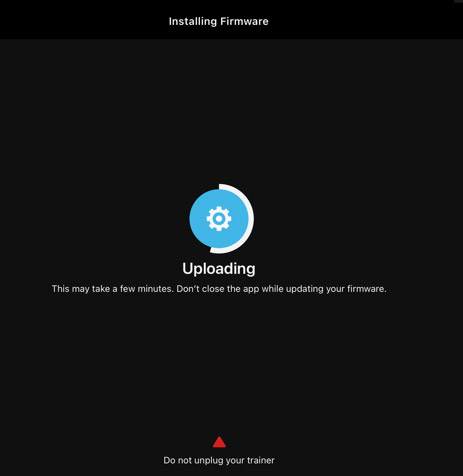
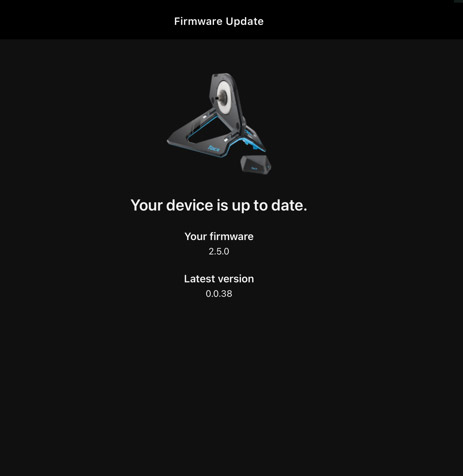
To enable virtual shifting on your NEO 2, 2T, or 3M, you’ll need to update your trainer’s firmware. This is done via the free Tacx Training app (available in the Apple Store and Play Store) on your mobile phone, and only takes a couple of minutes.
Zwift Ride Compatibility
Thanks to today’s firmware update, the Tacx NEO 2T is now compatible with the popular Zwift Ride smart frame ($799US). To be clear, that means Tacx NEO 2T owners can purchase the Zwift Ride frame today and immediately install and use it. (The frame ships with a Zwift Cog, which you will probably want to install on your NEO 2T. Technically, you could use an existing cassette, but that might require swapping out the Zwift Ride’s chain as well, since it’s a wide, heavy-duty, single-speed style chain.)
Note: The Zwift Ride does need the front foot to be a bit longer so the narrow chainstays don’t rub on the NEO 2T (as Shane Miller mentions in his video below), but the standalone Zwift Ride frame ships with longer, extra feet for just this purpose.
The NEO 2 and 3M are not compatible with Zwift Ride:
- The NEO 2’s axle is not compatible with the Zwift Ride
- The NEO 3M’s bulkier body doesn’t allow the Ride’s frame to mount properly
The Garmin/Tacx Virtual Shifting Experience
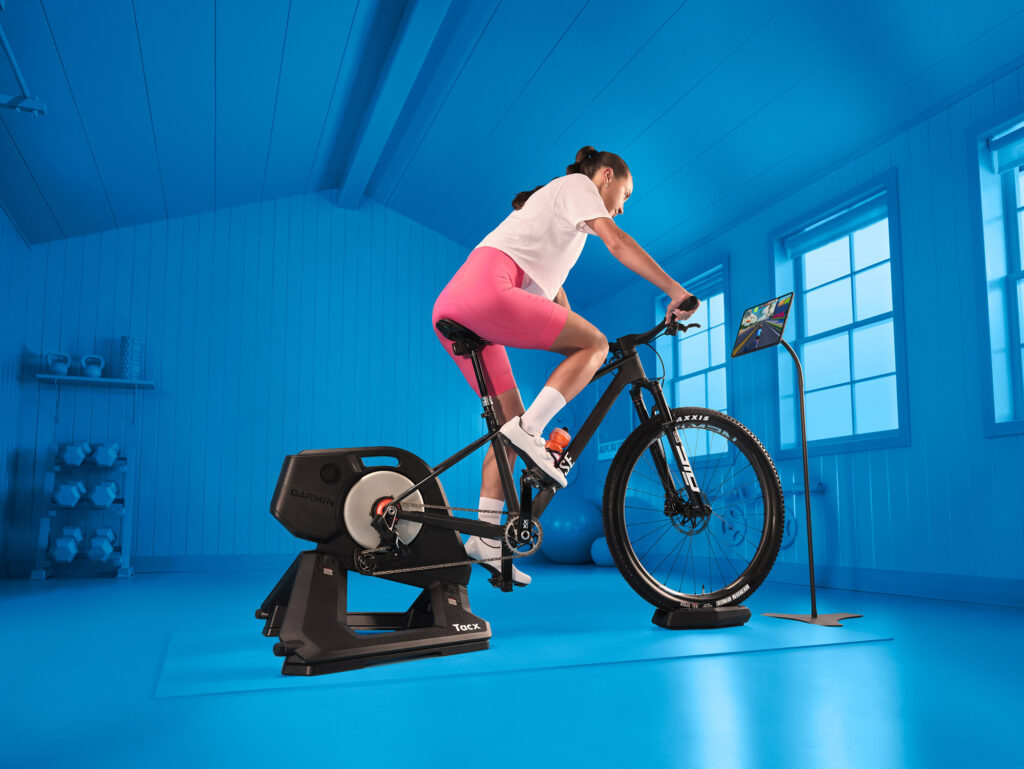
After reading and watching today’s posts from respected hardware reviewers like DC Rainmaker and Shane Miller (see video below), it’s clear that experienced users are impressed with how Zwift virtual shifting functions on the NEO 2T and 3M trainers they tested. There seems to be general agreement that the high power capabilities of these trainers, paired with their ability to adjust resistance very quickly, produces a very realistic shifting simulation.
Garmin’s addition of a slight “click” haptic in the trainer itself on each shift is just icing on the cake, adding to the realism of the experience. Well done, Garmin!
Virtual Shifter Options (Play/Click/Ride)
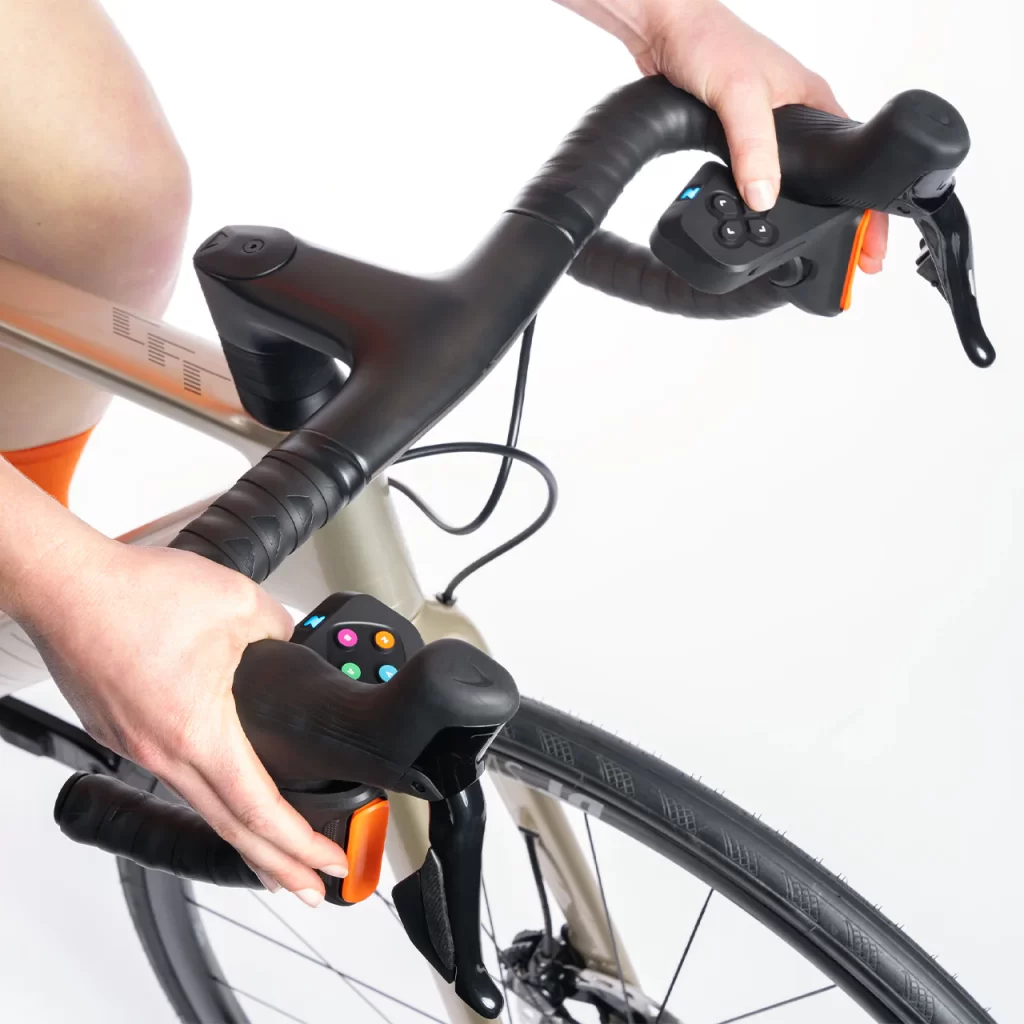
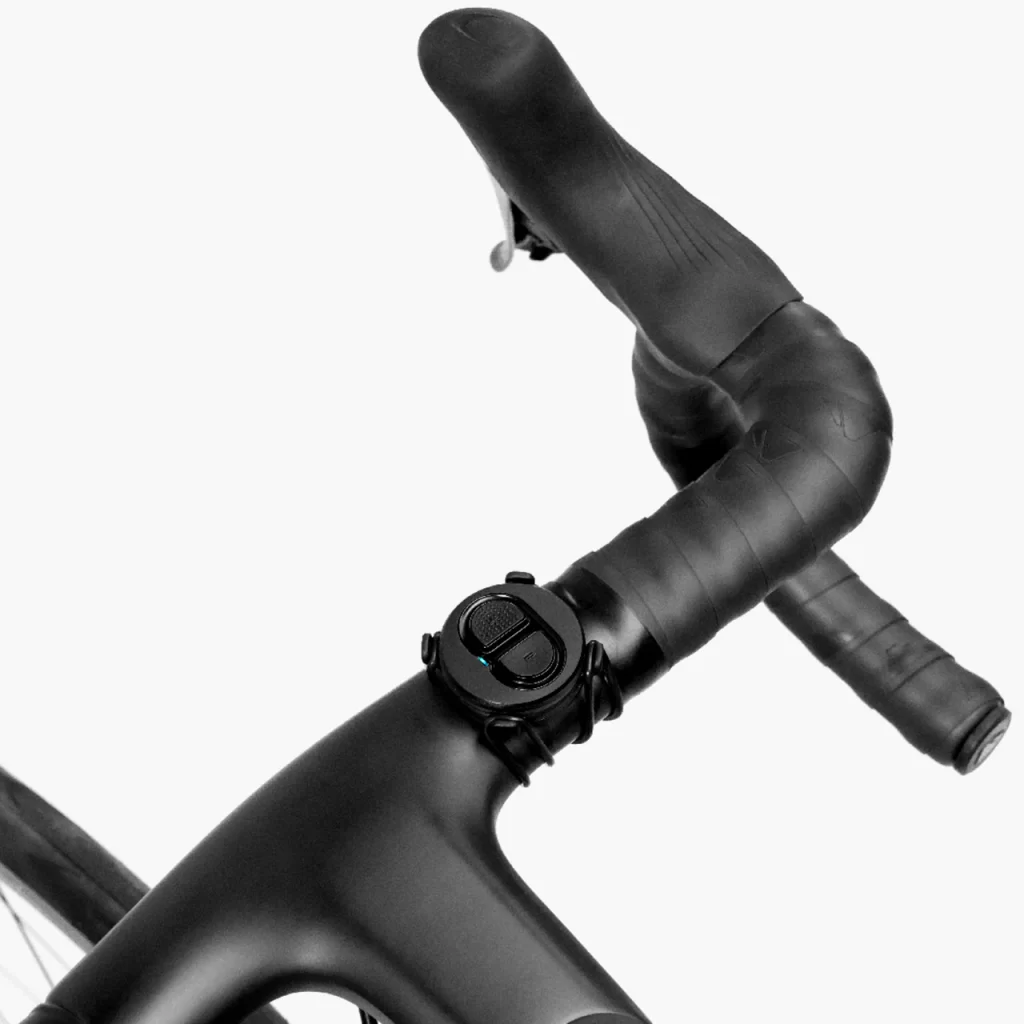
To use Zwift’s virtual shifting, you don’t just need a compatible trainer – you also need compatible shifters. Furthermore, your trainer and shifters must be paired to Zwift via Bluetooth (not ANT+) for virtual shifting to work.
While Zwift (unfortunately) doesn’t sell the simple Click shifter as a standalone item, there are three virtual shifter options currently in stock at the Zwift shop:
- Zwift Play controllers: regularly $80, on sale for $50
- Zwift Click (with Cog): regularly $80, on sale for $60
- Zwift Ride smart frame: $800
| Play | Ride | Click | Click v2 | |
| Virtual Shifting | ✅ | ✅ | ✅ | ✅ |
| Steering | ✅ | ✅ | ❌ | ✅ |
| Braking | ✅ | ✅ | ❌ | ❌ |
| Powerup Trigger | ✅ | ✅ | ❌ | ✅ |
| Ride On Bomb button | ✅ | ✅ | ❌ | ✅ |
| Game Navigation buttons | ✅ | ✅ | ❌ | ✅ |
| Drop bar compatible | ✅ | ✅ | ✅ | ✅ |
| Flat bar compatible | ❌ | n/a | ✅ | ✅ |
| TT bar compatible | ❌ | n/a | ✅ | ✅ |
| Sequential Shifting | ✅ | ✅ | ✅ | ✅ |
| SRAM-Style Shifting | ✅ | ✅ | ✅ | ✅ |
| Shimano-Style Shifting | ❌ | ✅ | ❌ | ❌ |
| Cog Included | ❌ | ✅ | ✅ | ✅ |
| Power Source | USB Rechargeable | USB Rechargeable | Coin cell (CR2032) | Coin cell (CR2032) |
| Battery Life | ~20 hours | ~20 hours | >100 hours | >100 hours |
| BLE Connections* | 2 | 1 | 1 | 1 |
| Price | Discontinued | $1300 (frame + trainer) or $800 (frame only) | Discontinued | $50US |
As of today, Zwifters can use code ELITEZCOG2024 for a €20/$20 discount on the Cog & Click Upgrade pack, which is already on sale for $60.
To Cog, or Not To Cog?
You don’t need the Zwift Cog installed on your trainer for virtual shifting to work – if you’re using your own bike frame, then your current cassette will work just fine, and in fact will probably be quieter/smoother than the Zwift Cog.
That said, some riders may prefer to use the Cog so it’s easier to swap between different bikes on the trainer. Click here to purchase the Cog+Click upgrade pack (use code ELITEZCOG2024 for 20% off).
Related: All About Zwift Cog: Versions, Installation, and More
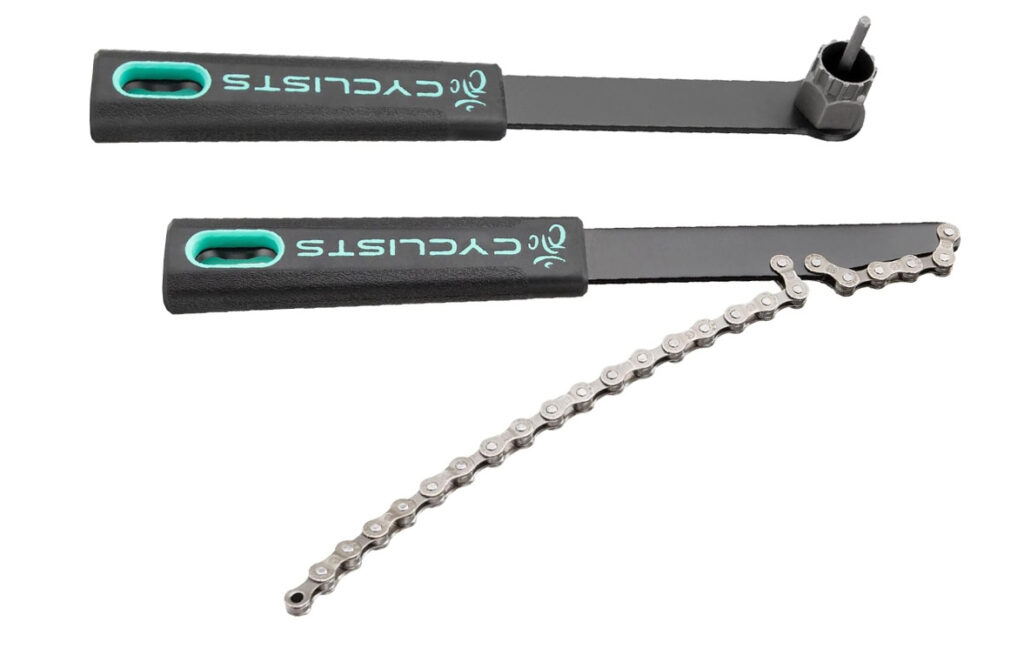
A tip for NEO 2 owners: be aware that, according to Garmin, NEO 2 users will need to remove the freehub body from the Cog before installing it on their NEO’s existing freehub. You’ll need a chain whip/lockring tool to do so. Here’s an affordable set of these two tools on Amazon.
Purchasing a Zwift-Ready Tacx NEO
Garmin is now selling both the NEO 2T and 3M in Zwift Ready versions with the version 2 Zwift Cog pre-installed and the Zwift Click shifter included.
Shop Tacx NEO 2T on Garmin.com >
Shop Tacx NEO 3M on Garmin.com >
Additional New Feature: 10Hz Race Mode
Today’s firmware update also enables race mode as a feature, so your power data is sent to Zwift at 10Hz instead of the NEO’s standard 4Hz (most trainer models send data at 1Hz). This feature can be toggled via the Tacx Training app.
Learn More
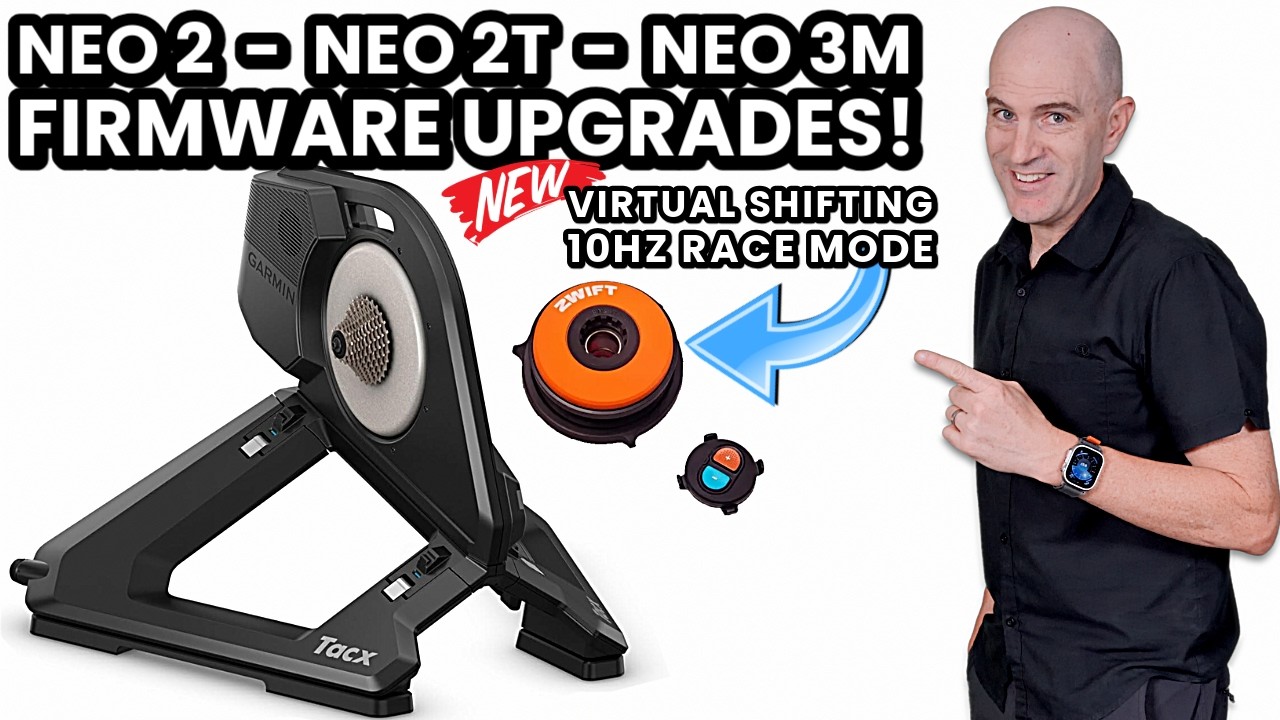
Here’s a great video covering today’s firmware upgrade from our friend Shane “GPLama” Miller:
And a thorough-as-always writeup from DC Rainmaker…
Questions or Comments
Have you tried virtual training on your NEO 2, 2T, or 3M? Share your experience below! Got questions about virtual shifting? Post those as well, and I’ll do my best to answer them…
VS is also available on the Neo 2 (no T). ☝️
Crazy that Zwift and Garmin didn’t mention this in their press releases. But I just confirmed with Zwift that you are in fact correct. Thanks for the heads up… updated the post above!
New news ! – I tried to update my Neo 2 and it failed, with a ‘download failed’ message. The pop up says ‘turn of your Neo and try again’, whilst the text its popped over is still visibile and says ‘Do not turn off your Neo’ – very Garmin/Tacx.
I’ll try a few more times, anyone else with a Neo 2 had success – it is currently running the 0.38 firmware.
After much disconnecting, power off trainer, phone, router, power to the house etc, this has now worked, so who knows, looking forward to testing it.
Just to add to the Neo 2 thing, if you have a Neo 2 SE (which is a Neo 2 with the 2T axle) that will accept the Zwift ride as it’s got the same axle as the 2t.
Thanks for the info. I have the Neo 2 SE and looking to buy the Zwift ride.
the Zwift website marks the Neo 2 Se as incompatible. Could you name a source for your info or did you test it yourself?
I don’t own a 2SE so I haven’t tried it, but Zwift said the Ride frame won’t fit on the 2SE due to the width of the trainer, unrelated to the axle type. See the Zwift forum topic “Zwift Ready compatibility for Tacx Neo 2T Neo 2 Neo 2 SE and Neo 3M [June 2025]”
I’ve not actually tried this. Zwift seem to be sticking to the line the 2SE isn’t compatible which is odd, We’ve got a 2T and 2SE here and I can’t see a physical difference but given Zwift’s stance, I would nor recommend purchase unless you can test it first.
Wish I could edit my post above TBH..
No worries, thanks for the honest feedback. DC Rainmaker also mentions a compatibility with the neo 2 se, but Zwift doesnt confirm this. It has to come from somewhere 🙂
I am not surprised. Zwift is partnered with the competition, Wahoo. You could only buy that in select countries at one point, not sure if it’s worldwide yet.
“Not surprised” by what?
By the product only being released to one of the most accurate trainers in the market today.
Still not sure what point you’re trying to make, but maybe it’s too late in my workday… 😆
Beware if you have a Neo 2. I just upgraded to 2.6.0, and now Zwift won’t pair on multiple devices. Is there a Zwift update require to enable this, or am I out of luck?
Did you make sure to disconnect the neo after the firmware update from your mobile so that your PC or ATV can connect via BT?
No. I checked the Garmin forums and that was the solution (power down the phone). Now it pairs with my iPad, and it offered to turn virtual shifting on and then gave a short tutorial on how to shift with my Play. So everything should work tomorrow morning. I just have to remember not to use physical shifting.
On my SRAM equipped bikes, I just remove the derailleur batteries when mounting the bike on the trainer so that I don’t accidentally actuate them during a trainer ride.
Generally, I find that I need to switch off my phone’s Bluetooth, something which was not an issue long before. But I had this issue even before 2.6.0.
In the text it mentions you dont need the zwift cog for virtual shifting? So would i only need to purchase a zwift clicker and complete the firmware update and should i be good to go for virtual shifting? Many thanks for any advice/guidance. Best Wishes Jon
Yup. But Zwift doesn’t sell the standalone clicker currently.
Like Eric says you can’t purchase the click, but you could buy the play controllers (£49) that has some extra benefits as other buttons and steeriing
Eric, is there a downside to this with using ATV? I seem to remember reading something about not having enough BT to connect it all? Thanks!
I hope the new ATV, expected this autumn, will support more simultaneous BT connections 🙂
Yes – see https://zwiftinsider.com/apple-tv-connection-limit/ for more.
David, I had to connect thru the Companion App after I added the Click, to get all my BT connections working (Neo2T for the cadence & resistance, HRM, & Click). I’ll move off ATV eventually (I keep threatening the box but it never listens 🤪).
That’s good news. Still, Tacx Neo is at a disadvantage because it has low power. I wonder if its NP might increase a bit with this update?
you have low power, not the neo.
It has one of the most accurat power measurement.
It’s shameful how WAHOO has thrown its KICKR 4 & 5 users aboard (all while the CORE is getting updates left and right due to its ZWIFT collab). Meanwhile Elite, Tacx and others are constantly pushing updates with new features. I’m sure that will make many current WAHOO customers think twice about their next indoor trainer purchase.
I feel like wahoo is trying to make their products easier to use with straight chains *virtual shifting* instead of actual cassettes lol
I did want to stop complaining about Wahoo not updating Kickr v5 with virtual shifting but all those announcenents by other trainer vendors really are another slap in the face for any Kickr owner who paid more for the premium v5 unit when the cheaper Kickr Core was available already. The explanation for not updating with VS is that v5 supports Direct Connect and thus can‘t do VS at the same time. Well, how about offering an alternative FW for v5 that supports VS *instead of* DirCon and let customers choose which to take? Would certainly require some implementation and testing work but maybe let Wahoo win back a few disappointed customers like me who otherwise definitely won‘t buy any further Wahoo product after that episode.
Nice to see an actual update for my NEO2T! its been radio silence since the companies purchase by Garmin, albeit that my trainer has been relatively bulletproof (touches wood!).
I updated mine yesterday via the app, reconnected it as Bluetooth and enabled shifting, all working perfectly, very happy!
All I can say is my Garmin heart rate monitor and bike trainer are way more accurate and stable than previous Wahoo products. I started on a Wahoo kickr snap (what a nightmare for accurate data, good if you want pro watts or to manipulate the trainer). As for the Wahoo Tickr X, it worked for a few days and then was stuck in zone 2 heart rate, regardless of my actual effort on the bike lol
I’ve moved away from Garmin HRM’s they seem to cost a lot and break for me with alarming regularity (stuck in Z2 type effect). bought a Coospo one to tide me over till I could find a more reliable one and still using the same one with the same strap 4 years later…
Wow haha my hrm pro plus has been going for almost 2 years, I rinse it after every use. I do hear you tho… garmin products come at a premium price.
I don’t mind paying premium price but they have to work – I’ve had two that have failed over the last few years despite babying, and now I’m a coospo convert – zero issues and less babying needed,
My experiences with the Tickr are that they do not hold up. No proper seal, so they get dreched in sweat inside. Went through 3 in a short time, before i got my money back, and bought a rechargable Coospo for 1/3 the price. that thing just works.
Be nice if it was rolled out to the OG Neo but I’m guessing there’s some hardware/software blockage meaning it’s not possible
I did test my neo2T with the Zwift play and it works excellent ! This update is great.
Road feel wasn’t working and I’m sure settings were on so could this be a bug? Can anyone else test Road feel with VShifting as well? Thanks
I did the update today, no road feel!
I found out in Zwift: Wooden planks and gravel road feel works. Cobbles not !
Talked with Garmin Denmark, Garmin is looking into missing Road Feel
I was surprised and pleased. I own a tac NEO 2T. It’s about 5 years old. I figured I was just SOL. I will remember this and be more loyal b/c of it. I drank more of the company kool-aid and ordered my “zwift play” set this morning. Sort of like the APPLE spectrum, I just want it to work and I don’t want to be an IT expert. Looking forward to zwift racing again with the 10Hz, although my engine was my limiting factor. =)
Thank you Eric S. for writing this. Zwift training isn’t exactly my hottest topic to read about. Appreciate you!!.
Does anyone know what version of Firmware a Neo2T should show? Mine is 0.0.38 with no updates available, is this going to work?
hmm, weirdly after seeing only 0.0.38 for ages, and Garmin support chat telling me that this is current version and there is no update I just tried again one last time and now it’s updated to 2.something and all is working.
Odd that Garmin support don’t seem to know about this
i also had the .38 version. Updated today with no issues (austria)
Hi, Is the cog and Zwift’s virtual shifting are compatible with tacx neo smart?
If you’re talking about the original Tacx NEO (Version 1), the answer is no. If you’re talking about all the versions that came later (NEO 2, 2T, 3M) the answer is yes.
Fantastic and finally available after months and months and months of Garmin silence on this, but …
Unfortunately this is not available in Australia!, big sigh.
There are two ways to utilise the Zwift virtual shifting but not in Australia if you’re using a Garmin trainer:
I’ve reached out to Garmin on this and as per every other time, no response other than the bot spawned thank you for contacting Garmin. Contacted Zwift about this and as yet, still no response.
Exactly what I’ve been talking about. They have given an unfair advantage to select countries and wahoo users for a long time…
People using the neo 2T, 3M ($$$) are not fooling around typically…
Same problem here in Singapore. I got the Zwift Play by using freight forwarders (first get it delivered to a US address, then send over to my country). You likely will have such providers in Australia too.
Hey . FYI ” The Race (10HZ) mode” slider was standard set to “off” in the tacx app. I had to turn it on
Glad I read all of the small print . Love my NEO 2T GIANT upgrade from my 1987 CatEye CS-1000 wind trainer 🤪 , rode till 12/23 . So when I found out the Click needs a 2032 battery every 50 hrs . That was a big NO . 2032 batteries are horrible made in China . Do not last . I ride 50 hrs in 2 weeks . Manual shifting since 1985 has not stopped me from enjoying riding .
Where did you get 50 hours for the Click? I believe the spec is >100 hours. That seems to be my experience, too…
Any news or rumours about possible race mode for the Neo Bike Smart or Plus?
Haven’t heard anything.
All of this is confusing me as to whether what I have is compatible or not. I have a Neo2T that has been terrific and problem free. Usually the bike on my trainer is a Lynskey R240 with full DA9100 manual. The cassette on the trainer is an Ultegra 11 speed 11-30. I have the Zwift Play controllers. My other bikes are identically equiped with just frame differences. My SWorks Tarmac SL6 has DI2. My SL4 Roubaix is manual.
Is this compatible with virtual shifting after the new upgrade? Is it worth upgrading the trainer or would it just cause problems if I want to change bikes on the trainer? I haven’t had any problems with manual shifting and am not sure that the virtual shifting will increase my Zwift satisfaction. My setup works great manfually. Any advice from experienced users will be appreciated! A Zwift Ride frame is out of the question financially.
Hi Jay,
With your current setup, all you’d need to do is upgrade your NEO’s firmware, then make sure you are pairing both the trainer and your Play controllers to Zwift via Bluetooth. That’ll enable virtual shifting.
I’d say it’s worth giving it a try to see if you like it! Nothing harmed if you don’t, you can always go back to mechanical shifting and even disable virtual shifting in the settings (Settings>Hardware) if you’d like.
I’ve stuck with my Tacx 2T faithfully for 4+ years watching the Kikr systems and even the dirt cheap Jet Black fly past Tacx with upgrades and compatible with all Zwift’s new features. Very frustrating but it’s still a fantastic trainer. When I heard they FINALLY support virtual shifting and even retro to the 2T, I was surprised and jumped on the $40 cog with click combo (use the zwiftinsider discount code).
I have 4 bikes, different drive trains, and swapping out is a nuisance. So is putting any of the nicer bikes through the trauma of sweat fest sessions, so I bought a cheap/basic bike for that, but set up identically to my outdoor bikes and with a premium saddle matching them. What all that means is most of the benefits of the cog-compatability across bikes-is useless to me and almost as useless for you.
What I DO seriously like about this, though, is that the cog is smoother and quieter than my cassette, cheaper to replace when it wears down, and the virtual shifting is faster/cleaner than the mechanical Ultegra on the bike (but I’d say equivalent to Di2 speed). You may find it’s better at dealing with minor positioning and indexing differences between your bikes, even if they use same drive trains.
The one thing I don’t like, though, is using the clicker button, which is not at all same as the physical shifting with our hands on the shifters. That’s totally alien. I also have the play controllers tossed in a box somewhere, didn’t get much kick out of steering and removed them, but using them for virtual shifting makes them a lot more useful and realistic to me.
Im afraid people got too lazy to bother shifting on zwift so they came out with this brilliant idea of virtual shifting lol
Good day,
I bought and installed the Swift “COG & Click” part. I have a Tacx smart trainer. Swift recognizes the COG. I can also carry out the test under Settings. However, when riding with Zwift, neither the gears are displayed nor can I shift gears manually. What could be the reason for this?
Best regards
Jörg
I’m a bit confused as to what gear ratios the sequential shifting uses. In the settings for the virtual shifting, it doesn’t have the option to choose my real life set-up (50/34 with 11-34). There is a 52/39, a 48/35 and a smaller option for hill climbs. But, what do the 24 gears on the sequential (1 front cog) option relate to? Any advice will be appreciated 😎
Scrolling down to “Gearing Details” here: https://zwiftinsider.com/virtual-shifting/
Thanks Eric. I had a good luck at the info and the replies. As a few people have said, it is a shame that there is no option to customise the virtual gearing to your real bike set-up. But, it does work, and at least I now know what gear ratios are for each gear. As always, thanks for all the work you do 😎.
Anyone had any issues with a lag on gear changes when changing a few gears at a time quickly?
Sometimes mine is instant with multiple shifts and other times there is a delay?
Tacx neo 2t.
Thanks
Yes I also experience this. I also have problems with the power being stuck for a while as well as my rider always produces around 50 watts, so can’t free wheel
Yes, I’m having this issue also. Really sucks in a race when we hit a climb and I up the power significantly and the game doesn’t respond for almost 10 seconds! I know the trainer got the signal because the resistance increased and my dual recorded power meter pedals recorded the higher watts, but the HUD and game didn’t register the increase. I notice the same thing happening in workout mode also.
Is there any hardware reason why the original Neo can’t be upgraded?
Hi, is the virtual shifting also available in the Tacx Training App? Meaning when Training in this app instead of Zwift, will virtual shifting work or am I limited to using Zwift when using the Zwift cog?
Thank you
The Tacx Training App does not support Zwift virtual shifting.
Any idea/chance if this might extend to the original Neo?
Cadence surges on Neo 2T after upgrading –
I upgraded my Neo 2T when I got the notification email from Zwift that an upgrade was available. I am continuing to use my Shimano set up so not enabled virtual shifting. Since upgrading my Neo I now experience cadence surges, which are particularly noticable when the power reduces. The surges can clealy be see in the Cadence chart on the Garmin Connect app. I have reported the issue to Zwift and Garmin confirmed they have recreated the issue on both Zwift and the Tacx Training app. However, there has not been a fix issued. This is not acceptable Garmin!
Zwift had cog + click on sale for $10 + postage about three weeks ago. I grabbed the Garmin one and have it all working on my Neo 2T. It’s great, well worth it.
Been using the Neo2 and Virtual Shifting it is wonderful, more gear range, really cool gear changes, we waited a long time for this and it finally happened, very happy with it.
Hi there!
I use my Neo2T now with the just delivered Zwift Smart Frame. Virtual Shifting works great in general, but, and this is a big but – shifting sounds like playing a panflute or something similar. With every shift I can change the frequency the Neo 2T sounds higher or lower.
Any idea why? Anything to change? Cog is in Position 1 “click”, all Firmwares are up to date.
My wife is going crazy because of this. Worst case: return the frame to Zwift.
Greetings
Roland
Does anyone know if/when Garmin plan to address the issue of coasting (or more specifically the lack of…) when using trainer with virtual shifting? I upgraded to allow virtual shifting and jumped in a race only to find that when I stopped applying pressure/started coasting that I grind to a halt – no more micro-rests, need to keep producing watts ALL THE TIME to avoid coming to a stop – not ideal in a race.
I got the Neo T2800 and it doesn’t have the “race mode” possibility. The only thing I can change in the tacx trainer app is the “road feel”.
Why does my ZWIFT Click and Cog lose connection on my Tacx Neo 2T? Dropouts are frequent, avatar stops while I’m pedaling, no resistance, then it returns with extreme resistance and hurts my knees. I’ve lost the group draft.