

Yesterday, Zwift released the latest version of the Companion app for iOS and Android. It includes some significant changes, most notably a new workout browser and iOS minimum requirements.
Workout Browser
You can now explore all the Workouts and Workout Collections available in Zwift from the Zwift Companion App. Select a particular workout to see its details, including difficulty, length, intervals (customized based on your FTP), written description, and more. Here are some screenshots:
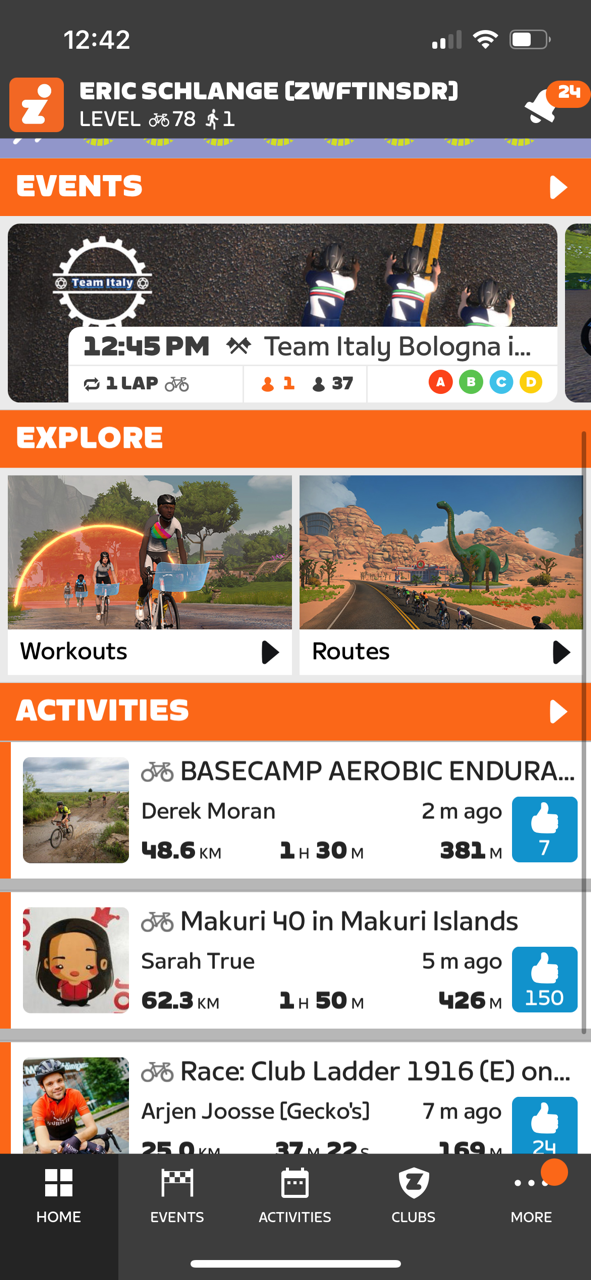
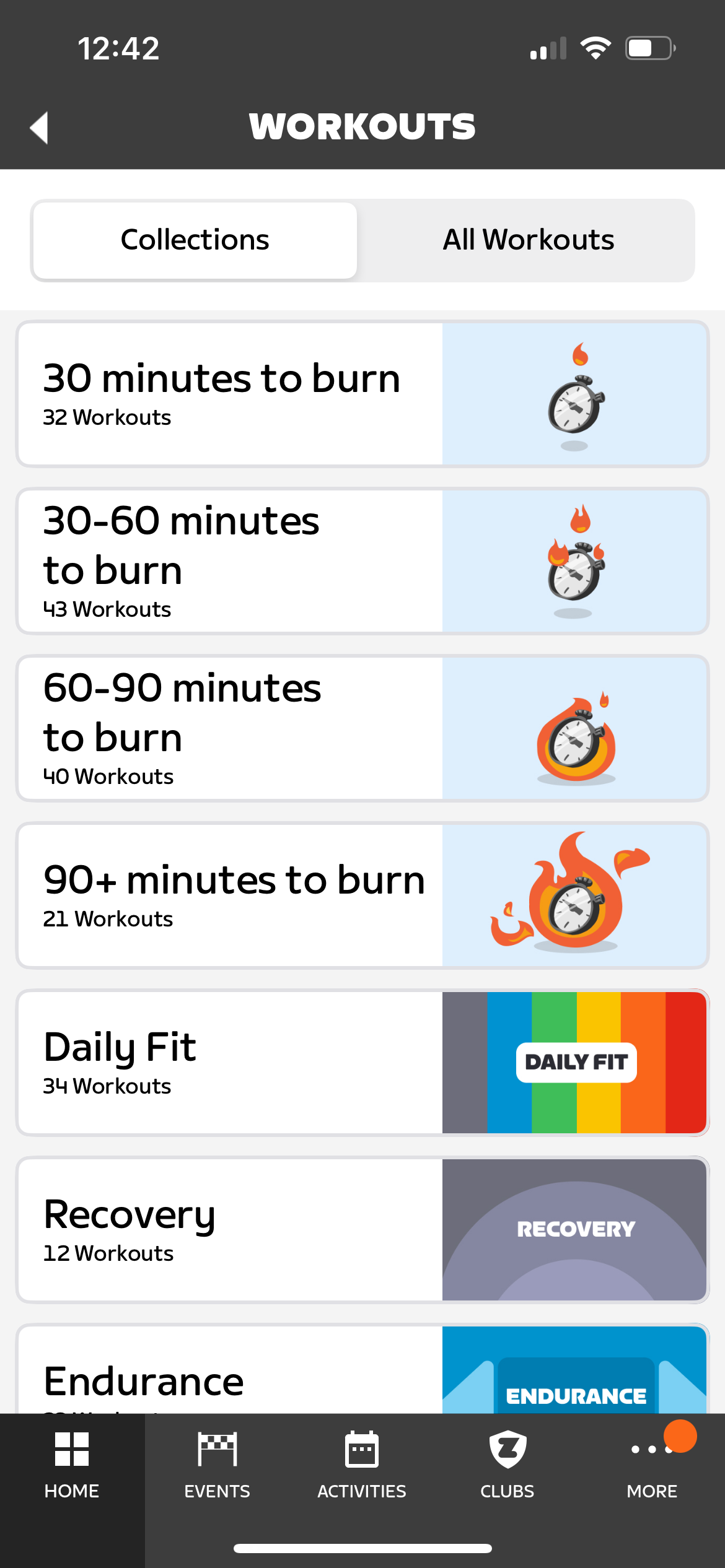
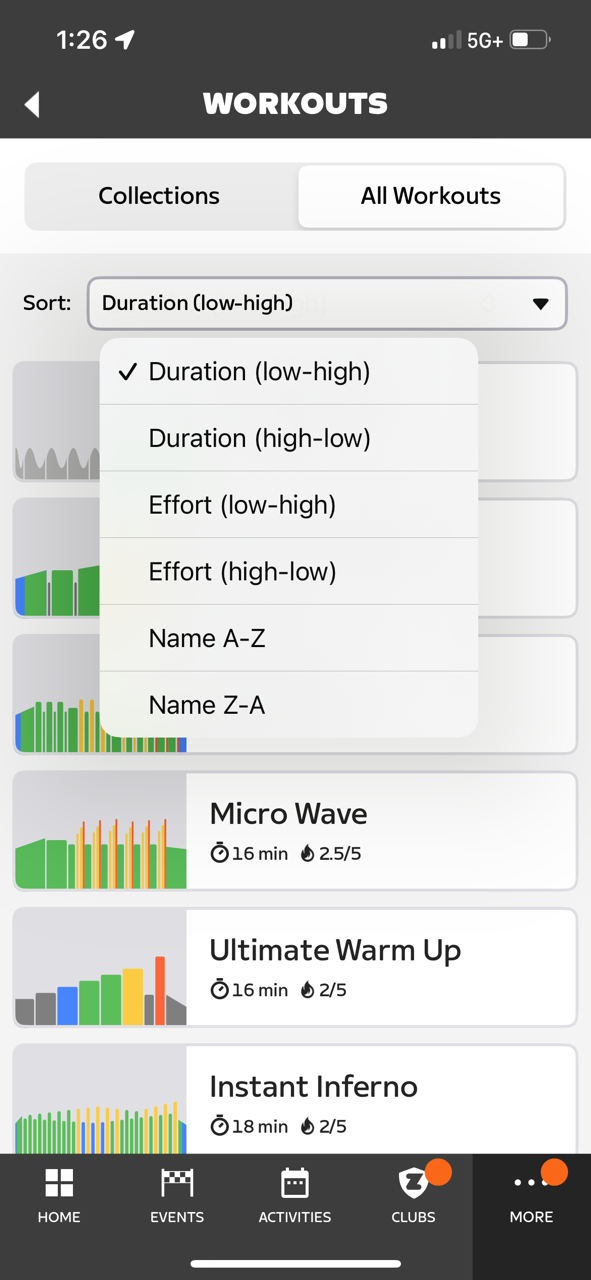
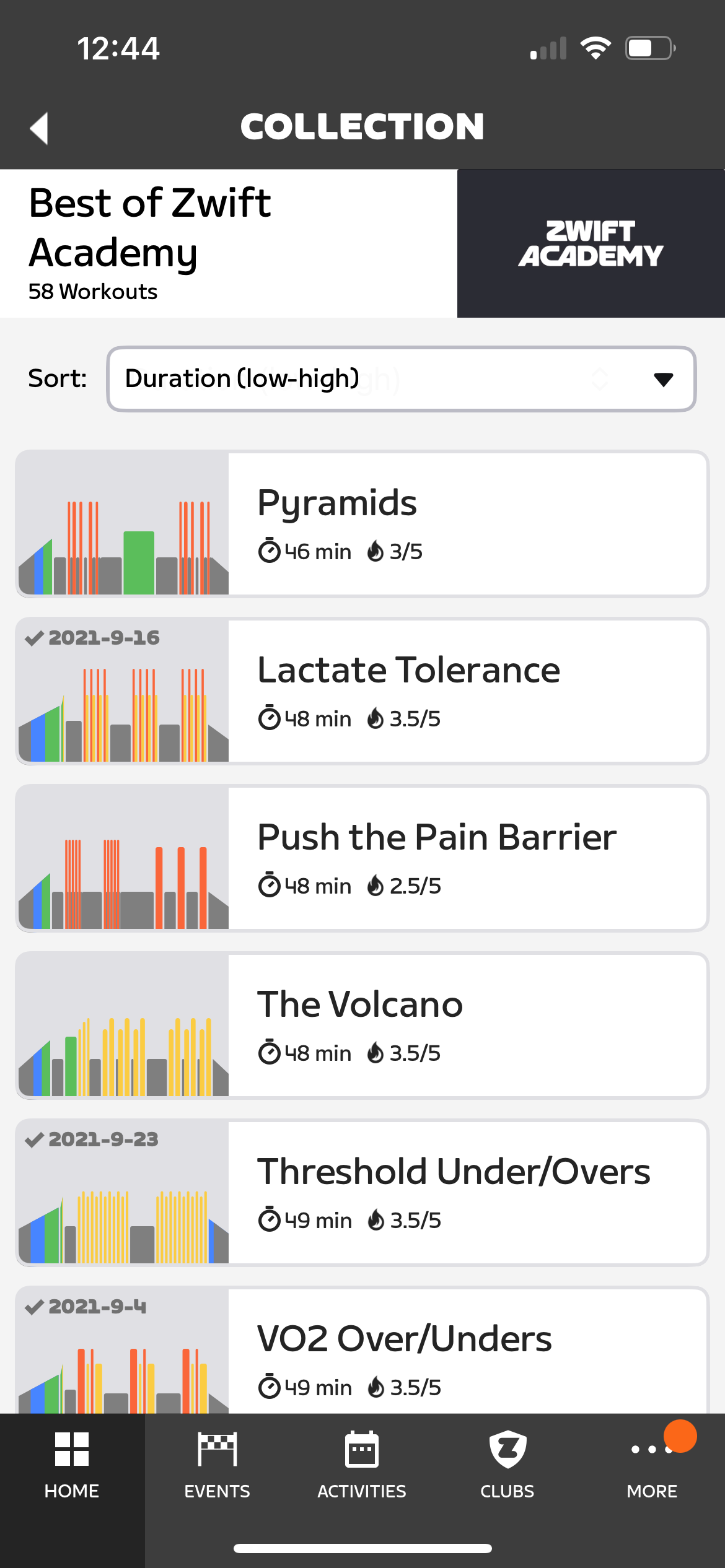
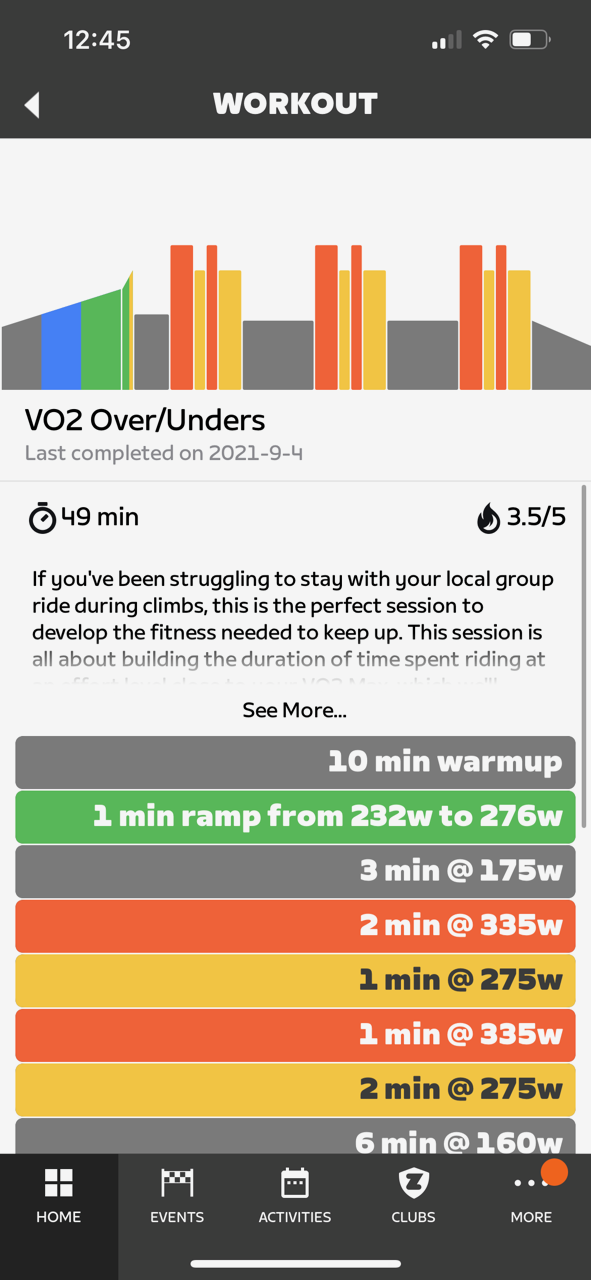
The new workout browser actually has a feature you won’t find in game: the ability to sort workouts by duration, effort, or name.
Here’s a quick video walkthrough:

iOS 15+ Required
Time marches on, and so does tech. Starting with this release, Zwift Companion on iPhone will require iOS 15 or newer. Zwift says Companion version 3.53 will continue to function, but will be the last version compatible with iOS 13 or 14, and Zwifters on iOS 13 or 14 may not see feature updates.
FYI: The iPhone 6s and newer models can be updated to iOS 15. See this forum thread for details
Additional Changes
Zwift supplied the following additional notes in yesterday’s release:
- Removed Today’s Plan logo from the Save Activity screen, which removes the functionality to save activities to your Today’s Plan account. On February 15, Zwift will no longer support syncing workouts from Today’s Plan. See this post for more information.
- Fixed an issue that prevented showing all Bluetooth devices from the paired device dialog.
- Fixed an issue where the workout dashboard presents an error when not performing a workout.
- Fixed an issue to prevent the “Keep Together” setting from appearing as part of group workout settings.
- Updated the “Keep Together” toggle behavior and added improved messaging for Club events.
- Fixed an issue where campaign progress on the Home Screen was not showing completion correctly.
- Updated “hardware” event filter to now include steering-only events.
- Fixed an issue where Zwifters with deleted accounts would show incorrect values on race results.
- Added the ability to see other users’ pace group category on their profile if their privacy setting allows it.
Android:
- Fixed an issue that impacted bridging performance if the user recently performed a firmware update for Zwift hardware.
- Improved “Find Zwifter” search to return better results when searching by first and last name.
- Fixed an issue where Zwift Play disconnects would generate repeated error messages.
- Fixed an issue on the Zwift Hardware screen where error dialog would persist if the Bluetooth was disabled during a firmware update.
- Improved color contrast on “Zone 3” workout blocks
iOS:
- Fixed an issue where the player pin unexpectedly spins on the minimap.
- Fixed an issue where tied race results would lead to incorrect data in the results page.
- Fixed an issue where event restriction icons could have the wrong size.
- Fixed an issue where the pace group category would show incorrect as ‘A’ for Zwifters without power data.
- Updated calendar permissions to work with EKEventStore and iOS 17.
Questions or Comments?
Got questions or comments? Post them below (unless you’re hoping for a direct response from a Zwift employee – it’s better to post on Zwift’s official forum thread for this update in that case.)


Updated app yesterday but no sign of workouts.
I think it will still require a server side activation for everyone. I also don’t have it yet on android.
Likewise
I didn’t have it either until I reinstalled the ios app and there it was.
On PC, it had always listed the last date you did the workout, so that is not new just for the companion app.
iPad shows last time you did a workout, at least in theory. Hasn’t been reliably working for me though.
Does the feature in the companion app offer an easy way to edit workouts? The iPad editor is very frustrating.
Updated and reinstalled on iPhone and iPad – no workouts
Latest iOS version, app update today – exactly the same as prevous version – no workouts. ??
Zwift has confirmed in their forum, that workouts is a phased rollout, so some can see it at the moment and some dont.
Bit disappointed in the work out update.
you can only browse them, look for them in the categories. You can’t search for names. If you sort on alphabetical order, than a lot is on follow up number (6. VO2 baseplan etc). When you find one you like, you can’t send it to Zwift, like you could do with a race/ride.
especially the not sending part to Zwift baffles me.
it looks like a simplified version of Zwift hacks, with fancy colors.
Would love a workout editor on companion
Iam still waiting for video capture via companion app 😭😭
Well, I updated my android app just after noon on the east coast. Be patient, it is just as life changing as the climb portal and the new levels. If they ever add any of the Mt. Fuji climbs to the portal, Zwift will be perfect.
I really love this feature. More than half of what I do on Zwift is workouts. Now I can browse the entire library and choose an appropriate workout for a given day. Brilliant!
The ability to browse workouts on the phone is very useful. But what would be really nice is the ability (from the phone) to save workouts to a favourites section so that if you see something you like when browsing, you can go straight to it when you next go onto Zwift.
I cannot see custom workouts or workouts imported from third party Apps such as Training Peaks?
Agree.. this must be a flaw..
Where are my workouts? Why would I browse dozen of standard workouts without even the possibility to choose and start them? Useless …
Just FYI, the rollout has been paused for the moment https://forums.zwift.com/t/zwift-companion-v3-54-january-2024/623170/19
Probably why workouts aren’t appearing for some of us yet.
Workouts on android , I don’t see them or an update? Feb 2 2024.
Love the info you provide.
Have I missed something, or can you not select a workout from the Companion app?
Is it just browse on your phone, and then find the workout again on the PC?
Still not seeing workouts on android? Even tried reinstalling. What is going on?
Same here. Canada. Android
Same here. The Netherlands
Same here. South Africa
its Feb 14, my Zwift Companion app is at version 3.54.1, the latest version in Google Play, Zwift is now rolling out its next update 1.58, but i still don’t see a Workout Browser in the app
Great that it is now easier to find workouts, but a little frustrating that it is not possible to select and plan them.
Also, why is the custom workouts not included along with the possibility to edit them in the companion app. – I can only use my iPhone and appleTV for zwift, since my company laptop is locked for non work-related software.