Zwift Companion Version 3.47: Clubs Notifications, iOS 16 Fix + More

Zwift released its latest Companion app (version 3.47) yesterday on Android and iOS, and it includes some key updates and fixes for iOS users. See all the details below…

Apple (iOS)

Added Support for ZAP Encryption When Using Zwift Hardware

We haven’t heard much about ZAP yet, but this is some sort of communication protocol Zwift has created for use with the Zwift Hub and (we assume) the ZCog and controllers discussed in our recent post on Zwift leaks.

Increased the Minimum Supported Operating System to iOS 13

Zwift is deprecating iOS 12 for Zwift Companion as of May 31. That means if you’ve been running Companion on an older iPhone or iPad running iOS 12, it will no longer work as of today’s update. (This iOS 13 requirement brings Companion’s minimum iOS version in line with the minimum iOS version required to run Zwift on iOS.)

Updates to Club Notifications Settings Including Turning On/Off Notifications Per Club

This has been a popular feature request ever since Clubs got big and people started using the Club Chat feature.

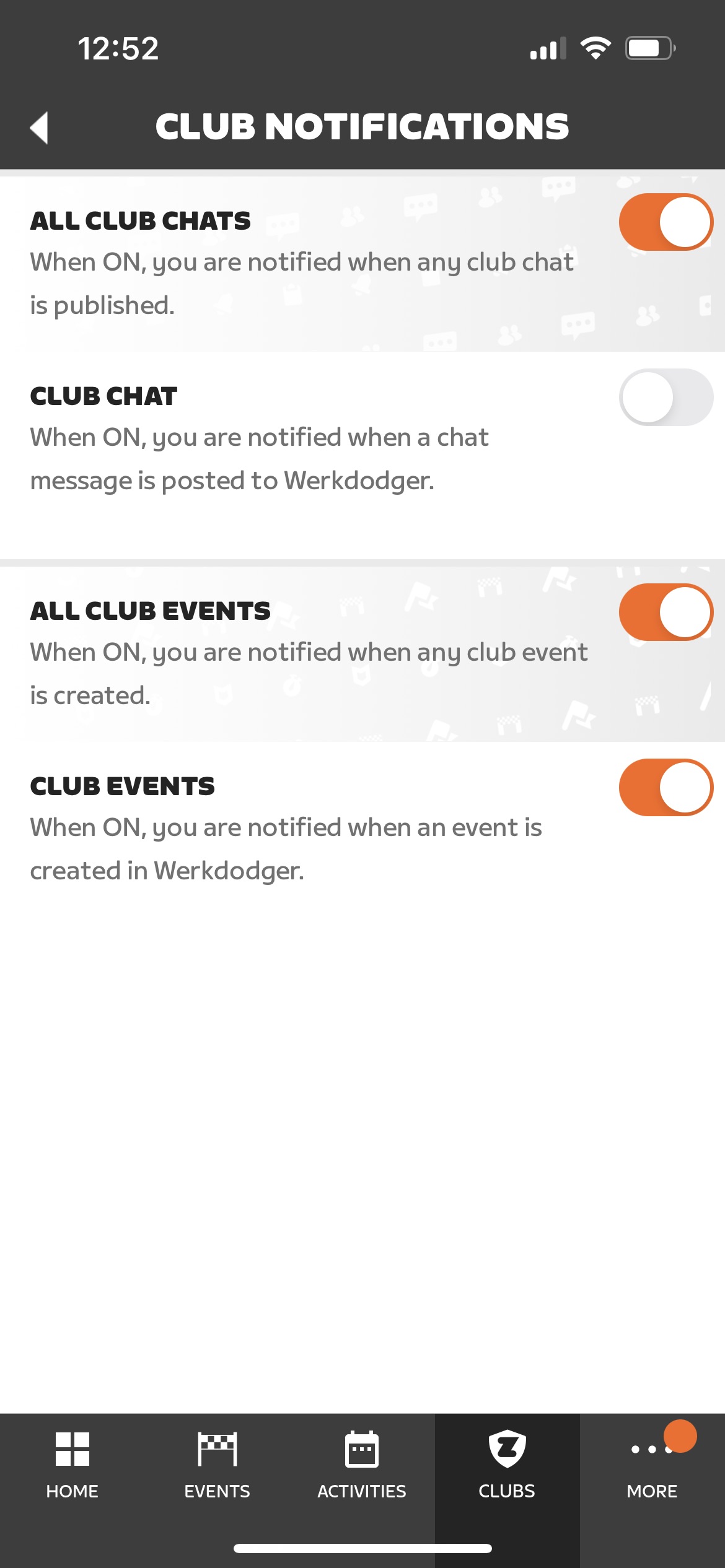
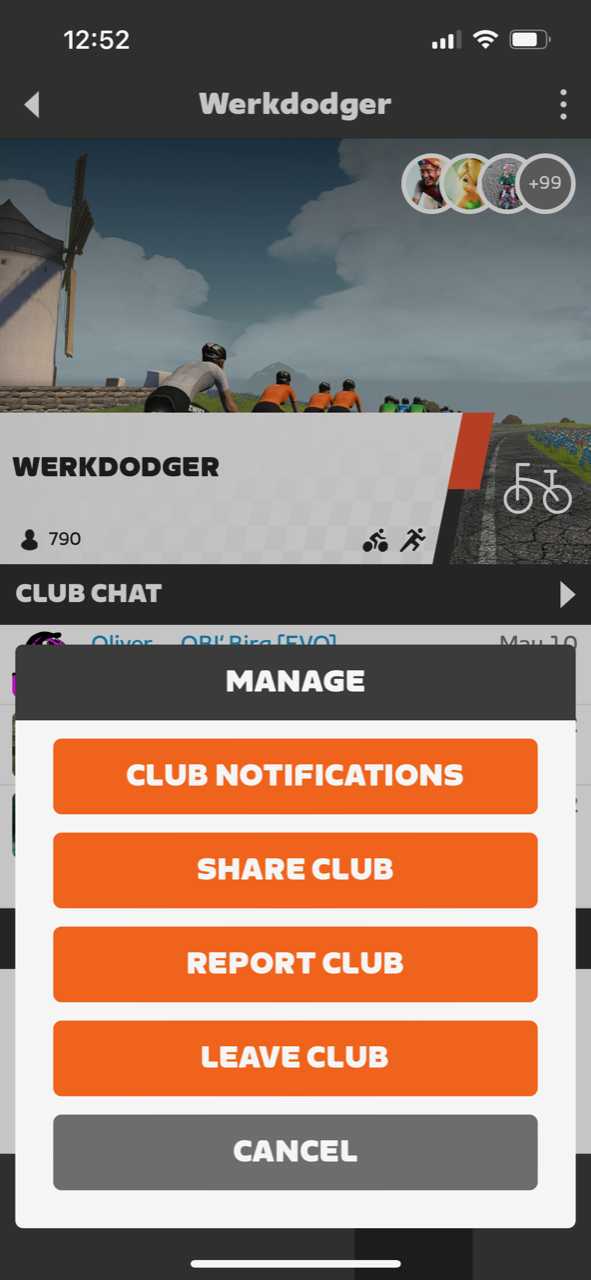
With this update, you can select “Club Notifications” using the 3-dot menu at the top-right of any Club’s homepage in iOS. From there, you can turn off all Club chats (which applies to all Clubs you are a member of) or just turn off club chat for the particular Club you have selected:
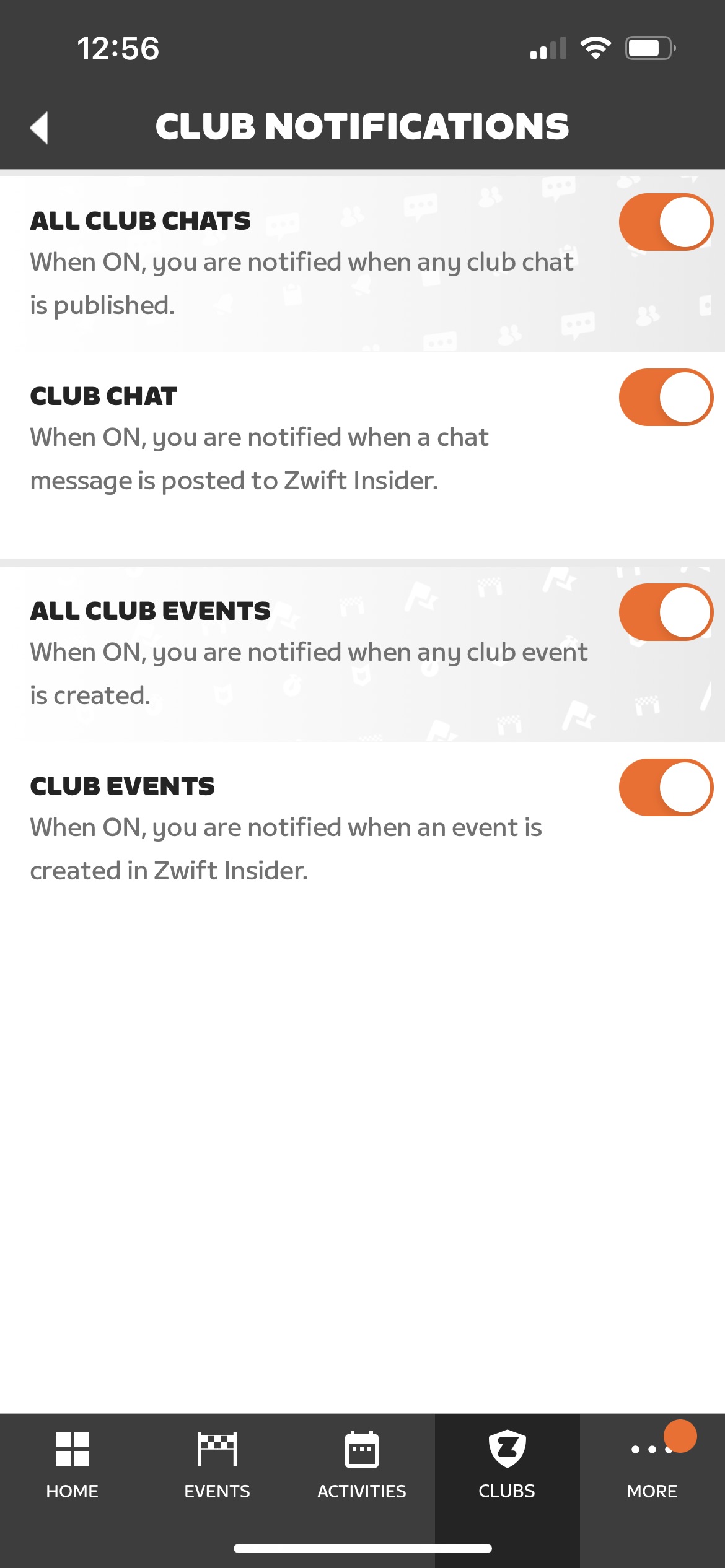
You may do the same for new Club event notifications.

Fix for iOS 16 Users that Cannot Pair with Zwift App Due to Network Interface Conflicts

This (hopefully) solves an issue that first appeared back in September 2022, preventing some iOS 16 users on newer phones from connecting their Companion app to the live game.

You can read the entire sordid tale on the forums – we won’t dig into the details here.

Additional updates for iOS:

  • Fixed a sorting issue with Quarterly view of Leaderboards
  • Fix an issue with scatter graph labels of Leaderboards
  • Visual improvements when rendering route maps throughout Zwift Companion
  • Usability improvements for interacting with Zwift Hardware

Google (Android)

This update doesn’t include as many new features for Android users, but to be fair, they already had Club notification customization from an earlier update, and of course the iOS 16 bug didn’t affect Android users.

  • Visual improvements when rendering route maps throughout Zwift Companion
  • Usability improvements for interacting with Zwift Hardware
  • Usability improvements for Leaderboards

Questions or Comments?

Post below!

Eric Schlange
Eric Schlangehttps://zwiftinsider.com
Eric runs Zwift Insider in the spare time he finds between riding his bike and managing various business interests. He lives in Northern California with his beautiful wife Monica. Follow on Strava

13 COMMENTS

Subscribe
Notify of
guest

13 Comments
Oldest
Newest Most Voted
David Haughton
David Haughton
3 years ago

Thank you, Eric. A welcomed update. It surprises me how few riders use the Companion App. Often on RoboPacer rides there are less than one-third using the App. Not sure why…

Jimmy
Jimmy
3 years ago
Reply to  David Haughton

Depends on the system they’re using. Personally I use an Android tablet with HDMI to my TV. It’s easy enough to control everything without the use of the companion app so I don’t bother with it most times. About the only time I use it is for group rides to give multiple ride ons to the immediate group. Just individual choice I guess.

Beanie
Beanie
3 years ago
Reply to  David Haughton

Perhaps because it’s so unreliable…

Corey
Corey
3 years ago
Reply to  David Haughton

I think because it requires a secondary device. I run zwift from my iphone and use a lightning to hdmi adapter to the tv screen. I don’t have another device to run things from. It’s not ideal, but it works fine

Kevin
Kevin
3 years ago

Would love to see more functionality using the companion app. For example record video or easier way to give thumbs up?

Tim B
Tim B
3 years ago

Apple Watch 3 is no longer supported for Zwift Companion. App erased from my watch when I went to ride.

AFC
AFC
3 years ago
Reply to  Tim B

Same with Apple Watch Series 1 and 2 stuck at WatchOS 6.3. I got HR back in-app with HeartCast as a workaround.

Michael Flanagan
Michael Flanagan
3 years ago

Is steering fixed? We had a TTT teammate on the kickr and steering was still messed up for him tonight. He’s on ATV/TVOS.

Markus
Markus
3 years ago

I don’t know if this is a common bug. For the first time I got kicked off a pace partner brought without hitting any buttons.

Chris
Chris
3 years ago
Reply to  Markus

I’ve too had issues with robo rides. Either it drops me about 2k in front of the group or 2k behind the group. And once after 20 minutes riding with the group it made me turn while the other 40 riders went straight.

Rob
Rob
3 years ago
Reply to  Chris

Having same issues on ATV. Seem to get dropped in a complete random place on a route at the start, then quite randomly during the ride get routed differently to the group

D C
D C
3 years ago
Reply to  Markus

still issues with robopacers it seems. I keep getting placed in a different place to the group and not able to join them. Tried for different pacers and all the same.

Paul
Paul
3 years ago

Shocking service I now have a iPad that is one update to old and is unable to use for its sole purpose the companion app

Get Started on Zwift

Newest Featured Posts

Support This Site

Write a post, shop through us, donate or advertise. Learn more

NEWSLETTER SIGNUP

Zwift tips and news every 2 weeks! Click to subscribe.

More Posts