

Zwift announced their new Play controllers yesterday, and the community has been buzzing about it ever since. After digging through several hundred comments on social media and blog posts, I’d summarize the feedback as positive overall, with hints of hesitancy mixed in with the understandable ire of Canadians and Aussies who can’t get the controllers shipped to their countries.
Here’s a post answering many of the common Play questions/comments I’m seeing. Got more questions that aren’t answered here? Comment below and I’ll try to find you an answer!
The Play Race Experience
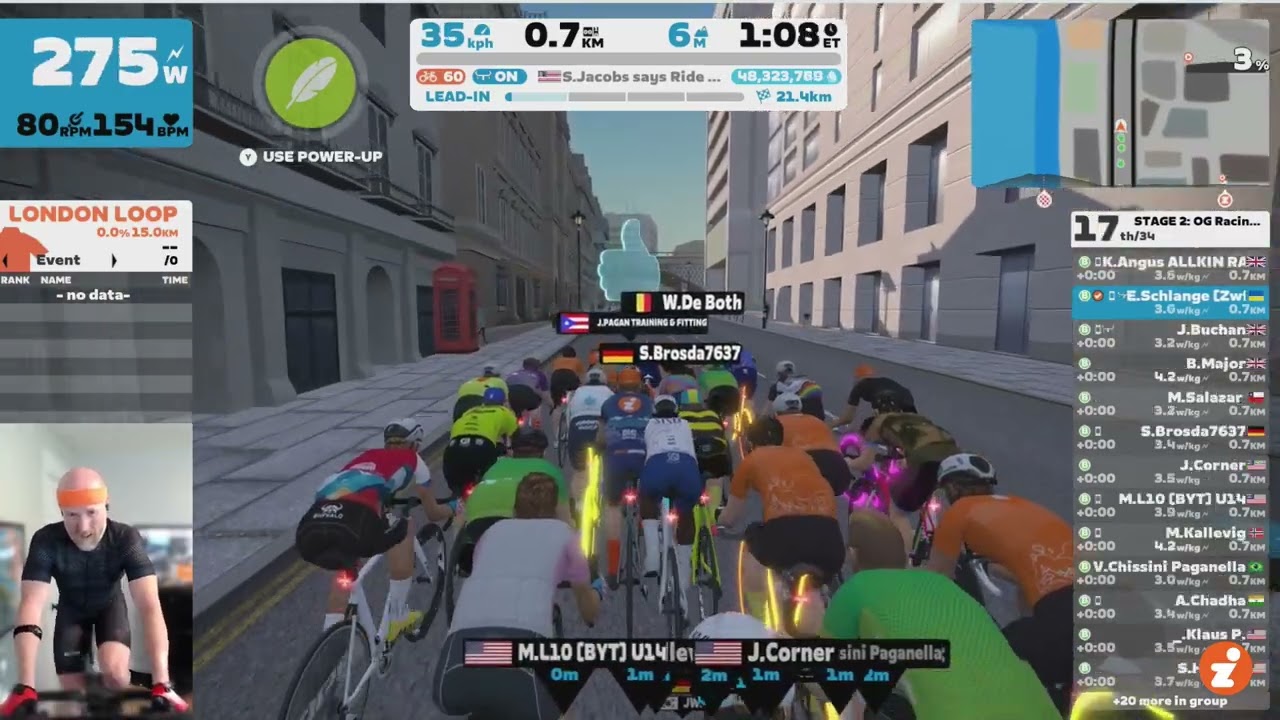
What’s it like to race with Zwift Play right now? I jumped into an event yesterday and used the Play controllers to find out.
No, I didn’t win the race. And yes, I forgot to steer in the final 500m, which hurt me. Read all about it, including more detailed thoughts on Play for racing.
Play Button Details
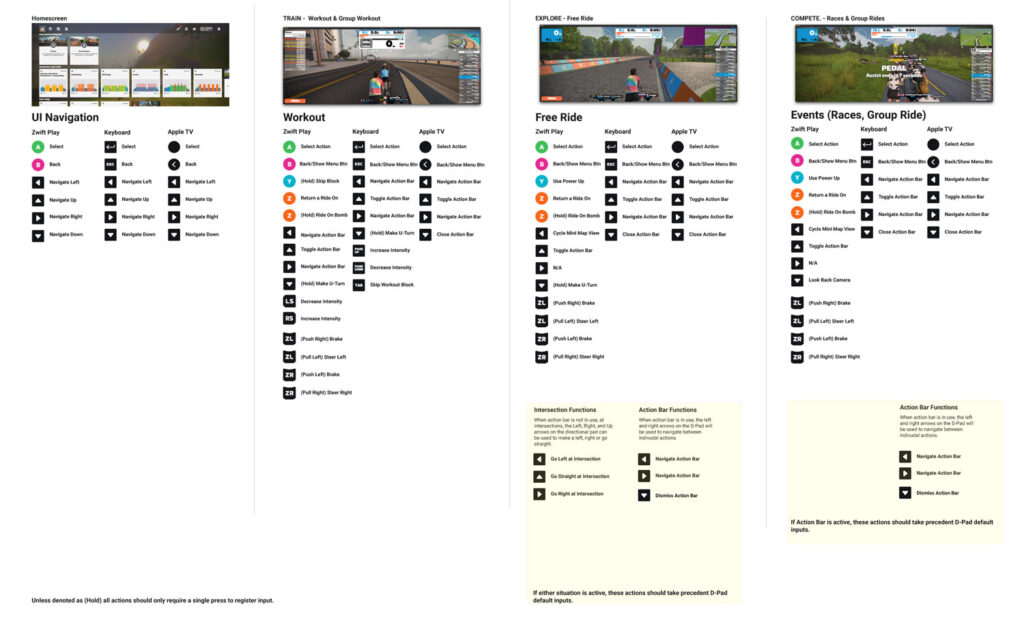
What exactly can the Play controllers do? Well, this might change in future firmware/game updates, but for now the following actions are controllable by Play:
- Move between and selecting all on-screen UI elements, including the revamped Action Bar
- Turn left and right
- Brake
- U-Turn
- Navigate intersections
- Change minimap view
- Return a Ride On
- Give a Ride On bomb
- Use Powerup
- Flip to look-back camera for 5s
- Decrease intensity
- Increase intensity
- Skip workout block
For a detailed look at which specific buttons do which actions at which times, here’s a PDF from Zwift:
For AppleTV Users
AppleTV is limited to just 3 Bluetooth connections. For many Zwifters that means your smart trainer, heart rate monitor, and AppleTV remote max out what the unit can handle.
So how do you connect the Play controllers, who each use a Bluetooth connection?
Do it using the Zwift Companion app. Connect all your devices to the app, which is on your phone, which is on the same local network as your AppleTV. Zwift can then “see” the devices connected via Companion and use them just like if they were connected directly to AppleTV.
Some Zwifters aren’t keen on this idea because they say the Companion app doesn’t stay connected while they ride. I don’t have a solution for you, except to say if your network is set up properly, the Companion connection should be quite stable. Reading this post may be a help.
What About Sweat?
If you’ve ridden on Zwift for any amount of time, you know that sweat happens. Riders know sweat can destroy your Zwift bike, so one of the first questions they’ve asked is, “Can Play controllers withstand my sweaty hands?”
I asked Zwift this same question, and they told me a couple of interesting things:
- The controllers don’t have an IP rating (like IPX7) because those ratings are for water, and sweat, a much more corrosive liquid, is the issue for Zwifters.
- Play controllers are officially labeled “sweat resistant”. Zwift performed over 300 sweat ingress tests using special liquids and UV lights to track where the “sweat” went, to dial in the design and ensure sweat doesn’t get inside.
Super long-term testing is different than lab tests, of course, but the fact that the buttons are sealed is a good sign.
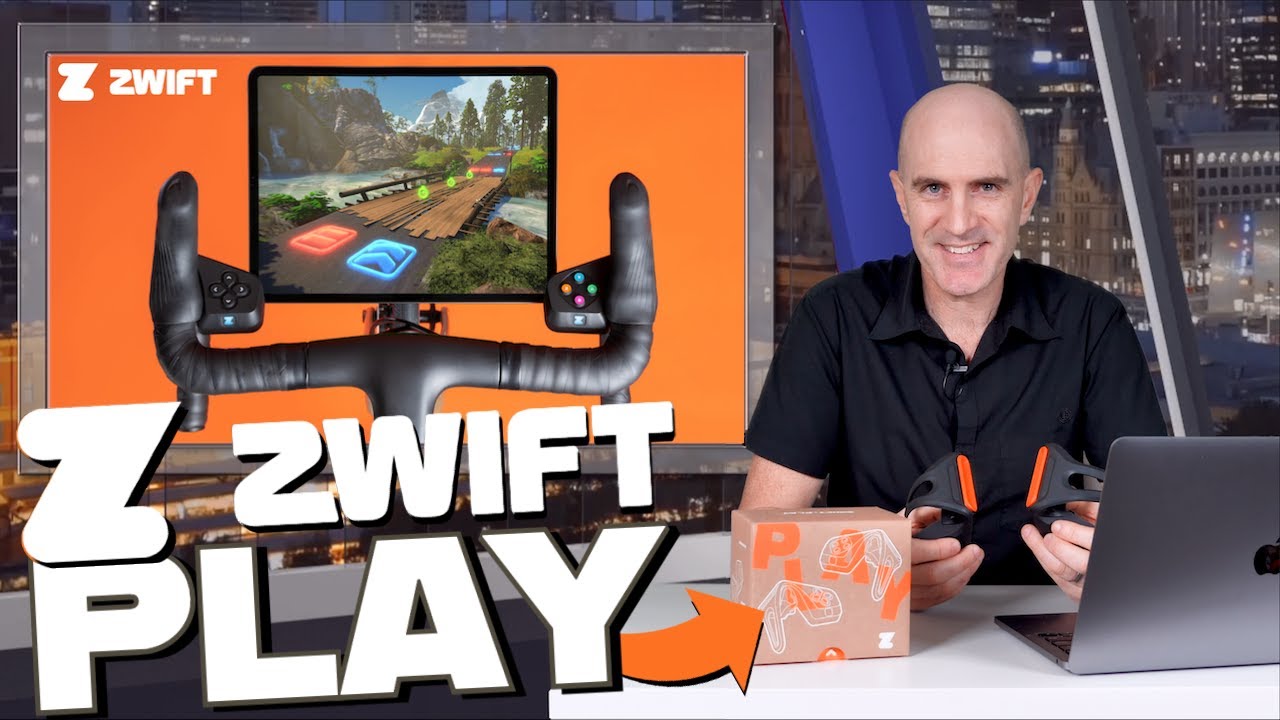
Our favorite Aussie Lama did a bit of ingress testing himself – see Shane pouring water on his Play controllers:
Haptic Feedback
Play controllers include haptic feedback (“buzzing” or other physical movement of the controllers) for the following events:
- Controllers Paired
- Use Powerup
- Return a Ride On
- Give a Ride On Bomb
- Braking
- Repack Rush: Boost
- Repack Rush: Hazard
- Repack Rush: Bonus Time Pickup
These haptics can be turned off under Settings>Preferences.
Braking: How and Why
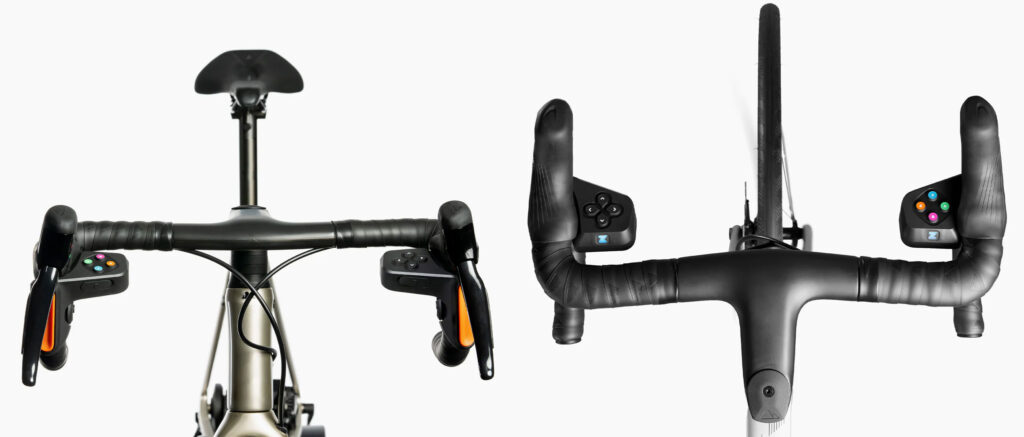
Zwift Play supports braking by pushing either vertical orange “paddle” inward. Zwifters have asked what braking is like – can you brake “lightly” or “heavily”, or is braking just a binary “on-off” thing?
In my tests, braking seems to be just an on-off thing. You slow quite quickly if you keep the brake applied (45kph to 0kph in 7-8 seconds), but if you want to slow just a bit you can tap the brakes to nudge your speed down. So braking is a function of how long you apply the brake, not how hard. (It does feel like applying both the left and right brake at the same time brings me to a dead stop a bit quicker. But I’m not sure why that would be useful.)
Why would you want brakes on Zwift? That’s certainly a sensible question, because who wants to go slower? Braking has no real purpose in Zwift at this point, but when Zwift adds auto-braking to certain corners (automatically slowing riders down to a “safe” speed based on how sharp the corner is), Play would allow Zwifters to handle their own braking and choose an optimal steering line. This (if Zwift does it right) should give a slight advantage over auto-braking/auto-steering.
Bike Compatibility
The Play controllers are made to fit on a standard “drop” handlebar. They will not mount on TT bars or mountain bike bars.
Zwift says they contracted with a London bike shop chain to have them test the Play controllers’ fit on bikes that ran through their shops. This resulted in over 400 bike fit tests, and Play fit on 97%+ of the bikes with drop bars.
The other 3% are probably bikes with some sort of thumb shifter. So Campagnolo’s thumb shifters are a no-go, as are various “sprint shifters” often placed an inch or two down the bar from the hood, on the inside.
While the Play controllers mount nicely on the Wahoo KICKR Bike, they don’t fit on the Garmin Tacx NEO bike, the Wattbike, or the Stages bike according to the Zwift Play Tech Specs. Which leads to the next question: can Zwift make the buttons on smart bikes do what Play does?
Note: some Wattbike owners are saying Play fits on their bike, but the button pads are tilted forward a bit more than they are on standard road bikes.
Play Controller Protocol
Zwift developed their own Bluetooth protocol for Play, and they’ve said this protocol will be open to 3rd parties to use for Zwift accessories. So in theory, smart bike makers could release firmware updates that let all those buttons and levers accomplish some or all of what Play can do.
As far as I know, though, the details of that protocol have not been shared with 3rd parties yet. So there are no firm timelines for when smart bike makers will roll out Play-like functionality.
Firmware Updates
Firmware updates are handled easily in Zwift Companion. Here’s the update flow:
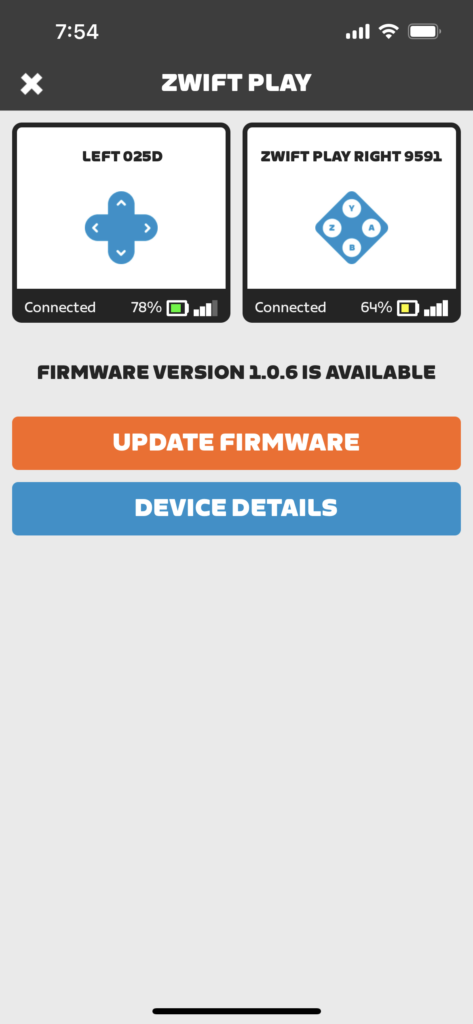
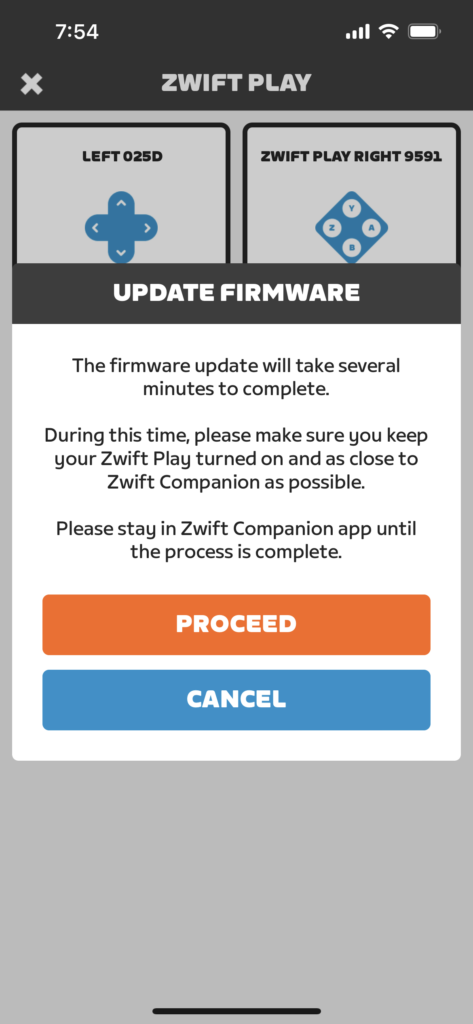
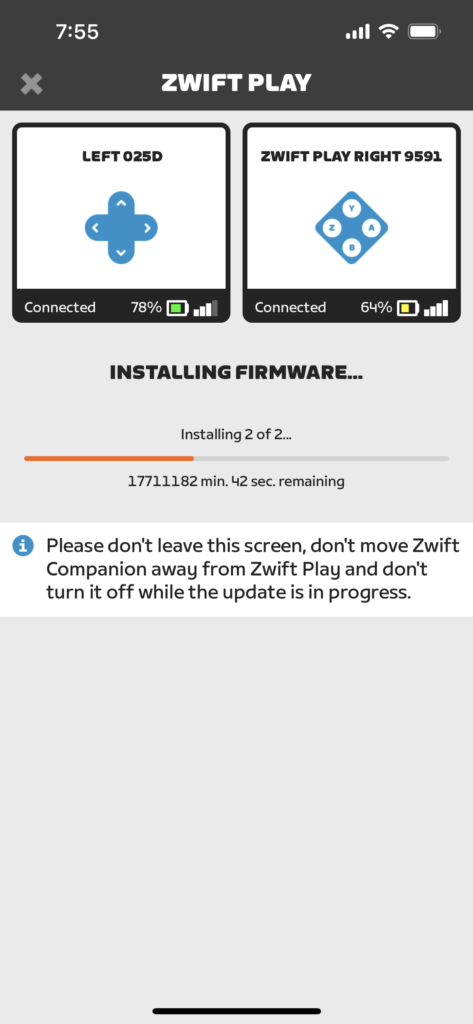
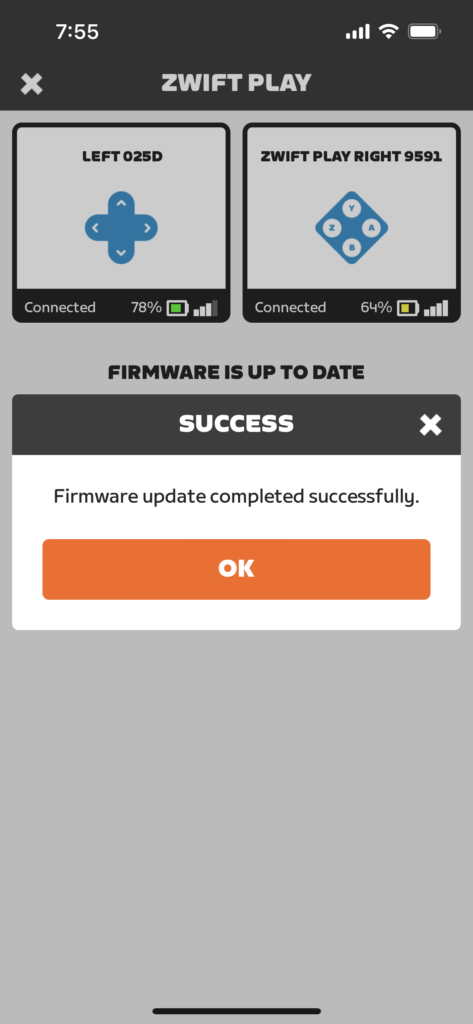
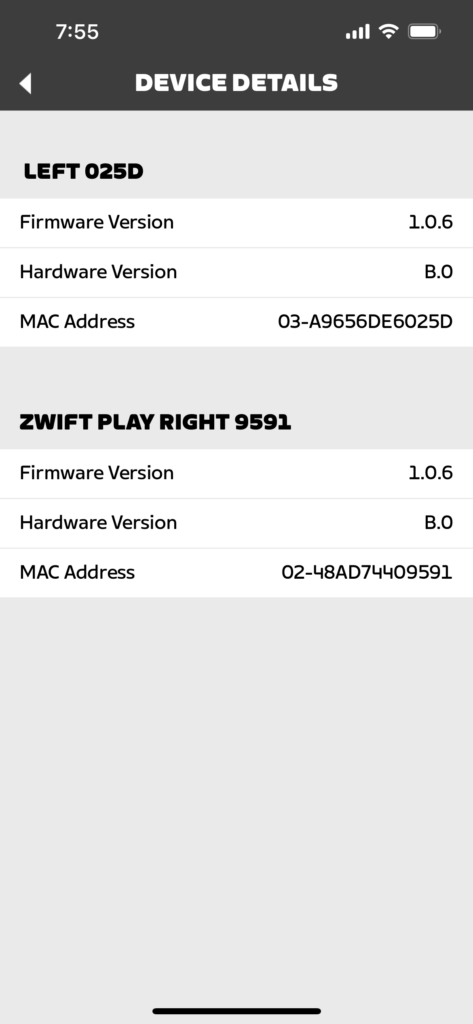
The Play controllers can only be connected to one device at a time, though, so if you connect them to Zwift, then see an alert on the pairing screen that a firmware update is available, you’ll need to disconnect them from Zwift, then connect to them in Companion to do the update.
Pricing and Availability
Zwift Play is being sold at a discounted price of $99/£99/€99 for a limited time (planned MSRP will be $149/£149/€149).
Why the discounted price? Because Zwift needs to build a critical mass of Play users so they can hold events with Play-specific features and gather feedback from a larger cohort of Zwifters. At the same time, Zwift knows it’s not easy to convince folks to buy newly-released hardware, so they’re “rewarding” early adopters with a healthy discount.
Some Zwifters have complained that the MSRP is high. While I agree that $149 feels steep compared to $99, I also have a few more thoughts:
- You can’t compare these controllers to something like Xbox controllers, where millions of units are sold annually. Economies of scale demand that pricing for a more “boutique” product like Zwift Play will be a bit higher.
- You can’t compare the pricing of these controllers to generic Bluetooth buttons/pads you buy on Alibaba. Those are (in my experience) poorly constructed, far from sweatproof, and very limited in their functionality.
- The smart steering blocks from Elite and JetBlack sell for $99, and Zwift Play includes steering and much more.
- In an industry where one company just announced a $5,399US electronic groupset and bikes are regularly priced over $6k, $149 doesn’t feel too crazyanymore.
The controllers are available for purchase in the United States, United Kingdom, and the European Union at zwift.com/play. Why not Canada, Australia, or those European countries not in the EU (sorry, Switzerland!)? For the same reason the Zwift Hub trainer is only sold in the US, UK, and EU: because that’s where Zwift has chosen to set up their warehousing/shipping operations, and because separate certifications are required for hardware in certain countries.
At some point in the past few years, Zwift chose to stop shipping worldwide. When we asked about Canada and Australia shipping today, Zwift’s official word was “Zwift is looking into it but there are no confirmed timelines.”
More Reviews
Looking to hear other takes on Zwift Play? Here are more reviews I found:
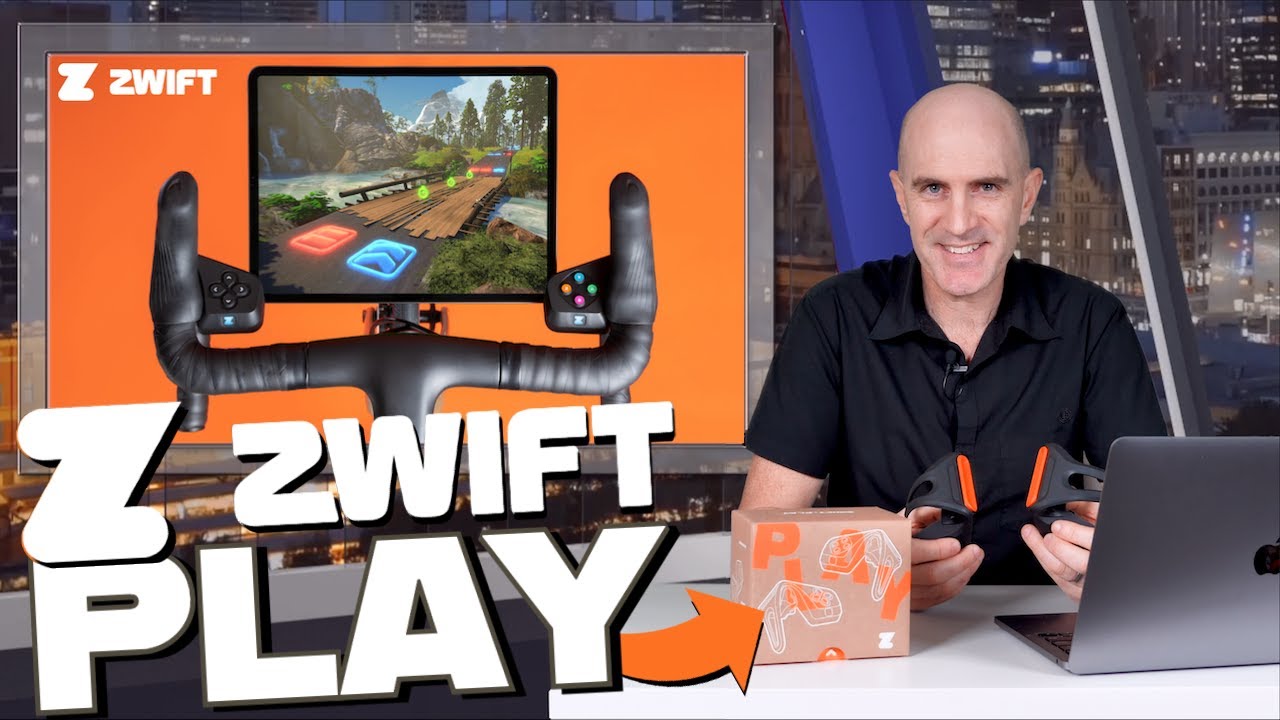
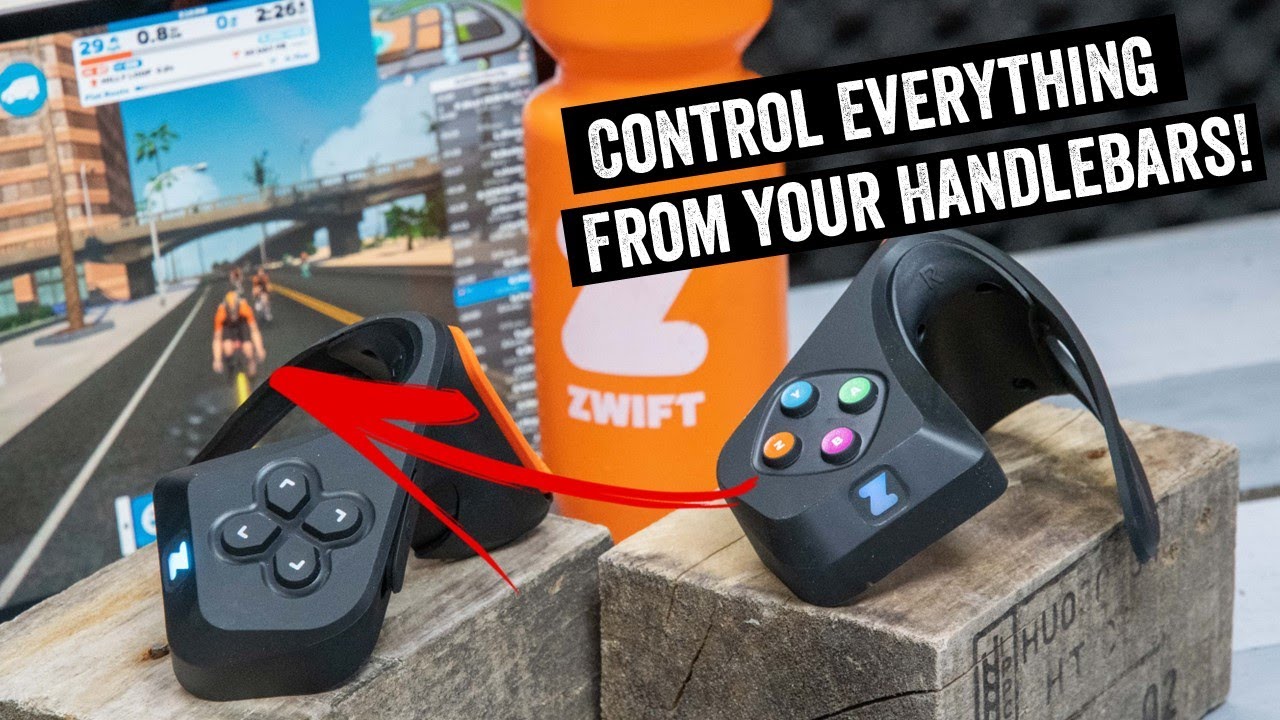
Ray always does a great job of diving deep in his articles. Read his Zwift Play review here >
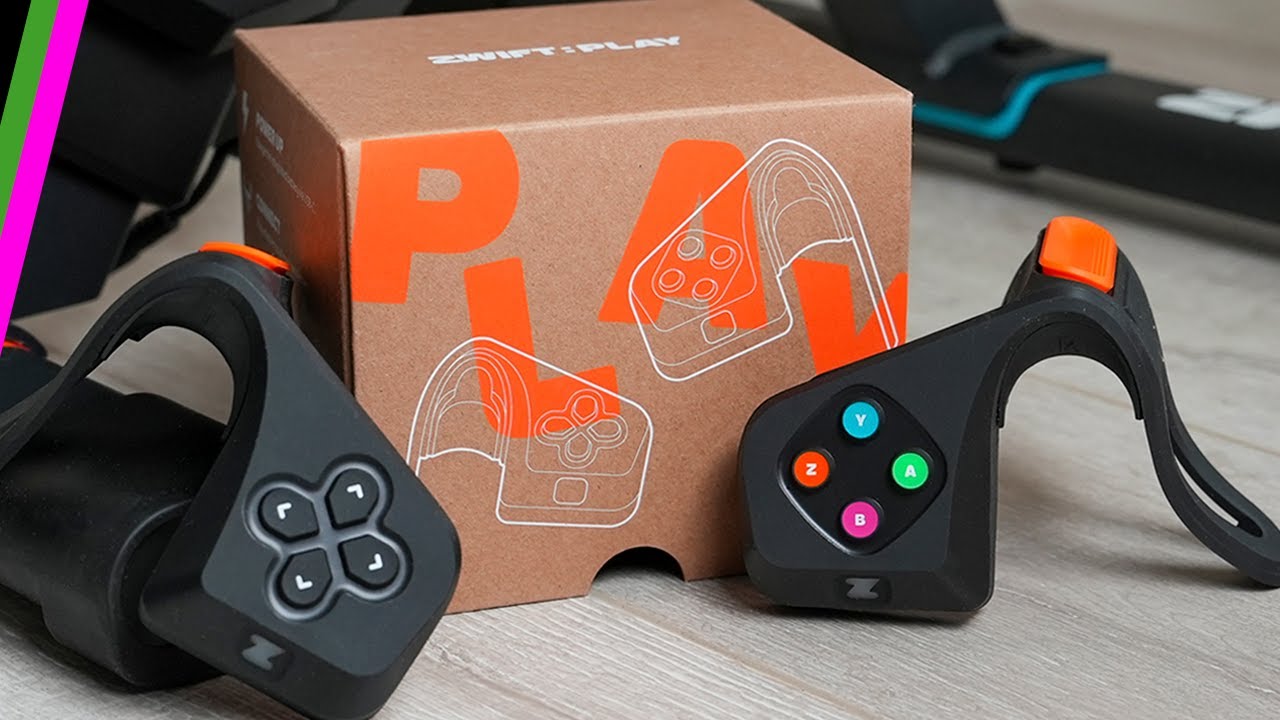
Read a Zwift Play review from Simon von Bromley at BikeRadar >
Questions or Comments?
Post below!



Thanks for this article. It’s interesting.
It’s not a huge investment, but I think some things would be interesting for people with inside info (or preview versions) to get some answers to.
The braking thing (hard vs long) is interesting — I guess it would be good to know what the sensing/switching technology being used is and whether it’s something that can be changed via software or in a later version.
I appreciate it’s not a huge investment, but some people also like to keep their stuff nice and for example take pride in wiping-down their bikes and stuff — so, questions that would be relevant to kindred spirits are:
TBH/full disclosure I don’t think I’m going to be buying these — at least not yet, but I appreciate how big a deal it is and how brave it is that they are sticking their necks out with hardware again. And it certainly seems a neater solution than the button you rigged up a while back (which was clever too!).
Why are all of these reviews essentially avoiding discussion of use with AppleTV? What is the expperience through the companion app like for Apple TV users? Has Zwift asked everyone to avoid in depth discussion of this?
Ray (specifically mentions ATV use, with the need to pair through the Zwift Companion app. Shane (GP Lama) did most of his video with ATV (confirmed via my question on his YT vid. So it is well used and works as intended, whether they directly mention it or not in the vids.
I received mine today and use ATV. I’ve been a long term user if the companion app to bridge my Bluetooth connections, mainly because my polar HR monitor acts weirdly when connected directly. Companion app works fine and zwift play is great actually. Much more intuitive than using companion app on my phone mounted on a Garmin mount and obviously additional functionality. I was skeptical but completely won over now I’ve used it.
I got mine yesterday and used it this morning with ATV. No problems using it with Zwift Companion (kickr snap, kickr climb, wahoo cadence, zwift play, and fr945 hr broadcast (because my polar hr monitor also has weird connection issues) all connected.
When will they be available in Canada 🇨🇦?
From the post:
When we asked about Canada and Australia shipping today, Zwift’s official word was “Zwift is looking into it but there are no confirmed timelines.”
If you can arrange to pick them up from a US address then you are a VPN away from ordering them.
On another note, I am enjoying my set 🙂
Apple TV limits the number of Bluetooth connections(to 3), I already connect the Apple TV remote, my HR monitor and my Wahoo KickR (which gives Speed/power/cadence), so would these count as a 4th, ie I couldn’t use them without disconnecting one of the others, which would have to be HR as I need the remote to start Zwift in the first place (unless these can act as a remote for the Apple TV itself?)
Yes – if you’re on AppleTV, you’ll need to connect your devices through Zwift Companion (instead of AppleTV) so you can get around the connection limit.
I’ve added a section on this above.
in the past the companion app was rather unstable and liable to dropouts so i went for a CABLE bridge from NPE, seems this has been upgraded to: https://npe.fit/products/cord I have found this to be super stable
just a thought though as ‘Zwift developed their own Bluetooth protocol for Play’ it may not work (yet), watch this space…
The CABLE device is good, but the Zwift Play are already BTLE, so I’m not sure how it could be used to pair the Zwift Play to AppleTV.
CORD is not compatible with Zwift Play. As I found out after I bought it!
If you’re an iPhone user, there is always the option to deselect your Apple TV remote and use your iPhone to control your Apple TV.
This will free up one Bluetooth connection, as the iPhone/Apple TV interfaces via WiFi.
Interesting your avatar got pushed to the right a few times, especially on the red tarmac in London. This has been occurring to me as well, with steering turned on (Kickr Bike) since the most recent Zwift update. Seems to be an issue with the game software rather than the device.
I personally would like them to simply add standard controller/keyboard controls for steering and braking. It’s absurd that they want to lock the steering function behind a $150 device. With controller support, I could simply remap my controller gyro to the buttons used to steer, attach it to the handlebar, and have a better steering experience than that 150$-waste-of-money provides…
Premium products aren’t for everyone I guess.
I would be totally fine with Zwift Play if it actually was a premium product. It just isn’t. I set up my steam controller to control the left/right buttons via the gyro inside of it. I then attached it to my handlebar. I can steer at intersections by turning the handlebar. This works super smoothly. Any in-game action that is controlled by the keyboard or a mouse click can be programmed into any of the buttons on the steam controller. So with my DIY setup, I can get the benefits of the Zwift Play and Sterzo Steering, all in one device, on any trainer. The Steam controller is an actual premium product, not these overpriced steering devices that hide their inadequacy by gatekeeping their functionality.
Hendrik: Would you illustrate how you attached the Steam controller to your handlebar?
I bought mine yesterday after watching the YouTube videos. I’m on Zwift 100+ times a year as many are and having these tools to ease the many nuances of the riding was an easy one for me to decide. They just shipped!
morning Eric,
its started already, OG race yesterday, in the front pack of 10, 3 were using steering! not enough twists on the classique course to make a real difference, but on other courses it will make give a competitive edge…..
all the best
john
One advantage of braking in game; in a race that has segment points and if you sprint for 1 but then want to remain/slip back a bit in the group for the next. Perfect example would be want to slow a bit at the top of 23rd street before Libby Rev on Richmond Rev.
and for bike changing if you have Apple TV!
I have tried the connection on my Apple Tv 4k . My companion app and my ATV are on the same wifi network. Companion app is the latest version and ATV is on 16.5. When pairing i got the message that there too many connections. So it didn’t work. On my mac no issues but I prefer to use ATV because i want see it on a big screen. Any thouhts?
Forgot to mention. Bt connection from iphone was vissible on atv screen
Sounds like you need to tell Zwift to use the Companion app instead of AppleTV for the BT connections. You can toggle between the two on the pairing screen.
Similar issue for me, I try to force all connections through app, but it then tells me I’m at the max connections and seemingly on Apple TV. Seems like there’s a glitch or setup step missing. I did update the companion app. Also see no way to connect them directly to the app and do firmware updates.
Update: After some troubleshooting, I discovered that under Settings/Privacy & Security/Bluetooth on the iPhone, Bluetooth was off for the Companion App. Don’t remember turning it off but as soon as I turned it back on everything works great! With ATV, just the navigation controls you get from the Play are a great feature. Looking forward to trying more of the in-game controls.
Just finished repack rush using zwift play. Unfortunately no leader board and route badge as it states event only. Time for an update
I bought Zwift Play as soon as I saw it and learned it had a breaking feature. They arrived the next day. I use an apple TV. I can connect the plays using Zwift Companion. I also connect my HR monitor and smart trainer using ZC. All units disconnect about 1 minute into the ride. As an experiment, I connect directly to the apple TV using my trainer, and only the right play controller, thinking I would still get the brake and other features. However, while my trainer remains connected, the play controller still disconnects after about a minute and must be rebooted, and then repeat every minute or so. Any thoughts?
I just tried my Zwift Plays on my computer running zwift and they worked great. I have ZC on an Android. I guess I need to try it on my son’s iphone 13.
Frustratingly, I could not get zwift on my apple tv to recognize my son’s iphone running ZC. yes correct account and same wifi. Not to be, today anyway.
Ok, found the fix. For the Android ZC app, long press the icon and select ‘App info’. Next, select ‘Battery usage’. Under ‘Power Consumption Controls’, enable ‘Allow background activity‘ and ‘Allow auto launch‘. I haven’t done enough tests to see if only one or both of these options are necessary, or even if it was just the ‘force shutdown‘ of ZC I did earlier, but it works now. I did 5 minutes with ZC open, with plays and trainer connected, then closed the phone and did 5 more minutes, and no problems. I believe the ‘Allow background activity’ might be the really important setting here, but I just wanted to pass this on to anyone experiencing the same problem. Ride On!
Nice. Yeah, that would make sense. Gotta allow the app to work in the background…
Are there any benefits of the Zwift Player Controller on a dedicated Wahoo Kickr Bike?
Thanks!
Joe
I have a a Kickr bike and have just ordered. You get buttons to navigate the menus, give ride ons and actually steer at junctions.
I use the Wahoo App or Rouvy for my intervals and then run ZWift for something to look at, using this I will be able to use the steering function as I can’t use the bike when it’s not paired as the controllable device.
Ride on bomb from the Play controllers and ride on bomb from the companion app are two different things. Even though spamming the X button every 10-20 seconds with a crowded pace partner, you can still ride on bomb from the companion app and it immediately spawns 5 thumbs. Controller bomb seems to be more strict in terms of vicinity. And I hope they’ll let you disable the “Ride On” audio in a future release when using the bomb from the controllers.
For anyone with sprint shifters who is unsure about Zwift Play controllers they work fine for me. I have Shimano Di2 sprint shifters about an inch down from the hoods on my drop bars. The wrap around straps on the Play controllers have enough of an opening in the middle that allows me full use of both of my sprint shifters. The controllers mount up very close to what’s shown in all the photos of Zwift Play mounted on handlebars. Get ‘em before the factory decides to put solid straps with no openings on ZP. But maybe I’m worried about nothing?
Got mine yesterday and very impressed with the steering compared to my Sterzo. As I use Apple TV, and I don’t like to use the Companion App (I always end up disconneting) I ordered the NPE CORD, Gutted that it’s not compatible with this )Or even with my old Sterzo)
You ask “why would one brake on Zwift” surely one use would be in team time trials. Forming a paceline and not overshooting will be much easier with brakes
Oh yes, and getting back behind the fence in group rides and returning to the robopacers when you have gone for a sprint segment.
After 2 times using play the navigate up button starts to malfunction. I have to press harder and harder or multiple times to get some results. It does not seem that the components will last a long time.
Hopefullty at some point, you could re-map the buttons/paddles to your preferred layout.
a bit of customisation wouldn’t go amiss!
i like them as a rule, i can move the kickcr desk out of the way of the headwind fan & still have control of most functions.
the brake seems a bit of a pointless addition at the moment, maybe that’s a future works thing.
I have ATV and Zwift hub – I connect my Polar HRM directly to the Hub because it’s flakey sometimes when connecting to ATV – wondering if I could connect the Zwift play to the ATV and do it that way instead of connecting through the companion app? Thoughts?
Hi, do you know maybe of any shortcut that allow for changing resistance in workout mode when not using ERG
If you aren’t using ERG you can’t control resistance. ERG lets you do that.
Really nice to have the controls so close. The steering control is a bit touchy. The only real negative is they disconnected a few times sometimes one, sometimes both using a Windows PC. I will try connecting via the companion app for my next ride.
Zwift have the left arrow down as cycling the minimap. I find that 10% of the time it does so with a single press but 90% of the time requires a double press. Is it meant to be like this?
I also had a coffee stop end by itself when I threw a towel over my handlebars and the corner brushed the right Play controller. No way it landed hard enough to actually depress a button. What else could have made the coffee stop end?
Also I wish the lights were dimmer and there was a quick toggle for rear view at all times. I’d use the brakes 100x more if I could actually see how far behind me a robopacer is.
Has anyone figured out a hack to connect these to TT Base Bars?
Are there programmable buttons? I want to toggle ERG mode for sprint workouts. Can I program a button to do so?
Late contribution, but just got some. I ride rollers with power meter probably half the time inside, and gotta say these are very useful if you use rollers, where doing anything with a keyboard is mostly impossible and even zwift companion on the phone can be a challenge. The steering also adds another level of depth to the ride and race experience which is nice. If you are using rollers—get ‘em. If you want steering and use a rocker plate, that’s another reason to go for them, as you don’t have to worry about how your rocker plate will interact with a steering riser. For me, genuinely useful and worth the entry price…
Stop with the stupid pop ups while I’m trying to get info!
I was VERY disappointed (and surprised) to learn that Zwift doesn’t ship to Canada.
I wanted to buy Zwift Play as a Christmas gift. Nope.
Also: Huh?
Shipping is a solved problem. Sheesh. Almost every eBay seller ships worldwide.
And what is the per-capita Zwift subscription rate per country? I suspect Canada tops the list.
i screen record from my iPhone to my tv,and use kicker bike V2. will the Zwift play controls work if I’m screen recording ??
Sure, I don’t see why not.
Just got the controllers, installation and set up was “easy as”. Charged them first before installation and connection, did set up, then disconnected from Zwift (I use an iPad Pro 12.5” as my UI), did a firmware update through Companion on my iPhone, and away we go. Have only used for one race so far but initial experience is good, I like being able to steer to get into the draft, cut corners, and swing out for a break. Being able to access functions from the controllers vs. on the iPad is certainly a plus.
Button pushes are a bit stiff but this is a good thing as it minimizes inadvertent actions. Placement is good and they are “out of the way” for normal riding except I seem to have an occasional problem when out of the saddle for a sprint with tapping the brakes which isn’t good. Hopefully more experience with these will minimize this.
So initial feedback, I like them.
Been using Zwift Play for a couple of months now. Fantastic compared to manual shifting. But … for me at least it comes with a tail light. if I “unpair” the controllers from Bluetooth, no tail/brake light. If I “pair”, then I get a tail/brake light. But then, in group rides, I will see other riders displaying the controller logo beside their name and they do not have a tail light. Love the controllers but could do without the lights. Many thanks to all at Zwift Insider. You guys do a fabulous job.