

Fresh on the heels of last week’s “Four Temporary Zwift Hacks” post, here’s an ongoing hack you can use to level up your frames more quickly. This may be of particular interest to riders like myself who are looking to upgrade their gravel bikes as quickly as possible!
The Basics
Zwift events can be set up to restrict the frames and/or wheelsets available for use. This restriction can be super narrow (forcing everyone to use the same frame and/or wheelset), or much looser (disallowing TT frames in road races is one common example).
When events are set up to force riders onto a particular frame, or disallow a particular type of frame, Zwifters can still select whatever frame they’d like from their garage, in order to accumulate upgrade progress toward their selected frame. This is by design – which I suppose means this isn’t exactly a “hack” – because Zwift rightly wants to let riders decide which frame will receive upgrade benefits from their efforts.
Digging Deeper
There are two types of events regularly seen on Zwift that enforce frame restrictions and thus lend themselves to this “upgrade hack.”
Forced Frame Events
There is a small (and unknown) number of weekly ride events which are set up so everyone is placed on the same frame and/or wheelset. This custom event configuration was first seen in special Zwift events like the Cervélo Gravel Rush Series, where Zwift partners with a bike brand to promote specific bikes. And while it doesn’t happen often with Zwift events, it still does happen: one notable current series is Zwift Camp: Breakthrough, where all riders are placed on the Pinarello Dogma F 2024 with Princetone Wake 6560 Lava wheels.
Community organizers can ask Zwift’s events team to set up their event with a forced frame and/or wheelset as well. How many events are using this feature? It’s impossible to tell, because Zwift doesn’t use a searchable rule or tag for these events. You can get creative and search for particular text in the event descriptions, such as “Cadex”, but this is far from a perfect solution.
See all events containing “Cadex” on ZwiftHacks >
Events with a forced frame will show the frame’s name in the event details in the Companion app. (Forced wheelsets are not shown.) As far as I know, this is the only place that always shows forced frames. Apart from this, we’re left with whatever organizers put in the event title or description!
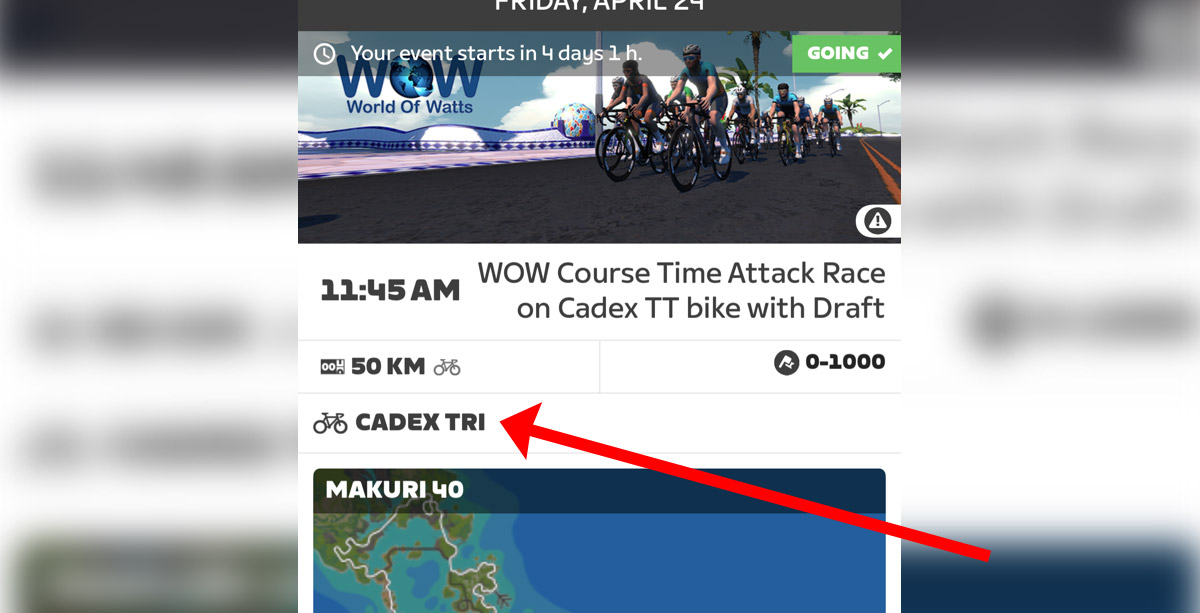
Events that force a particular frame and wheelset are the best for this hack, as they give Zwifters complete flexibility in selecting the frame they want to upgrade for credit. Simply choose the frame you want your efforts to go toward upgrading – before entering the event, or at anytime during the event – and your efforts will go toward that frame.
You can even stop mid-event to verify this. Here’s a screenshot in a test forced-frame event showing my Cannondale SuperX‘s upgrade progress before and after a couple of kilometers of riding. (Note that this event was forcing us to use the S-Works Tarmac SL8 with Princeton Blur wheels.)
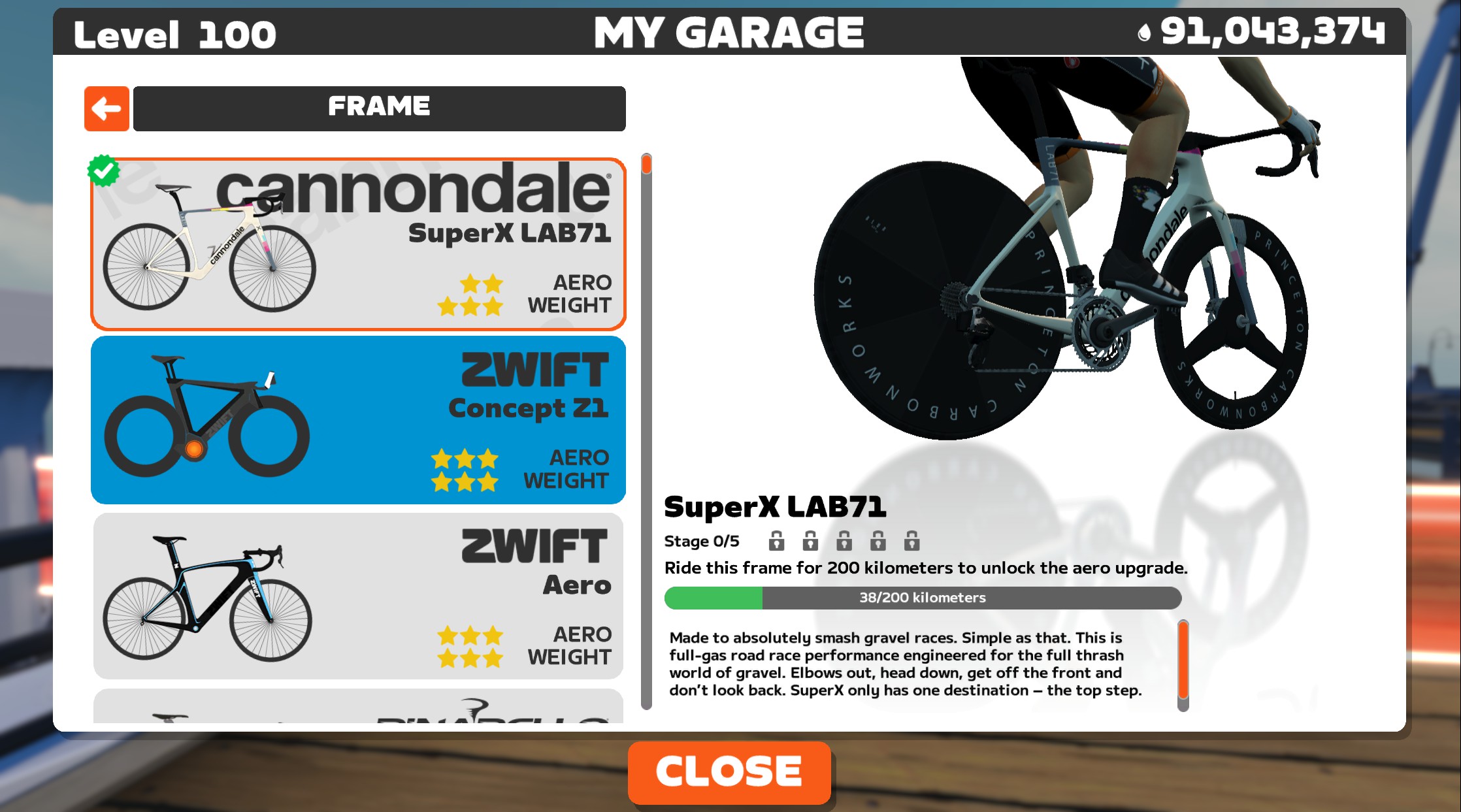
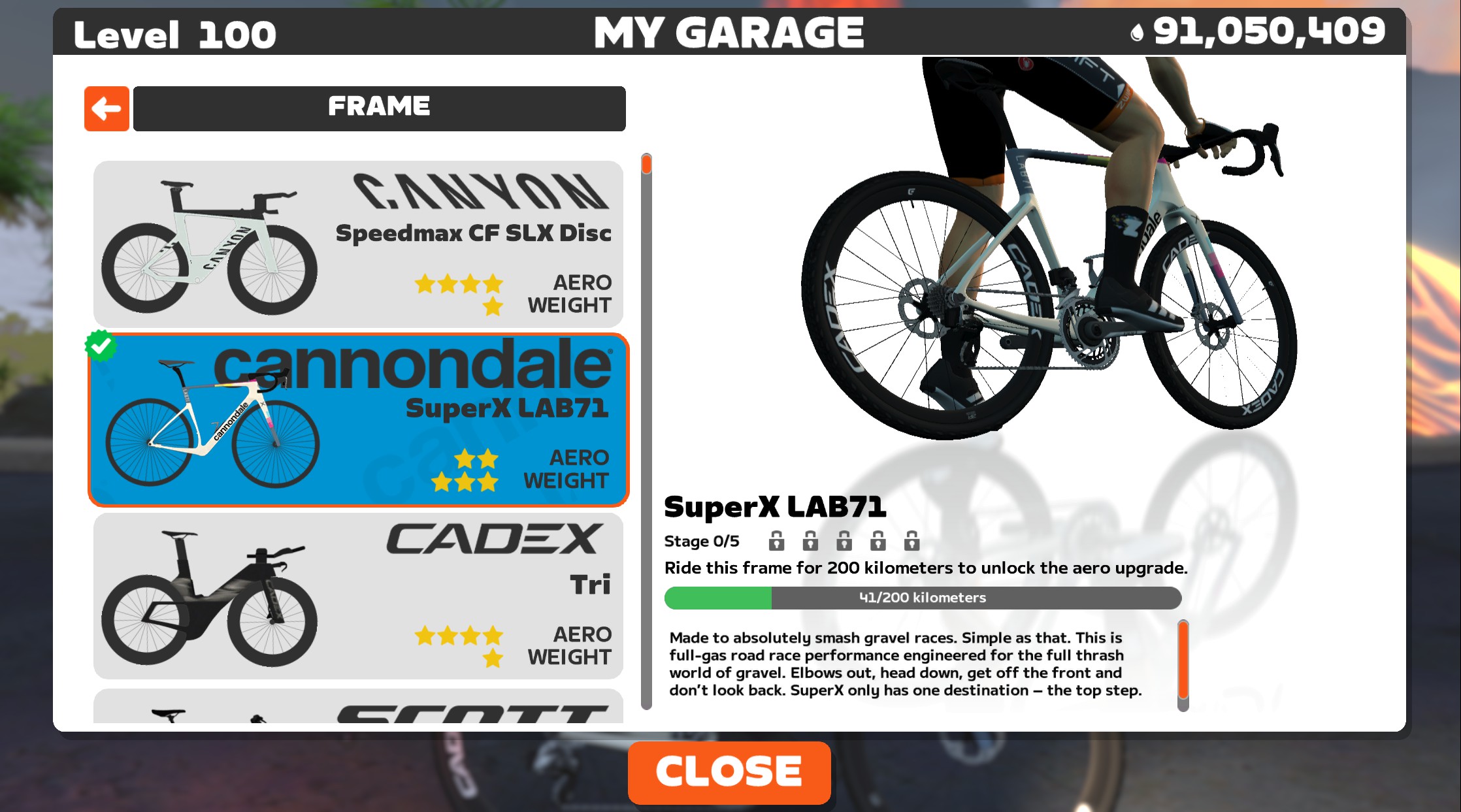
One caveat here applies to events that force a particular frame, but don’t force a wheelset. In this case, if the event is forcing a road or TT frame, and you want to get upgrade credit for a non-road or TT frame (perhaps a gravel bike or MTB) or a Halo Bike, you’re going to end up rolling the slow “Zwift Classic” wheelset in the event, on whatever frame is forced.
This is because your non-road or Halo bike uses a wheelset that can’t be used on the frame that is being forced in the event. So when you choose that non-road or Halo bike, Zwift doesn’t know what wheelset to use for the event… so it uses the default “Zwift Classic” wheels.
“No TT Bikes” Events
Events set up with the “No TT Bikes” rule allow riders to use any type of frame they’d like in the event, except a TT bike. This is commonly seen in races, including all of Zwift’s ZRacing events, since riding a TT bike can give riders an unfair advantage in a breakaway and makes packs behave strangely due to the lack of drafting.
See a list of upcoming “No TT Bikes” events at ZwiftHacks >
These types of events (and there are hundreds of them every week) allow you to upgrade your TT frame while still participating in the event. Simply choose your TT frame before the event, or at any time during the event, and the minutes you accumulate in the ride will be credited toward upgrading that TT frame.
There’s a caveat to this, though – you will be placed on the default (and rather slow) Zwift Steel frame in the actual event. Here’s our test bot in a recent “No TT Bikes” event, with the Cadex Tri frame selected, but placed on the actual Zwift Steel frame in the event:
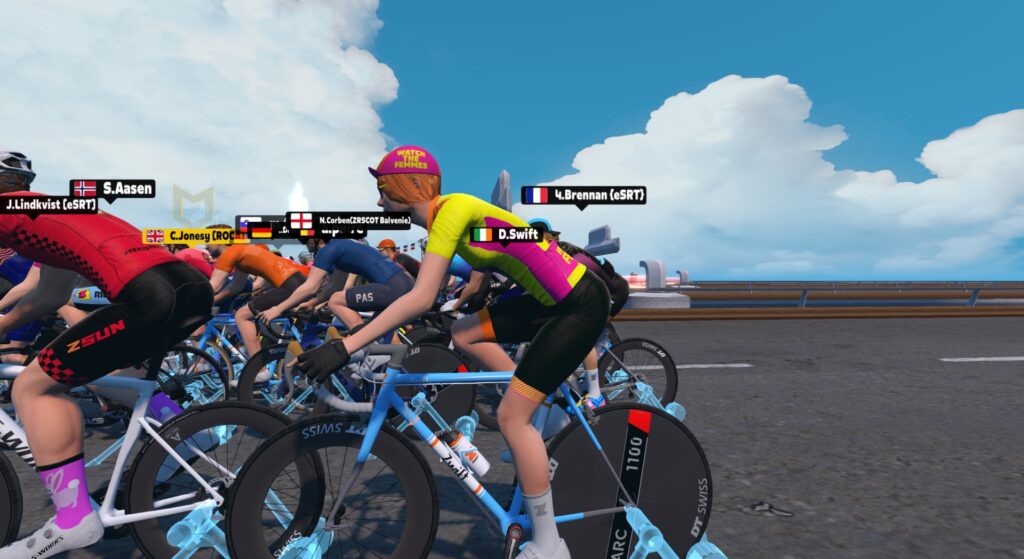
Given this caveat, you wouldn’t want to use this hack in a race. But if you’re looking to upgrade a TT frame while also participating in non-TT events – particularly non-competitive group rides – this is a good hack for you.
Pizza Burner, or Gravel Burner?
Because I want to upgrade my gravel bike quickly, I’ve had the ever-helpful James Bailey set up my Thursday 100km Pizza Burner ride to force participants onto the Canyon Aeroad 2024 frame with Princeton Carbonworks Wake 6560 White wheels starting this week.
I’ll be entering the event with my Cannondale SuperX Lab71 gravel bike selected, so the fast 100km of riding will go towards upgrading that bike.
Join me on Thursdays at 5:05am Pacific and upgrade whatever bike you’d like! >
Questions or Comments
Have you used this hack? Know of any forced frame events apart from those linked above? Got any questions or comments about it? Share below!


Discovered this “hack” accidentally a few months ago when I forgot to change bikes before one of the weekend WOW TT group rides (everyone on Cadex … with draft!). Fastest speeds you’ll ever see for an extended group ride, so ideal for upgrading frames based on distance traveled.
The WOW rides are the most prominent on the weekly calendar in terms of “frame forced” events, for sure.
Q: do you know if they enforce a wheel as well? Or is it just the Cadex Tri frame?
Hmmm…not sure. Wasn’t relevant to me at the time, because the bike I was working on upgrading was a Halo bike with no separate wheel choice possible.
Hi Eric, I did a Wow ride yesterday, everyone was on the Cadex with the DT Swiss Disc Wheelset, so forced frame & wheels.
Yep, enforced DT swiss disc wheelset
TEAM giant rides have an assigned bike as well for their events. It is the very nice TCR advanced SL 2025. Events are frequent….check it out
Hi Eric, TNP’s Chain gang on Saturday is using the Cadex and has for the last few weeks. We asked for a disc wheel to be added and it was on last weeks ride. So event organisers can ask for the wheels.
i used this hack quite a lot but had thought I needed to leave the garage screen visible to “force” the alternate frame – which made for very boring rides visually !!!
Ha! Yeah, it’s funny, because if you’ve got the garage open, when you change bikes in the garage on a “frame forced” event, your avatar in the event changes their bike to whatever you select. Which I assume is why you thought you needed to live the window open, because when you close the garage window–your avatar goes back to riding the forced bike!
But yes, you can close that window, and upgrade progress will go toward the bike you chose in your garage.
Hey Eric… Kinda off Topic (unless there is a Hack 😂), but wasn’t
sure how to ask You.
Did you ever do an Article regarding why Zwift changed the
selection Bars on the Companion App?, and what some of
the new Symbols mean?
I did read that there were a lot of un-happy users that you can
no longer Teleport between Robo Pacers, such as going from
D to C to B to A while in the same World?
Thank you, and delete if not allowed.I sent the Question to Zwift
support, but they never answered?
DIRT 3 Hour Merge endurance ride on Sunday mornings has an assigned Cadex with forced disc wheel. We have B C & D led categories. I lead D & at a pace of 2.2 wkg on flat & 2.59 on inclines expect to get in around 105 km. Currently banking the KM for Tron 🙂👍
Start time of 10.00 UTC…
Always correcting his spouse…
🤣🤣🤣Tom
If you’re forced on to a frame (and don’t choose it prior to joining), does the forced event frame honour your own level on the ride’s forced frame, or does it default to stage 0?
I.e. if I’m rolling around, trying to upgrade an MTB frame, and jump into a forced TT framed ride, and have already upgraded that specificied TT frame to stage 5, will I have a stage 5 frame on the ride, or will it be a default level as I haven’t chosen that specific bike prior to joining?
This is a really good question. I rode a TT series which neutralized bikes and wheels on my then level 4 gravel bike. There were murmurs though that the level of the bike you were riding bled through into the results such that someone who was only on level 2 would have a slower bike despite their neutralization attempt. I never heard a definitive answer but made sure to only ride level 4 bikes just in case it was true.
Really interesting. Thanks Eric. I often ride the Sledgehammer Inbetweeners races. They have a forced road frame and are on the jungle circuit. I’d noticed that everyone’s wheels were different, and I’ve been selecting a gravel bike before riding on the assumption I would keep the gravel wheels to give myself an advantage. Now I realise I’ve been riding on the stock zwift wheels. Darn it.
There’s also THE SYN 100 tomorrow, Wednesday, at 13:45. Everyone will be on the Canyon Speedmax TT with double draft on.
Another nice way to tack on extra gravel bike kms aside from whatever ride you might do is select the Mayan San Remo route and turn to the right where the jungle road divides at its top. It’s almost all downhill, and the gravel bike flies through the dirt. Unless you can find a group ride with a forced bike selection that averages 38-40km/h, I’ve found this method to be quickest. Takes about 7:30 to go 5km. You just have to be able to tolerate the same scenery/route over and over and over again…
Figured out an even faster mileage building method using the Lutscher meetup loophole. Schedule a meetup on Innsbruck’s Lutscher CCW and join. It’ll start you at the top just short of the banner which will be a very short incline. Then it’s downhill the rest of the way. 8kms in a ten minute ride. Again, you need to tolerate the same thing over and over again, but it might be worth it if you’re sick of trying to build kms more slowly on the gravel bike.
talking about events with an assigned frame..- I know for a fact that a minimum of 4-5 of Giant events during the week has an assigned frame..( my Saturday Roll Call lead included)..
we ride whatever Giant bike is chosen by admins.
Mayan San Remo is an awesome warmup / cool down course to level up the gravel – 5-10min downhill for 6km