

Zwift version 1.107 begins its phased rollout today. This is a minor update containing mostly bug fixes. See details below…
Workout Card Improvements
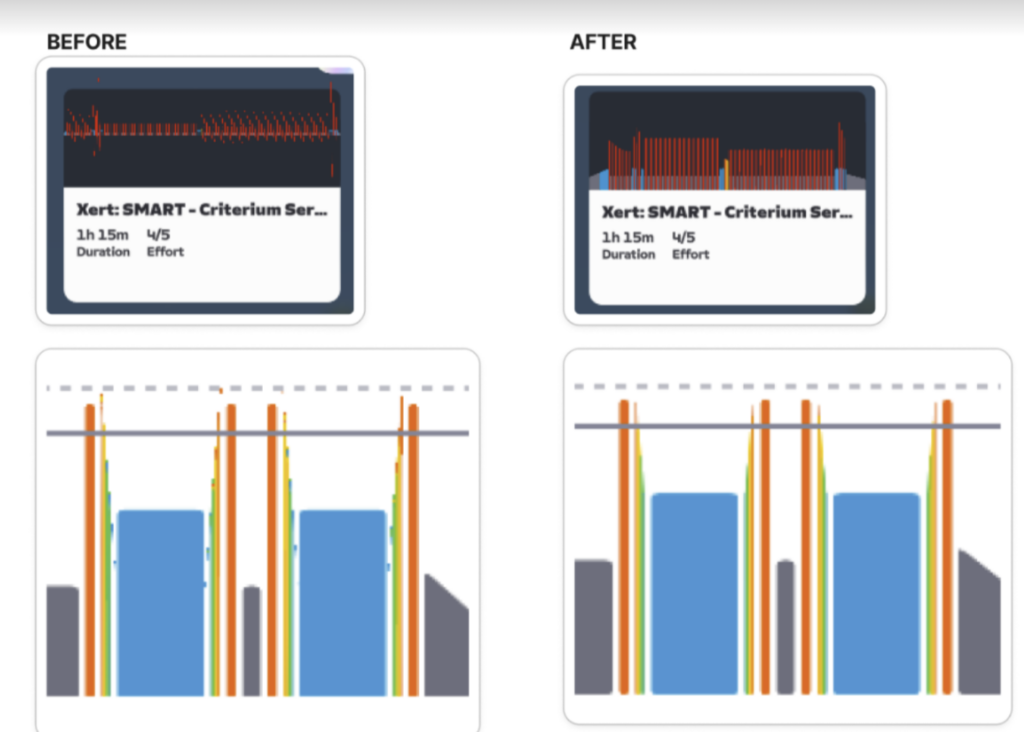
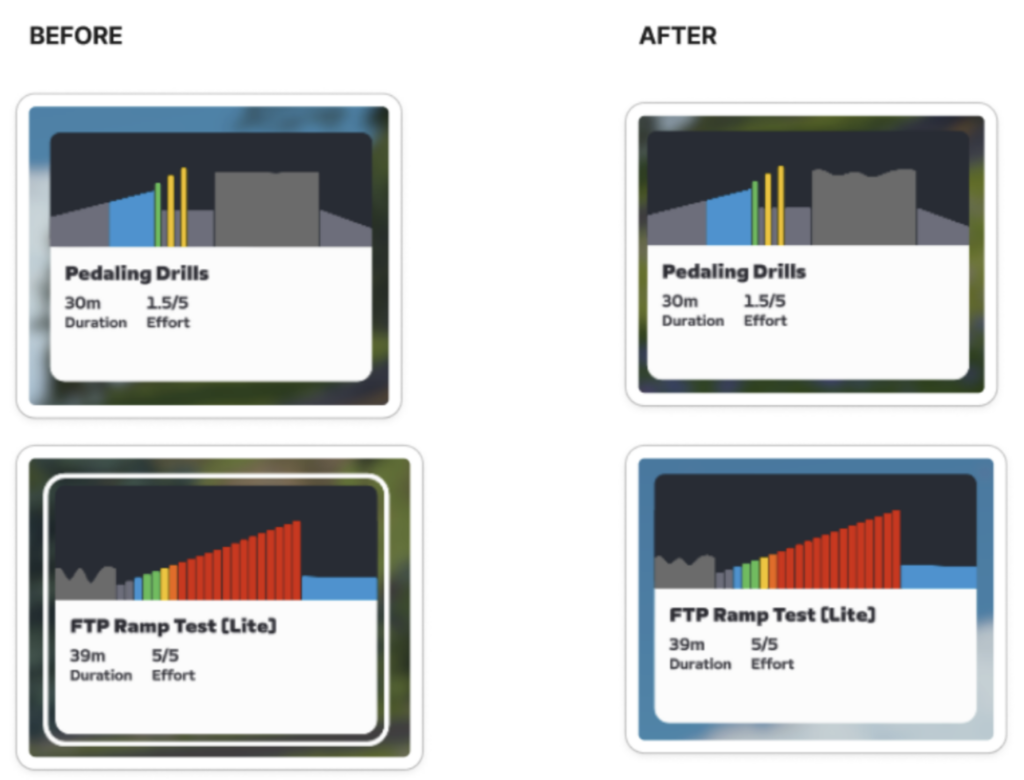
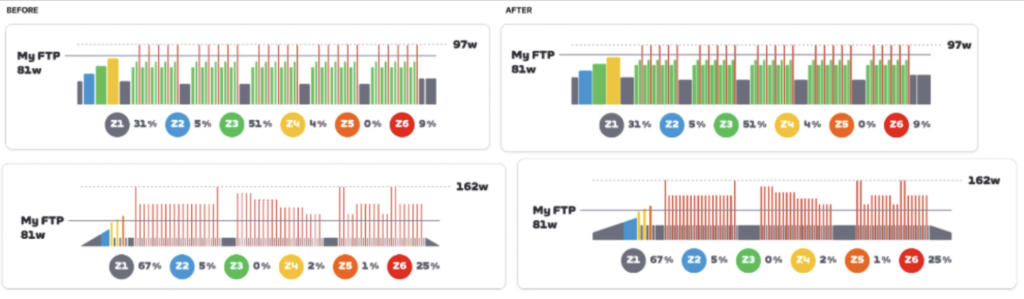
Zwift says this release includes “Various visual improvements to how workout blocks are displayed in workout cards on the Home Screen. These changes include fixes to how small workout blocks, free ride segments, and workouts with many blocks are displayed.”
The more detailed display of the workout that you see when clicking the card has also been modified. Examples below:
Neon Shore Loop is Open
Makuri Islands’ Neon Shore Loop route was originally launched as event-only to host TTT races for the ZRL Round 3, which wraps up this week. This update makes the route free rideable, and it can also be scheduled for meetups once it’s added to the list in Companion app.
Note: this isn’t a new badge, it’s just a change from the route being event-only to being open for free rides, meetups, etc. If you already raced the route in ZRL, you’ve already got the route badge.
Release Notes
Zwift supplied the following additional release notes:
- Fixed an issue that could cause chat emojis to not be visible after game updates or fresh installations.
- Fixed an issue that could cause Coffee Stop to not work when joining an event from a workout.
- Fixed an issue that could cause Power Segment leaderboard results to be delayed.
- Windows: Fixed an issue that could cause heart rate values from CORE sensors to be missing.
- iOS/Android: Fixed an issue that could cause bodies of water to be missing in some locations in Makuri.
Discuss this update in Zwift’s forum >
Questions or Comments?
If you spotted any other changes or bugs in the update, please comment below!


I don‘t see any difference in the workouts 😅😶🌫️
thank dog – i thought it was my eyes failing
nice to see they say the core temp sensor and HRM issues are solved, lets see =)
Whoa …major change on the fitness trends in companion app, all the sudden it is imported all of my running from Garmin and included that in the fitness score. And of course it doubled everything up that had been run on zwift and also recorded on Garmin. Why can’t this Zwift be smart enough to not import dual recorded events?
Why bother importing into Zwift as all if you have all the data recorded on a Garmin device.
Great, now my workouts will look even harder due to the more red :-p
I’ve got a new bug this week where Zwift is treating walks I upload to Strava using Garmin as outdoor rides and adds them to my daily totals. I’ve checked they have been recorded correctly by garmin and strava. I don’t think it is related to the new update as it predates it but something has changed 😏 And I have also checked the setting that gives the option to add runs to the ride total is set to No.
If they would just allow me to sort my workouts by TSS. This whole 1-5 scale of “effort” was never useful and, frankly, the math is already done to estimate TSS, so…why not just allow me to sort by that? I will admit that the “90 minutes or more” is also not helpful (I have most of my custom workouts as 120 minutes), but that is likely not as impactful for all riders compared with just TSS sorting. Please let me have that. 🙂
The Zwift companion app is now tracking your Zwift runs to determine your weekly trading time and score. Just saw that the other day. Where ride time is shown in grey, blue, green, yellow and red to indicate the time you spent at a certain intensity, Zwift runs are just pink.
Ignore, just saw the separate article
The display locked up 3 times so far since applying the update. Very frustrating. I’ve had to pivot to TrainingPeaks Virtual until a new update comes out. No idea of the root cause but everything went whacky right after the latest update.
Same problem!!! I had zero lock-up’s prior to this update. Now it’s “virtually” every workout. My PC has always been slow as heck to load, but was worked without issues.
It is windows 11 and I went thru checking drivers and the January Microsoft patch. This became the excuse to order a Mac mini.
I seem to be having a lot of application crashes since the update, I’ve submitted all the usual crash logs etc. Seems very consistent on Windows 11 right now, I’ve had crashes quite frequently since then. Sometimes when bringing up the pairing screen once I’ve started a ride, other times seemingly randomly.
Made completing TdZ a nightmare, Knights of the Roundabout took 4 attempts and an extra 2 hours to complete 😬
Luckily Android still worked OK, so did it on my phone as a last resort.